
Cleer STAGE1BTGRYUS Smart Bluetooth Speaker
Specifications Introduction
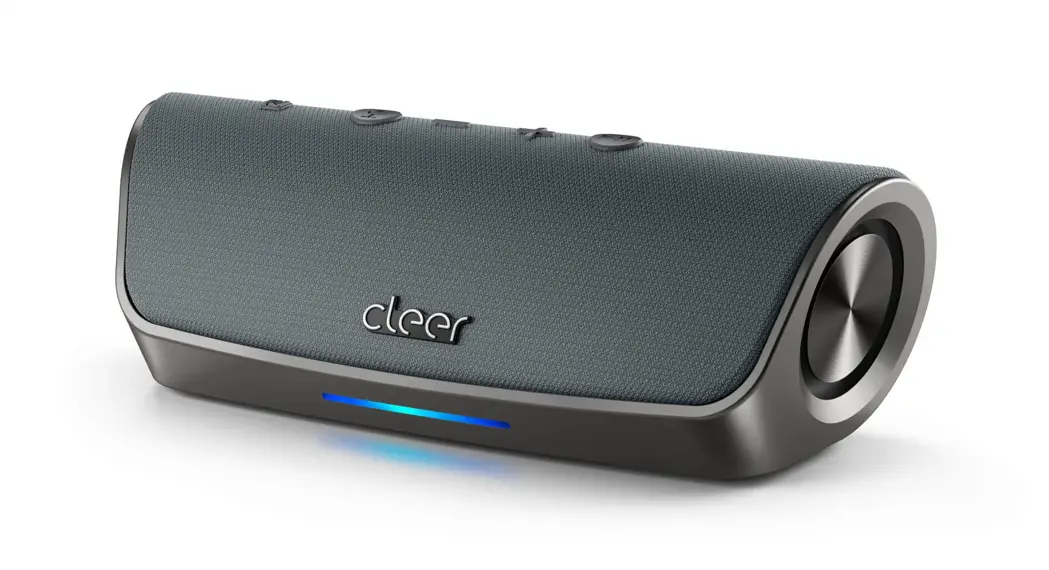
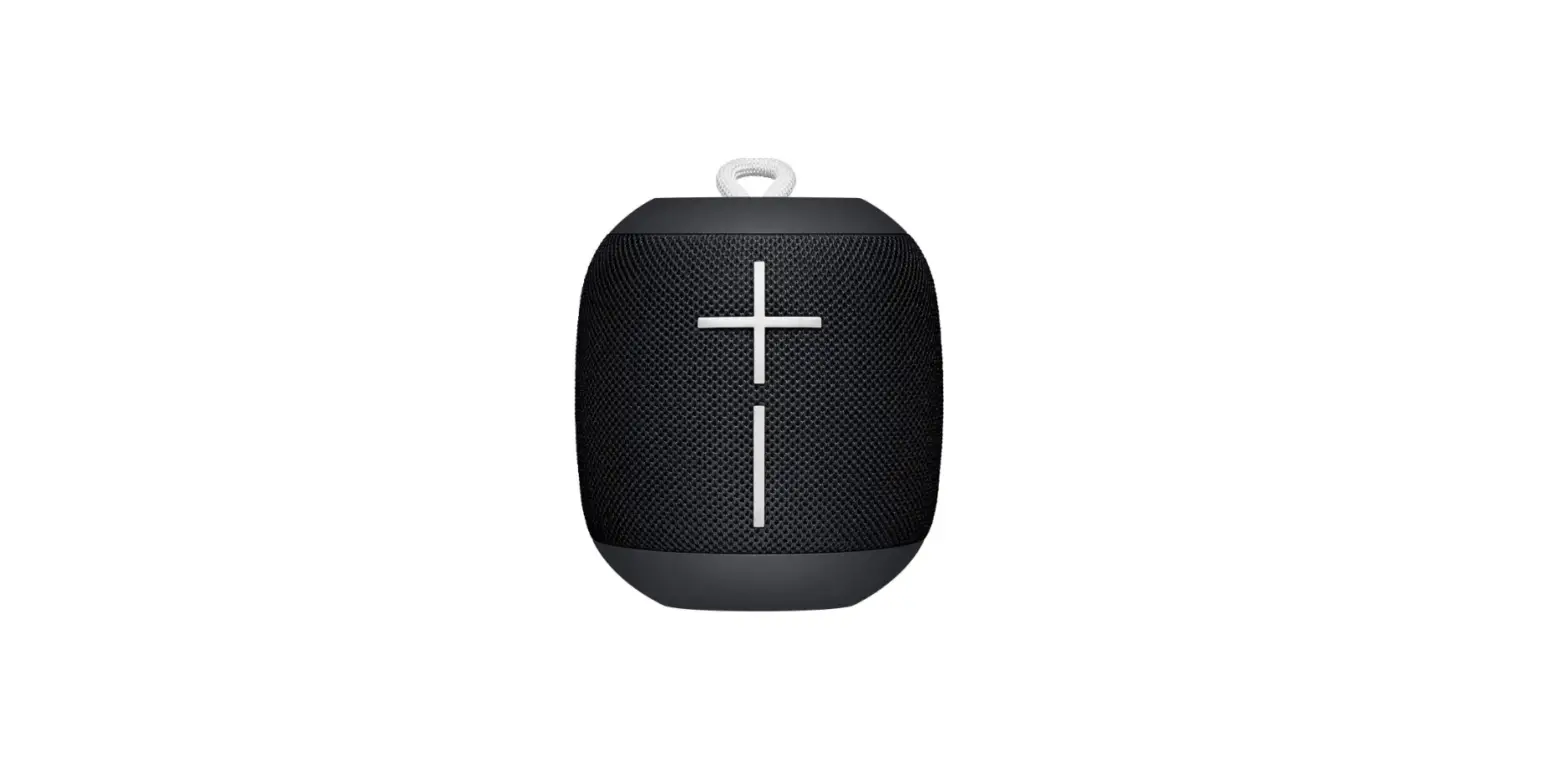
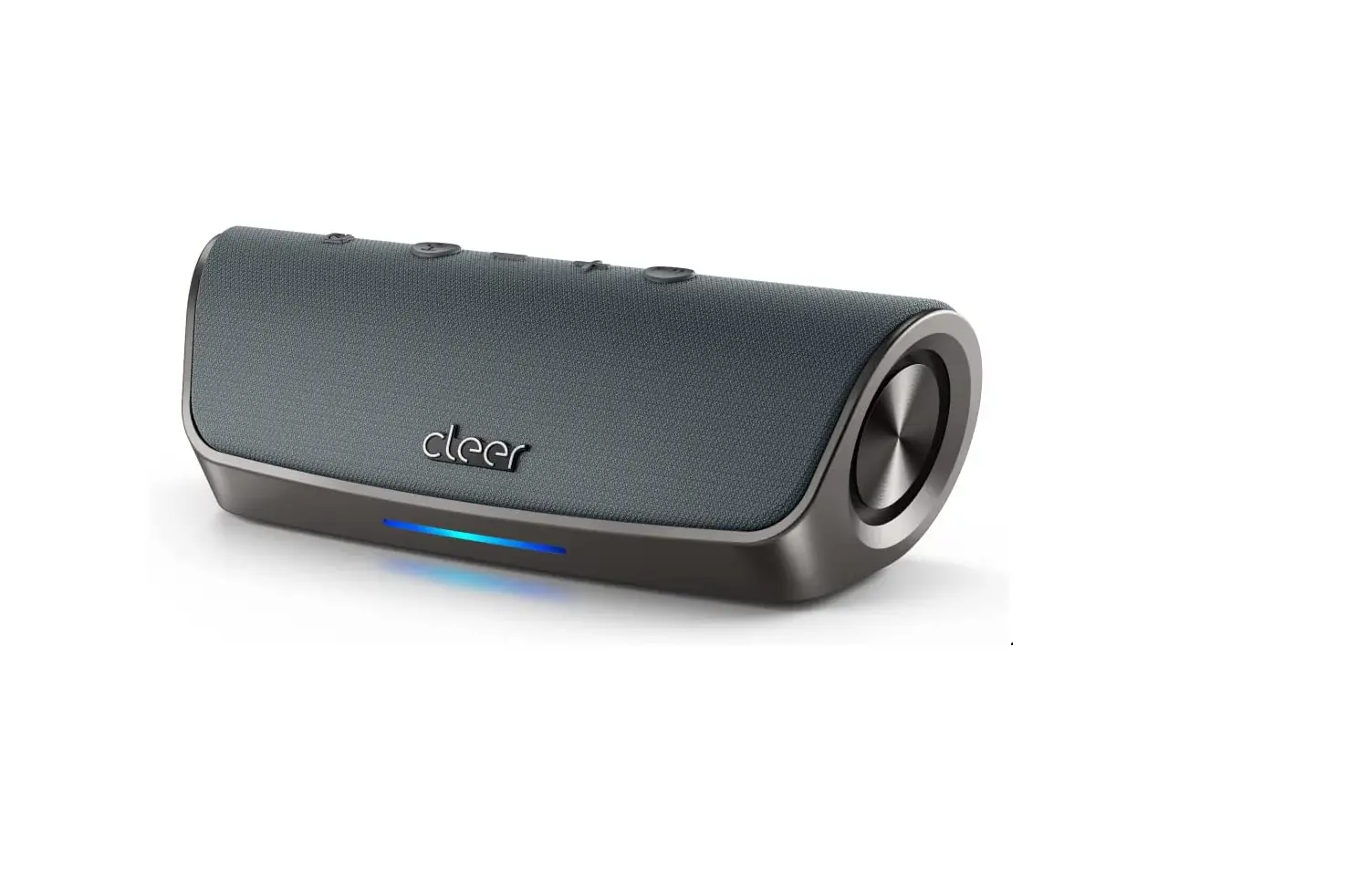
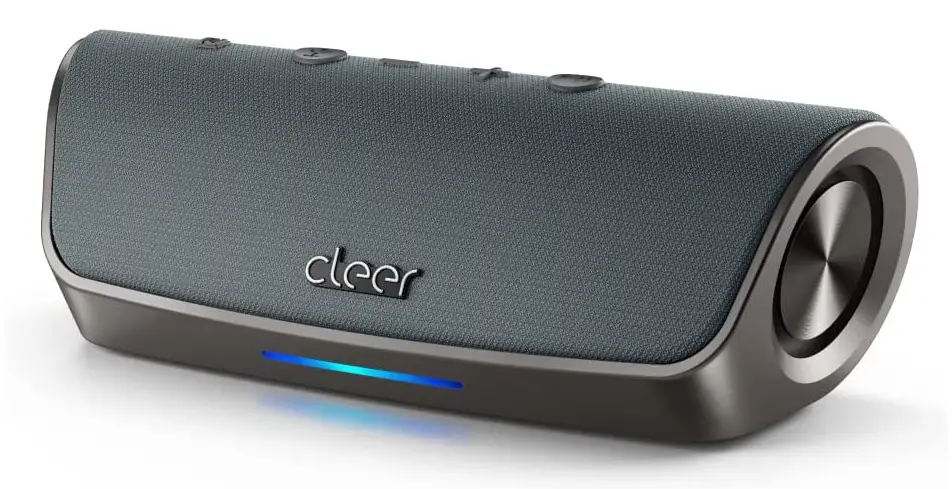
Enjoy the Stage Bluetooth speaker’s versatile portability. To get the most of Alexa’s features, play music or speak into the device. Use your voice to check the weather or to order materials for your next celebration. Bring the beats to any party with a digital amplifier, twin 48 mm speakers, and passive bass radiators! Set the mood whenever and wherever you choose with up to 15 hours of playback. With Stage, you can take use of Near Field Communications (NFC) technology for streamlined connectivity and high-quality Bluetooth 4.2 audio streaming. A robust fabric and metal construction serve to provide ruggedness, and the product’s IPX7 water-resistance protects against unintentional spills and splashes.
Our Cleer Stage portable speaker consistently offers a potent wireless performance and is outfitted with excellent voice recognition and the always-on Alexa Voice. Additionally, the Stage has Cleer Connect, which enables you to boost the celebration by connecting two speakers for a more powerful stereo sound. Use echo- and noise-cancelling features to take calls and speak clearly. The voice modes available on this speaker include silent, tap and ask, and always-on.
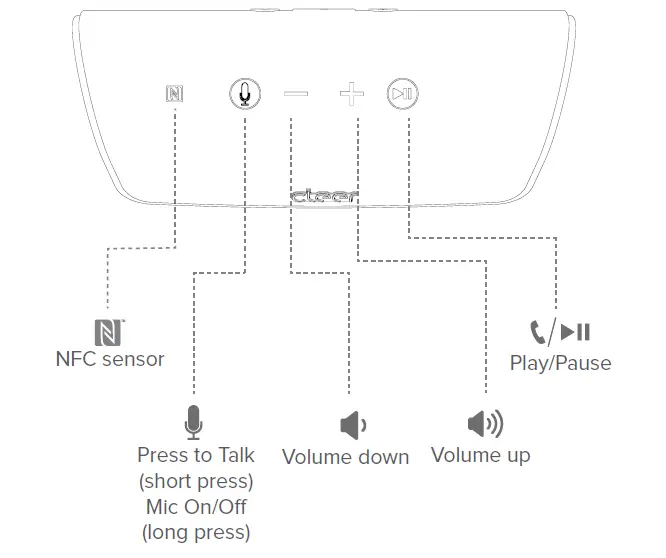
- FRONT

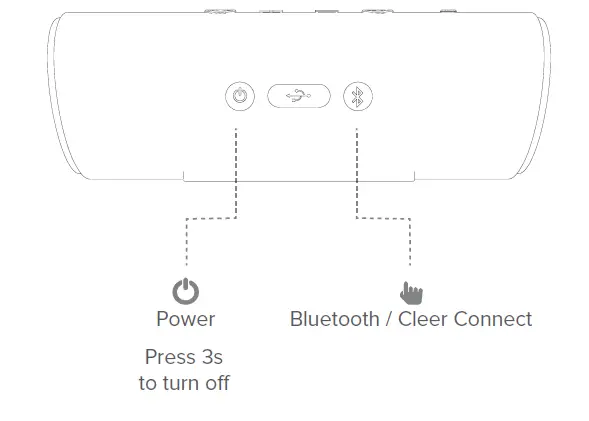
- REAR

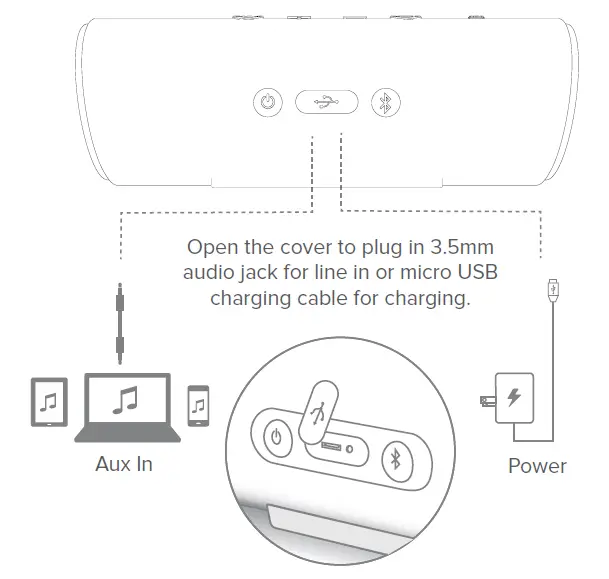
- CONNECTIONS

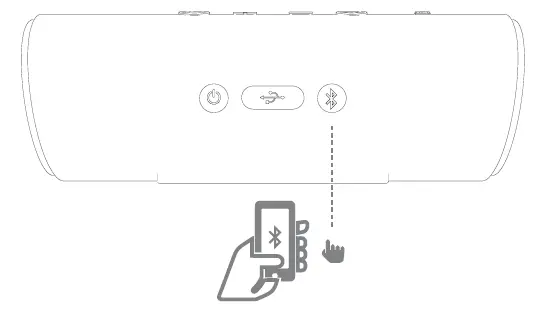
- BLUETOOTH PAIRING

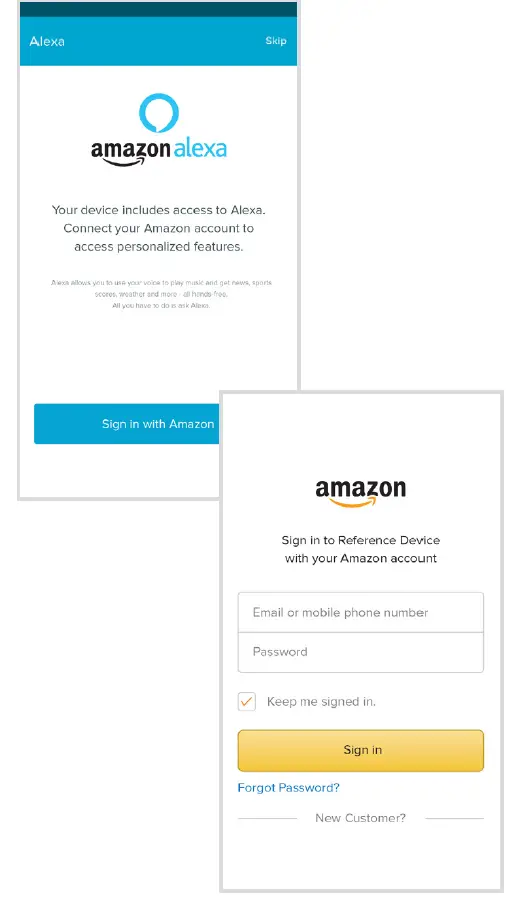
Activate Bluetooth on your device, press Bluetooth button at Cleer STAGE and select Cleer STAGE speaker at Bluetooth pairing screen at your device to pair and connect. - AMAZON ALEXA

Download Cleer Connect application.
Maximum your listening experience with Cleer Connect + app.
Log into Amazon Alexa to access to voice recognition services.
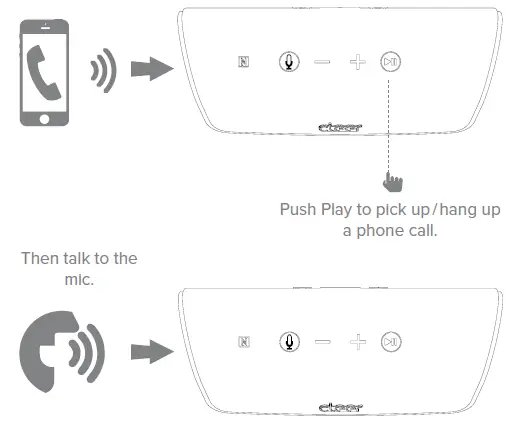
- PHONE CALL

You can connect more than one Cleer STAGE speaker by long pressing Bluetooth button to green. You can connect more than one Cleer STAGE speaker by long pressing Bluetooth button to green. - LED BEHAVIOR

|
Standby |
Power On | Bluetooth Pairing | Bluetooth Connected | |
| Speaker Connecting | Speaker Connected |
NA |
NA |
For Amazon Alexa
| State | LED
behaviors |
| Listening and Active Listening | |
| Thinking | |
| Speaking | |
| Microphone Off | |
| Notification Arrives | |
| Notification Queued | |
| System Error |
- WARNINGS

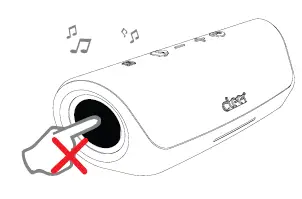
Do not push speaker passive radiator during audio playback.
- SPECS
- SIZE: 48mm*48mm Dynamic Driver*2PCS
- FREQUENCY RESPONSE: 20HZ-20KHZ
- CONNECTING: Micro USB cable for charging
- SUPPORT: BT 4.2, AV2P v1.3, AVRCP v1.7 , HFP v1.7, HSP v1.2.
- BLUETOOTH TRANSMITTER FREQUENCY RANGE:402- 2.480GHz
- BLUETOOTH TRANSMITTER POWER: <4dBm
- BLUETOOTH TRANSMITTER MODULATION: GFSK, π/4 DQPSK, 8DPSK
- BATTERY TYPE: Rechargeable Lithium Ion cylindrical cell (3.7V, 5200mAh)
Frequently Asked Questions
It won’t reach 50 yards. Mine cuts out around 25-30 feet.
You’ll need to link the Alexa app on your mobile device to the Stage speaker. Open the Amazon Alexa app and follow it’s instructions to add Bluetooth speaker.
Yes, you can choose to use the speaker without the Alexa voice services enabled.
1 year.
Yes . Just pair it to your phone.
Yes, the Stage speaker is compatible with Android and iOS devices.
Sound can fill the room for a small speaker.
no, there’s no trick. All that needs to happen is to have one of the Stage’s paired to your phone or tablet and the other one powered on. I typically have music or a movie playing on mine when I take both in my hands while pressing the Bluetooth button simultaneously until I hear the initial “budoop” sound (the technical term for that sound).
you mention computer monitor but it depends on the monitor. The Stage will connect via Bluetooth to a computer provided your computer has the ability to connect with a Bluetooth signal output. My wife uses hers connected to her computer via the 3.5mm jack on the back of the Stage connected to the Headphone jack on her computer.
There is no IR sensor on this speaker and it doesn’t accept an RF signal so there’s no remote that can connect to it. But you can control it from your phone.
I would not put it in the shower but it can go right outside. I would not try to test the water resistance.
If you could explain to me how Amazon’s algorithms work, you’re a better man than I as we don’t have in ear or in-ear listed anywhere in the descriptions, information or vital terminologies. We do however make excellent true wireless products so check out our Ally Plus, Ally Plus II, Goal and Roam NC models.
To turn it off, press the button on the bottom. The button you used to turn it on. You have to press it pretty hard though. Keep pressing it until it turns off.
I’m very happy w/cheer good sounds.
For some reason we could not and returned.