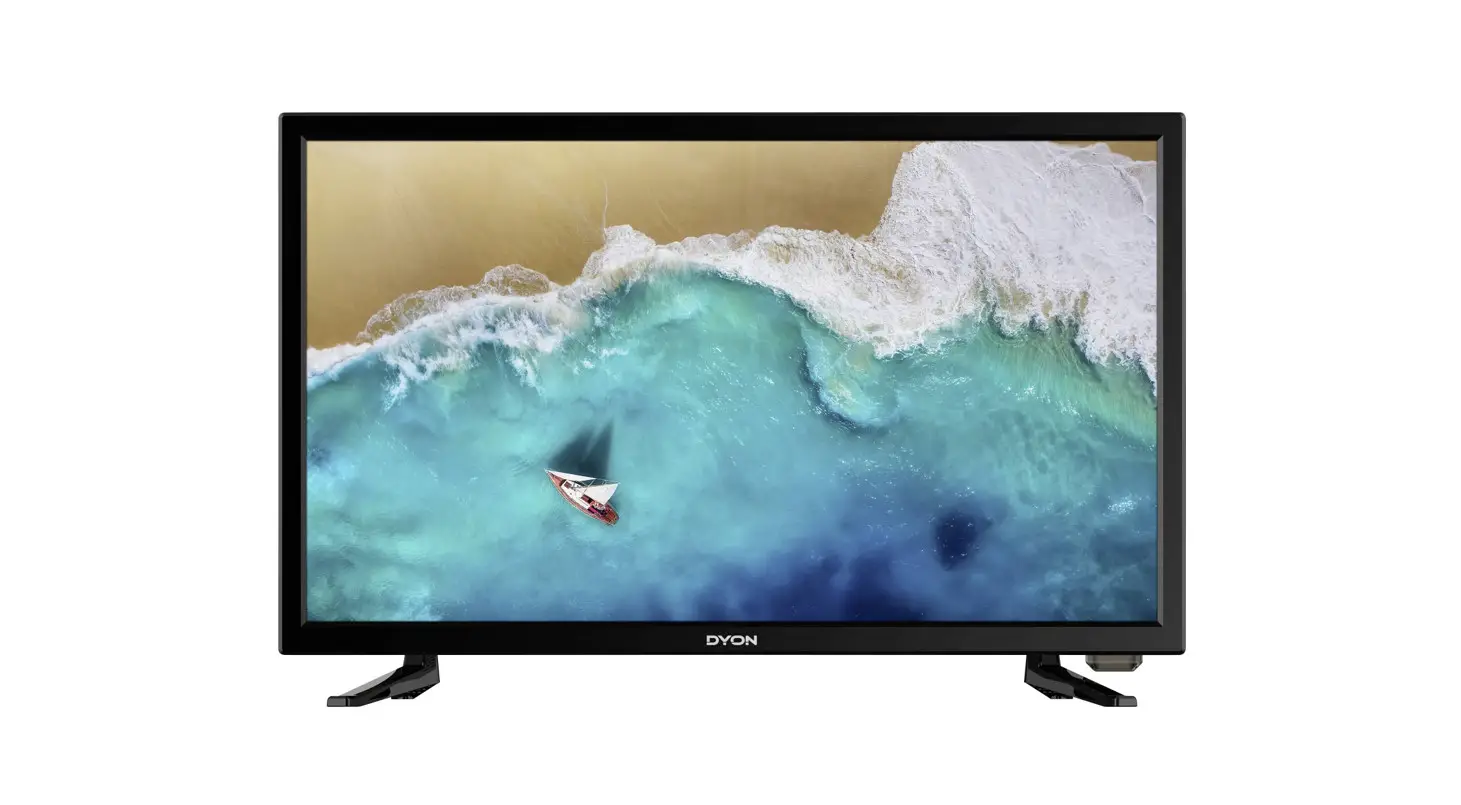

DYON ENTER 19 PRO X2
Quick Start Guide
Mounting
Please pay attention to the instructions of the stand mounting provided in the manual.
Switch ON
Step 1: Connect the TV with the power supply.
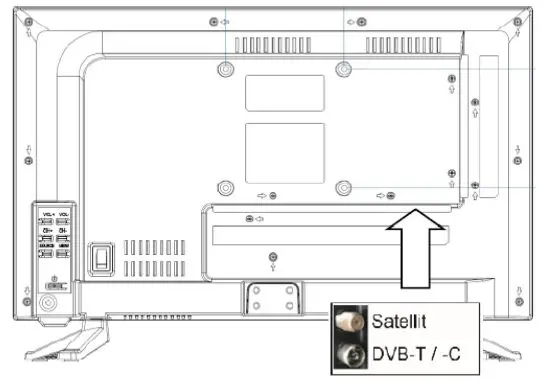
Step 2: Please establish the connection for the antenna to the desired mode of reception.
The antenna connection for Satellite, DVB-C and DVB-T2 you will find on the backside, face to the left if viewed from the front.
Note on DVB-T2
Whether and how many transmitters can be received depends on the location of the device and the availability of DVB-T2 transmitters in this region. DVB-T2 radio stations are only available in very few regions.
Please note that when using DVB-T2, a new station search should be performed every time you change location.
Broadcast stations and their transmission frequency vary from region to region.
Note on DVB-C Reception
Via DVB-C the programs can be received analogue or digital. If possible you should prefer the digital reception mode. In this mode there are available more channels with a better picture quality.
Encrypted Channels
Via satellite, DVB-T2 or DVB-C you can receive also encrypted TV channels.
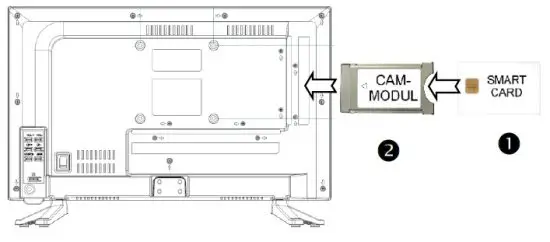
Therefore, you need a Cam Module and a Smart card of your service provider.
Which programs are usable depends on the contract.
Step 3: If desired, you can insert a CAM Module and a Smart card of your service provider into the CI+ Slot.
 Note
Note
Module and Smart card are not included in the delivery.
The activation of the card can take a few minutes when it will be used for the first time. The device controls the module after every switching on. Please pay attention to the manual of CI+ Module and Smart card.
Just CI+ Modules and Cards are usable. Other models are not supported.
Note on CI+
Please pay attention that function can be limited on some channels.
The program provider limits this. The manufacturer is not responsible for this.
Switch ON
Step 1: Insert the batteries making sure the polarity into the remote control.
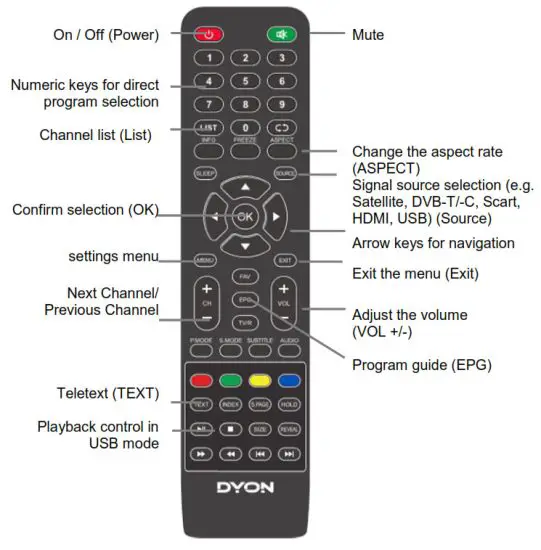
Step 2: To switch on press the red “power button” on the top left on your remote control.
Step 3: The device will start and the initial setup will be shown.
Setup
Step 1: Please select the desired language of the menu with the  /
/ button and confirm with the OK button. Press the
  button to proceed to the next setting.
Step 2: Select the country where you are located.
Step 3: Select “on” for usage at home.
Step 4: Press the OK button and select the mode of reception.
Step 5: With the help of /button, select if analogue (ATV), digital (DTV) or both type of programs should searched. The LCN setting will be set automatically. If DVB-S was selected as reception mode, please press the EXIT button to use the preinstalled channel list.
Step 6: Select “Start” and confirm the OK button.
Step 7: Wait until channel search is finished and the first channel will be displayed.
Important Remote Control keys
Note
For detailed Information about operating and about the device please read the enclosed manual carefully.
If you have any further questions please refer to our customer service [email protected]
In order to handle your issue quickly we kindly ask you to provide us with the following information:
- Name of DYON – Product
- Serial number and date of purchase
- Description of problem
 📧
📧