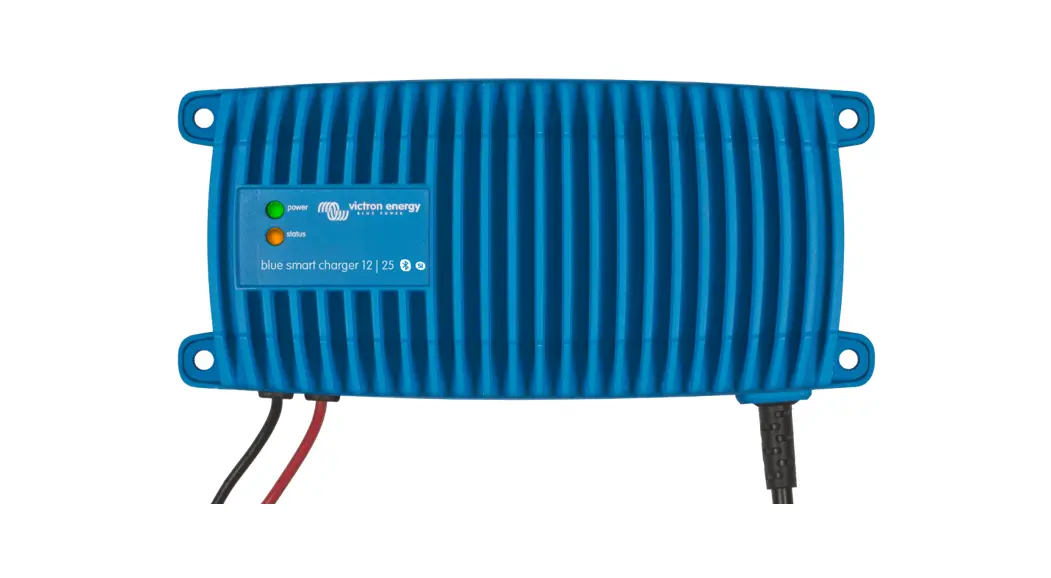
 Skylla-IP65 Intelligent Battery Charger
 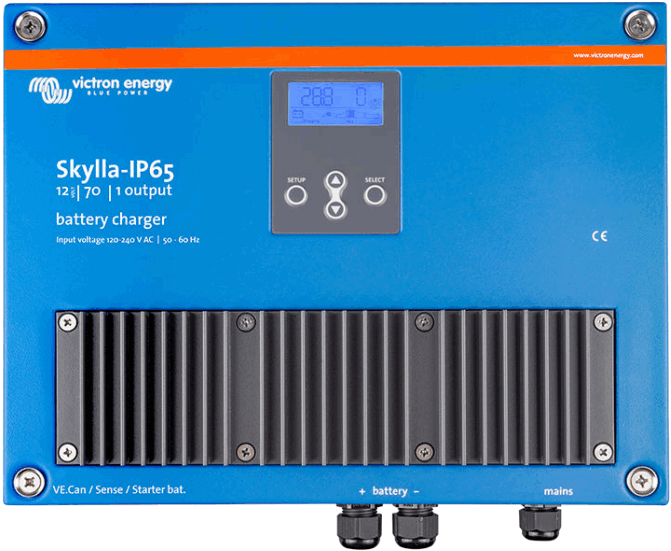 Owner’s Manual
Rev 05 03/2022
This manual is also available in HTML5.
Safety Instructions
General
- Please read the documentation supplied with this product first, so that you are familiar with the safety signs and directions before using the product.
- This product is designed and tested in accordance with international standards. The equipment should be used for the designated application only.
 danger of electric shock
- The product is used in combination with a permanent energy source (battery). Even if the equipment is switched off, a dangerous electrical voltage may still be present at the input and/or output terminals. Always disconnect the AC power and the battery before performing maintenance.
- The product contains no internal user-serviceable parts. Do not remove the front panel unless the mains and the battery are disconnected. Do not put the product into operation unless all panels are fitted. All maintenance should be performed by qualified personnel.
- Never use the product at sites where gas or dust explosions could occur. Refer to the specifications provided by the manufacturer of the battery to ensure that the battery is suitable for use with this product. The battery manufacturer’s safety instructions should always be observed.
do not lift heavy objects unassisted
1.2. Installation
- Read the installation instructions before commencing installation activities.
- This product is a safety class I device (supplied with a ground terminal for safety purposes). Its AC input and/or output terminals must be provided with uninterruptible grounding for safety purposes. An additional grounding point is located on the outside of the product. If it can be assumed that the grounding protection is damaged, the product should be taken out of operation and prevented from accidentally being put into operation again; contact qualified maintenance personnel.
- Ensure that the connection cables are provided with fuses and circuit breakers. Never replace a protective device by a component of a different type. Refer to the manual for the correct part.
- Check before switching the device on whether the available voltage source conforms to the configuration settings of the product as described in the manual.
- Ensure that the equipment is used under the correct operating conditions. Never operate it in a wet or dusty environment.
- Ensure that there is always sufficient free space around the product for ventilation, and that ventilation openings are not blocked.
- Install the product in a heatproof environment. Ensure therefore that there are no chemicals, plastic parts, curtains or other textiles, etc. in the immediate vicinity of the equipment.
1.3. Transport and storage
- During storage or transport of the product, ensure that the mains supply and battery cables are disconnected.
- No liability can be accepted for damage in transit if the equipment is not transported in its original packaging.
- Store the product in a dry environment; the storage temperature should range from –20°C to 60°C.
- Refer to the battery manufacturer’s manual for information on transport, storage, charging, recharging and disposal of the battery.
Installation and wiring
2.1. Installation
Find a dry and well-ventilated area to mount the Skylla-IP65 charger and battery. Keep the cable length between the charger and the battery less than 6 meters.
The charger may be wall or floor mounted. Always make sure that air may flow freely at the back side of the cabinet. This will improve cooling of the charger and prolong lifetime.
Wall mounting
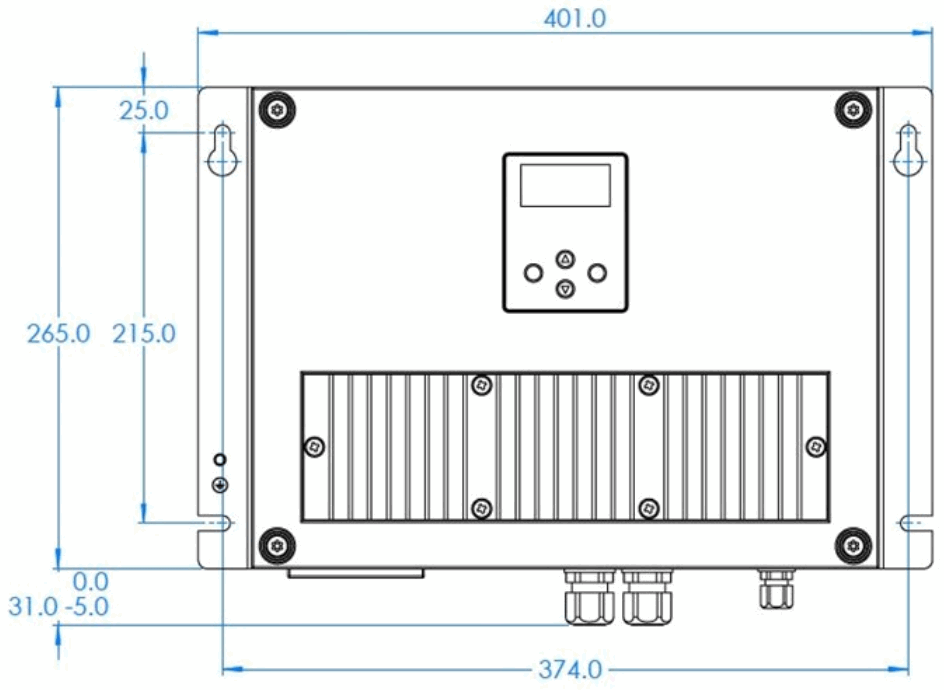
The unit can best be mounted vertical to a wall. See appendix for exact positions of the mounting holes.
Wiring
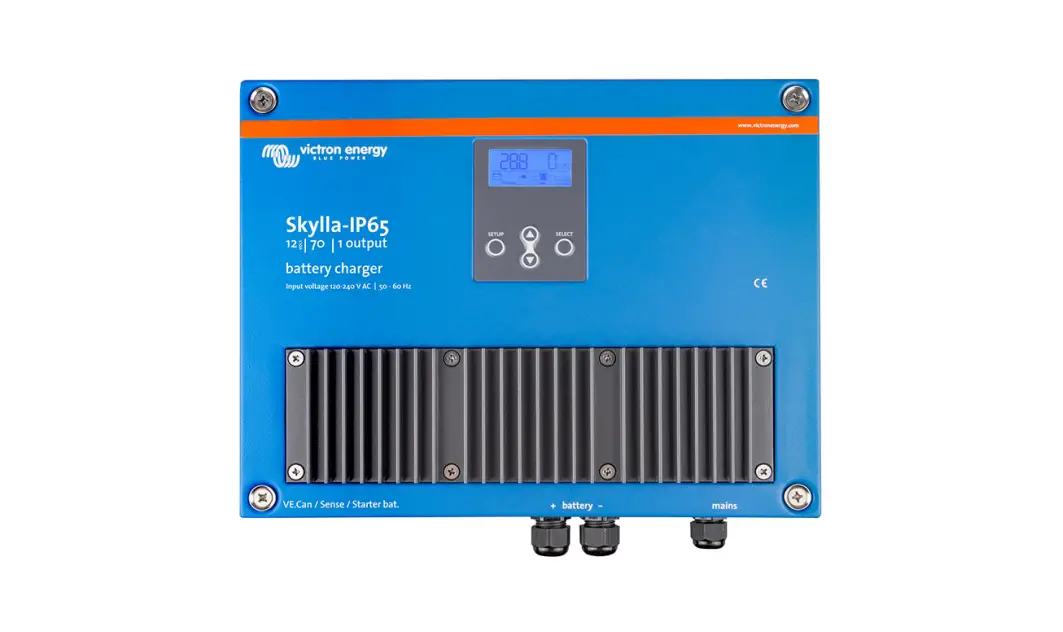
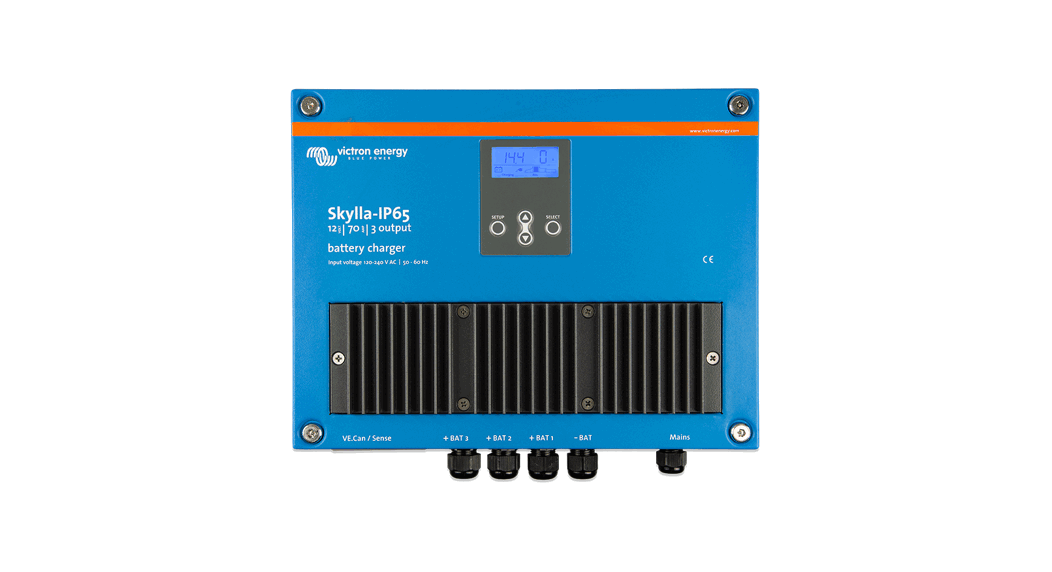
The inlets for the mains cable, the battery cables, the remote functions and the connection to attach the earth cable are located at the bottom of the housing; see markings on the front panel.
| 6 mm bolt on left hand side mounting | Earth point |
| Grey terminal block | External Voltage sense |
| External Temperature sense | |
| Remote shut down | |
| User relay | |
| Starter battery | |
| VE.Can cables | |
| Black cable glands: 2 or 4 pcs | Main battery cables |
| Black cable gland single | Mains cable |
For best protection against water and dust from entering the case, all openings in the grey terminal block should be closed, either with a suitable cable or, when no connection is used, a dummy piece of cable.
Connecting earth
Connect the earth point to the installation earth. Connections to earth have to be according to applicable safety standards.
- On a ship: connect to the earth plate or to the hull of the ship.
- On land: connect to the earth of the mains. The connection to the earth of the mains has to be according to applicable safety standards.
- Mobile applications (a vehicle, a car or a caravan): Connect to the frame of the vehicle.
The battery connections of the charger are fully floating with respect to this grounding point
2.2. Connecting the main battery
Before the main battery is connected to the charger, make sure the charger is set to the correct battery type.
Minimum cable cross section between main battery and charger:
| Skylla-IP65 type | cable length up to 1.5 m | cable length 1.5 m – 6 m |
| Dec-70 | 10 mm2 | 16 mm2 |
| 24/35 | 6 mm2 | 10 mm2 |
The largest possible cable lug that will fit through the battery cable glands is size S6-16. That cable lug will suit a maximum cable diameter of 16 mm2 and fit on an M6 bolt.
2.2.1. Main battery connection sequence The Skylla-IP65 is NOT protected against reverse polarity of the main battery. (“+” connected to “-” and “-” connected to “+”).
Follow the installation procedure. The warranty expires when the Skylla-IP65 becomes defective due to reverse polarity. Disconnect the mains supply before making or breaking connections to the main battery.
- Disconnect the mains supply
- Disconnect battery cables from the battery.
- Remove the grey cover in the front panel of the charger, enabling access to the terminals.
- Connect battery cables to the charger: plus (red) to “+BAT1”; minus (black) to “-BAT”
- Connect battery cables to the battery: plus (red) to positive pole, minus (black) to negative pole.
- Connect the mains supply.
2.2.2. Main battery disconnection sequenceWhen disconnecting the battery cables, be very careful not to accidentally short circuit the battery.
- Disconnect the mains supply.
- Disconnect battery cables from the battery.
- Remove the grey cover in the front panel of the charger, enabling access to the terminals.
- Disconnect the battery-cables from the charger.
- Disconnect all other cables like temperature sensor and/or voltage sensor used with this particular battery.
2.3. Connecting the starter batteryThe Skylla-IP65 is NOT protected against reverse polarity of the starter battery. (“+” connected to “-” and “-” connected to “+”).
Follow the installation procedure. The warranty expires when the Skylla-IP65 becomes defective due to reverse polarity.Disconnect the mains supply before making or breaking connections to the main battery.
The starter battery has to be connected using wire of at least 1.5 mm2 (max. 6 mm2 ).
Connect the positive (+) battery-pole to the “Starter battery plus” connector, see Figure 1.
The negative pole of the starter battery has to be connected to the “-BAT” connection of the charger.
The starter battery can draw current from the battery connected to the main battery terminals in case the voltage of the starter battery is lower than the voltage main battery. However, the main battery cannot draw current from the starter battery even when the starter battery is fully charged and the main battery is at minimum charge level.
2.4. Pecan connection
The two Vicon connectors provide access for parallel synchronized parallel operation and remote control.
2.4.1. Synchronized parallel operation
Several charge controllers can be synchronized with the CAN interface to a maximum of 10 chargers. This is achieved by simply interconnecting the chargers with RJ45 UTP cables (bus terminators needed.
The paralleled charge controllers must have identical settings (e.g. charge algorithm). The CAN communication ensures that the controllers will switch simultaneously from one charge state to another (from bulk charge to absorption for example).The output current of one charger may differ from another charger although connected in parallel. In case of using remote sensors (voltage and/or temperature), the remote sensor needs to be connected to one of the parallel operating chargers. All other chargers will share the information via the CAN interface. In case of synchronized parallel operation, the network icon will blink every 3 seconds on all paralleled units.
2.4.2. Input/shore current limit
The AC input current limit of each charger is set to 10,5 A max and can be adjusted with a CCGX device, NMEA 2000 or a Skyla-i-control GX remote panel. See https://www.victronenergy.com/panel-systems-remote-monitoring/skylla-i-control-gx The input power of one charger will never be more than 1050 W. This means that at 100V AC in the input current is max 10,5 A, and at 230V AC the maximum input current is 4,5 A.
The input current limit of a parallel charger group can be set with a CCGX device or with a Skyla-i-control GX remote panel. The current limit as shown on the device is the shore current of the group.
2.5. User relay, external sense and remote shut down
The wiring of these signals must be done with the mains disconnected from the charger.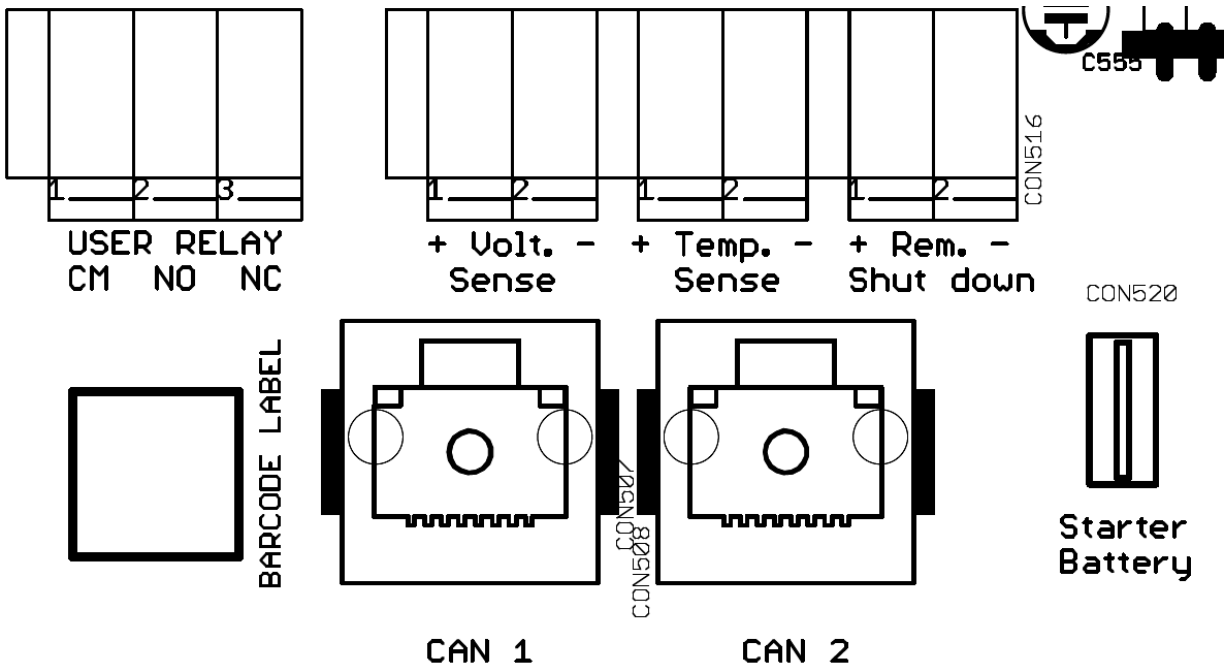 Figure 1 Connectors for external voltage/temperature sensing, Rem. Shut down, Pecan bus and Starter battery.
2.5.1. External voltage sense
External voltage sensing may be used when accurate battery voltage sensing is important, such as high charging currents in combination with long cables.
To connect the external voltage sensing option, proceed as follows:
- connect a red wire (0.75 mm2 ) between the positive battery terminal and connector “+ Volt. sense”
- connect a black wire (0.75 mm2 ) between the negative battery terminal and connector “- Volt. sense”
2.5.2. External temperature sense
The external temperature sensor, supplied with the charger, can be connected to these terminals in order to perform temperature compensated charging of the battery. The sensor is electrically isolated and must be connected to the positive or negative pole of the battery.
To connect the temperature sensor, proceed as follows:
- connect the red wire to connector “+ Temp. sense”
- connect the black wire to connector “
- Temp. sense” – mount the temperature sensor on the positive or negative pole of the battery
- check in the menu for the actual temperature
2.5.3. Remote shut down
From factory the remote + and – are connected together with a jumper wire to turn the charger on.
In order to use the remote to shutdown the charger, remove the jumper and connect a wire to “remote -” input.
Switching the “remote -” input to battery voltage causes the charger to turn on. This wire can be used to connect to a BMS used for lithium batteries to control the charger.
2.5.4. User relay connections
The user relay is triggered by a battery under-voltage situation (<11.8 V). The function may be used for any desirable action: starting a generator, sounding an alarm etc.
The ratings of the relay can be found in the specification.
Table 1. Relay modes
| # | Description | Setup Menu # |
| 0 | Syllabi behaviour: on when charging (no error condition) and battery voltage between low and high voltage settings | 12,13,14 and 15 |
| 1 | Always off | |
| 2 | Temperature high > 85 ⁰C) | 12 and 13 |
| 3 | Battery voltage too low | |
| 4 | Equalization active | |
| 5 | Error condition present | |
| 6 | Temperature low (< -20 ⁰C) | |
| 7 | Battery voltage too high | 14 and 15 |
| 8 | Charger in float or storage |
| ON | CM connected to NO |
| OFF | CM connected to NC |
2.6. Connecting the mains
- Check if the battery is connected to the charger.
- Remove the grey cover in the front panel of the charger, to access the AC input connector, see Figure 2.
- Connect the mains earth cable (green/yellow) to the AC input connector, terminal .
- Connect the mains neutral cable (blue) to the AC input connector terminal N.
- Connect the mains line cable (brown) to the AC input connector terminal L.
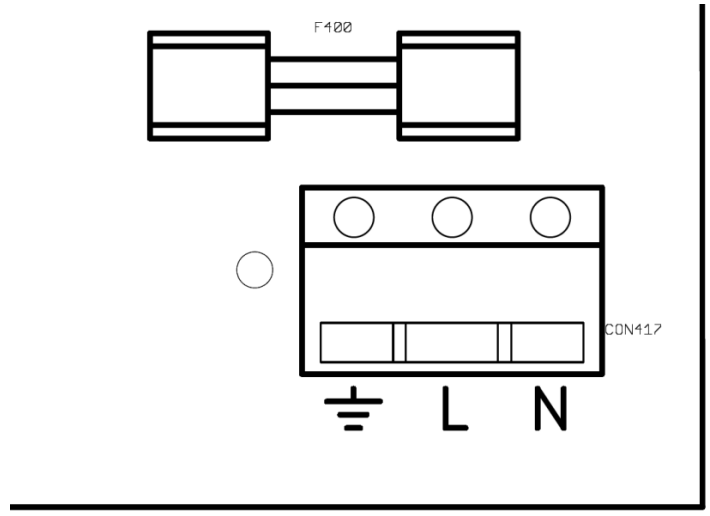 Figure 2 Mains input terminal
Control and Adjustment
When the charger is installed correctly, the charger should be set up to suit the battery connected.
To set up the charger, apply mains power and enter the setup menu by pressing “SETUP” for three seconds.
The charger will enter a standby mode (no power applied to the battery terminals) and the user can set up the unit accordingly. See the next table for all possible adjustments.
3.1. Monitor menu
The monitor menu is visible when power is applied to the charger.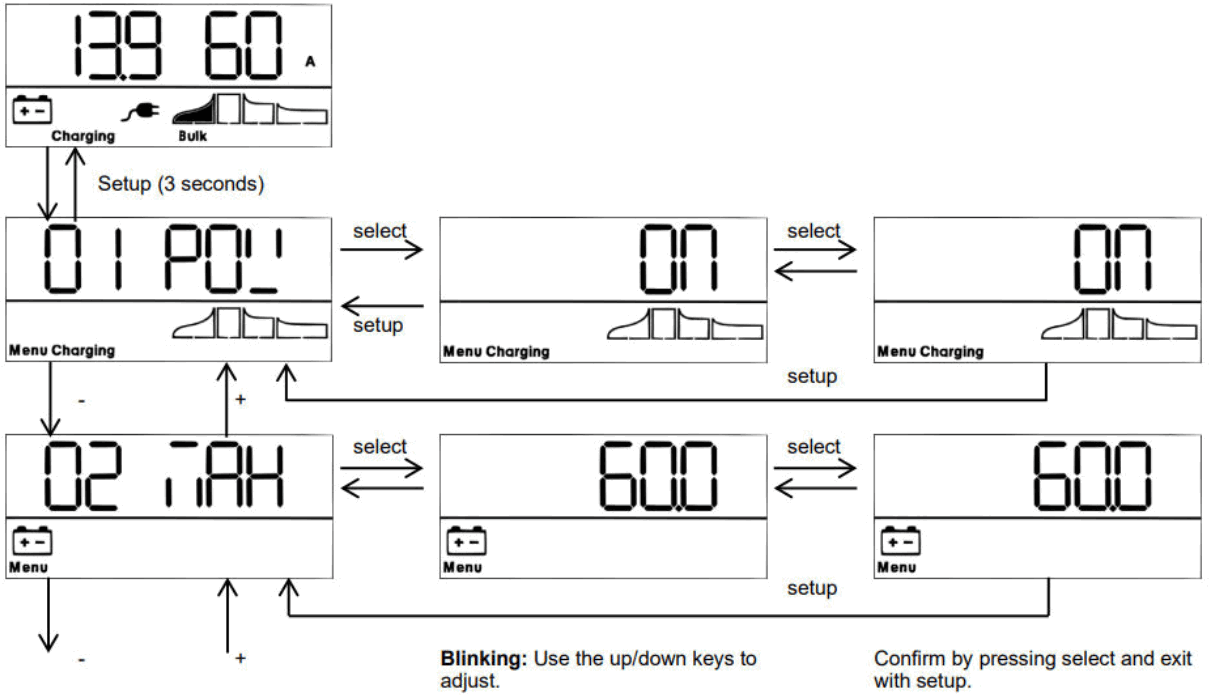 The following table shows the consecutive lines when scrolling through the menu with the up/down keys:
| Displayed info | Icons | Segments | Units |
| Battery voltage / current |  |  | A |
| Battery voltage | |  | V |
| Battery charge current | |  | A |
| Battery temperature |  |  | °C/°F |
| Mains current |  | 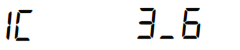 | A |
| Battery voltage out 1 | | 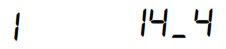 | V |
| Battery charge current out 1 | |  | A |
| Battery voltage out 2 | |  | V |
| Battery charge current out 2 | |  | A |
| Battery voltage out 3 | | 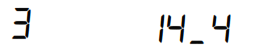 | V |
| Displayed info | Icons | Segments | Units |
| Battery charge current out 3 *2 | |  | A |
| Warning message*3 *4 | |  | |
| Error message*3 *4 | |  | |
| BMS operation*3 |  |  |
- A valid temperature is shown. “ — “ means no sensor information or “Err” means invalid sensor data.
- The output channel number is shown in the first segment; only visible in a three output model.
- These items are only visible when relevant.
- After a short delay a scrolling text is shown with the error description.
With the up/down keys the user can scroll through the monitor menu.
Holding either up or down for three seconds will start the auto scrolling mode: all Monitor menu items will be shown for 5 seconds. The auto scroll mode can be exit by pressing up or down once.
3.2. Setup menu
The setup menu can be entered by pressing “SETUP” during three seconds.
| Scrolling text | Icons | Segments | Units | Function or parameter |
 |  |  | On/off switch | |
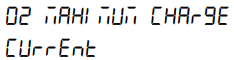 |  |  | A | Maximum charge current |
 |  |  | V | System voltage (read-only) |
 | |  | Type | Charge algorithm |
 |  |  | V | Absorption voltage |
 | | | V | Float voltage |
 |  |  | V | Equalization voltage |
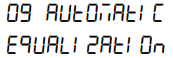 | |  | Automatic equalization | |
 | |  | Manual equalization | |
 | |  | Relay Function | |
 | |  | V | Low battery voltage alarm set |
 | |  | V | Low battery voltage alarm clear |
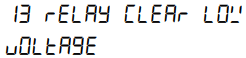 | |  | V | High battery voltage alarm set |
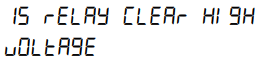 | |  | V | High battery voltage alarm clear |
 | |  | Relay minimum closed time (minutes) | |
 |  |  | Adaptive mode |
| Scrolling text | Icons | Segments | Units | Function or parameter |
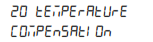 | 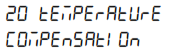 |  | °C mV | Battery temperature compensation per cell |
 | |  | A | Bulk time protection |
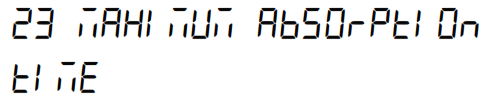 | |  | h | Absorption time |
 |  |  | Storage mode | |
 |  |  | h | Maximum float time |
 |  |  | h | Repeated absorption time |
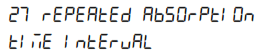 | | 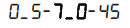 | Day | Repeated absorption interval |
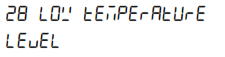 | | 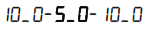 | °C | Low temperature level (for item 29) |
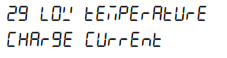 | | 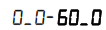 | A | Max. charge current below the low temperature level (item 28) |
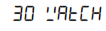 | |  | Watch function (start-up in storage if battery voltage >13 V) | |
 |  | 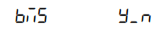 | BMS Present | |
 |  | V | Power supply voltage | |
 | 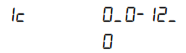 | A | Input current limit | |
 | |  | The intensity of the backlight | |
 | |  | Backlight automatic turn off after 60s | |
 | |  | Text scroll speed | |
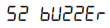 | |  | Buzzer | |
 |  | 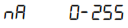 | Pecan network address | |
 | | 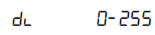 | VE. Can device instance | |
 | |  | Software version | |
 | |  | System reset to default settings | |
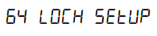 | |  | Lock setting | |
 |  | 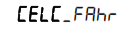 | Temperature unit °C/°F |
After entering the setup menu, the user can scroll through the menu with the up/down keys.
With select a menu item is entered and the present value is shown. With the up/down keys the user can scroll through the available modes or increase/decrease the value.
By pressing select again the value/item is set.
Pressing setup shortly will return to the setup menu.
When setup is completed, exit the menu by pressing “SETUP” again three seconds.
3.3. Battery selection
The charge algorithm of the charger must fit the battery type connected to the charger. The following table shows all the predefined battery types available in the charge algorithm selection menu.
| # | Description | Unit type | Absorption V | Float V | Storage V | Equalization Max V @% of Inom | dV/d TmV/° C |
| 1 | Gel Victron long life (OPzV) Gel exide A600 (OPzV) Gel MK | 12 V | 14.1 | 13.8 | 13.2 | 15.9 @ 6 % max 1hr | -16 |
| 24 V | 28.2 | 27.6 | 26.4 | 31.8 @ 6 % max 1hr | 32 | ||
| 2 | Default setting Gel Victron deep discharge, Gel Exide A200 AGM Victron deep discharge Stationary tubular plate (OPzS) Rolls Marine (flooded), Rolls Solar (flooded) | 12 V | 14.4 | 13.8 | 13.2 | 15.9 @ 6 % max 1hr | -16 |
| 24 V | 28.8 | 27.6 | 26.4 | 31.8 @ 6 % max 1hr | -32 | ||
| 3 | AGM spiral cell Rolls AGM | 12 V | 14.7 | 13.8 | 13.2 | 15.9 @ 6 % max 1hr | -16 |
| 24 V | 29.4 | 27.6 | 26.4 | 31.8 @ 6 % max 1hr | -32 | ||
| 4 | PS tubular plate traction batteries or Oozes batteries in cyclic mode 1 | 12 V | 14.1 | 13.8 | 13.2 | 15.9 @ 6 % max 4hrs | -16 |
| 24 V | 28.2 | 27.6 | 26.4 | 31.8 @ 6 % max 4hrs | -32 | ||
| 5 | PS’s tubular plate traction batteries or Oozes batteries in cyclic mode 2 | 12 V | 14.4 | 13.8 | 26.4 | 15.9 @ 6 % max 4hrs | -16 |
| 24 V | 28.8 | 27.6 | 13.2 | 31.8 @ 6 % max 4hrs | -32 | ||
| 6 | PS tubular plate traction batteries or OPzS batteries in cyclic mode 3 | 12 V | 15 | 13.8 | 13.2 | 15.9 @ 6 % max 4hrs | -16 |
| 24 V | 30 | 27.6 | 26.4 | 31.8 @ 6 % max 4hrs | -32 | ||
| 7 | Lithium Iron Phosphate (LiFePo4) batteries | 12 V | 14.2 | n.a. | 13.50 | n.a. | 0 |
| 24 V | 28.4 | n.a. | 26.7 | n.a. | 0 | ||
| 8 | Adjustable: maximum charge current and absorption, float, storage and equalization voltages can be changed in the setup menu | 12 V | Adj | Adj. | Adj. | Adj. @ 6 % max 4hrs | Adj. |
| 24 V | Adj. | Adj. | Adj. | Adj. @ 6 % max 4hrs | Adj. | ||
| 9 | Power supply mode | 12 V | 12.0 | n.a. | n.a. | n.a. | 0 |
| 24 V | 24.0 | n.a. | n.a. | n.a. | 0 |
3.4. Power supply mode
The charger can be set to operate as a DC power supply.
In this mode, the charger functions as a constant voltage source:
- an adjustable output voltage of 8.0 to 15.9 V (12 V type) resp. 16.0 to 31.8 Volt (24 V type)
- a maximum output current of 60A (12 V type) resp. 30A (24 V type).
3.5. Temperature compensation (dV/dT)
The temperature sensor should be connected to the plus or negative pole of the battery.
The temperature compensation is a fixed setting, see table and fig. 4, and applies to all charge states.
The temperature sensor must be installed when:
- ambient temperature of the battery is expected to regularly be lower than 15 °C or to regularly exceed 30 °C
- charge current exceeds 15 A per 100 Ah battery capacity
Temperature compensation is not required for Li-Ion batteries.
3.6. Power Control – maximum use of limited shore current
A maximum mains current can be set in order to avoid interruption of an external fuse in the mains supply.
Operation
4.1. Battery charging
After applying mains power and remote shut down is not active, the display will show the following:
All icons of the screen will be visible to check the correct functioning of the display.
- The back lighting of the display is ON.
- Next the firmware version number will be displayed.
- Finally, the actual state is displayed on the screen:
- By using Voltage sensing, the actual battery voltage is shown.
| Output Voltage |  | Charge current |
| Battery charger mode |  | State of charge |
| When the mains plug is blinking, the mains voltage is below normal and the charger is reducing the maximum charge current. | ||
- By using Voltage sensing, the actual battery voltage is shown.
4.2. Seven stage charge curve for lead-acid batteries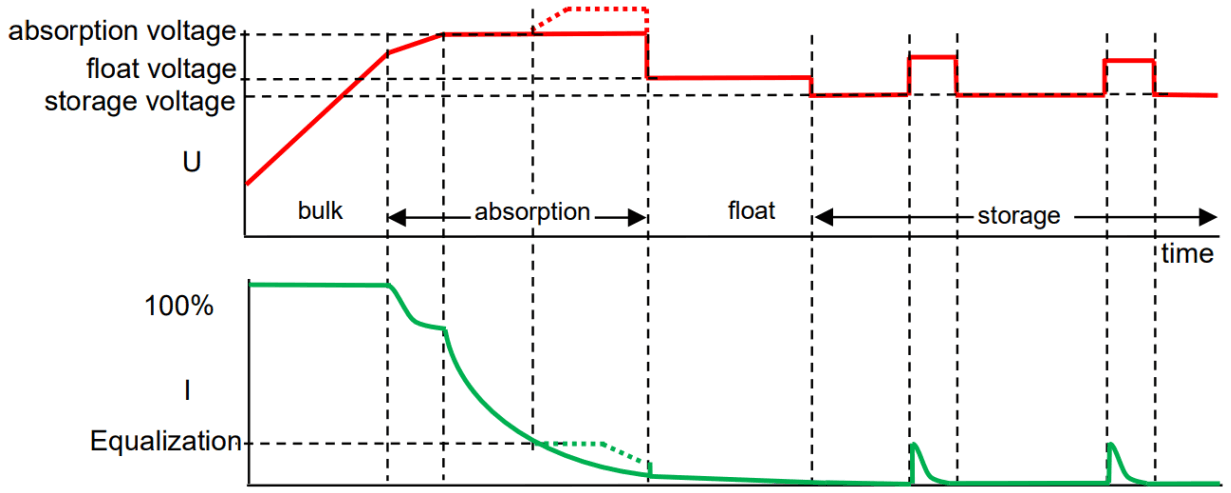 Figure 3 Voltage and current during different states in battery charging.
4.2.1. Bulk
Entered when the charger is started or when the battery voltage falls below 13.2 V / 26.4 V (due to a heavy load) during at least 1 minute. Constant current is applied until gassing voltage is reached (14.4 V / 18.8 V).
4.2.2. Battery Safe
If absorption voltage is set higher than 14.4 V / 18.8 V, the rate of voltage increase beyond 14.4 V / 18.8 V is limited to 7mV/14mV per minute, in order to prevent excessive gassing.
4.2.3. Absorption
After the absorption voltage has been reached, the charger operates in constant voltage mode. In case of adaptive charging, the absorption time is dependent on the bulk time, see section 3.2.
4.2.4. Automatic equalization
If automatic equalization has been set to ‘on’, the absorption period is followed by a second voltage limited constant current period: see section 3.3. This feature will charge VRLA batteries to the full 100 %, and prevent stratification of the electrolyte in flooded batteries.
Alternatively, manual equalization can be applied.
4.2.5. Float
After float charge the output voltage is reduced to storage level. This level is not sufficient to compensate for slow self-discharge of the battery, but will limit water loss and corrosion of the positive plates to a minimum when the battery is not used.
4.2.6. Storage
After float charge the output voltage is reduced to storage level. This level is not sufficient to compensate for slow self-discharge of the battery, but will limit water loss and corrosion of the positive plates to a minimum when the battery is not used.
4.2.7. Weekly battery ‘refresh’
Once a week the charger will enter Repeated Absorption-mode during one hour to ’refresh’ (i. e. to fully charge) the battery 4.3. Four stage charge curve for Lithium Iron Phosphate (LiFePo4) batteries
4.3.1. Bulk
Entered when the charger is started, or when the battery voltage falls below 13,5 V / 27,0 V (due to a heavy load) during at least 1 minute. Constant current is applied until absorption voltage is reached (14.2 V / 28.4 V).
4.3.2. Absorption
After the absorption voltage has been reached, the charger operates in constant voltage mode. The recommended absorption time is 2 hours.
4.3.3. Storage
After absorption charge the output voltage is reduced to storage level. This level is not sufficient to compensate for slow selfdischarge of the battery, but will maximize service life.
4.3.4. Weekly battery ‘refresh’
Once a week the charger will enter Repeated Absorption-mode during one hour to ’refresh’ (i. e. to fully charge) the battery.
Maintenance
This charger does not require any specific maintenance. However an annual check of the battery and mains connections is recommended.
Keep the charger dry, clean and free of dust.
Troubleshooting
| Problem | Possible cause | Solution |
| Charger does not function | The mains is not ok | Measure mains: 120 – 240 VAC |
| Input or output fuses are defective | Return product to your dealer | |
| The battery is not fully charged | A bad battery connection | Check battery connection |
| The wrong battery type has been selected in the menu. | Select correct battery type in the menu. | |
| Cable losses too high | Use cables with larger cross section. Use external voltage sensing. | |
| The battery is being overcharged | The wrong battery type has been selected in the menu. | Select correct battery type in the menu. |
| A battery cell is defective. | Replace battery | |
| Battery temperature too high | Overcharging or too fast charging | Connect external temperature sensor |
| Error in display | See section 9 | Check all charging equipment. Check cables and connections. |
Temperature Compensation
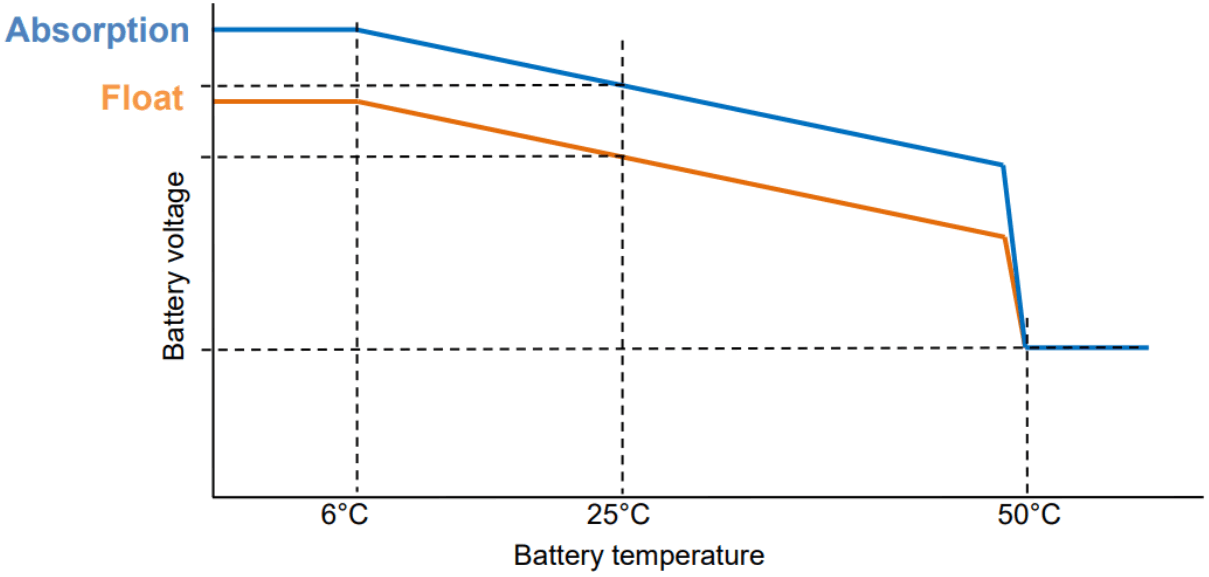 Figure 4 Temperature compensation graph for float and absorption voltages.
Specifications
| Skylla-IP65 | 12/70 | 24/35 |
| Input voltage (VAC) | 120 – 240 | |
| Input voltage range (VAC) (1) | 90 – 265 | |
| Maximum AC input current | 12 | |
| Frequency (Hz) | 45-65 | |
| Power factor | 0,98 | |
| Charge voltage ‘absorption’ (VDC) (2) | See table | See table |
| Charge voltage ‘float’ (VDC) (2) | See table | See table |
| Charge voltage ‘storage’ (VDC) (2) | See table | See table |
| Charge current main batt. (A) (3) | 70 | 35 |
| Charge current starter batt. (A) (4) | 3 | 4 |
| Charge curve, lead-acid | 7 stage adaptive | |
| Recommended battery capacity (Ah) | 350-700 | 150-350 |
| Charge curve, Li-Ion | 2 stage, with on-off control or VE.Can bus control | |
| Temperature sensor | Yes | |
| Power supply function | Yes | |
| Remote on-off port | Yes (can be connected to a Li-Ion BMS) | |
| CAN bus communication port | Two RJ45 connectors, NMEA2000 protocol | |
| Remote alarm relay | DPST AC rating: 240 VAC/4A DC rating: 4A up to 35 VDC, 1 A up to 60 VDC | |
| Forced cooling | Yes | |
| Protection | Battery reverse polarity (fuse) Output short circuit Over temperature | |
| Operating temp. range | -20 to 60 °C (full output current up to 40 °C) | |
| Humidity (non-condensing) | max 95 % | |
| ENCLOSURE | ||
| Material & Colour | steel; blue, RAL 5012 | |
| Battery-connection | M6 bolts | |
| Mains connection | screw-clamp 6 mm² (AWG 10) | |
| Protection category | IP65 | |
| Weight kg (lbs) | 6 (14) | |
| Dimensions hxwxd incl. glands in mm in inches | 401 x 265 x 151 (16 x 10.5 x 6) | |
| STANDARDS | ||
| Safety | EN 60335-1, EN 60335-2-29 | |
| Emission | EN 55014-1, EN 61000-6-3, EN 61000-3-2 | |
| Immunity | EN 55014-2, EN 61000-6-1, EN 61000-6-2, EN 61000-3-3 | |
- Output current will gradually reduce below 110 V to 50 % @ 100 V
- Depending upon battery type as selected in the setup menu.
- Maximum current up to 40 °C (100 °F) ambient. Output current will reduce to 60 % at 50 °C, and to 40 % at 60 °C.
- Depending upon state of charge of starter battery
Error indication
| Error nr | Description | Possible cause | Solution |
| 1 | battery temperature too high | Overcharging or fast charging | Check air flow near the battery Improve cooling of environment. The charger stops automatically and will resume once the battery has cooled down |
| 2 | battery voltage too high | Wiring mistake, or another charger is over charging | Check all charging equipment. Check cables and connections |
| 3, 4, 5 | temp. sense error | Wiring mistake or temperature sensor broken | Check the temperature sensor wiring and if that doesn’t help replace the temperature sensor |
| 6, 7, 8, 9 | voltage sense error | Wiring mistake | Check the voltage sensor wiring. |
| 17 | charger temperature too high | The heat generated by the charger cannot be removed | Check air flow of the cabinet. Improve cooling of environment. The charger stops automatically and will resume once the charger has cooled down. |
| 18 | Internal error | Contact your dealer | |
| 20 | charger bulk time expired | After 10 hours of bulk charging, the battery voltage has still not reached the absorption voltage. | Possible cell failure or higher charge current needed. |
| 24 | Fan failure | This error indicates that the fan is powered on but the circuit does not measure any current draw by the fan. Most likely the fan is either broken or obstructed. | Contact your dealer |
| 34 | Internal error | Contact your dealer | |
| 37 | No input voltage (only for the three output version) | Mains removed or ac-input fuse blown | Check mains availability and fuse. |
| 65 | charger disappeared during operation | One of the other chargers with which this charger was synchronizing has disappeared during operation | To clear the error, switch the charger off and back on. |
| 66 | Incompatible device | The charger is being paralleled to another charger that has different settings and/or a different charge algorithm | Make sure all settings are the same and update firmware on all chargers to the latest version. |
| 67 | BMS connection lost | Connection to the BMS lost | Check the VE.Can bus cabling. When the charger needs to operate in standalone mode again, go to the setup menu #31 (BMS Present) and set to N. |
| 113, 114 | Internal error | Contact your dealer | |
| 115 | Communication error | Check wiring and terminators | |
| 116, 117, 118 | Internal error | Contact your dealer | |
| 119 | Settings invalid | Restore defaults in the setup menu #62. |
Dimensions