 USERMANUAL
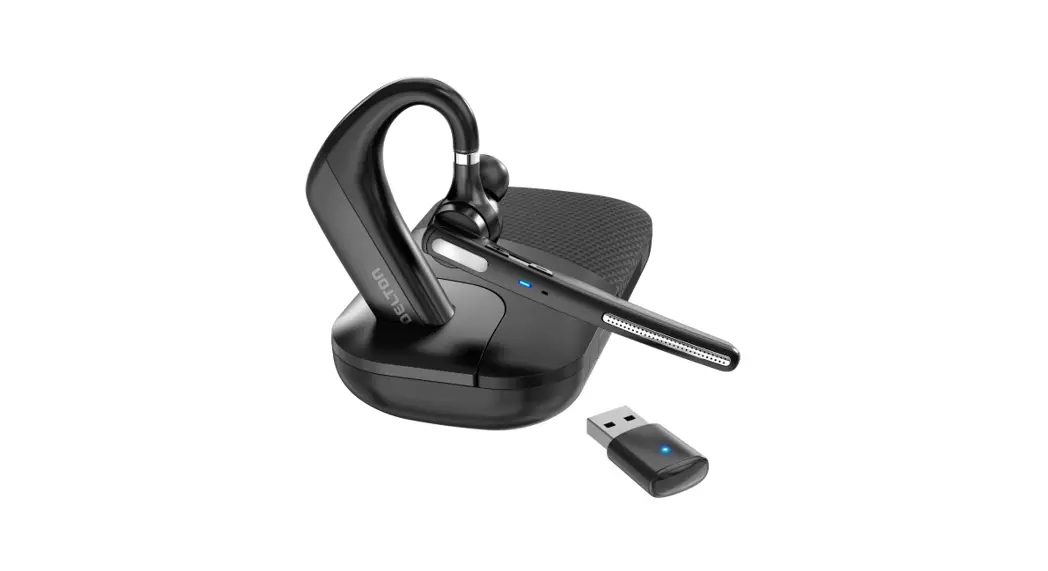
90X WIRELESS HEADSET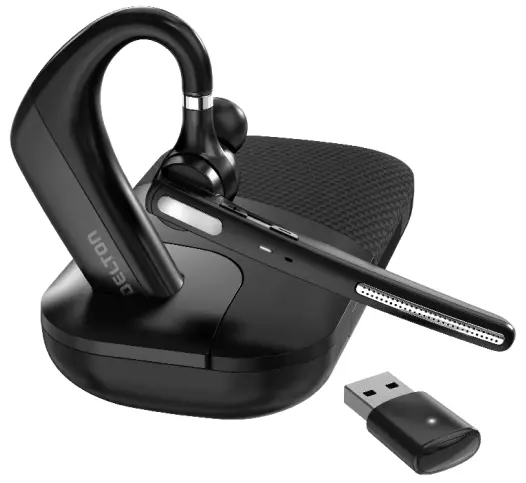
Delton90X Ultralight Executive Wireless
Thank you for purchasing THE Delt on 90X WIRELESS HEADSET
Please take a moment to read this user manual thoroughly, and keep it for future reference. This manual explains the features and functions of this product.
SPECIFICATIONS
| Play Time: | Up to 110Hours |
| Talk Time: | Up to 100Hours |
| Charging Time: | Up to 4 Hours |
| Stand-by Time: | Up to 90 Days |
| Battery: | 500mAh |
| Impedance: | 32 ohms |
| Operation Temperature: | -10~50 ºC |
| Operation Range: | 30 Ft |
| Charging Interface: | Type-C |
| Net Weight: | 17g |
WHAT’S IN THE BOX?
- Wireless Headset
- Type-C Charging Cable
- Eartips x 6 (Includes one on headset)
- User Manual
PRODUCT DIAGRAM
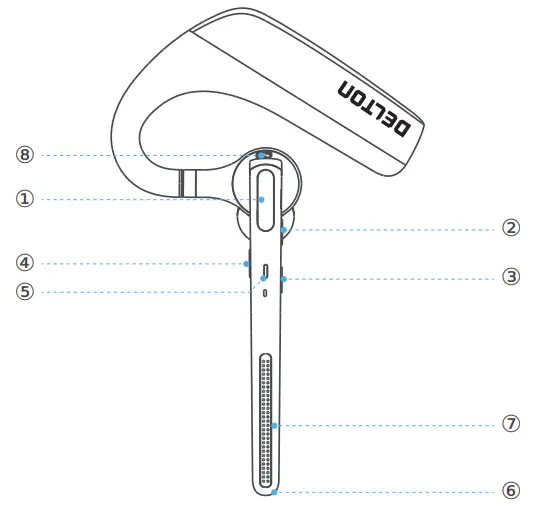
| ① MFB (Multi Function Button) ② Volume+ ③ Volume ④ Mute Button | ⑤ LED Indicator ⑥ Main Microphone ⑦ Second Microphone ⑧ Charger Port |
PAIRING AND CONNECTION
In off status, press MFB to power on and automatically enter into pairing mode with LED Green & Red flash alternately.
A. Connect for the first time, search and click to connect “DELTON 90X”on lists, LED off after connected success.
B. When there is a pairing record, press MFB to power on and enter into the auto-connect state.
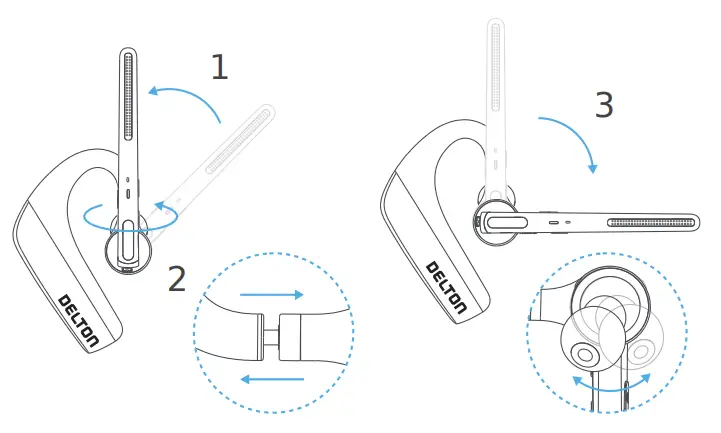
WEARON THE LEFT OR RIGHT
To wear the headset on your other ear, rotate the boom upwards then twist it around so the eartip is on the other side before lowering the boom. Rotate the eartip and adjust the retractable earhook to fit the shape of your ear.
GENERAL FUNCT IONS
| Button | Function | Operation |
| MFB | Power On | In off status, press MFB to power on. |
| Power Off | In on status, long press 5 seconds to power off. | |
| Enter into Pairing Mode | In off status, automatic enter into pairing mode. | |
| Connection | Connect for the first time, search and click to connect “Delton 90X” on lists. When there is a pairing record, power on and enter into the auto-connect state. | |
| Answer a Call | Short press (when call coming) | |
| Hang up a Call | Short press (during a call) | |
| Reject a Call | Long press 1 sec (when call coming) | |
| Play / Pause | Short press (when play music) | |
| Siri | Double press to activate Siri | |
| Volume + | Volume Up | Short press |
| Next Track | Long press for 1 seconds | |
| Volume – | Volume Down | Short press |
| Previous Track | Long press for 1 seconds | |
| Mute | Mute/Unmute | Short Press |
LED INDICAT OR
| Mode | Delton 90X |
| Power On | LED Green flashes 1 second |
| Power Off | LED Redflashes 1 second |
| Pairing Mode | LED Red& Green flashes alternately |
| Connection Success | LED Red& Green off |
| Low Battery | Red LEDflash |
| Charging | Solid LED Red |
| Full Charged | Solid LED Green |
CHARGING
Connect the headset to a computer or the USB power adapter (not included) via the USB cable. Plug the USB power adapter into an electric socket.
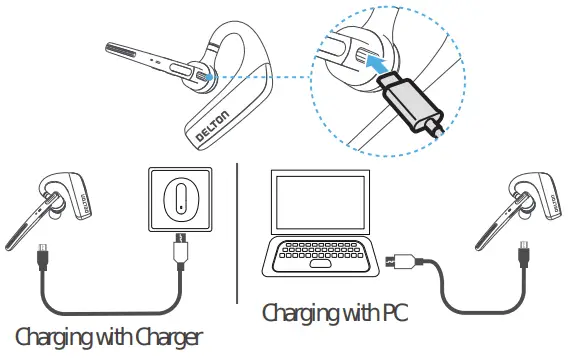
Your new headset has enough power to pair and make a few calls before charging, though you may charge at any time.
SAFET YINST RUCTION
- Do not place headset near naked flames sources. Such as candle or oven.
- Do not expose the product to direct sunlight.
- Press function bottom gently; Press too hard might shorten the lifetime of function.
- Do not drop the product on hard surface. This may result in damage of the product.
- Do not place headset near TV, speaker or other objects that generate strong magnetic fields.
- When headset is affected by a strong magnetic field or by other interference simply turn off to reset headset to resume normal operation.
WARRANTY
Delton warrants this product against defects in material and/or workmanship under normal use. To view our warranty policy or to submit a claim, please visit overtimebrands.com/pages/warranty-information
LEGAL WARRANT Y
The period of guarantee and any other conditions relating to it, is governed by the legislation of the country where the product was purchased.

 Register your product at overtimebrands.com
 Overtime: Shop for Phone Chargers, Outlet Shelves, Lightning Cables