If your Robot is making an excessive noise while cleaning, follow these steps to resolve:
- Turn Robot Off
- Is your Robot only making an excess noise while wet cleaning?
- Yes > Scroll down to Check the wheels
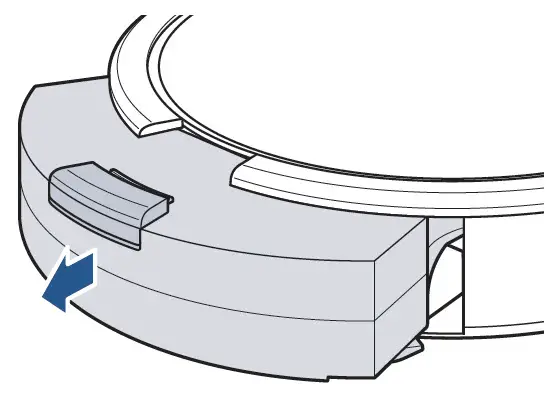
- No > Remove Dirt Bin > Press down on button and pull out
- Empty Dirt Bin over trash
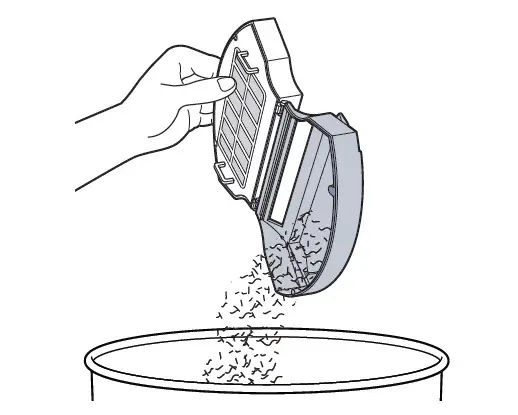
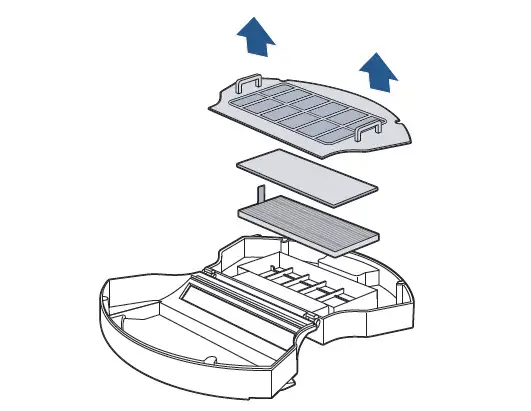
- Remove filter cover and filters > Use Cleaning Tool to brush filters clean > Do not wash filters
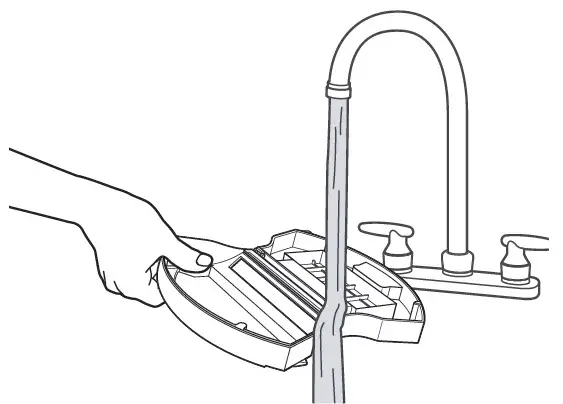
- Rinse Dirt Bin with water > Dirt Bin must be completely dry before putting it back into the machine
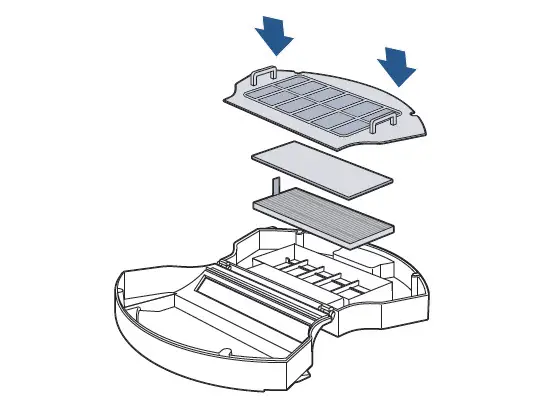
- Reinstall filters and put Dirt Bin back into machine
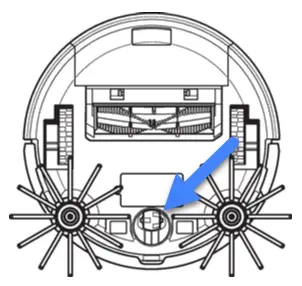
- Check the Wheels: Both the 2 large Wheels & the Caster Wheel
- Remove any debris that has accumulated
- The 2 large Wheels should spin with a bit of pressure, retracting into the machine and bouncing back when released
- The Caster Wheel should spin freely without wobbling
- Remove Caster Wheel by pulling straight up > Both Caster Wheel and Wheel Frame should be removed > Clear debris from Wheel and underside of Wheel Frame
- Reattach Caster wheel to Wheel Frame and insert securely into Robot
- Wheel axle should be pressed firmly into the machine
- If the Caster Wheel is damaged > Replace Caster Wheel > Go to Parts & Supplies
- Reattach Caster wheel to Wheel Frame and insert securely into Robot
- Remove Caster Wheel by pulling straight up > Both Caster Wheel and Wheel Frame should be removed > Clear debris from Wheel and underside of Wheel Frame
If your Robot continues to make an excessive noise > Go to Brush not Turning