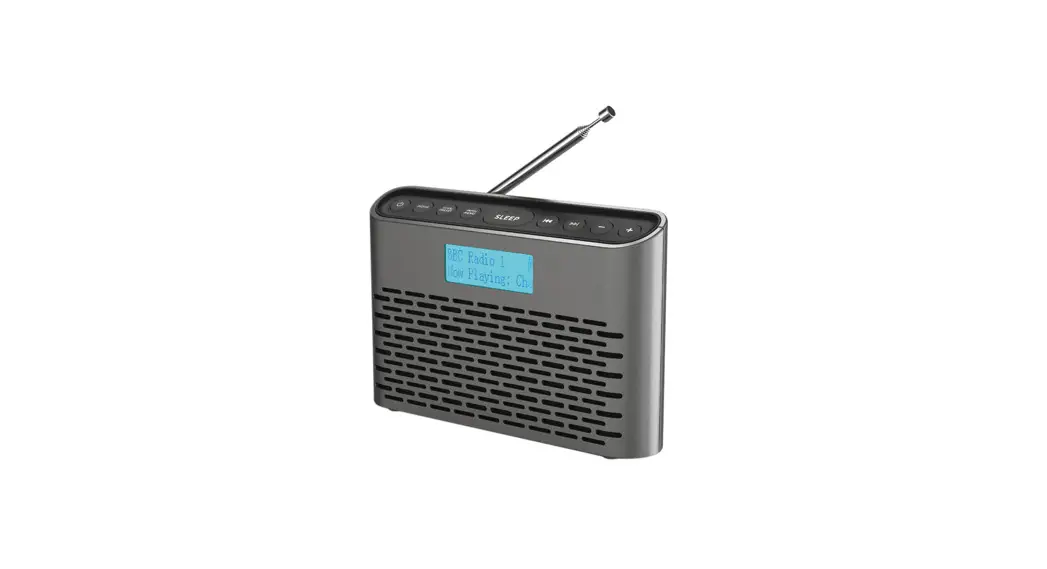

DAB/DAB+/FM Portable Radio
User Manual
Introduction
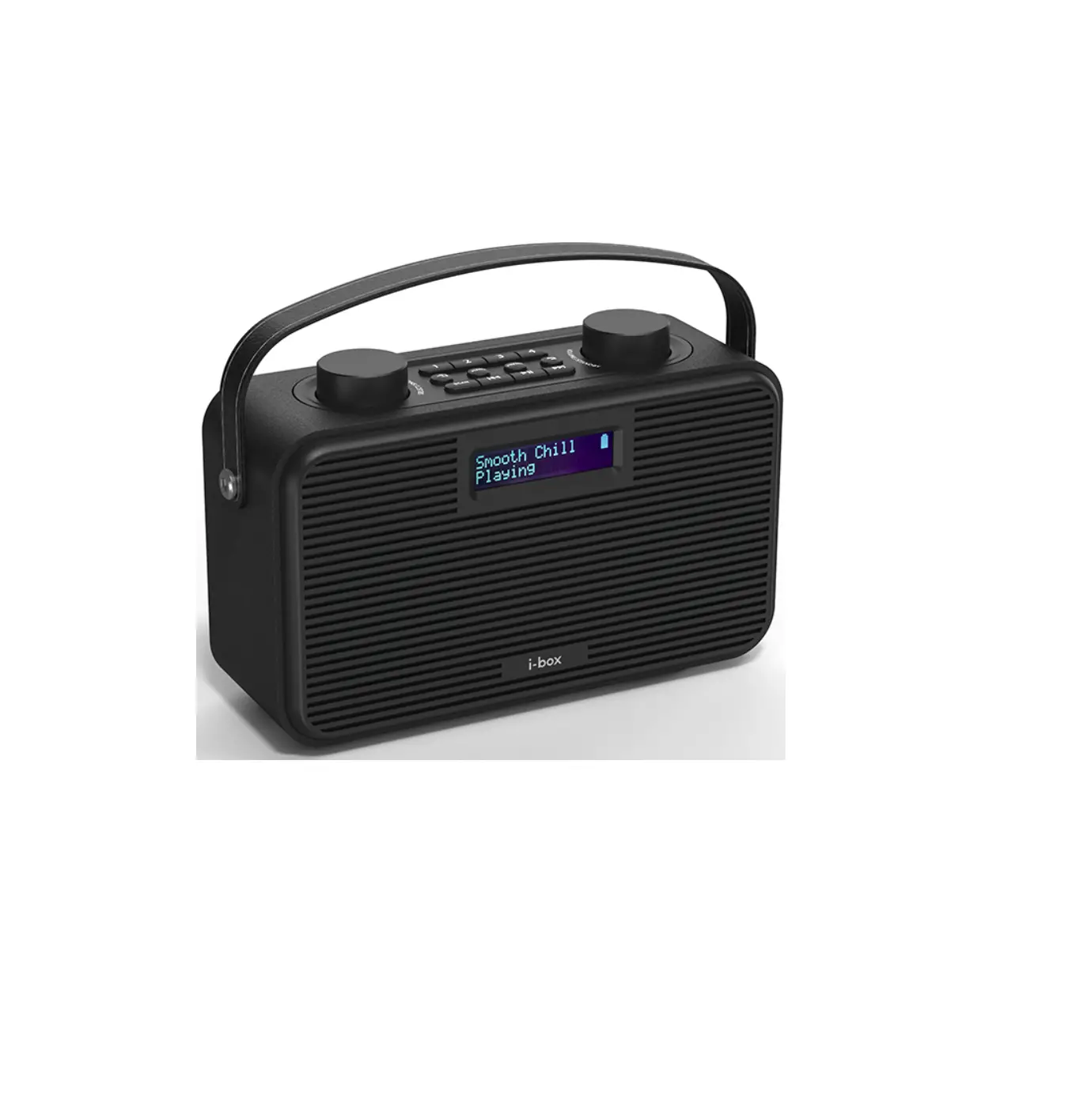
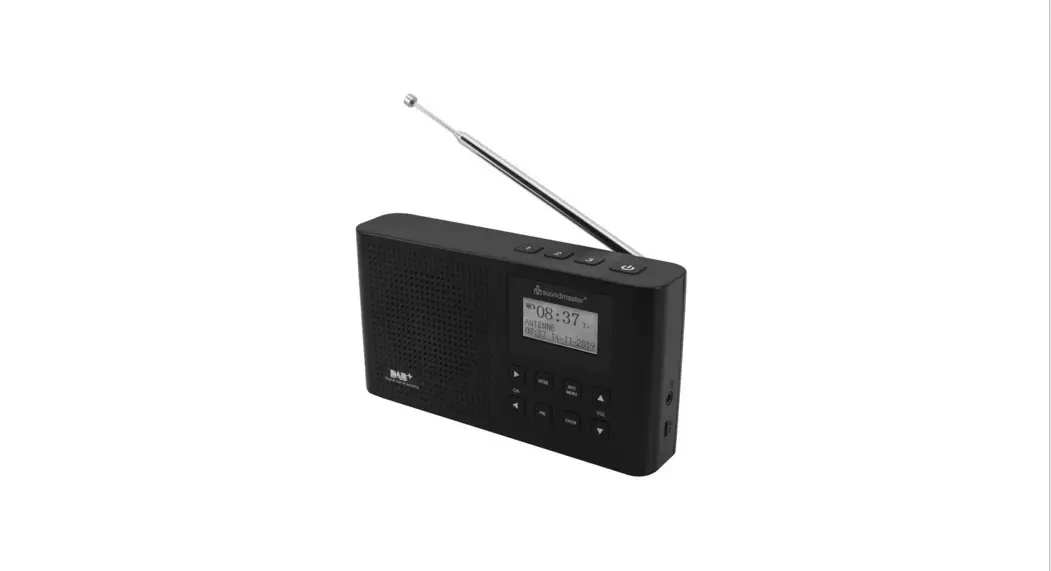
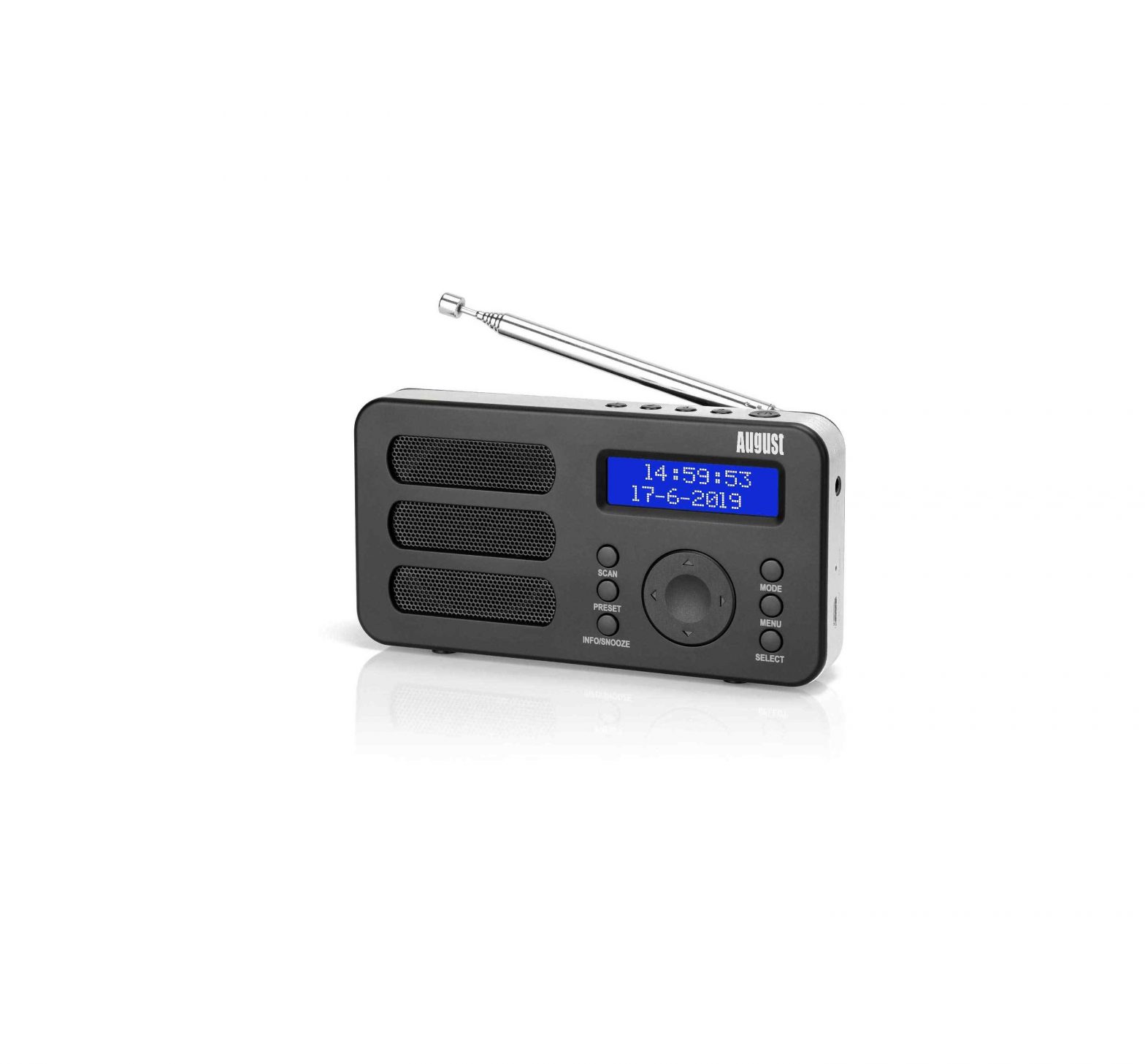
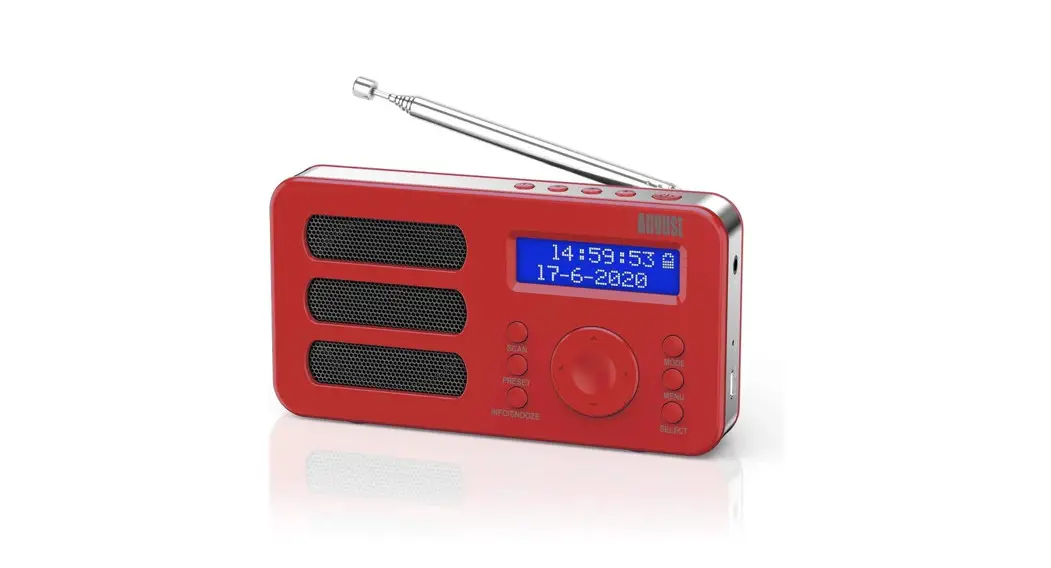
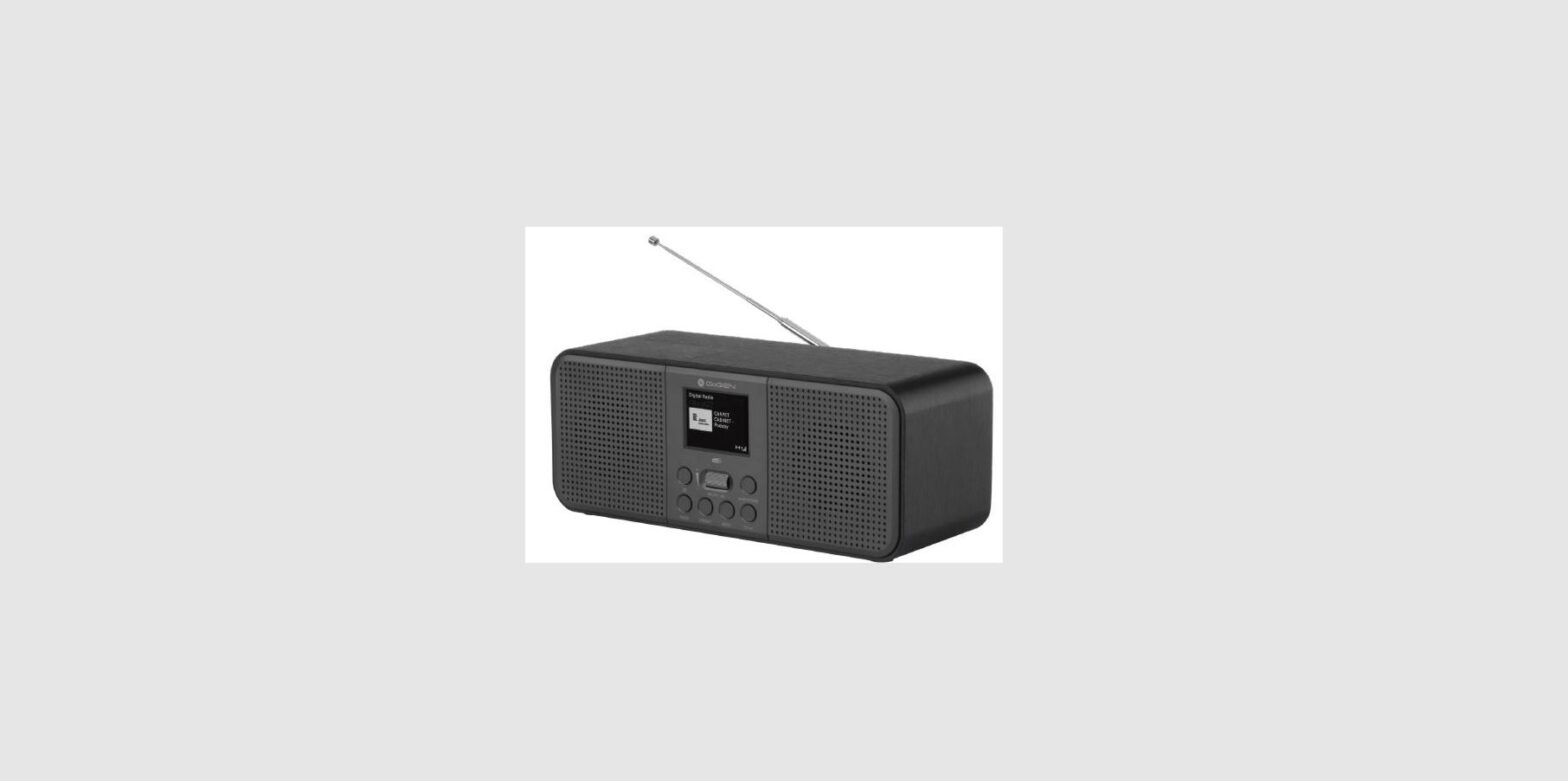
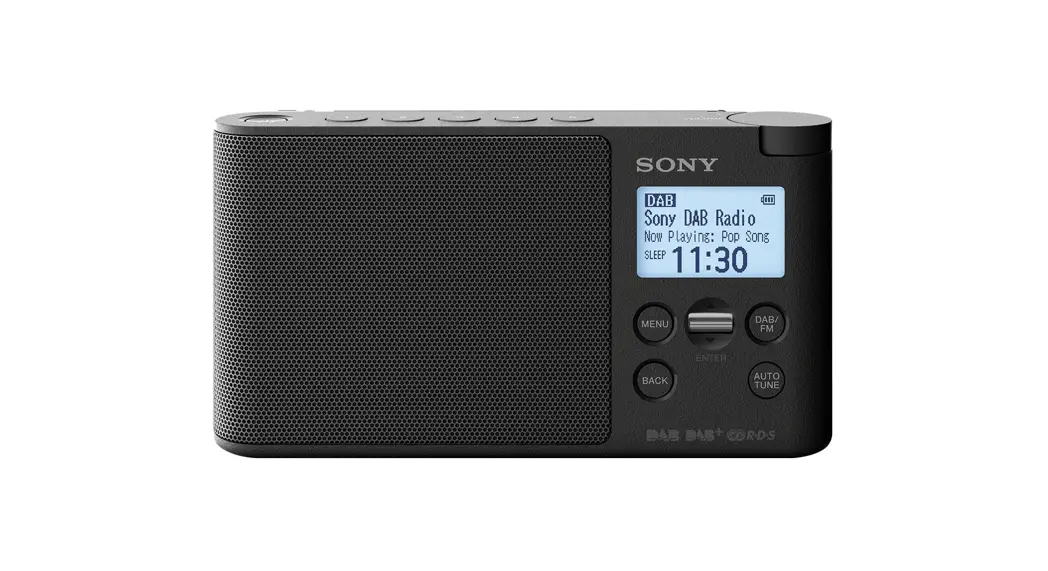
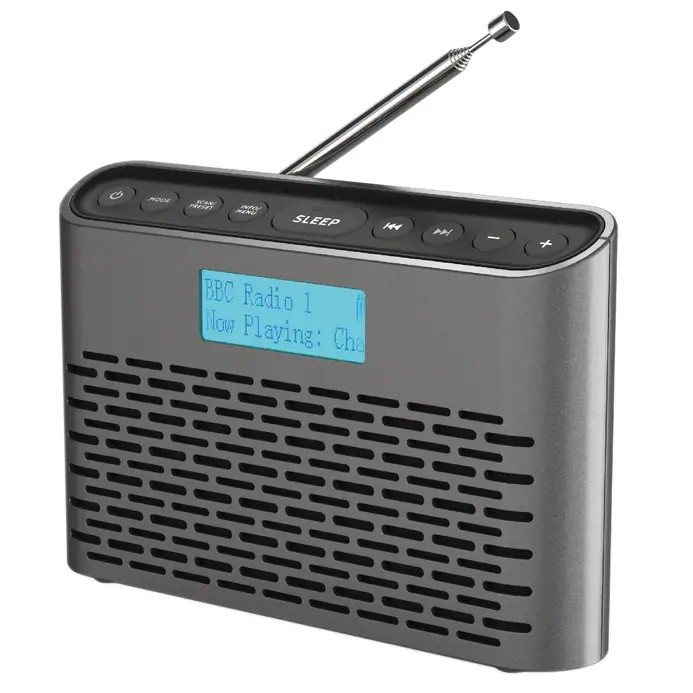
The i-box Slim is a stylish and easy-to-use upright portable DAB/DAB+ and FM radio. The DAB+ radio function offers you crisp and clear audio quality at the touch of a button and automatically searches for all available radio stations, displaying them on the LCD display – so you know exactly which one you’re listening to.
If you prefer to play your own selection of music the Slim also offers playback via the AUX IN port. While the built-it 2200mAh rechargeable lithium battery and lightweight design, make it easy to listen to your favorite tracks and stations from anywhere around the home.
 Caring for your Slim radio
 Caring for your Slim radio
Please read these instructions fully before operating your radio.
Do not place naked flame sources, such as lighted candles on or near the radio. Keep away from dripping or splashing liquids. The unit should not be exposed to direct sunlight, very high or low temperatures, moisture, strong magnetic fields high frequencies and dusty environments.
Always leave sufficient space around the unit for ventilation.
Do not use abrasives, benzene, thinner or other solvents to clean the unit. To clean, wipe with a dean soft cloth.
Never attempt to insert wires, pins or other such objects into the vents or openings of the unit.
Do not disassemble or modify the unit, there are no user-serviceable parts. If the radio is damaged or malfunctions do not use it. Consult a qualified service engineer.
This product contains a built-in Li-ion battery. It must be used and charged properly. Improper use can cause the battery to catch fire or explode resulting in serious or fatal injury. It should also be disposed of appropriately. Do not dispose of this product with household waste at the end of its life cycle; hand it over to a collection center for the recycling of electrical and electronic appliances with batteries. Please check with your Local Authority for recycling advice.

Top Panel
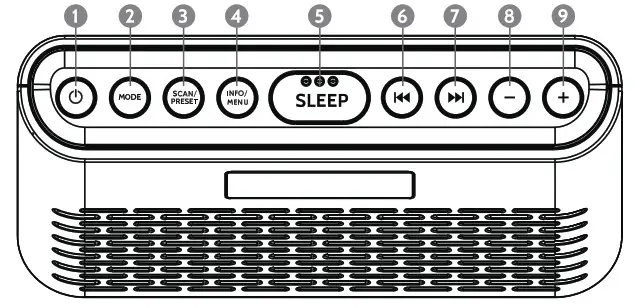
Controls and Features
| 1. On /Off 2. Mode — FM / DAB 3. Preset / Scan 4. Info / Menu / Select | 5. Sleep mode 6. Tune – / Left / Back 7. Tune + / Right 8. Volume Down | 9. Volume Up 10. LCD Display 11. Left Speaker 12. Right Speaker |
Front Panel 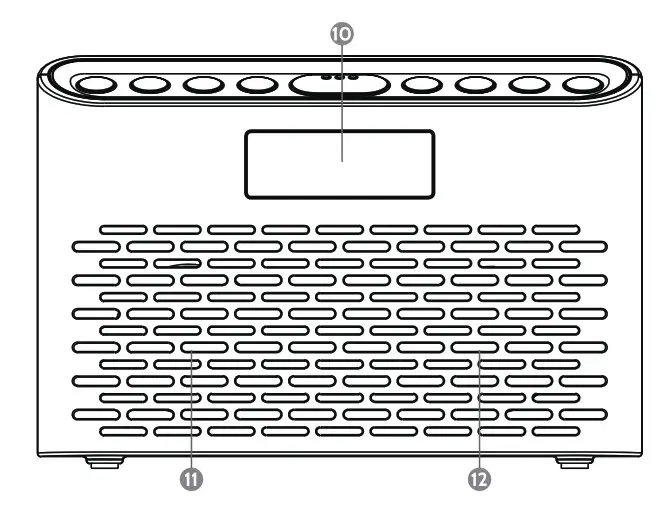 Back Panel
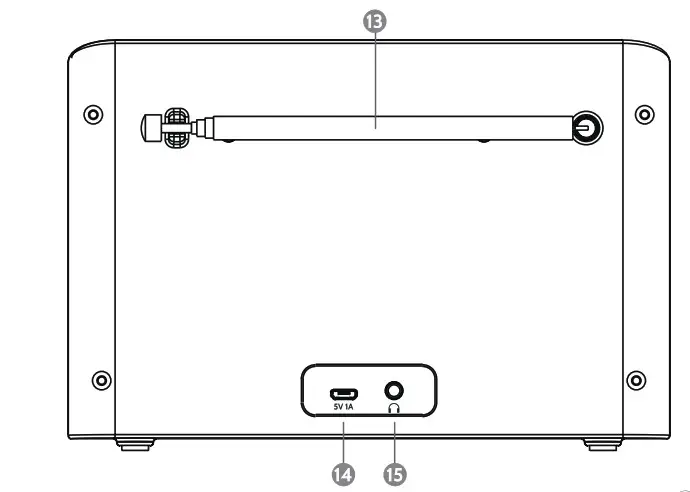
Controls:
13. Antenna
14. Micro USB charging port
15. Headphone Jack
Before you start
Before switching the radio on, fully extend the antenna for the best reception.
Note: When using your DAB+ radio you may need to adjust the position of the aerial to get the best reception.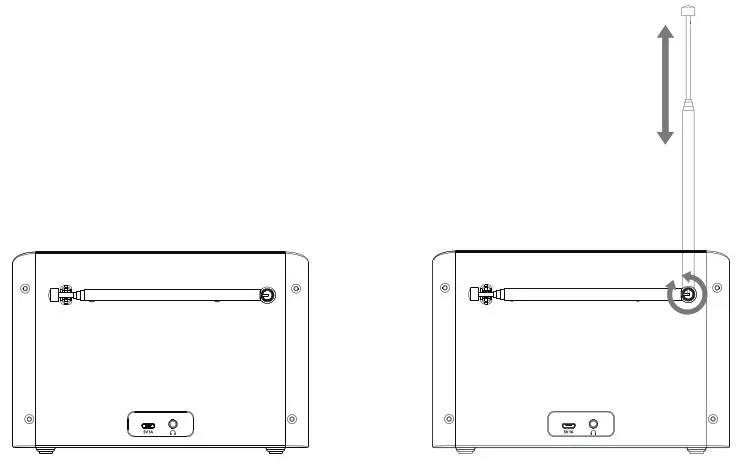
Charging your Slim DAB Radio
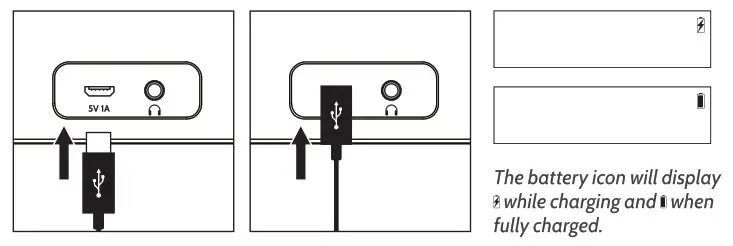
To charge the radio, plug the Micro USB cable into the rear Micro USB charging port (14).
Standby / ON/OFF
When the radio is plugged in and charging, press the On / Off button (1) to turn the radio on.

When the radio is using the built-in battery, the radio will enter Off mode when the On / Off button is pressed (1). Setting the clock automatically
Once the Slim is powered and the antenna is extended, listen to any station, the clock will set automatically after 3 minutes.
Mode Selection
Press the Mode button (2) repeatedly to switch between modes.

Station list
Program list: Use the Tune – / Left and Tune + / Right buttons (6&7) to browse all the DAB programs in the program list in turn. When a station is found, press Info / Menu (4) to select the station.
Navigating Menus
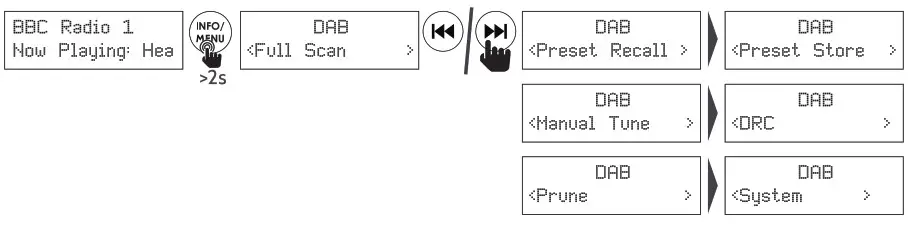
Press and hold the Info/Menu key (4) to enter the menu settings. Press and hold the Info/Menu key (4) to return or leave the menu setting. To go back to the previous screen, press and hold the  key (6).
DAB Radio mode
Press the Mode button (2) to enter DAB mode.
While in DAB mode, you can access features such as: Full Scan, Preset Recall, Preset Store, Manual Tune, DRC (Dynamic Range Control), Prune and System.
Preset
Storing a station to Preset
Save your favorite stations to one of the 60 available preset slots, (30 for DAB and 30 for FM).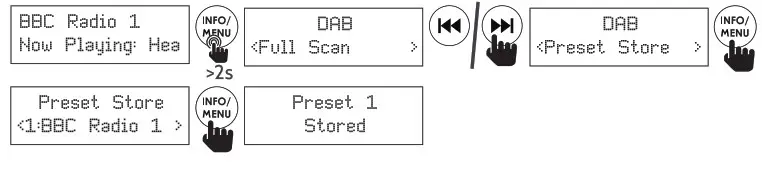
Recalling a station from a Preset
Quickly access your favorite stations saved to a preset slot

Full Scan (Automatic Search): Searches all DAB frequencies, and saves all available stations to the Station List.
Manual Tune: If you know the frequency of a station you can search for it using this option, once you have found the desired frequency, press the Info / Menu button (4). the strength of the signal will now be displayed. Press the Info / Menu button (4) again to connect.
DRC (Dynamic Range Control): Dynamic Range Control can make quieter sounds easier to hear when your radio is used in a noisy environment. This function is only available for some DAB stations.
Prune: This function removes any stations that are listed but not available.
System: DAB system settings.

Time
Should set automatically. Use this menu to set time manually if required.
Choose from: Auto-update, Set 12/24 hour, Set Time/Date, Set Date Format.
Set Time/Date: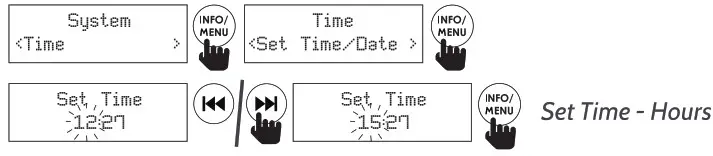
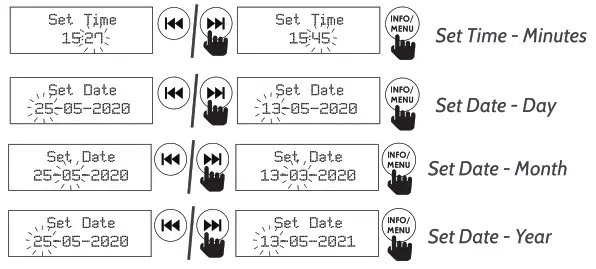
Auto Update:

Set 12/24 hour:

Set Date Format:

Backlight: Choose from Timeout, On level, Dim Level

Timeout: Choose how long till the screen enters into the Dim level
Choose from On,10, 20, 30, 45, 60,120 and 180 seconds.
On Level: Choose the brightness of the screen when on.

Dim Level: Choose the brightness of the screen when in a dimmer level.

Language: The default is English. There are currently three other languages available: Deutsch (German), Italiano (Italian), and Francais (French); the selected item has a Is’ in the upper right corner.

Factory Reset: After a reset, all states of DAB saved settings are restored to the factory default setting.
SW version: View the version of the currently installed DAB software.
DAB Playing
The first line shows the name of the DAB station. The bottom line, shows various information. Press the Info / Menu button (4) to cycle through the information options.
FM Mode
Press the Mode button (2) to enter the FM mode:
Scan Setting: By default the FM scan stores all available stations even if the signal is weak and the audio quality poor. To store just the stations with a strong signal, follow the steps below.
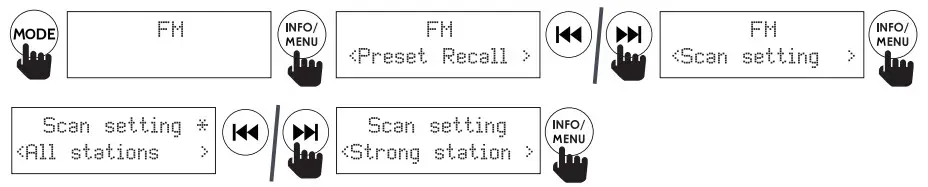
Audio Setting: By default, all stereo stations are reproduced in stereo. For weak signals, this may result in poor-quality audio. The audio quality can be improved by using the mono-only settings. Follow the steps below.
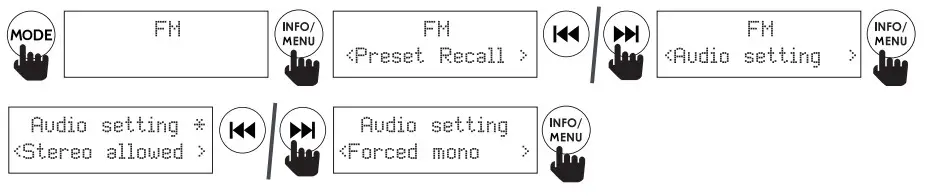
Auto Scanning: The system searches for all stations from the low-end frequency to the high-end frequency according to the sensitivity setting.
If there is no operation, the program will automatically exit after 30 seconds.
System: (FM system settings): Same as the DAB mode system settings.
Preset FM Mode
To save and recall a preset station while in FM Radio mode, follow the steps found in the DAB preset section on page 5.
FM Playing
The first line shows the frequency of the FM station selected. The bottom line, shows various information. Press the Info / Menu button (4) to cycle through the information options.
Sleep Timer
The Sleep timer function lets you set a time period after which your radio will switch off automatically. This is ideal if you want your radio to switch off automatically after you have fallen asleep.
To enter the set timer mode, press the Sleep Timer button (5).
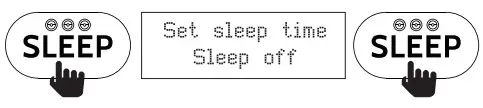
Repeatedly press the Sleep Timer button (5) to choose between OFF 5,10,15, 30 ,45, 60 and 90 minutes
The remaining time till the radio sleeps is in the top corner, when the time has elapsed the radio will go into standby.

To turn off an active sleep timer, repeatedly press the Sleep Timer button (5) till OFF is displayed.

Specifications
| Power Input: | Micro USB 5V DC |
| Playing Time: | up to 18hrs @ 50% Vol |
| Speaker Output: | 2x1W RMS |
| DAB/DAB« Frequency Range: | 174.928MHz (5A) – 239.200MHz (13F) |
| FM Frequency Range: | 87.5 -108MHz |
| Presets: | 30 DAB. 30 FM |
| Built-in Rechargeable Battery: | Lithium-Ion 2200mAh |
Troubleshooting
| Problem | Solutions | ||
| Radio reception is poor | Check that the antenna is extended for maximum signal strength and improved reception. | Adjust the antenna direction to improve the signal. Move the radio closer to a window. | Check that the radio is not close to microwaves, fluorescent lights, or other equipment which may cause interference. |
| No sound | Check if the volume is turned down. Increase the volume. | Check that the radio is switched on. | Try tuning to another radio station. |
| The radio does not turn on | The battery is flat and the radio is not securely connected to a powered USB socket. | Connect the USB port on the radio to a powered USB socket. | Connect the USB port on the radio to a higher output powered USB socket. |
Disclaimer
Updates to Firmware and/or hardware components are made regularly. Therefore some of the instructions, specifications, and pictures in this documentation may differ slightly from your particular situation. All items described in this guide are for illustration purposes only and may not apply to your particular situation. No legal rights or entitlements may be obtained from the description made in this manual.
Declaration of conformity
Hereby, Philex Electronic Ltd. declares that the radio equipment: Slim Radio for radio broadcast reception in domestic premises is in compliance with the Radio Equipment Directive 2014/53/EU.
The full text of the EU declaration of conformity is available at the following internet address: www.philex.com/doc
Technical support
For further help, advice, information, or live chat visit www.iboxstyle.com
Waste electrical and electronic products should not be disposed of with household waste. Please recycle where facilities exist. Check with your Local Authority for recycling advice.