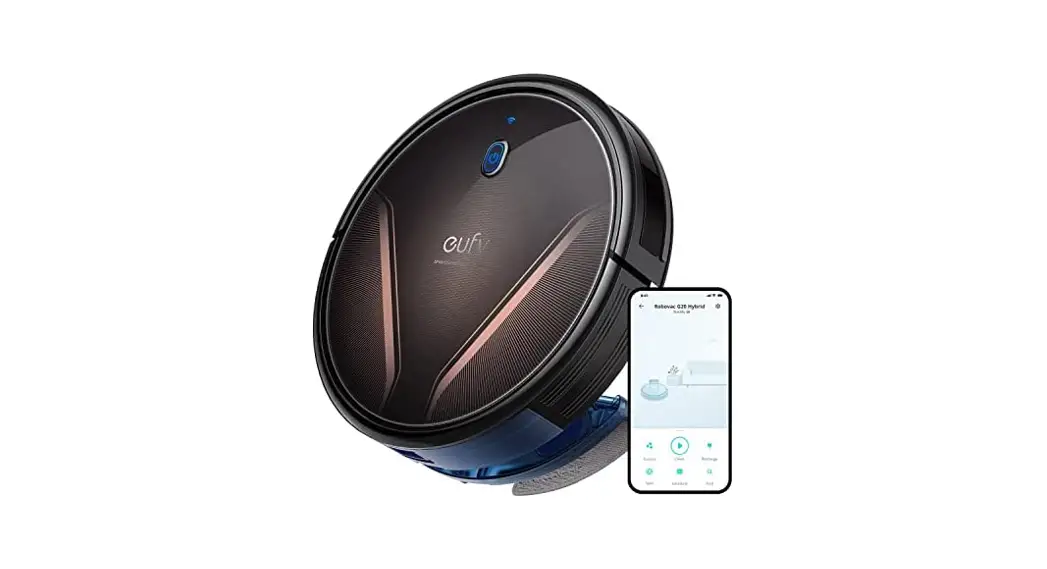
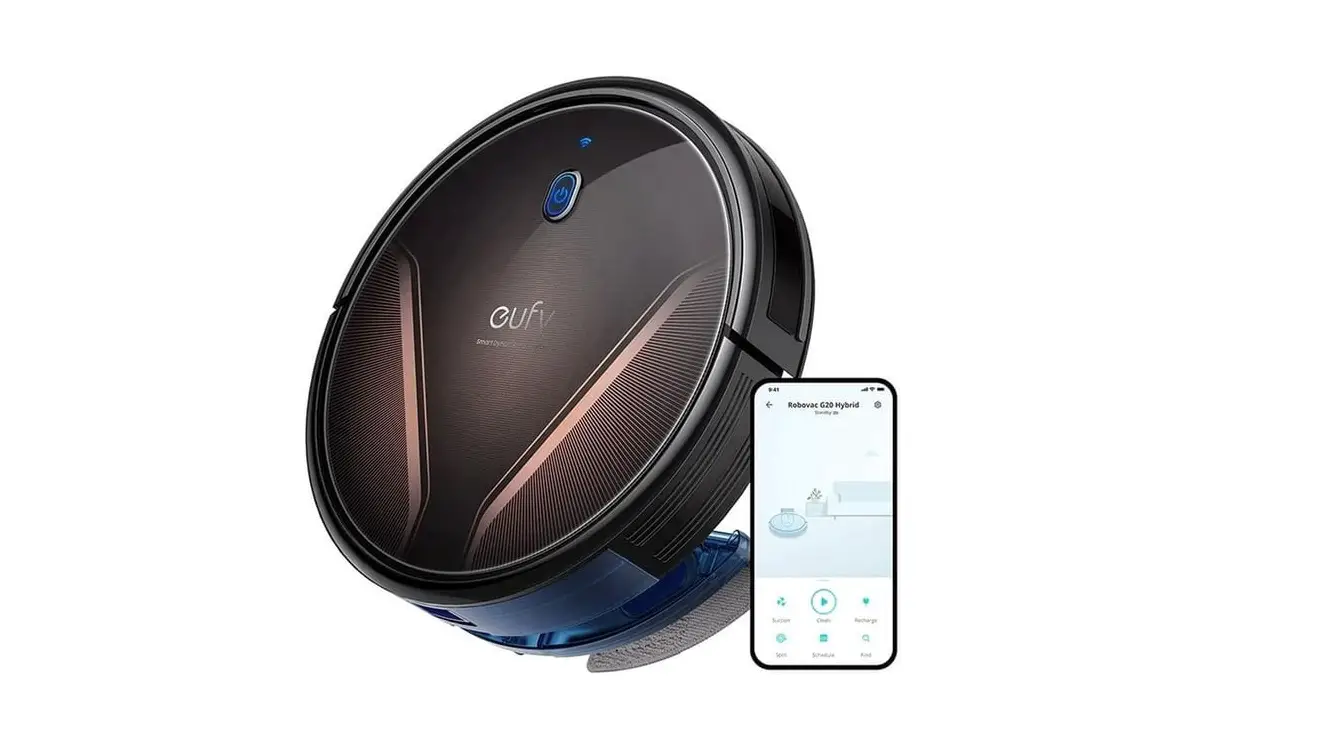
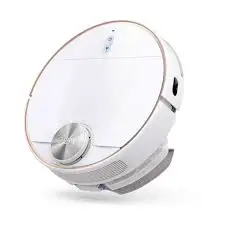
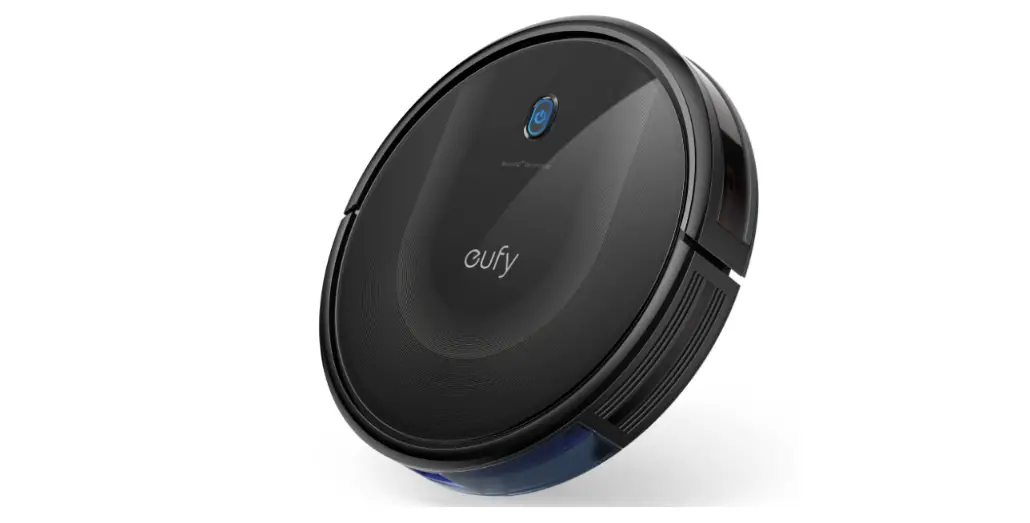
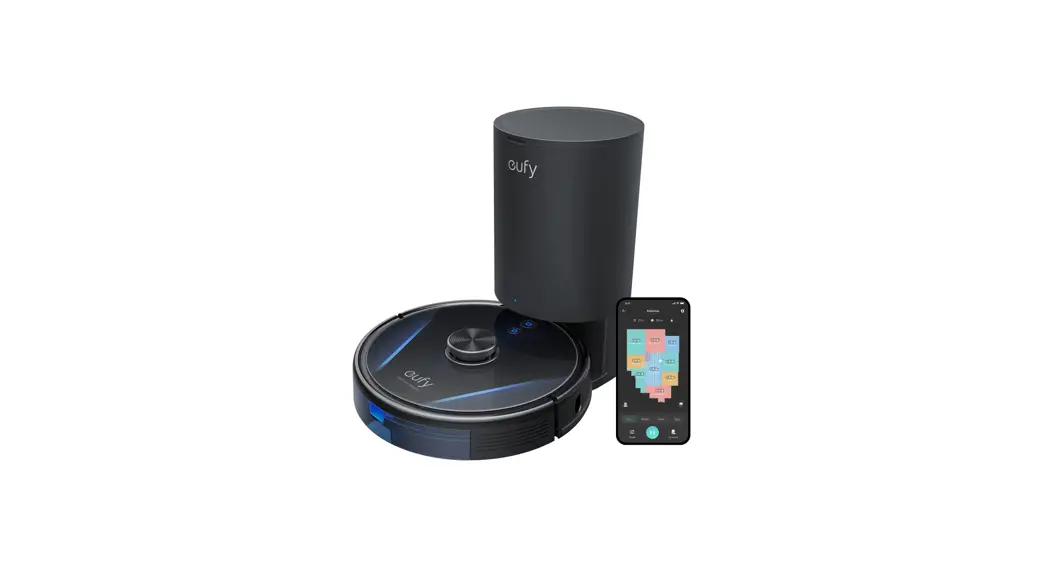
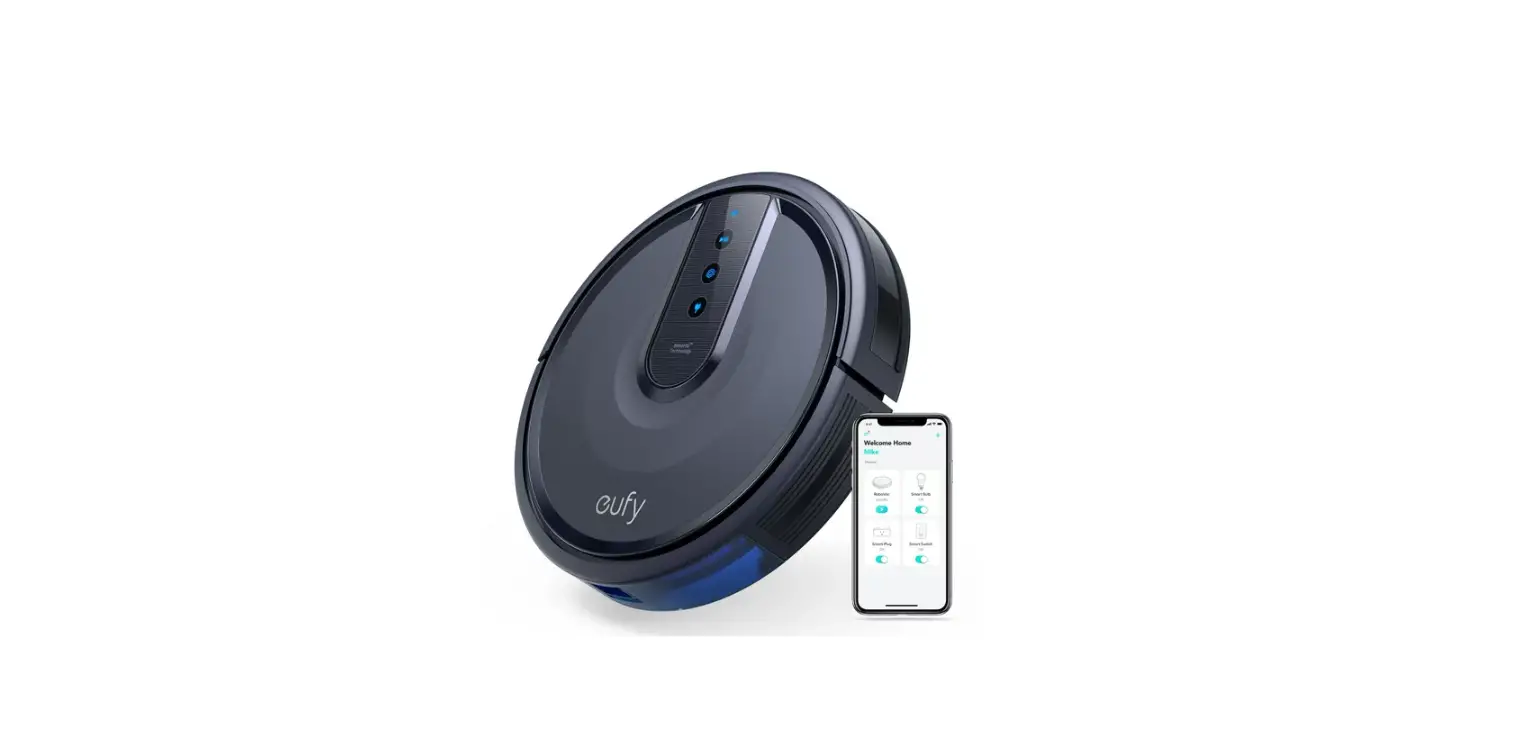
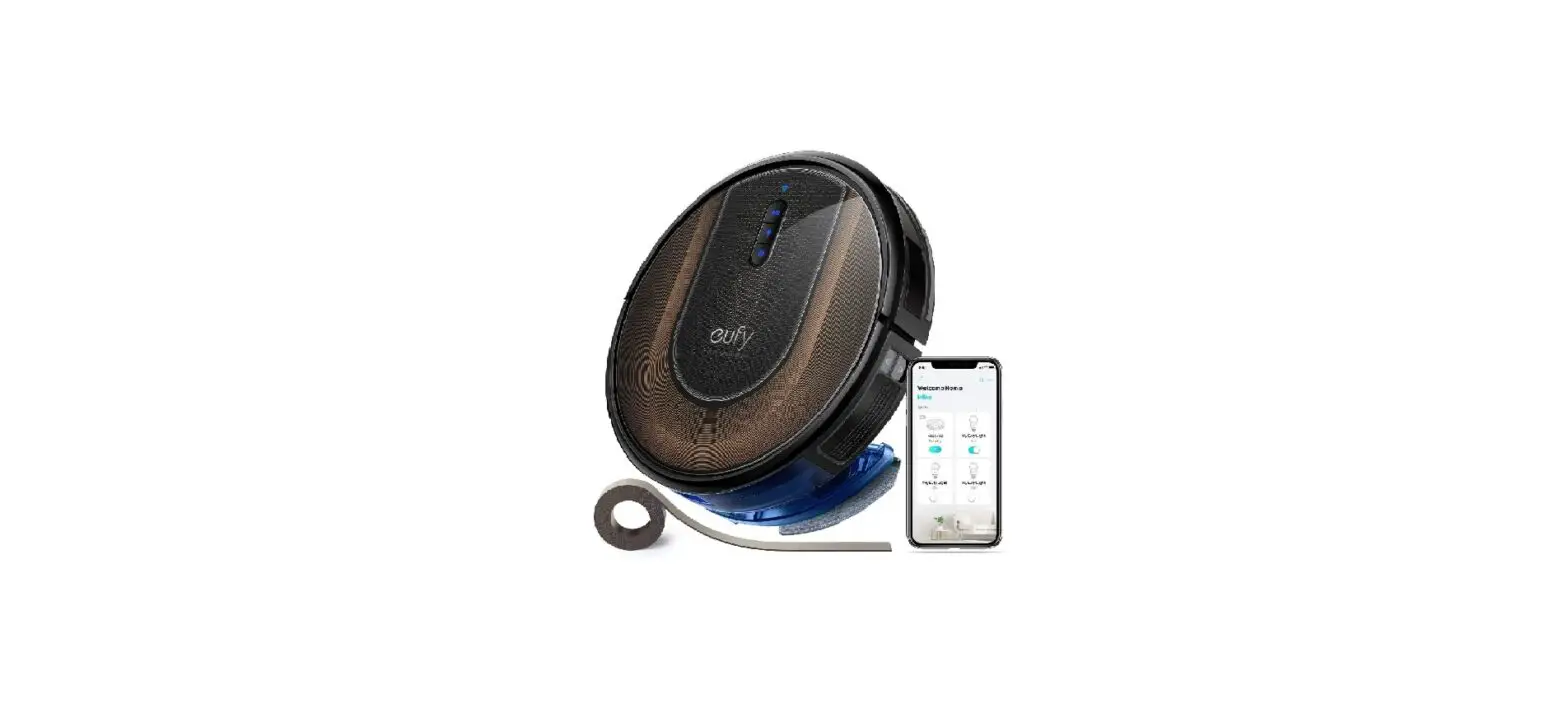
RoboVac G20 Hybrid 2 In 1 Vacuum and Mop
RoboVac G20 Hybrid
Product Information:
- Model: T2258 51005003136 V02
- Owner’s Manual: English
Table of Contents:
- Important Safety Instructions
- About Your RoboVac
- What’s in the Box
- RoboVac Anatomy
- LED Indication
- Using Your RoboVac
- Important Tips Before Use
- Preparation
- Charge Your RoboVac
- Use Your RoboVac with the EufyHome App
- Start / Stop Cleaning
- Select a Cleaning Mode
- Select a Suction Power Level
- Select BoostIQTM feature
- Use Mopping System
- Use Your RoboVac with Amazon Alexa / Google Assistant
- Cleaning and Maintenance
- Clean the Dust Collector and Filter
- Clean the Rolling Brush
- Clean the Side Brush
- Replace the Side Brush
- Clean the Sensors and Charging Pins
- Clean the Swivel Wheel
- Clean the Mopping Cloth and Water Tank
- Troubleshooting
- Specifications
- Customer Service
Product Usage Instructions:
Thank you for purchasing RoboVac. Please read the following
instructions carefully before using the device:
- Important Safety Instructions:
- Keep these instructions at hand when setting up, using, and
maintaining the device. - Follow the warning symbols and safety alerts provided in the
manual to avoid property damage and/or serious bodily harm or
death.
- Keep these instructions at hand when setting up, using, and
- Using Your RoboVac:
- Before Use:
- Ensure you have all the necessary parts and accessories
mentioned in the “What’s in the Box” section.
- Ensure you have all the necessary parts and accessories
- Preparation:
- Place the RoboVac on a flat surface and remove any obstacles
that may obstruct its movement.
- Place the RoboVac on a flat surface and remove any obstacles
- Charge Your RoboVac:
- Connect the provided charging cable to the RoboVac and plug it
into a power source. - Allow the device to charge fully before initial use.
- Connect the provided charging cable to the RoboVac and plug it
- Use Your RoboVac with the EufyHome App:
- Download and install the EufyHome App on your smartphone.
- Follow the app instructions to connect your RoboVac to your
smartphone and control it remotely.
- Start / Stop Cleaning:
- Press the appropriate button on the RoboVac or use the EufyHome
App to start or stop the cleaning process.
- Press the appropriate button on the RoboVac or use the EufyHome
- Select a Cleaning Mode:
- Choose from the available cleaning modes based on your
preferences and needs.
- Choose from the available cleaning modes based on your
- Select a Suction Power Level:
- Adjust the suction power level of the RoboVac according to the
surface being cleaned.
- Adjust the suction power level of the RoboVac according to the
- Select BoostIQTM feature:
- Enable the BoostIQTM feature for automatic suction power
adjustment based on the amount of dirt detected.
- Enable the BoostIQTM feature for automatic suction power
- Use Mopping System:
- If applicable, attach the mopping cloth and water tank to
enable mopping functionality.
- If applicable, attach the mopping cloth and water tank to
- Use Your RoboVac with Amazon Alexa / Google Assistant:
- Follow the provided instructions to connect your RoboVac with
Amazon Alexa or Google Assistant for voice control.
- Follow the provided instructions to connect your RoboVac with
- Before Use:
- Cleaning and Maintenance:
- Follow the instructions in the manual to clean and maintain
various components of the RoboVac, including:- Dust Collector and Filter
- Rolling Brush
- Side Brush
- Sensors and Charging Pins
- Swivel Wheel
- Mopping Cloth and Water Tank
- Follow the instructions in the manual to clean and maintain
- Troubleshooting:
- Refer to the troubleshooting section in the manual for
assistance with any issues you may encounter.
- Refer to the troubleshooting section in the manual for
Customer Service:
If you require further assistance or have any questions
regarding the RoboVac, please contact our customer service.
T2258 51005003136 V02
RoboVac G20 Hybrid
Owner’s Manual
English
01
Deutsch
39
Español
79
Français
119
Italiano
159
Türkçe
199
P
239
Nederlands
283
Table of Contents
02 Important Safety Instructions 08 About Your RoboVac
What’s in the Box RoboVac Anatomy LED Indication 12 Using Your RoboVac Important Tips Before Use Preparation Charge Your RoboVac Use Your RoboVac with the EufyHome App Start / Stop Cleaning Select a Cleaning Mode Select a Suction Power Level Select BoostIQTM feature Use Mopping System Use Your RoboVac with Amazon Alexa / Google
Assistant 24 Cleaning and Maintenance
Clean the Dust Collector and Filter Clean the Rolling Brush Clean the Side Brush Replace the Side Brush Clean the Sensors and Charging Pins Clean the Swivel Wheel Clean the Mopping Cloth and Water Tank 31 Troubleshooting Voice Alert 36 Specifications 37 Customer Service
Thank you for purchasing RoboVac. Carefully read all the instructions below before using this device, and keep this manual for future reference.
EN 01
Important Safety Instructions
To reduce the risk of injury or damage, keep these instructions at hand when setting up, using, and maintaining this device.
WARNING SYMBOLS USED This is the safety alert symbol. This symbol alerts you to potential hazards that could result in property damage and/or serious bodily harm or death.
· This device can be used by children aged from 8 years and above and persons with reduced physical, sensory or mental capabilities or lack of experience and knowledge if they have been given supervision or instruction concerning use of this device in a safe way and understand the hazards involved.
· Children should be supervised to ensure they do not play with this device.
· Cleaning and maintenance shall not be performed by children without adult supervision.
· This device is only to be used with the power supply unit provided.
· Before cleaning or maintaining this device, the plug must be removed from the outlet.
· The battery in this device should only be replaced by a skilled professional.
· When removing the battery, disconnect the device from the supply mains.
· To recharge the battery, only use the detachable adapter US/CA: GSCU0600S019V12E; UK: GSCB0600S019V12E; EU: GSCV0600S019V12E; AU: GSCS0600S019V12E) provided with this device.
· The battery must be removed before this device is disposed of. To remove the battery, first unscrew the screws on the bottom, then remove the back cover. Remove the battery by disconnecting the quick
02 EN
connector. · The used battery should be placed in a sealed plastic bag
and disposed of safely according to local environmental regulations. · The external flexible cable or cord of the power supply unit cannot be replaced; if the cord is damaged, the power supply unit shall be disposed of. · This device is for indoor use only. · This device is not a toy. Do not sit or stand on this device. Small children and pets should be supervised when this device is operating. · Store and operate this device in room temperature environments only. · Do not use this device to pick up anything that is burning or smoking. · Do not use this device to clean up spills of bleach, paint, chemicals, or anything wet. · Before using this device, pick up objects like clothing and loose paper. Lift up cords for blinds or curtains. Move power cords, sharp-pointed and fragile objects out of the way. If this device passes over a power cord and drags it, an object could be pulled off a table or shelf. · If the room to be cleaned has a balcony, a physical barrier should be used to prevent access to the balcony and to ensure safe operation. · Do not place anything on top of this device. · Be aware that this device moves around on its own. Take care when walking in the area where this device is operating to avoid stepping on it. · Do not operate this device in areas with exposed electrical outlets on the floor. · Do not expose the electronics of this device, its battery, or the integrated Charging Base. There are no userserviceable parts inside. · Do not use this device on an unfinished, unsealed, waxed or rough floor. It may result in damage to the floor and
EN 03
this device. Use only on hard floor surfaces or low-pile carpets, and not on carpets with tasseled edges or loose threads. · This device has been designed to be used on floors without scratching them. We still recommend that you test this device on a small area of the room to be cleaned to ensure no scratches are made before cleaning the whole room. · Only use attachments recommended or described in this manual. · Do not handle the appliance or plug with wet hands. · Ensure that the dust bag and/or filters are correctly inplace before usage. · Do not use a battery pack or appliance that is damaged or modified. Damaged or modified batteries may exhibit unpredictable behavior resulting in fire, explosion, or risk of injury. · Do not expose the battery pack or appliance to fire or excessive temperature. Exposure to fire or temperature above 130°C may cause an explosion. · Do not modify or attempt to repair the appliance or the battery pack (as applicable), except as indicated in the instructions for use and care. · Follow all charging instructions and do not charge the battery pack or appliance outside of the temperature range specified in the instructions. Charging improperly or at temperatures outside of the specified range may damage the battery and increase the risk of fire.
04 EN
Notice
This symbol on the device or its packaging indicates:
Do not dispose of electrical appliances as unsorted municipal waste; use separate collection facilities. Contact your local authority for information regarding the collection systems available. If electrical appliances are disposed of in landfills or dumps, hazardous substances can leak into the groundwater and get into the food chain, damaging your health and well-being. When replacing old appliances with new ones, the retailer is legally obliged to take back your old appliance for disposal at least free of charge.
FCC Statement
This device complies with Part 15 of the FCC Rules. Operation is subject to the following two conditions: (1) This device may not cause harmful interference, and (2) this device must accept any interference received, including interference that may cause undesired operation.
Warning: Changes or modifications not expressly approved by the party responsible for compliance could void the user’s authority to operate the equipment.
Note: This equipment has been tested and found to comply with the limits for a Class B digital device, pursuant to Part 15 of the FCC Rules. These limits are designed to provide reasonable protection against harmful interference in a residential installation.
This equipment generates, uses, and can radiate radio frequency energy and, if not installed and used in accordance with the instructions, may cause harmful interference to radio communications. However, there is no guarantee
EN 05
that interference will not occur in a particular installation. If this equipment does cause harmful interference to radio or television reception, which can be determined by turning the equipment off and on, the user is encouraged to try to correct the interference by one or more of the following measures: (1) Reorient or relocate the receiving antenna. (2) Increase the separation between the equipment and receiver. (3) Connect the equipment into an outlet on a circuit different from that to which the receiver is connected. (4) Consult the dealer or an experienced radio / TV technician for help.
ISED Compliance Statement This device contains license-exempt transmitter(s)/ receiver(s) that comply with Innovation, Science and Economic Development Canada’s license-exempt RSS(s). Operation is subject to the following two conditions:
1. This device may not cause interference.
2. This device must accept any interference, including interference that may cause undesired operation of the device.
RF Exposure Compliance Statement This equipment complies with FCC/IC radiation exposure limits set forth for an uncontrolled environment. This equipment should be installed and operated with minimum distance 20cm between the radiator and your body.
Declaration of Conformity This product complies with the radio interference requirements of the European Community. Hereby, Anker Innovations Limited declares that the radio equipment type T2258 is in compliance with Directive 2014/53/EU. The full text of the EU declaration of conformity is available at the following internet address: https://www.eufylife.com/
06 EN
Maximum output power: 18 dBm (For EU) Frequency band: 2.4G band (2.4000GHz – 2.4835GHz)
GB Declaration of Conformity Hereby, Anker Innovations Limited declares that the product type T2258 is in compliance with Radio Equipment Regulations 2017 and The Restriction of the Use of Certain Hazardous Substances in Electrical and Electronic Equipment Regulations 2012. The full text of the GB declaration of conformity is available at the following internet address: https://www.eufy.com. The following importer is the responsible party (contract for EU and UK matters)
Anker Technology (UK) Ltd GNR8, 49 Clarendon Road, Watford, Hertfordshire, WD17 1HP, United Kingdom
Anker Innovations Deutschland GmbH Georg-Muche-Strasse 3, 80807 Munich, Germany
Trademark Notice · Amazon, Echo, Alexa and all related logos are trademarks
of Amazon.com, Inc. or its affiliates. · Apple and the Apple logo are trademarks of Apple Inc.,
registered in the U.S. and other countries. App Store is a service mark of Apple Inc., registered in the U.S. and other countries. · Google Play and the Google Play logo are trademarks of Google Inc. · Google Home is a trademark of Google Inc.
EN 07
About Your RoboVac
What’s in the Box
RoboVac
Charging Base
Power Adapter
Side Brushes (×2)
Additional Filter
Cleaning Tool
Water Tank
Washable Mopping Cloth
Waterproof Pad
Cable Ties (x5)
Owner’s Manual & Other Documents
08 EN
RoboVac Anatomy
A. Top & Side
Autoocclleeaannininggcocnotnrtorloblubttuotnton WWii–FFii ssttaattuusslliigghhtt BBuummppeer r
B. Bottom
Charging contact pins Side brush Drop sensor
OFF ON
Main power switch (On/Off)
Dust collector Dust collector release button
Drop sensor
Charging contact pins
Swivel wheel
Drop sensor Wheels Brush guard Rolling brush Dust Collector
EN 09
C. Dust Collector
FFilitlteerr
D. Suction Inlet
Dust collector
Suction inlet
Suction inlet
Suction inlet
E. Charging Base
CChhaargrgininggccoonnttaact pinss
10 EN
Statuuss lliigghhtt
PPoowwerecrocrodrsdtosrtaogreage ccoommpapratmrtmenet nt PPoowweresroscokcektet
F. Water Tank
Washable mopping cloth
Filter element Snap joint
Slot Filter element
Cloth attachment area
Snap joint
Water inlet Water inlet cover
LED Indication
You can see the status of RoboVac from the LED indicators.
(Power Status Light) Pulsing orange Solid blue Solid orange
Off
Flashing red & Voice alert
Status
Charging
Standby / Cleaning / Fully charged
Low power and returning to Charging Base
· RoboVac is off. · To conserve power, the light automatically turns off
when RoboVac is not docked to the Charging Base and has been inactive for 10 minutes.
RoboVac has an error. Refer to the “Troubleshooting>Voice Alert” section in this manual for solutions.
(Wi-Fi Status Light) Slowly flashing blue Rapidly flashing blue Solid blue
Status Waiting for connection Connecting with your wireless router Connected to your wireless router
EN 11
Using Your RoboVac
Important Tips Before Use
A
B
C
D
E
F
Remove power cords and small objects from the floor that may entangle RoboVac. Use the supplied cable ties to organize your wires and power cords. Fold tasseled edges of area rugs underneath to prevent tangling RoboVac. Avoid cleaning very dark-colored high-pile rugs or rugs thicker than 1.02 in/26 mm as they may cause RoboVac to malfunction. It is strongly recommended to place boundary strips (sold separately) in front of fireplaces and certain areas (i.e. air vents) that may cause damage to RoboVac if entered. Keep RoboVac away from wet areas during cleaning. RoboVac may climb on top of objects less than 0.67 in/17 mm in height. Remove these objects if possible. Anti-drop sensors will prevent RoboVac from tumbling downstairs and steep drops in most cases. Sensors are less effective if dirty or used on carpeted/reflective/very dark-colored floors. It is recommended to place physical barriers to block off areas where RoboVac may fall.
12 EN
Preparation
1 Remove the foam blocks beside the bumper before use. 2 Install the side brush before use.
3 Before mopping, attach the waterproof pad to the Charging Base to keep the floor
dry. Make sure it is firmly installed. Skip this step if mopping is not needed.
4 Turn on the main power switch on the bottom of RoboVac.
OFF ON
EN 13
5 Place the Charging Base on a level surface and against a wall.
6 Remove objects within 3 ft / 1 m of the left and right side and within 6 ft / 2 m of
the front of the Charging Base. If you cannot remove the objects, move RoboVac to a new place and check whether RoboVac can return to the Charging Base normally; if not, contact eufy customer service for help.
7 Connect the adapter to the Charging Base and a wall outlet.
– When the Charging Base connects to AC power, the LED indicator on the Charging Base is SOLID WHITE.
· Install the Charging Base in a location that RoboVac can easily access. It is recommended to place the Charging Base against a wall, and on a hard-level surface rather than on rugs or carpets.
· Always keep the Charging Base plugged in, otherwise RoboVac will not automatically return to it.
14 EN
Charge Your RoboVac
· Make sure RoboVac is fully charged before use. · RoboVac will return to the Charging Base at the end of a cleaning cycle or
when its battery is running low.
Attach RoboVac to the Charging Base by aligning its charging pins with the charging pins on the base.
· Turn off the main power switch if RoboVac will not be used for a long period of time. To preserve the battery’s lifespan, recharge at least once every 6 months.
Use Your RoboVac with the EufyHome App
To enjoy all available features, it is recommended to control your RoboVac via the EufyHome app. Before you start, make sure that: · Your smartphone or tablet is connected to a Wi-Fi network. · Your smartphone or tablet is running iOS 10.0 (or above) or Android 5.0 (or above). · The 2.4GHz band wireless signal is enabled on your wireless router. · The Wi-Fi status light on RoboVac is slowly flashing blue. · RoboVac is attached to the Charging Base to ensure it has enough power during
setup.
EN 15
EufyHome
EufyHome
1. Download the EufyHome app from the App Store (iOS devices) or Google Play (Android devices).
2. Open the app and create a user account.
3. Tap the “+” icon to add “RoboVac G20 Hybrid” to your EufyHome account.
4. Follow the instructions in the app to set up the Wi-Fi connection.
– After connecting successfully, you can control RoboVac via the app.
– With the app, you can select a cleaning mode, set the time, schedule a cleaning, view the system status, receive notifications and access additional features.
Wi-Fi Status Light
Slowly flashing blue Rapidly flashing blue Solid blue
Waiting for connection Connecting with your wireless router Connected with your wireless router
· If RoboVac gets stuck in any space, tap Find My Robot in the app to find the machine.
Reset the Wi-Fi connection
To reset the Wi-Fi connection, press and hold for 10 seconds until you hear a voice prompt. At the same time, RoboVac will restore the factory default settings.
– The Wi-Fi status light will slowly flash blue. Now you can follow the Wi-Fi instructions in the EufyHome app to set up the Wi-Fi connection.
16 EN
Schedule Cleaning
With the EufyHome app, you can schedule RoboVac to start cleaning at a particular time.
· You can set the time and customize the cleaning schedules from Sunday to Saturday on the EufyHome app. This function is available in the app only.
Start / Stop Cleaning
· Make sure the main power switch on the bottom of RoboVac is turned on before use.
· You can also start or stop cleaning via the EufyHome app.
1 Press to start cleaning in Auto cleaning mode.
2 Press again to pause cleaning.
EN 17
Select a Cleaning Mode Auto Cleaning Mode
After startup, RoboVac moves from the Charging Base and automatically determines its cleaning route, following a bow-shaped cleaning method. When the entire clean is finished, RoboVac automatically returns to the Charging Base.
Press to start cleaning in Auto cleaning mode.
18 EN
· During cleaning, RoboVac will return to the Charging Base automatically if the battery level becomes low. Once recharged, RoboVac will resume to finish the remaining cleaning.
· By default, RoboVac starts in Auto cleaning mode when it is turned on.
Spot Cleaning Mode
You can select the Spot cleaning mode in the EufyHome app. In this mode, RoboVac intensively cleans a specific area for 2 minutes in a spiral pattern, useful if there is a concentrated area of dust or debris.
EufyHome
Select a Suction Power Level
In the EufyHome app, select a suction power level according to your needs: · Quiet · Standard (Default) · Turbo · Max
When RoboVac starts cleaning the next time, it will clean according to the suction power level you previously selected.
EN 19
Select BoostIQTM feature
In the EufyHome app, select the BoostIQTM feature according to your needs. RoboVac will automatically increase the suction power if it detects that stronger power is needed to ensure the best clean. BoostIQTM is ideal for cleaning thicker carpets and hard-to-sweep messes, which will reduce the total cleaning time, but increase the noise level. If the vacuuming noise caused by BoostIQTM disturbs you, you can disable this feature.
Use Mopping System
· The mopping mode is only intended for a clean floor without stubborn stains or liquids. To avoid staining floors, do not use the mopping function when dust is mixed with liquids such as coffee or ink.
· Mopping System cleans best on smooth hard surfaces and may not perform so well on uneven tiles, heavily waxed floors or rough surfaces like slate or brick.
· The mopping mode is not recommended when no one is at home. · Do not use the mopping mode on a carpeted floor. It is recommended to
place boundary strips (sold separately) to avoid cleaning the carpeted area.
1 Before mopping, install the waterproof pad under the Charging Base to protect
the floor.
2 Wet the mopping cloth and wring it until it does not drip. Insert the cloth along
the bracket slot and stick it firmly.
20 EN
3 Open the water inlet cover to fill the water, then close the cover.
Do not use any cleaning solution other than those specified by eufy, as it may damage the water tank.
4 Install the water tank into the bottom of RoboVac until a click is heard.
The mopping mode is only intended for a clean floor without stubborn stains. To achieve a better mopping effect, it is recommended to clean the floor with RoboVac three times before installing the mopping module.
5 Select a cleaning mode to start cleaning.
– RoboVac automatically sweeps and mops in the selected mode.
EN 21
6 When RoboVac finishes working and returns to the Charging Base, press the
release button to remove the dust collector and the water tank.
7 Remove the water tank and put the dust collector back into the main unit.
After mopping, remove the water tank, empty any remaining water and clean the mopping cloth to prevent mildew or unpleasant smells. For how to clean and maintain the water tank, refer to the “Cleaning and Maintenance” section in this manual.
Use Your RoboVac with Amazon Alexa / Google Assistant
Amazon Alexa or Google Assistant is a smart voice control device that enables you to control RoboVac with your voice. Before you start, make sure that: · RoboVac is attached to the Charging Base to ensure there is enough power. · RoboVac is connected with the EufyHome app. · You have an Amazon Alexa-enabled device (i.e. Amazon Echo, Echo Dot and
Amazon Tap, Echo Show, Echo Spot) or a device enabled with the Google Assistant (i.e. Google Home, Google Home Mini). These devices are sold separately. · The Amazon Alexa app or Google Home app is already installed on your smart device, and you have created an account.
To control RoboVac with Amazon Alexa or Google Assistant
1. Open the EufyHome app and find “Smart Integrations” in the top left. 2. Follow the on-screen instructions to complete the setup.
· Currently this feature only supports English, German, French, and Spanish. You could check regularly if more languages are supported at https://www.eufylife.com/support/.
22 EN
EN 23
Cleaning and Maintenance
Before cleaning and maintaining, turn off the device and unplug the adapter.
For optimal performance, follow the instructions below to clean and maintain RoboVac regularly. The cleaning / replacement frequency will depend on your RoboVac usage habits.
Recommended Cleaning / Replacement Frequency
RoboVac Part Dust Collector Filter
Side Brush
Brush guard
Sensors Charging Pins Swivel Wheel Mopping Cloth Water Tank
Cleaning Frequency
Replacement Frequency
After each use
–
Once every week
Every 6 months or after every
(Twice a week if you have a pet) 50 rounds of cleaning
Once every month
Every 3-6 months (or when visibly worn)
Once every month
Every 3-6 months (or when visibly worn)
Once every month
–
Once every month
–
Once every month
–
After each use
After each use
Clean the Dust Collector and Filter
1 Press the dust collector release button to pull the dust collector out.
24 EN
2 Open and empty the dust collector.
3 Remove the filter. 4 Clean the dust collector and filter with the cleaning brush.
5 Rinse the dust collector and filter thoroughly with water. 1min EN 25
Do not use hot water or any detergent to clean the filter.
6 Air-dry the dust collector and filter completely before next use. You may use
another filter if the original one is not dry. 24h
7 Place the filter back into the dust collector.
8 Push the dust collector back into the main unit.
26 EN
Clean the Rolling Brush
1 Pull on the release tabs to unlock the brush guard as shown. 2 Lift the rolling brush to remove. 3 Clean the rolling brush with the cleaning tool. 4 Reinstall the rolling brush by inserting the fixed protruding end first and then
clicking into place.
5 Press down to snap the brush guard into place.
1
2
3
4
5
EN 27
Clean the Side Brush
Foreign substances, such as hair, can easily get tangled in the side brush, and dirt may adhere to it. Be sure to clean it regularly.
1 Remove the side brush.
2 Carefully unwind and pull off any hair or string that is wrapped between the main
unit and the side brush.
3 Use a cloth dampened with warm water to remove dust from the brush or to
gently reshape it.
Replace the Side Brush
The side brush may become damaged after being used for a period of time. Follow the instructions below to replace it. · Pull off the old side brush and snap the new one into place until you hear a click.
Click
Clean the Sensors and Charging Pins
To maintain the best performance, clean the drop sensors and charging pins regularly. · Dust off the drop sensors and charging contact pins using a cloth or cleaning brush.
Only use the side brush when it is completely dry.
28 EN
EN 29
Clean the Swivel Wheel
Hair or dust particles can easily get entangled in the swivel wheel. Be sure to clean the swivel wheel periodically and as needed.
Wheel Axle
1 Remove the swivel wheel.
2 Clean any hair or debris wrapped around the wheel or entangled inside the wheel
cavity.
3 Reinstall the wheel and push in until it clicks into place.
Do not clean the swivel wheel with water.
30 EN
Clean the Mopping Cloth and Water Tank
It is recommended to clean the washable mopping cloth and water tank after each use.
24h
1 After each use, remove the mopping cloth from the water tank.
2 Rinse the mopping cloth and water tank thoroughly with water.
3 Air-dry the mopping cloth and water tank completely to prevent mildew or
unpleasant smells.
Troubleshooting
The solutions below are for general questions. If your problem persists, visit www.eufylife.com, go to EufyHome app, or contact [email protected] for help.
Problems RoboVac cannot be activated.
RoboVac stops working suddenly.
Solutions
· Make sure the main power switch is in the ON position. · Make sure the battery is fully charged. · If you still have trouble, turn off the main power switch
and then turn it back on.
· Check if RoboVac is trapped or stuck on an obstacle. · Check if the battery level is too low. · If you still have trouble, turn off the main power switch,
wait for 2 seconds, and then turn it back on. · Check if RoboVac has alerted you with any voice prompts
or LED indicators. Refer to the “Voice Alert” section in this manual.
EN 31
Problems
Solutions
You cannot schedule cleanings.
· Make sure the main power switch on the bottom of RoboVac is turned on.
· Make sure the scheduled time has been set correctly. Check if the time zone in the EufyHome app is consistent with that on your mobile device.
· Check if RoboVac’s power is too low to start cleaning.
· Cleaning schedules are erased when RoboVac is powered off or when reset to factory default settings. If RoboVac is powered on without Internet access, cleaning schedules will not synchronize and must be reset via the app.
· Check if any obstructions are blocking the suction inlet.
Suction power is weak. · Empty the dust collector. · Check if the filter is wet due to water or other liquid on the floor. Air-dry the filter completely before use.
RoboVac cannot be charged.
· Check if the indicator on the Charging Base lights up. If not, reconnect the adapter with the Charging Base and try a new power outlet. If the problem persists, contact the eufy service center to repair or replace the Charging Base.
· Dust off the charging contact pins with a dry cloth.
· Check if you can hear a beep when RoboVac is docked onto the Charging Base. If not, contact the eufy service center to repair or replace the Charging Base.
· Remove objects within 3 ft/1 m to the left and right side RoboVac cannot return and within 6 ft/2 m of the front of the Charging Base. to the Charging Base. · Check if RoboVac is stuck by any objects.
· Clean the charging contact pins.
RoboVac’s movements · Clean the sensors carefully with a dry cloth.
or travel path are
abnormal.
· Restart RoboVac by turning the power switch off and on.
Water does not come out during mopping.
· Make sure there is enough water in the water tank.
· Make sure the water tank and mopping cloth are properly installed.
· Check if the water outlets are blocked. If yes, replace the filter elements.
32 EN
Problems
Solutions
Too much water comes out during mopping.
· Make sure the water tank has been installed properly.
· Make sure the filter elements are correctly installed in place.
RoboVac cannot connect to a Wi-Fi network.
· Make sure you entered the Wi-Fi password correctly.
· Make sure your RoboVac, router, and mobile phone are close enough to ensure a strong signal strength.
· Make sure your Wi-Fi router supports the 2.4GHz and 802.11b/g/n bands; the 5GHz band is not supported.
· Check if there are any Internet connection problems.
· Check whether you have installed the Amazon Alexa
app onto your smart device and enabled “EufyHome –
You cannot control
RoboVac” Skill in the Amazon Alexa app. For details, refer
RoboVac with Amazon Alexa.
to the “Smart Integrations” page in the EufyHome App.
· Make sure you have an EufyHome account and have
connected to RoboVac.
· Make sure you are using correct Alexa voice-commands.
You cannot control RoboVac with the Google Assistant.
· Check if there are any Internet connection problems.
· Check if you have installed the Google Home app onto your smart device and initiated the “EufyHome” action in the Google Home app. For details, refer to the “Smart Integrations” page in the EufyHome App.
· Check if you are using the proper commands when talking to the Google Assistant. When making your request, first say the wake words “Ok Google”.
· Repeat your question. Speak clearly to the Google Assistant.
EN 33
Voice Alert
When RoboVac encounters a problem, the red indicator on RoboVac will flash and you will hear the relevant voice prompts.
The voice prompts below are only for reference and may be changed slightly after voice pack updates. Please follow the voice prompts you have heard to find the cause and solution below.
Voice Prompt
Cause and Solution
Front bumper is stuck. Tap it repeatedly to remove any Error 1: Front Bumper Stuck dust;
If not, move the device to a new position and try again.
Error 2: Wheel Stuck
Wheel may be stuck or trapped. Clear any obstacles in the surrounding area and check the wheel for any trapped dust. Move the device to a new position and try again.
Error 3: Side Brush Stuck Side brush may be stuck. Clean it and try again.
Error 4: Rolling brush stuck. Remove the rolling brush, roller joint, roller brush cover,
Remove and clean the
and suction inlet to clean it. Once cleaned, place the
rolling brush
items back into the device and try again.
Error 5: Device Stuck or Trapped
Device is trapped. Clear any obstacles in the surrounding area and try again.
Error 6: Device Stuck or Trapped
Device may be suspended in air. Move it to a new position close to the original position and try again. If the device is still unable to start, clean the edge sensor and try again.
Error 7: Wheel Stuck Hanging
Wheels may be suspended in air. Move the device to a flat surface and a new position close to the original position then try again.
Error 8: Low Battery, Shutting Down
Low Battery; system will shut down. Charge the device and try again.
Error 9: Magnetic Boundary Strip detected. Move device to a different area
Device is too close to a strong magnetic field or strip. Move the device to a different area and try again.
34 EN
Voice Prompt
Cause and Solution
Error S1: Battery Error
– Open the battery compartment and check whether the battery is connected and restart the device
– Battery Temperature may be too high or low; wait until the battery falls to normal temperatures before usage (0 °C ~ 40 °C / 32 °F to 104 °F)
– If the issue persists, contact customer support for help
Error S2: Wheel Module Error
– Check whether the wheels are stuck or dust is trapped inside before restarting the device
– If the issue persists, contact customer support for help
Error S3: Side Brush Error
– Check whether the side brush is stuck in an unknown object before restarting the device
– If the issue persists, contact customer support for help
Error S4: Suction Fan Error
– Check whether the fan blades are stuck in an unknown object before restarting the device
– Clean the dust bin and filter before restarting the device
– If the issue persists, contact customer support for help
Error S5: Rolling Brush Error. Refer to Owner’s Manual or App for help
Remove and clean the roller brush, roller brush connection, roller brush cover and suction inletbefore restarting the device- If the issue persists, contact customer support for help.
EN 35
Specifications
Battery Voltage Power Consumption Battery Type Dust Collector Water Tank Capacity Charging Time
Input Output
Input Output Frequency
14.4 V 50 W 14.4 V Li-ion 2600 mAh 450 ml 130 ml 300 – 360 mins
19 V 0.6 A 19 V 0.6 A
100-240 V ~ 0.5 A Max 19 V 0.6 A 50/60 Hz
Customer Service
For tutorial videos, FAQs, manuals, and more information, please visit: support.eufylife.com.
Contact Us
[email protected] www.eufylife.com
(US) +1 (800) 988 7973 Mon-Sat 6:15 AM – 6:45 PM (PT); Sun 6:15 AM – 5:45 PM (PT)
(UK) +44 (0) 1604 936200 Mon-Sun 6:00 – 19:00; (DE) +49 (0) 69 9579 7960 Mo-Fr 8:00 – 16:00
Sa 9:00 – 16:00 () 03 4455 7823 – 9:00 – 17:00
For more support phone numbers, please visit: support.eufylife.com/s/phonecontactus Or scan the QR code below:
36 EN
Anker Innovations Limited Room 1318-19, Hollywood Plaza, 610 Nathan Road, Mongkok, Kowloon, Hong Kong
EN 37
Inhaltsverzeichnis
Deutsch
40 Wichtige Sicherheitsinformationen
47 Über Ihren RoboVac LIEFERUMFANG Aufbau des RoboVac LED-Anzeige
51 Verwenden Ihres RoboVac Wichtige Tipps vor der Verwendung Vorbereitung Aufladen Ihres RoboVac Verwenden Ihres RoboVac mit der EufyHome-App Reinigung starten/stoppen Auswählen eines Reinigungsmodus Auswahl einer Saugleistungsstufe Auswahl der Funktion BoostIQTM Verwendung des Wischsystems Verwenden Sie Ihren RoboVac mit Amazon Alexa/Google Assistant
63 Reinigung und Wartung Reinigen von Staubbehälter und Filter Reinigen der rotierenden Bürste Reinigen der Seitenbürste Auswechseln der Seitenbürste Reinigen der Sensoren und Ladestifte Reinigen des Schwenkrads Reinigen Sie Wischtuch und Wassertank
70 Fehlerbehebung Sprachalarm
76 Technische Daten
77 Kundendienst
Vielen Dank für den Kauf eines RoboVac. Lesen Sie alle Anweisungen unten aufmerksam durch, bevor Sie dieses Gerät verwenden, und bewahren Sie diese Gebrauchsanweisung gut auf. .
DE 39
Deutsch
Wichtige Sicherheitshinweise
Halten Sie diese Anweisung bei der Einrichtung, Verwendung und Wartung dieses Gerätes griffbereit, um das Risiko von Verletzungen und Beschädigungen zu verringern.
VERWENDETE WARNSYMBOLE Dies ist das Sicherheitswarnsymbol. Dieses Symbol weist Sie auf mögliche Gefahren hin, die zu Sachschäden und/oder schweren Verletzungen oder Todesfällen führen können.
· Dieses Gerät kann von Kindern ab 8 Jahren sowie von Personen mit physischen, sensorischen, psychischen oder geistigen Beeinträchtigungen oder mangelnder Erfahrung und ausreichend Kenntnis verwendet werden, sofern sie angemessene Überwachung oder Einweisung in die sichere Verwendung des Geräts erhalten und die damit einhergehenden Risiken richtig einordnen können.
· Kinder sollten beaufsichtigt werden, um sicherzustellen, dass sie nicht mit diesem Gerät spielen.
· Reinigung und Wartung dürfen nicht von Kindern ohne Aufsicht von Erwachsenen durchgeführt werden.
· Dieses Gerät darf nur mit dem im Lieferumfang enthaltenen Netzteil verwendet werden.
· Vor der Reinigung oder Wartung dieses Gerätes muss der Stecker aus der Steckdose gezogen werden.
· Der Akku in diesem Gerät darf nur durch eine qualifizierte Fachkraft ersetzt werden.
· Trennen Sie das Gerät vom Stromnetz, bevor Sie den Akku ausbauen.
· Verwenden Sie zum Aufladen des Akkus nur den abnehmbaren Adapter US/CA: GSCU0600S019V12E; GB: GSCB0600S019V12E; EU: GSCV0600S019V12E; AU: GSCS0600S019V12E), die mit diesem Gerät
40 DE
Deutsch
geliefert wird. · Der Akku muss vor der Entsorgung dieses Geräts aus
diesem entfernt werden. Um den Akku zu entfernen, schrauben Sie zuerst die Schrauben an der Unterseite ab und entfernen dann die hintere Abdeckung. Entfernen Sie den Akku, indem Sie den Schnellanschluss abziehen. · Der gebrauchte Akku muss in einem versiegelten Kunststoffbeutel aufbewahrt und gemäß den örtlichen Umweltvorschriften entsorgt werden. · Das externe flexible Kabel oder Netzkabel des Netzteils kann nicht ausgetauscht werden. Wenn das Kabel beschädigt ist, muss das Netzteil entsorgt werden. · Dieses Gerät darf ausschließlich in Innenbereichen verwendet werden. · Dieses Gerät ist kein Spielzeug. Setzen oder stellen Sie sich nicht auf dieses Gerät. Kleine Kinder und Haustiere sollten beaufsichtigt werden, wenn dieses Gerät in Betrieb ist. · Lagern und betreiben Sie dieses Gerät nur in Umgebungen mit Raumtemperatur. · Saugen Sie mit diesem Gerät keine brennenden oder rauchenden Objekte auf. · Verwenden Sie dieses Gerät nicht zur Entfernung von verschütteten Bleichmitteln, Farben, Chemikalien oder Flüssigkeiten. · Heben Sie vor Verwendung dieses Geräts Objekte wie Kleidung und loses Papier vom Boden auf. Heben Sie die Schnüre für Jalousien oder Vorhänge an. Entfernen Sie Stromkabel, scharfkantige und zerbrechliche Gegenstände aus dem Weg. Wenn dieses Gerät über ein Stromkabel fährt und es mit sich zieht, könnte ein Gegenstand von einem Tisch oder Regal gezogen werden. · In Räumen mit Balkon sollte eine physische Barriere verwendet werden, um den Zugang zum Balkon zu verhindern und einen sicheren Betrieb zu gewährleisten. · Stellen Sie keine Gegenstände auf das Gerät.
DE 41
Deutsch
· Beachten Sie, dass sich dieses Gerät eigenständig bewegt. Seien Sie vorsichtig, wenn Sie sich in dem Bereich aufhalten, in dem das Gerät in Betrieb ist, um nicht darauf zu treten.
· Betreiben Sie dieses Gerät nicht in Bereichen mit freiliegenden Bodensteckdosen.
· Legen Sie die Elektronik dieses Geräts, des Akkus oder der integrierten Ladestation nicht frei. Im Inneren des Geräts befinden sich keine durch den Benutzer zu wartenden Teile.
· Verwenden Sie dieses Gerät nicht auf Rohbeton oder auf unversiegeltem, gewachstem oder rauem Bodenbelag. Dies kann zu einer Beschädigung des Bodens und des Geräts führen. Verwenden Sie es nur auf harten Böden oder niedrigflorigen Teppichen und nicht auf Teppichen mit Fransen oder losen Fäden.
· Dieses Gerät wurde für die kratzerfreie Verwendung auf Böden entwickelt. Wir empfehlen Ihnen dennoch, das Gerät an einer kleinen Stelle des zu reinigenden Raums zu testen, um sicherzustellen, dass keine Kratzer entstehen, bevor Sie den ganzen Raum reinigen.
· Verwenden Sie nur die in dieser Gebrauchsanweisung empfohlenen oder beschriebenen Anbaugeräte.
· Stecker oder Gerät nicht mit nassen Händen anfassen. · Vergewissern Sie sich vor dem Gebrauch, dass der
Staubbeutel und/oder die Filter korrekt eingesetzt sind. · Keine beschädigten oder modifizierten Akkus oder
Geräte verwenden. Beschädigte oder modifizierte Akkus können ein unvorhersehbares Verhalten zeigen, das zu Brandgefahr, Explosionen oder Verletzungen führen kann. · Akkus oder Gerät nicht Feuer oder übermäßigen Temperaturen aussetzen. Wenn Sie das Gerät einem Feuer oder Temperaturen über 130 °C aussetzen, besteht Explosionsgefahr. · Modifizieren oder versuchen Sie nicht, das Gerät oder die Akkus (falls zutreffend) zu reparieren, außer wie in der Gebrauchs- und Pflegeanleitung angegeben.
42 DE
Deutsch
· Befolgen Sie alle Ladeanweisungen und laden Sie die Akkus oder das Gerät nicht außerhalb des in der Anleitung angegebenen Temperaturbereichs auf. Unsachgemäßes Laden oder bei Temperaturen außerhalb des angegebenen Bereichs kann den Akku beschädigen und die Brandgefahr erhöhen.
Hinweis
Dieses Symbol auf dem Gerät oder der Verpackung hat die folgende Bedeutung:
Entsorgen Sie elektrische Geräte nicht im Haushaltsabfall; geben Sie sie bei separaten Sammelstellen ab. Informationen zu den verfügbaren Sammelsystemen erhalten Sie bei Ihrer zuständigen Kommunalbehörde. Bei der Entsorgung von Elektrogeräten auf Deponien oder Entsorgungsplätzen können Schadstoffe ins Grundwasser und in die Nahrungskette gelangen, wodurch Ihre Gesundheit und Ihr Wohlbefinden beeinträchtigt werden können. Wenn Sie neue Elektrogeräte kaufen, sind die Einzelhändler gesetzlich verpflichtet, Ihre Altgeräte kostenlos zur Entsorgung anzunehmen.
FCC-Erklärung
Dieses Gerät erfüllt Teil 15 der FCC-Vorschriften. Der Betrieb unterliegt den folgenden zwei Bedingungen: (1) Dieses Gerät darf keine Störungen verursachen, und (2) dieses Gerät muss alle Störungen akzeptieren, einschließlich solcher, die einen unerwünschten Betrieb des Geräts verursachen können.
Warnung: Änderungen oder Modifikationen, die nicht ausdrücklich von der für die Konformität verantwortlichen Stelle genehmigt wurden, können dazu führen, dass der Benutzer die Berechtigung zum Betrieb des Geräts verliert.
DE 43
Deutsch
Hinweis: Die Prüfung dieses Geräts hat ergeben, dass es die Grenzwerte für ein digitales Gerät der Klasse B gemäß Teil 15 der FCC-Vorschriften erfüllt. Diese Grenzwerte sind so ausgelegt, dass sie bei einer Installation im Wohnbereich einen angemessenen Schutz gegen schädliche Störungen bieten.
Dieses Gerät erzeugt und verwendet Hochfrequenzenergie und kann diese abstrahlen. Wenn es nicht gemäß den Anweisungen installiert und verwendet wird, kann es schädliche Störungen der Funkkommunikation verursachen. Es gibt jedoch keine Garantie, dass in einer bestimmten Installation keine Störungen auftreten. Wenn dieses Gerät schädliche Störungen des Radio- oder Fernsehempfangs verursacht, was sich durch Ein- und Ausschalten des Geräts überprüfen lässt, sollte der Benutzer versuchen, die Störungen durch eine oder mehrere der folgenden Maßnahmen zu beheben: (1) Richten Sie die Empfangsantenne neu aus oder stellen Sie sie neu auf. (2) Vergrößern Sie den Abstand zwischen Gerät und Empfänger. (3) Schließen Sie das Gerät an eine Steckdose an, die zu einem anderen Stromkreis gehört als der, an den der Empfänger angeschlossen ist. (4) Ziehen Sie den Händler oder einen erfahrenen Radio-/ Fernsehtechniker zu Rat.
ISED-Entsprechenserklärung
Dieses Gerät enthält lizenzfreie Transmitter/Empfänger, die den lizenzfreien RSS-Standards der kanadischen Behörde Innovation, Science and Economic Development Canada entsprechen. Für den Betrieb gelten zwei Voraussetzungen:
1. Dieses Gerät darf keine Störungen verursachen.
2. Dieses Gerät muss alle Störungen akzeptieren, einschließlich solcher, die einen unerwünschten Betrieb des Geräts verursachen können.
44 DE
Deutsch
Entsprechenserklärung zur HF-Exposition Dieses Gerät erfüllt die Expositionsgrenzwerte, die von der FCC/IC für eine unkontrollierte Umgebung festgelegt wurden. Dieses Gerät sollte mit einem Mindestabstand von 20 cm zwischen dem Strahler und Ihrem Körper aufgestellt und betrieben werden.
Konformitätserklärung Dieses Produkt erfüllt die Anforderungen der Europäischen Gemeinschaft an Funkstörungen. Anker Innovations Limited erklärt hiermit, dass Produkttyp T2258 die Funkanlagenrichtlinie 2014/53/EU erfüllt. Der vollständige Text der EU-Konformitätserklärung ist unter der folgenden Internetadresse verfügbar: https://www.eufylife.com/ Max. Ausgangsleistung: 18 dBm (für EU) Frequenzband: 2,4 G (2,4000 2,4835 GHz)
GB-Konformitätserklärung Hiermit erklärt Anker Innovations Limited, dass der Produkttyp T2258 den Bestimmungen der Funkanlagenverordnung 2017 und der Verordnung zur Beschränkung der Verwendung bestimmter gefährlicher Stoffe in Elektro- und Elektronikgeräten von 2012 entspricht. Den vollständigen Text der GB-Konformitätserklärung finden Sie unter der folgenden Internetadresse: https:// www.eufy.com.
DE 45
Deutsch
Markenhinweis · Amazon, Echo, Alexa und alle zugehörigen Logos
sind Marken von Amazon.com, Inc. oder seinen Tochtergesellschaften. · Apple und das Apple-Logo sind Marken von Apple Inc., die in den USA und anderen Ländern eingetragen sind. App Store ist eine Dienstleistungsmarke von Apple Inc., die in den USA und anderen Ländern eingetragen ist. · Google Play und das Google Play-Logo sind Marken von Google Inc. · Google Home ist eine Marke von Google Inc.
46 DE
Über Ihren RoboVac
LIEFERUMFANG
Deutsch
RoboVac
Ladestation
Netzteil
Seitenbürsten (×2)
Zusätzlicher Filter
Reinigungsdüse
Wassertank
Waschbares Wischtuch
Wasserdichte Unterlage
Kabelbinder (x 5)
Gebrauchsanweisung und andere Dokumente
DE 47
Deutsch
Aufbau des RoboVac
A. Oben und Seite
AStuetouecrletasntinegfücorndtireolabuuttotmonatische Reinigung WLi-AFiNs-tSatautsulsiglehut chte BSutomßpfeärnger
B. Unten
Ladekontaktstifte Seitenbürste Fallsensor
OFF ON
Staubbehälter Entriegelungstaste für Staubbehälter
Fallsensor
Ladekontaktstifte
Schwenkrad
Fallsensor Räder Bürstenschutz Rotierende Bürste Staubbehälter
Hauptnetzschalter (Ein/Aus)
48 DE
C. Staubsammler
Deutsch
FFilitlteerr
D. Saugeinlass
Staubbehälter
Ansaugeinlass
Suction inlet
Ansaugeinlass
E. Ladestation
LaCdheakrgoingtackotnstiafctet pins
Statuussleiguhcthte
PAouwfebrecwoardhrsutonrgasgfeach für cNometpzakratmbeelnt PSotweecrkdsoocskeet
DE 49
Deutsch
F. Wassertank
Waschbares Wischtuch
Filterelement
Schlitz Filterelement
Bereich zur Tuchbefestigung
Schnappverbindung
Schnappverbindung
Wassereinlass Abdeckung des Wasserzulaufsr
LED-Anzeige
Sie können den Status des RoboVac anhand der LED-Anzeigen erkennen.
(Netzstatusleuchte)
Status
Pulsierendes Orange
Ladevorgang
Blau leuchtend
Standby/Reinigung/Vollständig geladen
Leuchtet orangee
Niedrige Leistung und Rückkehr zur Ladestation
· Der RoboVac ist ausgeschaltet
· Um Strom zu sparen, schaltet sich das Licht
Aus
automatisch aus, wenn der RoboVac nicht an die
Ladestation angedockt ist und 10 Minuten lang
inaktiv war.
Rot blinkend und Sprachalarm
RoboVac hat einen Fehler. Lösungen finden Sie im Abschnitt ,,Fehlerbehebung>Stimmenalarm” in diesem Handbuch.
(Wi-Fi-Statusleuchte) Blinkt langsam blau Blinkt schnell blau Blau leuchtend
50 DE
Status Warten auf Verbindung Verbindung zum WLAN-Router wird hergestellt Verbindung zum Router hergestellt
Verwendung Ihres RoboVac
Wichtige Tipps vor der Verwendung
A
B
C
D
E
F
Deutsch
Entfernen Sie Stromkabel und kleine Gegenstände vom Boden, in denen sich der RoboVac verfangen könnte. Verwenden Sie die mitgelieferten Kabelbinder, um Ihre Kabel und Stromkabel zu ordnen.
Falten Sie Teppichränder nach unten, um ein Verheddern des RoboVac zu verhindern. Vermeiden Sie es, sehr dunkle, hochflorige Teppiche oder Teppiche mit einer Dicke von mehr als 26 mm zu reinigen, da dies zu Fehlfunktionen des RoboVac führen kann.
Es wird dringend empfohlen, Begrenzungsstreifen (separat erhältlich) vor Kaminen und bestimmten Bereichen (z. B. Entlüftungsöffnungen) anzubringen, deren Betreten den RoboVac beschädigen könnte.
Halten Sie den RoboVac während der Reinigung von nassen Bereichen fern.
Der RoboVac kann auf Objekte klettern, die weniger als 0,67 in/17 mm hoch sind. Entfernen Sie diese Gegenstände, wenn möglich.
Anti-Sturz-Sensoren verhindern in den meisten Fällen, dass der RoboVac eine Treppe hinunterstürzt und steil fällt. Die Leistung der Sensoren nimmt ab, wenn sie verschmutzt sind oder auf reflektierenden Böden oder Böden mit Teppichen oder sehr dunklen Farben verwendet werden. Es wird empfohlen, physische Barrieren anzubringen, um Bereiche abzusperren, wo der RoboVac abstürzen könnte.
DE 51
Deutsch
Vorbereitung
1 Entfernen Sie vor dem Gebrauch die Schaumstoffblöcke am Stoßdämpfer. 2 Setzen Sie die Seitenbürste vor dem Gebrauch ein.
3 Befestigen Sie vor dem Wischen das wasserdichte Pad an der Ladestation, um
den Boden trocken zu halten. Vergewissern Sie sich, dass er fest installiert ist. Überspringen Sie diesen Schritt, wenn das Wischen nicht erforderlich ist.
4 Schalten Sie den Hauptschalter an der Unterseite des RoboVac ein.
OFF ON
52 DE
5 Stellen Sie die Ladestation auf eine ebene Fläche und an eine Wand.
Deutsch
6 Entfernen Sie Gegenstände innerhalb von 1 m von der linken und rechten Seite
und innerhalb von 2 m von der Vorderseite der Ladestation. Wenn Sie die Gegenstände nicht entfernen können, bringen Sie den RoboVac an einen anderen Ort und prüfen Sie, ob der RoboVac normal in die Ladestation zurückkehren kann; wenn nicht, wenden Sie sich an den eufy-Kundendienst, um Hilfe zu erhalten.
7 Verbinden Sie den Adapter mit der Ladestation und einer Steckdose.
– Wenn die Ladestation mit dem Stromnetz verbunden ist, leuchtet die LEDAnzeige an der Ladestation SOLID WHITE.
· Stellen Sie die Ladestation an einem Ort auf, der für den RoboVac leicht zugänglich ist. Es wird empfohlen, die Ladestation an eine Wand und auf eine harte, ebene Oberfläche zu stellen und nicht auf Teppiche.
· Lassen Sie die Ladestation immer eingesteckt, andernfalls kann der RoboVac nicht automatisch zu ihr zurückkehren.
DE 53
Deutsch
Aufladen Ihres RoboVac
· Stellen Sie sicher, dass der RoboVac vor der Verwendung vollständig aufgeladen ist.
· Der RoboVac kehrt am Ende eines Reinigungszyklus oder bei niedrigem Akkustand in die Ladestation zurück.
Bringen Sie den RoboVac an der Ladestation an, indem Sie die Ladestifte mit den Ladestiften der Station ausrichten.
· Schalten Sie den Netzschalter aus, wenn der RoboVac für längere Zeit nicht verwendet wird. Um die Akkulebensdauer zu bewahren, sollte er mindestens alle 6 Monate einmal aufgeladen werden.
Verwenden Ihres RoboVac mit der EufyHome-App
Zur Nutzung des gesamten Funktionsumfangs wird empfohlen, den RoboVac über die EufyHome-App zu steuern. Bevor Sie beginnen, stellen Sie Folgendes sicher: · Ihr Smartphone oder Tablet ist mit einem WLAN verbunden. · Auf Ihrem Smartphone oder Tablet läuft iOS 10.0 (oder höher) oder Android 5.0
(oder höher). · An Ihrem Router ist das WLAN-Signal im 2,4-GHz-Band aktiviert. · Die WLAN-Statusleuchte am RoboVac blinkt langsam blau. · Der RoboVac ist in die Ladestation eingesetzt, um zu gewährleisten, dass er
während der Einrichtung ausreichend geladen ist.
54 DE
Deutsch
EufyHome
EufyHome
1. Laden Sie die EufyHome App aus dem App Store (iOS-Geräte) oder von Google Play (Android-Geräte) herunter.
2. Öffnen Sie die App und erstellen Sie ein Benutzerkonto.
3. Tippen Sie auf das ,,+”-Symbol, um ,,RoboVac G20 Hybrid” zu Ihrem EufyHomeKonto hinzuzufügen.
4. Folgen Sie den Anweisungen in der App, um die WLAN-Verbindung einzurichten.
– Nach erfolgreicher Verbindungsherstellung können Sie den RoboVac über die App steuern.
– Mit der App können Sie einen Reinigungsmodus auswählen, die Uhrzeit einstellen, einen Zeitplan für die Reinigung aufstellen, den Systemstatus anzeigen, Benachrichtigungen empfangen und auf zusätzliche Funktionen zugreifen.
Wi-Fi-Statusleuchte
Blinkt langsam blau Blinkt schnell blau Blau leuchtend
Warten auf Verbindung
Verbindung zum WLAN-Router wird hergestellt
Verbindung zum WLAN-Router hergestellt
· Falls der RoboVac irgendwo eingeklemmt wird, tippen Sie in der App auf ,,Meinen Roboter finden”, um das Gerät zu orten.
Setzen Sie die WLAN-Verbindung zurück
Um die WLAN-Verbindung zurückzusetzen, drücken und halten Sie 10 Sekunden lang, bis Sie eine Sprachansage hören. Gleichzeitig stellt der RoboVac die Werkseinstellungen wieder her.
– Die WLAN-Statusanzeige blinkt langsam blau. Nun können Sie den WLANAnweisungen in der EufyHome-App folgen, um die WLAN-Verbindung einzurichten.
DE 55
Deutsch
Zeitplan für die Reinigung
Mit der EufyHome-App können Sie einen Zeitplan aufstellen, sodass der RoboVac die Reinigung zu einer bestimmten Zeit beginnt.
· Sie können in der EufyHome-App die Uhrzeit einstellen und tägliche Reinigungspläne von Sonntag bis Samstag individuell anpassen. Diese Funktion ist nur in der App verfügbar.
Reinigung starten/stoppen
· Vergewissern Sie sich, dass der Hauptschalter an der Unterseite des RoboVac vor dem Gebrauch eingeschaltet ist.
· Sie können die Reinigung auch über die EufyHome App starten oder beenden.
1 Drücken Sie , um die Reinigung im automatischen Reinigungsmodus zu starten.
2 Drücken Sie erneut , um die Reinigung zu unterbrechen.
Auswählen eines Reinigungsmodus
Deutsch
Automatischer Reinigungsmodus
Nach der Inbetriebnahme bewegt sich RoboVac von der Ladestation und bestimmt seine Reinigungsroute automatisch anhand einer bogenförmigen Bewegung. Wenn die gesamte Reinigung abgeschlossen ist, kehrt der RoboVac automatisch in die Ladestation zurück.
Drücken Sie , um die Reinigung im automatischen Reinigungsmodus zu starten.
56 DE
DE 57
Deutsch
· Während der Reinigung kehrt der RoboVac automatisch in die Ladestation zurück, wenn der Akkustand niedrig ist. Nach dem Aufladen fährt der RoboVac fort, die verbleibende Reinigung zu beenden.
· Der RoboVac startet beim Einschalten standardmäßig im automatischen Reinigungsmodus.
Spot-Reinigungsmodus
Sie können den Spot-Reinigungsmodus in der EufyHome App auswählen. In diesem Modus reinigt der RoboVac einen bestimmten Bereich 2 Minuten lang intensiv in einem spiralförmigen Muster, was nützlich ist, wenn es sich um einen konzentrierten Bereich mit Staub oder Schutt handelt.
EufyHome
Auswahl einer Saugleistungsstufe
Wählen Sie in der EufyHome-App nach Ihren Bedürfnissen eine Saugleistungsstufe: · Leise · Standard (Standard) · Turbo · Max
Beim nächsten Start reinigt der RoboVac automatisch mit der zuletzt ausgewählten Saugleistung.
58 DE
Auswahl der Funktion BoostIQTM
Deutsch
Wählen Sie in der EufyHome-App nach Bedarf die Funktion BoostIQTM. Der RoboVac erhöht automatisch die Saugkraft, wenn er feststellt, dass eine stärkere Leistung erforderlich ist, um die beste Reinigung zu gewährleisten. BoostIQTM ist ideal für die Reinigung von dickeren Teppichen und schwer zu reinigenden Verschmutzungen, was die Gesamtreinigungszeit reduziert, aber den Geräuschpegel erhöht. Wenn Sie das von BoostIQTM verursachte Staubsaugergeräusch stört, können Sie diese Funktion deaktivieren.
Verwendung des Wischsystems
· Der Wischmodus ist nur für einen sauberen Boden ohne hartnäckige Flecken oder Flüssigkeiten gedacht. Um Flecken auf dem Boden zu vermeiden, verwenden Sie die Wischfunktion nicht, wenn Staub mit Flüssigkeiten wie Kaffee oder Tinte vermischt ist.
· Das Wischsystem reinigt am besten auf glatten, harten Oberflächen und funktioniert möglicherweise nicht so gut auf unebenen Fliesen, stark gewachsten Böden oder rauen Oberflächen wie Schiefer oder Ziegel.
· Der Wischmodus wird nicht empfohlen, wenn niemand zu Hause ist. · Verwenden Sie den Wischmodus nicht auf einem Teppichboden. Es wird
empfohlen, Begrenzungsstreifen (separat erhältlich) anzubringen, um die Reinigung des Teppichbodens zu vermeiden.
1 Legen Sie vor dem Wischen die wasserdichte Unterlage unter die Ladestation,
um den Boden zu schützen.
2 Befeuchten Sie das Wischtuch und wringen Sie es aus, bis es nicht mehr tropft.
Führen Sie das Tuch entlang des Schlitzes der Halterung und kleben Sie es fest.
DE 59
Deutsch
3 Öffnen Sie die Abdeckung des Wassereinlasses, um das Wasser einzufüllen, und
schließen Sie dann die Abdeckung.
Deutsch
6 Wenn der RoboVac seine Arbeit beendet hat und in die Ladestation zurückkehrt,
drücken Sie die Entriegelungstaste, um den Staubbehälter und den Wassertank zu entfernen.
Verwenden Sie keine anderen als die von eufy angegebenen Reinigungsmittel, da diese den Wassertank beschädigen können.
4 Setzen Sie den Wassertank in den Boden des RoboVac ein, bis ein Klicken zu
hören ist.
7 Entfernen Sie den Wassertank und setzen Sie den Staubabscheider wieder in das
Hauptgerät ein.
Der Wischmodus ist nur für saubere Böden ohne hartnäckige Flecken vorgesehen. Um einen besseren Wischeffekt zu erzielen, empfiehlt es sich, den Boden dreimal mit dem RoboVac zu reinigen, bevor Sie den Wassertank einsetzen.
5 Beginnen Sie mit der Reinigung.
– Der RoboVac saugt und wischt automatisch.
60 DE
Entfernen Sie nach dem Wischen den Wassertank, leeren Sie das restliche Wasser und reinigen Sie das Wischtuch, um Schimmel oder unangenehme Gerüche zu vermeiden. Wie Sie den Wassertank reinigen und pflegen können, erfahren Sie im Abschnitt ,,Reinigung und Pflege” in diesem Handbuch.
DE 61
Deutsch
Verwenden Sie Ihren RoboVac mit Amazon Alexa/ Google Assistant
Amazon Alexa oder Google Assistant ist ein intelligentes Sprachsteuerungsgerät, mit dem Sie den RoboVac mit Ihrer Stimme steuern können. Bevor Sie beginnen, stellen Sie Folgendes sicher: · Der RoboVac ist in die Ladestation eingesetzt, um zu gewährleisten, dass er
ausreichend geladen ist. · Der RoboVac ist mit der EufyHome-App verbunden. · Sie haben ein Amazon Alexa-fähiges Gerät (z. B. Amazon Echo, Echo Dot und
Amazon Tap, Echo Show, Echo Spot) oder ein Google Assistant-fähiges Gerät (z. B. Google Home, Google Home Mini). Diese Geräte sind separat erhältlich. · Die Amazon Alexa-App bzw. Google Home-App ist bereits auf Ihrem Smart-Gerät installiert, und Sie haben ein Konto erstellt.
So steuern Sie den RoboVac mit Amazon Alexa oder Google Assistant
1. Öffnen Sie die EufyHome App und suchen Sie oben links ,,Intelligente Integrationen”.
2. Folgen Sie den Anweisungen auf dem Bildschirm, um die Einrichtung abzuschließen.
· Aktuell unterstützt diese Funktion nur Englisch, Deutsch, Französisch und Spanisch. Sie können unter https://www.eufylife.com/support/ regelmäßig überprüfen, ob weitere Sprachen unterstützt werden.
Deutsch
Reinigung und Wartung
Schalten Sie vor der Reinigung und Wartung das Gerät aus und stecken Sie das Netzteil aus.
Beachten Sie die nachstehenden Anweisungen zur regelmäßigen Reinigung und Wartung, um die optimale Leistung des RoboVac zu erzielen. Die Reinigungs-/ Austauschhäufigkeit hängt von Ihren RoboVac-Nutzungsgewohnheiten ab.
Empfohlene Reinigungs-/Austauschhäufigkeit
RoboVac-Bauteil Reinigungshäufigkeit
Dust Collector Nach jedem Gebrauch
Filter
Einmal pro Woche
(Zweimal pro Woche, wenn Sie ein Haustier haben)
Seitenbürste
Einmal pro Monat
Bürstenschutz Einmal pro Monat
Sensoren Ladestifte Schwenkrad Wischtuch Wassertank
Einmal pro Monat Einmal pro Monat Einmal pro Monat Nach jedem Gebrauch Nach jedem Gebrauch
Austauschhäufigkeit Alle 6 Monate oder nach jeweils 50 Reinigungsrunden
Alle 3 bis 6 Monate (oder bei sichtbarem Verschleiß) Alle 3 bis 6 Monate (oder bei sichtbarem Verschleiß) –
Reinigen von Staubbehälter und Filter
1 Drücken Sie die Entriegelungstaste des Staubbehälters, um den Staubbehälter
herauszuziehen.
62 DE
DE 63
Deutsch 2 Öffnen und leeren Sie den Staubbehälter.
3 Entfernen Sie den Filter. 4 Reinigen Sie den Staubbehälter und den Filter mit der Reinigungsbürste.
5 Spülen Sie den Staubsammler aus und filtern Sie ihn gründlich mit Wasser. 1min
64 DE
Deutsch
Verwenden Sie zum Reinigen des Filters weder heißes Wasser noch ein Reinigungsmittel.
6 Trocknen Sie den Staubsammler und den Filter vor dem nächsten Gebrauch
vollständig an der Luft. Sie können einen anderen Filter verwenden, wenn der Originalfilter nicht trocken ist.
24h
7 Setzen Sie den Filter wieder in den Staubsammler ein.
8 Schieben Sie den Staubsammler zurück in das Hauptgerät.
DE 65
Deutsch
Reinigen der rotierenden Bürste
1 Ziehen Sie an den Entriegelungslaschen, um den Bürstenschutz wie abgebildet zu
entriegeln.
2 Heben Sie die Rollbürste an, um sie zu entfernen. 3 Reinigen Sie die Rollbürste mit dem Reinigungswerkzeug. 4 Setzen Sie die Walzenbürste wieder ein, indem Sie das feste, vorstehende Ende
zuerst einführen und dann einrasten lassen.
5 Drücken Sie nach unten, um den Bürstenschutz einzurasten.
1
2
3
4
5
66 DE
Reinigen der Seitenbürste
In der Seitenbürste können sich Fremdkörper wie Haare und Schmutz verfangen. Achten Sie darauf, ihn regelmäßig zu reinigen.
1 Entfernen Sie die Seitenbürste.
Deutsch
2 Wickeln Sie vorsichtig alle Haare oder Schnüre ab, die sich zwischen dem
Hauptgerät und der Seitenbürste verfangen haben, und ziehen Sie sie ab.
3 Verwenden Sie ein mit warmem Wasser angefeuchtetes Tuch, um den Pinsel von
Staub zu befreien oder ihn sanft neu zu formen.
Lassen Sie die Seitenbürste stets vollkommen trocknen, bevor Sie sie verwenden.
DE 67
Deutsch
Auswechseln der Seitenbürste
Die Seitenbürste kann nach längerem Gebrauch beschädigt werden. Folgen Sie den nachstehenden Anweisungen, um sie zu ersetzen. · Ziehen Sie die alte Seitenbürste ab und lassen Sie die neue einrasten, bis Sie ein
Klicken hören.
Klick
Reinigen der Sensoren und Ladestifte
Im Interesse der beeinträchtigungsfreien Leistung sollten die Sturzsensoren und Ladekontaktstifte regelmäßig gereinigt werden. · Stauben Sie die Fallsensoren und die Ladekontaktstifte mit einem Tuch oder einer
Reinigungsbürste ab.
Deutsch
Reinigen des Schwenkrads
Haare oder Staubpartikel können sich leicht im Schwenkrad verfangen. Achten Sie darauf, das Schwenkrad regelmäßig und bei Bedarf zu reinigen.
WRhadeel AcAhxslee
1 Entfernen Sie das Schwenkrad.
2 Säubern Sie das Rad von Haaren oder Ablagerungen, die sich um das Rad
gewickelt oder im Hohlraum des Rades verfangen haben.
3 Setzen Sie das Rad wieder ein und drücken Sie es hinein, bis es einrastet.
Reinigen Sie das Schwenkrad nicht mit Wasser.
68 DE
DE 69
Deutsch
Reinigen Sie Wischtuch und Wassertank
Es wird empfohlen, das waschbare Wischtuch und den Wassertank nach jedem Gebrauch zu reinigen.
24h
1 Entfernen Sie nach jedem Gebrauch das Wischtuch aus dem Wassertank.
2 Wischtuch und Wassertank gründlich mit Wasser ausspülen.
3 Trocknen Sie das Wischtuch und den Wassertank vollständig an der Luft, um
Schimmel oder unangenehme Gerüche zu vermeiden.
Fehlerbehebung
Die nachfolgenden Lösungen sind für allgemeine Fragen vorgesehen. Wenn Ihr Problem weiterhin besteht, besuchen Sie www.eufylife.com, gehen Sie zur EufyHome App oder wenden Sie sich an [email protected].
Probleme
Lösungen
Der RoboVac kann nicht aktiviert werden.
· Stellen Sie sicher, dass der Netzschalter eingeschaltet ist (Position ,,ON”).
· Vergewissern Sie sich, dass der Akku vollständig aufgeladen ist.
· Falls das Problem weiterhin besteht, schalten Sie den Netzschalter aus und wieder ein.
Der RoboVac stellt plötzlich den Betrieb ein.
70 DE
· Prüfen Sie, ob der RoboVac an einem Hindernis eingeklemmt ist.
· Prüfen Sie, ob der Akkustand zu niedrig ist.
· Falls das Problem weiterhin besteht, schalten Sie den Netzschalter aus, warten Sie 2 Sekunden und schalten Sie ihn dann wieder ein.
· Prüfen Sie, ob der RoboVac Sie durch eine Sprachausgabe oder über die LED-Anzeigen gewarnt hat. Lesen Sie den Abschnitt ,,Sprachalarm” in dieser Gebrauchsanweisung.
Deutsch
Probleme
Es kann kein Zeitplan für die Reinigung aufgestellt werden.
Die Saugleistung ist schwach.
Der RoboVac kann nicht aufgeladen werden.
Lösungen
· Stellen Sie sicher, dass der Hauptschalter an der Unterseite des RoboVac eingeschaltet ist.
· Überprüfen Sie, ob die geplante Zeit korrekt eingestellt wurde. Prüfen Sie, ob die Zeitzone in der EufyHome App mit der Zeitzone auf Ihrem mobilen Gerät übereinstimmt.
· Prüfen Sie, ob der Akkustand des RoboVac zu niedrig ist, um mit der Reinigung zu beginnen.
· Die Reinigungspläne werden gelöscht, wenn der RoboVac ausgeschaltet oder auf die Werkseinstellungen zurückgesetzt wird. Wenn der RoboVac ohne Internetverbindung eingeschaltet wird, werden die Reinigungszeitpläne nicht synchronisiert und müssen über die App zurückgesetzt werden.
· Überprüfen Sie, ob der Ansaugeinlass durch Fremdkörper blockiert wird.
· Entleeren Sie den Staubbehälter.
· Überprüfen Sie, ob der Filter aufgrund von Wasser oder anderen Flüssigkeiten auf dem Boden feucht ist. Lassen Sie den Filter vor der Verwendung vollständig an der Luft austrocknen.
· Prüfen Sie, ob die Anzeige an der Ladestation leuchtet. Ist dies nicht der Fall, schließen Sie den Adapter wieder an die Ladestation an und versuchen Sie es mit einer neuen Steckdose. Wenn das Problem weiterhin besteht, wenden Sie sich an das eufy Service Center, um die Ladestation zu reparieren oder auszutauschen.
· Entstauben Sie die Ladekontaktstifte mit einem trockenen Tuch.
· Überprüfen Sie, ob Sie einen Signalton hören können, wenn der RoboVac an der Ladestation angedockt ist. Ist dies nicht der Fall, wenden Sie sich an das eufy Service Center, um die Ladestation reparieren oder ersetzen zu lassen.
Der RoboVac kann nicht zur Ladestation zurückkehren.
· Entfernen Sie alle Objekte innerhalb eines Umkreises von 1 m links und rechts neben und 2 m vor der Ladestation vom Boden.
· Überprüfen Sie, ob RoboVac an Gegenständen hängen bleibt.
· Reinigen Sie die Ladekontaktstifte.
DE 71
Deutsch
Probleme
Lösungen
Die Bewegungen oder der Weg des RoboVac sind ungewöhnlich.
· Reinigen Sie die Sensoren sorgfältig mit einem trockenen Tuch.
· Starten Sie den RoboVac neu, indem Sie den Netzschalter aus- und wieder einschalten.
Beim Wischen tritt kein Wasser aus.
· Achten Sie darauf, dass sich genügend Wasser im Wassertank befindet.
· Vergewissern Sie sich, dass der Wassertank und das Wischtuch richtig installiert sind.
· Überprüfen Sie, ob der Wasserauslass verstopft ist. Wenn ja, ersetzen Sie die Filterelemente.
Beim Wischen tritt zu viel Wasser aus.
· Vergewissern Sie sich, dass der Wassertank ordnungsgemäß installiert ist.
· Achten Sie darauf, dass die Filterelemente korrekt montiert sind.
· Prüfen Sie, ob der Wassertank beschädigt ist.
Der RoboVac kann keine WLANVerbindung herstellen.
· Vergewissern Sie sich, dass Sie das WLAN-Passwort korrekt eingegeben haben.
· Vergewissern Sie sich, dass RoboVac, Router und Mobiltelefon in der Nähe sind, um eine gute Signalstärke zu gewährleisten.
· Vergewissern Sie sich, dass Ihr WLAN-Router die Frequenzbänder 2,4 GHz und 802.11b/g/n unterstützt; das 5-GHz-Band wird nicht unterstützt.
Deutsch
Probleme
Lösungen
· Überprüfen Sie, ob es Probleme mit der Internetverbindung gibt.
· Überprüfen Sie, ob Sie die Amazon Alexa-App auf
Ihrem Smart-Gerät installiert und ,,EufyHome
RoboVac” in der Amazon Alexa-App aktiviert haben.
Der RoboVac lässt sich Weitere Informationen finden Sie auf der Seite “Smart
nicht über Amazon Alexa steuern.
Integrations” (Smart-Integration) in der EufyHome-App.
· Stellen Sie sicher, dass Sie ein EufyHome-Konto haben
und eine Verbindung mit dem mit RoboVac hergestellt
haben.
· Stellen Sie sicher, dass Sie die richtigen AlexaSprachbefehle verwenden.
· Überprüfen Sie, ob es Probleme mit der Internetverbindung gibt.
· Überprüfen Sie, ob Sie die Google Home-App auf Ihrem
Smart-Gerät installiert und ,,EufyHome” in der Google
Home-App aktiviert haben. Weitere Informationen
Der RoboVac lässt sich finden Sie auf der Seite “Smart Integrations” (Smart-
nicht über den Google Assistant steuern.
Integration) in der EufyHome-App.
· Stellen Sie sicher, dass Sie die richtigen Sprachbefehle für
den Google Assistant verwenden. Sagen Sie beim Stellen
Ihrer Anfrage als Erstes ,,Ok Google”.
· Wiederholen Sie Ihre Anfrage. Sprechen Sie deutlich, wenn Sie mit dem Google Assistant kommunizieren.
72 DE
DE 73
Deutsch
Sprachalarm
Wenn beim RoboVac ein Problem auftritt, blinkt die rote Anzeige am Gerät und Sie hören eine entsprechende Sprachanweisung.
Die unten aufgeführten Sprachanweisungen dienen nur als Referenz und können sich durch Aktualisierungen des Sprachpakets im Lauf der Zeit geringfügig ändern. Bitte folgen Sie den Sprachanweisungen, um die Ursache und die Lösung zu ermitteln.
Sprachausgabe
Ursache und Lösung
Fehler 1: Vordere Stoßstange eingeklemmt
Der vordere Stoßfänger ist verklemmt. Klopfen Sie wiederholt darauf, um den Staub zu entfernen;
Wenn nicht, bringen Sie das Gerät in eine neue Position und versuchen Sie es erneut.
Fehler 2: Rad klemmt
Das Rad kann festsitzen oder eingeklemmt sein. Beseitigen Sie alle Hindernisse in der Umgebung und überprüfen Sie das Rad auf eingeschlossenen Staub. Bringen Sie das Gerät an eine neue Position und versuchen Sie es erneut.
Fehler 3: Seitenbürste eingeklemmt
Die seitliche Bürste kann festsitzen. Reinigen Sie das Teil und versuchen Sie es erneut.
Fehler 4: Rotierende Bürste steckt fest. Entfernen und reinigen Sie die rotierende Bürste
Entfernen Sie die rotierende Bürste, das Bürstengelenk, die Bürstenabdeckung und den Sauganschluss, um sie zu reinigen. Setzen Sie die Teile nach der Reinigung wieder in das Gerät ein und versuchen Sie es erneut.
Fehler 5: Gerät steckt fest oder ist eingeklemmt
Das Gerät ist eingeklemmt. Beseitigen Sie alle Hindernisse in der Umgebung und versuchen Sie es erneut.
Fehler 6: Gerät steckt fest oder ist eingeklemmt
Das Gerät kann in der Luft hängen. Bewegen Sie ihn an eine neue Position in der Nähe der ursprünglichen Position und versuchen Sie es erneut. Wenn das Gerät immer noch nicht startet, reinigen Sie den Kantensensor und versuchen Sie es erneut.
Fehler 7: Hängendes Rad
Die Räder können ohne Bodenkontakt in der Luft hängen bleiben. Bringen Sie das Gerät auf einen ebenen Untergrund an einer neuen Position in der Nähe der ursprünglichen Position und versuchen Sie es erneut.
Fehler 8: Niedriger Akkustand, Ausschalten
Niedriger Akkustand; das System wird abgeschaltet. Laden Sie das Gerät auf und versuchen Sie es erneut.
74 DE
Deutsch
Sprachausgabe
Ursache und Lösung
Fehler 9: Magnetischer Begrenzungsstreifen erkannt. Bringen Sie das Gerät in einen anderen Bereich
Das Gerät ist zu nahe an einem starken Magnetfeld oder Band. Bringen Sie das Gerät in einen anderen Bereich und versuchen Sie es erneut.
Fehler S1: Akkufehler
– Öffnen Sie das Akkufach und überprüfen Sie, ob der Akku angeschlossen ist, und starten Sie das Gerät neu.
– Die Temperatur des Akkus ist möglicherweise zu hoch oder zu niedrig. Warten Sie, bis der Akku auf normale Temperaturen gefallen ist, bevor Sie ihn verwenden (0 °C ~ 40 °C).
– Wenn das Problem weiterhin besteht, wenden Sie sich bitte an den Kundendienst.
Fehler S2: Radmodul-Fehler
– Prüfen Sie, ob die Räder festsitzen oder sich Staub im Inneren des Geräts festgesetzt hat, bevor Sie das Gerät wieder in Betrieb nehmen.
– Wenn das Problem weiterhin besteht, wenden Sie sich bitte an den Kundendienst.
Fehler S3: Fehler bei der Seitenbürste
– Prüfen Sie, ob die Seitenbürste in einem unbekannten Objekt stecken geblieben ist, bevor Sie das Gerät neu starten.
– Wenn das Problem weiterhin besteht, wenden Sie sich bitte an den Kundendienst.
Fehler S4: Fehler beim Absauggebläse
– Prüfen Sie, ob die Lüfterflügel in einem unbekannten Objekt stecken, bevor Sie das Gerät neu starten.
– Reinigen Sie den Staubbehälter und den Filter, bevor Sie das Gerät wieder in Betrieb nehmen.
– Wenn das Problem weiterhin besteht, wenden Sie sich bitte an den Kundendienst.
Fehler S5: Fehler der rotierenden Bürste. Weitere Informationen finden Sie in der Gebrauchsanweisung oder App
– Entfernen und reinigen Sie die Walzenbürste, den Walzenbürstenanschluss, die Walzenbürstenabdeckung und den Saugeinlass, bevor Sie das Gerät wieder in Betrieb nehmen.
– Wenn das Problem weiterhin besteht, wenden Sie sich bitte an den Kundendienst.
DE 75
Deutsch
Technische Daten
Akkuspannung Stromverbrauch Akkutyp Staubbehälter Kapazität des Wassertanks Ladedauer
Leistungsaufnahme Ausgang
Leistungsaufnahme Ausgang Frequenz
14,4 V 50 W 14,4 V 2600 mAh-Lithium-Ionen 450 ml 130 ml 300 360 Min.
19 V 0,6 A 19 V 0,6 A
100240 V ~ 0,5 A Max 19 V 0,6 A 50/60 Hz
Kundendienst
Einführungsvideos, FAQs, Handbücher und weitere Informationen finden Sie unter: Support. eufylife.com.
Kontakt
[email protected] www.eufylife.com
(US) +1 (800) 988 7973 Mon-Sat 6:15 AM – 6:45 PM (PT); Sun 6:15 AM – 5:45 PM (PT)
(UK) +44 (0) 1604 936200 Mon-Sun 6:00 – 19:00; (DE) +49 (0) 69 9579 7960 Mo-Fr 8:00 – 16:00
Sa 9:00 – 16:00 () 03 4455 7823 – 9:00 – 17:00
Weitere Support-Telefonnummern finden Sie unter: support. eufylife.com/s/phonecontactus Oder scannen Sie den folgenden QR-Code:
Deutsch
76 DE
DE 77
Índice
Español
80 Instrucciones de seguridad importantes
87 Acerca del RoboVac QUÉ HAY EN LA CAJA Anatomía del RoboVac Indicación LED
91 Uso del RoboVac Consejos importantes antes del uso Preparación Carga del RoboVac Uso del RoboVac con la aplicación EufyHome Inicio/detención de la limpieza Selección de un modo de limpieza Selección de un nivel de potencia de aspiración Selección de la función BoostIQTM Uso del sistema de fregado Utilice su RoboVac con Amazon Alexa/Asistente de Google
103 Limpieza y mantenimiento Limpieza de los filtros y el recolector de polvo Limpieza del cepillo giratorio Limpieza del cepillo lateral Sustitución del cepillo lateral Limpieza de los sensores y los contactos de carga Limpieza de la rueda giratoria Limpieza del paño de fregado y el depósito de agua
110 Solución de problemas Alerta de voz
116 Especificaciones
117 Servicio de atención al cliente
Gracias por adquirir el RoboVac. Lea detenidamente todas las instrucciones a continuación antes de utilizar este dispositivo y conserve este manual para referencia futura. .
ES 79
Español
Instrucciones de seguridad importantes
A fin de reducir el riesgo de lesiones o daños, conserve las instrucciones a mano durante la configuración, el uso y el mantenimiento de este dispositivo.
SÍMBOLOS DE ADVERTENCIA UTILIZADOS Este es el símbolo de alerta de seguridad. Este símbolo le advierte de posibles riesgos que podrían provocar daños materiales o personales, e incluso la muerte.
· Este dispositivo lo pueden utilizar niños a partir de 8 años y personas con facultades físicas, sensoriales o mentales reducidas, así como con falta de experiencia y conocimientos, si se les ha proporcionado supervisión o instrucciones acerca del uso del dispositivo de forma segura y entienden los riesgos involucrados.
· Supervise a los niños para garantizar que no jueguen con el dispositivo.
· No permita que los niños realicen la limpieza y el mantenimiento sin la supervisión de un adulto.
· Este dispositivo solo se puede utilizar con la fuente de alimentación suministrada.
· Antes de limpiar o realizar el mantenimiento del dispositivo, extraiga el enchufe de la toma de corriente.
· Solo los profesionales cualificados deben realizar la sustitución de la batería contenida en el dispositivo.
· Cuando vaya a extraer la batería, desconecte el dispositivo del suministro eléctrico.
· Para recargar la batería, utilice únicamente el adaptador extraíble (EE. UU./CA: GSCU0600S019V12E; REINO UNIDO: GSCB0600S019V12E; UE: GSCV0600S019V12E; AU: GSCS0600S019V12E) suministrado con este dispositivo.
· Antes de desechar el dispositivo, se debe extraer la batería. Para quitar la batería, primero desatornille los
80 ES
Español
tornillos en la parte inferior y luego retire la tapa trasera. Para quitar la batería, desconecte el conector rápido. · La batería usada se debe colocar en una bolsa de plástico sellada y se debe desechar de forma segura y de conformidad con las normativas ambientales locales. · No es posible sustituir el cable flexible externo ni el cable de la fuente de alimentación. Si el cable de alimentación sufre daños, debe desechar la fuente de alimentación. · Este dispositivo es solo para uso en interiores. · Este dispositivo no es un juguete. No se siente ni se ponga de pie sobre este dispositivo. Los niños pequeños y las mascotas necesitan supervisión cuando el dispositivo esté en funcionamiento. · Almacene y utilice el dispositivo únicamente en entornos a temperatura ambiente. · No utilice el dispositivo para recoger objetos que estén ardiendo o que echen humo. · No utilice el dispositivo para limpiar derrames de lejía, pintura, productos químicos o cualquier objeto mojado. · Antes de utilizar el dispositivo, recoja los objetos del suelo, como ropa o papeles. Eleve los cordones de persianas o cortinas. Aparte los cables de alimentación, así como los objetos puntiagudos y frágiles. Si el dispositivo pasa por encima de un cable de alimentación y lo arrastra, podría provocar la caída de objetos de una mesa o estante. · Si hay un balcón en la habitación que se va a limpiar, se debe utilizar una barrera física para evitar el acceso al balcón y garantizar el funcionamiento seguro. · No coloque ningún objeto sobre el dispositivo. · Tenga en cuenta que el dispositivo se mueve por cuenta propia. Tenga cuidado al caminar por la zona donde el dispositivo está en funcionamiento para evitar pisarlo. · No utilice el dispositivo en zonas en las que haya tomas de corriente en el suelo. · No exponga el sistema electrónico del dispositivo, su
ES 81
Español
batería ni la base de carga integrada. No hay partes dentro que el usuario pueda reparar. · No utilice el dispositivo sobre suelos en bruto, sin sellar, encerados o ásperos. Puede provocar daños en el suelo y en el dispositivo. Úselo solo en superficies de suelos duras o alfombras de pelo corto y no en alfombras con bordes con borlas o hilos sueltos. · Este dispositivo se ha diseñado para su uso en suelos sin rayarlos. Aún así, recomendamos que pruebe este dispositivo en una zona pequeña de la estancia que desea limpiar para asegurarse de que no se producen arañazos antes de limpiar toda la habitación. · Utilice únicamente los accesorios recomendados o descritos en este manual. · No manipule el enchufe ni el dispositivo con las manos mojadas. · Antes de utilizar el dispositivo, asegúrese de haber instalado correctamente una bolsa para polvo o un filtro. · No utilice la batería ni el dispositivo si han sufrido daños o se han modificado. Las baterías dañadas o modificadas pueden tener un funcionamiento inesperado, lo que podría dar lugar a incendios, explosiones o posibles lesiones. · No exponga la batería ni el dispositivo al fuego o a temperaturas excesivas. La exposición al fuego o temperaturas superiores a 130 °C podría hacer que explote. · No modifique ni intente reparar el dispositivo o la batería (según corresponda), excepto según se indica en las instrucciones de uso y mantenimiento. · Siga todas las instrucciones de carga y no cargue la batería ni el dispositivo fuera del intervalo de temperatura especificado en las instrucciones. La carga incorrecta o a temperaturas fuera del rango especificado puede dañar la batería y aumentar el riesgo de incendio.
82 ES
Español
Aviso
Este símbolo en el dispositivo o en su embalaje indica lo siguiente:
No deseche los aparatos eléctricos como residuos urbanos sin clasificar; utilice instalaciones de recogida independientes. Comuníquese con las autoridades locales para obtener información sobre los sistemas de recolección disponibles. Si los aparatos eléctricos se desechan en vertederos, las sustancias peligrosas pueden filtrarse al agua subterránea y entrar en la cadena alimentaria, dañando su salud y bienestar. Al cambiar dispositivos antiguos por nuevos, el minorista tiene la obligación legal de recuperar el dispositivo antiguo para su eliminación, sin cargo alguno.
Declaración de la FCC
Este dispositivo cumple con la Parte 15 de las normas de la FCC. El funcionamiento está sujeto a las dos condiciones siguientes: (1) Este dispositivo no puede causar interferencias dañinas y (2) este dispositivo debe aceptar cualquier interferencia recibida, incluidas las interferencias que puedan causar un funcionamiento no deseado.
Advertencia: Cualquier cambio o modificación no aprobado expresamente por la parte responsable del cumplimiento podría anular la autorización del usuario para utilizar el equipo.
Nota: Se ha comprobado que este equipo cumple los límites para dispositivos digitales de Clase B, de conformidad con la Parte 15 de las normas de la FCC. Estos límites están diseñados para proporcionar una protección razonable contra interferencias perjudiciales en una instalación residencial.
Este equipo genera, utiliza y puede irradiar energía de
ES 83
Español
radiofrecuencia y, si no se instala y utiliza de acuerdo con las instrucciones, podría ocasionar interferencias perjudiciales para las comunicaciones por radio. Sin embargo, no hay garantía de que no se produzcan interferencias en una instalación en particular. Si este equipo causa interferencias perjudiciales para la recepción de radio o televisión, lo cual puede determinarse apagando y encendiendo el equipo, se recomienda al usuario que intente corregir la interferencia mediante una o varias de las siguientes medidas: (1) Reorientar o reubicar la antena receptora. (2) Aumente la separación entre el equipo y el receptor. (3) Conecte el equipo a una toma en un circuito diferente al que está conectado el receptor. (4) Consulte con el distribuidor o con un técnico de radio/TV con experiencia para obtener ayuda.
Declaración de cumplimiento de ISED Este dispositivo contiene transmisores/receptores exentos de licencia que cumplen con los estándares RSS exentos de licencia del Departamento de Innovación, Ciencia y Desarrollo Económico de Canadá. El uso del producto está sujeto a las dos condiciones siguientes:
1. Este dispositivo no puede causar interferencias.
2. Este dispositivo debe aceptar cualquier interferencia recibida, incluida la interferencia que pueda causar un funcionamiento no deseado del dispositivo.
Declaración de conformidad con la exposición a radiofrecuencia Este equipo cumple con los límites de exposición a radiación de la FCC/IC establecidos para un entorno no controlado. Este equipo debe instalarse y utilizarse con una distancia mínima de 20 cm entre el radiador y su cuerpo.
84 ES
Español
Declaración de conformidad Este producto cumple con los requisitos de radiointerferencias de la Comunidad Europea. Por la presente, Anker Innovations Limited declara que el equipamiento de radio tipo T2258 cumple con la directiva 2014/53/EU. El texto completo de la declaración UE de conformidad está disponible en la siguiente dirección de Internet: https://www.eufylife.com/ Potencia de salida máxima: 18 dBm (para la UE) Banda de frecuencia: banda de 2,4 G (2,4000 GHz2,4835 GHz)
Declaración de conformidad del Reino Unido Por la presente, Anker Innovations Limited declara que el tipo de producto T2258 cumple las regulaciones de equipos de radio de 2017 y la restricción del uso de ciertas sustancias peligrosas en las regulaciones de equipos eléctricos y electrónicos de 2012. El texto completo de la declaración de conformidad para el Reino Unido está disponible en la siguiente dirección de Internet: https:// www.eufy.com.
ES 85
Español
Aviso de marcas registradas · Amazon, Echo, Alexa y todos los logotipos relacionados
son marcas comerciales de Amazon.com, Inc. o sus filiales. · Apple y su logotipo son marcas comerciales de Apple Inc., registradas en los EE. UU. y en otros países. App Store es una marca de servicio de Apple Inc., registrada en EE. UU. y otros países. · Google Play y su logotipo son marcas comerciales de Google Inc. · Google Home es una marca comercial de Google Inc.
86 ES
Información sobre el RoboVac
QUÉ HAY EN LA CAJA
Español
RoboVac
Base de carga
Adaptador de alimentación
Cepillos laterales (2)
Filtro adicional
Herramienta de limpieza
Depósito de agua
Mopa lavable
Alfombrilla impermeable
Sujetacables (5)
Manual del propietario y otros documentos
ES 87
Español
Anatomía del RoboVac
A. Parte superior y lateral
ABuottoóncledaenicnognctorontlrdoel bliumttpoineza automática WLuiz-Fdi estaetsutsadligohdt e Wi-Fi BPuamrapgeorlpes
Recolector de polvo Botón de liberación del recolector de polvo
B. Parte inferior
Contactos de carga
Cepillo lateral Sensor de caída
OFF ON
Sensor de caída
Contactos de carga
Rueda giratoria
Sensor de caída Ruedas Protección del cepillo
Cepillo giratori Recolector de polvo
Interruptor de alimentación principal (encendido/apagado)
88 ES
C. Depósito de polvo
Español
FFilitltreor
D. Entrada de succión
Recolector de polvo
Entrada de aspiración
Suction inlet
Entrada de aspiración
E. Ladestation
CCohnatargcitnogscdoentcaacrtgpains
LSutaztudseliegshttado
PCoowmepr acortridmsetonrtaogpeara guardar ceol mcapbalretmdeenat limentación PToowmear sdoecket alimentación
ES 89
Español
F. Depósito de agua
Paño de fregado lavable
Elemento de filtro
Ranura Elemento de filtro
Acoplador
Zona de sujeción del paño
Acoplador
Entrada de agua Tapa de la entrada de agua
Indicación LED
Puede ver el estado del RoboVac en los indicadores LED.
(Luz de estado de energía) Estado
Naranja intermitente Azul fijo Naranja fijo
Apagado
Rojo intermitente y alerta de voz
Cargando
En espera/Limpieza/Completamente cargado
Baja potencia y regreso a la base de carga
· RoboVac está apagado. · Para ahorrar energía, la luz se apaga
automáticamente cuando el RoboVac no está acoplado a la base de carga y ha estado inactivo durante 10 minutos.
RoboVac tiene un error. Consulte la sección ,,Solución de problemas>Alerta de voz” de este manual para encontrar soluciones.
(Luz de estado de Wi-Fi) Azul intermitente lento Azul intermitente rápido Azul fijo
Estado Esperando conexión Conectando con el router inalámbrico Conectado al router inalámbrico
90 ES
Uso del RoboVac
Consejos importantes antes del uso
A
B
C
D
E
F
Español
Retire los cables de alimentación y los objetos pequeños del suelo que puedan enredarse en el RoboVac. Utilice los sujetacables provistos para organizar los cables y cables de alimentación.
Doble los bordes con borlas de las alfombras para evitar que el RoboVac se atasque. Evite limpiar alfombras de pelo alto y colores muy oscuros o alfombras de más de 26 mm, ya que pueden hacer que el RoboVac no funcione correctamente.
Se recomienda encarecidamente colocar tiras de delimitación (se venden por separado) frente a las chimeneas y ciertas áreas (por ejemplo, salidas de aire) que pueden dañar el RoboVac si entra en ellas.
Mantenga el RoboVac alejado de las áreas húmedas durante la limpieza.
El RoboVac puede trepar encima de objetos de menos de 17 mm de altura. Retire estos objetos si es posible.
Los sensores anticaída evitarán que el RoboVac se caiga escaleras abajo y en desniveles abruptos en la mayoría de los casos. Los sensores son menos eficientes si están sucios o se usan en suelos con alfombras, reflectantes o de colores muy oscuros. Se recomienda colocar barreras físicas para bloquear las áreas por donde el RoboVac podría caerse.
ES 91
Español
Preparación
1 Retire los bloques de espuma al lado del parachoques antes del uso. 2 Instale el cepillo lateral antes de usarlo.
3 Antes de pasar la mopa, acople la almohadilla impermeable a la base de carga
para mantener el suelo seco. Asegúrese de que esté instalado correctamente. Omita este paso si no necesita pasar la mopa.
4 Encienda el interruptor de alimentación principal en la parte inferior del RoboVac.
OFF ON
92 ES
5 Coloque la base de carga en una superficie nivelada y contra una pared.
Español
6 Retire los objetos a menos de 1 m del lado izquierdo y derecho y a 2 m del frente
de la base de carga. Si no puede quitar los objetos, cambie el RoboVac de sitio y verifique si RoboVac puede regresar sin ayuda a la base de carga con normalidad; si no es así, comuníquese con el servicio de atención al cliente de eufy para obtener ayuda.
7 Conecte el adaptador a la base de carga y a un enchufe.
– Cuando la base de carga se conecta a la alimentación de CA, el indicador LED de la base de carga luce en color BLANCO PERMANENTEMENTE.
· Instale la base de carga en una ubicación a la que el RoboVac pueda acceder fácilmente. Se recomienda colocar la base de carga contra una pared y sobre una superficie plana en lugar de sobre alfombras o moquetas.
· Mantenga la base de carga siempre enchufada. De lo contrario, el RoboVac no volverá automáticamente a la misma.
ES 93
Español
Carga del RoboVac
· Asegúrese de que el RoboVac esté completamente cargado antes de usarlo. · El RoboVac volverá a la base de carga al final de un ciclo de limpieza o
cuando la batería se esté agotando. Conecte el RoboVac a la base de carga alineando sus clavijas de carga con las clavijas de carga de la base.
· Apague el interruptor principal si no planea utilizar el RoboVac durante un largo periodo de tiempo. Para conservar la vida útil de la batería, vuelva a cargarla al menos una vez cada 6 meses.
Uso del RoboVac con la aplicación EufyHome
Para disfrutar de todas las funciones disponibles, le recomendamos que controle el RoboVac con la aplicación EufyHome. Antes de empezar, asegúrese de que: · Su smartphone o tableta esté conectado a una red Wi-Fi. · Su teléfono inteligente o tableta está ejecutando iOS 10.0 (o superior) o Android 5.0
(o superior). · La señal inalámbrica de la banda de 2,4 GHz esté activada en el router inalámbrico. · La luz de estado de Wi-Fi del RoboVac parpadee lentamente en azul. · El RoboVac esté conectado a la base de carga para garantizar que dispone de
energía suficiente durante el proceso de configuración.
94 ES
Español
EufyHome
EufyHome
1. Descargue la aplicación EufyHome de App Store (dispositivos iOS) o de Google Play (dispositivos Android).
2. Abra la aplicación y cree una cuenta de usuario.
3. Pulse el icono “+” para agregar “RoboVac G20 Hybrid” a su cuenta de EufyHome.
4. Siga las instrucciones de la aplicación para configurar la conexión Wi-Fi.
– Una vez conectado correctamente, podrá controlar el RoboVac a través de la aplicación.
– En la aplicación, puede seleccionar un modo de limpieza, configurar la hora, programar una limpieza, ver el estado del sistema, recibir notificaciones y acceder a funciones adicionales.
Luz de estado de Wi-Fi
Azul intermitente lento
Azul intermitente rápido
Azul fijo
Esperando conexión Conectando con el router inalámbrico Conectado al router inalámbrico
· Si el RoboVac se queda atascado, toque la opción Buscar mi robot de la aplicación para buscar la máquina.
Restablecer la conexión Wi-Fi
Para restablecer la conexión Wi-Fi, mantenga pulsado durante 10 segundos hasta que escuche un mensaje de voz. Al mismo tiempo, RoboVac restaurará la configuración predeterminada de fábrica.
– La luz de estado de Wi-Fi parpadeará lentamente en azul. Ahora puede seguir las instrucciones de Wi-Fi en la aplicación EufyHome para configurar la conexión Wi-Fi.
ES 95
Español
Programación de la limpieza
En la aplicación EufyHome, puede programar el RoboVac para que inicie la limpieza a una hora específica.
· Puede configurar la hora y personalizar la programación de la limpieza de domingo a sábado en la aplicación EufyHome. Esta función solo está disponible en la aplicación.
Inicio/detención de la limpieza
· Asegúrese de que el interruptor de alimentación principal en la parte inferior del RoboVac esté encendido antes de usarlo.
· También puede iniciar o detener la limpieza a través de la aplicación EufyHome.
1 Pulse para iniciar la limpieza en el modo automático.
2 Pulse nuevamente para pausar la limpieza.
Selección de un modo de limpieza
Español
Modo de limpieza automática
Después del inicio, el RoboVac abandona la base de carga y determina automáticamente la ruta de limpieza, siguiendo un método de limpieza en forma de arco. Cuando finaliza toda la limpieza, RoboVac regresa automáticamente a la base de carga.
Pulse para iniciar la limpieza en el modo automático.
96 ES
ES 97
Español
· Durante la limpieza, el RoboVac volverá a la base de carga automáticamente si el nivel de la batería es bajo. Una vez recargado, el RoboVac se reanudará para finalizar la limpieza.
· Al encenderse, el RoboVac se iniciará en el modo de limpieza automático de forma predeterminada.
Modo de limpieza localizada
Puede seleccionar el modo de limpieza puntual en la aplicación EufyHome. En este modo, el RoboVac limpia intensamente una zona específica durante 2 minutos en un patrón en espiral. Esto es útil si hay una zona con concentración de polvo o suciedad.
EufyHome
Selección de un nivel de potencia de aspiración
En la aplicación EufyHome, seleccione el nivel de potencia de aspiración que se adapte a sus necesidades: · Silencioso · Estándar (predeterminado) · Turbo · Máximo
La próxima vez que el RoboVac inicie la limpieza, utilizará el nivel de potencia de aspiración seleccionado anteriormente.
98 ES
Español
Selección de la función BoostIQTM
En la aplicación EufyHome, seleccione la función BoostIQTM según sus necesidades. RoboVac aumentará automáticamente la potencia de succión si detecta que se necesita una potencia más fuerte para garantizar una limpieza óptima. BoostIQTM es ideal para limpiar alfombras más gruesas y suciedad difícil de barrer, lo que reducirá el tiempo total de limpieza, pero aumentará el nivel de ruido. Si el ruido de aspiración causado por BoostIQTM le molesta, puede desactivar esta función.
Uso del sistema de fregado
· El modo de mopa solo está diseñado para un suelo limpio sin manchas persistentes ni líquidos. Para evitar manchar los suelos, no utilice la función de mopa cuando el polvo se mezcle con líquidos como café o tinta.
· El sistema de mopa limpia mejor en superficies lisas y duras, y puede que no funcione tan bien en baldosas irregulares, pisos muy encerados o superficies rugosas como pizarra o ladrillo.
· No se recomienda utilizar el modo de fregado cuando no haya nadie en casa. · No utilice el modo de fregado sobre suelos con alfombras. Se recomienda
colocar tiras delimitadoras (se venden por separado) para evitar limpiar la zona enmoquetada.
1 Antes de pasar la mopa, instale la almohadilla impermeable debajo de la base de
carga para proteger el suelo.
2 Humedezca la mopa y escúrrala hasta que no gotee. Inserte el paño a lo largo de
la ranura del soporte y péguelo con firmeza.
ES 99
Español
3 Abra la tapa de la entrada de agua para llenar el depósito de agua; a
continuación, cierre la tapa.
Español
6 Cuando RoboVac termine de funcionar y regrese a la base de carga, presione el
botón de liberación para quitar el depósito de polvo y el tanque de agua.
No utilice ninguna solución de limpieza que no sea la especificada por eufy, ya que puede dañar el depósito de agua.
4 Instale el depósito de agua en la parte inferior del RoboVac hasta que escuche un
clic.
7 Retire el tanque de agua y vuelva a colocar el depósito de polvo en la unidad
principal.
El modo de fregado está destinado únicamente para su uso sobre suelos limpios sin manchas difíciles. Para lograr un mejor efecto de fregado, se recomienda limpiar el suelo con el RoboVac tres veces antes de instalar el depósito de agua.
5 Empiece a limpiar.
– RoboVac aspirará y pasará la mopa automáticamente.
100 ES
Después de pasar la mopa, retire el depósito de agua, vacíe el agua restante y limpie el paño de la mopa para evitar el moho u olores desagradables. Para saber cómo limpiar y mantener el depósito de agua, consulte la sección “Limpieza y mantenimiento” de este manual.
ES 101
Español
Utilice su RoboVac con Amazon Alexa/Asistente de Google
Amazon Alexa y Asistente de Google son dispositivos de control de voz inteligentes que le permiten controlar el RoboVac con su voz. Antes de empezar, asegúrese de que: · El RoboVac esté conectado a la base de carga para garantizar que dispone de
energía suficiente. · El RoboVac esté conectado a la aplicación EufyHome. · Dispone de un dispositivo compatible con Alexa de Amazon (p. ej., Amazon Echo,
Echo Dot y Amazon Tap, Echo Show, Echo Spot) o con el Asistente de Google (p. ej., Google Home, Google Home Mini). Estos dispositivos se venden por separado. · La aplicación Alexa de Amazon o Google Home ya esté instalada en el dispositivo inteligente y de que haya creado una cuenta.
Para controlar el RoboVac con Amazon Alexa o Asistente de Google
1. Abra la aplicación EufyHome y busque “Integraciones inteligentes” en la parte superior izquierda.
2. Siga las instrucciones en pantalla para completar la configuración.
· Actualmente, esta función está disponible únicamente en inglés, alemán, francés y español. Para comprobar si se han añadido nuevos idiomas, consulte https://www.eufylife.com/support/ periódicamente.
Español
Limpieza y mantenimiento
Antes de proceder a la limpieza y el mantenimiento, apague el dispositivo y desenchufe el adaptador.
Para obtener un rendimiento óptimo, siga las siguientes instrucciones para realizar la limpieza y el mantenimiento regulares del RoboVac. La frecuencia de limpieza/ reemplazo dependerá de sus hábitos de uso del RoboVac.
Frecuencia recomendada de limpieza/reemplazo
Pieza del RoboVac Frecuencia de limpieza
Frecuencia de sustitución
Dust Collector
Después de cada uso
–
Filtro
Una vez por semana
(Dos veces por semana si hay mascotas)
Cada 6 meses o tras 50 ciclos de limpieza
Cepillo lateral
Una vez al mes
Cada 3-6 meses (o cuando se vean deteriorados)
Protección del cepillo
Una vez al mes
Cada 3-6 meses (o cuando se vean deteriorados)
Sensores
Una vez al mes
–
Contactos de carga Una vez al mes
–
Rueda giratoria
Una vez al mes
–
Paño de fregado Después de cada uso
Depósito de agua Después de cada uso
Limpieza de los filtros y el recolector de polvo
1 Presione el botón de liberación del depósito de polvo para sacar el depósito de
polvo.
102 ES
ES 103
Español 2 Abra y vacíe el depósito de polvo.
3 Retire el filtro. 4 Limpie el depósito de polvo y el filtro con el cepillo de limpieza.
5 Enjuague el depósito de polvo y el filtro a fondo con agua. 1min
104 ES
Español
No utilice agua caliente ni detergente para limpiar el filtro.
6 Seque al aire el depósito de polvo y el filtro completamente antes del próximo
uso. Puede utilizar otro filtro si el original no está seco. 24h
7 Vuelva a colocar el filtro en el depósito de polvo.
8 Devuelva el depósito de polvo a su lugar presionándolo sobre la unidad principal.
ES 105
Español
Limpieza del cepillo giratorio
1 Tire de las lengüetas de liberación para desbloquear la protección del cepillo
como se muestra.
2 Levante el cepillo giratorio para quitarlo. 3 Limpie el cepillo giratorio con la herramienta de limpieza. 4 Vuelva a instalar el cepillo giratorio insertando primero el extremo sobresaliente
fijo y luego haciendo clic en su lugar.
5 Presione hacia abajo para encajar la protección del cepillo en su lugar.
1
2
3
4
5
106 ES
Español
Limpieza del cepillo lateral
Algunos elementos extraños, como pelos, se pueden enredar con facilidad en el cepillo lateral y la suciedad podría adherirse a él. Asegúrese de limpiarlo con regularidad.
1 Retire el cepillo lateral.
2 Desenrolle y retire con cuidado cualquier cabello o cuerda que esté enrollada
entre la unidad principal y el cepillo lateral.
3 Utilice un paño humedecido con agua tibia para quitar el polvo del cepillo o para
darle una nueva forma.
Utilice el cepillo lateral solo cuando esté completamente seco.
ES 107
Español
Sustitución del cepillo lateral
El cepillo lateral puede dañarse después de haber sido utilizado durante un período de tiempo. Siga las siguientes instrucciones para reemplazarlo. · Retire el cepillo lateral viejo y coloque el nuevo en su lugar hasta que oiga un clic.
Clic
Limpieza de los sensores y los contactos de carga
Para mantener un rendimiento óptimo, limpie los sensores de desnivel y los contactos de carga con frecuencia. · Quite el polvo de los sensores de caída y las clavijas de contacto de carga con un
paño o un cepillo de limpieza.
Español
Limpieza de la rueda giratoria
El pelo y las partículas de polvo pueden quedarse atrapados fácilmente en la rueda giratoria. Asegúrese de limpiar la rueda giratoria periódicamente y cuando sea necesario.
WRuheedeal AExjele
1 Retire la rueda giratoria.
2 Limpie cualquier suciedad o pelo enrollado alrededor de la rueda o enredado
dentro de la cavidad de la rueda.
3 Vuelva a instalar la rueda y empújela hasta que encaje en su lugar.
No limpie la rueda giratoria con agua.
108 ES
ES 109
Español
Limpieza del paño de fregado y el depósito de agua
Se recomienda limpiar la mopa lavable y el depósito de agua después de cada uso.
24h
1 Después de cada uso, retire la mopa del depósito de agua.
2 Enjuague bien el paño de mopa y el depósito de agua con agua.
3 Seque al aire el paño y el depósito de agua completamente para evitar la
aparición de moho u olores desagradables.
Solución de problemas
A continuación, se proporcionan soluciones para preguntas generales. Si el problema persiste, visite www.eufylife.com, vaya a la aplicación EufyHome o comuníquese con [email protected] para obtener ayuda.
Problemas
El RoboVac no se puede activar.
El RoboVac deja de funcionar repentinamente.
Soluciones
· Asegúrese de que el interruptor principal esté en la posición de encendido.
· Asegúrese de que la batería esté totalmente cargada. · Si el problema persiste, apague el interruptor principal y
vuelva a encenderlo.
· Compruebe que el RoboVac no se haya atascado en un obstáculo.
· Compruebe que el nivel de batería no sea demasiado bajo.
· Si el problema persiste, apague el interruptor principal, espere 2 segundos y vuelva a encenderlo.
· Compruebe si el RoboVac ha emitido una alerta mediante mensajes de voz o los indicadores LED. Consulte la sección “Alerta de voz” de este manual.
110 ES
Español
Problemas
No se pueden programar limpiezas.
La potencia de aspiración es débil.
El RoboVac no se carga.
Soluciones
· Asegúrese de que el interruptor de alimentación principal en la parte inferior del RoboVac esté encendido.
· Asegúrese de haber establecido correctamente la hora programada. Compruebe si la zona horaria en la aplicación EufyHome es coherente con la de su dispositivo móvil.
· Compruebe si el nivel de la batería del RoboVac es suficiente para iniciar la limpieza.
· Las limpiezas programadas se eliminan al apagar el RoboVac o cuando se restablece la configuración predeterminada de fábrica. Si el RoboVac está encendido, pero no puede acceder a Internet, los programas de limpieza no se sincronizarán y deberá restablecerlos desde la aplicación.
· Compruebe si la entrada de aspiración está bloqueada por alguna obstrucción.
· Vacíe el recolector de polvo.
· Si hay agua o algún otro líquido en el suelo, compruebe si se ha mojado el filtro. Deje secar el filtro al aire por completo antes de utilizarlo.
· Compruebe si se ilumina el indicador de la base de carga. De lo contrario, vuelva a conectar el adaptador con la base de carga y pruebe con una nueva toma de corriente. Si el problema persiste, comuníquese con el centro de servicio de eufy para reparar o reemplazar la base de carga.
· Utilice un paño seco para quitar el polvo de los contactos de carga.
· Compruebe si puede oír un pitido cuando el RoboVac se conecta a la base de carga. Si no es así, póngase en contacto con el centro de servicio de eufy para reparar o sustituir la base de carga.
El RoboVac no puede volver a la base de carga.
· Retire los objetos que se encuentren a una distancia de 1 m de los laterales de la base de carga y de 2 m de la parte frontal.
· Compruebe si el RoboVac está atascado con algún objeto.
· Limpie los contactos de carga.
ES 111
Español
Problemas
Soluciones
Los movimientos o el recorrido del RoboVac son inusuales.
· Utilice un paño seco para limpiar los sensores con cuidado.
· Apague el interruptor principal y vuelva a encenderlo para reiniciar el RoboVac.
No sale agua durante el fregado.
· Asegúrese de que haya agua suficiente en el depósito de agua.
· Asegúrese de que el tanque de agua y el paño de la mopa estén instalados correctamente.
· Compruebe si las salidas de agua están bloqueadas. Si lo están, sustituya los elementos de filtro.
Sale demasiada agua durante el fregado.
· Asegúrese de que el depósito de agua esté instalado correctamente.
· Asegúrese de que los elementos de filtro estén instalados correctamente en su lugar.
· Compruebe si el depósito de agua está dañado.
El RoboVac no puede conectarse a una red Wi-Fi.
· Asegúrese de que ha introducido la contraseña de Wi-Fi correctamente.
· Asegúrese de que el RoboVac, el router y el teléfono móvil estén cerca, de modo que la intensidad de señal sea fuerte.
· Asegúrese de que el router inalámbrico sea compatible con las bandas de 2,4 GHz y 802.11b/g/n (no se admite la banda de 5 GHz).
Español
Problemas
Soluciones
No se puede controlar el RoboVac con Alexa de Amazon.
· Compruebe si existe algún problema de conexión a Internet.
· Compruebe si ha instalado la aplicación Alexa de Amazon en el dispositivo inteligente y ha activado la habilidad “EufyHome – RoboVac” en ella. Para obtener más información, consulte la página “Smart Integrations” (Integraciones inteligentes) de la aplicación EufyHome.
· Asegúrese de tener una cuenta de EufyHome y de que ha establecido conexión con el RoboVac.
· Asegúrese de que está utilizando los comandos de voz correctos cuando le habla a Alexa.
No se puede controlar el RoboVac con el Asistente de Google.
· Compruebe si existe algún problema de conexión a Internet.
· Compruebe si ha instalado la aplicación Google Home en el dispositivo inteligente y ha iniciado la acción “EufyHome” en ella. Para obtener más información, consulte la página “Smart Integrations” (Integraciones inteligentes) de la aplicación EufyHome.
· Compruebe si está utilizando los comandos correctos cuando le habla al Asistente de Google. Para solicitarlo, primero diga las palabras de activación “Ok Google”.
· Repita la solicitud. Hable de forma clara al Asistente de Google.
112 ES
ES 113
Español
Alerta de voz
Cuando RoboVac encuentra un problema, el indicador rojo parpadea y se escuchan las indicaciones de voz correspondientes.
Las indicaciones de voz recogidas a continuación son solo para referencia y pueden modificarse ligeramente con las actualizaciones del paquete de voz. Consulte a continuación las indicaciones de voz que ha escuchado para encontrar la causa y la solución.
Mensaje de voz
Error 1: Paragolpes frontal atascado
Error 2: Rueda atascada
Error 3: Cepillo lateral atascado
Error 4: Cepillo giratorio atascado. Retire el cepillo giratorio y límpielo.
Error 5: Dispositivo atascado o atrapado
Error 6: Dispositivo atascado o atrapado
Error 7: Rueda atascada colgando
Error 8: Batería baja, apagándose Error 9: Se ha detectado una tira delimitadora magnética. Mueva el dispositivo a una zona distinta.
Causa y solución
El paragolpes frontal está atascado. Tóquelo repetidamente para eliminar el polvo; O mueva el dispositivo a una nueva posición y vuelva a intentarlo.
Puede que la rueda esté atascada o atrapada. Elimine cualquier obstáculo en el área circundante y revise la rueda en busca de polvo atrapado. Mueva el dispositivo a una nueva ubicación e inténtelo de nuevo.
Puede que el cepillo lateral esté atascado. Límpielo e inténtelo de nuevo.
Retire el cepillo giratorio, la junta del cepillo, la tapa del cepillo giratorio y la entrada de aspiración para limpiarlo. Una vez limpio, coloque de nuevo las piezas en el dispositivo e inténtelo de nuevo.
El dispositivo está atrapado. Retire cualquier obstáculo cercano e inténtelo de nuevo.
Puede que el dispositivo esté suspendido en el aire. Muévalo a una nueva posición cerca de la posición original e inténtelo de nuevo. Si el dispositivo aún no se inicia, limpie el sensor de bordes e inténtelo de nuevo.
Puede que las ruedas estén suspendidas en el aire. Mueva el dispositivo a una superficie plana y a una nueva ubicación cercana a la ubicación original e inténtelo de nuevo.
El nivel de batería es bajo y el dispositivo se apagará. Cargue el dispositivo e inténtelo de nuevo.
El dispositivo está demasiado cerca de un campo magnético fuerte o de una tira. Mueva el dispositivo a una zona distinta e inténtelo de nuevo.
114 ES
Español
Mensaje de voz
Error S1: Error de batería
Error S2: Error del módulo de rueda
Error S3: Error de cepillo lateral
Error S4: Error del ventilador de succión
Error S5: Error del cepillo giratorio. Consulte el Manual del propietario o la aplicación para obtener ayuda.
Causa y solución
– Abra el compartimento de la batería y compruebe si la batería está conectada y reinicie el dispositivo.
– La temperatura de la batería puede ser demasiado alta o baja; espere hasta que baje a temperaturas normales antes de usarla (de 0 °C a 40 °C)
– Si el problema persiste, comuníquese con el servicio de atención al cliente para obtener ayuda.
– Compruebe si las ruedas están atascadas o si hay polvo atrapado en el interior antes de reiniciar el dispositivo.
– Si el problema persiste, comuníquese con el servicio de atención al cliente para obtener ayuda.
– Compruebe si el cepillo lateral está atascado en un objeto desconocido antes de reiniciar el dispositivo.
– Si el problema persiste, comuníquese con el servicio de atención al cliente para obtener ayuda.
– Compruebe si las aspas del ventilador están atascadas en un objeto desconocido antes de reiniciar el dispositivo.
– Limpie el depósito de polvo y el filtro antes de reiniciar el dispositivo.
– Si el problema persiste, comuníquese con el servicio de atención al cliente para obtener ayuda.
– Retire y limpie el cepillo giratorio, la conexión del cepillo giratorio, la tapa del cepillo giratorio y la entrada de succión antes de reiniciar el dispositivo.
– Si el problema persiste, comuníquese con el servicio de atención al cliente para obtener ayuda.
ES 115
Español
Especificaciones
Tensión de la batería Consumo de energía
Tipo de batería
Recolector de polvo Capacidad del depósito de agua Tiempo de carga
Entrada Salida
14,4 V 50 W 14,4 V Iones de litio de 2600 mAh 450 ml 130 ml 300-360 minutos
19 V 0,6 A
19 V 0,6 A
Entrada Salida Frecuencia
100-240 V ~ 0,5 A máx. 19 V 0,6 A 50/60 Hz
Servicio de atención al cliente
Para ver vídeos tutoriales, preguntas frecuentes, manuales y más información, visite: soporte. eufylife.com.
Contáctenos
[email protected] www.eufylife.com
(US) +1 (800) 988 7973 Mon-Sat 6:15 AM – 6:45 PM (PT); Sun 6:15 AM – 5:45 PM (PT)
(UK) +44 (0) 1604 936200 Mon-Sun 6:00 – 19:00; (DE) +49 (0) 69 9579 7960 Mo-Fr 8:00 – 16:00
Sa 9:00 – 16:00 () 03 4455 7823 – 9:00 – 17:00
Para obtener más números de teléfono de asistencia, visite: support. eufylife.com/s/phonecontactus O escanee el código QR :
Español
116 ES
ES 117
Sommaire
Français
120 Consignes importantes de sécurité
127 À propos de votre RoboVac CONTENU DE L’EMBALLAGE Anatomie du RoboVac Signification du voyant LED
131 Utilisation de votre RoboVac Conseils importants avant l’utilisation Préparation Chargement de votre RoboVac Utilisation de votre RoboVac avec l’application EufyHome Démarrer / arrêter le nettoyage Sélectionner un mode de nettoyage Sélection d’un niveau de puissance d’aspiration Sélection de la fonction BoostIQTM Utiliser le système de lavage de sol Utilisez votre RoboVac avec Amazon Alexa/Google Assistant
143 Nettoyage et entretien Nettoyage du collecteur de poussière et du filtre Nettoyage de la brosse cylindrique Nettoyage des brosses latérales Remplacement des brosses latérales Nettoyage des capteurs et des broches de chargement Nettoyage de la roue pivotante Nettoyer la serpillière et le réservoir d’eau
150 Dépannage Alerte vocale
156 Spécifications
157 Service clientèle
Nous vous remercions d’avoir acheté le RoboVac. Lisez attentivement toutes les instructions ci-après avant d’utiliser cet appareil et conservez le présent manuel pour vous y référer ultérieurement.
FR 119
Français
Consignes de sécurité importantes
Pour réduire le risque de blessure ou de dommage, gardez ces consignes de sécurité à portée de main lors de la configuration, l’utilisation et l’entretien de cet appareil.
SYMBOLES D’AVERTISSEMENT UTILISÉS Il s’agit du symbole d’avertissement de sécurité. Ce symbole vous alerte sur les dangers potentiels qui peuvent entraîner des dommages matériels et/ou des lésions corporelles graves ou la mort.
· Cet appareil peut être utilisé par des enfants âgés de 8 ans et plus, ainsi que des personnes présentant des capacités physiques, sensorielles ou mentales réduites, ou un manque d’expérience et de connaissances, si celles-ci sont sous surveillance ou ont reçu les instructions d’utilisation de cet appareil et comprennent les risques encourus, et l’utilisent dans un endroit sûr.
· Les enfants doivent être surveillés afin de s’assurer qu’ils ne jouent pas avec cet appareil.
· Le nettoyage et l’entretien ne doivent pas être effectués par des enfants sans la supervision des adultes.
· Cet appareil doit uniquement être utilisé avec le bloc d’alimentation fourni.
· Avant de nettoyer ou d’entretenir cet appareil, vous devez le débrancher de sa prise d’alimentation.
· La batterie de cet appareil ne doit être remplacée que par un professionnel qualifié.
· Lors du retrait de la batterie, débranchez l’appareil du secteur.
· Pour recharger la batterie, utilisez uniquement l’adaptateur amovible (US/CA : GSCU0600S019V12E ; UK : GSCB0600S019V12E ; UE : GSCV0600S019V12E ; AU : GSCS0600S019V12E) fourni avec cet appareil.
· La batterie doit être retirée de cet appareil avant de le
120 FR
Français
mettre au rebut. Pour retirer la batterie, dévissez d’abord les vis du bas, puis retirez le couvercle arrière. Retirez la batterie en débranchant le connecteur rapide. · La batterie usagée doit être placée dans un sac en plastique hermétique et éliminée en toute sécurité, conformément aux réglementations environnementales locales. · Le câble flexible externe ou le cordon du bloc d’alimentation ne peut pas être remplacé ; si le cordon est endommagé, l’unité d’alimentation doit être éliminée. · Cet appareil est destiné exclusivement à une utilisation en intérieur. · Cet appareil n’est pas un jouet. Ne vous asseyez pas et ne vous tenez pas debout sur cet appareil. Les jeunes enfants et les animaux domestiques doivent être surveillés lorsque cet appareil fonctionne. · Entreposez et utilisez cet appareil dans des environnements à température ambiante. · N’utilisez pas cet appareil pour ramasser tout élément en train de brûler ou fumant. · N’utilisez pas cet appareil pour nettoyer des déversements d’eau de javel, de peinture, de produits chimiques ou quoi que ce soit d’humide. · Avant d’utiliser cet appareil, ramassez les objets tels que les vêtements et les feuilles de papier. Soulevez les cordons des stores ou des rideaux. Déplacez les cordons d’alimentation, les objets pointus et fragiles hors du chemin. Si cet appareil passe sur un cordon d’alimentation et l’entraîne, un objet peut être arraché d’une table ou d’une étagère. · Si la pièce à nettoyer possède un balcon, une barrière physique doit être utilisée pour empêcher l’accès au balcon et garantir un fonctionnement sécurisé. · Veuillez ne rien placer sur le dessus de cet appareil. · Gardez à l’esprit que cet appareil se déplace par ses propres moyens. Faites attention en marchant dans la zone où cet appareil fonctionne pour éviter de marcher dessus.
FR 121
Français
· N’utilisez pas cet appareil dans des zones avec prises électriques exposées sur le plancher.
· N’exposez pas l’électronique de cet appareil, de sa batterie ou de la base de chargement intégrée. Il n’y a aucune pièce réparable par l’utilisateur à l’intérieur.
· N’utilisez pas cet appareil sur un sol inachevé, non vitrifié, ciré ou rugueux. Cela pourrait endommager le sol et cet appareil. N’utiliser que sur des sols durs ou des moquettes à faible poil, et non sur des moquettes avec des bords à pompons ou des fils lâches.
· Cet appareil a été conçu pour être utilisé sur des planchers sans le rayer. Nous vous recommandons tout de même de tester cet appareil sur une petite partie de la pièce à nettoyer pour vous assurer qu’il n’y a pas d’éraflures avant de nettoyer toute la pièce.
· Utilisez uniquement les accessoires recommandés ou décrits dans ce manuel.
· Ne manipulez pas l’appareil ou la fiche avec les mains mouillées.
· Assurez-vous que le sac à poussière et/ou les filtres sont en place avant utilisation.
· N’utilisez pas de batterie ou d’appareil endommagé ou modifié. Les piles endommagées ou modifiées peuvent avoir un comportement imprévisible et provoquer un incendie, une explosion ou un risque de blessure.
· N’exposez pas la batterie ou l’appareil au feu ou à des températures excessives. L’exposition au feu ou à une température supérieure à 130 °C peut provoquer une explosion.
· Ne modifiez pas et n’essayez pas de réparer l’appareil ou la batterie (si applicable), sauf si cela est indiqué dans les instructions d’utilisation et d’entretien.
· Suivez toutes les instructions de charge et ne chargez pas la batterie ou l’appareil en dehors de la plage de température indiquée dans les instructions. Une charge incorrecte ou à une température en dehors de la plage
122 FR
Français
spécifiée peut endommager la batterie et augmenter le risque d’incendie.
Avis
Ce symbole sur le produit ou son emballage indique :
Ne jetez pas les appareils électriques de la même manière que les déchets municipaux non triés ; utilisez une infrastructure de collecte séparée. Contactez votre autorité locale pour obtenir des informations sur les systèmes de collecte disponibles. Si les appareils électriques sont jetés dans des décharges, des substances dangereuses peuvent s’infiltrer dans les eaux souterraines et entrer dans la chaîne alimentaire, nuisant ainsi à votre santé et à votre bien-être. Quand vous remplacez vos anciens appareils par de nouveaux, le détaillant est légalement obligé de reprendre votre ancien appareil pour son élimination, au minimum gratuitement.
Déclaration FCC
Cet appareil est conforme à la section 15 du règlement de la FCC. Le fonctionnement est soumis aux deux conditions suivantes : (1) l’appareil ne doit pas produire d’interférences nuisibles, et (2) l’utilisateur de l’appareil doit accepter tout brouillage radioélectrique subi, même si celui-ci est susceptible d’en compromettre le fonctionnement.
Avertissement: les changements ou les modifications non expressément approuvés par la partie responsable de la conformité pourraient entraîner une annulation de l’autorisation d’utilisation de l’équipement.
Remarque: cet appareil a été testé et déclaré conforme aux
FR 123
Français
limites d’un appareil numérique de Classe B conformément au Chapitre 15 de la réglementation FCC. Ces limites sont conçues pour fournir une protection raisonnable contre les interférences nuisibles dans une installation résidentielle.
Cet appareil génère, utilise et peut émettre des fréquences radio qui peuvent causer des interférences nuisibles aux radiocommunications si l’appareil n’est pas installé et utilisé conformément aux instructions. Cependant, il n’y a aucune garantie que des interférences ne se produiront pas dans une installation particulière. Si cet appareil provoque des interférences nuisibles à la réception de la radio ou de la télévision, ce qui peut être déterminé en mettant en route l’appareil et en l’arrêtant, il est recommandé d’essayer de corriger les interférences en prenant l’une ou plusieurs des mesures suivantes : (1) réorienter ou déplacer l’antenne de réception , (2) Éloigner l’équipement du poste de réception. (3) Brancher l’équipement sur une prise appartenant à un circuit différent de celui du récepteur. (4) Demander de l’aide auprès du revendeur ou d’un technicien radio/TV expérimenté.
L’émetteur/récepteur exempt de licence contenu dans le présent appareil est conforme aux CNR d’Innovation, Sciences et Développement économique Canada applicables aux appareils radio exempts de licence. L’exploitation est autorisée aux deux conditions suivantes :
1. L’appareil ne doit pas produire de brouillage;
2. L’appareil doit accepter tout brouillage radioélectrique subi, même si le brouillage est susceptible d’en compromettre le fonctionnement.
Déclaration de conformité avec les normes d’exposition aux RF Cet équipement est conforme aux limites d’exposition aux radiations FCC/IC établies pour un environnement non
124 FR
Français
contrôlé. Cet équipement doit être installé et utilisé avec une distance minimale de 20 cm entre le radiateur et votre corps. Déclaration de conformité Ce produit est conforme aux exigences en matière d’interférences radio de la Communauté européenne. Par la présente, Anker Innovations Limited déclare que cet équipement radio de type T2258 est conforme à la Directive 2014/53/EU. Le texte intégral de la déclaration de conformité pour l’UE est disponible à l’adresse suivante : https://www.eufylife.com/ Puissance de sortie maximale : 18 dBm (pour l’UE) Bande de fréquence : Bande 2,4 G (2,4000 GHz 2,4835 GHz)
FR 125
Français
Déclaration de conformité Grande-Bretagne Par les présentes, Anker Innovations Limited déclare que ce produit de type T2258 est conforme au Règlement sur les équipements radio de 2017 et à la réglementation sur la restriction de l’utilisation de certaines substances dangereuses dans les équipements électriques et électroniques de 2012. Le texte intégral de la déclaration de conformité pour la Grande-Bretagne est disponible à l’adresse suivante : https://www.eufy.com. Avis de marque commerciale · Amazon, Echo, Alexa et tous les logos associés sont des
marques commerciales d’Amazon.com, Inc. ou de ses filiales. · Apple et le logo Apple sont des marques déposées d’Apple Inc., enregistrées aux États-Unis et dans d’autres pays. App Store est une marque de service d’Apple Inc., enregistrée aux États-Unis et dans d’autres pays. · Google Play et le logo Google Play sont des marques de Google Inc. · Google Home est une marque de Google Inc.
126 FR
À propos de votre RoboVac
CONTENU DE L’EMBALLAGE
Français
RoboVac
Base de chargement
Adaptateur d’alimentation
Brosses latérales (×2)
Filtre supplémentaire
Outil de nettoyage
Réservoir d’eau
Chiffon lavable
Tapis imperméable
Attaches de câble (x5)
Manuel de l’utilisateur & autres documents
FR 127
Français
Anatomie du RoboVac
A. Dessus et côté
ABuotuotoclneadneincgocnotnrtôrloel bduettnoenttoyage automatique WVoi-yFainsttadt’uéstalitgWhti-Fi BPuamrep-ecrhocs
B. Bas
Broches de contact de charge
Brosse latérale Capteur de chute
OFF ON
Collecteur de poussière
Bouton de déverrouillage du collecteur de poussière
Capteur de chute
Broches de contact de charge
Roue pivotante
Capteur de chute Roues Protection de la brosse
Brosse cylindrique
Collecteur de poussière
Interrupteur principal (Marche/Arrêt)
128 FR
C. Collecteur de poussière
Français
FFilitltreer
D. Entrée d’aspiration
Collecteur de poussière
Entrée d’aspiration
Suction inlet
Entrée d’aspiration
E. Base de chargement
LSutaztudseliegshttado
BCrohcahrgeisngdceocnotancttapctins de charge
PCoowmepr acortridmsetonrtadgee rangement cdoumcpoarrdtmonendt’alimentation PPorwiseer socket d’alimentation
FR 129
Français
F. Réservoir d’eau
Serpillière lavable
Élément de filtre
Fente Élément de filtre
Joint à encliquetage
Zone de fixation de serpillière
Joint à encliquetage
Admission d’eau Couvercle d’admission d’eau
Signification du voyant LED
Vous pouvez voir l’état du RoboVac à l’aide des voyants LED.
(Voyant d’état de l’alimentation) Orange clignotant Bleu fixe Orange fixe
Désactivé
Rouge clignotant et alerte vocale
État
En charge
Veille / Nettoyage / Chargement complet
Faible puissance et retour à la base de chargement
· Le RoboVac est éteint. · Pour économiser l’énergie, le voyant s’éteint
automatiquement lorsque le RoboVac n’est pas connecté à la base de chargement et est inactif depuis 10 minutes.
Le RoboVac présente une erreur. Reportez-vous à la section « Dépannage>Alerte vocale » de ce manuel pour obtenir une solution.
(Voyant d’état du Wi-Fi) Bleu clignotant lentement Bleu clignotant rapidement Bleu fixe
130 FR
État En attente de connexion Connexion en cours avec votre routeur sans fil Connecté à votre routeur sans fil
Utiliser votre RoboVac
Conseils importants avant l’utilisation
A
B
C
D
E
F
Français
Retirez les cordons d’alimentation et les petits objets du sol, car ils peuvent s’emmêler avec le RoboVac. Utilisez les serre-câbles fournis pour organiser vos fils et cordons d’alimentation.
Repliez les bords avec des franges en dessous des tapis pour éviter au RoboVac de se prendre dedans. Évitez de nettoyer des tapis aux poils longs ou de couleur très sombre, ou des tapis d’une épaisseur supérieure à 26 mm, car cela peut provoquer le dysfonctionnement du RoboVac.
Nous vous recommandons fortement de placer des bandes de délimitation (vendues séparément) en face des cheminées et de certaines zones (les sorties d’air, par exemple) susceptibles d’endommager le RoboVac en cas de pénétration.
Tenez le RoboVac à l’écart des zones humides pendant le nettoyage.
Le RoboVac peut franchir des objets de moins de 17 mm de hauteur. Retirez ces objets si possible.
Les capteurs antichute empêcheront le RoboVac de tomber dans les escaliers ou de descendre des pentes abruptes dans la plupart des cas. Les capteurs sont moins efficaces s’ils sont sales ou utilisés sur des surfaces en moquette, réfléchissantes ou de couleurs très foncées. Il est recommandé de placer des obstacles physiques afin de bloquer les zones où le RoboVac risque de tomber.
FR 131
Français
Préparation
1 Retirez les blocs de mousse à côté du pare-chocs avant l’utilisation. 2 Installez la brosse latérale avant utilisation.
3 Avant de passer la serpillière, fixez le tapis imperméable à la base de chargement
pour garder le sol sec. Assurez-vous qu’il est fermement installé. Ignorez cette étape si le balayage n’est pas nécessaire.
4 Allumez l’interrupteur d’alimentation principal au bas du RoboVac.
OFF ON
132 FR
5 Placez la base de chargement sur une surface plane, contre un mur.
Français
6 Retirez les objets dans une zone de 1 m/3 pieds à gauche et à droite, et de
2 m/6 pieds devant la base de chargement. Si vous ne pouvez pas retirer les objets, déplacez le RoboVac à un autre endroit et vérifiez si le RoboVac peut revenir à la base de chargement normalement ; si ce n’est pas le cas, contactez le service client eufy pour obtenir de l’aide.
7 Branchez l’adaptateur à la base de chargement et à une prise murale.
– Lorsque la base de chargement se connecte à l’alimentation CA, le voyant LED sur la base de chargement est de couleur BLANC FIXE.
· Installez la base de chargement dans un lieu facile d’accès pour le RoboVac. Il est recommandé de placer la base de chargement contre un mur et sur une surface dure plutôt que sur des tapis ou des moquettes.
· Gardez toujours la base de chargement branchée, sinon le RoboVac ne pourra pas y revenir automatiquement.
FR 133
Français
Chargement de votre RoboVac
· Assurez-vous que RoboVac est complètement chargé avant utilisation. · Le RoboVac revient à la base de chargement à la fin d’un cycle de nettoyage
ou lorsque sa batterie est faible. Fixez le RoboVac à la base de chargement en alignant ses broches de charge avec les broches de charge de la base.
· Désactivez l’interrupteur d’alimentation si le RoboVac ne sera pas utilisé pendant une longue période. Pour optimiser la durée de vie de la batterie, rechargez-la au moins une fois tous les 6 mois.
Utilisation de votre RoboVac avec l’application EufyHome
Pour profiter de toutes les fonctionnalités disponibles, il est recommandé de contrôler votre RoboVac via l’application EufyHome. Avant de commencer, assurez-vous que : · Votre smartphone ou tablette est connecté à un réseau Wi-Fi. · Votre smartphone ou tablette fonctionne sous iOS 10.0 (ou version ultérieure) ou
Android 5.0 (ou version ultérieure). · Le signal sans fil 2,4 GHz est activé sur votre routeur sans fil. · Le voyant d’état du Wi-Fi sur le RoboVac clignote en bleu. · Le RoboVac est connecté à la base de chargement pour s’assurer qu’il dispose de
suffisamment de puissance pendant l’installation.
134 FR
Français
EufyHome
EufyHome
1. Téléchargez l’application EufyHome depuis l’App Store (appareils iOS) ou Google Play (appareils Android).
2. Ouvrez l’application et créez un compte utilisateur.
3. Touchez l’icône « + » pour ajouter le modèle « RoboVac G20 Hybrid » à votre compte EufyHome.
4. Suivez les instructions de l’application pour configurer la connexion Wi-Fi.
– Une fois la connexion effectuée, vous pouvez contrôler votre RoboVac via l’application.
– Avec l’application, vous pouvez sélectionner un mode de nettoyage, régler l’heure, programmer un nettoyage, visualiser l’état du système, recevoir des notifications et accéder à des fonctionnalités supplémentaires.
Voyant d’état du Wi-Fi
Bleu clignotant lentement
Bleu clignotant rapidement
Bleu fixe
En attente de connexion
Connexion en cours avec votre routeur sans fil Connecté à votre routeur sans fil
· Si le RoboVac se coince quelque part, appuyez sur Find My Robot (Localiser mon robot) dans l’application pour retrouver l’appareil.
Réinitialisation de la connexion Wi-Fi
Pour réinitialiser la connexion Wi-Fi, appuyez et maintenez les boutons enfoncés pendant 10 secondes jusqu’à entendre une indication vocale. En même temps, RoboVac restaurera les paramètres d’usine par défaut.
– Le voyant d’état Wi-Fi clignotera lentement en bleu. Vous pouvez maintenant suivre les instructions pour le Wi-Fi dans l’application EufyHome pour configurer la connexion Wi-Fi.
FR 135
Français
Programmer un nettoyage
Avec l’application EufyHome, vous pouvez programmer le RoboVac pour démarrer un nettoyage à un moment particulier.
· Vous pouvez définir l’heure et personnaliser les programmes de nettoyage du dimanche au samedi sur l’application EufyHome. Cette fonction est disponible dans l’application uniquement.
Démarrer / arrêter le nettoyage
· Assurez-vous que l’interrupteur d’alimentation principal au bas du RoboVac est allumé avant utilisation.
· Vous pouvez également démarrer ou arrêter le nettoyage via l’application EufyHome.
1 Appuyez sur pour démarrer le nettoyage en mode Automatique.
2 Appuyez à nouveau sur pour suspendre le nettoyage.
Sélectionner un mode de nettoyage
Français
Mode Nettoyage automatique
Après le démarrage, RoboVac quitte la base de chargement et détermine son itinéraire de nettoyage, en suivant une méthode de nettoyage en forme d’arc. Lorsque tout le nettoyage est terminé, le RoboVac revient automatiquement à la base de chargement.
Appuyez sur pour démarrer le nettoyage en mode Automatique.
136 FR
FR 137
Français
· Pendant le nettoyage, le RoboVac retournera automatiquement à la base de chargement si le niveau de la batterie devient faible. Une fois rechargé, le RoboVac recommence pour terminer le nettoyage restant.
· Par défaut, le RoboVac démarre en mode nettoyage automatique lorsqu’il est activé.
Mode Nettoyage localisé
Vous pouvez sélectionner le mode de nettoyage localisé dans l’application EufyHome. Dans ce mode, le RoboVac nettoie intensivement une zone spécifique pendant 2 minutes en spirale, ce qui est utile en cas de zone concentrée de poussière ou de débris.
EufyHome
Sélection d’un niveau de puissance d’aspiration
Dans l’application EufyHome, sélectionnez un niveau de puissance d’aspiration en fonction de vos besoins : · Silencieux · Standard (par défaut) · Turbo · Max
La prochaine fois que le RoboVac démarre un nettoyage, il utilisera le niveau de puissance d’aspiration que vous avez sélectionné précédemment.
138 FR
Français
Sélection de la fonction BoostIQTM
Dans l’application EufyHome, sélectionnez la fonction BoostIQTM en fonction de vos besoins. Le RoboVac augmente automatiquement la puissance d’aspiration s’il détecte qu’une plus grande puissance est nécessaire pour assurer le meilleur nettoyage. Le mode BoostIQTM est idéal pour le nettoyage des tapis plus épais et des saletés difficiles à balayer, ce qui réduira le temps de nettoyage total, mais augmentera le niveau sonore. Si le bruit de l’aspirateur provoqué par le mode BoostIQTM vous dérange, vous pouvez désactiver cette fonction.
Utiliser le système de lavage de sol
· Le mode lavage de sol est uniquement destiné à un sol propre, sans taches ni traces de liquides tenaces. Pour éviter de tacher les sols, n’utilisez pas la fonction de lavage lorsque la poussière est mélangée à des liquides de type café ou encre.
· Le système de lavage de sol est plus efficace sur les surfaces dures et lisses et peut ne pas fonctionner aussi bien sur les carreaux inégaux, les sols fortement cirés ou les surfaces rugueuses comme l’ardoise ou la brique.
· L’utilisation du mode de lavage de sol n’est pas recommandée lorsque personne n’est présent.
· N’utilisez pas le module de lavage de sol sur des tapis ou moquettes. Il est recommandé de placer des bandes de délimitation (vendues séparément) pour éviter de nettoyer la zone recouverte de moquette.
1 cAhvaargnetmdeenptropcoéudreprraoutélgaevar glee,sionls. tallez le tapis imperméable sous la base de
2 Mouillez le chiffon et essorez-le jusqu’à ce qu’il ne coule plus. Insérez le chiffon
le long de la fente du support et collez-le
References
 Amazon.com. Spend less. Smile more.
 eufy | Smart Home Simplified - eufy US
-
eufy | Smart Home Simplified - eufy US
-
eufy Support
-
eufy Support
-
eufy | Smart Home Simplified - eufy US
-
eufy | Smart Home Simplified - eufy US
-
eufy | Smart Home Simplified - eufy US
-
eufy | Smart Home Simplified - eufy US
-
eufy Support
 Amazon.com. Spend less. Smile more.
 eufy | Smart Home Simplified - eufy US
 eufy Support
 eufy | Smart Home Simplified - eufy US
 eufy | Smart Home Simplified - eufy US