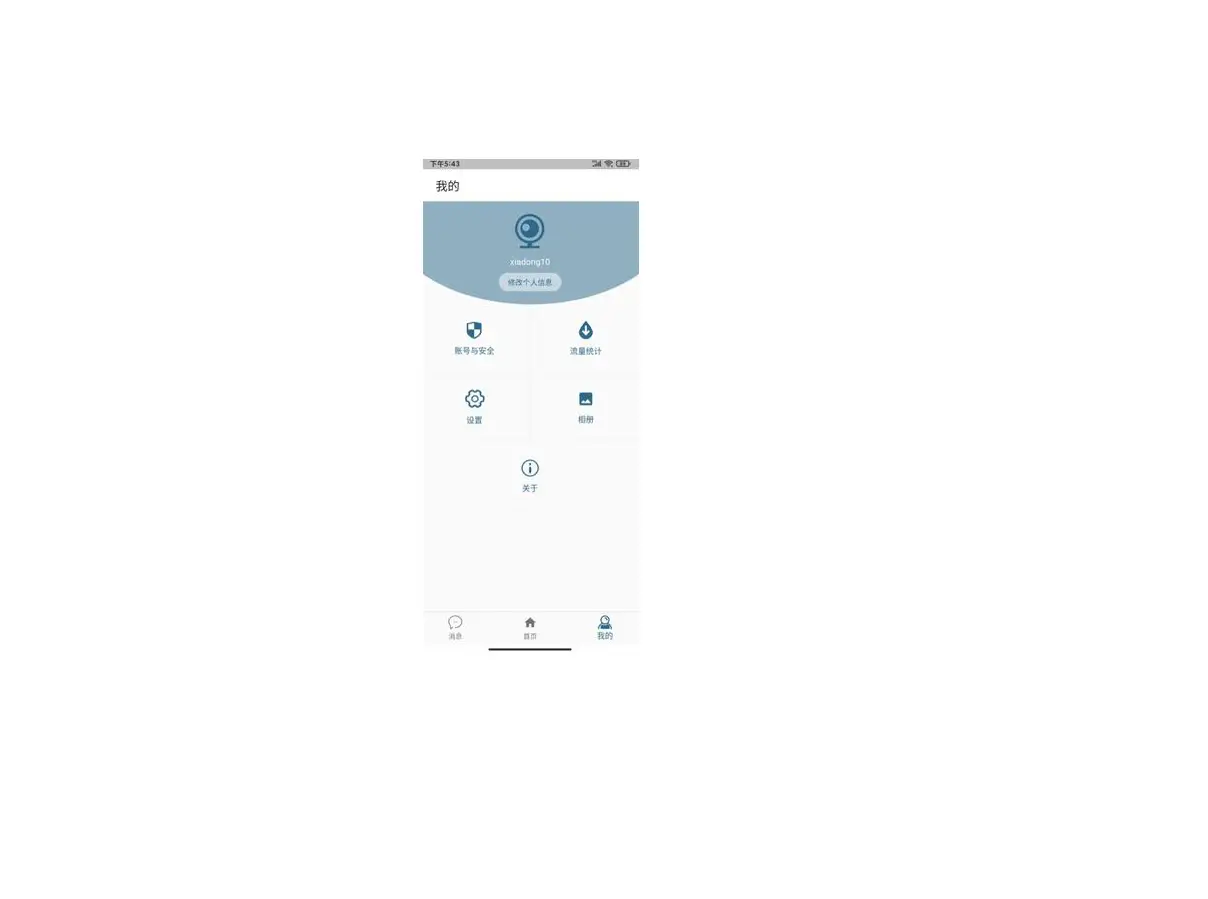

VeeCam Application

Step 1 App download and registration

- Search for “VeeCam” in App Store or Google Play, or scan the QR code to download the app. Select “register now”,
- select the corresponding region, and enter the account number and password to complete the registration.
Step 2 Add Devices to the APP
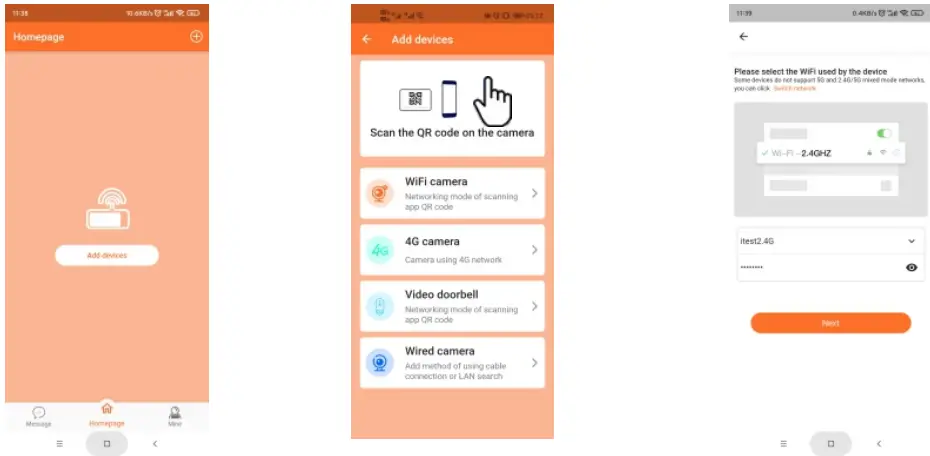
- Open the app, log in to the account, and click “”. Scan the QR code on the camera.
- Enter the correct WiFi password.

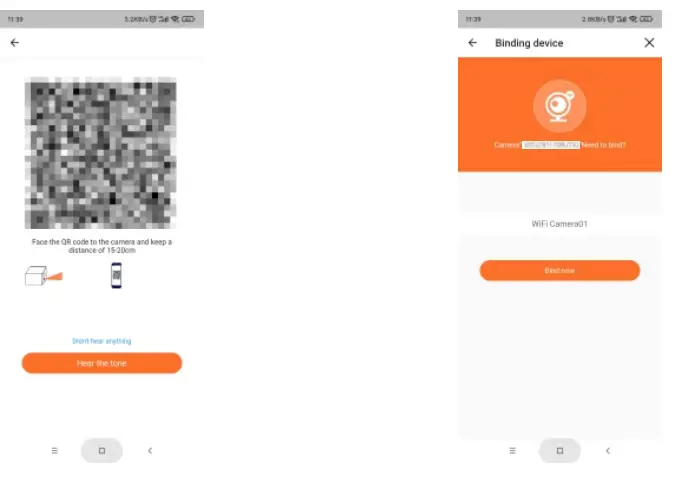
- Use the camera to scan the QR code generated by the mobile phone and keep it at about 20cm.
- Bind now.
Step 3 Device sharing
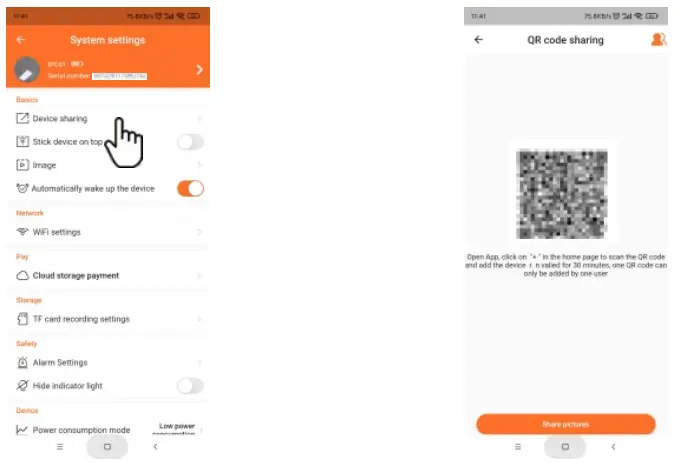
- Select camera settings and device sharing.
- Select “share picture”.