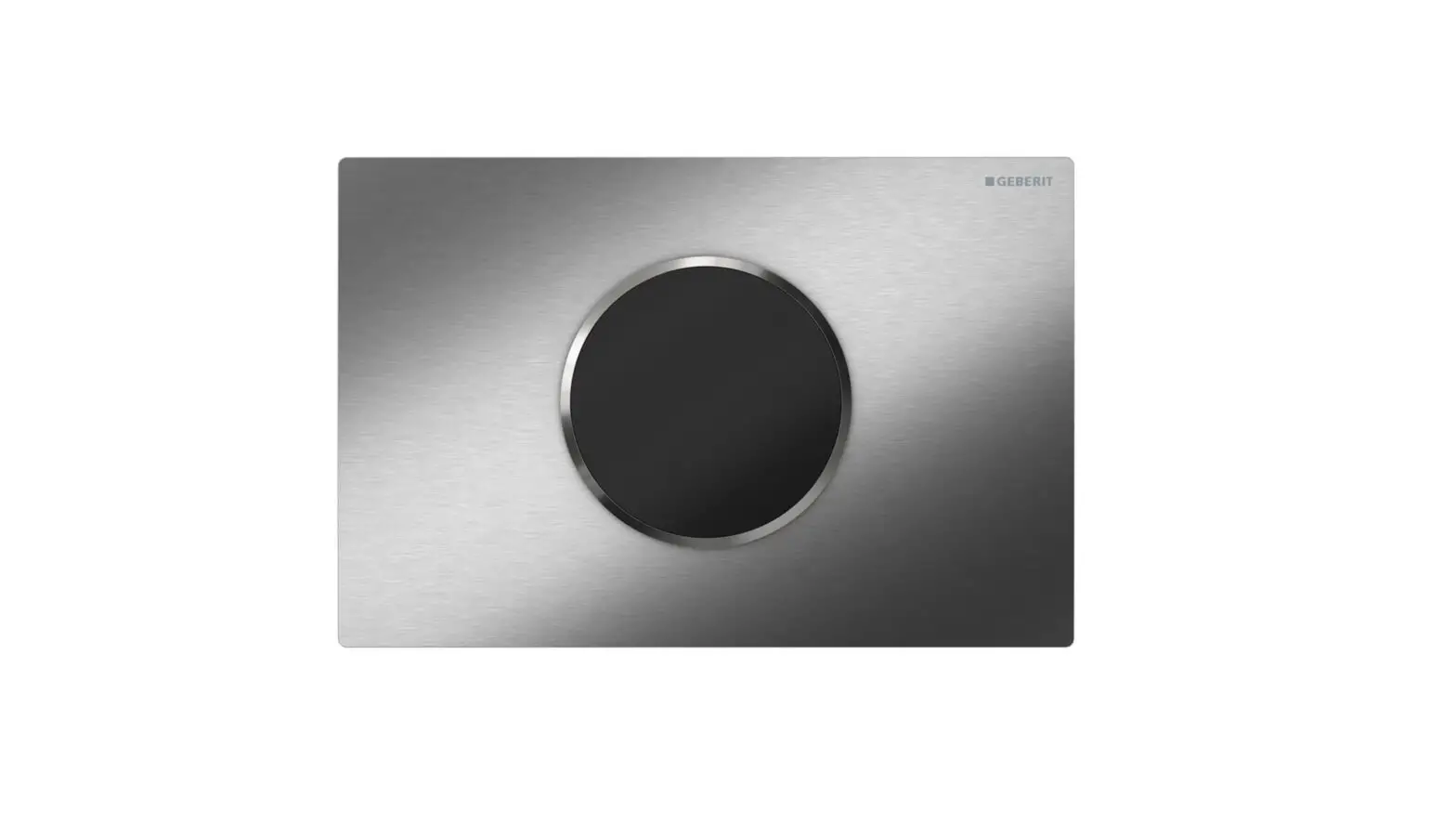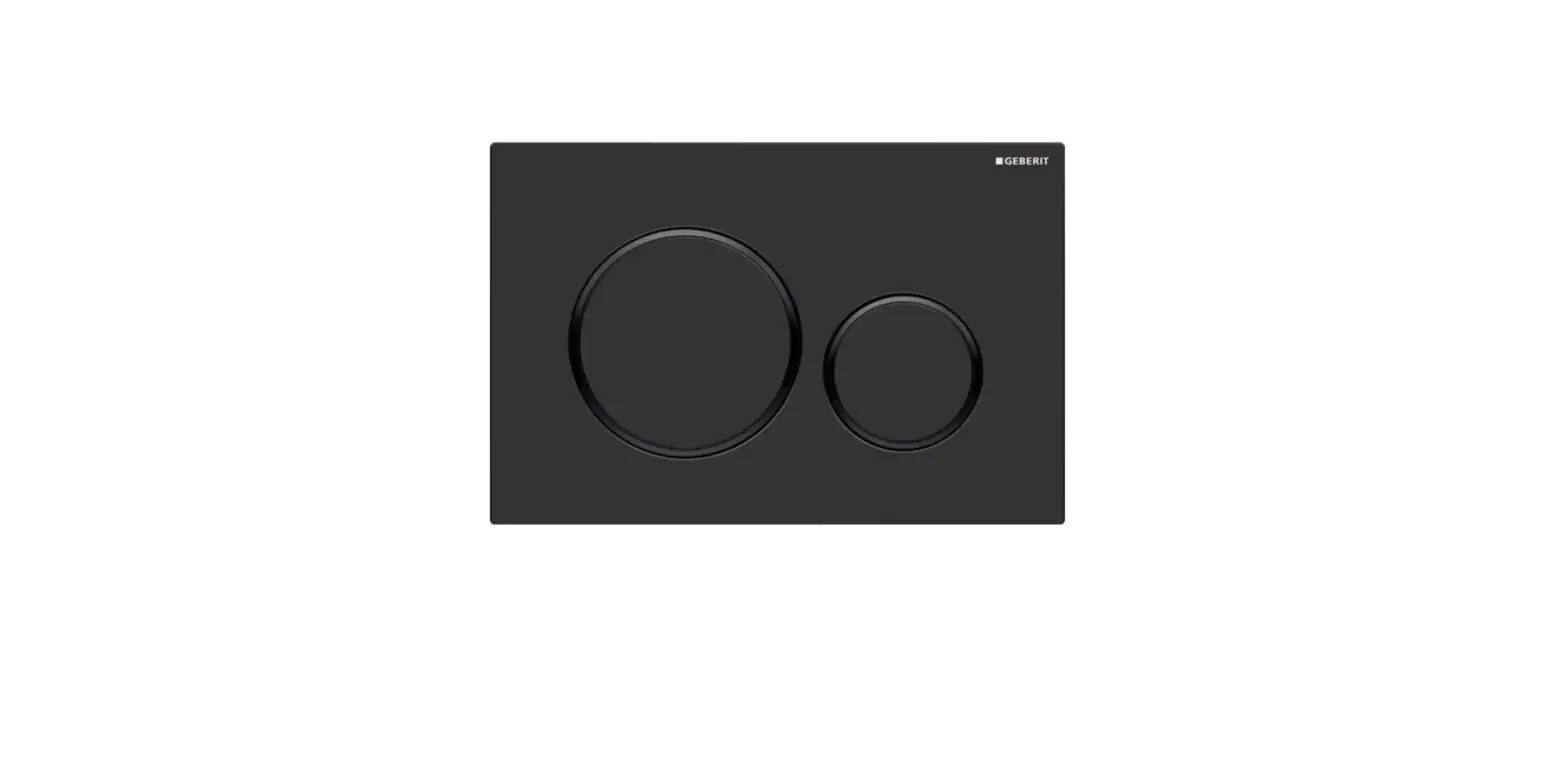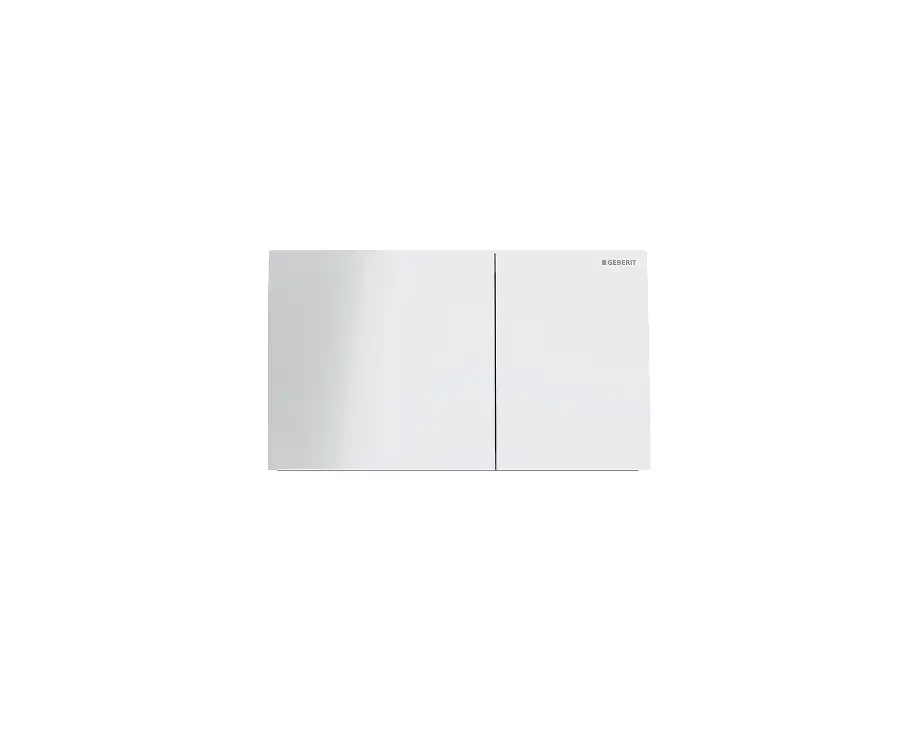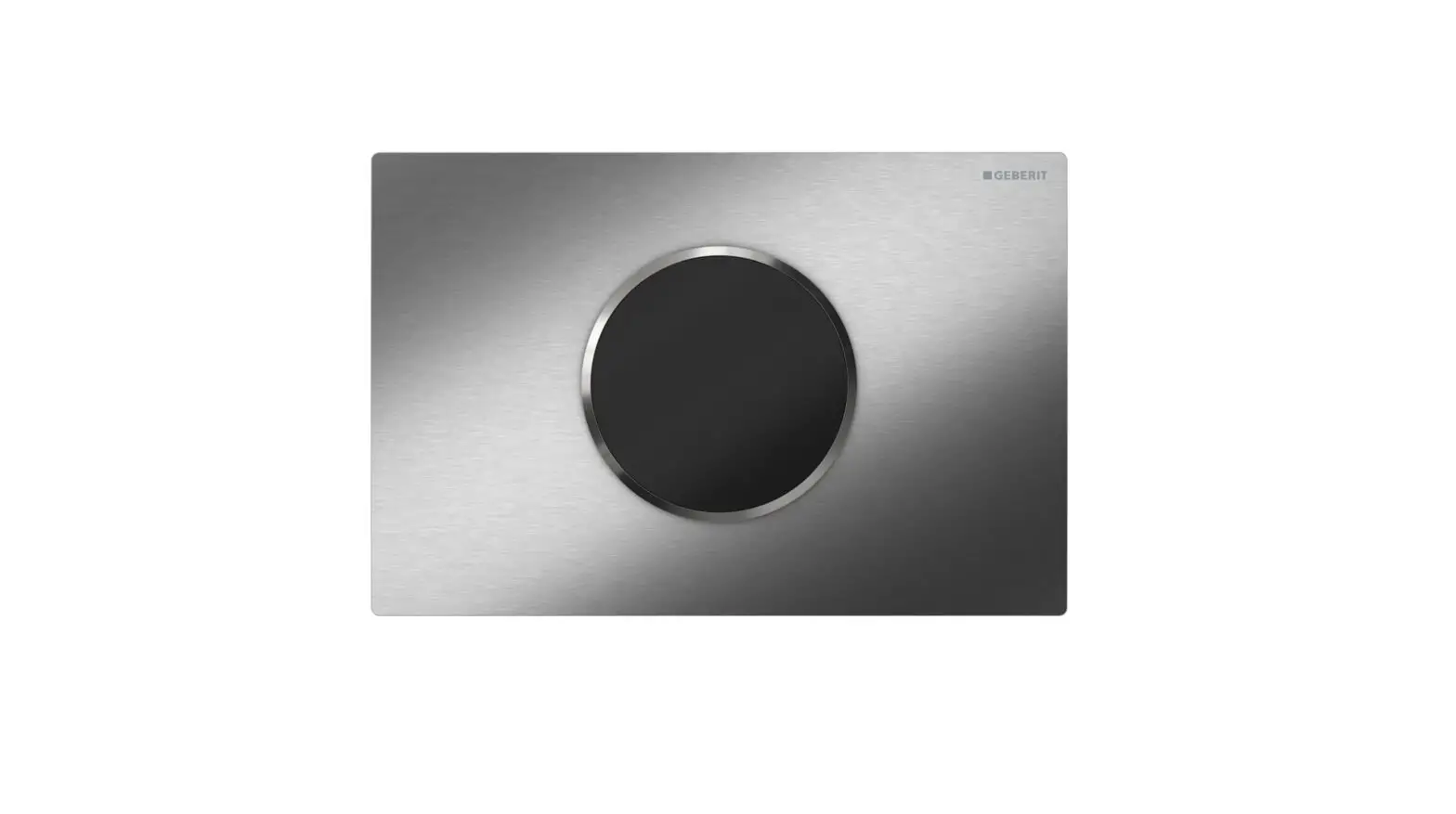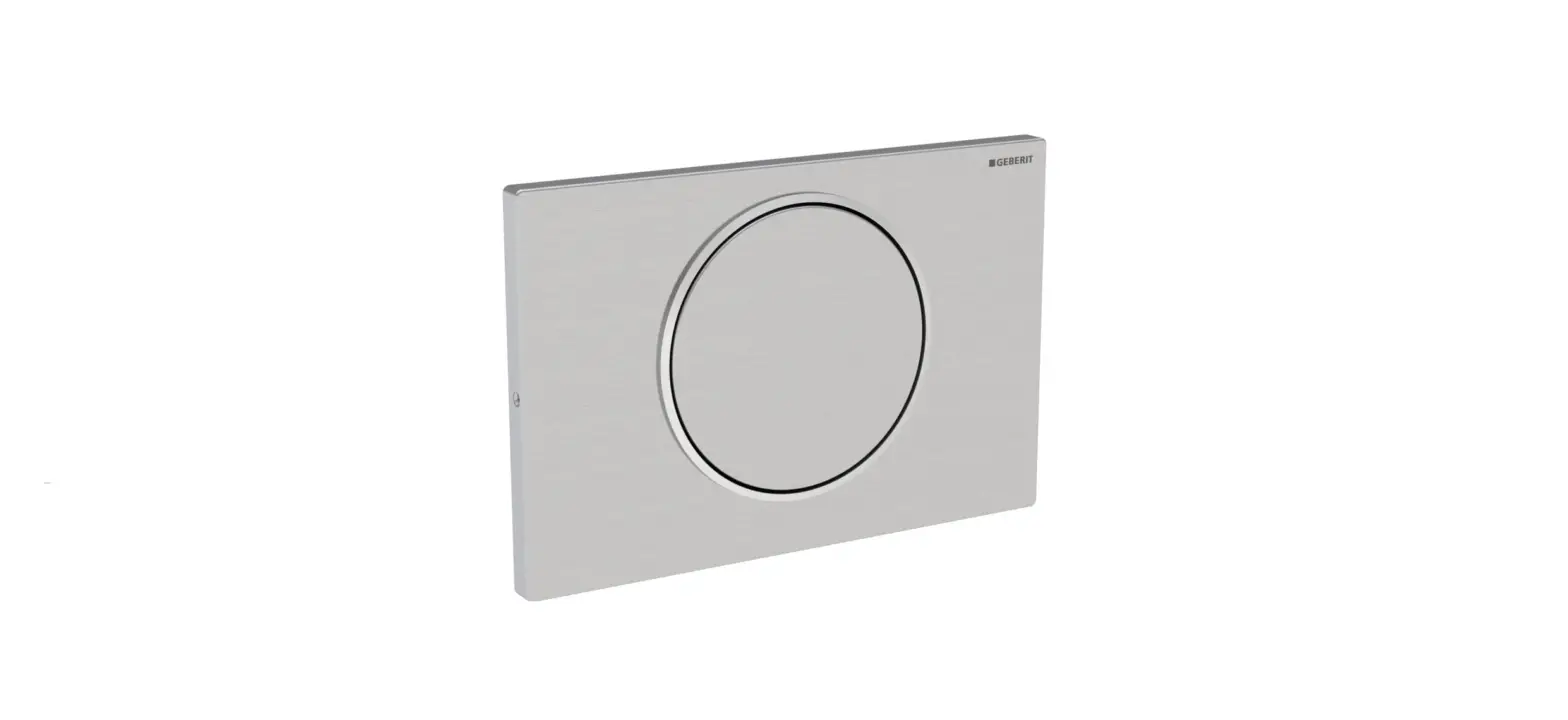

GEBERIT SIGMA10 Flush Plate System
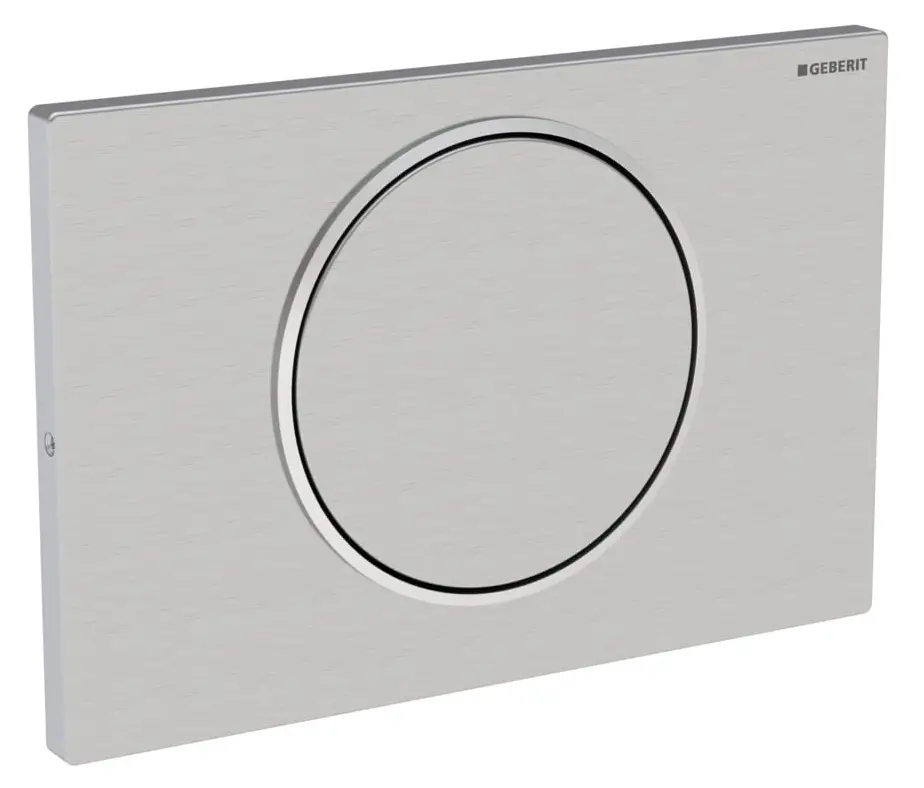
Geberit Sigma10 Maintenance Manual
Product Description
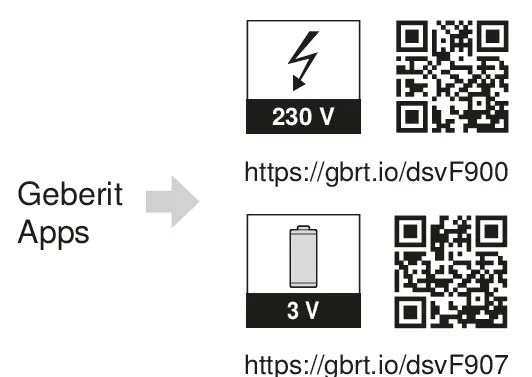
The Geberit Sigma10 is a WC control system that is available in both battery-powered and mains-powered versions. It has a sensor window that detects user presence and activates the flushing mechanism. The system can be controlled through the Geberit App, which can be downloaded by scanning the QR code provided in the manual.
Technical data
| Mains operation | Battery operation1) | |
| Nominal voltage | 85–240 V AC | – |
| Mains frequency | 50–60 Hz | – |
| Battery type | – | LR20 |
| Operating voltage | 12 V DC | 3 V DC |
| Maximum power consumption | 4 W | 4 W |
| Power consumption on standby | 0.15 W | 0.15 W |
| Protection degree | IP45 | IP45 |
| Detection time, factory setting | 7 s | 7 s |
| Detection time, adjustment range | 1–60 s | 1–60 s |
| Interval flush time, factory setting | 5 s | 5 s |
| Interval flush time, adjustment range | 1–200 s | 1–200 s |
| Interval flush, factory setting | 24 h | 24 h |
| Interval flush, adjustment range | 1–168 h | 1–168 h |
| Wireless technology | Bluetooth® Low Energy2) | |
| Frequency range | 2400–2483.5 MHz | |
| Maximum output power | 4 dBm | |
Technical Specifications
| Mains operation | Battery operation1) | |
| Nominal voltage | 85–240 V AC | – |
| Mains frequency | 50–60 Hz | – |
| Battery type | – | LR20 |
| Operating voltage | 12 V DC | 3 V DC |
| Maximum power consumption | 4 W | 4 W |
| Power consumption on standby | 0.15 W | 0.15 W |
| Protection degree | IP45 | IP45 |
| Detection time, factory setting | 7 s | 7 s |
| Detection time, adjustment range | 1–60 s | 1–60 s |
| Interval flush time, factory setting | 5 s | 5 s |
| Interval flush time, adjustment range | 1–200 s | 1–200 s |
| Interval flush, factory setting | 24 h | 24 h |
| Interval flush, adjustment range | 1–168 h | 1–168 h |
| Wireless technology | Bluetooth® Low Energy2) | |
| Frequency range | 2400–2483.5 MHz | |
| Maximum output power | 4 dBm | |
| Battery-powered | Mains-powered | |
|---|---|---|
| Voltage | 3 V DC (LR20 battery) | 12 V DC |
| Power consumption (standby) | 0.15 W | 4 W |
| Protection rating | IP45 | IP45 |
| Sensor delay time | 5 s | 7 s |
| Radio frequency | 4 dBm | 5 dBm |
- Battery service life: approx. 2 years or 50,000 flushes
- The Bluetooth® brand and its logos are the property of Bluetooth SIG, Inc. and are used under licence by Geberit.
Simplified EU declaration of conformity
Geberit International AG hereby declares that the radio equipment type of the Geberit WC flush control with electronic flush actuation, mains or battery operation, Sigma10 actuator plate, is compliant with EU Directive 2014/53/EU. The full text of the EU declaration of conformity is available at the following Internet address: https://doc.geberit.com/970890000.pdf.
Simplified UK declaration of conformity
Geberit International AG hereby declares that the radio equipment type of the Geberit WC flush control with electronic flush actuation, mains or battery operation, Sigma10 actuator plate, is compliant with the Radio Equipment Regulations 2017. The full text of the UK declaration of conformity is available at the following Internet address: https://doc.geberit.com/970891000.pdf
FCC Declaration of Conformity
This device complies with Part 15 of the FCC Rules.
Operation is subject to the following two conditions:
- This device may not cause harmful interference, and
- this device must accept any interference received, including interference that may cause undesired operation.
Functional principle
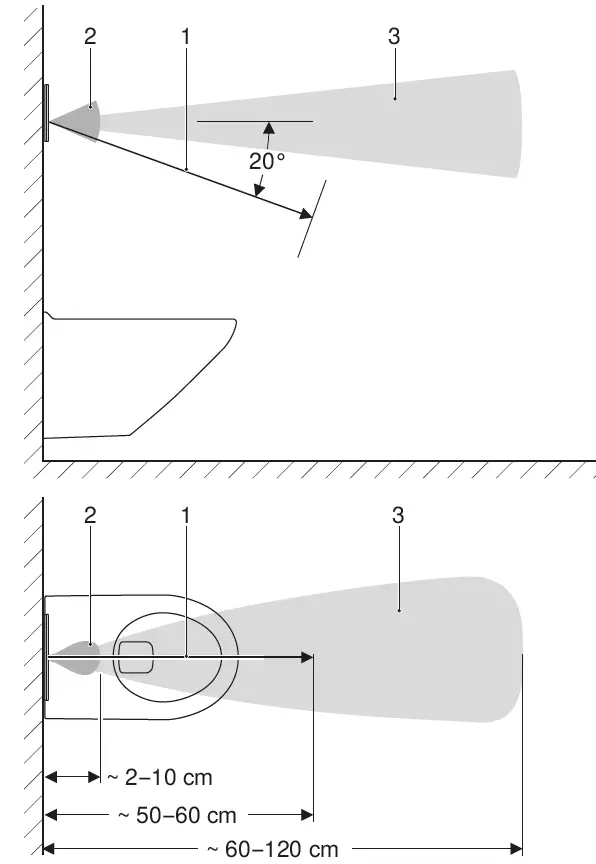
Several IR sensors are located behind the actuator plate of the WC flush control. These sensors scan different detection ranges. The user detection range (1) measures whether a user is sitting or standing in front of the WC flush control. If a sitting user is detected, manual flush actuation is deactivated. This prevents a flush from being inadvertently released if the user leans back during use. If the user’s hand crosses the boundary of the manual flush detection range (2), the WC flush control releases a partial or full flush. If the user’s hand is held briefly in the detection range, the WC flush control releases a full flush. If the user’s hand is held for an extended time in the detection range, the WC flush control releases a partial flush. The proximity detection range (3) is active only in battery operation and is used for the purpose of energy saving. The user detection range is activated as soon as there is a change in this area.
- User detection range
- Manual flush detection range
- Proximity detection range

Usage Instructions
Battery Installation/Replacement
To install or replace the batteries, follow the instructions in the operating manual (970.766.00.0).
Cleaning and Maintenance
The sensor window should be kept clean and free of scratches. Use the Geberit AquaClean cleaning kit (part number 242.547.00.1) for cleaning. If the sensor window is scratched, replace the flat gasket and adjust the subset with the Geberit Service-Handy.
Maintenance by Operator
If maintenance is required, follow the instructions in the maintenance manual. If a new control system is installed, use the Geberit App to configure the new system.
Einstellungen vornehmen
These settings must be made by a specialist during commissioning. Use the Geberit Service-Handy to make settings.
Safety
About this document
This document applies to the professional maintenance of the Geberit WC flush control with electronic flush actuation, mains or battery operation, with Sigma10 actuator plate. This document applies to the models of this WC flush control with Bluetooth® interface. The specification plate for this WC flush control is labelled with ‘BAWC-04-A’ or ‘BAWC-04-B’ and the Geberit Connect logo.
Target group
Maintenance and repair work on this product may only be performed by skilled persons. A skilled person is a person who, due to their specialist education, training and/or experience, is able to recognise risks and avoid hazards that may arise when using the product.
Intended use
The Geberit WC flush control with electronic flush actuation, mains or battery operation, Sigma10 actuator plate, is intended for flush actuation with Geberit Sigma concealed cisterns.
Safety notes
- Only use original spare parts when making repairs.
- Do not modify the product or add any additional modules.
Operation
Geberit Apps
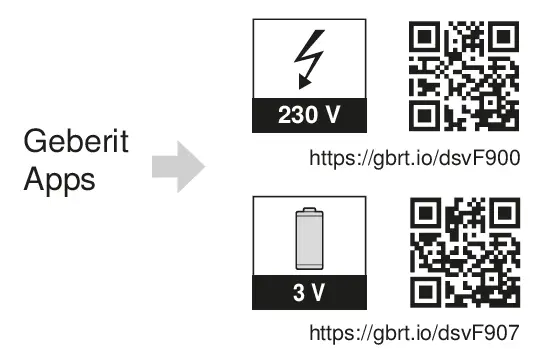
Various Geberit apps are available for operation, settings and maintenance. The apps communicate with the device via a Bluetooth® interface. The Geberit apps are available free of charge for Android and iOS smartphones in the respective App Stores.
Establish connection with device
- Scan the QR code and follow the instructions on the landing page.

Actuate manual flush
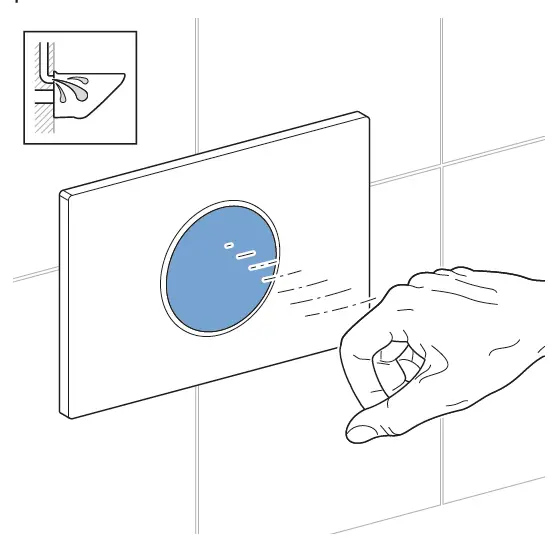
A manual flush is actuated by holding your hand in front of the infrared sensor.
- Hold your hand approx. 15 cm in front of the actuator plate. There is no need to touch the actuator plate. Place your hand in the detection range for approx. 0.5–1 second for a full flush and for approx. 1–2 seconds for a partial flush.

For testing purposes, a flush can also be actuated with a Geberit app.
Actuate automatic flush
An automatic flush is actuated by stepping away from the WC.
- Leave the user detection range.

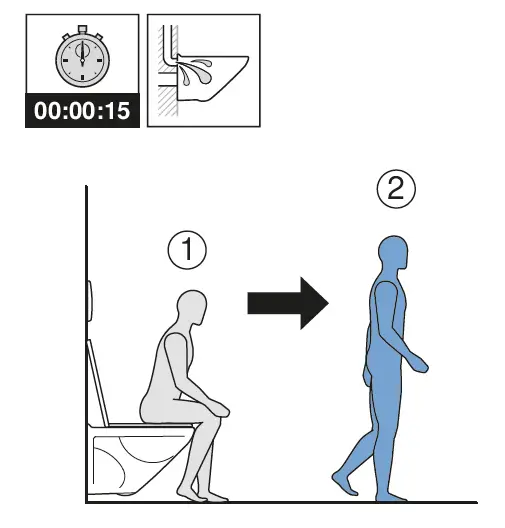
The automatic flush actuation is activated ex works. It can be deactivated at any time with a Geberit app.
Overview of the alert levels and symbols in these instructions
Alert levels and symbols
ATTENTION
Indicates a hazard which, if not avoided, can lead to material damage.
Refers to important information.
Product description
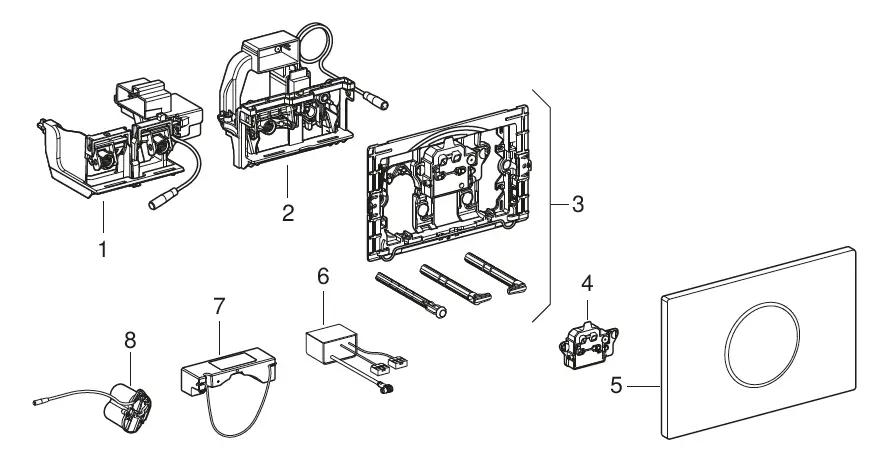
Structure
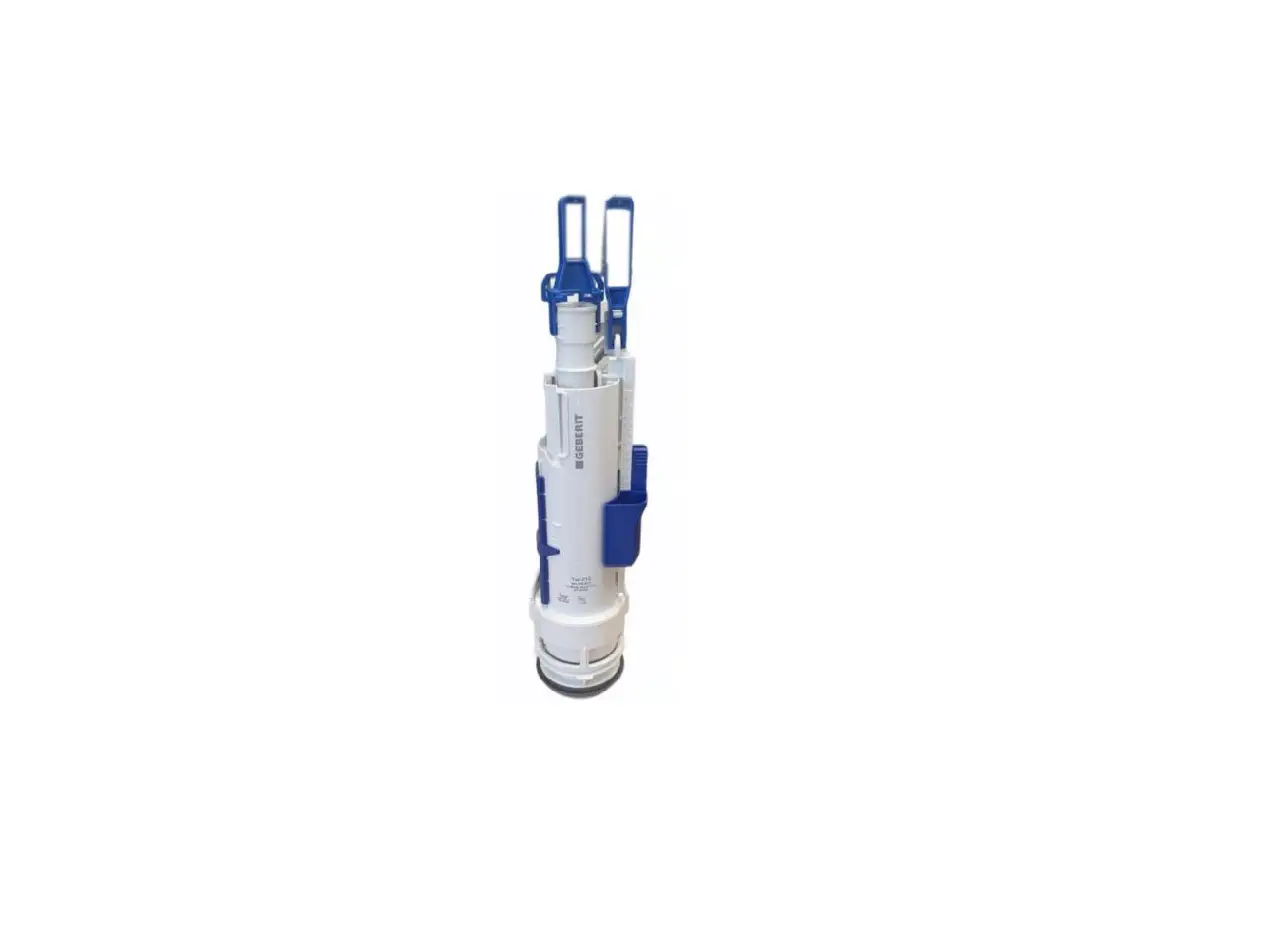
- Lifting device for Geberit Sigma concealed cistern 12 cm
- Lifting device for Geberit Sigma concealed cistern 8 cm
- Mounting frame
- Control
- Geberit Sigma10 actuator plate
- 12 V DC power supply unit
- 12 V power supply unit for outlet mounting and communication connection box
- Battery compartment

Troubleshooting
The operator can perform the following measures to rectify malfunctions:
- Clean the actuator plate
- Replace the batteries
These measures are described in the operation manual 970.766.00.0.
| Cause | Remedy |
|---|---|
| Dirty or wet sensor window | Clean the sensor window. |
| Scratched sensor window | Replace the flat gasket and adjust the subset with the Geberit Service-Handy. |
| Clogged WC ceramic | Decalcify the WC ceramic. |
| Power outage | Replace batteries. Refer to operating manual (970.766.00.0). |
| Faulty lifting mechanism | Replace the lifting mechanism. |
| Malfunction | Cause | Rectification |
| Incorrect flushes (too soon, too late, unwanted) | Sensor window dirty or wet | ▶ Clean or dry the actuator plate. → See operation manual 970.766.00.0. |
| Sensor window scratched | ▶ Replace the actuator plate. | |
| Flush is released without manual actuation when the user steps back from the WC. | Automatic flush actuation active | ▶ Deactivate automatic flush actuation. |
|
Water is running continuously into the WC ceramic appliance. | Software fault | ▶ Interrupt the power supply (mains fuse) for 10 seconds. ▶ Restart the WC flush control using the Geberit App. |
| Flat gasket for flush valve inside cistern defective | ▶ Replace flat gasket. | |
| Fill valve in cistern defective | ▶ Replace fill valve. | |
|
WC ceramic appliance not being flushed out properly. | Flush volumes set incorrectly | ▶ Set the full and partial flush volume on the flush valve. ▶ Set the partial flush volume with the Geberit Service Handy. ▶ Set the full flush volume with the Geberit App. |
| WC ceramic appliance blocked with limescale | ▶ Descale the WC ceramic appliance. | |
| Flush cannot be actuated. | Power failure | ▶ Check the power supply (mains fuse). |
| Flush cannot be actuated. The LED in the sensor window flashes when a user is in the user detection range. | Battery capacity low | ▶ Replace the batteries. → See operation manual 970.766.00.0. |
| Flush cannot be actuated. The LED in the sensor window lights up when a user is in the user detection range. | Batteries flat | ▶ Replace the batteries. → See operation manual 970.766.00.0. |
| Flush cannot be actuated. The LED in the sensor window flashes quickly. | Plug of the lifting device not plugged in correctly | ▶ Check the connection cable between the lifting device and the control. |
| Lifting device defective | ▶ Replace the lifting device. |
Maintenance
Structure of Maintenance chapter
The accompanying illustration sequences must be followed while carrying out the instructions provided in this chapter. Each set of instructions refers to the accompanying illustration sequence.
Maintenance performed by the operator
The operator may perform the following maintenance work and settings. → See operation manual 970.766.00.0.
- Clean the actuator plate
- Replace the batteries
Maintenance performed by skilled persons
The maintenance work described in the following chapters may only be performed by skilled persons.
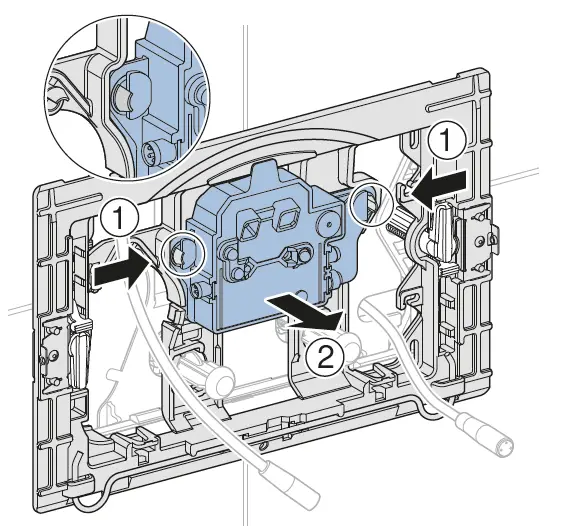
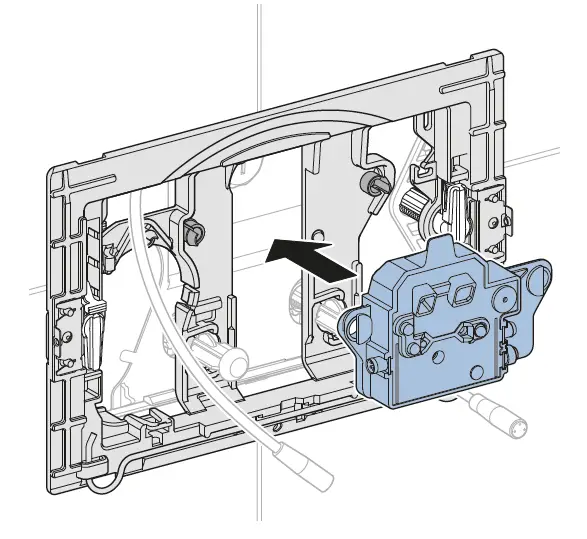
Replacing the control
- Demount the actuator plate and unplug the cable. → See figure sequence 1 , page 573.
- Remove control and dispose of it appropriately.

- Insert the new control.

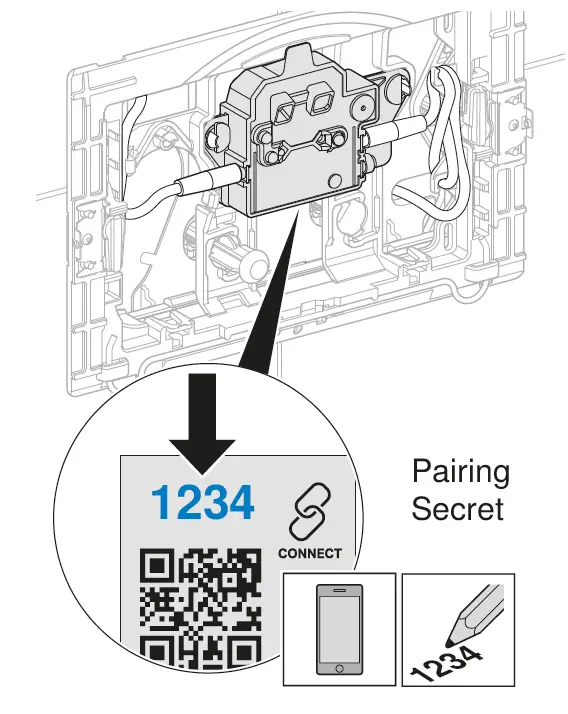
- If required, install the Geberit App and make a note of the pairing secret for the new control.


- Plug in both cables and mount the actuator plate. → See figure sequence 3 , page 576.
- Test function. → See “Actuate manual flush”, page 26.
- Make settings using the Geberit App, if required.
Replacing the lifting device
- Demount the actuator plate and unplug the cable. → See figure sequence 1 , page 573.
- Demount the mounting frame and protection plate. → See figure sequence 2 , page 573.
- Remove the lifting device and dispose of it appropriately.
- Mount the new lifting device.
- Mount the protection plate and mounting frame.
- Plug in both cables and mount the actuator plate. → See figure sequence 3 , page 576.
- Test function. → See “Actuate manual flush”, page 26.
Care and cleaning
ATTENTION
Surface damage caused by aggressive and scouring cleaning agents
- Never use cleaning agents that contain chlorine or which are acidic, abrasive or corrosive.
Geberit recommends the Geberit AquaClean cleaning set (art. no. 242.547.00.1).
To clean the actuator plate, the flush actuation can be suppressed for a few minutes using a Geberit app.
- Clean the surfaces with a soft cloth and a mild liquid cleaning agent.
- Dry the surfaces with a soft cloth.
Make settings
These settings must be made by a skilled person during the commissioning process. All functions or settings can be made with either the Geberit App or the Geberit Service Handy. It is not possible to make manual settings via the IR sensor.
Make settings using the Geberit Service Handy
The IR interface for communication with the Geberit Service Handy is located in the middle of the actuator plate. To make settings, the Geberit Service Handy must be aimed at the IR interface from a distance of 20 to 30 cm and set to bidirectional mode.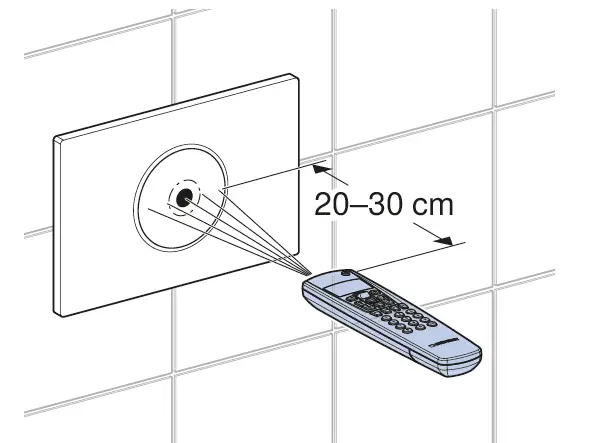
The following functions and settings are available with the Geberit Service Handy:
- Operation:
- Flushing: Actuating a full or partial flush
- Cleaning: Suppressing the flush actuation for a few minutes
- Setting parameters and functions → See Table 1: ‘Settings’
- Displaying device information → see Table 2: ‘Information’
- Displaying statistical values for use → See Table 2: ‘Information’.
The numbers and terms in the ‘Menu item’ column in the following table correspond to what can be seen on the display of the Geberit Service Handy. Further information can be found in the user manual of the Geberit Service Handy.
| Commands | ||||
| Menu item [EN] [DE] | Description | Application | Value | Factory setting |
| Commands | ||||
| 20 [FullFlush] [VollMenge] | Release full flush volume Releases a full flush. | • To carry out function tests on the lifting device | Start = <OK> | – |
| 21 [PartFlush] [TeilMenge] | Release partial flush volume Releases a partial flush. | • To carry out function tests on the lifting device | Start = <OK> | – |
| Commands | ||||
| Menu item [EN] [DE] | Description | Application | Value | Factory setting |
| 22 [RangeTest] [TestErfas] | Check detection range As soon as an object is located in the detection range, the red LED in the sensor window lights up. No flush is actuated. The function switches off automatically after 10 minutes. The active sensor for the detection area is selected with menu item 47. |
• To test user recog- nition |
Start = <OK> |
– |
| 23 [CleanMode] [Reinigung] | Activate cleaning mode The flush actuation is suppressed for the [cleaning time] (menu item 42). The LED in the sensor window flashes every 3 seconds. The function is cancelled by re-establishing connection with the Geberit Service Handy. | • To clean the actuator plate and the WC without the water running |
Start = <OK> |
– |
| 24 [BlocFlush] [Blockiere] | Block flush Flush actuation is blocked for 10 hours. The function is cancelled by re-establishing the connection with the Geberit Service Handy. The function switches off automatically after 10 hours. |
• To carry out maintenance work |
Start = <OK> |
– |
| 25 [FactrySet] [Werkeinst] | Factory setting All functions are reset to factory settings. | • In the event of malfunctions | Start = <OK> Confirm = <R>, <OK> | – |
| Programs | ||||
| 30 [AutFlshEn] [AutFlshEn] | Enable automatic flush A flush is actuated automatically when the user steps back from the toilet. Manual flush actuation is no longer necessary. | • Hygiene – There is no need to touch the actuator plate. | On = <ON> Off = <OFF> | On |
| 31 [ManFlshEn] [FreiManSp] | Enable manual flush An early manual flush can be actuated by the user placing their hand directly in front of the IR sensor. | – | On = <ON> Off = <OFF> | On |
| 32 [PowOnFlsh] [NetzEinSp] | Activate power-on flush A flush is actuated after switching on the mains voltage. | • To perform central flush actuation • To confirm a function | On = <ON> Off = <OFF> | Off |
| 33 [PreFlush] [Vorspülng] | Activate preflush A partial flush is actuated when a user is detected. | • To wet the WC ceramic appliance before use to avoid deposits | On = <ON> Off = <OFF> | Off |
| 2 / 4 | ||||
| Commands | ||||
| Menu item [EN] [DE] | Description | Application | Value | Factory setting |
|
34 [IntFlushM] [IntFlushM] | Activate the interval flush • User-controlled: A flush is actuated at the end of the [flush interval] (menu item 41), whereby the flush interval is restarted with every use. The flush time is determined by the [ flush time] (menu item 46) value. • Interval-controlled: A flush is actuated at the end of the [flush interval] (menu item 41), regardless of the number of uses. The flush time is determined by the [ flush time] (menu item 46) value. • Difference flush: A flush is actuated at the end of the [flush interval] (menu item 41), regardless of the number of uses. If flushes have already been performed within the [flush interval], the postflush only makes up the difference in [flush time] (menu item 46). |
• To fill the trap in the case of low user frequencies • To flush out standing water in the pipe (hygiene function – to prevent stagnation) |
[0] = Off [1] = User- controlled [2] = Interval- controlled [3] = Diffe- rence flush |
[1] |
| Parameter | ||||
|
40 [FlshTime] [Spülzeit] |
Sigma 12 cm: Flush time for full flush volume Sigma 8 cm: Flush time for partial flush volume The flush volume is set via the flush time. (The specified flush volumes are reference values and depend on the WC ceramic appliance.) |
• Optimum flushing of the WC ceramic appliance | Sigma 12 cm: Full flush volume [0] = 4.5 l [1] = 5 l [2] = 5.5 l [3] = 6 l [4] = 6.5 l [5] = 7 l Sigma 8 cm: Partial flush volume [0] = 2.5 l [1] = 3 l [2] = 3.5 l [3] = 4 l [4] = 4.5 l |
[2] |
| 41 [IntervalT] [IntervalZ] | Flush interval for interval flush The function of the interval flush is determined by menu item 34. | – | 1–168 h | 24 h |
| 42 [CleanTime] [ReiniZeit] | Cleaning time Defines the duration for which the flush is suppressed when menu item 23 [CleanMode] [Reinigung] is started. | – | 1–20 min | 10 min |
| 43 [DetectRng] [ErfassDis] | Size of WC ceramic appliance The size of the WC ceramic appliance is relevant for detection of seated user. | – | [0] = short [1] = medium [2] = long | [1] |
| 3 / 4 | ||||
| Commands | ||||
| Menu item [EN] [DE] | Description | Application | Value | Factory setting |
| 44 [DetectT] [VerweilZ] | Detection time The minimum detection time in the user detection range is set so that users can be detected as a standing or seated user. The detection time is only relevant when automatic flush actuation is activated. | • To prevent flushes due to unintentional entry of a person into the user detection range |
1–60 s |
7 s |
| 45 [DelayTime] [Spülverzö] | Flush delay Once the user has left the user detection range, a flush is not actuated until the set time has elapsed. The flush delay is only relevant when automatic flush actuation is activated. | – | 1–15 s | 3 s |
| 46 [HygFlshT] [HygFlshT] | Flush time for the interval flush The function of the interval flush is determined by menu item 34. | – | 1–200 s | 5 s |
|
47 [SensorSel] [SensorSel] | Sensor for detection range The detection range of the sensors can be tested using the [Test detection range] (menu item 22) function. The active sensor is selected here. • User recognition: The sensor for the user recognition detection range is activated. LED lights up = user detected. • Manual flush actuation: The sensor for the manual flush detection range is activated. LED lights up = hand detected. • Proximity detection: The sensor for the proximity detection range is activated. LED lights up = user movement in the detection range. |
• To check the user recognition |
[0] = User recognition [1] = Manual flush actuation [2] = Proximity detection |
[0] |
| 4 / 4 | ||||
| Menu item [EN] [DE] | Description |
| Counters | |
| 50 [Days?] [SumBetrT?] | Total number of days of operation Indicates the number of days of operation since commis- sioning. |
| 51 [Uses?] [SumBenut?] | Total number of uses Indicates the number of uses since commissioning. |
| 52 [Flushes?] [SumSpül?] | Total number of flushes Indicates the number of flushes since commissioning. |
| 53 [AutFlush?] [SumAutSp?] | Total number of automatic flushes Indicates the number of automatic flushes since commis- sioning. |
| 54 [ManFlush?] [SumManSp?] | Total number of manual flushes Indicates the number of manual flushes since commissioning. |
| 55 [FullFlsh?] [SumVollM?] | Total number of manual full flushes Displays the number of full flushes since commissioning. |
| 56 [PartFlsh?] [SumTeilM?] | Total number of manual partial flushes Displays the number of partial flushes since commissioning. |
| 57 [IntFlush?] [SumIntSp?] | Total number of interval flushes Indicates the number of interval flushes since commissioning. |
| Device information | |
| 60 [TypeNo] [Modell-Nr] | Article number Indicates the article number of the control. Example: [242251001] = 242.251.00.1 |
| 61 [SWVersion] [SWVersion] | Firmware version Indicates the firmware version of the control. Example: [0312] = Version 3.12 |
| 62 [SerialNo] [Serien-Nr] | Serial number Indicates the serial number of the control. |
| 63 [ManufDate] [ProdDatum] | Manufacturing date Indicates the manufacturing date of the control. Example: [1520] = Week 15, 2020 |
| 64 [TypePower] [Netz/Batt] | Type of power supply Indicates the type of power supply (mains or battery). Example: [0] = Battery / [1] = Mains |
| 65 [Battery%] [Batterie%] | Battery Displays the battery capacity. Example: [73] % |
Make settings with the Geberit App
After connecting a Geberit app to the device, the following functions and settings are available:
- Operation:
- Flushing: Actuating a full or partial flush
- Cleaning: Suppressing the flush actuation for a few minutes
- Setting parameters and functions → See Table 3: ‘Settings’
- Displaying device information such as the battery charge status or firmware version → See Table 4: ‘Information’
- Displaying statistical values for use → See Table 4: ‘Information’
- Exporting device information and statistical values
- Displaying error messages
- Carrying out firmware updates
- Saving and transferring presettings
The settings can be saved in the Geberit App as presettings and transferred to other devices of the same type.
| Menu item | Description | Application | Value | Factory setting |
| Operation | ||||
| [Flush] | Actuates a partial or full flush. | • To carry out function tests on the lifting device | On/Off | – |
| [Cleaning] | The flush actuation is suppressed for the [cleaning time]. The LED in the sensor window flashes every 3 seconds. | • To clean the actuator plate and the WC without the water running | On/Off | – |
| [Cleaning time] | – | 1–20 min | 10 min | |
| Name and password | ||||
| [Name] | A name can be assigned for each device. | • To identify the device | – | – |
| [Password] | A password can be assigned for each device. | • To protect the device from unauthorised access | – | – |
| Commands | ||||
| [Block flush] | Flush actuation is blocked for 10 hours. The function can be stopped early. The function switches off automatically after 10 hours. | • To carry out maintenance work | On/Off | – |
| Menu item | Description | Application | Value | Factory setting |
| Functions | ||||
|
[Interval flush] | Activate the interval flush • User-controlled: A flush is actuated at the end of the [flush interval], whereby the flush interval is restarted with every use. The flush time is determined by the [flush time] value. • Interval-controlled: A flush is actuated at the end of the [flush interval], regardless of the number of uses. The flush time is determined by the [flush time] value. • Difference flush: A flush is actuated at the end of the [flush interval], regardless of the number of uses. If flushes have already been performed within the [flush interval], the postflush only makes up the difference in [flush time]. |
• To fill the trap in the case of low user frequencies • To flush out standing water in the pipe (hygiene function – to prevent stagnation) |
[Off], [User- controlled], [Interval- controlled], [Difference flush] |
[User- controlled] |
| [Flush time] | – | 1–200 s | 5 s | |
| [Flush interval] | – | 1–168 h | 24 h | |
| [Flush volume] The flush volume for the interval flush is calculated from the [flush time] above and the [flush volume settings]. | • Flush volume display | – | – | |
| [Power-on flush] | A flush is actuated after switching on the mains voltage. | • To perform central flush actuation • To confirm a function | On/Off | Off |
| [Preflush] | A partial flush is actuated when a user is detected. | • To wet the WC ceramic appliance before use to avoid deposits | On/Off | Off |
| [Automatic flush] | A flush is actuated automatically when the user steps back from the toilet. Manual flush actuation is no longer necessary. | • Hygiene – There is no need to touch the actuator plate. | On/Off | On |
| [Manual flush] | An early manual flush can be actuated by the user placing their hand directly in front of the IR sensor. | • To actuate a manual flush during use | On/Off | On |
| 2 / 4 | ||||
| Menu item | Description | Application | Value | Factory setting |
|
[Flush volume setting] (for Sigma concealed cisterns 12 cm) | [Full flush] This flush volume sets the time for opening the flush valve for a full flush. The specified flush volumes are reference values and depend on the WC ceramic appliance. | • Optimum flushing of the WC ceramic appliance • For the statistics function • To calculate the flush volume of the interval flush | 4.5 l 5 l 5.5 l 6 l 6.5 l 7 l |
6 l |
| [Partial flush (statistics)] The flush volume of the partial flush must be specified to calculate the water consumption. The flush volume of the partial flush can be set on the flush valve. | • For the statistics function • To calculate the flush volume of the interval flush | 1–5 l | 2.5 l | |
| [Flow pressure (statistics)] The flow pressure in the supply pipe must be specified to calculate the water consumption. | • For the statistics function • To calculate the flush volume of the interval flush | 0.5–10 bar | 3 bar | |
|
[Flush volume setting] (for Sigma concealed cisterns 8 cm) | [Full flush (statistics)] The flush volume of the full flush must be specified to calculate the water consumption. The flush volume of the full flush can be set on the flush valve. | • For the statistics function • To calculate the flush volume of the interval flush | 1–8 l | 6 l |
| [Partial flush] This flush volume sets the time for opening the flush valve for a partial flush. The specified flush volumes are reference values and depend on the WC ceramic appliance. | • Optimum flushing of the WC ceramic appliance • For the statistics function • To calculate the flush volume of the interval flush | 2.5 l 3 l 3.5 l 4 l 4.5 l |
3.5 l | |
| [Flow pressure (statistics)] The flow pressure in the supply pipe must be specified to calculate the water consumption. | • For the statistics function • To calculate the flush volume of the interval flush | 0.5–10 bar | 5 bar | |
| [Flush delay] | Once the user has left the user detection range, a flush is not actuated until the set time has elapsed. The flush delay is only relevant when automatic flush actuation is activated. | – | 1–15 s | 3 s |
| [Detection time] | The minimum detection time in the user detection range is set so that users can be detected as a standing or seated user. The detection time is only relevant when automatic flush actuation is activated. | • To prevent flushes due to unintentional entry of a person into the user detection range |
1–60 s |
7 s |
| 3 / 4 | ||||
| Menu item | Description | Application | Value | Factory setting |
|
[Detection range] | As soon as an object is located in the detection range, the red LED in the sensor window lights up. No flush is actuated. The function switches off automatically after 10 minutes. • User recognition: The sensor for the user recognition detection range is activated. LED lights up and app turns green = User has been detected. • Manual flush actuation: The sensor for the manual flush detection range is activated. LED lights up and app turns green = Hand has been detected. • Proximity detection: The sensor for the proximity detection range is activated. LED lights up and app turns green = User is moving in the detection range. |
• To check the user recognition |
[User recog- nition], [manual flush actuation], [proximity detection] |
– |
| The [detection range] for user recognition can be adjusted in 3 steps. | • To optimise the detection range for user recognition | Short Medium Long | Medium | |
| [Save as presetting] | The current settings are saved in the app, which means they can be transferred to other devices of the same type. | • To commission several devices with the same settings | – | – |
| [Restart end device] | The WC flush control is restarted. | • To remedy malfunctions | – | – |
| [Factory settings] | All functions are reset to factory settings. | • To remedy malfunctions | – | – |
| 4 / 4
| ||||
| Geberit App menu item | Description |
| Information | |
| [Article number] | Indicates the article number of the WC flush control. |
| [Firmware version] | Indicates the firmware version of the control. |
| [Serial number] | Indicates the serial number of the control. |
| [Manufacturing date] | Indicates the manufacturing date of the control. |
| [Type of power supply] | Indicates the type of power supply (mains or battery). |
| [Battery] | Displays the battery capacity. |
| Statistics | |
| [Statistics] | Indicates various information such as the number of uses or water consumption in a desired time period. |
| Counters | |
| [Total number of days of operation] | Indicates the number of days of operation since commissioning. |
| [Number of days of operation since last power-on] | Indicates the number of days of operation since the last switch-on. |
| [Total number of uses] | Indicates the number of uses since commissioning. |
| [Number of uses since last power-on] | Indicates the number of uses since the last switch-on. |
| [Total number of flushes] | Indicates the number of flushes since commissioning. |
| [Flushes since last power-on] | Indicates the number of flushes since the last switch-on. |
| [Total number of automatic flushes] | Indicates the number of automatic flushes since commissioning. |
| [Automatic flushes since last power- on] | Indicates the number of automatic flushes since the last switch-on. |
| [Total number of manual flushes] | Indicates the number of manual flushes since commissioning. |
| [Manual flushes since last power-on] | Indicates the number of manual flushes since the last switch-on. |
| [Total number of full flushes] | Indicates the number of manual flushes with full flush volume since commissioning. |
| [Full flushes since last power-on] | Indicates the number of manual flushes with full flush volume since the last switch-on. |
| [Total number of partial flushes] | Indicates the number of manual flushes with partial flush volume since commissioning. |
| [Partial flushes since last power-on] | Indicates the number of manual flushes with partial flush volume since the last switch-on. |
| [Total number of interval flushes] | Indicates the number of interval flushes since commissioning. |
| [Interval flushes since last power-on] | Indicates the number of interval flushes since the last switch-on. |
Disposal
Constituents
This product meets the requirements of Directive 2011/65/EU (RoHS) (restriction of the use of certain hazardous substances in electrical and electronic equipment).
 Disposal of waste electrical and electronic equipment
 Disposal of waste electrical and electronic equipment
The symbol of the crossed-out wheeled bin means that waste electrical and electronic equipment (WEEE) must be disposed of separately and not with other non-recyclable waste. End users are legally obliged to return old equipment to public waste disposal authorities, distributors, or Geberit for proper disposal. Many distributors of electrical and electronic equipment are obliged to take back WEEE free of charge. Contact the responsible sales or service company to return the WEEE to Geberit. Used batteries and accumulators that are not enclosed within the old equipment, as well as lamps that can be removed from the old equipment in a non-destructive manner, must be separated from the old equipment before being handed over to a disposal point. If personal data is stored on the old equipment, end users themselves are responsible for deleting it before handing it over to a disposal point.
Geberit International AG
Schachenstrasse 77,
CH-8645 Jona documentation
@geberit.com
www.geberit.com