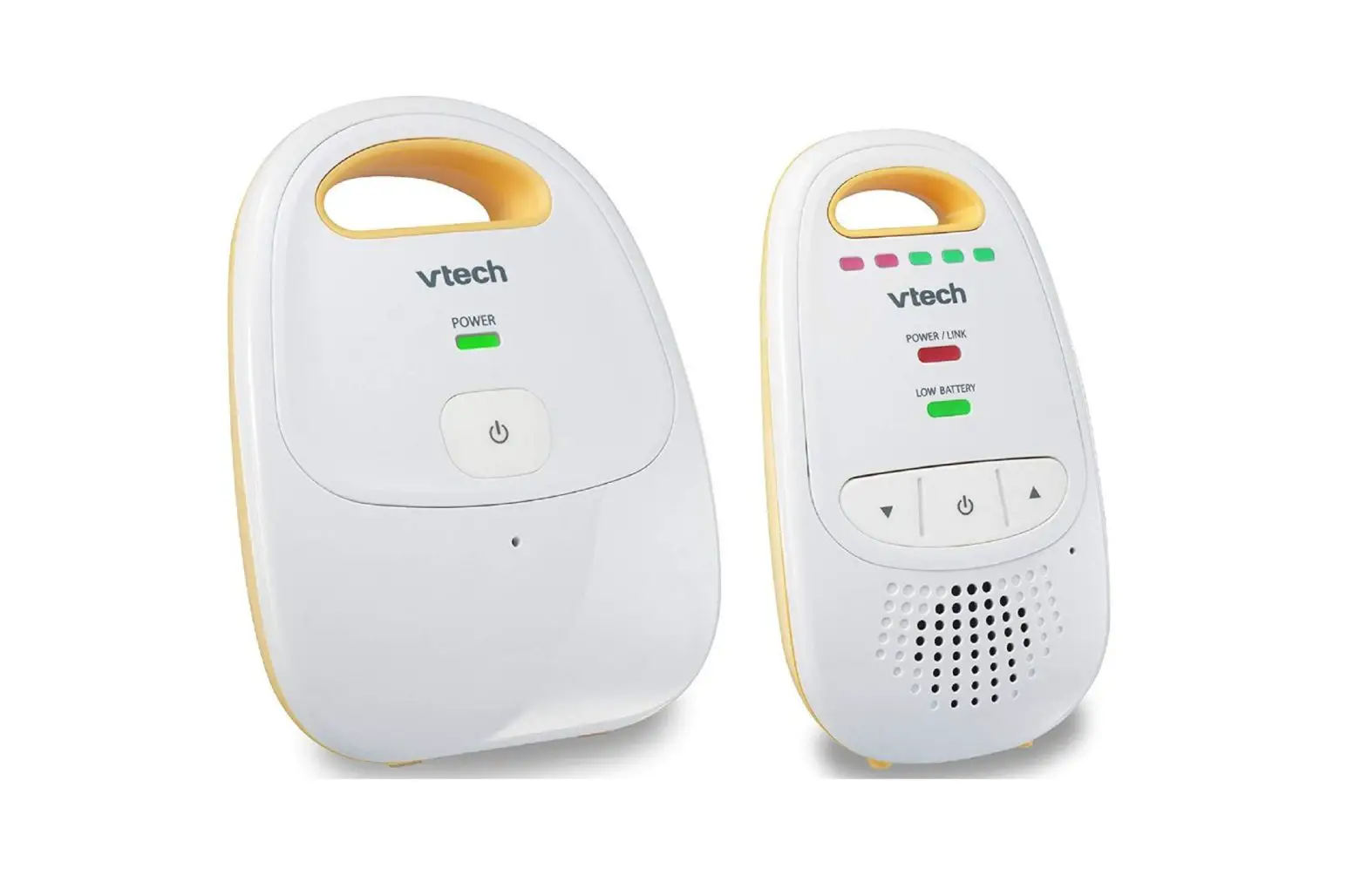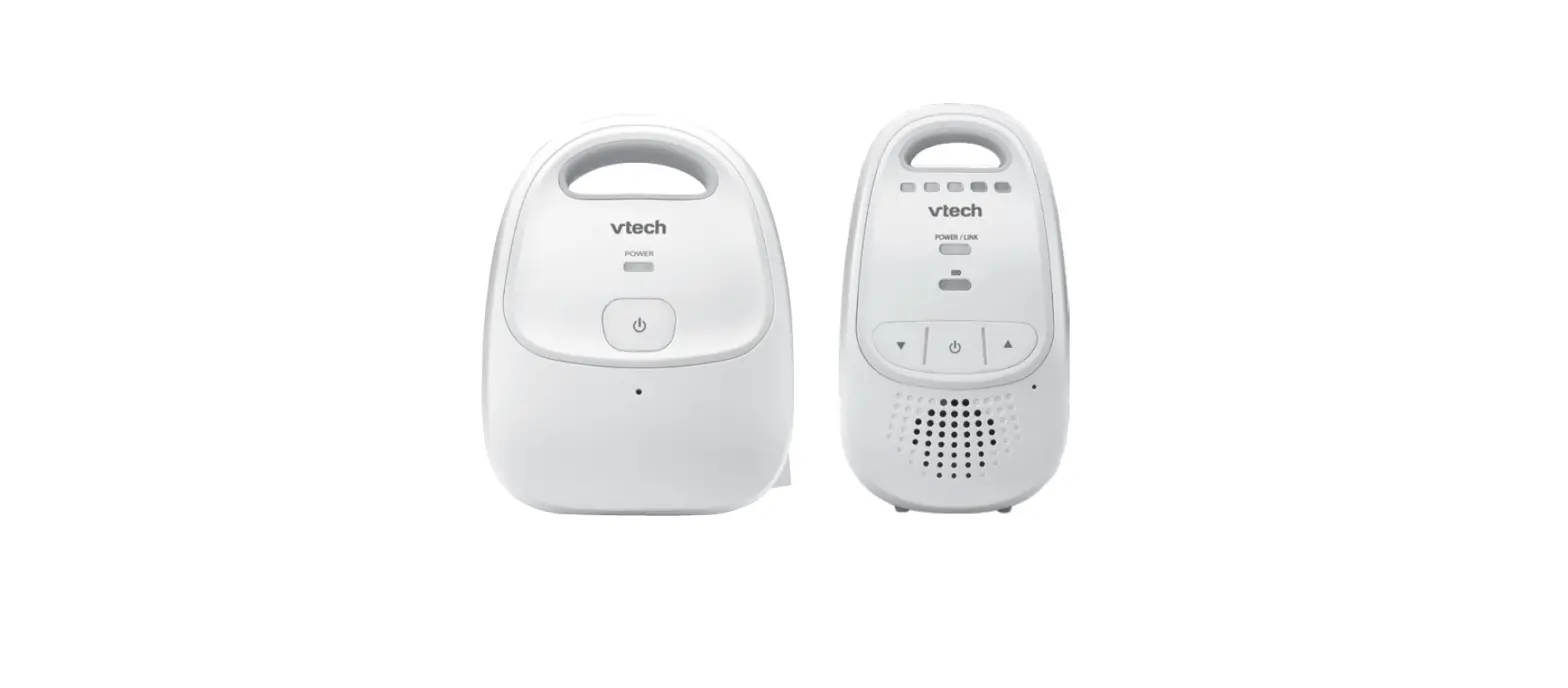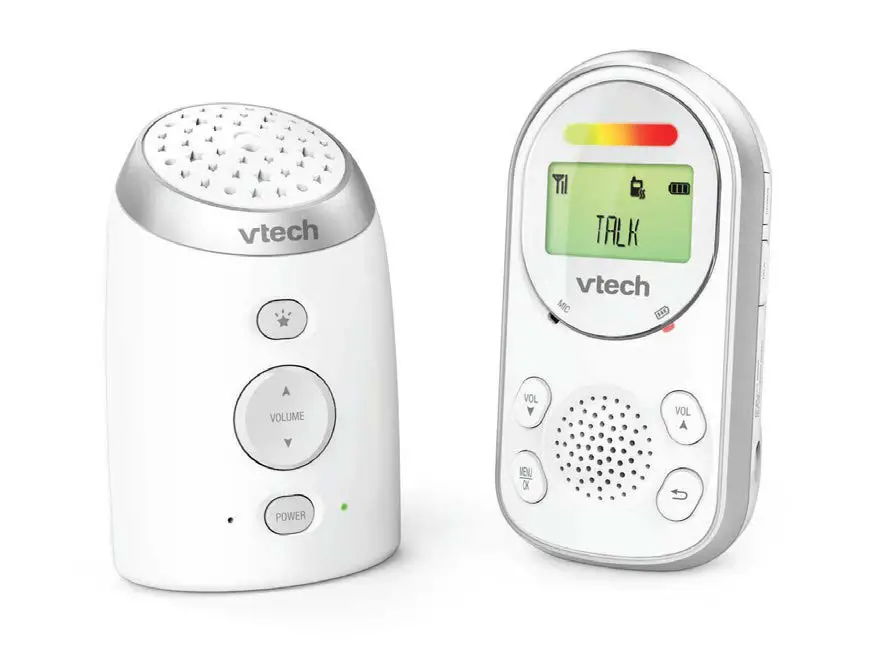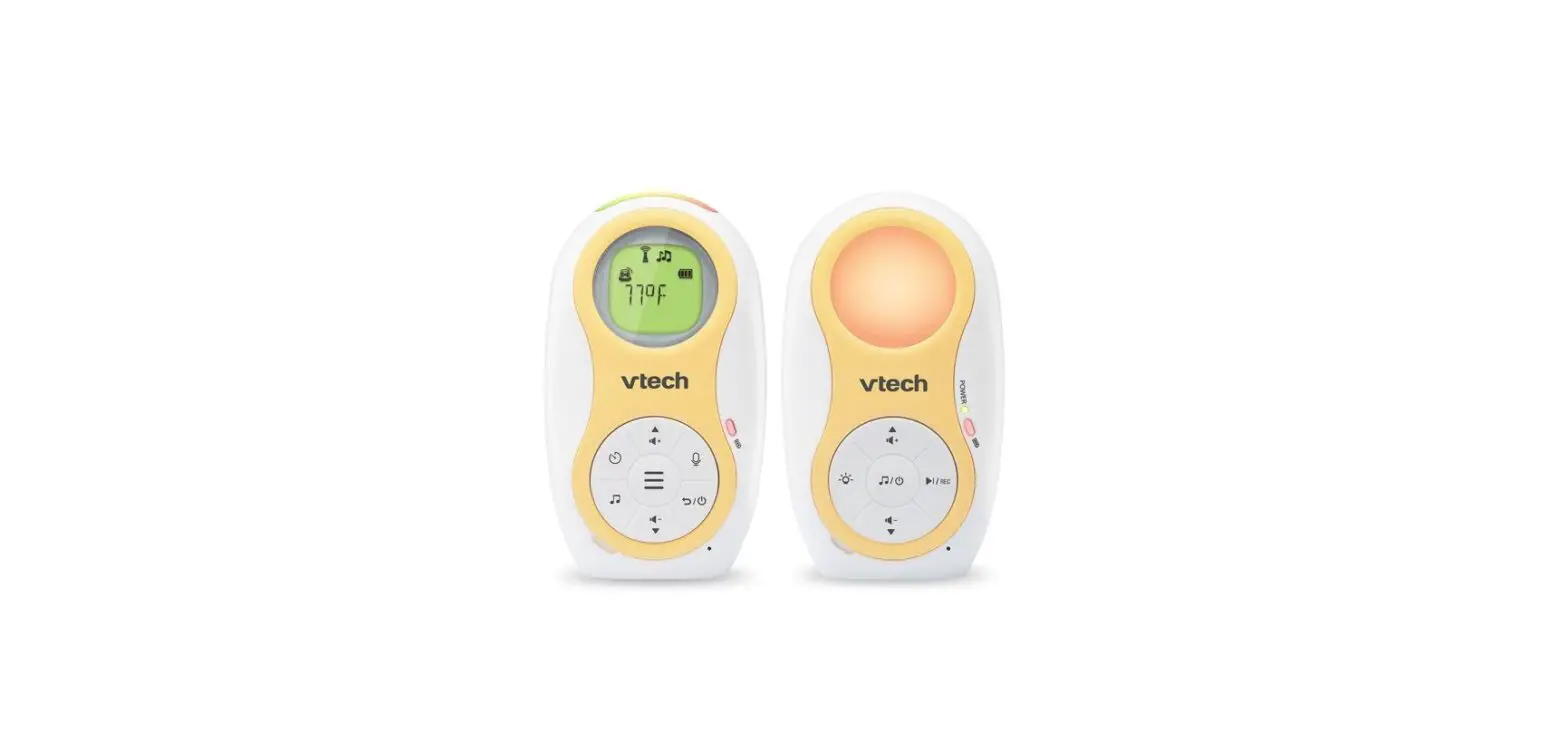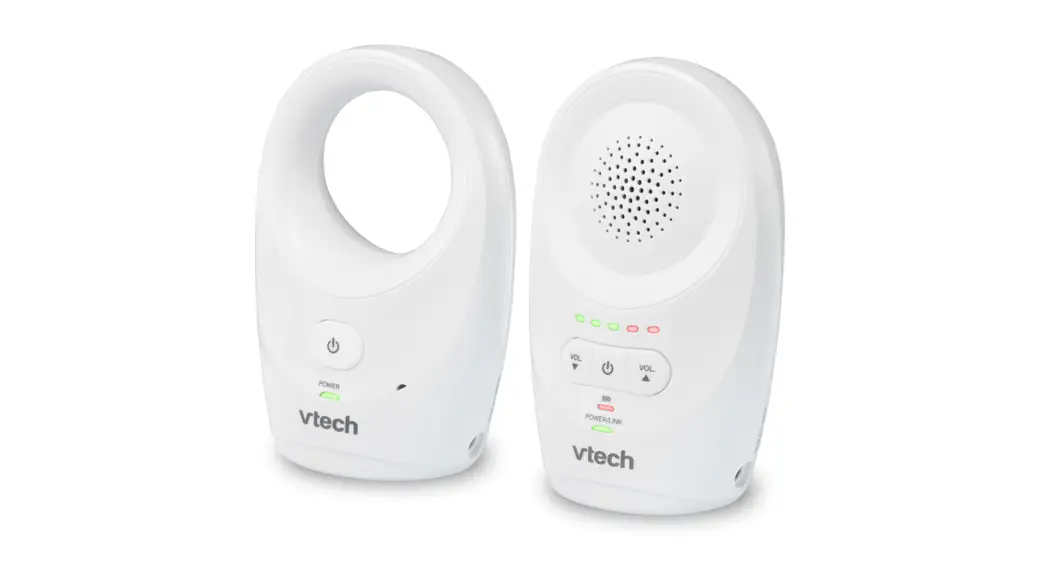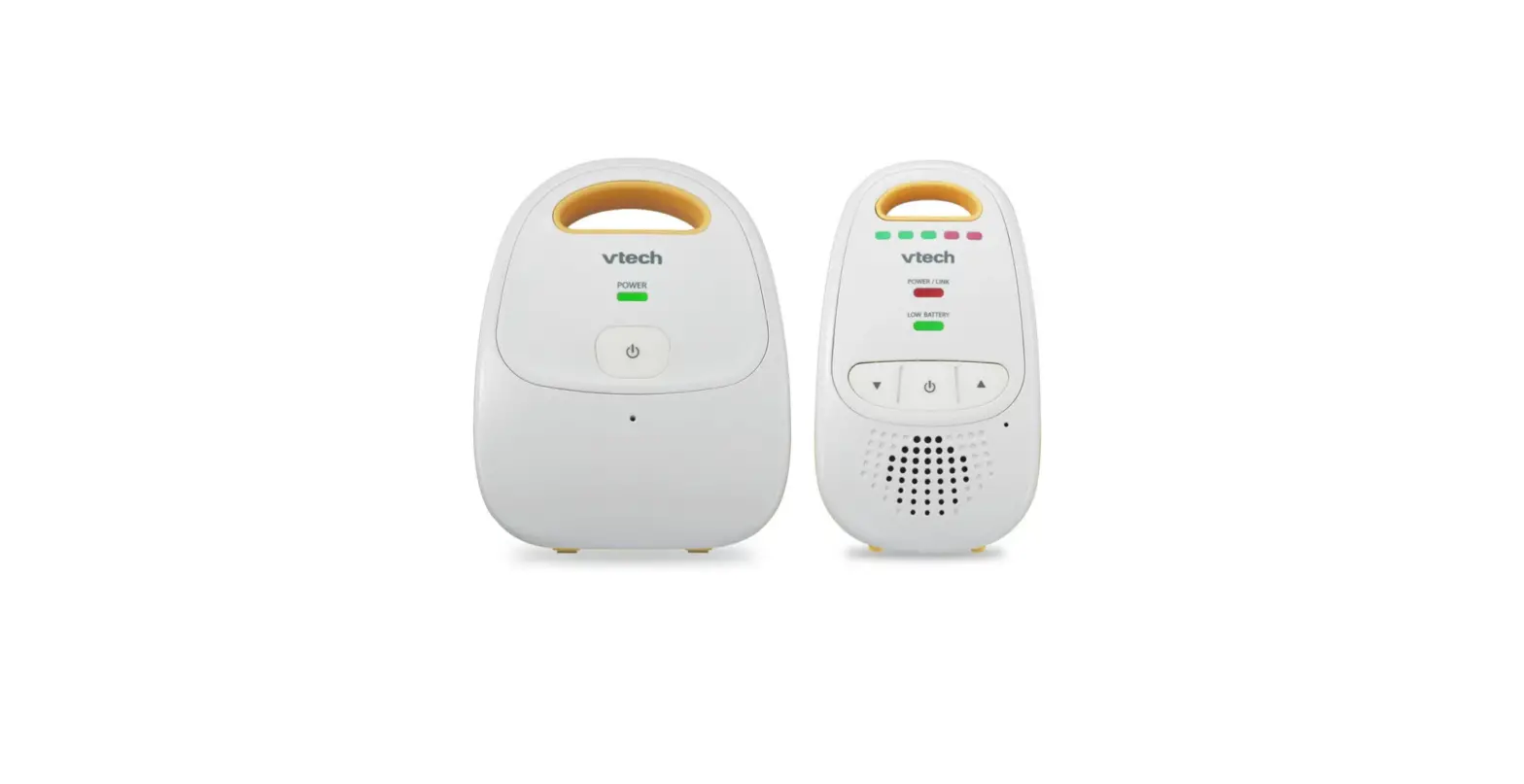

vtech DM111 Safe and Sound Audio Monitor
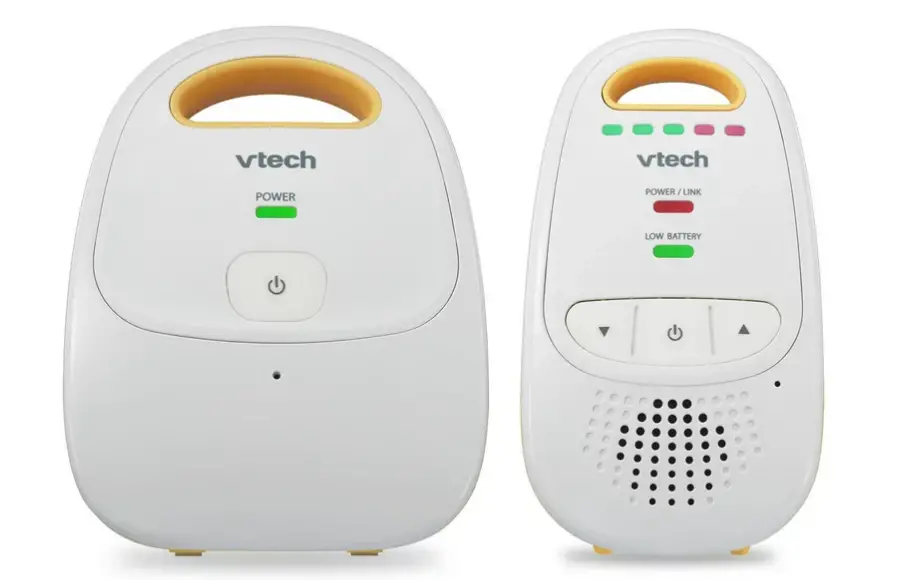
Product Information
- Product Name: VTech DM111/DM111-2 Safe & SoundTM audio monitor
- Manufacturer: VTech
- Product Type: Audio Monitor
- Website: www.vtechphones.com
- Additional Warranty: Register online to get an additional 3-month warranty
Product Usage Instructions
- Read and follow all the safety instructions provided in the user manual.
- Ensure adult setup is done before using the product.
- This product is intended as an aid and should not be used as a substitute for responsible adult supervision.
- Do not use the product near water or in wet environments.
- Use only alkaline batteries for the parent unit. Incorrect battery usage may result in explosion or damage.
- Handle batteries with care to avoid short circuits and electrolyte leakage.
- Use only the included adapters with correct polarity and voltage to prevent damage to the product.
- Ensure correct orientation of power adapters and avoid using them in ceiling, under-the-table, or cabinet outlets.
- Unplug the product from the wall outlet before cleaning. Use a damp cloth for cleaning; do not use liquid or aerosol cleaners.
- Unplug the power cords before replacing batteries.
- Do not cut off or replace the adapters with other plugs.
- Avoid placing anything on the power cords and do not walk on or crimp them.
- Operate the product only with the specified power source indicated on the marking label.
- Avoid overloading wall outlets or using extension cords.
- Place the product on stable surfaces and ensure properventilation by not blocking the openings at the back orbottom.
- Avoid placing the product near heat sources like radiators or heat registers.
Congratulations
on purchasing your new VTech product. Before using this product, please read Important safety instructions in this manual.
For support, shopping, and everything new at VTech, visit our website at www.vtechphones.com. In Canada, please visit www.vtechcanada.com.
Register online to get an additional 3-month warranty!
Visit www.vtechphones.com.
Registration
Register your product online for enhanced warranty support.
Product news
Learn about the latest VTech products.
Important safety instructions
When using your equipment, basic safety precautions should always be followed to reduce the risk of fire, electric shock and injury, including the following:
- Follow all warnings and instructions marked on the product.
- Adult setup is required.
- This product is intended as an aid. It is not a substitute for responsible and proper adult supervision and should not be used as such.
- This product is not intended for use as a medical monitor.
- Do not use this product near water. For example, do not use it next to a bath tub, wash bowl, kitchen sink, laundry tub or swimming pool, or in a wet basement or shower.
- CAUTION: Use only alkaline batteries (not included). There may be a risk of explosion if a wrong type of battery is used for the parent unit. Do not dispose of batteries in a fire. They may explode. Check with local codes for possible special disposal instructions.
- Do not open or mutilate the batteries. Released electrolyte is corrosive and may cause burns or injury to the eyes or skin. The electrolyte may be toxic if swallowed.
- Exercise care in handling the batteries in order not to create a short circuit with conductive materials.
- Observe proper polarity orientation between the batteries and metallic contacts.
- Use only the adapters included with this product. Incorrect adapter polarity or voltage can seriously damage the product. Baby unit power adapter: Input 117V AC 60 Hz; output: 6V AC 300 mA Parent unit power adapter: Input 100-120V AC 60 Hz; output: 6V DC 400 mA
- The power adapters are intended to be correctly oriented in a vertical or floor mount position. The prongs are not designed to hold the plug in place if it is plugged into a ceiling, under-the-table or cabinet outlet.
- Unplug this product from the wall outlet before cleaning. Do not use liquid or aerosol cleaners. Use a damp cloth for cleaning.
- Unplug the power cords before replacing the batteres.
- Do not cut off the adapters to replace them with other plugs, as this causes a hazardous situation.
- Do not allow anything to rest on the power cords. Do not install this product where the cords may be walked on or crimped.
- This product should be operated only from the type of power source indicated on the marking label. If you are not sure of the type of power supply in your home, consult your dealer or local power company.
- Do not overload wall outlets or use an extension cord.
- Do not place this product on an unstable table, shelf, stand or other unstable surfaces.
- This product should not be placed in any area where proper ventilation is not provided. S�����lots and openings in the back or bottom of this product are provided for ventilation. To protect them from overheating, these openings mustnot be blocked by placing the product on a soft surface such as a bed, sofa or rug. This product should never be placed near or over a radiator or heat register.
- Never push objects of any kind into this product through the slots because they may touch dangerous voltage points or create a short circuit.Never spill liquid of any kind on the product.
- To prevent fire or shock hazard, do not expose this product to water or any type of moisture.
- To reduce the risk of electric shock, do not disassemble this product, but take it to an authorized service facility. Opening or removing parts of theproduct other than specified access doors mayexpose you to dangerous voltages or other risks. Incorrect reassembling can cause electric shock when the product is subsequently used.
- You should test the sound reception every time you turn on the units or move one of the components.
- Periodically examine all components for damage.
- Be aware of possible loss of privacy while using public airwaves. Conversations may be picked up by other nursery monitors, cordless phones, scanners, etc.
- Children should be supervised to ensure that they do not play with the product.
- The product is not intended for use by persons (including children) with reduced physical, sensory or mental capabilities, or lack of experience and knowledge, unless they have been given supervision or instruction concerning use of the appliance by a person responsible fortheir safety.
SAVE THESE INSTRUCTIONS
Cautions
- Use and store the product at a temperature between 32oF and 104oF.
- Do not expose the product to extreme cold, heat or direct sunlight. Do not put the product close to a heating source.
- The batteries should not be exposed to excessive heat such as bright sunshine or fire.
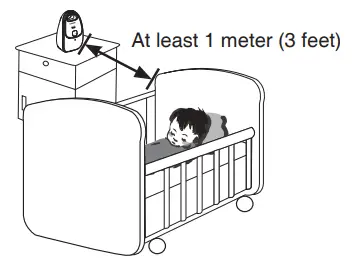
- Make sure the baby unit and the adapter cord are always out of reach of the baby, at least 1 meter (3 feet) away from the baby or crib, to avoid a possible strangulation hazard.
- Other electronic products may cause interference with your audio monitor. Try installing your audio monitor as far away from these electronic devices as possible: wireless routers, radios, cellular telephones, intercoms, room monitors, televisions,personal computers, kitchen appliances and cordless telephones.
- Never place the baby unit inside the baby’s crib or playpen.
- Never cover the baby unit or parent unit(s) with anything such as a towel or a blanket.
Precautions for users of implanted cardiac pacemakers
Cardiac pacemakers (applies only to digital cordless devices):
Wireless Technology Research, LLC (WTR), an independent research entity, led a multidisciplinary evaluation of the interference between portable wireless devices and implanted cardiac pacemakers. Supported by the U.S. Food and Drug Administra-tion, WTR recommends to physicians that:
Pacemaker patients
- Should keep wireless devices at least six inches from the pacemaker.
- Should NOT place wireless devices directly over the pacemaker, such as in a breast pocket, when it is turned ON.
WTR’s evaluation did not identify any risk to bystanders with pacemakers from other persons using wireless devices.
Electromagnetic fields (EMF)
This VTech product complies with all standards regarding electromagnetic fields (EMF). If handled properly and according to the instructions in this user’s manual, the product is safe to be used based on scientific evidence available today.
Parts checklist
- Baby unit (DM111 BU/DM111-2 BU)
- Parent unit (DM111 PU/DM111-2 PU) (1 for DM111 and 2 for DM111-2)
- Power adapter for baby unit
- Power adapter for parent unit (1 for DM111 and 2 for DM111-2)
- User’s manual
Connect
- Use only the parent unit power adapter and the baby unit power adapter supplied with this product.
- The parent unit power adapter and baby unit power adapter are intended for a vertical or floor mount position. The prongs are not designed to hold the plug in place if it is plugged into a ceiling, under-the-table, or cabinet outlet.
- Make sure the parent unit, the baby unit and the power adapter cord are out of reach of children.
- Both the baby unit and the parent unit are on once connected to the power supply.
Connect the baby unit
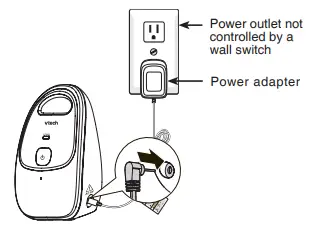
Connect the parent unit 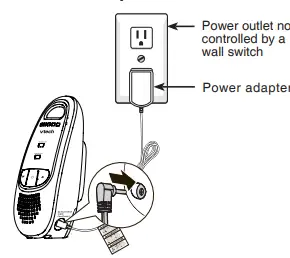
Before use
You may test the baby monitor before initial use, and at regular times thereafter.
To test your baby monitor:
- Place the parent unit and the baby unit in the same room to test the product.
- Press and hold on the baby unit until the POWER light turns off.
- Press and hold on the baby unit again until the POWER light turns on.
- Press and hold on the parent unit the POWER/LINK light turns off.
- Press and hold on the parent unit again until the POWER/LINK light turns on.
- If the parent unit is not linked to the baby unit, the POWER/LINK light on the parent unit will flash. Move the parent unit closer to the baby unit (but not less than 1 meter / 3 feet).
Positioning the baby monitor
Place the parent unit within the operating range of the baby unit. We recommend the parent unit is at least 1 meter (3 feet) away from the baby unit to avoid audio feedback. If you still experience audio feedback, move the parent unit and the baby unit farther apart.
Operating range
The operating range of the baby monitor is up to 300 meters (1000 feet) outdoors or 50 meters (160 feet) indoors. The actual operating range may vary depending on the environmental conditions, and other interferences such as walls, doors, and other obstructions.
Overview
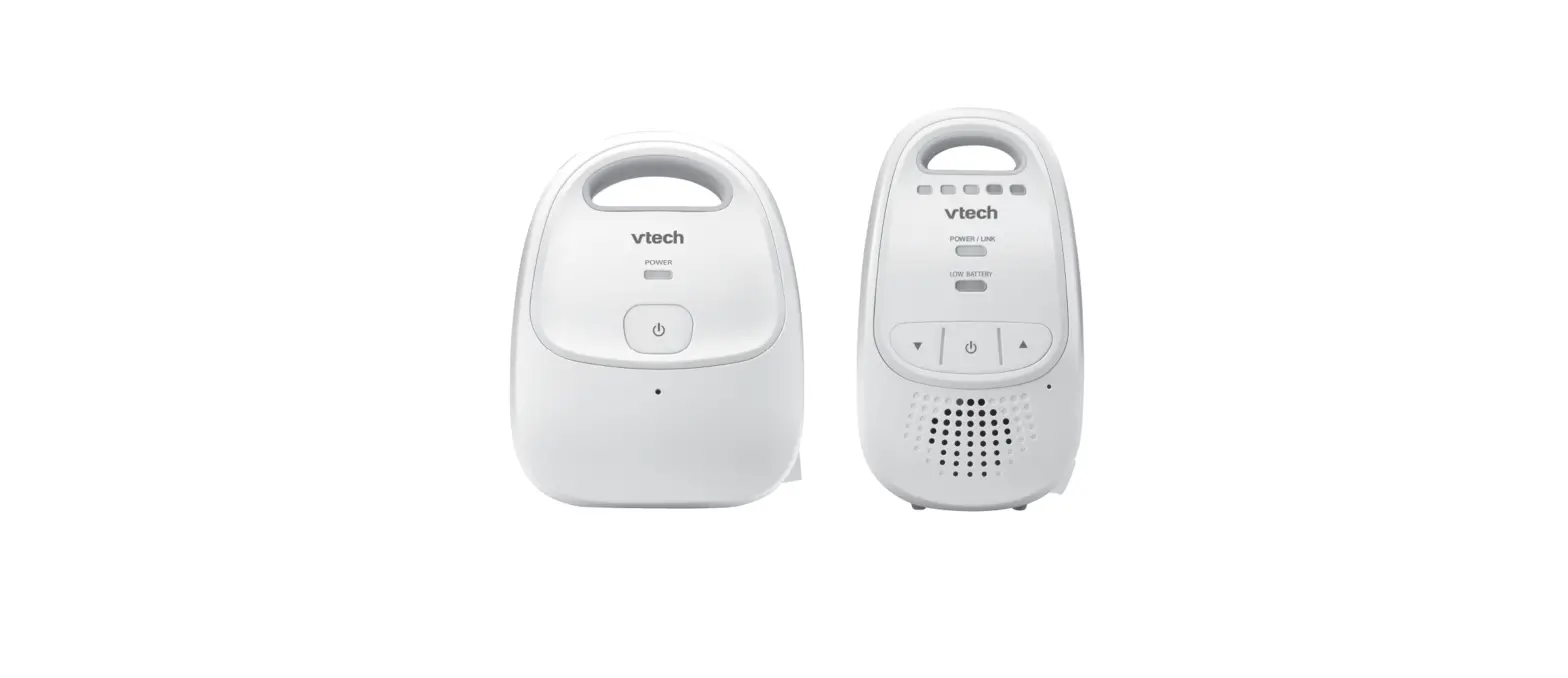
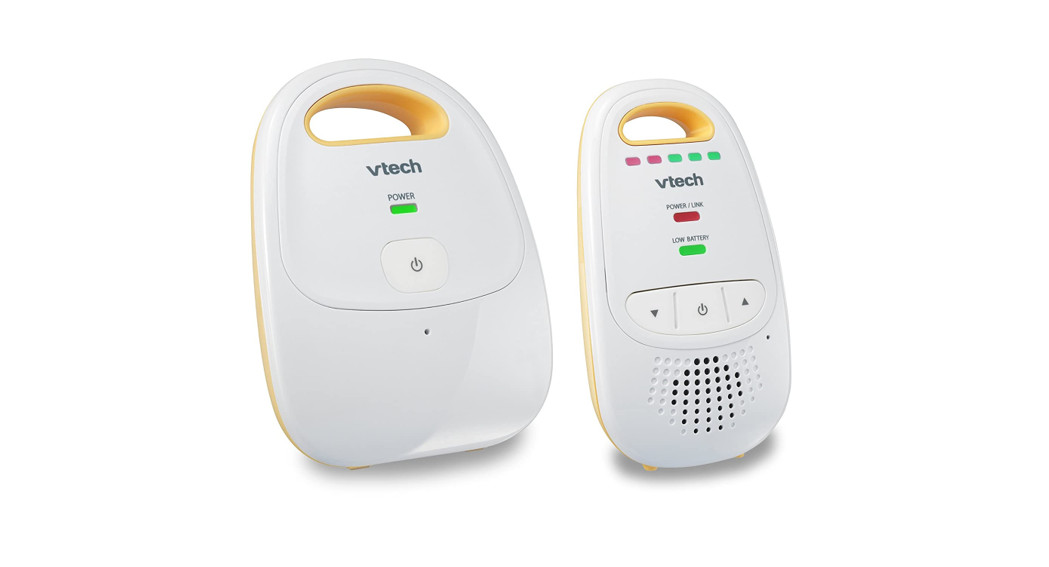
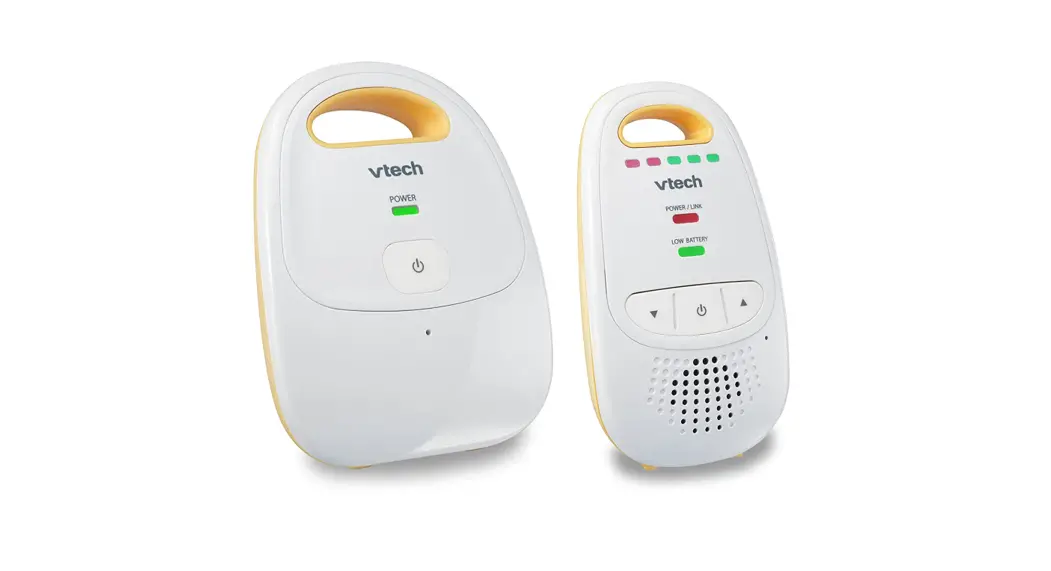
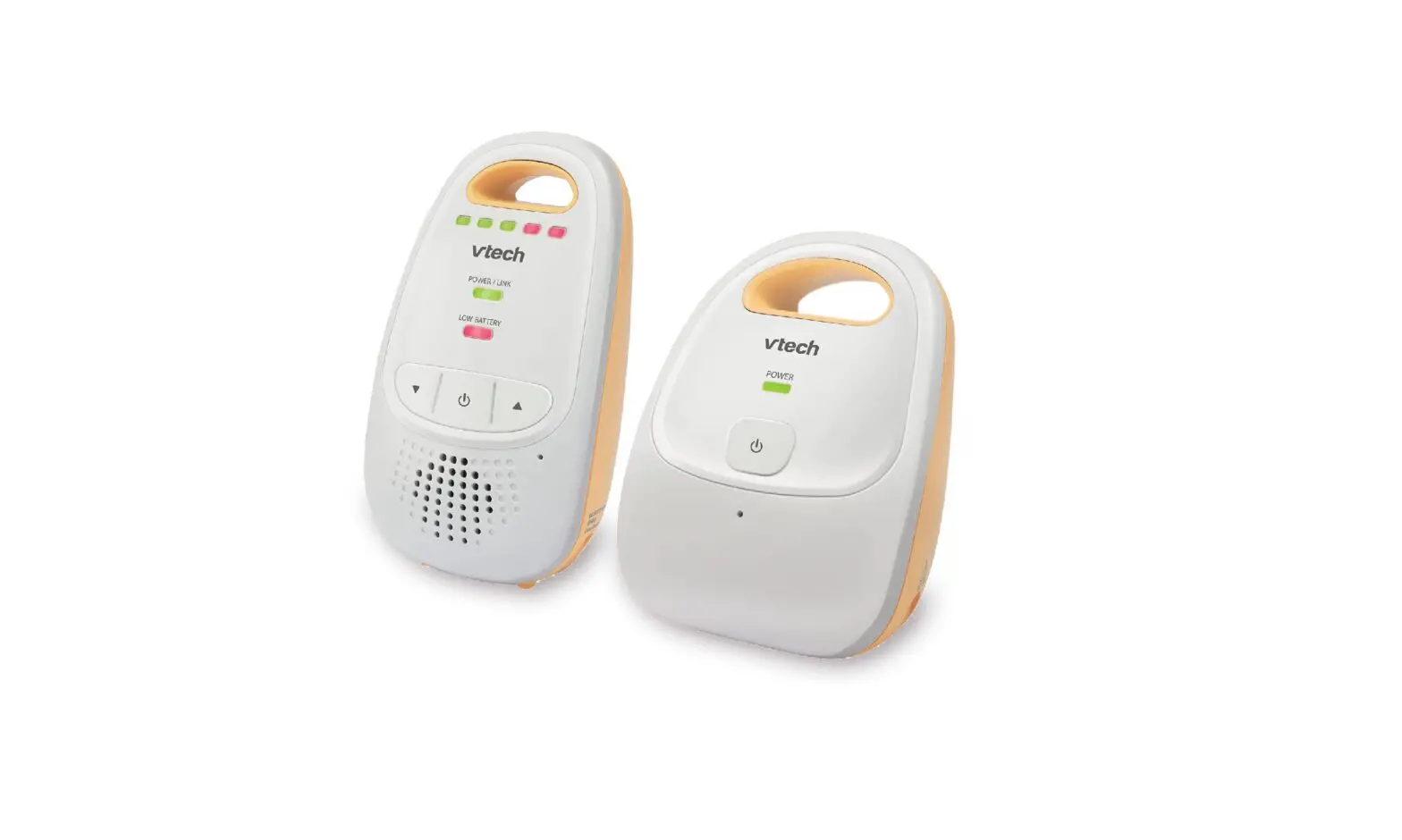
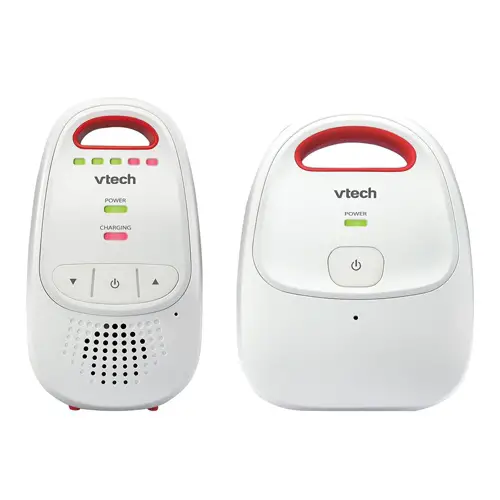
Baby unit overview
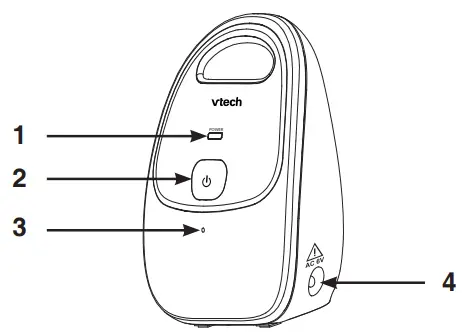
- POWER light
- (On/off) Press and hold to turn on or off the baby unit.
- Microphone
- Power jack
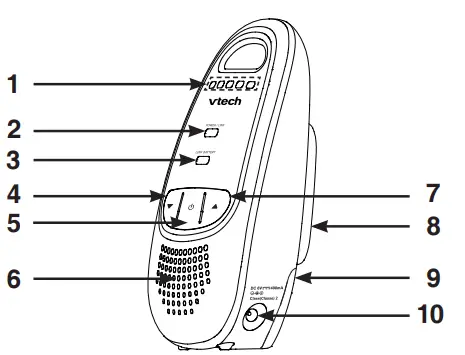
Parent unit overview
- Visual sound indicator
- POWER/LINK light
- LOW BATTERY light
- (Volume down)
Press to decrease the speaker volume. - (On/off)
Press and hold to turn on or off the parent unit. - Speaker Listen to sounds transmitted from the baby unit.
- (Volume up)
Press to increase the speaker volume. - Belt clip
- Battery compartment cover
- Power jack

Baby unit light 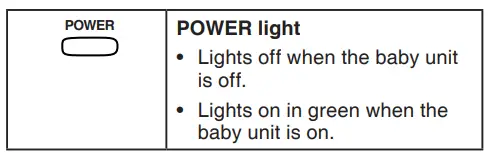
Parent unit light 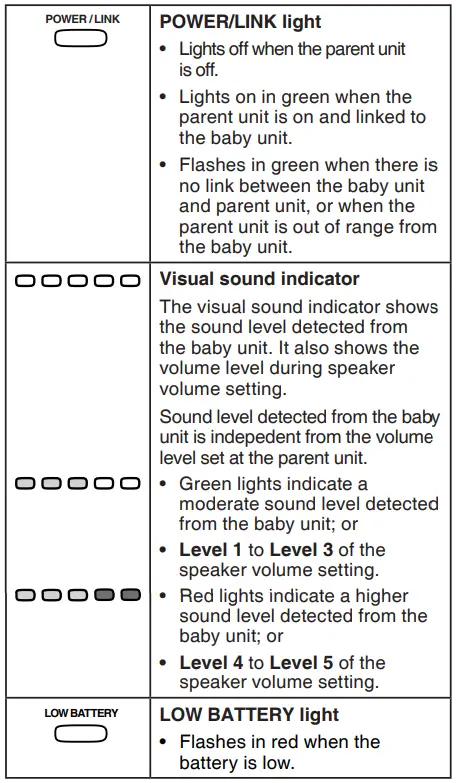
Using your baby monitor
Power on or off the baby unit
- To turn on the baby unit:
Press and hold until the POWER light turns on.
 - To turn off the baby unit:
Press and hold until the POWER light turns off.
 until the POWER light turns on.
Power on or off the parent unit
- To turn on the parent unit:
Press and hold until the POWER/LINK light turns on. - To turn off the parent unit:
Press and hold unit the POWER/LINK light turns off.
Speaker volume of the parent unit
The speaker volume is preset to Level 3 on the parent unit. You can adjust to your preferred sound level.
To adjust the speaker volume:
Press ∇to decrease the volume, and Δto increase the volume.
- If you continue to press∇ or Δeven the volume reaches the minimum or maximum setting, the parent unit will sound once.
- When the parent unit is in mute, the visual sound indicator will still indicate the sound detected from the baby unit.
Portable use of the parent unit (optional)
Install the batteries on the parent unit
Use only the AAA alkaline batteries (not included). When the batteries are installed, the parent unit turns on. The parent unit does not support recharging.
- Slide open the battery compartment cover.
- Flip the ribbon across the battery compartment.

- Insert two AAA alkaline batteries into the battery compartment on top of the ribbon.
- Slide the battery compartment cover until it clicks into place.
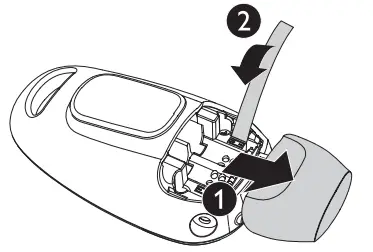
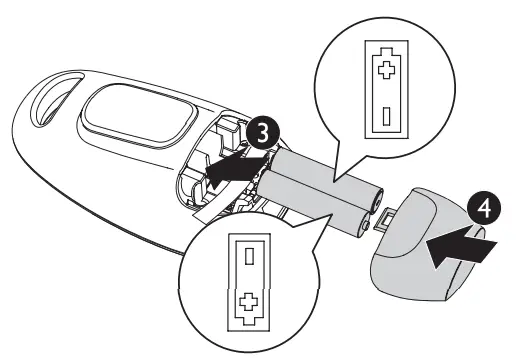
Standby mode
The parent unit is on standby mode when:
- it is not connected to the AC power supply; and
- there is no sound detected from the baby unit.
The standby time varies depending on usage and the battery life. Full batteries can last up to 8 days.
Replace the batteries when:
- LOW BATTERY light flashes on the parent unit.
- The parent unit beeps twice every 30 seconds.
- The batteries are properly installed into the parent unit, but the POWER/LINK light on the parent unit is off.
Storage
When you are not going to use the baby monitor for some time, remove the batteries from the parent unit. Store the parent unit, the baby unit and the adapters in a cool and dry place.
General product care
To clean and maintain this product:
- Avoid putting it near heating appliances and devices that generate electrical noise (for example, motors or fluorescent lamps).
- DO NOT expose it to direct sunlight or moisture. Avoid dropping the product or treating it roughly. Clean with a soft cloth.
- DO NOT immerse the parent unit and the baby unit in water and do not clean them under the tap.
- DO NOT use cleaning spray or liquid cleaners. Make sure the baby unit and parent unit are dry before you connect them to the power supply.
Operating range
This product operates with the maximum power allowed by the Federal Communications Commission (FCC). Even so, the baby unit and the parent unit can communicate over only a certain distance – which can vary with the locations of the baby unit, the parent unit, the weather, and the layout of your home.
When the parent unit is out of range, it will beep three times every 10 seconds and enter searching mode.
To improve reception, move closer to the baby unit (but not less than 1 meter / 3 feet).
 VTech Canada Official Site | Best Home Office & Business Phones
 VTech Cordless Phones Official Site | Best Home Office & Business Phones