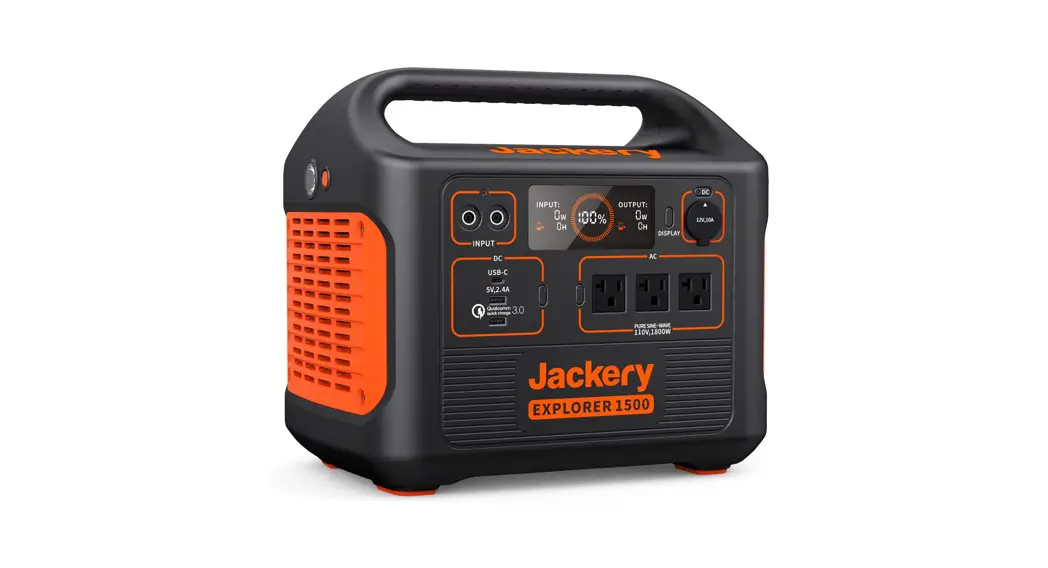
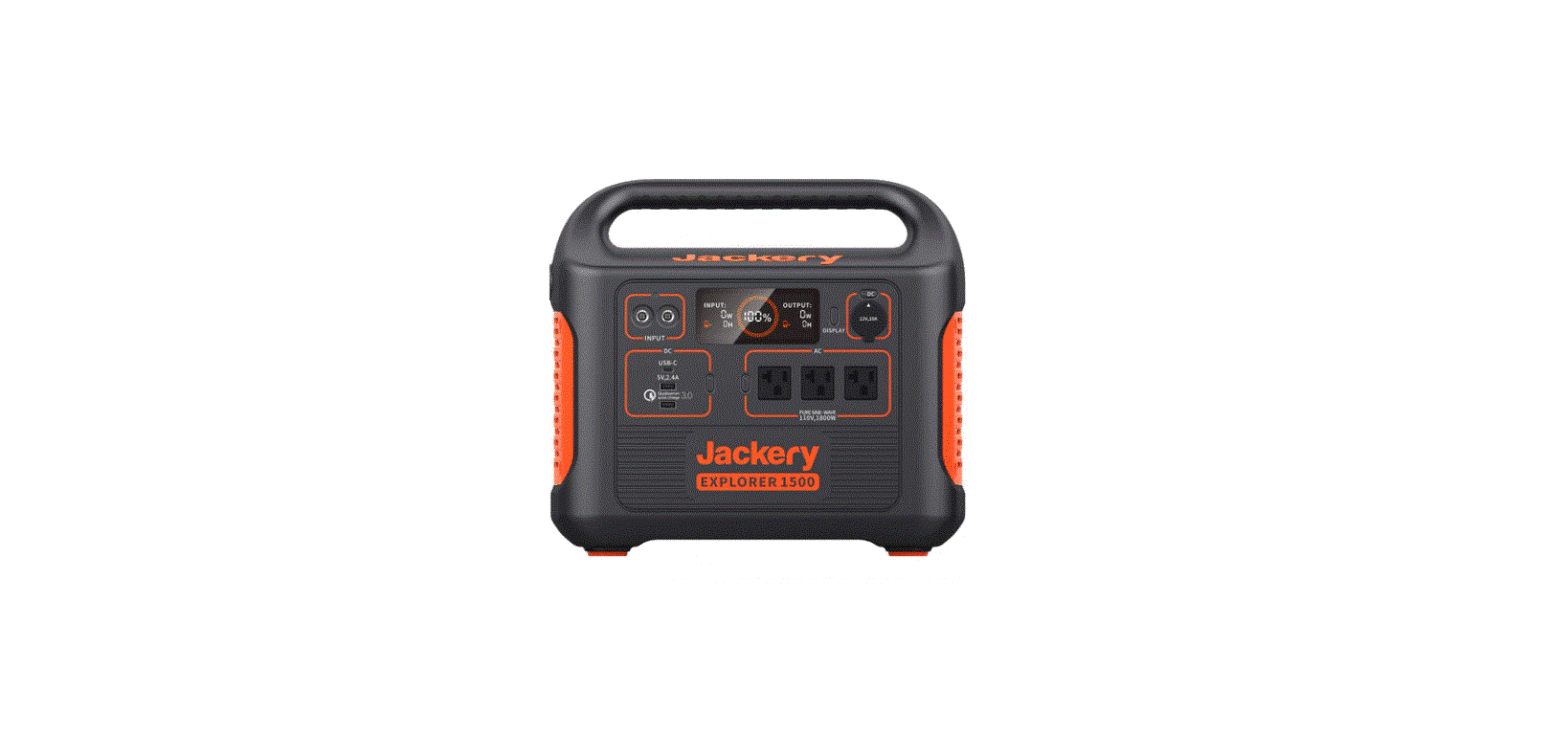
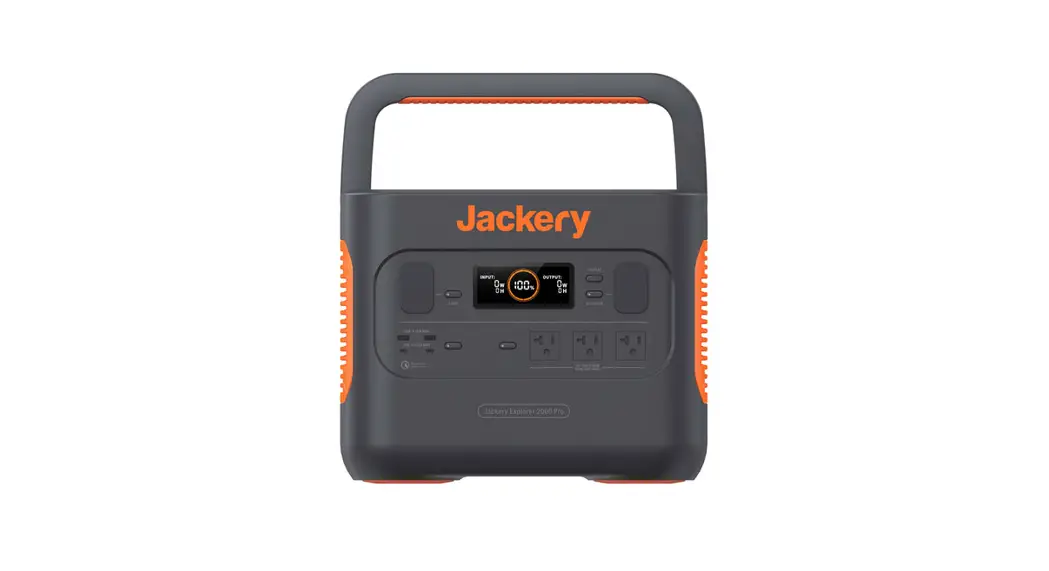
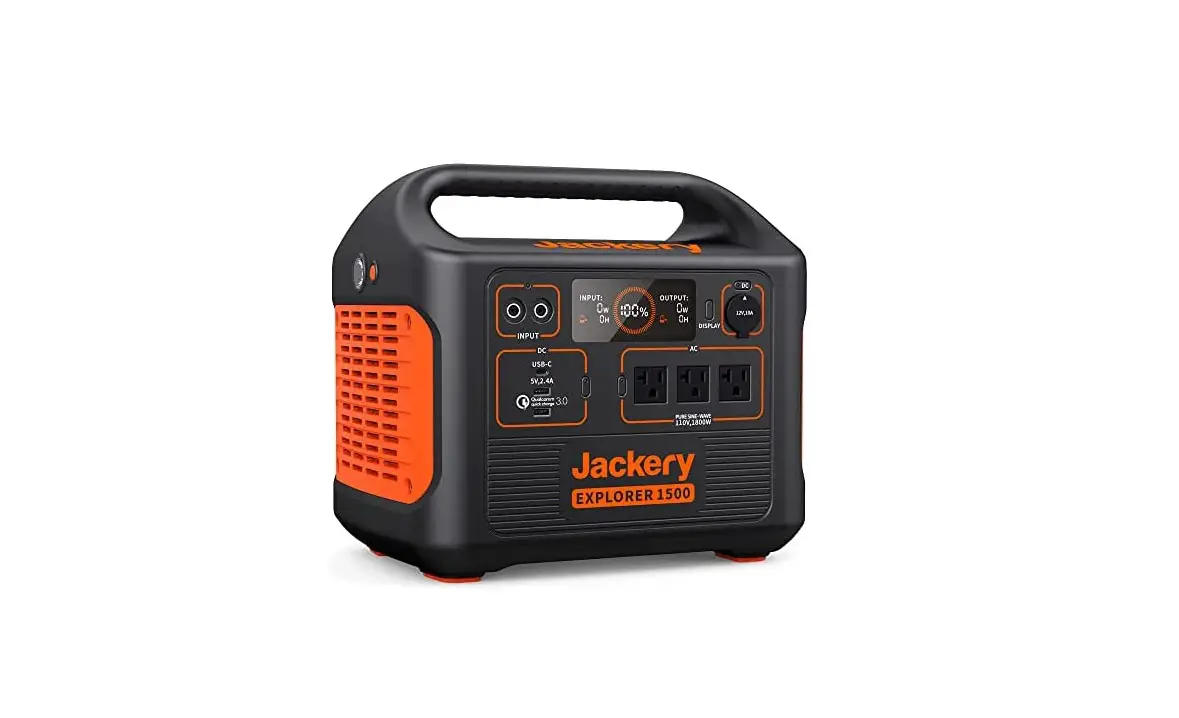
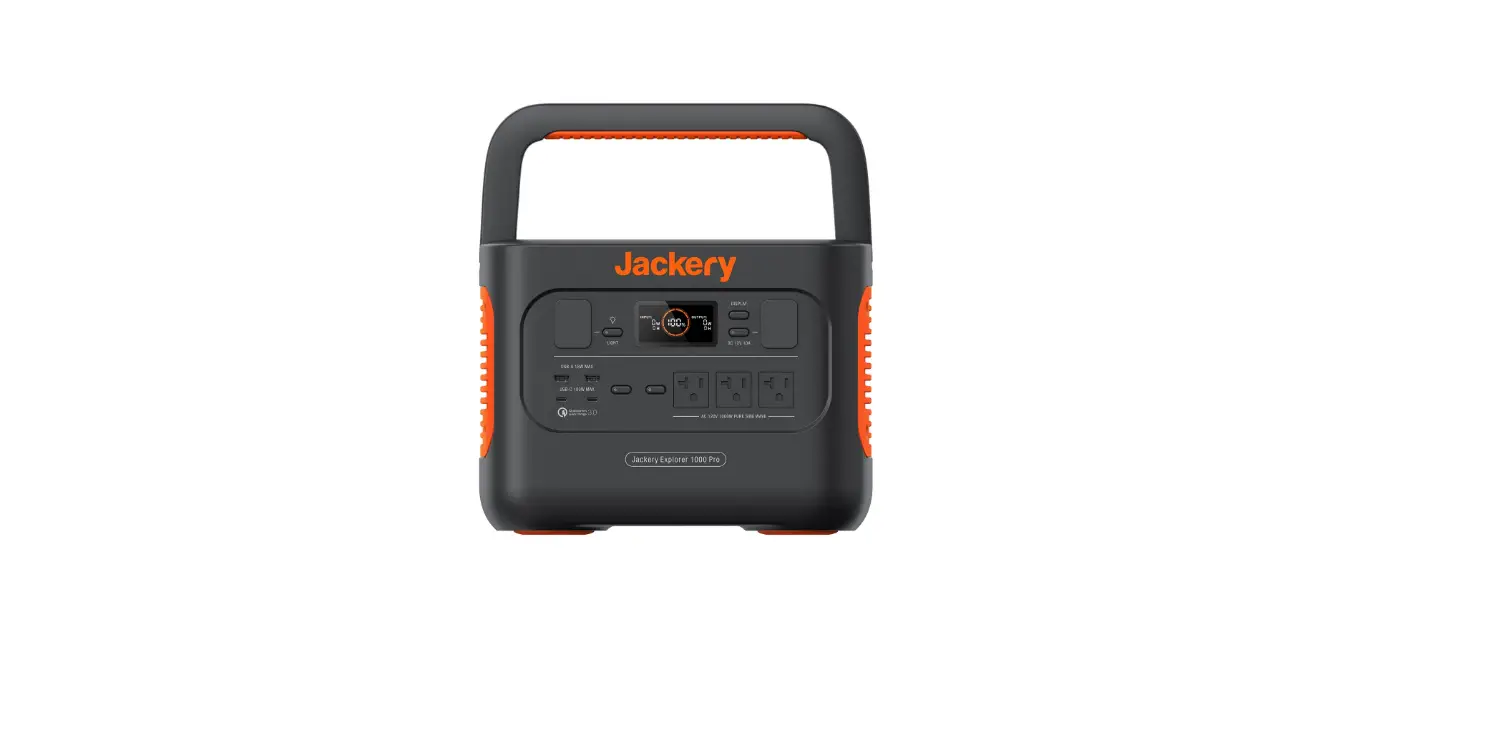
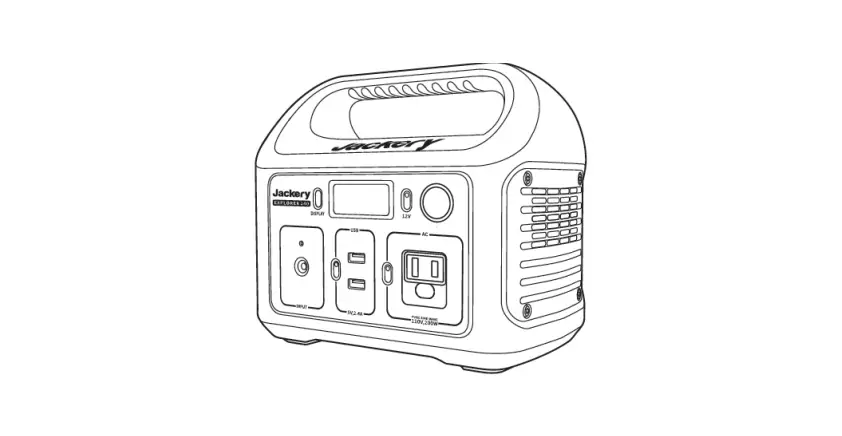
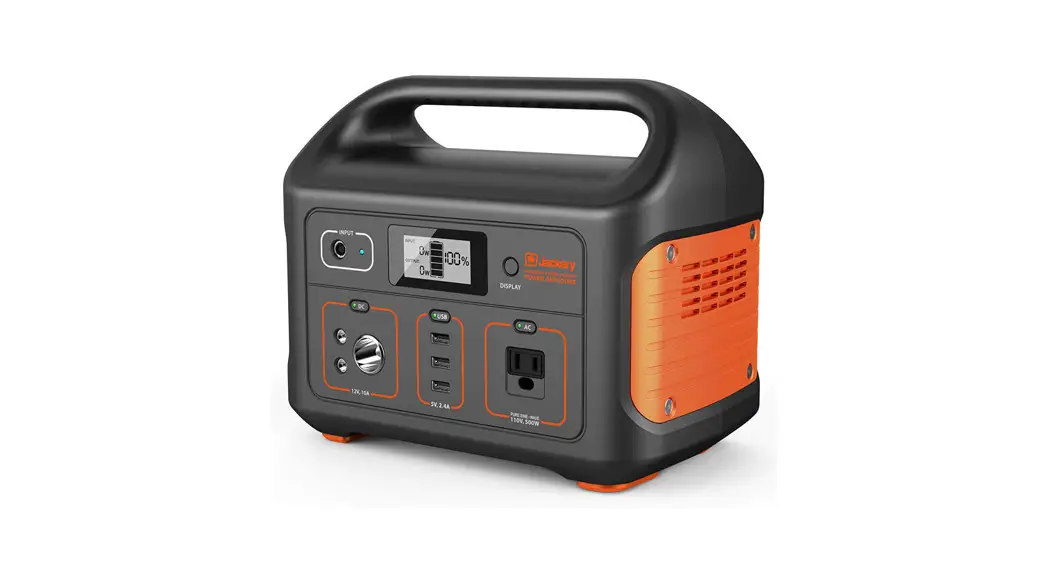
JE-1500B Explorer 1500 Pro Portable Power Station
Product Information
| Product Name | Jackery Explorer 1500 Pro |
|---|---|
| Model No. | JE-1500B |
| Capacity | Not specified |
| Dimensions | Not specified |
| Weight | Not specified |
| Lifecycles | Not specified |
| AC Output | Pure Sine-Wave AC 230V, 1800W MAX (2 outputs) |
| USB-A Output | 2 outputs |
| USB-C Output | 2 outputs |
| Car Port | 1 port |
| AC Input | Not specified |
| DC Input | Not specified |
| Charge Temperature | Not specified |
| Discharge Temperature | Not specified |
| Certifications | Not specified |
Product Usage Instructions
Please read the following instructions carefully before using
the Jackery Explorer 1500 Pro:
- Make sure to keep the user manual in an accessible place for
frequent reference. - Ensure that you have read and understood the relevant
precautions mentioned in the manual to ensure proper use of the
product. - If you have any questions or need assistance, you can contact
Jackery at [email protected]. - More language versions of the manual can be downloaded from the
official website: https://de.jackery.com/pages/user-guides.
Getting to Know Your Gear
The Jackery Explorer 1500 Pro features the following
components:
- LED Light Button
- LED Light
- USB-A Output
- USB-C Output
- Quick Charge 3.0 USB Button
- AC Input Port
- LCD Screen Button
- Car Port
- Car Port Button
- AC Output
- AC Button
LCD Display
The LCD display of the Jackery Explorer 1500 Pro provides the
following information:
| 1. Input Power | Displays the input power |
|---|---|
| 2. AC Wall Charging Indicator | Indicates the status of AC wall charging |
| 3. Solar Charging Indicator | Indicates the status of solar charging |
| 4. Remaining Battery Percentage | Displays the remaining battery percentage |
| 5. Car Charging Indicator | Indicates the status of car charging |
| 6. Low Battery Indicator | Indicates low battery status |
| 7. Remaining Charge Time | Displays the remaining charge time |
| 8. Output Power | Displays the output power |
| 9. Remaining Discharge Time | Displays the remaining discharge time |
| 10. Error Code | Indicates any error code if applicable |
| 11. High Temperature Warning | Indicates high temperature warning |
| 12. Low Temperature Warning | Indicates low temperature warning |
| 13. Low Power Mode | Indicates low power mode |
| 14. AC Power Indicator | Indicates the status of AC power |
| 15. Battery Power Indicator | Indicates the battery power |
Battery Power Indicator
When the product is being charged, the orange circle around the
battery percentage will light up in sequence. When charging other
devices, the orange circle will stay on.
Low Battery Indicator
When the battery is less than 20%, the Low Battery Indicator
will stay on. When it is less than 5%, the Low Battery Indicator
will flash. When it is being charged, the Indicator will be
off.
Low Power Mode
To avoid battery consumption, the product turns on the Low Power
Mode by default when no device is connected or when the connected
device is less than or equal to a certain value. The device will
automatically shut down after 12 hours. To turn on the Low Power
Mode, long press the AC Button and DISPLAY Button until the Low
Power Mode icon lights up. In Low Power Mode, remember to turn off
the output to avoid battery consumption.
Model: JE-1500B
PURE SINE-WAVE AC 230V,1800W MAX
PURE SINE-WAVE AC 230V,1800W MAX
USER MANUAL
Jackery Explorer 1500 Pro
Contact us: [email protected]
Version: JAK-UM-V1.0
CONTENTS
GB English FR Français DE Deutsch IT Italiano ES Español
01-08 09-16 17-24 25-32 33-40
More language versions are supported. Other language versions of the manual can be downloaded on our official website: https://de.jackery.com/pages/user-guides
GB English
Model: JE-1500B
Congratulations on your new Jackery Explorer 1500 Pro. Please read this manual carefully before using the product, particularly the relevant precautions to ensure proper use. Keep this manual in an accessible place for frequent reference.
In compliance with laws and regulations, the right of final interpretation of this document and all related documents of this product resides with the Company.
Please note that no further notifications will be given in case of any update, revision or termination.
TECHNICAL SPECIFICATIONS
Product Name: Model No.: Capacity: Dimensions: weight: Lifecycles: 2 x AC Output: 2 x USB-A Output: 2 x USB-C Output: Car Port: AC Input:
DC Input:
Charge Temperature: Discharge Temperature:
Jackery Explorer 1500 Pro JE-1500B Lithium-ion 35Ah / 43.2V DC(1512Wh) 38.4×26.9×30.75cm / 15.12×10.59×12.11 in About 17kg / About 37.48 lbs 1000 cycles to 80% + capacity 230V ~ 50Hz, 7.83A, 1800W Rated, 3600W Surge peak Quick Charge 3.0, 18W Max 5-6V3A,6-9V2A,9-12V1.5A 100W Max 5V3A, 9V3A, 12V3A, 15V3A, 20V5A 12V10A 230V ~ 50Hz, 5.65A Max 11V-17.5V8A Max, Double to 8A Max 17.5V-60V12A, Double to 24A / 1400W Max 0~40 °C (32~104 ) -10~40 °C (14~104 )
CERTIFICATIONS:
¸ USB Type-C®and USB-C®are registered trademarks of USB Implementers Forum.
¸ Qualcomm Quick Charge is a product of Qualcomm Technologles,Inc. and/or its subsidiaries. Qualcomm and Quick Charge are trademarks or registered trademarks of Qualcomm Incorporated.
PACKAGE LIST
1
2
3
4
5
Model: JE-1500B
PURE SINE-WAVE AC 230V,1800W MAX
PURE SINE-WAVE AC 230V,1800W MAX
PURE SINE-WAVE AC 230V,1800W MAX
USER MANUAL
Jackery Explorer 1500 Pro
Contact us: [email protected]
Version: JAK-UM-V1.0
Jackery Explorer 1500 Pro 01
Car Charge Cable
AC Charge Cable
DC7909 To DC8020 Adaptor x 2
Quick Start Guide
GET TO KNOW YOUR GEAR
Product Appearance
DC Input Port ( 2×DC8020, solar charging input and car charging input )
LED Light Button LED Light
USB-A Output USB-C Output Quick Charge 3.0 USB Button
PURE SINE-WAVE AC 230V,1800W MAX
GB
AC Input Port LCD Screen Button
Car Port Car Port Button
AC Output AC Button
LCD DISPLAY
15
14
1
8
2
9
3
13
45
6 7 10 11 12
1 Input Power 4 AC Wall Charging Indicator 7 Remaining Battery Percentage 10 Error Code 13 Low Power Mode
2 Remaining Charge Time 5 Car Charging Indicator 8 Output Power 11 High Temperature Warning 14 AC Power Indicator
3 Solar Charging Indicator 6 Low Battery Indicator 9 Remaining Discharge Time 12 Low Temperature Warning 15 Battery Power Indicator
02
GB
Battery Power Indicator When the product is being charged, the orange circle around the battery percentage will light up in sequence. When charging other devices, the orange circle will stay on.
Low Battery Indicator When the battery is less than 20%, the Low Battery Indicator will stay on. When less than 5%, the Low Battery Indicator will flash. When it is being charged, the Indicator will be off.
Low Power Mode To avoid forgetting to turn off the output during use that results in battery consumption, the product turns the Low Power Mode off by default. This occurs when no device is connected or the connected device is less than or equal to a certain value. (Refer to the table below for more details), the device will automatically shut down after 12 hours.
Output AC Output USB Output Car Output
Output Power 25W 2W 2W
Defaults The device will automatically shut down after 12 hours
To turn on the Low Power Mode Long press the AC Button and DISPLAY Button until the Low Power Mode icon lights up. In Low Power Mode, please remember to turn off the output to avoid battery consumption.
To turn off the Low Power Mode Long press the AC Button and DISPLAY Button until the Low Power Mode icon disappears on the screen.
Fault code In order to quickly solve the user’s feedback, we set up common fault codes F0-F9 in the system: if you find any fault code of F0aF1aF2aF3aF4aF5aF6aF7 on the display screen, please contact us for after-sales treatment; If F6 code appears, please remove the load or unplug the charging plug, the product can restore by itself, if not, please contact after-sales treatment; If F9 fault code appears, please remove the load and the product can recover by itself, if not, please contact after-sales service.
High-temperature warning If it appears on the screen, do not worry, the battery will restore automatically after cooling.
Low-temperature Warning If it is displayed on the screen, do not worry. It will automatically restore after the ambient temperature is restored. 03
GB
BASIC OPERATIONS
Power On/Off AC Output On/Off: Press the AC Button, the AC Output operation indicator lights up. Then you can connect the equipment that needs AC charging. Press the AC Button again to turn off the AC Output. USB Output On/Off: Press the USB Button, the USB Output operation indicator lights up. Then USB-A and USB-C Output Ports can be connected to external load devices. Press the USB Button again to turn off the USB Output. Car Port On/Off: Press the Car Port Button, the Car Port operation indicator lights up. Then the Car Port can be connected to the external load devices. Press the Car Port Button again to turn off the output.
LCD Screen On/Off
To Turn On, press the DISPLAY Button, any Output Power Button, or LED Light Button. Or, when there’s a charging input, the screen display will light up automatically. To Turn Off, press the DISPLAY Button again and the screen display will turn off. Or, if there is no operation in 30 seconds, the product will enter a sleep state and the screen display will automatically turn off. To get the screen always-on (under charging or discharging state), follow these steps: After the display screen lights up, double-click the DISPLAY Button and the mode of Always-On Display will be on. To turn off Always-On Display, follow these steps: Press the DISPLAY Button and the screen will be turned off in 30 seconds. Tip:During Always-On mode, the screen automatically turns off after 2 hours without charging or discharging.
LED Light On/Off
There are three modes of LED Light: Low Light mode, Bright Light mode, and SOS mode.
The operations are as follows: Press the LED Light Button, the LED will be turned on. The light will always turn on in Low Light mode and the output power on the screen is 1W. Press again to enter the Bright Light mode and the output power on the screen is 3W. Press the third time to enter the SOS mode and the output power on the screen is 3W. Then, press again to turn off the LED Light. In any of these modes, the light can be turned off by a long press.
CHARGING YOUR JACKERY EXPLORER 1500 PRO
Green energy first: We advocate to use the green energy first. This product supports two modes of charging at the same time: solar charging and AC wall charging. When AC wall charging and solar charging are turned on at the same time, the product will give priority to solar charging and both methods will be used to charge the battery at the maximum permissible power.
04
GB
CHARGING FROM THE WALL
Please use the AC cable included in the package.
AC Charger
Explorer 1500 Pro
SOLAR ENERGY CHARGING
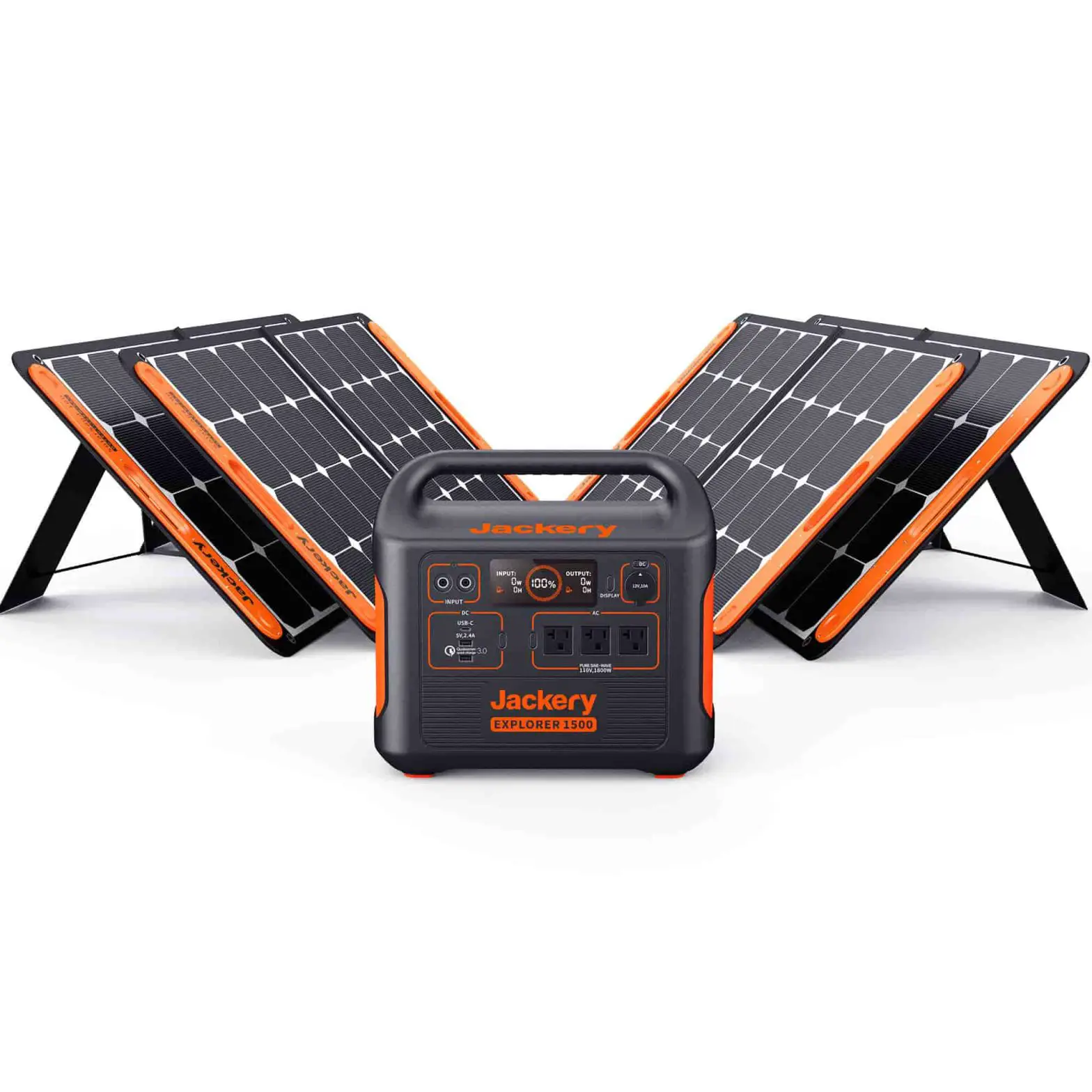
Jackery SolarSaga 200 or 100 or 60 Solar Panel Connection Guide
If one or two solar panels are connected, you can directly connect the DC8020 port of the solar panel to the DC8020 port of Jackery Explorer 1500 Pro for charging. If three or four solar panels are connected, please refer to the method shown in the following figure to charge through the solar series connector (Note: The solar series connector is not in standard configuration, so you need to purchase it separately. Please refer to the detailed operation instructions of the solar series connector before using it.)
SolarSaga ×3
Explorer 1500 Pro
SolarSaga×2
Explorer 1500 Pro
SolarSaga×2
SolarSaga×3 05
Explorer 1500 Pro
SolarSaga ×3
GB
Caution: When the two inputs are used at the same time, please make sure to use the same type of solar panel and the number of solar panels in the two inputs must be the same to avoid damage or charging problems of the equipment due to inconsistent voltages of the two channels.
The following way of connections are prohibited to charge this product:
SolarSaga×2
Explorer 1500 Pro
SolarSaga×1
SolarSaga×3
Explorer 1500 Pro
SolarSaga×1
SolarSaga×3
Explorer 1500 Pro
SolarSaga×2
Jackery SolarSaga 80 Solar Panel Connection Guide
Users who have purchased Jackery SolarSaga 80 can charge the product by referring to the connection mode shown below. The Jackery SolarSaga 80 supports the parallel connection or the parallel and then series connections to charge the product. The single input port of the Jackery Explorer 1500 Pro supports the input of up to six pieces of SolarSaga 80 solar panels, and two input ports support the input to up to 12 pieces of SolarSaga 80 solar panels. (When the power is connected with six solar panels in a single input port, the solar panels shall be divided into two groups, and each group of three solar panels shall be self-connected in parallel and then connected to Jackery Explorer 1500 Pro through the solar series connector. The solar series connector needs to be purchased separately.)
For detailed operation instructions on the self-parallel connection of the Jackery SolarSaga 80 solar panel, please refer to the user manual.
06
GB
The solar panel charging output port (DC8020 male, with DC8020 to DC7909 Adaptor)
Parallel portcDC 8020 female
Warm Tip: Users can enter the number of solar panels in their own combination according to the number of solar panels they purchased. Currently, the product supports charging with 1, 2, 3, 4, 5, 6, 8, and 12 80W solar panels in combination.
DC7909 to DC8020 Adaptor Operation Guide All of our solar panels on sale have been upgraded to include a DC7909 to DC8020 adapter. If you have purchased a Jackery solar panel without a DC7909 to DC8020 adapter, you can charge your Jackery Explorer 1500 Pro by following the connection instructions below.
DC7909 to DC8020 Adaptor DC7909 male
DC8020 female
Explorer 1500 Pro
CHARGING IN THE CAR
This product can be charged with a 12V car charger. Please start the vehicle before charging to prevent draining the car battery and prevent your vehicle from being unable to start.
Meanwhile, please ensure that the car charger and the car cigarette lighter provide a good connection, and ensure that the car charger is fully inserted. In addition, if the vehicle is running on bumpy roads, it is forbidden to use the car charger in case it burns due to a poor connection. The Company will not be responsible for any loss caused by non-standard operation.
AUTO
A/C
R1 3 5 246
Vehicle
Safety Precautions When Charging
Explorer 1500 Pro
1) Vehicle charging is only applicable in 12V vehicles, not in 24V ones. Please do not charge this product in 24V vehicle to avoid personal injury and property loss. 2) It is recommended to use Jackery accessories – solar panels for solar charging. We will not be responsible for the losses caused by using other brands’ solar panels.
07
GB
SAFETY PRECAUTIONS WHEN USING
The basic safety precautions should be followed when using this product, including:
a. Please read all instructions before using this product. b. Close supervision is required when using this product near children to reduce the risk. c. Risk of electric shock may occur if using accessories recommended or sold by non-professional
product manufacturers. d. When the product is not in use, please unplug the power plug from the product’s socket. e. Do not dismantle the product, which may lead to unpredictable risks such as fire, explosion or
electric shock. f. Do not use the product through damaged cords or plugs, or damaged output cables, which may
cause electric shock. g. Charge the product in a well ventilated area and do not restrict ventilation in any way. h. Please put the product in a ventilated and dry place to avoid rain and water to cause electric shock. i. Do not expose the product to fire or high temperature (under direct sunlight or in vehicle under high
heat), which may cause accidents such as fire and explosion.
WARRANTY
Note: We only provide our warranty for the buyer who purchased on Amazon (Jackery Inc), Jackery website or local authorized dealers.
Limited Warranty Jackery Inc. warrants to the original consumer purchaser that the Jackery product will be free from defects in workmanship and material under normal consumer use during the applicable warranty period identified in the ‘Warranty Period’ section below, subject to the exclusions set forth below.
This warranty statement sets forth Jackery’s total and exclusive warranty obligation. We will not assume, nor authorize any person to assume for us, any other liability in connection with the sale of our products.
Warranty Period 3 Years Standard Warranty: The standard warranty period for Jackery Explorer 1500 Pro is 36 months. In each case, the warranty period is measured starting on the date of purchase by the original consumer purchaser. The sales receipt from the first consumer purchase, or other reasonable documentary proof, is required in order to establish the start date of the warranty period.
2 Years Extended Warranty: To activate the Warranty Extension, you must register your product online or contact our customer service team at [email protected] to extend the standard warranty runtime.
Exchange Jackery will replace (at Jackery’s expense) any Jackery product that fails to operate during the applicable warranty period due to defect in workmanship or material. A replacement product assumes the remaining warranty of the original product.
Limited to Original Consumer Buyer The warranty on Jackery’s product is limited to the original consumer purchaser and is not transferable to any subsequent owner.
Exclusions Jackery’s warranty does not apply to: Misused, abused, modified, damaged by accident, or used for anything other than normal consumer use as authorized in Jackery’s current product literature. Attempted repair by anyone other than an authorized facility. Any product purchased through an online auction house. Jackery’s warranty does not apply to the battery cell unless the battery cell is fully charged by you within seven days after you purchase the product and at least once every 6 months thereafter.
08
FR Français
Modèle: JE-1500B
Félicitations pour votre nouvelle acquisition, le Jackery Explorer 1500 Pro. Veuillez lire attentivement ce manuel avant d’utiliser le produit, en particulier les précautions à prendre pour garantir une utilisation correcte. Conservez ce manuel dans un endroit accessible pour pouvoir le consulter fréquemment.
Conformément aux lois et règlements, le droit d’interprétation finale de ce document et de tous les documents relatifs à ce produit est réservé à notre Société.
Veuillez noter qu’aucune autre notification ne sera communiquée dans le cas où le manuel est mis à jour, est révisé ou prend fin.
SPÉCIFICATIONS TECHNIQUES
Nom: Modèle: Capacité: Taille: poids: Des cycles de vie: 2 x Sortie CA: 2 x Sortie USB-A: 2 x Sortie USB-C: Prise de voiture: Entrée CA:
Entrée CC:
Température de charge: Température de décharge:
Jackery Explorer 1500 Pro JE-1500B Lithium-ion 35Ah / 43.2V DC(1512Wh) 38.4×26.9×30.75cm / 15.12×10.59×12.11 in environ 17kg / environ 37.48 lbs Capacité de 1000 cycles à 80%+ 230V ~ 50Hz, 7.83A, sortie nominale de 1800W, pointe de 3600W Quick Charge 3.0, 18W Max 5-6V3A,6-9V2A,9-12V1.5A 100W Max 5V3A, 9V3A, 12V3A, 15V3A, 20V5A 12V10A 230V ~ 50Hz, 5.65A Max 11V-17.5V8A Max, Double to 8A Max 17.5V-60V12A, Double to 24A / 1400W Max 0~40 °C (32~104 ) -10~40 °C (14~104 )
CERTIFICATIONS:
¸ USB Type-C® and USB-C® are registered trademarks of USB Implementers Forum./ USB Type-C® et USB-C® sont des marques déposées de USB Implementers Forum.
¸ Qualcomm and Quick Charge are trademarks or registered trademarks of Qualcomm Incorporated.
CONTENU DE L’EMBALLAGE
1
2
3
4
5
Model: JE-1500B
PURE SINE-WAVE AC 230V,1800W MAX
PURE SINE-WAVE AC 230V,1800W MAX
PURE SINE-WAVE AC 230V,1800W MAX
PURE SINE-WAVE AC 230V,1800W MAX
Jackery Explorer 1500 Pro
Câble de charge pour voiture
Câble de charge CA
adaptateur pour transformer le port DC7909
en port DC8020 x 2
USER MANUAL
Jackery Explorer 1500 Pro
Contact us: [email protected]
Version: JAK-UM-V1.0
Guide de démarrage rapide
09
FAMILIARISEZ-VOUS AVEC VOTRE ÉQUIPEMENT
Apparence du produit
Port d’entrée CC ( 2×DC8020, entrée de charge solaire et entrée de charge allume-cigare )
FR
Port d’entrée CA
Bouton lumière LED Lumière LED
Sortie USB-A Sortie USB-C Quick Charge 3.0 Bouton USB
PURE SINE-WAVE AC 230V,1800W MAX
PURE SINE-WAVE AC 230V,1800W MAX
Bouton d’écran LCD Prise de voiture Bouton prise de voiture
Sortie CA(Version EU) Bouton CA
AFFICHAGE LCD
15
14
1
8
2
9
3
13
1 Puissance d’entrée
4
Indicateur de charge murale CA
7
Pourcentage de batterie restante
10 Code d’erreur
13 Mode faible consommation
45
6 7 10 11 12
2 Temps de charge restant
5
Indicateur de charge de voiture
8 Puissance de sortie
11
Avertissement de température élevée
14 Indicateur d’alimentation CA
3 Indicateur de charge solaire
6 Indicateur de batterie faible
9 Temps de décharge restant
12
Avertissement de basse température
15
Indicateur de puissance de la batterie
10
FR
11
Indicateur de charge de la batterie Lorsque le produit est en cours de charge, le cercle orange autour du pourcentage de la batterie s’allume . Lors de la recharge d’autres appareils, le cercle orange restera allumé.
Indicateur de batterie faible Si la batterie est inférieure à 20 %, l’indicateur de batterie faible restera allumé. Si la batterie est inférieure à 5 %, l’indicateur de batterie faible clignotera. Si la batterie est en cours de chargement, l’indicateur sera éteint.
Mode faible consommation Le produit désactive par défaut le mode faible consommation afin de ne pas laisser la sortie allumée lors d’une utilisation, ce qui entraînerait la consommation de la batterie. Cette situation se produit lorsqu’aucun appareil n’est connecté ou que l’appareil connecté est inférieur ou égal à une certaine valeur. (Voir le tableau ci-dessous pour plus de détails), l’appareil s’éteint automatiquement après 12 heures.
Sortie
Puissance de sortie
Sortie CA
25W
Sortie USB
2W
Sortie allume-cigare 2W
Valeurs par défaut
L’appareil s’éteint automatiquement après 12 heures.
Pour activer le mode faible consommation restez appuyé sur le bouton CA et le bouton AFFICHAGE jusqu’à ce que l’icône du mode faible consommation s’allume. En mode faible consommation, n’oubliez pas d’éteindre la sortie pour éviter de consommer la batterie.
Pour désactiver le mode faible consommation restez appuyé sur le bouton CA et le bouton AFFICHAGE jusqu’à ce que l’icône du mode faible consommation disparaisse de l’écran.
Code d’erreur Pour résoudre rapidement des problèmes de retour des utilisateurs, nous avons programmé ce système avec des codes d’erreur communs, y compris de F0 à F9 : Si un de ces codes d’erreur de F0aF1aF2aF3aF4aF5aF6aF7 se présente sur l’écran, veuillez contacter notre service après-vente. Si le code d’erreur F6 se présente sur l’écran, veuillez retirer la charge électrique ou débrancher la prise de chargeur, et ce produit pourra se remettre en état ; sinon, veuillez contacter notre service après-vente. Si le code d’erreur F9 se présente sur l’écran, veuillez retirer la charge électrique, et ce produit pourra se remettre en état ; sinon, veuillez contacter notre service après-vente.
Alerte de haute température Si elle se présente sur l’écran, veuillez ne pas vous inquiéter, car ce produit se remettra naturellement en état après le refroidissement de la batterie.
Alerte de température basse Si elle se présente sur l’écran, veuillez ne pas vous inquiéter, car ce produit se remettra naturellement en état après la reprise de la température environnementale.
FR OPÉRATIONS DE BASE
Mise sous/hors tension
Marche/arrêt de la sortie CA : appuyez sur le bouton CA, l’indicateur de fonctionnement de la sortie CA s’allume. Vous pouvez alors connecter l’équipement ayant besoin d’être rechargé par prise CA. Appuyez à nouveau sur le bouton CA pour éteindre la sortie CA.
Marche/arrêt de la sortie USB : appuyez sur le bouton USB, l’indicateur de fonctionnement de la sortie USB s’allume. Les ports de sortie USB-A et USB-C peuvent alors être connectés à des dispositifs externes. Appuyez à nouveau sur le bouton USB pour éteindre la sortie USB.
Marche/arrêt de la prise allume-cigare : appuyez sur le bouton prise allume-cigare, l’indicateur de fonctionnement de la prise allume-cigare s’allume. La prise allume-cigare peut alors être connectée à des dispositifs externes. Appuyez à nouveau sur le bouton prise allume-cigare pour éteindre la sortie.
Marche/arrêt de l’écran LCD
Pour allumer l’écran, appuyez sur le bouton AFFICHAGE, sur n’importe quel bouton d’alimentation de sortie ou sur le bouton de la lumière LED. Ou, si la prise d’entrée de charge est branchée, l’écran s’allumera automatiquement.
Pour l’éteindre, appuyez à nouveau sur le bouton AFFICHAGE. Ou, si aucune opération n’est effectuée dans les 30 secondes, l’appareil passera en mode veille et l’écran s’éteindra automatiquement.
Pour que l’écran reste allumé (en état de charge ou de décharge), procédez comme suit : une fois l’écran d’affichage allumé, appuyez deux fois sur le bouton AFFICHAGE et le mode Affichage permanent s’activera.
Pour désactiver l’Affichage permanent, procédez comme suit : appuyez sur le bouton AFFICHAGE et l’écran s’éteindra en 30 secondes.
Conseils : En mode Affichage permanent, l’écran s’éteint automatiquement si le produit est resté 2 heures sans être chargé ou déchargé.
Marche/arrêt de l’éclairage LED
Il existe trois modes d’éclairage LED : le mode faible luminosité, le mode forte luminosité et le mode SOS.
Les instructions sont les suivantes : appuyez sur le bouton éclairage LED, la LED s’allume. La lumière s’allume toujours en mode faible luminosité et la puissance de sortie sur l’écran est de 1W. Appuyez à nouveau sur le bouton pour passer en mode forte luminosité et la puissance de sortie sur l’écran est de 3W. Appuyez une troisième fois pour passer en mode SOS et la puissance de sortie sur l’écran est de 3W. Enfin, appuyez à nouveau sur ce bouton pour éteindre la lumière LED. Dans tous ces modes, la lumière peut être éteinte en maintenant le bouton enfoncé.
RECHARGE DE VOTRE JACKERY EXPLORER 1500 PRO
L’énergie verte d’abord : nous préconisons l’utilisation de l’énergie verte en premier. Ce produit prend en charge deux modes de recharge simultanés : la recharge solaire et la recharge par prise murale CA. Quand la recharge par prise murale CA et la recharge solaire sont effectuées en même temps, le produit privilégie la recharge solaire. Les deux méthodes sont utilisées pour charger la batterie à la puissance maximalement autorisée.
12
FR RECHARGE À PARTIR D’UNE PRISE MURALE
Veuillez utiliser le câble CA inclus dans l’emballage.
Chargeur CA
Explorer 1500 Pro
CHARGEMENT PAR LE BIAIS DE L’ÉNERGIE SOLAIRE
Instructions sur l’opération de connexion des panneaux solaires Jackery SolarSaga 60/100/200
Quand vous connectez un ou deux panneau(x) solaire(s), vous pouvez relier directement les ports DC8020 entre celui d’un panneau solaire et celui de la source électrique externe Jackery Explorer 1500 Pro pour le chargement. Quand vous connectez trois ou quatre panneaux solaires, veuillez effectuer le chargement par le biais d’un connecteur en série de panneaux solaires en vous référant à la manière indiquée dans l’image ci-dessous. (Remarque : En cas de besoin, il faut encore payer un connecteur en série de panneaux solaires car il n’est pas inclus dans un lot standard, et veuillez vous référer soigneusement aux instructions d’opération détaillées sur le connecteur en série de panneaux solaires avant de l’utiliser.)
SolarSaga ×3
Explorer 1500 Pro
SolarSaga×2
Explorer 1500 Pro
SolarSaga×2
SolarSaga×3 13
Explorer 1500 Pro
SolarSaga ×3
FR
Attention : Si les deux entrées sont utilisées en même temps, veuillez vous assurer d’utiliser le même type de panneau solaire ainsi qu’une quantité identique dans les deux entrées afin d’éviter tout dommage ou problème de charge de l’équipement causé par des tensions incohérentes des deux canaux.
Les modes de connexion suivants sont interdits pour recharger ce produit :
SolarSaga×2
Explorer 1500 Pro
SolarSaga×1
SolarSaga×3
Explorer 1500 Pro
SolarSaga×1
SolarSaga×3
Explorer 1500 Pro
SolarSaga×2
Instructions sur l’opération de connexion des panneaux solaires Jackery SolarSaga 80 Les utilisateurs qui ont déjà acheté des panneaux solaires Jackery SolarSaga 80 peuvent se référer aux manières indiquées ci-dessous pour charger ce produit. Les panneaux solaires Jackery SolarSaga de 80 watts supportent soit la connexion en parallèle, soit la connexion en parallèle et puis la connexion en série pour charger ce produit. Un seul port d’entrée de la source électrique externe Jackery Explorer 1500 Pro supporte au maximum l’entrée des six panneaux solaires Jackery SolarSaga 80. (Lors de connexion des six panneaux solaires à un seul port d’entrée, il faut les diviser en deux groupes. Les trois panneaux solaires dans chaque groupe doivent établir un couplage en parallèle entre eux, puis ils doivent se relier à la source électrique externe Jackery Explorer 1500 Pro par le biais du connecteur en série de panneaux solaires pour le stockage des énergies et le chargement. Le connecteur en série de panneaux solaires doit être payé séparément.) En d’autres termes, deux ports d’entrée supportent au maximum l’entrée des douze panneaux solaires Jackery SolarSaga 80 au total. Veuillez vous référer au mode d’emploi sur les panneaux solaires pour lire des instructions d’opération détaillées sur le montage en parallèle entre les panneaux solaires Jackery SolarSaga 80.
14
FR
Port de connexion en parallèle (Fiche femelle DC8020) Port de chargement par le biais de l’énergie solaire (Fiche mâle DC8020, avec adaptateur pour transformer le port DC8020 en port DC7909)
Petit rappel: Selon la quantité de panneaux solaires achetés, les utilisateurs peuvent décider par eux-mêmes le nombre de panneaux solaires à combiner pour l’entrée des énergies. Pour l’instant, ce produit supporte le chargement réalisé par un, deux, trois, quatre, cinq, six, huit ou douze panneau(x) solaire(s) Jackery SolarSaga de 80 watts combiné(s).
Guide d’utilisation de l’adaptateur DC7909 vers DC8020 Nous avons amélioré tous nos panneaux solaires disponibles sur le marché afin d’inclure un adaptateur DC7909 vers DC8020. Si vous avez acheté un panneau solaire Jackery sans cet adaptateur, vous pouvez recharger votre Jackery Explorer 1500 Pro en suivant les instructions relatives au raccordement ci-dessous.
adaptateur pour transformer le port DC7909 en port DC8020 DC7909 mâle
DC8020 femelle
Explorer 1500 Pro
RECHARGE DANS LA VOITURE
Ce produit peut être rechargé avec un allume-cigare de12V. Veuillez démarrer le véhicule avant de le recharger pour éviter de vider la batterie de la voiture et d’empêcher votre véhicule de redémarrer.
Veuillez vous assurer que le chargeur de l’allume-cigare et la prise de l’allume-cigare de la voiture fournissent une bonne connexion. De plus, assurez-vous que le chargeur de l’allume-cigare est complètement inséré. Si le véhicule roule sur des routes cahoteuses, il est interdit d’utiliser le chargeur de l’allume-cigare, car il pourrait prendre feu à cause d’une mauvaise connexion. Notre Société ne sera pas tenue pour responsable de toute perte causée par un fonctionnement non conforme.
Explorer 1500 Pro
AUTO
A/C
R1 3 5 246
Vehicle
Précautions relatives à la sécurité lors de l’utilisation 1) La recharge par le véhicule n’est applicable qu’aux véhicules 12V, pas aux véhicules 24V. Veuillez ne pas recharger ce produit dans un véhicule 24V pour éviter les blessures et les pertes matérielles. 2) Il est recommandé d’utiliser les accessoires Jackery, tels que les panneaux solaires pour effectuer la recharge solaire. Nous ne serons pas tenus pour responsables des pertes causées par l’utilisation de panneaux solaires d’autres marques.
15
FR CONSIGNES DE SÉCURITÉ LORS DE L’UTILISATION
Les précautions de sécurité de base doivent être respectées lors de l’utilisation de ce produit, notamment :
a. Veuillez lire toutes les instructions avant d’utiliser ce produit. b. Une étroite surveillance est nécessaire lors de l’utilisation de ce produit à proximité d’enfants afin de
réduire les risques. c. Un risque de décharge électrique peut se produire en cas d’utilisation d’accessoires recommandés
ou vendus par des fabricants non professionnels. d. Lorsque le produit n’est pas utilisé, veuillez débrancher la fiche d’alimentation de la prise du produit. e. Ne démontez pas le produit, ce qui pourrait entraîner des risques imprévisibles tels qu’un incendie,
une explosion ou une décharge électrique. f. N’utilisez pas le produit à travers des cordons ou des fiches endommagés, ou des câbles de sortie
endommagés, ce qui pourrait provoquer une décharge électrique. g. Rechargez le produit dans un endroit bien ventilé et ne limitez en aucun cas la ventilation. h. Veuillez placer le produit dans un endroit ventilé et sec pour éviter que la pluie et l’eau ne
provoquent des décharges électriques. i. N’exposez pas le produit au feu ou à une température élevée (sous la lumière directe du soleil ou
dans un véhicule soumis à une forte chaleur), ce qui pourrait provoquer des accidents tels qu’un incendie ou une explosion.
GARANTIE
Remarque : nous ne fournissons notre garantie qu’aux acheteurs qui ont acheté le produit sur Amazon (Jackery Inc), sur le site web Jackery ou chez les revendeurs locaux autorisés.
Garantie limitée Jackery Inc. garantit au consommateur initial que le produit Jackery sera exempt de défauts de fabrication et de matériel dans des conditions d’utilisation normales par le consommateur pendant la période de garantie applicable identifiée dans la section « Période de garantie » ci-dessous, sous réserve des exclusions énoncées ci-dessous. Cette déclaration de garantie énonce l’obligation de garantie totale et exclusive de Jackery.
Nous n’assumerons ni n’autoriserons aucune personne à assumer pour nous, aucune autre responsabilité en rapport avec la vente de nos produits.
Période de garantie Garantie standard de 3 ans : La période de garantie standard du produit Jackery Explorer 1500 Pro est de 36 mois. Dans tous les cas, la période de garantie débute à la date d’achat de l’acheteur initial. Le reçu du premier achat ou toute autre pièce justificative raisonnable est nécessaire pour confirmer la date de début de la période de garantie.
Garantie prolongée de 2 ans : Pour activer l’extension de la garantie, vous devez enregistrer votre produit en ligne ou contacter notre équipe de service client à l’adresse [email protected] pour prolonger la durée d’exécution de la garantie standard.
Échanger Jackery remplacera (aux frais de Jackery) tout produit Jackery qui ne fonctionnera pas pendant la période de garantie applicable en raison d’un défaut de fabrication ou de matériel. Un produit de remplacement assume la garantie restante du produit d’origine.
Limité à l’acheteur consommateur d’origine JLa garantie du produit Jackery est limitée au consommateur d’origine et n’est transférable à aucun autre propriétaire ultérieur.
Exclusions La garantie de Jackery ne s’applique pas à (i) tout produit qui est mal utilisé, abusé, modifié,endommagé par accident, ou utilisé pour autre chose que l’usage normal du consommateur tel qu’autorisé dans l’introduction actuelle du produit de Jackery, ou (ii) tout produit acheté via un site en ligne. Maison de vente aux enchères. La garantie de Jackery ne s’applique pas à la cellule de batterie sauf si la cellule de batterie est completement chargée par vous dans les sept jours suivant I’achat du produit et au moins tous les 6 mois par la suite.
16
DE Deutsch
Modell: JE-1500B
Herzlichen Glückwunsch zu Ihrem neuen Jackery Explorer 1500 Pro. Bitte lesen Sie dieses Handbuch, insbesondere die entsprechenden Vorsichtsmaßnahmen sorgfältig durch, bevor Sie das Produkt verwenden, um eine ordnungsgemäße Verwendung zu gewährleisten. Bewahren Sie dieses Handbuch zum Nachschlagen an einem leicht zugänglichen Ort auf.
In Übereinstimmung mit den Gesetzen und Vorschriften liegt das Recht der endgültigen Auslegung dieses Dokuments und aller zugehörigen Dokumente zu diesem Produkt beim Unternehmen.
Bitte beachten Sie, dass im Falle einer Aktualisierung, Überarbeitung oder Beendigung keine weiteren Benachrichtigungen erfolgen.
TECHNISCHE DATEN
Name: Modell: Kapazität : TAbmessungen: Gewicht: Lebenszyklen: 2 x AC Ausgang: 2 x USB-A-Ausgang: 2 x USB-C-Ausgang: Autoanschluss: AC-Eingang:
DC-Eingang:
Ladetemperatur: Entladetemperatur:
Zertifizierungen:
Jackery Explorer 1500 Pro JE-1500B Lithium-ion 35Ah / 43.2V DC(1512Wh) 38.4×26.9×30.75cm / 15.12×10.59×12.11 in ca. 17kg / ca. 37.48 lbs 1000 Zyklen bis 80%+ Kapazität 230V ~ 50Hz, 7.83A, 1800W Nennleistung, 3600W Spitzenleistung Schnellladung 3.0, 18W Max 5-6V3A,6-9V2A,9-12V1.5A 100W Max 5V3A, 9V3A, 12V3A, 15V3A, 20V5A 12V10A 230V ~ 50Hz, 5.65A Max 11V-17.5V8A Max, doppelt so hoch wie 8A Max 17.5V-60V12A, doppelt so hoch wie 24A / 1400W Max 0~40 °C (32~104 ) -10~40 °C (14~104 )
¸ USB Type-C®and USB-C®are registered trademarks of USB Implementers Forum.
¸ Qualcomm Quick Charge is a product of Qualcomm Technologles,Inc. and/or its subsidiaries. Qualcomm and Quick Charge are trademarks or registered trademarks of Qualcomm Incorporated.
LIEFERUMFANG
1
2
3
4
5
Model: JE-1500B
PURE SINE-WAVE AC 230V,1800W MAX
PURE SINE-WAVE AC 230V,1800W MAX
Jackery Explorer 1500 Pro 17
Autoladekabel
AC-Ladekabel
PURE SINE-WAVE AC 230V,1800W MAX
PURE SINE-WAVE AC 230V,1800W MAX
DC7909 zu DC8020 Stecker x 2
USER MANUAL
Jackery Explorer 1500 Pro
Contact us: [email protected]
Version: JAK-UM-V1.0
Schnellstartanleitung
LERNEN SIE IHRE AUSRÜSTUNG KENNEN
Erscheinungsbild des Produkts
DC-Eingangsport ( 2×DC8020, Solarladeeingang und Autoladeeingang )
DE
AC-Eingangsport
LED-Licht-Taste LED-Beleuchtung
USB-A-Ausgang USB-C-Ausgang Schnellladung 3.0 USB-Taste
LCD-Bildschirmtaste Auto-Anschluss
PURE SINE-WAVE AC 230V,1800W MAX
PURE SINE-WAVE AC 230V,1800W MAX
Carport-Taste
AC-Ausgang(Version EU) AC-Taste
LCD-ANZEIGE
15 1 2 3
1 Eingangsleistung
4 AC-Netzladeanzeige
7
Verbleibender Batterieprozentsatz
10 Fehlercode
13 Energiesparmodus
14 8 9 13
45
6 7 10 11 12
2 Verbleibende Aufladezeit
5 Autoladeanzeige
8 Ausgangsleistung
11
Warnung bei hoher Temperatur
14 AC-Stromanzeige
3 Solar-Ladeanzeige
6 Batterietiefstandsanzeige
9 Verbleibende Entladezeit
12
Warnung bei niedriger Temperatur
15 Batteriezustandsanzeige
18
DE
19
Batterieleistungsanzeige Wenn das Produkt aufgeladen wird, leuchtet der orangefarbene Kreis um den Batterieprozentsatz nacheinander auf. Wenn andere Geräte geladen werden, leuchtet der orangefarbene Kreis weiter.
Battrietiefstandanzeige Wenn der Batterieladestatus weniger als 20% beträgt, leuchtet die Anzeige für einen niedrigen Batteriestand weiter. Bei weniger als 5% blinkt die Anzeige für einen niedrigen Batteriezustand. Während des Ladevorgangs ist die Anzeige ausgeschaltet.
Energiesparmodus Um zu vermeiden, dass Sie vergessen, den Ausgang während der Nutzung auszuschalten, was zu einem erhöhten Batterieverbrauch führt, schaltet das Produkt den Energiesparmodus standardmäßig aus. Dies geschieht, wenn kein Gerät angeschlossen ist oder die Anzahl der angeschlossenen Geräte kleiner oder gleich mit einem bestimmten Wert ist. (Weitere Einzelheiten finden Sie in der nachstehenden Tabelle), das Gerät schaltet sich nach 12 Stunden automatisch ab.
Ausgang AC-Ausgang USB-Ausgang Pkw-Leistung
Ausgangsleistung 25W 2W 2W
Standardwerte
Das Gerät schaltet sich nach 12 Stunden automatisch ab
Energiesparmodus einschalten Halten Sie die AC-Taste und die DISPLAY-Taste gedrückt, bis das Symbol für den Energiesparmodus aufleuchtet. Denken Sie bitte daran, im Energiesparmodus den Ausgang auszuschalten, um den Batterieverbrauch zu vermeiden.
So schalten Sie den Energiesparmodus aus Drücken Sie lange die AC-Taste und die DISPLAY-Taste, bis das Symbol für den Energiesparmodus auf dem Bildschirm verschwindet.
Fehlercode Um die Probleme der Benutzer schnell zu lösen, haben wir im System die allgemeinen Fehlercodes F0-F9 eingestellt. Wird auf dem Display ein Fehlercode angezeigt: zwischen F0aF1aF2aF3aF4aF5aF6aF7, wenden Sie sich bitte an den Kundendienst. F6, bitte entfernen Sie die Last oder ziehen Sie den Ladestecker ab, das Gerät erholt sich dann automatisch. Sonst wenden Sie sich bitte an den Kundendienst. F9, bitte entfernen Sie die Last und das Gerät erholt sich dann automatisch. Sonst wenden Sie sich bitte an den Kundendienst.
Warnung vor hoher Temperatur Erscheint sie auf dem Bildschirm, erholt sich das Gerät nach der Batterieabkühlung automatisch.
Warnung bei niedriger Temperatur Erscheint sie auf dem Bildschirm, erholt sich das Gerät nach der Erwärmung automatisch.
DE GRUNDLEGENDE OPERATIONEN
Ein/Ausschalten
AC-Ausgang EIN/AUS: Drücken Sie die AC-Taste, die Betriebsanzeige des AC-Ausgangs leuchtet auf. Dann können Sie die Geräte anschließen, die mit Wechselstrom aufgeladen werden müssen. Drücken Sie die AC-Taste erneut, um den AC-Ausgang auszuschalten.
USB-Ausgang EIN/AUS: Drücken Sie die USB-Taste und die Betriebsanzeige des USB-Ausgangs leuchtet auf. Dann können USB-A- und USB-C-Ausgangsports mit externen Lastgeräten verbunden werden. Drücken Sie die USB-Taste erneut, um den USB-Ausgang auszuschalten.
Carport EIN/AUS: Drücken Sie die Carport-Taste, die Carport-Betriebsanzeige leuchtet auf. Dann kann der Carport mit den externen Ladeeinrichtungen verbunden werden. Drücken Sie die Carport-Taste erneut, um den Ausgang auszuschalten.
LCD-Bildschirm EIN/AUS
Drücken Sie zum Einschalten die DISPLAY-Taste, eine beliebige Ausgangstaste oder eine LED-Lichttaste. Oder, wenn ein Ladeeingang vorhanden ist, leuchtet die Bildschirmanzeige automatisch auf.
Zum Ausschalten drücken Sie die DISPLAY-Taste erneut und die Bildschirmanzeige wird dann ausgeschaltet. Oder, wenn es keine Bedienung innerhalb von 30 Sekunden gibt, geht das Gerät in den Energiesparmodus über und der Bildschirm schaltet sich automatisch aus.
Führen Sie die folgenden Schritte aus, um den Bildschirm immer einzuschalten (im Lade- oder Entladezustand): Nach dem Aufleuchten des Bildschirms doppelklicken Sie auf die DISPLAY-Taste und der permanente Betriebsmodus wird aktiviert.
Gehen Sie folgendermaßen vor, um das permanente Betriebsmodus auszuschalten: Halten Sie die DISPLAY-Taste gedrückt und der Bildschirm wird nach 30 Sekunden ausgeschaltet.
Hinweis: Im permanenten Betriebsmodus schaltet sich der Bildschirm nach 2 Stunden ohne Laden oder Entladen automatisch aus.
LED-Licht EIN/AUS
Es gibt drei Modi für das LED-Licht: Modus für schwaches Licht, Modus für helles Licht und SOS-Modus.
Die Bedienung ist wie folgt: Drücken Sie die LED-Lichttaste; die LED wird eingeschaltet. Das Licht schaltet sich immer beim Low-Light-Modus ein und die Ausgangsleistung auf dem Bildschirm beträgt 1 W. Drücken Sie erneut, um in den hellen Licht-Modus zu wechseln, und die Ausgangsleistung auf dem Bildschirm beträgt 3 W. Drücken Sie das dritte Mal, um in den SOS-Modus zu wechseln, und die Ausgangsleistung auf dem Bildschirm beträgt 3 W. Drücken Sie dann erneut, um die LED-Leuchte auszuschalten. In jedem dieser Modi kann das Licht durch einen langen Druck ausgeschaltet werden.
LADEN IHRES JACKERY EXPLORER 1500 PRO
Grüne Energie zuerst: Wir plädieren dafür, vorrangig grüne Energie zu nutzen. Dieses Produkt unterstützt zwei gleichzeitige Lade-Betriebsarten: Aufladen mit Solarenergie und Aufladen mit Netzstrom. Wenn Netz- und Solarladung gleichzeitig eingeschaltet sind, gibt das Produkt der Solarladung den Vorrang und beide Methoden werden verwendet, um die Batterie mit der maximal zulässigen Leistung zu laden.
20
DE AUFLADEN ÜBER DIE STECKDOSE
Bitte verwenden Sie das im Lieferumfang enthaltene Netzkabel.
AC-Ladegerät
Explorer 1500 Pro
SOLAR-AUFLADUNG
Hinweise zum Anschlussbetrieb: Jackery SolarSaga 200 / Jackery SolarSaga 100/ Jackery SolarSaga 60
Wenn Sie ein oder zwei Solarmodule verbinden, können Sie zum Aufladen den DC8020-Anschluss direkt am Jackery Explorer 1500Pro anschließen. Wenn Sie 3 oder 4 Solarmodule verbinden, beziehen Sie sich bitte zum Aufladen über die Solarmodul-Adapterbox auf das untenstehende Diagramm.
(Hinweis: Sie müssen die Solarmodul-Adapterbox separat kaufen, bitte lesen Sie vor der Verwendung die betreffende Bedienungsanleitung).
SolarSaga ×3
Explorer 1500 Pro
SolarSaga×2
Explorer 1500 Pro
SolarSaga×2
SolarSaga×3 21
Explorer 1500 Pro
SolarSaga ×3
DE
Achtung! Wenn die beiden Eingänge gleichzeitig verwendet werden, stellen Sie bitte sicher, dass Sie den gleichen Typ von Solarpanel verwenden und dass die Anzahl der Solarzellen in den beiden Eingängen gleich ist, um Schäden oder Ladeprobleme des Geräts aufgrund von ungleichmäßigen Spannungen der beiden Kanäle zu vermeiden.
Die folgenden Verbindungsarten sind zum Aufladen dieses Produkts verboten:
SolarSaga×2
Explorer 1500 Pro
SolarSaga×1
SolarSaga×3
Explorer 1500 Pro
SolarSaga×1
SolarSaga×3
Explorer 1500 Pro
SolarSaga×2
Jackery SolarSaga 80 Anschluss-Betriebsanleitung
Jackery SolarSaga 80 Solarmodule können entweder parallel oder in Reihe aufgeladen werden.
Der Jackery Explorer 1500 Pro unterstützt maximal 6 Jackery SolarSaga 80 Solarmodule pro Eingang. (für 6 Anschlüsse müssen Sie diese in 2 Gruppen zu je 3 Solarmodule aufteilen und dann über die separat zu erwerbende Solar-Ladeadapter an den Energiespeicher anschließen).
2 Eingänge unterstützen insgesamt 12 Jackery SolarSaga 80 Solarmodule. Detaillierte Anweisungen zur Verbindung des Jackery SolarSaga 80 finden Sie in der Verbindungsanleitung.
22
DE
Solarladeanschluss (DC8020-Stecker mit DC8020-zu-DC7909-Anschluss)
Parallele Schnittstelle (DC8020-Buchse)
Hinweis: Sie können die Anzahl der Solarmodule in ihren eigenen Kombinationen entsprechend der Anzahl der gekauften Solarmodule eingeben. Derzeit werden 1, 2, 3, 4, 5, 6, 8 und 12 Jackery SolarSaga 80 Solarmodule beim Laden unterstützt.
DC7909 zu DC8020-Adapter Betriebsanleitung Alle unsere zum Verkauf stehenden Solarmodule sind mit einem DC7909 zu DC8020 Adapter aufgerüstet worden. Wenn Sie ein Jackery-Solarmodul ohne DC7909-zu-DC8020-Adapter gekauft haben, können Sie Ihren Jackery Explorer 1500 Pro durch das Befolgen der nachstehenden Anschlussanweisungen aufladen.
DC7909 zu DC8020 Stecker DC7909 Stecker
DC8020 Buchse
Explorer 1500 Pro
AUFLADEN IM AUTO
Dieses Produkt kann mit einem 12-V-Autoladegerät aufgeladen werden. Bitte starten Sie das Fahrzeug vor dem Aufladen, um zu verhindern, dass die Autobatterie entladen wird und Ihr Fahrzeug nicht starten kann.
In der Zwischenzeit stellen Sie bitte sicher, dass das Autoladegerät und der Zigarettenanzünder im Auto eine gute Verbindung herstellen, und stellen Sie sicher, dass das Autoladegerät vollständig eingesteckt ist. Wenn das Fahrzeug auf holprigen Straßen fährt, ist es außerdem verboten, das Autoladegerät zu benutzen, da es aufgrund einer schlechten Verbindung durchbrennen könnte. Das Unternehmen haftet nicht für Schäden, die durch einen nicht normgerechten Betrieb entstehen.
Explorer 1500 Pro
AUTO
A/C
R1 3 5 246
Fahrzeug
Précautions relatives à la sécurité lors de l’utilisation 1) Das Aufladen des Fahrzeugs ist nicht bei 24-V-Fahrzeugen, sondern nur bei 12-V-Fahrzeugen möglich. Bitte laden Sie dieses Produkt nicht in einem 24-V-Fahrzeug auf, um Personen- und Sachschäden zu vermeiden. 2) Es wird empfohlen, Jackery-Zubehör zu verwenden – Solarpanel zum Solarladen. Wir übernehmen keine Verantwortung für Verluste, die die Verwendung von Solarpanel anderer Marken verursacht.
23
DE SICHERHEITSVORKEHRUNGEN BEI DER VERWENDUNG
Bei der Verwendung dieses Produkts sollten die grundlegenden Sicherheitsvorkehrungen befolgt werden, einschließlich: a. Bitte lesen Sie alle Anweisungen, bevor Sie dieses Produkt verwenden. b. Wenn Sie dieses Produkt in der Nähe von Kindern verwenden, ist eine enge Überwachung
erforderlich, um die Sicherheit der Kinder zu gewährleisten. c. Bei der Verwendung von Zubehör, das von nicht professionellen Herstellern empfohlen oder
verkauft wird, besteht die Gefahr eines Stromschlags. d. Wenn das Produkt nicht verwendet wird, ziehen Sie bitte den Netzstecker aus der Steckdose des Produkts. e. Zerlegen Sie das Produkt nicht, da dies zu unvorhersehbaren Risiken führen kann, wie Feuer,
Explosion oder Stromschlag. f. Verwenden Sie das Produkt nicht mit beschädigten Kabeln oder Steckern oder beschädigten
Ausgangskabeln, die einen Stromschlag verursachen können. g. Laden Sie das Produkt an einem gut belüfteten Ort auf und schränken Sie die Belüftung in keiner
Weise ein. H. Das Produkt sollte in einem belüfteten und trockenen Ort sein, um zu vermeiden, dass Regen und
Wasser einen Stromschlag verursachen. i. Setzen Sie das Produkt keinem Feuer oder hohen Temperaturen aus (unter direkter Sonneneinstrah
lung oder im Fahrzeug bei großer Hitze), da dies zu Unfällen wie Feuer und Explosion führen kann.
GARANTIE
Hinweis: Wir gewähren nur Käufern unsere Garantie, die bei Amazon (Jackery Inc), auf der Jackery-Website oder bei autorisierten Händlern lokal gekauft haben.
Beschränkte Garantie ackery Inc. garantiert dem Erstkäufer, dass das Jackery-Produkt bei normaler Nutzung durch den Verbraucher während der geltenden Garantiezeit, die im Abschnitt ,,Garantiezeit” unten angegeben ist, frei von Verarbeitungs- und Materialfehlern ist, vorbehaltlich der unten aufgeführten Ausschlüsse. Diese Garantieerklärung stellt die gesamte und ausschließliche Garantieverpflichtung von Jackery dar. Wir übernehmen keine weitere Haftung in Verbindung mit dem Verkauf unserer Produkte und ermächtigen auch niemanden, diese für uns zu übernehmen.
Gewährleistungsfrist 3 Jahre Standard-Garantie: Die Standard-Garantiezeit für Jackery Explorer 1500 Pro beträgt 36 Monate. In jedem Fall beginnt die Garantiezeit mit dem Kaufdatum durch den Erstkäufer. Der Kaufbeleg des ersten Verbraucherkaufs oder ein anderer angemessener Nachweis ist erforderlich, um das Datum des Beginns der Garantiezeit festzustellen. 2 Jahre erweiterte Garantie: Um die Garantieverlängerung zu aktivieren, müssen Sie Ihr Produkt online registrieren oder wenden Sie sich an unseren Kundendienst unter [email protected] zur Verlängerung der Standard-Garantiezeit.
Austausch Jackery tauscht (auf Kosten von Jackery) jedes Jackery-Produkt aus, das während der geltenden Garantiezeit aufgrund eines Verarbeitungs- oder Materialfehlers nicht mehr funktioniert. Ein Ersatzprodukt übernimmt die verbleibende Garantie des Originalprodukts.
Begrenzt auf den ursprünglichen Verbraucherkäufer Die Garantie auf ein Jackery-Produkt ist auf den Erstkäufer beschränkt und kann nicht auf einen nachfolgenden Besitzer übertragen werden.
Ausschlüsse Die Garantie von Jackery gilt nicht für (i) Produkte, die missbraucht, modifiziert, versehentlich beschädigt oder für andere Zwecke als den normalen Verbrauch verwendet werden, wie in der aktuellen Produktliteratur von Jackery autorisiert, oder (ii) Produkte, die über ein Online-Produkt Auktionen gekauft wurden. Die Garantie von Jackery gilt nicht für die Batteriezelle, wenn die Batteriezelle von Ihnen nicht innerhalb von sieben Tagen nach dem Kauf des Produkts und mindestens einmal alle 6 Monate danach vollständig aufgeladen wird.
24
IT Italiano
Modello: JE-1500B
Congratulazioni per il tuo nuovo Jackery Explorer 1500 Pro. Legga attentamente questo manuale prima di utilizzare il prodotto, con particolare attenzione alle precauzioni volte a garantire un uso corretto. Conserva questo manuale in un luogo accessibile per una pronta consultazione.
In conformità a leggi e regolamenti, il diritto all’interpretazione finale del presente documento e di tutti i documenti relativi a questo prodotto spetta alla Società.
Si prega di notare che non verranno fornite ulteriori notifiche in caso di aggiornamenti, revisioni o cessazione.
SPECIFICHE TECNICHE
Nome: Modello: Capacità : Dimensioni: peso: Cicli di vita: 2 x Uscita CA: 2 x Uscita USB-A: 2 x Uscita USB-C: Porta per auto: Ingresso CA:
Ingresso DC:
Temperatura di carica: Temperatura di scarica:
Jackery Explorer 1500 Pro JE-1500B Ioni di litio 35Ah / 43.2V DC(1512Wh) 38.4×26.9×30.75cm / 15.12×10.59×12.11 in ca. 17kg / ca. 37.48 lbs 1000 cicli fino all’80% di capacità 230V ~ 50Hz, 7.83A, potenza nominale 1800W, corrente di picco 3600W ricarica rapida 3.0, 18W Max 5-6V3A,6-9V2A,9-12V1.5A 100W Max 5V3A, 9V3A, 12V3A, 15V3A, 20V5A 12V10A 230V ~ 50Hz, 5.65A Max 11V-17.5V8A Max, doppio a 8A Max 17.5V-60V12A, doppio a 24A / 1400W Max 0~40 °C (32~104 ) -10~40 °C (14~104 )
CERTIFICATIONS:
¸ USB Type-C®and USB-C®are registered trademarks of USB Implementers Forum.
¸ Qualcomm Quick Charge is a product of Qualcomm Technologles,Inc. and/or its subsidiaries. Qualcomm and Quick Charge are trademarks or registered trademarks of Qualcomm Incorporated.
CONTENUTO DELLA CONFEZIONE
1
2
3
4
5
Model: JE-1500B
PURE SINE-WAVE AC 230V,1800W MAX
PURE SINE-WAVE AC 230V,1800W MAX
Jackery Explorer 1500 Pro
Cavo di ricarica per auto
25
Cavo di ricarica CA
aAdattatore da CC7909 a CC8020 x 2
PURE SINE-WAVE AC 230V,1800W MAX
PURE SINE-WAVE AC 230V,1800W MAX
USER MANUAL
Jackery Explorer 1500 Pro
Contact us: [email protected]
Version: JAK-UM-V1.0
Guida rapida
CONOSCI LA TUA ATTREZZATURA
Aspetto del prodotto
Porta di ingresso CC ( 2× DC8020, ingresso di ricarica solare e ingresso di ricarica per auto )
IT
Pulsante schermo LCD
Pulsante luce LED Luce a LED
Uscita USB-A Uscita USB-C Ricarica Rapida 3.0 Pulsante USB
PURE SINE-WAVE AC 230V,1800W MAX
PURE SINE-WAVE AC 230V,1800W MAX
Display LCD Porta per auto Pulsante della porta per auto
Uscita AC(Versione EU) Pulsante AC
DISPLAY LCD
15
14
1
8
2
9
3
13
45
6 7 10 11 12
1 Potenza in ingresso
4
Indicatore di carica a parete AC
7
Percentuale di batteria rimanente
10 Codice di errore
13 Modalità a basso consumo
2 Tempo di carica rimanente 5 Indicatore di carica dall’auto 8 Potenza in uscita 11 Avviso di alta temperatura 14 Indicatore di alimentazione CA
3 Indicatore di carica solare
6 Indicatore di batteria scarica
9 Tempo di scarica rimanente
12 Avviso di bassa temperatura
15
Indicatore di carica della batteria
26
IT
27
Indicatore di carica della batteria Quando il prodotto è in carica, il cerchio arancione attorno alla percentuale della batteria si accende in sequenza. Durante la ricarica di altri dispositivi, il cerchio arancione rimarrà acceso.
Indicatore di batteria scarica Quando il livello della batteria è inferiore al 20%, l’indicatore di batteria scarica rimane acceso. Quando il livello della batteria è inferiore al 5%, l’indicatore di batteria scarica lampeggia. Quando è in carica, l’indicatore rimane spento.
Modalità Risparmio energetico Per evitare di dimenticarsi di disattivare l’erogazione di energia durante l’uso, con il conseguente consumo della batteria, il prodotto disattiva automaticamente la modalità Risparmio energetico di default.. Ciò si verifica quando non ci sono dispositivi collegati o il dispositivo connesso è inferiore o uguale a un determinato valore. Fare riferimento alla tabella seguente per maggiori dettagli. Il dispositivo si spegnerà automaticamente dopo 12 ore.
Salida Salida de CA Salida USB Salida del coche
Potencia de salida 25W 2W 2W
Valores por defecto
Das Gerät schaltet sich nach 12 Stunden automatisch ab
Per attivare la modalità di risparmio energetico premere a lungo il pulsante AC e il pulsante DISPLAY fino all’accensione dell’icona della modalità Risparmio energetico. In modalità Risparmio energetico, ricordarsi di disattivare l’uscita per evitare il consumo della batteria.
Per disattivare la modalità Risparmio energetico premere a lungo il pulsante AC e il pulsante DISPLAY fino alla scomparsa dell’icona della modalità Risparmio energetico dal display.
Codice di errore Al fine di risolvere rapidamente il problema degli utenti, abbiamo impostato i codici di errore F0-F9 nel sistema: se sul display appare il codice di errore tra F0aF1aF2aF3aF4a F5aF6aF7, vi preghiamo di contattarci per il servizio post-vendita. Se appare il codice F6, rimuovere il carico o scollegare la spina di ricarica e il prodotto si riprenderà. In caso contrario, contattare il servizio post-vendita. Se appare il codice di errore F9, rimuovere il carico e il prodotto si riprenderà. In caso contrario, contattare il servizio post-vendita.
Avviso di alta temperatura Se questo avviso appare sullo schermo, non preoccuparti. Dopo che la batteria si è raffreddata, riprenderà a funzioanre.
Avviso di bassa temperatura Se l’avviso appare sullo schermo, non preoccuparti. la batteria riprendere a funzionare quando la temperatura ambiente si riscalda.
IT OPERAZIONI DI BASE
Accensione/spegnimento Attivazione/disattivazione dell’uscita CA: premere il pulsante CA e l’indicatore di funzionamento dell’uscita CA si accende. A questo punto sarà possibile collegare l’apparecchiatura che necessita di carica CA. Premere di nuovo il pulsante AC per disattivare l’uscita CA.
Attivazione/disattivazione dell’uscita USB: premere il pulsante USB e l’indicatore di funzionamento dell’uscita USB si accende. A questo punto, le porte in uscita USB-A e USB-C potranno essere collegate ai dispositivi carico esterno. Premere di nuovo il pulsante USB per disattivare l’uscita USB.
Attivazione/disattivazione della porta per auto: premere il pulsante il pulsante Car Port, l’indicatore di funzionamento di Porta della auto si accende.. A questo punto sarà possibile collegare la porta per auto ai dispositivo di carico esterno. Premere di nuovo il pulsante Car Port per disattivare l’uscita.
Accensione/spegnimento del display LCD
Per l’accensione, premere il pulsante DISPLAY, qualsiasi pulsante relativo alle uscite o il pulsante della luce LED. Il display si accende automaticamente quando riceve un input di carica.
Per lo spegnimento del display, premere di nuovo il pulsante DISPLAY. Oppure, se non viene eseguita alcuna operazione per 30 secondi, il prodotto entrerà in uno stato di sospensione e il display si spegnerà automaticamente.
Per avere il display sempre acceso (in stato di carica o scarica), attenersi alla seguente procedura: dopo l’accensione del display, fare doppio clic sul pulsante DISPLAY per attivare la modalità Display sempre acceso.
Per disattivare la modalità Display sempre acceso, attenersi alla seguente procedura: premere il pulsante DISPLAY per fare in modo che il display si spegnerà in 30 secondi.
Suggerimento: Durante la modalità Display sempre acceso, il display si spegne automaticamente dopo 2 ore senza carica o scarica.
Accensione/spegnimento della luce LED
Sono presenti tre modalità di luce LED: modalità Luce scarsa, modalità Luce intensa e modalità SOS.
Le operazioni sono le seguenti: premere il pulsante della luce LED per accendere il LED. La luce si accenderà sempre in modalità Luce scarsa e la potenza di uscita sul display è di 1 W. Premere di nuovo per accedere alla modalità Luce intensa, con una potenza di uscita sul display pari a 3 W. Premere una terza volta per accedere alla modalità SOS, con una potenza di uscita sul display pari a 3 W. Quindi, premere di nuovo per spegnere la luce LED. In tutte queste modalità, la luce può essere spenta con una pressione prolungata del pulsante.
RICARICARE IL TUO JACKERY EXPLORER 1500 PRO
L’energia verde prima di tutto: sosteniamo a prediligere l’energia verde. Questo prodotto supporta due modalità di ricarica contemporaneamente: ricarica solare e ricarica CA a muro.
Quando la ricarica CA a muro e la ricarica solare vengono attivate contemporaneamente, il prodotto darà la priorità alla ricarica solare e verranno utilizzati entrambi i metodi per caricare la batteria al livello massimo di energia.
28
IT RICARICA DA PRESA A MURO
Si prega di utilizzare il cavo CA incluso nella confezione. Caricabatteria AC
Explorer 1500 Pro
RICARICA SOLARE
Quando si collegano 2 o 1 pannelli solari, è possibile collegare direttamente la porta CC8020 del pannello solare alla porta CC8020 del Jackery Explorer 1500 Pro per la ricarica. Quando si collegano 3 o 4 pannelli solari, fare riferimento alla figura seguente per effettuare a ricarica tramite l’adattatore per pannello solare (Nota: il connettore per pannello solare non è incluso nella confezione, deve essere acquistato separatamente. Si prega di fare riferimento alla guida operativa per l’uso del connettore per pannello.)
SolarSaga ×3
Explorer 1500 Pro
SolarSaga×2
Explorer 1500 Pro
SolarSaga×2
SolarSaga×3 29
Explorer 1500 Pro
SolarSaga ×3
IT
Attenzione: quando si utilizzano i due ingressi contemporaneamente, assicurarsi che i pannelli solari siano dello stesso tipo e che il numero di pannelli solari nei due ingressi sia lo stesso per evitare danni o problemi di ricarica dell’apparecchiatura dovuti a tensioni incoerenti nei due canali.
Le seguenti modalità di collegamento sono vietate per la ricarica di questo prodotto:
SolarSaga×2
Explorer 1500 Pro
SolarSaga×1
SolarSaga×3
Explorer 1500 Pro
SolarSaga×1
SolarSaga×3
Explorer 1500 Pro
SolarSaga×2
Guida operativa di collegamento del Jackery SolarSaga 80
Gli utenti che hanno acquistato il pannello solare Jackery SolarSaga 80 possono caricare questo prodotto facendo riferimento al metodo mostrato di seguito. I pannelli solari Jackery SolarSaga 80 possono essere collegati in parallelo, oppure collegati in parallelo e poi in serie al nostro prodotto per effettuare la ricarica. Una porta di ingresso di Jackery Explorer 1500 Pro può collegare fino a 6 ingressi di pannelli solari Jackery SolarSaga 80 (i 6 pannelli solari devono essere divisi in 2 gruppi, collegano ogni gruppo di 3 pannelli solari che sono collegati in parallelo, all’accumulo di ricarica tramite il connettore per pannello solare. il connettore per pannello solare deve essere acquistato separatamente) e le 2 porte di ingresso possono collegare fino a 12 pannelli solari Jackery SolarSaga 80. Si prega di leggere la guida operativa del collegamento in parallelo dei pannelli solari Jackery SolarSaga 80.
30
IT
La porta parallela (CC8020 femmina)
La porta di ricarica solare (CC8020 maschio, con l’adattatore da CC8020 a CC7909)
Nota: È possibile collegare i pannelli solari inseriti in base alla quantità acquistata. Attualmente il nostro prodotto può collegare 1, 2, 3, 4, 5, 6, 8, 12 pannelli solari Jackery SolarSaga 80 per la ricarica.
Guida operativa dell’adattatore da CC7909 a CC8020 Tutti i nostri pannelli solari in vendita sono stati aggiornati per includere un adattatore da CC7909 a CC8020. Se hai acquistato un pannello solare Jackery senza un adattatore da CC7909 a CC8020, puoi caricare il tuo Jackery Explorer 1500 Pro seguendo le istruzioni di collegamento di seguito.
Adattatore da CC7909 a CC8020 CC7909 maschio
CC8020 femmina
Explorer 1500 Pro
RICARICA IN MACCHINA
Questo prodotto può essere caricato con un caricabatterie per auto da 12 V. Mettere in moto il veicolo prima della ricarica per evitare di scaricare la batteria dell’auto e compromettere l’accensione del veicolo.
Nel frattempo, assicurarsi che il caricabatterie e l’accendisigari dell’auto forniscano un collegamento saldo e che il caricabatterie per auto sia completamente inserito. Inoltre, se il veicolo circola su strade sconnesse, l’utilizzo del caricabatterie per auto è vietato al fine di evitare che si bruci a causa di un collegamento improprio. La Società non sarà responsabile per eventuali danni causati da utilizzi irregolari.
Explorer 1500 Pro
AUTO
A/C
R1 3 5 246
Veicolo
Precauzioni Di Sicurezza Durante La Ricarica 1) La ricarica da veicolo è applicabile solo con veicoli a 12 V, non con quelli a 24 V. Si prega di non caricare questo prodotto con un veicolo a 24 V per evitare lesioni personali e danni alle proprietà. 2) Si consiglia di utilizzare accessori utilizzare accessori Jackery – pannelli solari per la ricarica solare. Non ci riterremo responsabili per eventuali danni causati dall’utilizzo di pannelli solari di altri produttori.
31
IT PRECAUZIONI DI SICUREZZA DURANTE L’USO
Durante l’utilizzo di questo prodotto, devono essere impiegate le precauzioni di sicurezza di base, tra cui: a. Leggere tutte le istruzioni prima di utilizzare questo prodotto. b. È necessaria una stretta supervisione quando si utilizza questo prodotto vicino a bambini per ridurre
ogni rischio. c. Può verificarsi un rischio di folgorazione qualora si utilizzino accessori consigliati o venduti da
produttori non professionali. d. Quando il prodotto non è in uso, scollegare la spina di alimentazione dalla presa del prodotto. e. Non smontare il prodotto per evitare rischi imprevedibili come incendi, esplosioni o scosse elettriche. f. Non utilizzare il prodotto con fili elettrici, spine o cavi di uscita danneggiati per evitare il rischio di
scossa elettrica . g. Caricare il prodotto in un’area ben ventilata e non limitare in alcun modo la ventilazione. h. Si prega di posizionare il prodotto in un luogo ventilato e asciutto per evitare che pioggia e acqua
causino scosse elettriche. i. Non esporre il prodotto al fuoco o ad alte temperature (sotto la luce solare diretta o in un veicolo
surriscaldato) per evitare di causare incidenti come incendi o esplosioni.
GARANZIA
Nota: la nostra garanzia viene fornita soltanto agli acquirenti che hanno effettuato un acquisto su Amazon (Jackery Inc), sul sito web di Jackery o presso rivenditori autorizzati locali.
Garanzia limitata Jackery Inc. garantisce all’acquirente originale che il prodotto Jackery sarà esente da difetti di fabbricazione e materiali in condizioni di normale utilizzo da parte del acquirente durante il periodo di garanzia applicabile identificato nella sezione “Periodo di garanzia” di seguito, fatte salve le esclusioni indicate di seguito. Questa dichiarazione di garanzia stabilisce l’obbligo di garanzia totale ed esclusivo di Jackery. Non ci assumeremo, né autorizzeremo alcuna persona ad assumersi per noi, qualsiasi altra responsabilità in relazione alla vendita dei nostri prodotti.
Periodo di garanzia La garanzia standard di 3 anni: il periodo di garanzia standard per Jackery Explorer 1500 Pro è di 36 mesi. In ogni caso, il periodo di garanzia viene misurato a partire dalla data di acquisto da parte dell’acquirente originale. Per stabilire la data di inizio del periodo di garanzia è necessaria la ricevuta di vendita del primo acquisto da parte dell’acquirente, o altra ragionevole prova documentale. La garanzia estesa di 2 anni: per attivare l’estensione della garanzia, è necessario registrare il prodotto online o contattare il nostro servizio clienti all’indirizzo [email protected] per estendere la durata standard della garanzia.
Sostituzione Jackery sostituirà (a spese di Jackery) qualsiasi prodotto Jackery mal funzionante durante il periodo di garanzia applicabile a causa di difetti di fabbricazione o materiali. Un prodotto sostitutivo assume la garanzia residua del prodotto originale.
Limitato all’acquirente consumatore originale La garanzia sul prodotto Jackery è limitata all’acquirente originale e non è trasferibile a nessun proprietario successivo.
Esclusioni La garanzia di Jackery non si applica ai (i) prodotti che vengono utilizzati in modo improprio, abusato, modificato, danneggiato accidentalmente o utilizzati per scopi diversi dall’ utilizzo normale da parte dei consumatori come autorizzato nella documentazione del prodotto corrente di Jackery, o (ii) qualsiasi prodotto acquistato tramite una casa d’ aste online. La garanzia di Jackery non si applica alla cella della betteria a meno che non sia stata completamente caricata la cella della batteria entro sette giorni dall’ acquisto del prodotto e successivamente almeno una volta ogni 6 mesi.
32
ES Español
Modelo: JE-1500B
Enhorabuena por su nuevo Jackery Explorer 1500 Pro. Lea atentamente este manual antes de utilizar el producto, especialmente las precauciones pertinentes para garantizar su uso adecuado. Guarde este manual en un lugar accesible para consultarlo con frecuencia.
De conformidad con las leyes y reglamentos, la compañía se reserva el derecho a dar una interpretación final de este y todos los documentos relacionados con este producto.
Por favor, tenga en cuenta que no se darán más notificaciones en caso de cualquier actualización, revisión o terminación.
ESPECIFICACIONES TÉCNICAS
Nombre: Modelo: Capacidad: Tamaño peso: Ciclos de vida: 2 x Salida CA: 2 x Salida USB-A: 2 x Salida USB-C: Puerto para coches: Entrada CA:
Entrada de CC:
Temperatura de carga: Temperatura de descarga:
Jackery Explorer 1500 Pro JE-1500B Lon-litio 35Ah / 43.2V DC(1512Wh) 38.4×26.9×30.75cm / 15.12×10.59×12.11 in aprox. 17kg / aprox. 37.48 lbs 1000 ciclos de carga hasta 80 % + de capacidad 230V ~ 50Hz, 7.83A, 1800W potencia nominal, 3600W potencia pico Carga rápida 3.0, 18W Máx 5-6V3A,6-9V2A,9-12V1.5A 100W Máx 5V3A, 9V3A, 12V3A, 15V3A, 20V5A 12V10A 230V ~ 50Hz, 5.65A Máx 11V-17.5V8A Max, doble a 8A Máx 17.5V-60V12A, doble a 24A / 1400W Máx 0~40 °C (32~104 ) -10~40 °C (14~104 )
CERTIFICACIONES:
¸ USB Type-C®and USB-C®are registered trademarks of USB Implementers Forum.
¸ Qualcomm Quick Charge is a product of Qualcomm Technologles,Inc. and/or its subsidiaries. Qualcomm and Quick Charge are trademarks or registered trademarks of Qualcomm Incorporated.
LISTA DE PAQUETE
1
2
3
4
5
Model: JE-1500B
PURE SINE-WAVE AC 230V,1800W MAX
PURE SINE-WAVE AC 230V,1800W MAX
Jackery Explorer 1500 Pro 33
Cable de carga para coches
Cable de carga CA
Adaptadores CC7909 a CC8020 x 2
PURE SINE-WAVE AC 230V,1800W MAX
PURE SINE-WAVE AC 230V,1800W MAX
USER MANUAL
Jackery Explorer 1500 Pro
Contact us: [email protected]
Version: JAK-UM-V1.0
Guía de inicio rápido
CONOZCA SU EQUIPO
Aspecto del producto
Puerto de entrada de CC ( 2×CC8020, entrada de carga solar y entrada de carga para coches )
Botón de luz LED Luz LED Salida USB-A Salida USB-C Carga rápida 3.0 Botón USB
ES
Puerto de entrada de CA
PURE SINE-WAVE AC 230V,1800W MAX
PURE SINE-WAVE AC 230V,1800W MAX
Botón de pantalla LCD Puerto para el coche Botón de puerto para coches
Salida de CA(Versión EU) Botón de CA
PANTALLA LCD
15
14
1
8
2
9
3
13
45
6 7 10 11 12
1 Potencia de entrada
2 Tiempo de carga restante
3 Indicador de carga solar
4 Indicador de carga de pared de CA
7 Porcentaje restante de batería
5 Indicador de carga del coche 8 Potencia de salida
6 Indicador de batería baja 9 Tiempo de descarga restante
10 Código de Error 13 Modo de bajo consumo
11 Aviso de alta temperatura
14
Indicador de alimentación de CA
12 Aviso de baja temperatura
15
Indicador de alimentación de la batería
34
ES
35
Indicador de alimentación de la batería Cuando el producto se está cargando, el círculo naranja que rodea el porcentaje de la batería se encenderá en secuencia. Al cargar otros dispositivos, el círculo naranja permanecerá encendido.
Indicador de batería baja Cuando la batería es inferior al 20 %, el Indicador de batería baja permanecerá encendido. Cuando sea inferior al 5 %, el Indicador de batería baja parpadeará. Cuando se está cargando, el Indicador estará apagado.
Modo de bajo consumo Para evitar que el olvido de apagar la salida durante el uso provoque el consumo de la batería, el modo de bajo consumo se apaga por defecto. Esto ocurre cuando no hay ningún dispositivo conectado o el dispositivo conectado es menor o igual a un determinado valor. (Consulte la tabla siguiente para más detalles), el dispositivo se apagará automáticamente después de 12 horas.
Uscita Uscita AC Uscita USB Uscita auto
Potenza in uscita 25W 2W 2W
Impostazioni predefinite
El dispositivo se apagará automáticamente después de 12 horas
Para encender el modo de bajo consumo mantenga pulsado el botón CA y el botón DISPLAY hasta que se encienda el icono del modo de bajo consumo. En el modo de bajo consumo, recuerde apagar la salida para evitar el consumo de la batería.
Para apagar el modo de bajo consumo mantenga pulsado el botón CA y el botón DISPLAY hasta que desaparezca el icono del modo de bajo consumo en la pantalla.
Código de Error Con el fin de responder rápidamente a los comentarios de los usuarios, hemos establecido los códigos de error comunes F0-F9 en el sistema. Si aparece cualquier código de errorF0aF1aF2aF3aF4aF5aF6aF7 en la pantalla, póngase en contacto con nuestro servicio de post venta. Si aparece el código F6, retire los dispositivos externos o desconecte el enchufe. El producto puede recuperarse por sí mismo. Si no, contacte con el servicio de post venta. Si aparece el código F9, retire los dispositivos externos y el producto se recuperará por sí solo. Si no, póngase en contacto con el servicio de post venta.
Aviso de alta temperatura Si aparece en la pantalla, no se preocupe. Se recuperará por sí mismo después de que la batería se enfríe.
Aviso de baja temperatura Si aparece en la pantalla, no se preocupe. Se recuperará automáticamente cuando se restablezca la temperatura ambiente.
ES OPERACIONES BÁSICAS
Encendido/Apagado Encendido/Apagado de la salida CA: Pulse el botón de CA, el indicador de funcionamiento de la salida CA se enciende. A continuación, puede conectar los equipos que necesitan carga de CA. Pulse el botón de CA otra vez para apagar la salida CA.
Encendido/Apagado de la salida USB: Pulse el botón USB, el indicador de funcionamiento de la salida USB se enciende. A continuación, los puertos de salida USB-A y USB-C pueden conectarse a dispositivos externos. Pulse el botón USB otra vez para apagar la salida USB.
Encendido/Apagado del puerto para coches: Pulse el botón de puerto para coches, el indicador de funcionamiento del puerto para coches se enciende. A continuación, el puerto para coches puede conectarse a dispositivos externos. Pulse el botón de puerto para coches de nuevo para apagar la salida.
Encendido/Apagado de la pantalla LCD
Para encenderla, pulse el botón DISPLAY, cualquier botón de salida de potencia o botón de luz LED. Cuando hay una entrada de carga, la pantalla se encenderá automáticamente.
Para apagarla, pulse el botón DISPLAY otra vez y la pantalla se apagará. Si no se realiza una operación en 30 segundos, el producto entrará en estado de reposo y la pantalla se encenderá automáticamente.
Para conseguir que la pantalla esté siempre encendida (en estado de carga o descarga) siga estos pasos: después de que se encienda la pantalla, haga doble clic en el botón DISPLAY y se activará el modo de pantalla siempre encendida.
Para desactivar la pantalla siempre encendida, siga estos pasos: pulse el botón DISPLAY y la pantalla se apagará en 30 segundos.
Aviso: En modo de siempre encendida, la pantalla se apagará automáticamente después de 2 horas sin cargarse ni descargarse.
Encendido/Apagado de luz LED
Hay tres modos de luz LED: modo de luz baja, modo de luz brillante y modo SOS.
Las operaciones son las siguientes: pulse el botón de luz LED, la luz LED se encenderá. La luz se encenderá siempre en el modo de luz baja y la potencia de salida en la pantalla es de 1 W. Pulse otra vez para entrar en modo de luz brillante y la potencia de salida en la pantalla es de 3 W. Pulse una tercera vez para entrar en modo SOS y la potencia de salida en la pantalla es de 3 W. Luego, pulse otra vez para apagar la luz LED. En cualquiera de estos modos, se puede apagar la luz con una pulsación larga.
CARGA DE SU JACKERY EXPLORER 1500 PRO
Energía renovable primero: abogamos por utilizar primero energía renovable. Este producto admite dos modos de carga al mismo tiempo: carga solar y carga de pared de CA.
Cuando la carga en la pared de CA y la carga solar están activadas al mismo tiempo, el producto dará prioridad a la carga solar y se utilizarán ambos métodos para cargar la batería a la máxima potencia permitida.
36
ES CARGA DESDE LA PARED
Use el cable CA incluido en el paquete por favor.
Cargador de CA
Explorer 1500 Pro
CARGA SOLAR
Jackery SolarSaga 200 / Jackery SolarSaga 100/ Jackery SolarSaga 60 Instrucciones de conexión
Cuando se conectan uno o dos paneles solares para su carga, puede conectar el puerto CC8020 del panel solar directamente al puerto CC8020 del Jackery Explorer 1500 Pro. Cuando se conectan tres o cuatro paneles solares, consulte el siguiente gráfico y empiece la carga mediante el adaptador de carga solar en serie (Aviso: el adaptador de carga solar en serie se vende por separado. Por favor, consulte las instrucciones detalladas del adaptador antes de usarlo).
SolarSaga ×3
Explorer 1500 Pro
SolarSaga×2
Explorer 1500 Pro
SolarSaga×2
SolarSaga×3 37
Explorer 1500 Pro
SolarSaga ×3
ES
Precaución: cuando las dos entradas se utilizan al mismo tiempo, por favor asegúrese de utilizar el mismo tipo de panel solar y el número de paneles solares en las dos entradas debe ser el mismo para evitar daños o problemas de carga del equipo debido a la inconsistencia de los voltajes de los dos canales.
Las siguientes formas de conexión están prohibidas para cargar este producto:
SolarSaga×2
Explorer 1500 Pro
SolarSaga×1
SolarSaga×3
Explorer 1500 Pro
SolarSaga×1
SolarSaga×3
Explorer 1500 Pro
SolarSaga×2
Instrucciones de conexión de Jackery SolarSaga 80
Para aquellos que han comprado Jackery SolarSaga 80, pueden cargar el producto consultando las siguientes ilustracciones de conexión. Para cargar el producto los paneles solares Jackery SolarSaga 80 pueden conectarse en paralelo o pueden conectarse en serie después de la conexión en paralelo. Una entrada de Explorer 1500 Pro permite un máximo de seis paneles solares Jackery SolarSaga 80 (estos seis paneles deben dividirse en dos grupos con tres paneles en cada uno. Los tres se conectan en paralelo y luego cargan el producto a través del adaptador de carga solar en serie, que hay que comprar por separado). Las dos entradas soportan un total de doce paneles solares Jackery SolarSaga 80. Para obtener instrucciones detalladas sobre cómo conectar los paneles solares Jackery SolarSaga 80 en paralelo, consulte el manual del panel solar.
38
ES
Puerto de carga solar (CC8020 macho, con adaptador CC8020 a CC7909)
Puerto paralelo (CC8020 hembra)
Recordatorio: Los usuarios pueden ajustar el número de paneles solares de acuerdo con el número de paneles solares que hayan comprado. Actualmente, 1, 2, 3, 4, 5, 6, 8 y 12 paneles solares Jackery SolarSaga 80 son compatibles.
Guía de funcionamiento del adaptador DC7909 a DC8020 Todos nuestros paneles solares en venta han sido actualizados para incluir un adaptador DC7909 a DC8020. Si ha comprado un panel solar Jackery sin un adaptador DC7909 a DC8020, puede cargar su Jackery Explorer 1500 Pro siguiendo las instrucciones de conexión que se indican a continuación.
Adattatore da CC7909 a CC8020 CC7909 maschio
CC8020 femmina
Explorer 1500 Pro
CARGA DESDE EL COCHE
Este producto se puede cargar con un cargador de coche de 12 V. Por favor, inicie el vehículo antes de la carga para evitar que se agote la batería del coche y que su vehículo no pueda arrancar.
Mientras tanto, asegúrese de que el cargador del coche y la toma de mechero proporcionan una buena conexión, y asegúrese de que el cargador del coche está completamente insertado. Además, si el vehículo circula por carreteras llenas de altibajos, está prohibido utilizar el cargador del coche por si se quema debido a una mala conexión. La Compañía no será responsable de ninguna pérdida causada por un funcionamiento no estándar.
Explorer 1500 Pro
AUTO
A/C
R1 3 5 246
Veicolo
Precauciones de seguridad durante la carga 1) La carga del vehículo sólo es aplicable en vehículos de 12 V, no en los de 24 V. Por favor, no cargue este producto con un vehículo de 24 V para evitar daños personales y pérdidas materiales.
2) Se recomienda utilizar los accesorios de Jackery – paneles solares para la carga solar. No nos hacemos responsables de las pérdidas causadas por el uso de paneles solares de otras marcas.
39
ES PRECAUCIONES DE SEGURIDAD AL UTILIZARLO
Se deben seguir las precauciones básicas de seguridad al utilizar este producto, incluyendo: a. Leer todas las instrucciones antes de utilizar este producto. b. Se requiere una atenta supervisión cuando se utiliza este producto cerca de los niños para reducir
el riesgo. c. Puede haber riesgo de descarga eléctrica si se utilizan accesorios no recomendados o vendidos
por fabricantes de productos no profesionales. d. Cuando el producto no esté en uso, desconecte el enchufe del producto. e. No desmonte el producto, ya que puede provocar riesgos imprevisibles como incendios,
explosiones o descargas eléctricas. f. No utilice el producto con cables o enchufes dañados, o con cables de salida dañados, ya que
pueden provocar una descarga eléctrica. g. Cargue el producto en un área bien ventilada y no restrinja la ventilación de ninguna manera. h. Por favor, coloque el producto en un lugar ventilado y seco para evitar que la lluvia y el agua
provoquen una descarga eléctrica. i. No exponga el producto al fuego o a altas temperaturas (bajo la luz directa del sol o en un vehículo
con mucho calor), ya que puede provocar accidentes como incendios y explosiones.
GARANTÍA
Nota: Sólo proporcionamos nuestra garantía para el comprador que compró en Amazon (Jackery Inc), la página web de Jackery o los distribuidores locales autorizados.
Garantía limitada ackery Inc. garantiza al consumidor original que el producto Jackery estará libre de defectos relativos al acabado y a los materiales en condiciones normales de uso por parte del consumidor durante el período de garantía aplicable identificado en la sección “Período de garantía” que figura a continuación, sujeto a las exclusiones que se establecen a continuación.
Esta declaración de garantía establece la obligación de garantía total y exclusiva de Jackery. No asumiremos ni autorizaremos que ninguna persona asuma por nosotros ninguna otra responsabilidad en relación con la venta de nuestros productos.
Periodo de garantía Tres años de garantía estándar: El periodo de garantía estándar para Jackery Explorer 1500 Pro es de 36 meses. En cada caso, el periodo de garantía comienza desde la fecha de la compra por parte del comprador original. Se requiere la factura de compra emitida al primer comprador (u otra prueba documental razonable) para establecer la fecha de inicio del periodo de garantía.
Dos años de garantía extendida: Para activar la extensión de la garantía, debe registrar su producto en línea o ponerse en contacto con nuestro equipo de servicio al cliente en [email protected] para extender el periodo de garantía estándar.
Cambio Jackery sustituirá (a cargo de Jackery) cualquier producto Jackery que no funcione, durante el período de garantía aplicable, debido a defectos de acabado o de material. Un producto de sustitución asume la garantía restante del producto original.
Limitado al comprador consumidor original La garantía del producto de Jackery se limita al consumidor original y no es transferible a ningún propietario posterior.
Exclusiones La garantía de Jackery no se aplica a (i) ningún producto que se use incorrectamente, se abuse, se modifique, se dañe por accidente, o se use para cualquier uso que no sea el uso normal por parte del consumidor según lo autorizado en la documentación actual del producto de Jackery, o (ii) cualquier producto comprado a través de un casa de subastas en línea. La garantía de Jackery no se aplica a la celda de la batería a menos que usted cargue completamente la celda de la batería dentro de los 7 días posteriores a la compra del producto y al menos una vez cada 6 meses a partir de entonces.
40
JACKERY UK LTD
SUITE B FAIRGATE HOUSE, 205 KINGS ROAD , TYSELEY , BIRMINGHAM , UNITED KINGDOM , B11 2AA
Jackery Technology GmbH
Str. 70 FRANKFURT 60528 Germany
E-mail: [email protected]
Website: www.jackery.com
 Jackery Best Solar Generator, Portable Power Station & Solar Panels
 Benutzerhandbuch – Jackery Technology GmbH