
Mini Hi-Fi Sound System
Introduction
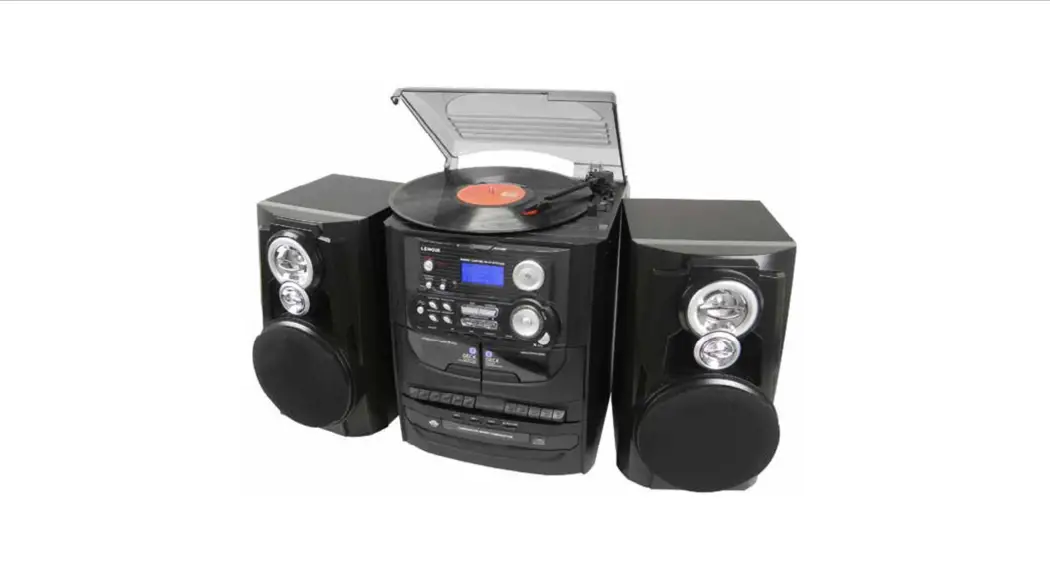
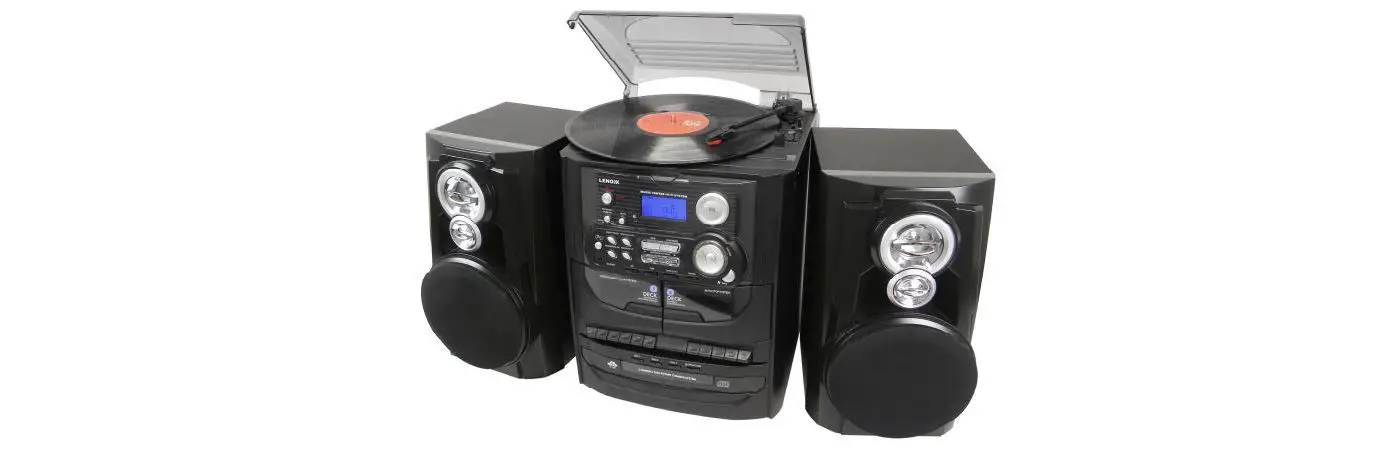
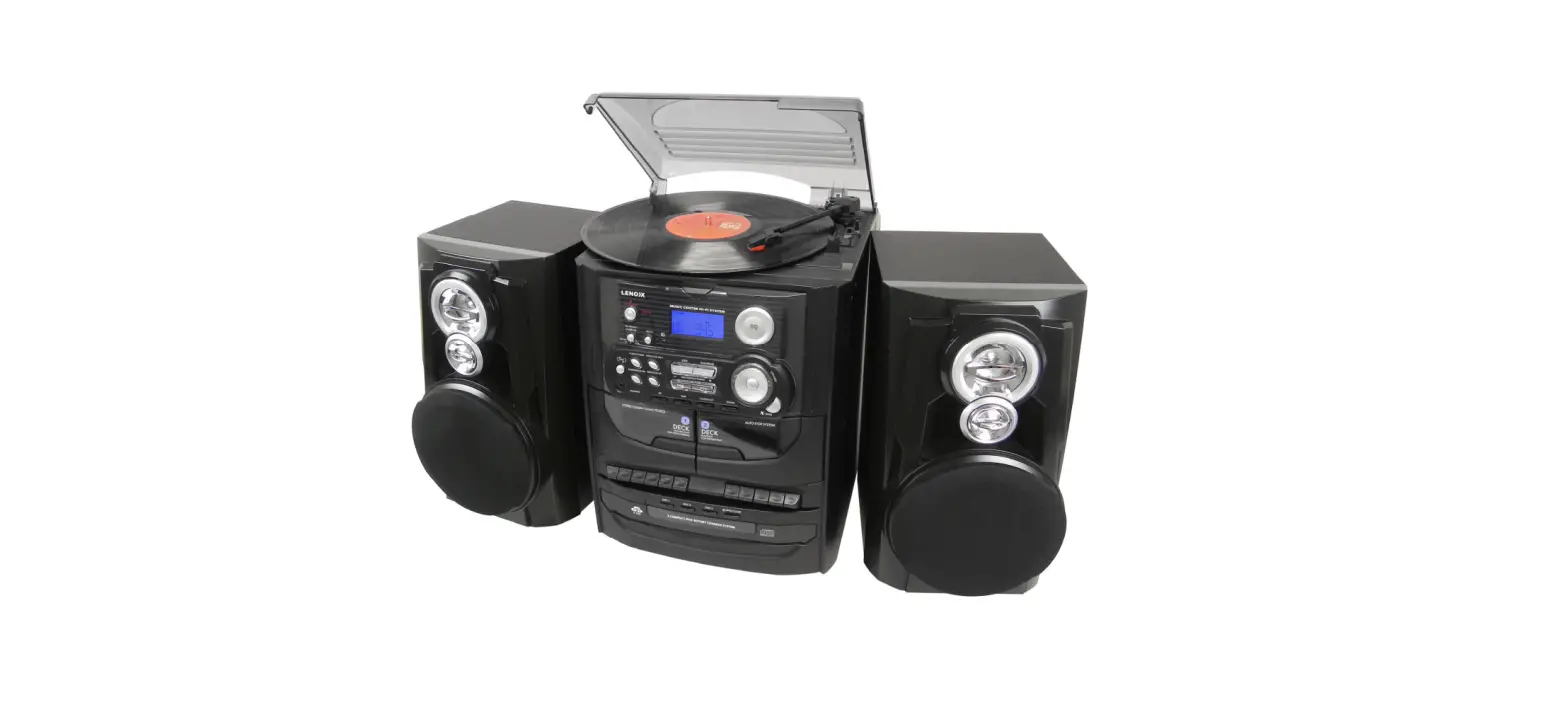
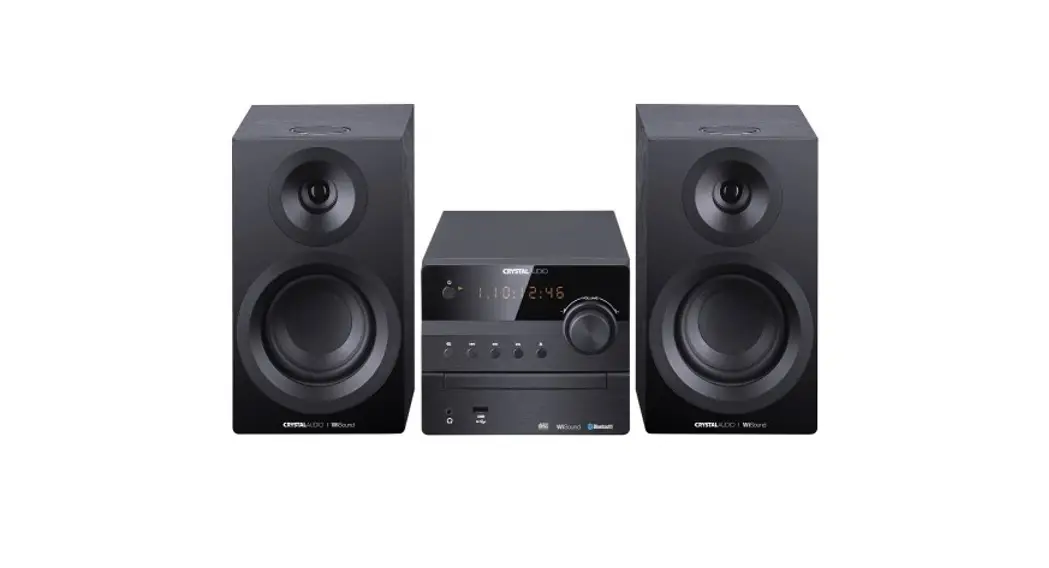
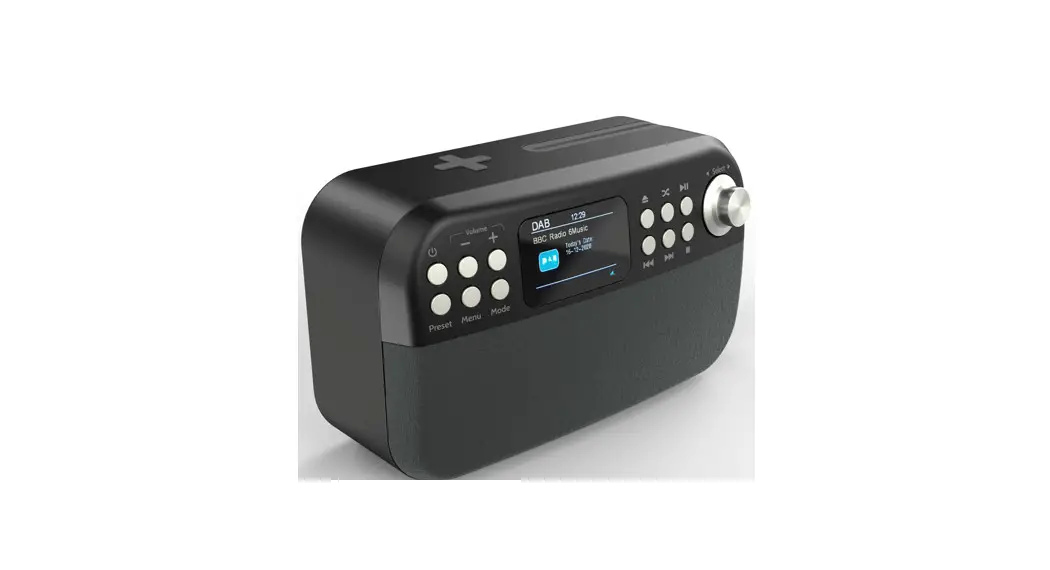
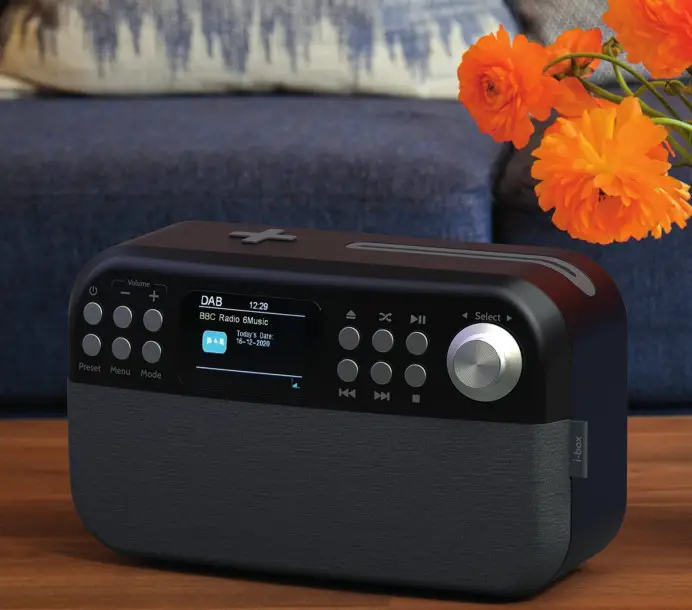
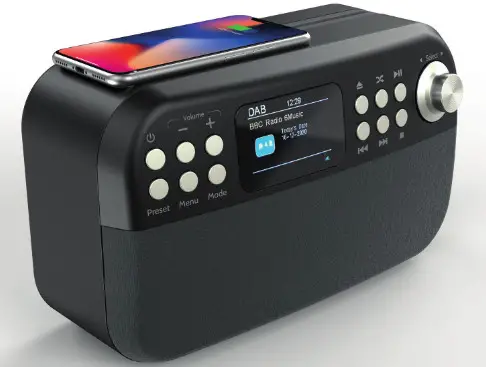
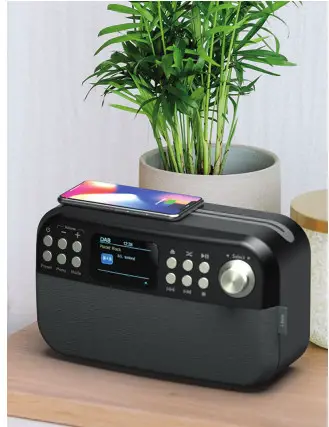
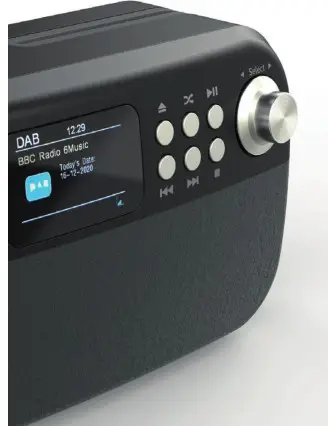
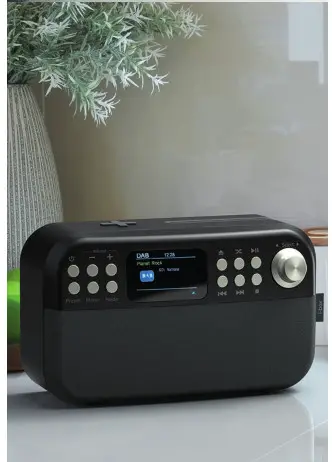
The i-box Shuffle Mini Hi-Fi Sound System offers an impressive total of six playing modes: DAB/DAB+ Radio, FM Radio, Bluetooth, CD Player, USB MP3 Player, and Aux-In. All of which sounds great when played through the twin 5W stereo speakers with adjustable Bass Boost. In addition, the Shuffle will also charge Qi-enabled devices placed onto the built-in 10W wireless charging panel.
 Caring for your Sound System
 |  |  |
Important – Please read these instructions fully before operating your mini sound system.
Keep away from flame sources such as lighted candles.
Do not expose to dripping or splashing fluids. Objects filled with liquids, such as vases, must not be placed close to the sound system.
The unit should not be exposed to direct sunlight, very high or low temperature, moisture, vibrations, strong magnetic fields, high frequencies and dusty environments.
Do not place the product in enclosed bookcases or racks without proper ventilation. Ventilation should not be impeded by covering the ventilation openings with items, such as newspapers, tablecloths, curtains, etc.
Never attempt to insert wires, pins or other such objects into the vents or openings of the unit.
Do not disassemble or modify the sound system, there are no user-serviceable parts.
If the sound system is damaged in any way or malfunctions do not use it.
Consult a qualified service engineer.
Do not use abrasives, benzene, thinner or other solvents to clean the surface of the unit. To clean, wipe with a clean soft cloth and a mild detergent solution.
Treat CDs with care they are easily damaged. Use a soft dry cloth to gently remove any dust or dirt as these can affect the performance of the mechanism and the laser pickup of your CD player.
Do not use abrasives, benzene, thinner or other solvents to clean the surface of the unit or your CDs.
It is recommended that a cleaning CD (not supplied) is used at regular intervals to clean the CD pickup.
Do not dispose of this product with household waste at the end of its life cycle; hand it over to a collection center for the recycling of electrical and electronic appliances.

Controls & Features
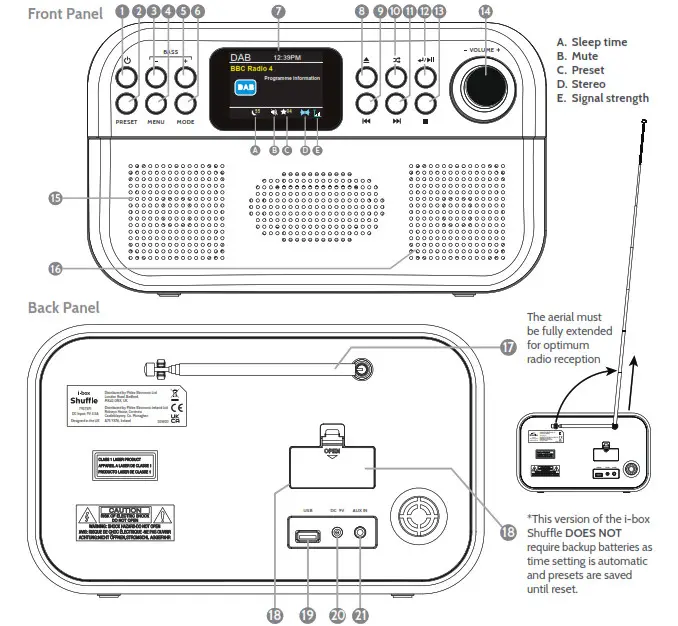
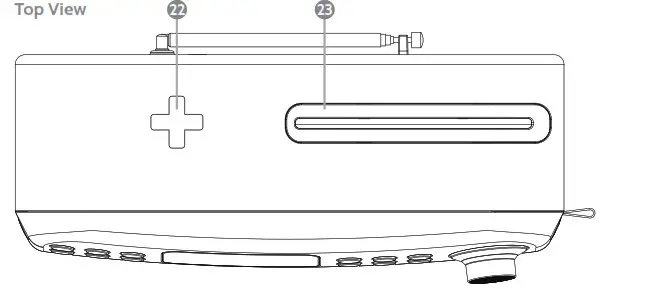
| 1. Standby Off/On 2. Preset 3. BASS 4. Menu / Info. 5. Bass + 6. Mode 7. LCD Colour Display 8. CD Eject / CD Insert | 9. Previous 10. Shuffle / Repeat 11. Next 12. Play / Pause / Enter / Scan 13. Stop 14. Volume + / 15. Left Speaker 16. Right Speaker | 17. Antenna 18. Back up battery compartment* 19. USB MP3 player port 20. DC Power in port 21. Aux-in 22. Wireless charging panel 23. CD Slot |
Getting started
When the Shuffle is first powered it will automatically search for DAB radio stations create a “Station list” and set the time and date. To ensure a comprehensive list of available stations extends the aerial fully before powering up your Shuffle for the first time.
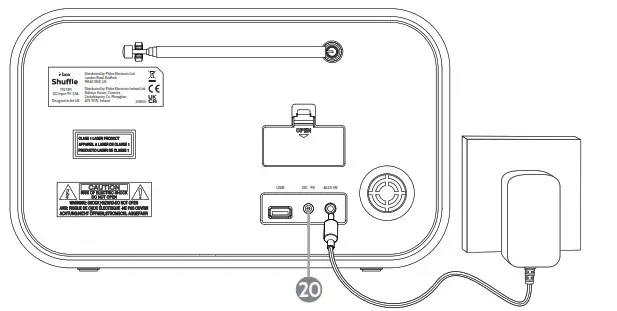
To power, your Shuffle connects the power adaptor supplied to a mains outlet and the DC power in socket 20 on the back panel.
Setting the clock automatically
In standby mode press the  Standby key 1 once to enter DAB mode your Shuffle will Autoscan for DAB stations and the time and date will be set automatically.
Standby / ON/OFF
Press the Standby key 1 to switch on your Shuffle in the mode last used. Press the Standby key 1 again to return to Standby.
Navigating menus and sub-menus Long press MENU 4 then  /
/ 9 / 11 to scroll through the menu↵/
  sub-menu options. Press to select an option or enter a sub-menu.
To change the operating language
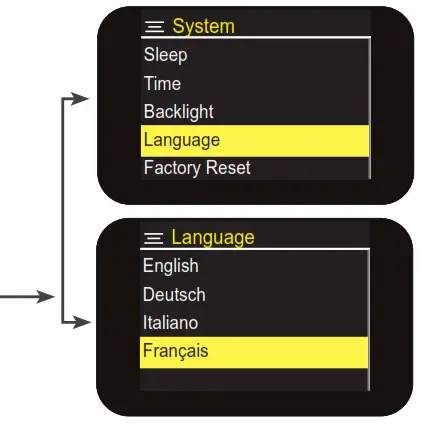
The default operating language is English, to change it enter the System menu scroll to <Language> select and choose from <English><Deutsch><Italiano><Français>
Selecting the mode
Press the MODE key 6 repeatedly to switch between modes.
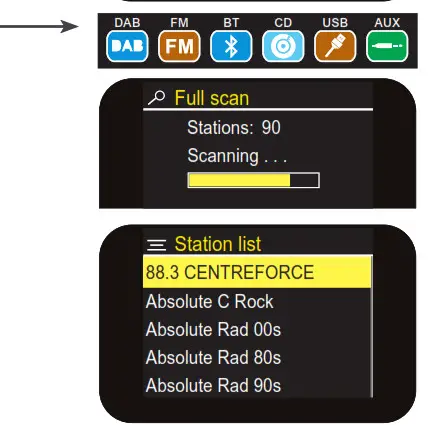
1. DAB Radio mode
- DAB Full scan: Press MENU 4 then↵/
 12 to Full scan or long-press SCAN 12 to Auto scan for all available stations.
 - DAB Station list: The LCD displays the long name of the station playing and program information. Use the previous/next keys
 /
/ 9 / 11 to scroll through the list of stations found during the scanning, the short name will be shown. Press ↵/ 12 to listen to the station shown.
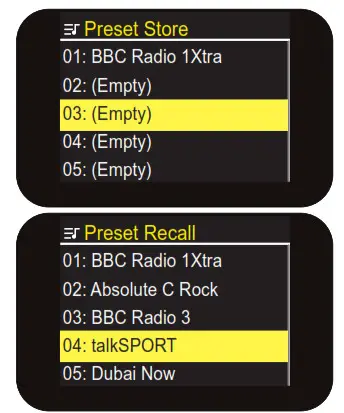
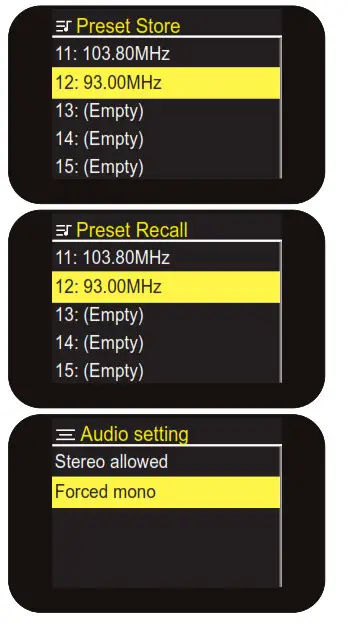
 - DAB Radio saving presets: You can now save the station playing to one of the 30 DAB presets. Long press the PRESET key and use the previous next key/ 9 / 11 to scroll to an empty preset position, press 12 to store.
- DAB Radio playing presets: Short press the preset key 2 and uses the previous or next key / 9 / 11 to scroll through preset positions, press↵/ 12 to play.

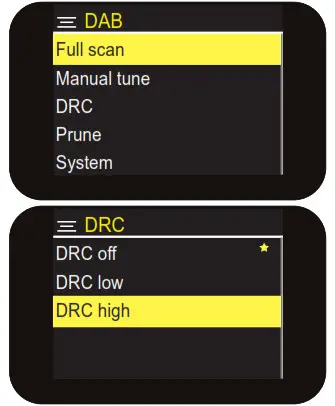
- DAB Manual tune menu option: If you know the frequency of a station you can search for it using this option. Press MENU 4 then 12 to enter the DAB menu press next 11 then↵/ 12 to enter <Manual tune>. Use / 9 / 11 keys to scroll through DAB frequencies for the one you want. Press the SELECT key 12 to play. Press the MENU key 4 to exit the search.
- DRC: Dynamic Range Control can make quieter sounds easier to hear when your radio is used in a noisy environment. This function is only available for some DAB stations. Choose high/low/off currently selected option will be marked with an asterisk *.
- Prune: Setting Prune to <Yes> clears stations with no signal reception from the DAB “Station list” when you next perform a Full scan. Select Prune in the Menu and press next 11 to select Yes/No press 12 to confirm, then press the MENU key 4 to exit.

2. FM Radio Mode:
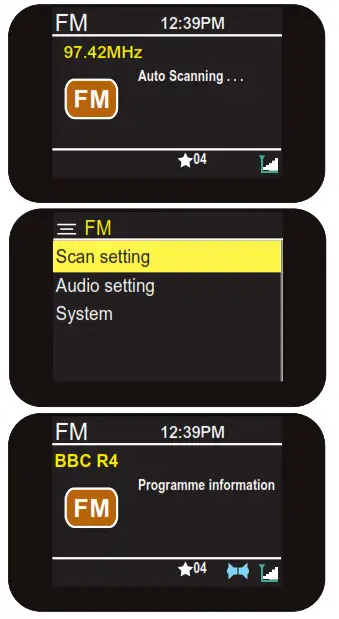
- Auto scanning: In FM Mode long-press SCAN 12 to auto search for FM stations
- Scan setting: Or press MENU 4 then 12 to enter the Scan setting menu, choose <All stations> or <Strong stations only> then long-press Scan 12.
Note: If you have a strong signal you may want to choose “strong stations only” to limit the number of stations found and make sure they have a clear signal.
Stations found will be saved to the preset positions up to 30 if this many are found. - FM Manual tune: Long press previous or next key / 9 / 11 to tune the next available station short press to fine-tune. Save the station found to Preset if you want to keep it.
- Saving FM Radio presets: You can now save the station playing to one of the 30FM presets. Long press the PRESET key 2 and use the previous or next key / 9 / 11 to scroll to an empty preset position, press↵/ 12 to store.
- Playing FM Radio presets: Short press the PRESET key 2 and use the previous or next key / 9 / 11 to scroll through preset positions, press 12 to listen to a selected preset.

- FM Audio setting: In the FM menu press next↵/ 11 then press↵/ 12 to enter Audio then use next↵/ 11 and↵/ 12 to select and choose <Stereo allowed> or <Forced mono>, then press the MENU key 4 to exit.
Note: If you have a weak signal “Forced mono” may give a clearer, better-balanced sound.
Bluetooth Mode
- Use the MODE key 6 to select Bluetooth you will hear an audio tone that will indicate the Shuffle is ready to connect make sure your device is in Bluetooth mode. The Shuffle will search for the last connected device.
- If the last connected device is not available. The Shuffle will search for other devices and will appear in your device’s Bluetooth menu as “i-box Shuffle”.
- Select the Shuffle and a “Connected” message will appear in the display and you will hear a second audio tone when the connection is successful.
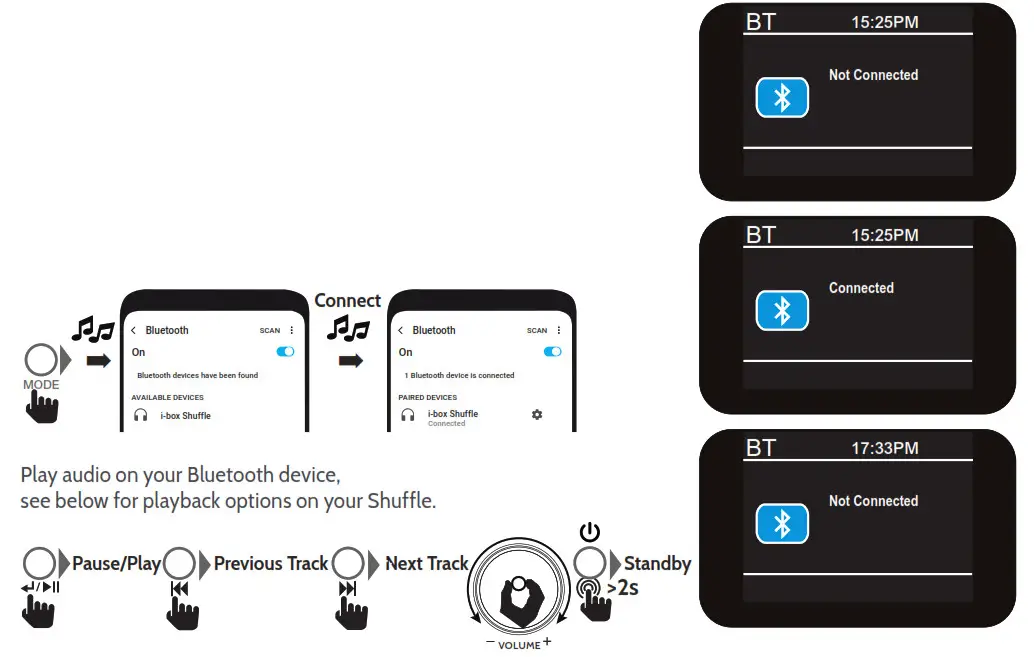
To disconnect your device press and hold down the enter/play key ↵/ 12 for 2 seconds.
CD Player Mode
- Hold the disc with the label side facing forward and gently place the disc in the CD Slot 23.
- The CD disc will be drawn into the CD player within 2 seconds (do not apply pressure)
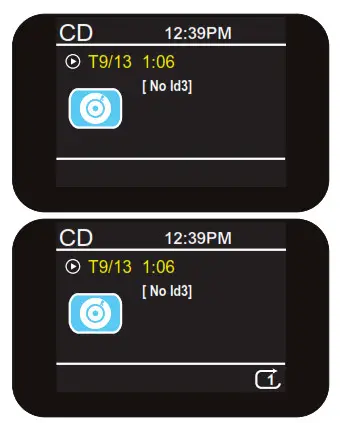
- Press the MODE key 6 repeatedly to select “CD” Mode. After a few seconds, the total number of tracks will be indicated on the LCD display. Adjust the volume as required.

- Press↵/ 12 to start or pause play. The display will show a total number of tracks and the number of tracks playing.
- Press previous or next key/ 9 / 11 to go to the previous/next track.
- Long press to Fast Reverse/Fast Forward through the track playing.
- To stop playback, press the STOP
 13 key. The total number of tracks will be shown on the display.
 - Press Eject
 8 to eject CD.
 - Shuffle/Repeat
 10
10
- 9a. To set a single track to repeat press the Shuffle key 10 repeatedly until the
 “ 1” symbol appears select a track to repeat and press↵/ 12. The selected track will repeat until you press stop.
9b. To set the album to repeat press the Shuffle key 10 repeatedly until the “ ” symbol appears album will repeat until you press stop.
9c. To shuffle songs press the Shuffle key 10 repeatedly until the “” symbol is displayed. Random tracks will play until you press stop.
 13 key. The total number of tracks will be shown on the display.
 8 to eject CD.
 10
10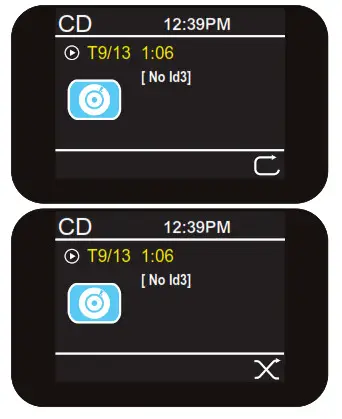
 “ 1” symbol appears select a track to repeat and press↵/
 ” symbol appears album will repeat until you press stop.
N.B. Before ejecting a CD ensure the slot is not covered by a Qi device being charged
USB MP3 Player Mode
- Press the Mode key (6) repeatedly to enter “USB” mode.
- Insert a USB drive into the USB MP3 port 19.
- The number of MP3 folders and tracks will be displayed.
- Stored MP3 audio files will start playing automatically.
- To play/navigate tracks see steps 4-9 in the CD Disc Player secPlease note: If there is no USB drive plugged in or if it’s the format is incompatible “No USB” will be shown on the display.
AUX In
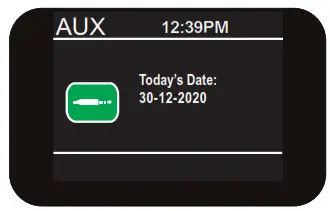
Connect any audio device to the 3.5mm socket 21 on the back of your Shuffle use the MODE key 6 to access this mode: Select, play and control audio playback on the source device, adjust the volume and bass on the source and sound system for optimum sound.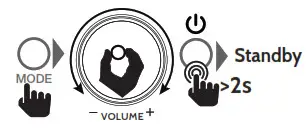
Wireless charging
If your phone has Qi wireless charging capability you can use the charging panel 22 on the top of the Shuffle to charge it.
Please Note: Wireless charging is likely to interfere with radio reception therefore we advise you not to try listening to FM radio during charging.
- Center * your smartphone on the cross in the middle of the charging panel (1).
- The
 wireless charging icon will be displayed in the top right corner of the LCD panel while your phone is charging and the battery charge status can be seen on your phone’s display.
 wireless charging icon will be displayed in the top right corner of the LCD panel while your phone is charging and the battery charge status can be seen on your phone’s display.
Please Note: Your phone will not charge when the Shuffle is in backup mode (not being powered by the power adapter). 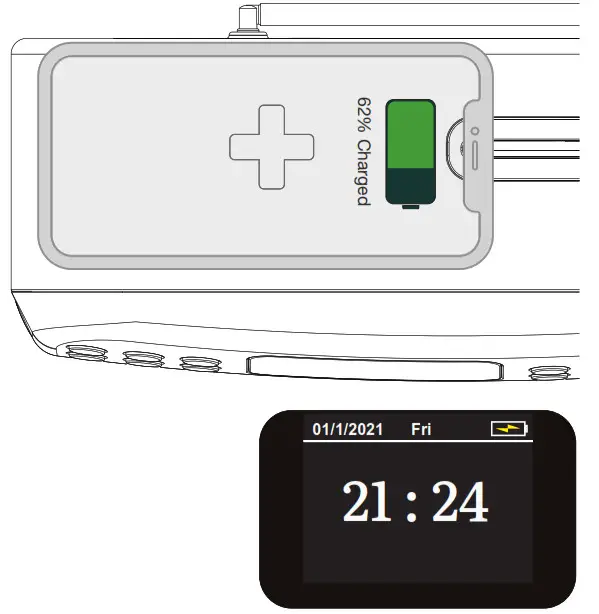
If problems occur when charging or if charging does not start:
- *Normally your smartphone should be centered on the charging pad as shown. However, some phones may need to be placed slightly off-center. As the built-in wireless receiver may not be centered inside the phone. This varies by brand/model.
- Remove your smartphone from its case if the thickness of the case exceeds 5mm or if it contains metal.
- The charging time varies depending on the charging capacity of the battery and its current residual capacity.
- The components may heat up during the charging process. They will slowly cool down again after the charging process.
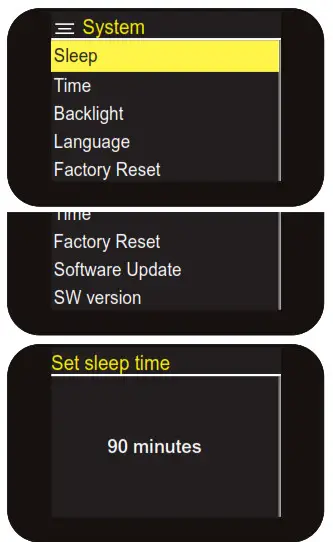
Options are <Sleep><Time><Backlight><Language><Factory reset><SW version>
Use/ 9 / 11 keys to scroll through options. Press 12 to select an option or enter a sub-menu. In the sub-menus below use / 9 / 11 keys to scroll through options and Press 12 to select an option
- Sleep Function: This allows you to set a period of time after which your Shuffle will switch off or enter standby automatically. Options <Sleep off><15 minutes><30 minutes><45 minutes><60 minutes><90 minutes> The Sleep period remaining is displayed top right. To cancel Sleep re-enter the menu and set to Sleep off.
- Time: Should set automatically. Use this menu to set:
<Set Time/Date><Auto update><Set 12/24 hour><Set date format>
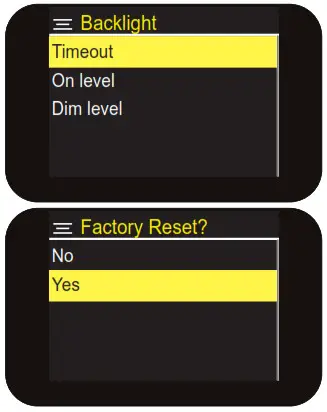
- Backlight: Controls are <Timeout> (duration) <On level> (brightness) <Dim level> (brightness)
Timeout settings: <10 sec><20 sec><30 sec><45 sec><60 sec><90 sec><120 sec><180 sec><On>(stays on)
On level settings: <High><Medium><Low>
Dim level settings: <Medium><Low><High> - Language: See page 5.
- Factory Reset: Use this function to clear all settings, station lists and presets.
- Software Update: not currently available.
- Software version operating.
Tips
New stations are frequently being launched so it‘s a good idea to rescan from time to time to make sure you don’t miss out on the latest additions.
Troubleshooting
| Problem | Solutions | ||
| Radio reception is poor | Check that the antenna is extended for maximum signal strength and improved reception. | Adjust the antenna direction to improve the signal. Move the radio closer to a window. | Check that the radio is not close to microwaves, fluorescent lights or other equipment which may cause interference. |
| No sound | Check if the volume is turned down. Increase the volume. | Check that the radio is switched on. Try tuning to another radio station. | Check the format of USB drive / check USB tracks are MP3 format. |
| The radio does not turn on | Check power supply connections. | Check mains socket is switched on. | |
Specifications
| Power Adaptor Output: | 9V3.5A, 31.5W |
| Wireless Charging: | 10W |
| Speaker Output | 2x 5W |
| DAB/DAB+ Frequency Range: | 174.928MHz (5A) – 239.200MHz (13F) |
| FM Frequency Range: | 87.5 – 108MHz |
| Presets: | 30 DAB, 30 FM |
Disclaimer
Updates to Firmware and/or hardware components are made regularly. Therefore some of the instructions, specifications, and pictures in this documentation may differ slightly from your particular situation. All items described in this guide are for illustration purposes only and may not apply to your particular situation. No legal rights or entitlements may be obtained from the description made in this manual.
Declaration of conformity
Hereby, Philex Electronic Ltd. declares that the radio equipment: Shuffle Sound System for radio broadcast reception in domestic premises is in compliance with the Radio Equipment Directive 2014/53/EU. The full text of the EU declaration of conformity is available at the following internet address: www.philex.com/doc
Technical support
For further help, advice, information or live chat visit www.iboxstyle.com
ErP/EuP directive No. (EU) 2019(1782)
Power Supply
Adaptateur Secteur
Manufacturer/Address
Hersteller/Address
Produttore

Philex Electronic Ltd.
Kingfisher Wharf, London Road,
Bedford, United Kingdom.
Registration No. 339123
| Input voltage | 100-240V |
| Input AC frequency | 50/60Hz |
| Output voltage | 9.0VDC |
| Output current | 3.5A |
| Output power | 31.5W |
| Average active efficiency | 88.71% |
| Efficiency at low load (10 %) | 85.68% |
| No-load power consumption | 0.07W |
| Distributed by: Philex Electronic Ltd. Kingfisher Wharf, London Road, Bedford, MK42 0NX, The United Kingdom. | Distributed by: Philex Electronic Ireland Ltd., Robyn House, Corrina, Castleblayney, Co. Monaghan A75 YX76, Ireland. |
© Philex Electronic Ltd 2021. vb1.5