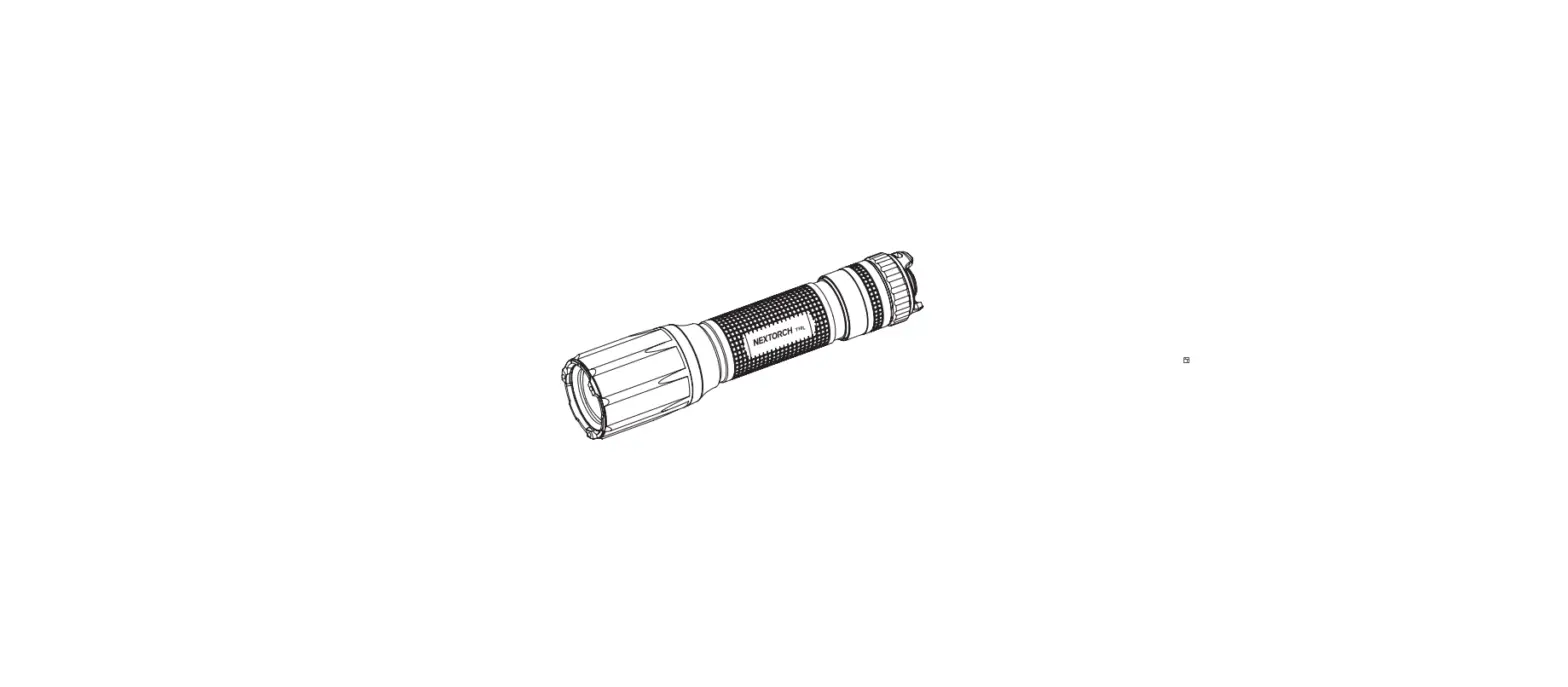

WL50 IR
Leam more on www.nextorch.com
SPECIFICATIONS
| ANSI / PLATO-FL1 | Battery | White Light | IR | ||
 Light Output Light Output | 2 x CR123A | High | Medium | Low | 400 mW |
| 860 Im | 330 Im | 140 Im | |||
| 1 x 18650 (2600 mAh) | High | Medium | Low | 380 mW | |
| 7501m | 3601m | 150 Im | |||
 Run Time Run Time | 2 x CR123A | 1 h 30 min | 2 h 30 min | 5 h 30 min | 4h |
| 1 x 18650 (2600 mAh) | 3 h 15 min | 5 h 15 min | 9 h 45 min | 5 h 15 min | |
 Beam Distance Beam Distance | 2 x CR123A | 290 m | |||
| 1 x 18650 (2600 mAh) | 260 m | ||||
 Impact Resistance Impact Resistance | 1 m | ||||
 Waterproof Waterproof | IPX7, 1 m | ||||
| CCT | 6500 K | ||||
| CRI | Ra 70 | ||||
| Shock Resistance | 500 g | ||||
| Weight and Dimensions | Weight: 195 g / 6.87 oz (without battery) Size: 159 mm x 40 mm x 42 mm | ||||
| Material | Light Source: CREE XP-L LED and IR LED 850 nm | ||||
| Aluminum | |||||
| Battery | 2 x CR123A(included) / 1 x 18650 | ||||
Above tested specifications are strictly based on the standard of ANSI / PLATO-FL1. We tested WL50 IR with a standard 18650 (2600 mAh) battery or Energizer 2 × CR123A batteries in 22 ± 3. The specifications might be different when using a different battery or testing in a different environment
FEATURES
- Integral Picatinny rail clamp securely attaches/detaches quickly without using tools
- Maximum output up to 860 lumens
- Three selectable modes: High-Mid-Low, respectively for white light and IR mode under different tactical conditions
- Simply twist the front knurled portion of the bezel to switch between the two light-spectrum modes: white-light and IR mode-no IR filter required
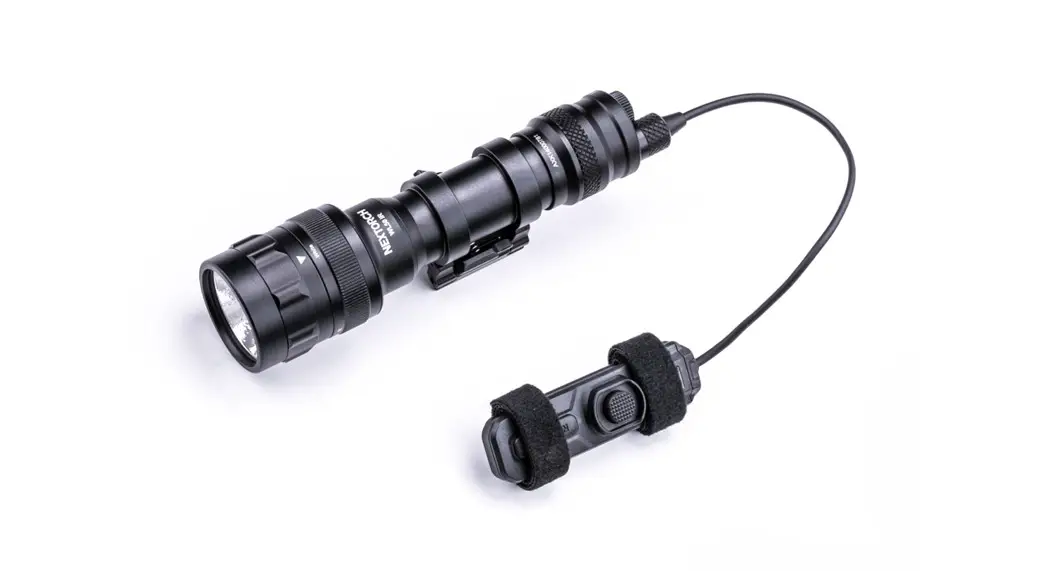
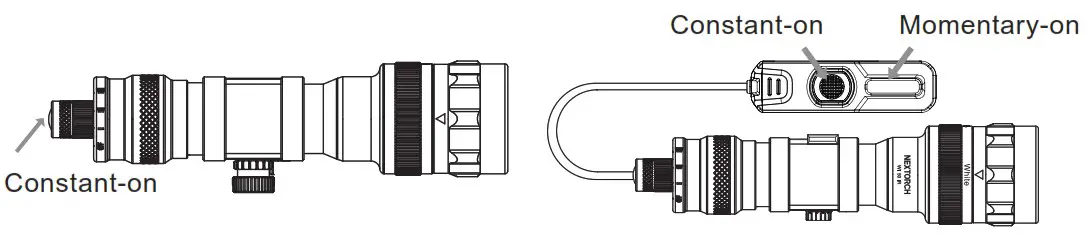
- Push-button tail switch or remote pressure switch features tactical momentary and constant on operation
- Powered by either 2 × CR123A lithium batteries or by 1 × 18650 rechargeable lithium-ion battery
QUICK START GUIDE
- Battery Replacement
Remove the tail cap to install/remove batteries. Place two CR123A batteries (with the loading tube) or one rechargeable 18650 battery inside, and then tighten the tail cap
- Mounting
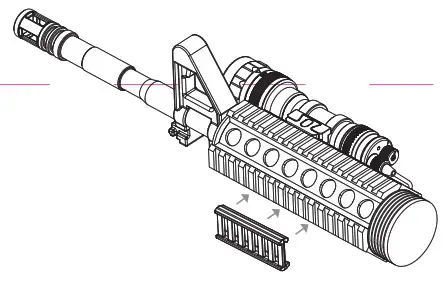
The rail clamp is designed to rapidly and securely attach/detach from Picatinny rail
1. Make sure your rifle with a picatinny rail, and find out he mounted position 2. Rotate the thumb wheel to make the clamp fully open, and adjust the rail block to fit the picatinny rail of your rifle
 3. Securely mount the clamp over the Picatinny rail of your rifle and retighten the thumb wheel to finish
- Remote Switch Installation
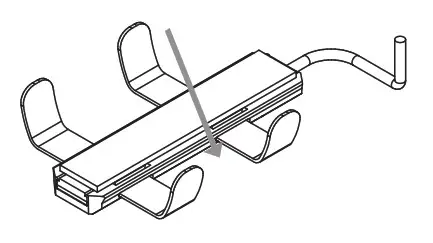
Option a: attach the remote switch to any desired position
1. Tear away covers of the double-sided tape, which is included 2. Securely attach one sticky side to the back of the switch
 3. Attach the remote switch to your preferred position via self-stick velcro backing
 4. Fasten the self-stick velcro tightly to finish
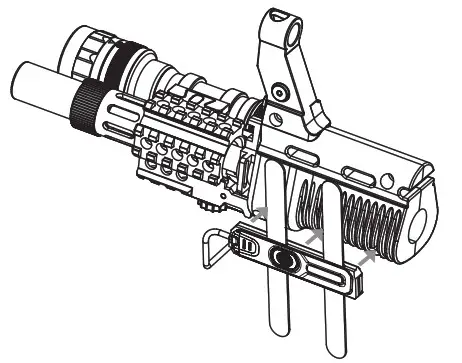
 Option b: attach the remote switch over the picatinny rail
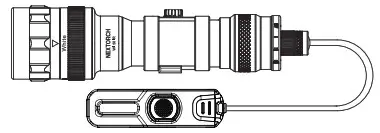
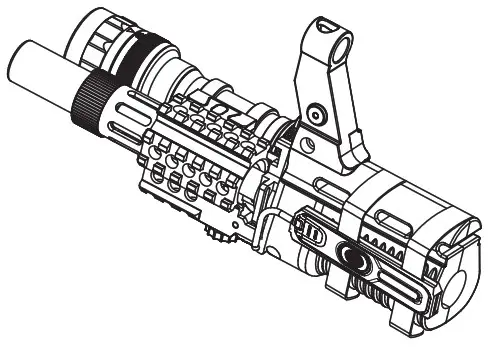
1. First attach the included remote retaining clips to the pictinny rail forend 2. Then securely mount the remote switch on the remote retaining clips
 3. Complete as shown below
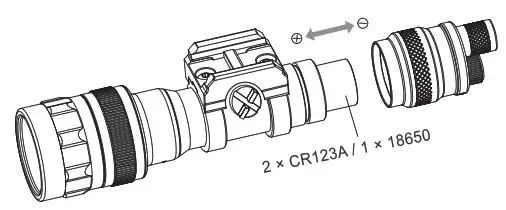
 2. Rotate the thumb wheel to make the clamp fully open, and adjust the rail block to fit the picatinny rail of your rifle
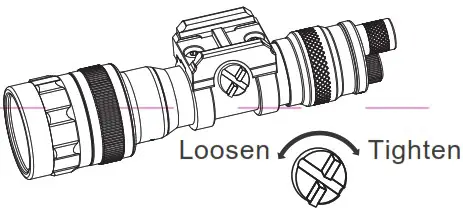 3. Securely mount the clamp over the Picatinny rail of your rifle and retighten the thumb wheel to finish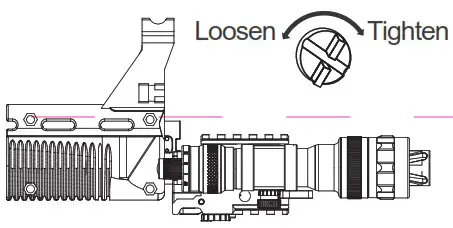
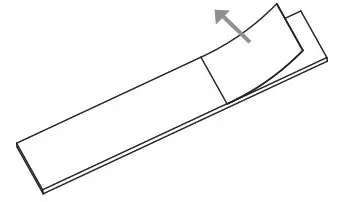 2. Securely attach one sticky side to the back of the switch
 3. Attach the remote switch to your preferred position via self-stick velcro backing
 4. Fasten the self-stick velcro tightly to finish
 Option b: attach the remote switch over the picatinny rail
 2. Then securely mount the remote switch on the remote retaining clips
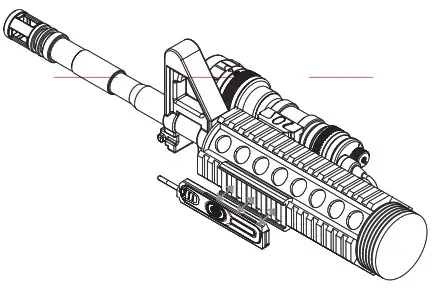 3. Complete as shown below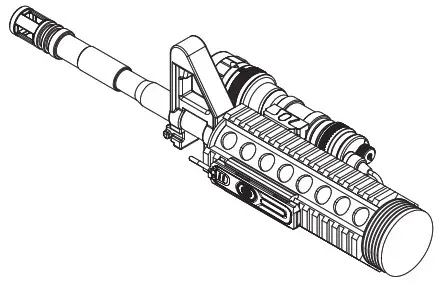
PRODUCT INSTRUCTION
Mode Introduction
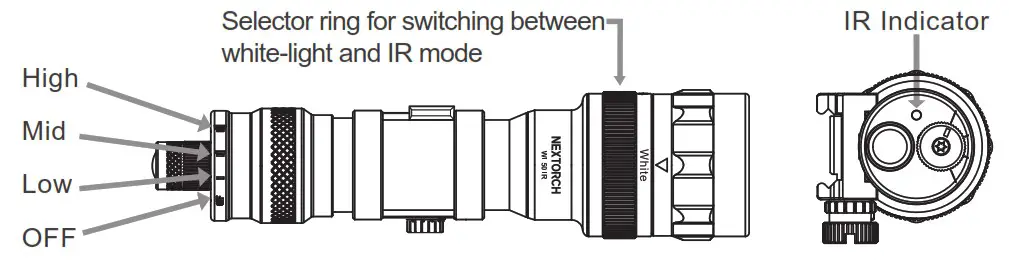
Mode Selection: rotate the tail-cap thumb wheel to switch among
High→Mid→Low→OFF
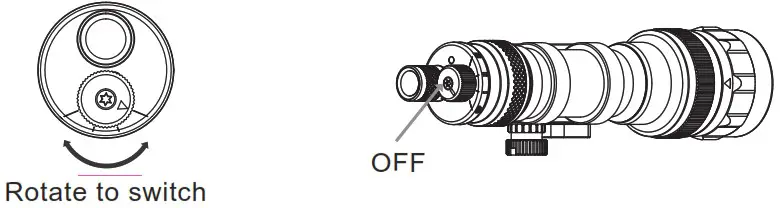
Switch Operation
It uses either a remote pressure switch or a standard push-button tail switch
Switch Replacement
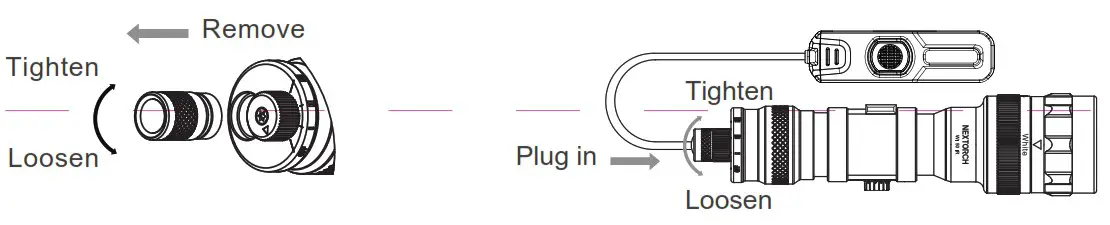
Twist to remove the standard push-button tail switch, then plug your remote pressure switch
NOTE
- When not on duty, avoiding staring into beam. May be harmful to eyes, especially IR
- Do not remove the head of the light in case of the reflector or LED being broken
- When not using WL50 IR, untighten the tail-cap or turn it off
MAINTENANCE
- Being infected with seawater or any corrosive chemicals, please rinse immediately with clean water.
- Please use high quality batteries; Remove batteries when not working for a long time, and then store in a cool dry place.
- Replace waterproof O-ring immediately when considering of the damage with use.
WARRANTY
- NEXTORCH warrants our products to be free from any defects in workmanship and/or materials for a period of 15-day from the date of purchase. We will replace it. NEXTORCH reserves the right to replace an obsolete product with a current production, like model.
- NEXTORCH warrants our products to be free of defect for 5-year of use. We will repair it.
- The warranty excludes other accessories, but rechargeable batteries are warranted for 1year from the date of purchase.
- In the event that any issue with a NEXTORCH product is not covered under this warranty, NEXTORCH can arrange to have the product repaired for a reasonable fee.
- You could access to NEXTORCH website (www.nextorch.com) to gain warranty service information by scanning the following QR code.You could also:
Email us at [email protected]
Call us: 0086-400-8300-799
OR contact your local dealer/distributor.
 http://www.nextorch.com/en/index.php/aftersales
CONTACT WITH NEXTORCH DESIGNER
In order to improve NEXTORCH, we appreciate you could offer our designers your after-use feedback and creative suggestions by scanning the following QR code. Thank you!
 |  |
 NEXTORCH, Professional's Edge
 NEXTORCH Deutschland