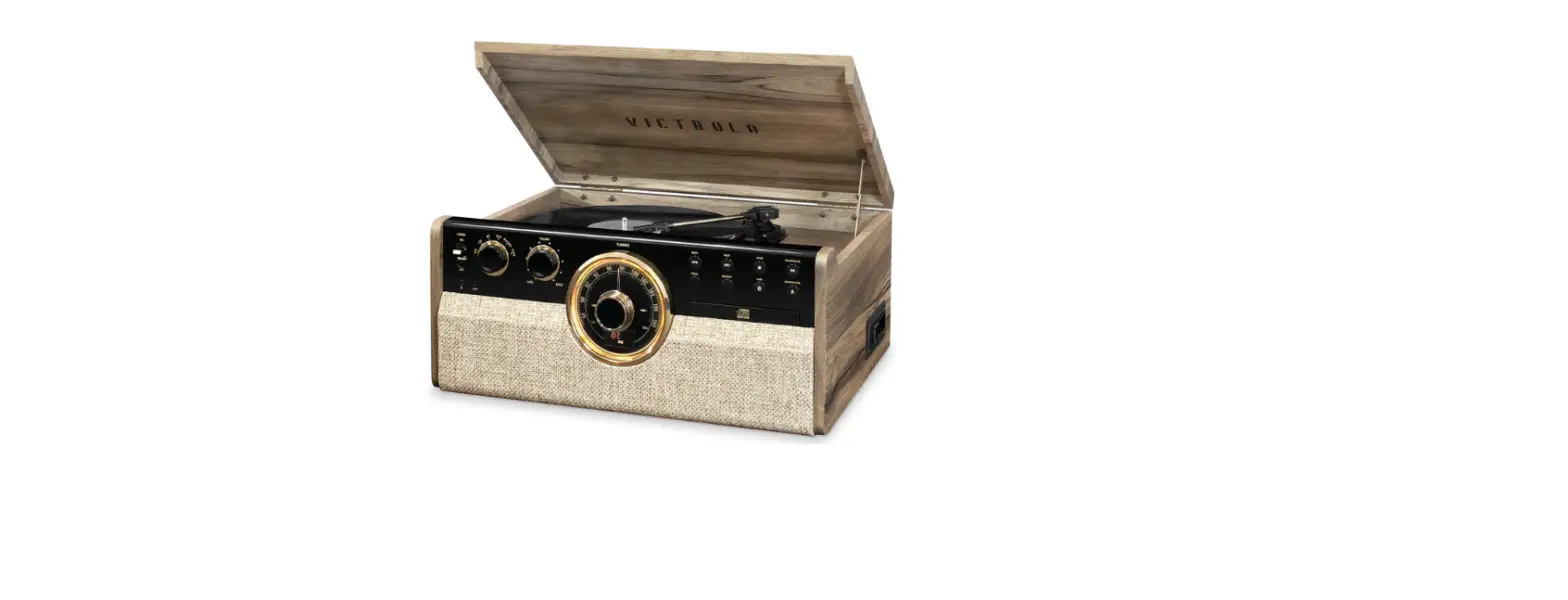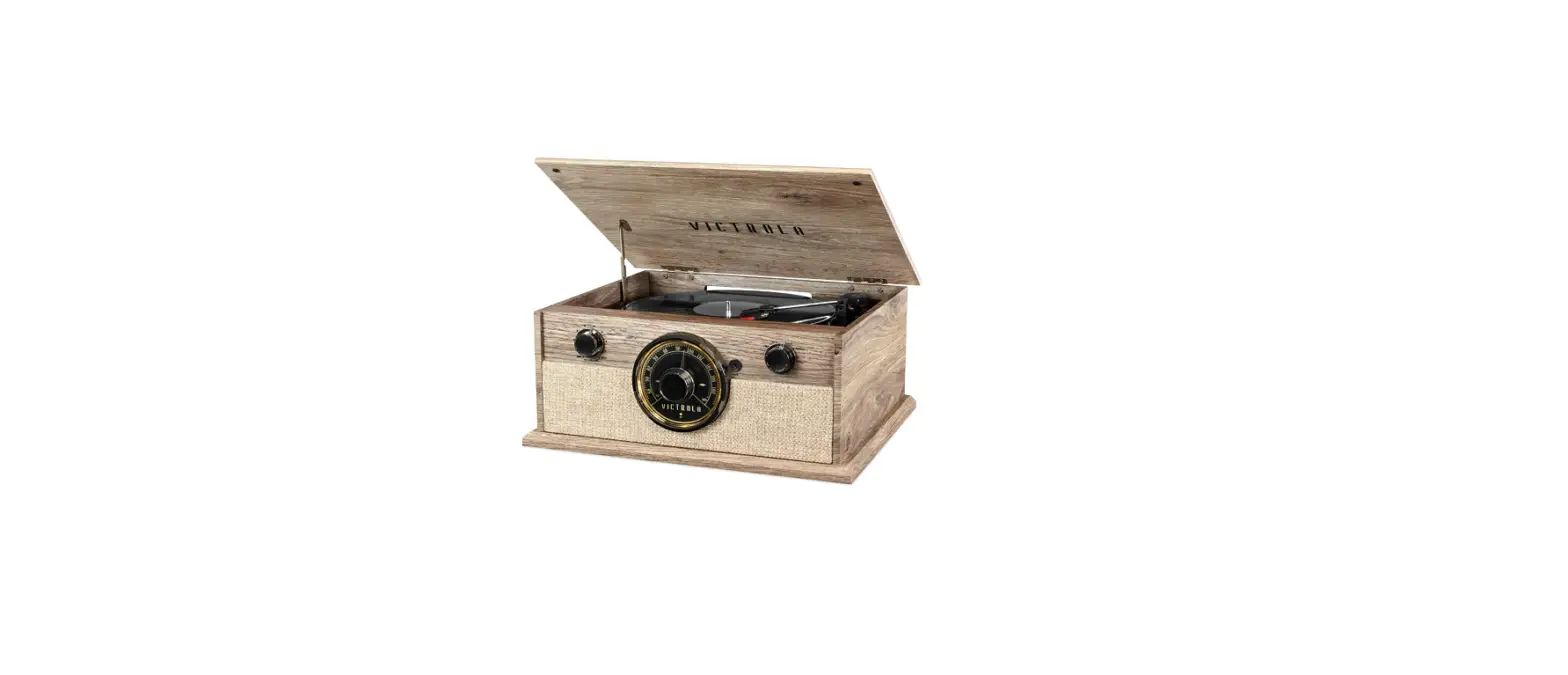

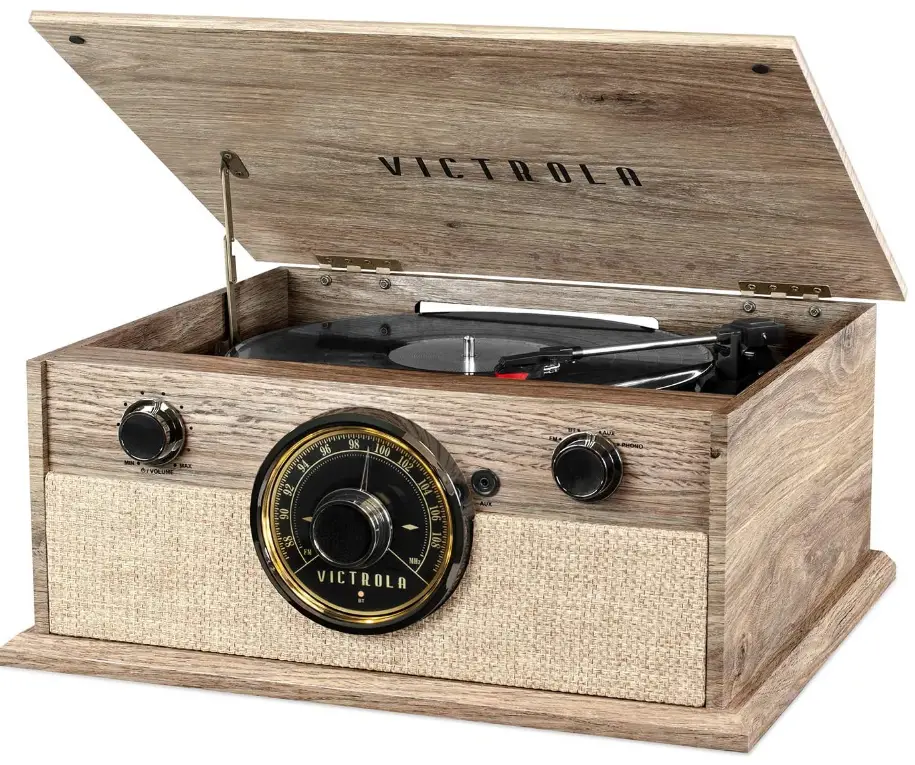
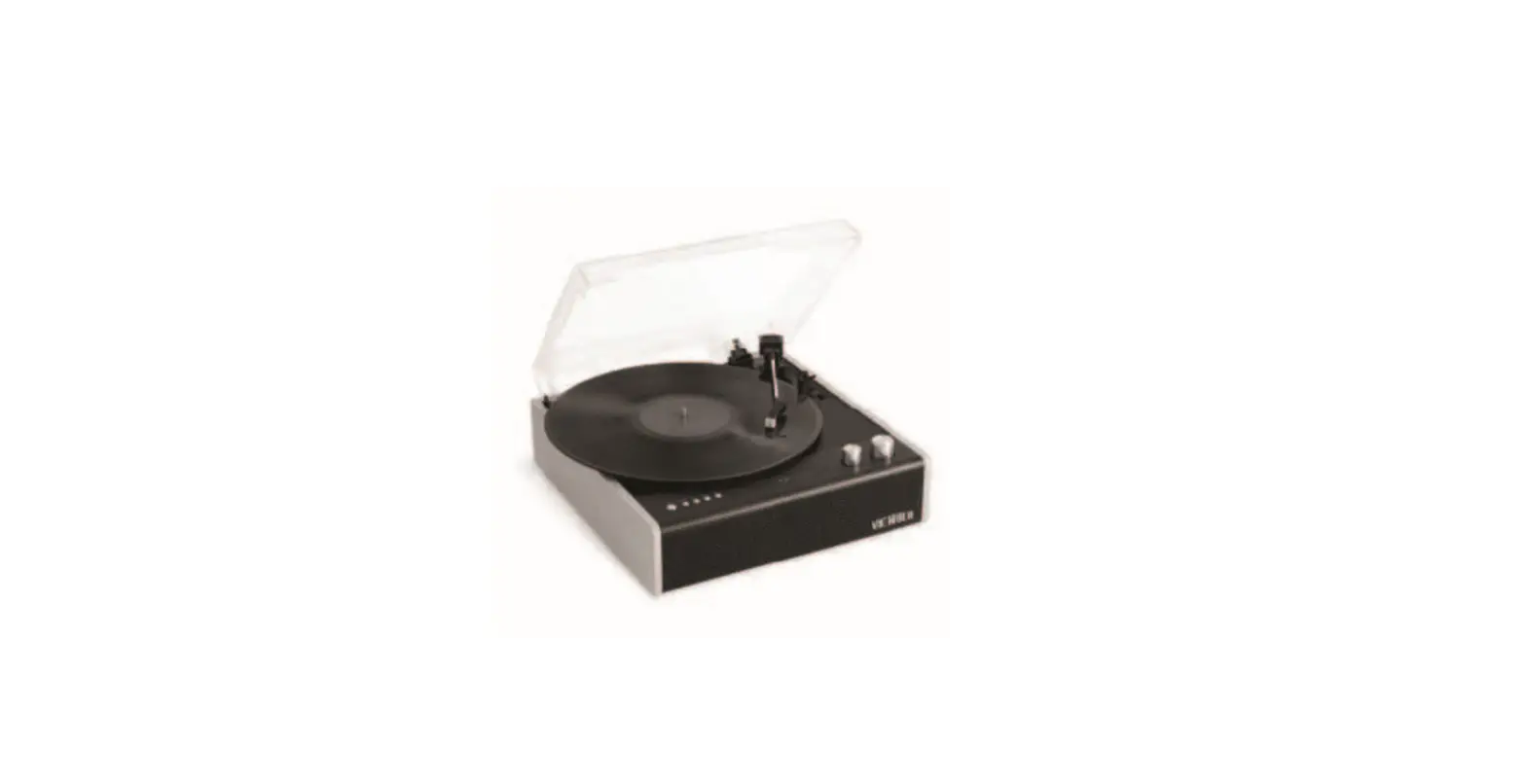
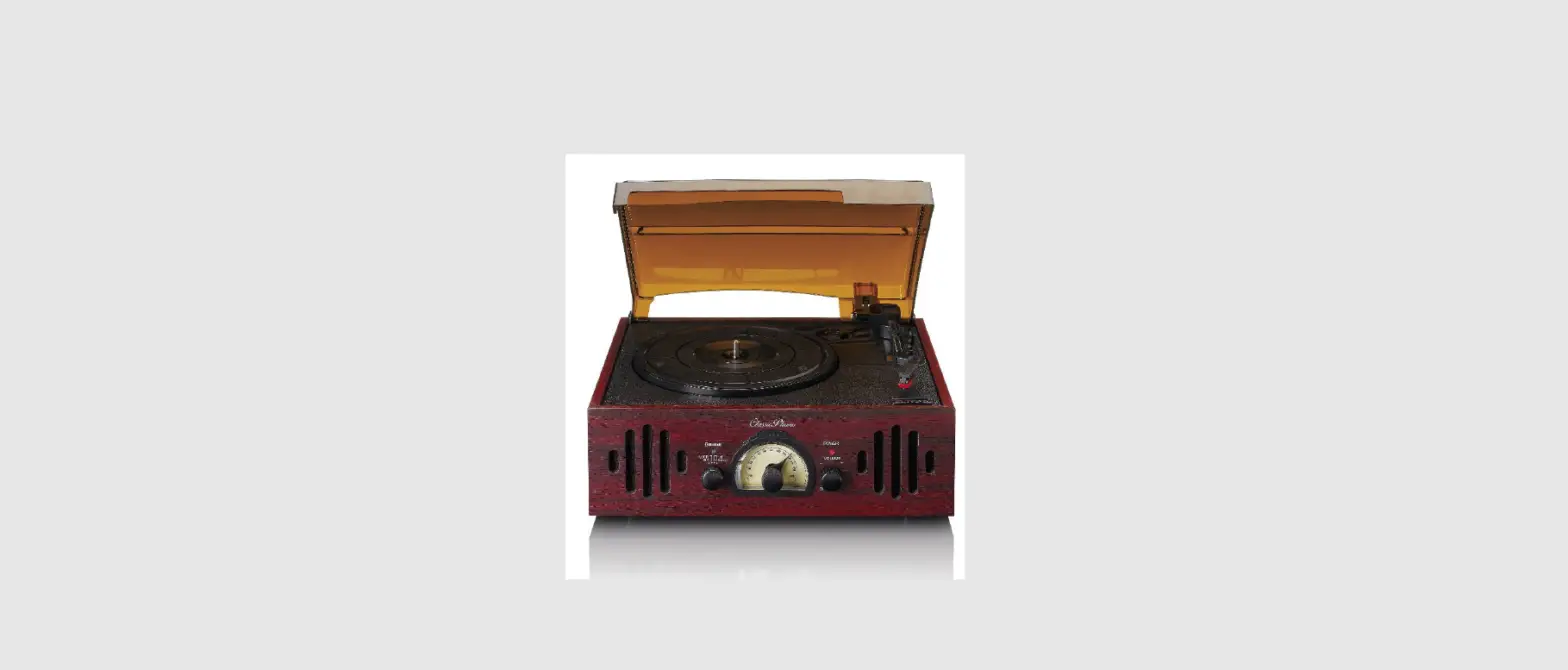
Victrola VTA-245B-FOT Bluetooth Turntable with FM Radio
CAUTION: To reduce the risk of fire or electric shock, do not expose this appliance to rain or moisture.
WARNING: To prevent electric shock, do not use this (polarized) plug with an extension cord, receptacle or other outlet unless the blades can be fully inserted to prevent blade exposure.
IMPORTANT SAFETY INSTRUCTIONS
- Read these instructions – All the safety and operating instructions should be read before this product is operated.
- Keep these instructions – The safety and operating instructions should be retained for future reference.
- Heed all warnings – All warnings on the appliance and in the operating instructions should be adhered to.
- Follow all instructions – All operating and instructions should be followed.
- Do not use this apparatus near water – The appliance should not be used near water or moisture – for example, in a wet basement or near a swimming pool. and the like.
- Clean only with dry cloth.
- Do not block any ventilation openings. Install in accordance with the manufacturer’s instructions.
- Do not install near any heat sources such as radiators, heat registers, stoves, or other apparatus (including amplifiers) that produce heat.
- Do not defeat the safety purpose of the polarized or grounding plug. A polarized plug has two blades with one wider than the other. A grounding plug has two blades and a third grounding prong. The wide blade or the third prong is provided for your safety. If the provided plug does not fit into your outlet, consult an electrician for replacement of the obsolete outlet.
- Protect the power cord from being walked on or pinched particularly at the plugs. convenience receptacles, and at the point where they exit from the apparatus.
- Only use attachments/accessories specified by the manufacturer.
- Use only with the cart, stand, tripod, bracket, or table specified by the manufacturer, or sold with the apparatus. When a cart or rack is used, use caution when moving the cart/apparatus combination to avoid injury from tip-over.
- Unplug the apparatus during lightning storms or when unused for long periods of time.
- Refer all servicing to qualified personnel. Servicing is required when the apparatus has been damaged in any way, such as power supply cord or plug is damaged, liquid has been spilled or objects have fallen into the apparatus has been exposed to rain moisture, does not operate normally. or has been dropped.
- This lightning flash with arrowhead symbol within an equilateral triangle is intended to alert the user to the presence of non-insulated “dangerous voltage” within the product’s enclosure that may be of sufficient magnitude to constitute a risk of electric shock.
- Warning: To reduce the risk of electric shock. do not remove cover (or back) as there are no user-serviceable parts inside. Refer servicing to qualified personnel.
- The exclamation point within and equilateral triangle is intended to alert the user to the presence of important operating and maintenance instructions in the literature accompanying the appliance.
- This equipment is a Class II or double insulated electrical appliance. It has been designed in such a way that it does not require a safety connection to electrical earth.
- The main plug is used as disconnect device. the disconnect device shall remain readily operable.
- WARNING To reduce the risk of fire or electric shock. do not expose this apparatus to rain or moisture. The apparatus shall not be exposed to dripping or splashing and that no objects filled with liquids, such as vases. shall not be placed on apparatus.
- The use of the equipment in moderate climate.
- The ventilation should not be impeded by covering the ventilation openings with items such as. newspapers. tablecloths, curtains. etc.
- No naked flame sources, such as lighted candles. should be placed on the apparatus.
- The symbol with Indication AC voltage.
- CAUTION: These servicing instructions are for use by qualified service personnel only. To reduce the risk of electric shock, do not perform any servicing other than that contained in the operating instructions unless you are qualified to do so.
Product Overview
Front View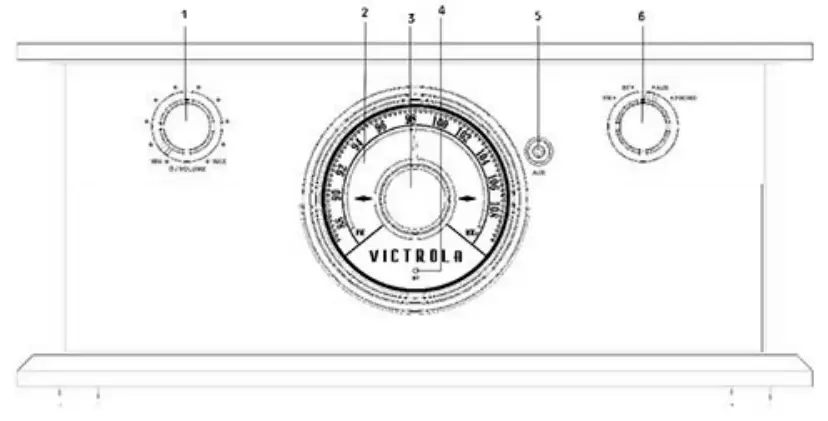
- POWER/VOLUME: Rotate clockwise to turn the unit ON.
Rotate counter-clockwise to turn the unit OFF. When unit is ON, rotate to adjust the volume.
NOTE: for Main Switch Operation - LED DISPLAY: When unit is ON the display is backlit.
- RADIO TUNER KNOB: In FM mode, turn knob to tune to desired station.
- BLUETOOTH INDICATOR: Indicator will illuminate/flash blue in BT mode.
- 5mm AUX-IN JACK: Connect your external source to the AUX-IN jack.
- “FM, BT, AUX, PHONO” SELECTION KNOB: Rotate to select desired function.
Rear View
- FM Wire Antenna
While tuned to a station in FM mode, extend the wire and reposition to adjust for best reception.

- LINE OUT Jacks
For an external amplifier. insert the white and red plugs on the RCA cable into the unit. Insert the opposite end into the amplifier device. Be sure to connect the white plug to the white jack and the red plug to the red jack. - AC Power Cord
Connect the AC plug into a wall outlet. It is strongly recommended that this product be operated only from the type of power source indicated on the marking label. - Main Switch:
“I” stands for ON, “O” stands for OFF. To turn on the unit, switch the MAIN SWITCH to ON position and then rotate the POWERNOLUME knob clockwise.
To turn off the unit, first rotate the POWERNOLUME knob counter-clockwise, and then move the MAIN SWITCH to the OFF position.
Parts of the Turntable
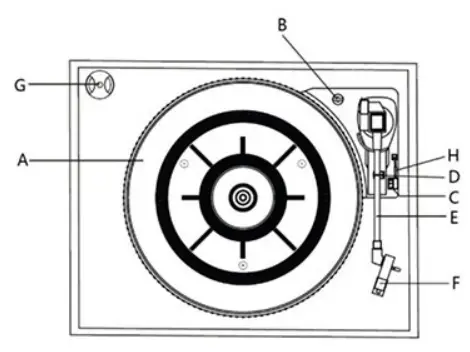
- Turntable
- Safety Screw (for transport)
Before using the unit, turn the screw clockwise using a coin or screwdriver.
Important: When you transport the unit, turn the screw counterclockwise to secure the turntable. - Speed Selector
- Tone Arm holder
- Tone Arm• Before use, completely loosen the twist tie on the tone arm to lift tone arm.
- Stylus
- 45 RPM adaptor
- Cue-lever – Use this lever to lift the tone arm.
Setup/ Basic Operation
Set Up
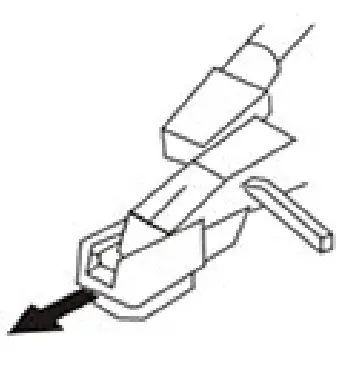
- Remove white protective needle cover by gently pulling towards front of unit.

- Remove any packaging materials from the unit.
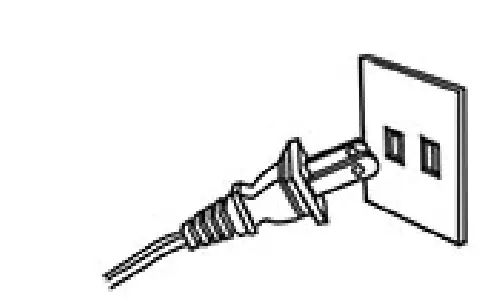
- Connect the AC power cord to a wall outlet.

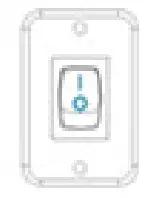
- Turn the MAIN SWITCH ON (Push “I”) at the back of the unit.

Note:
- It is strongly recommended that this product should be operated only from the type of power source indicated on the marking label.
- To prevent interference, avoid bundling audio signal cables together with the AC power cord.
Basic Operation
- Rotate the POWER/VOLUME knob clockwi se to turn the unit on. The LED display will illuminate.
- Select the source by rotating the selection knob (FM/BTIAUX/PHONO).
- Rotate the POWER/VOLUME knob to adjust to the desired sound level.
Listening through RCA LINE OUT
To listen through an external device through RCA Line Out, first reduce the volume level to minimum. Insert the white and red plugs of the RCA cable into the corresponding colors on the unit. Then insert the opposite end into the external device.
Be sure to connect the white plug to the white jack and the red plug to the red jack.
CONDENSATION WARNING:
When the unit is moved from a cold or warm place, or is used following a sudden temperature change, there is the danger that water vapor in the air may condense on the unit, preventing proper operation. In such cases, leave the unit for 1-2 hours after plugging it Into an AC outlet to allow it to stabilize at the temperature of its suffoundings.
FM Radio Operation
- Rotate function knob to select “FM” function.
- Tune to the desired station by using the Radio Tuner Knob.
Bluetooth (BT) Operation
In BT (Bluetooth) mode, this unit can play music from an external device with the Bluetooth feature.
CONNECTING TO BLUETOOTH
- Rotate to select “BT” function.
- The Bluetooth indicator will flash blue.
- Make sure Bluetooth function is enabled on your external device and then open the Bluetooth Settings Menu on your external device.
NOTE: The effective distance between your external device and the unit is 10 meters. - When “VT A-245B” appears on the paired devices list on your external device, press •vTA-245B” to connect. If a password is required, use •oooo• then press “OK” on your external device.
- When your Bluetooth connection is successful, Bluetooth LED indicator will remain lit. NOTE: The Fast Forward/Rewind function is only available on your external device.
AUX-IN Operation
In AUX (auxiliary) mode, this unit can play audio from an external audio source (iPod, MP3 Player Portable CD Player, etc.)
When connecting a device that has a headphone jack, use a 3.5mm cable (not included) on both ends to connect the external device with the apparatus.
- Rotate Function Knob to select the •AUX” function.
- Plug one end of the AUX-IN cable (not included) into the AUX-IN jack.
- Plug the other end of the cable into the headphone jack of the external audio source.
NOTE: All operations are only available on your external device.
Phono Operation
- Rotate the Function Knob to select the “PHONO” function.
- Gently open the top cover.
Note: Be careful not to pinch your finger when opening/closing the top cover.
- Remove the tone arm-rest holder to release the tone arm.
- Move the tone arm gently to the edge of the record (or the starting point of a track).
- The turntable will begin to spin.
- When the record reaches the end, the tone arm will stop at the center of the record. Lift and return the tone arm to the tone arm rest manually. Lock the tone arm-rest holder to protect the tone arm.
Important:
- Closing the top cover will help prevent dust from settling on the turntable.
- Always relock the tone arm clip before transporting the unit.
- Do not place anything on top of the turntable cover, especially while playing a record.
Maintenance/ Proper Handling
Handling Vinyl Records
- Do not touch the record’s grooves. Only handle records by the edges or the label with clean hands. Touching the record surface will cause your record’s quality to deteriorate.
- To clean a record, use a soft anti-static cloth to gently wipe the record surface.
- Keep records in their protective sleeves when not in use.
- Always store records upright on their edges
- Avoid pl acing records in direct sunlight, close to a heat source (radiators, stoves, etc.), or in a location subject to vibration, excessive dust, heat, cold or moisture.
General Care
- When removing the power plug from the wall outlet, always pull directly on the plug. Never pull the cord.
- To keep the laser pickup clean, do not touch it, and do not forget to close the disc tray.
- Do not attempt to clean the un it with chemical solvents as this might damage the finish.
- For cleaning, only use a clean, dry cloth.
- In order to shut off the power to this product completely, unplug the power cord from the wall outlet. Be sure to unplug the unit if you do not intend to use it for an extended period of time.
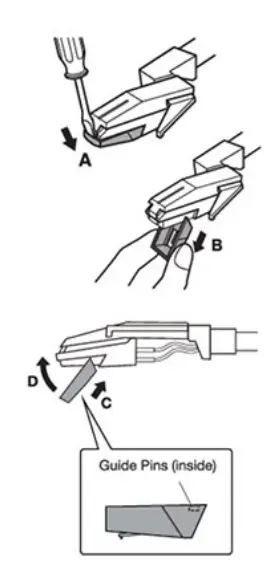
How to Replace the Turntable Stylus (ITNP-LC1)
The stylus should last about 50 hours under normal use. However, ii is recommended that the stylus be replaced as soon as you notice a change in sound quality. Prolonged use of a worn-out stylus may damage the reC-Ord. The highest speed of 78 RPM records would wear out the stylus more quickly.
Removing the old stylus:
- Set a screwdriver at the tip of the stylus and push downward (A).
- Remove the stylus by pulling it simultaneously downward and forward.
Installing a new stylus
- Hold the front tip of the stylus and insert its rear edge (B) first.
- Push the stylus upwards (C) until the tip locks into place.
Caution:
- Do not bend the stylus.
- Do not touch the needle to avoid injury your hand.
- Turn off the unit’s power before you replace the stylus.
- Keep out of reach of children.

Specifications
GENERAL
- POWER REQUIREMENTS AC 120 V-60 Hz
- POWER CONSUMPTION 4 0W
- DIMENSIONS (W X H X D) 17.7 in x 8.1 in x 15.4 in (approx.) 450 x 205 x 392mm (approx.)
- WEIGHT 13.4 lbs (approx.) 6.08 kg. (approx.)
- AMPLIFIER
- OUTPUT POWER 5 W + 5 W
- FREQUENCY RESPONSE 60 to 20,000 Hz
- SPEAKER SYSTEM
- TYPE 2 way
- IMPEDANCE 8 ohms
- INPUT POWER Max. 6W
- FM RADIO
- RANGE 88 to 108 MHz
- RECORD PLAYER
- MOTOR DC servo motor
- DRIVE SYSTEM Belt Drive
- SPEEDS 33.1 /3 RPM, 45 RPM and 78 RPM
- S/N RATIO More than 50 dB
- CARTRIDGE TYPE Ceramic Stereo Cartridge
- STYLUS JTNP.LC 1
BLUETOOTH
BLUETOOTH VERSION BLUETOOTH V2.1+ EDR
BLUETOOTH PROFILES A2DP, AVRCP
BLUETOOTH FREQUENCY RANGE 2 .402GHz.2.480GHz
OPERATING DISTANCE 33 feet / 10 meters
ACCESSORIES INCLUDED:
- RCA LINE OUT CABLE
- INSTRUCTION MANUAL
- 45 RPM ADAPTER
- TURNTABLE OPERATION SHEET
Please note: As a result of continual improvements. the desig n and specifications of this product are subject to change without notice. Bluetooth is a registered trademark of Bluetooth SIG, Inc. Other trademarks and trade names are those of their respective owners.
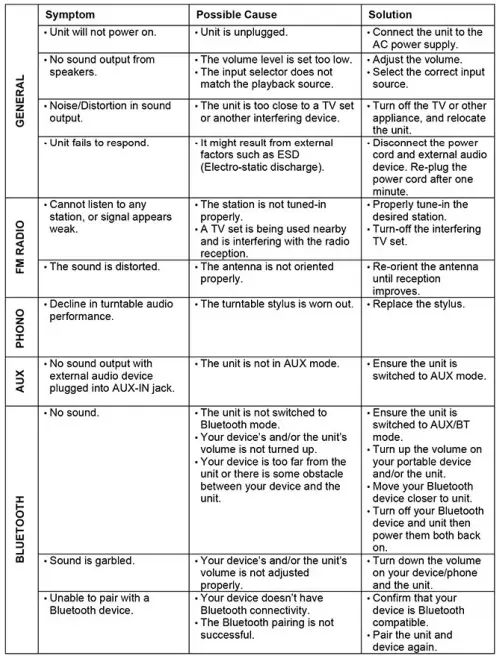
TROUBLESHOOTING
FCC STATEMENT
This dev ice complies with Part 15 of the FCC Rules. Operation is subject to the following two conditions:
- This device may not cause harmful interference, and
- this device must accept any interference received, including interference that may cause undesired operation.
NOTE: This equipment has been tested and found to comply with the limits for a Class B digital device, to Part 15 of the FCC Rules. These limits are designed to provide reasonable protection against harmful interference in a residenti al installation. This equipment generates uses and can radiate radio frequency energy and, if not installed and used in accordance with the instructions, may cause harmful interference to radio communications. However, there is no guarantee that interference will not occur in a particular installation. If this equipment does cause harmful interference to radio or television reception, which can be determined by turning the equipment off and on, the user is encouraged to try to correct the interference by one of the following measures:
- Reorient or relocate the receiving antenna.
- Increase the separation between the equipment and receiver. Connect the equipment into an outlet on a circuit different from that to which the receiver is connected.
- Consult the dealer or an experienced radio/TV technician for help..
WARNING: Any changes or modifications not expressly approved by the party responsible for compliance could void the user’s authority to operate this equipment.
The device must not be co-located or operating in conjunction with any other antenna or transmitter.
To maintain compliance with the FCC’s RF exposure guidelines, place the product at least 20cm from nearby persons.
IC STATEMENT
This device complies with RSS247 of Industry Canada. This device complies with IC radiation exposure limits set forth for an uncontrolled environment.
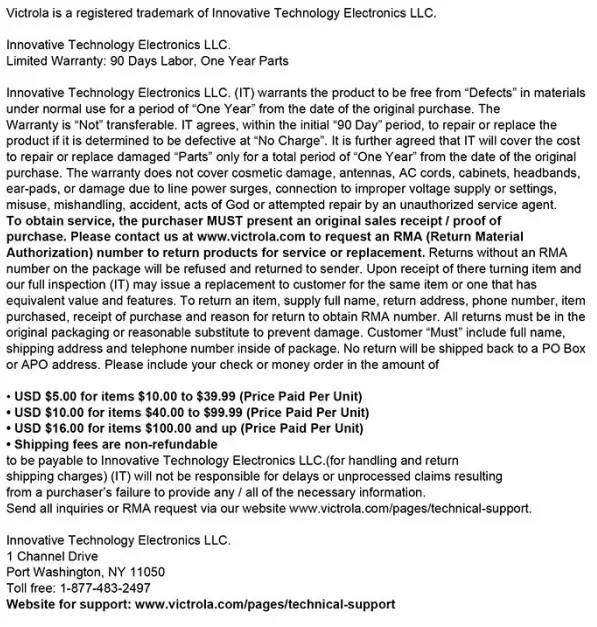
WARRANTY
FAQs
What are the advantages of a Bluetooth turntable like the Victrola VTA-245B-FOT?
Put an end to dealing with filthy and unsightly wires. Also, stop trying to untangle everything! Another advantage of using Bluetooth speakers is that they require less power, which enables you to use battery-operated speakers.
How do vinyl records on the Victrola VTA-245B-FOT Bluetooth function?
A Bluetooth transmitter must be configured into your system. You can connect the Bluetooth transmitter directly to your record player if it has an integrated preamp; if not, you can connect it to an external preamp. You can set up and utilise your wireless Bluetooth speakers to play music after you’ve connected.
Does the Victrola VTA-245B-FOT Bluetooth record player support vinyl?
Turntables and record players can undoubtedly be utilised with Bluetooth speakers. Vinyl listening is getting more and more well-liked, and Bluetooth wireless has replaced the reliable signal cord. However, Bluetooth speakers won’t work with any turntables or record players.
Do record players like the Victrola VTA-245B-FOT have magnets?
A tiny magnet is located in the stylus of a moving magnet turntable cartridge. The magnet is positioned between two sets of coils to produce stereo output. As the stylus moves over the record’s grooves, the magnetic field causes a very small electrical current to flow through the coils.
Does a Victrola VTA-245B-FOT Bluetooth turntable require a receiver?
To connect your turntable through Bluetooth, you’ll need a phono preamp, a Bluetooth transmitter, and powered speakers (or an amplifier with a Bluetooth input or receiver). Although Bluetooth can create amazing sound, you run the risk of losing some melodic precision and nuance.
Do Bluetooth record players from Victrola VTA-245B-FOT have a record player sound?
Nevertheless, there is no observable difference between using Bluetooth and connecting the speakers to the turntable via wires. The speakers’ sound is identical whether they are connected through cables or Bluetooth.
What is the best way to use my Bluetooth speaker as a listening device?
Bluetooth must be enabled and your Bluetooth headphones connected to your Android device. To ensure that the audio is routed to the Bluetooth headset rather than the internal speaker, launch the app and choose Music 1 or Music 2. then turn on the Listen function. The Bluetooth headphones will receive sound from the Android phone’s built-in microphone.
How do you attach a speaker to a turntable?
If your turntable has a built-in preamp, setting this up will be very easy. To connect your turntable to your home speakers, just plug the RCA input side of your cable into the turntable and the 3.5mm side of your cable into your Bluetooth speaker.
Does a Victrola VTA-245B-FOT record player require speakers?
You’ll need some form of speakers in order to hear the music coming from your turntable. Powerful speakers or passive speakers are the two main choices. Because passive speakers aren’t equipped with built-in amplifiers, they must be driven by an external amplifier, like an A/V receiver. These speakers are connected to the amplifier using speaker wire.
What is a Bluetooth vinyl record player like the Victrola VTA-245B-FOT?
A Bluetooth turntable is comparable to a traditional record player, with the added advantage of being able to wirelessly connect to your Bluetooth-enabled music system, powered speaker, or wireless headphones.
Alexa with the Victrola VTA-245B-FOT turntable can they be connected?
Unless the speaker already has an AUX port, you would need to attach a Bluetooth transmitter to connect the turntable to an Alexa speaker (note that this is an input, not an output).
A Victrola VTA-245B-FOT record player preamp is what, exactly?
An audio component known as a phono preamplifier, sometimes known as a phono stage, amplifies the signal from your turntable to the point that you can connect it to your sound system similarly to how you would connect any other audio source.
Can vinyl be heard without speakers?
The phenomena is sometimes referred to as “surface noise” or “needle chatter,” despite the lack of a single term to define it.
Does the arm automatically return to its stand at the end of the record?
Not at all, no. However, the turn table pauses turning, giving you some time to delay tending to the arm.
What is a Bluetooth player like the Victrola VTA-245B-FOT?
You can stream music wirelessly with the aid of a Bluetooth audio player and an appropriate speaker. It can also be used to listen to music on a phone, tablet, or laptop. Because they come in a variety of sizes and styles, you can choose a Bluetooth audio player that suits your needs.
Can I use this to pair with a Bluetooth sound bar so I can listen through the sound bar speakers?
The RCA interface on the rear of the active speaker allows for connection, but Bluetooth connections are not supported.


![Victrola 8-in-1 Turnable Bluetooth Record Player [vta-754b] Instruction Manual](https://static-data1.manualsee.com/1/img/152/17285/2020/12/Victrola-8-in-1-Turnable-Bluetooth-Record-Player.png "Victrola 8-in-1 Turnable Bluetooth Record Player [vta-754b] Instruction Manual")
![Victrola 8-in-1 Turnable Bluetooth Record Player [vta-754b] Instruction Manual](https://static-data1.manualsee.com/1/img/379/30050/2020/12/Victrola-8-in-1-Turnable-Bluetooth-Record-Player_1-1.png "Victrola 8-in-1 Turnable Bluetooth Record Player [vta-754b] Instruction Manual")