 Driver Manual
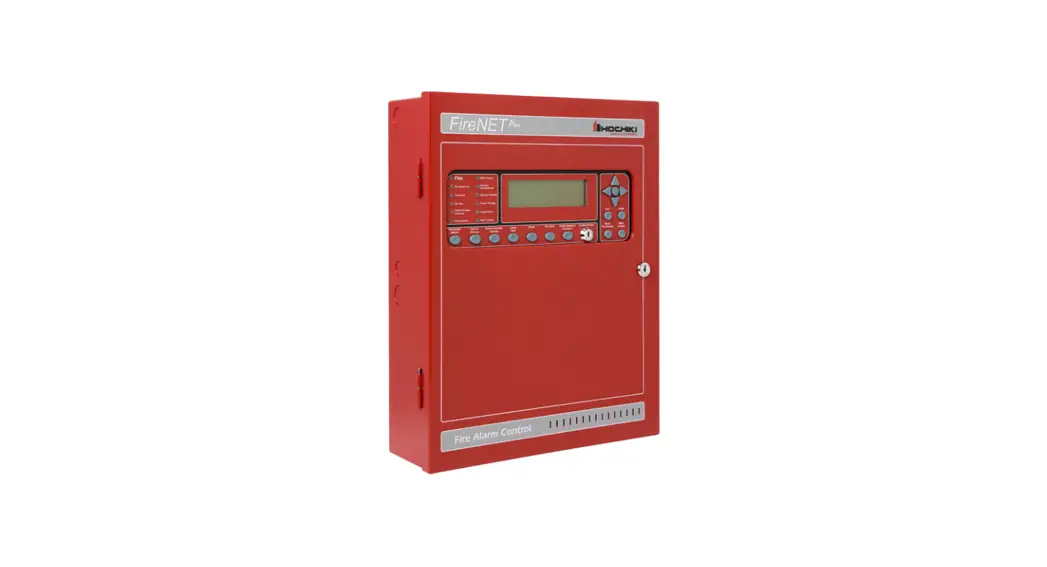
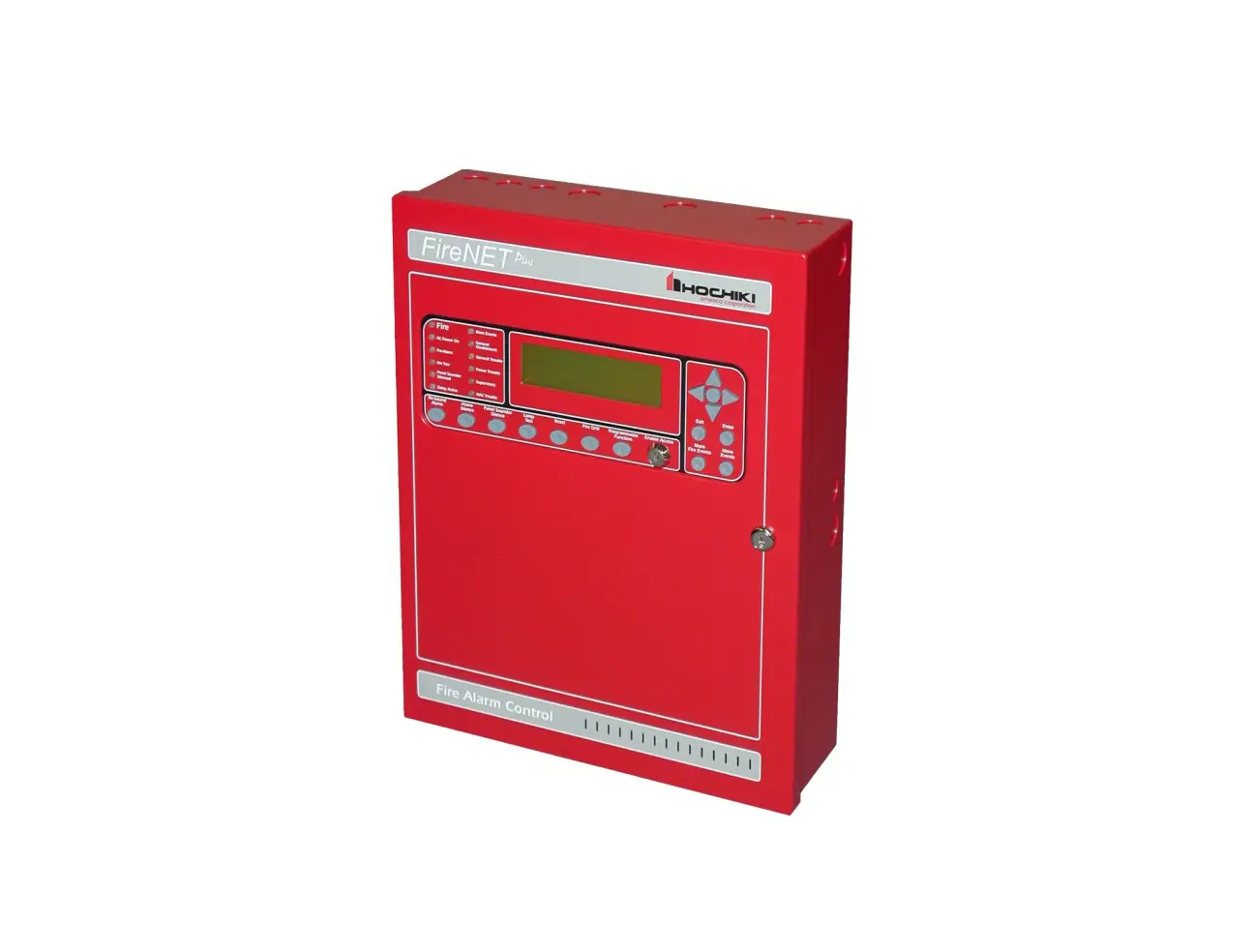
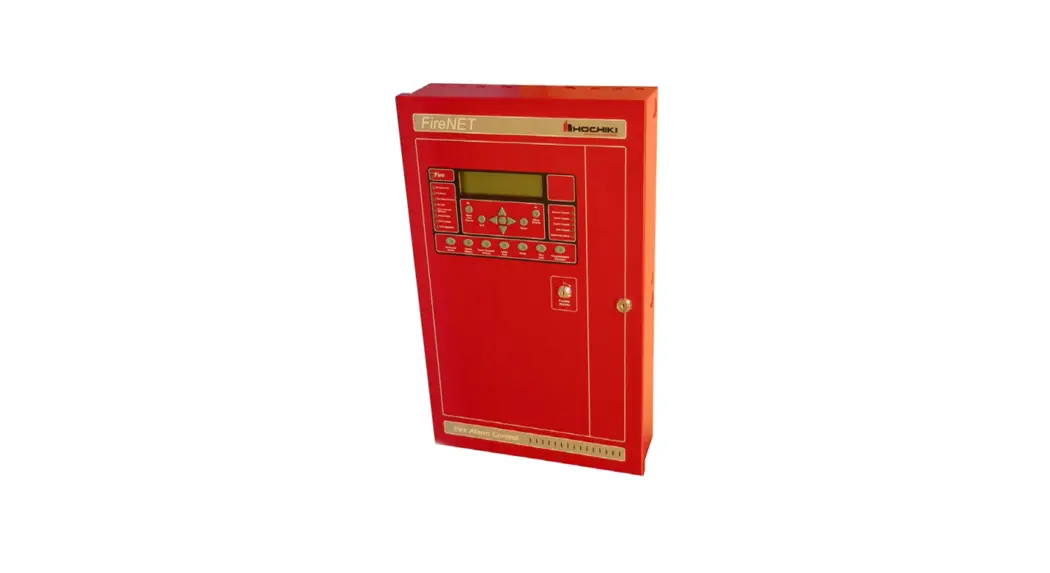
FS-8700-137 Hochiki FireNET
APPLICABILITY & EFFECTIVITY
Effective for all systems manufactured after March 2021.

Driver Revision: 1.00
Document Revision: 5.A
MSAsafety.com
Description
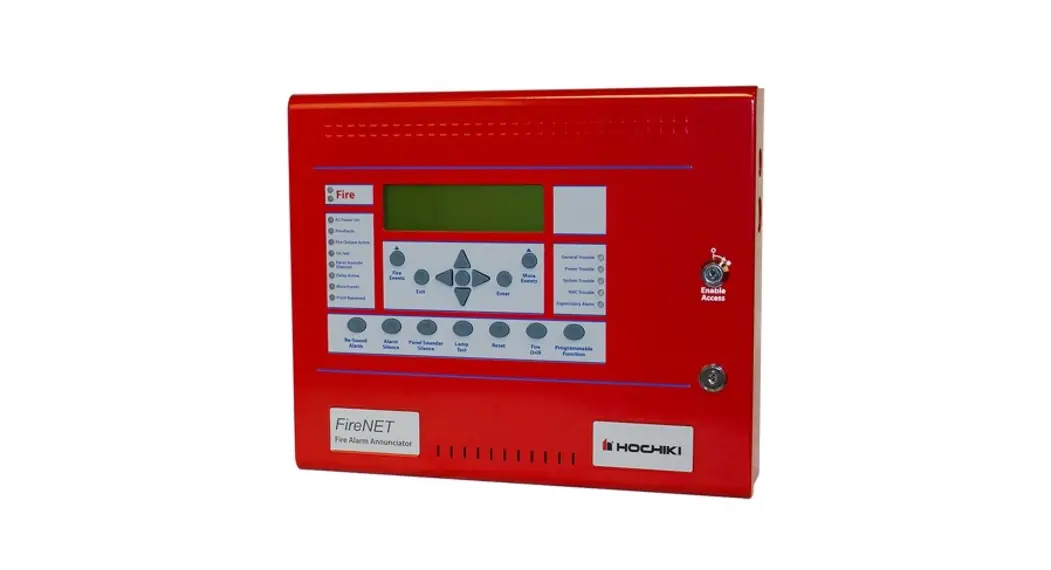
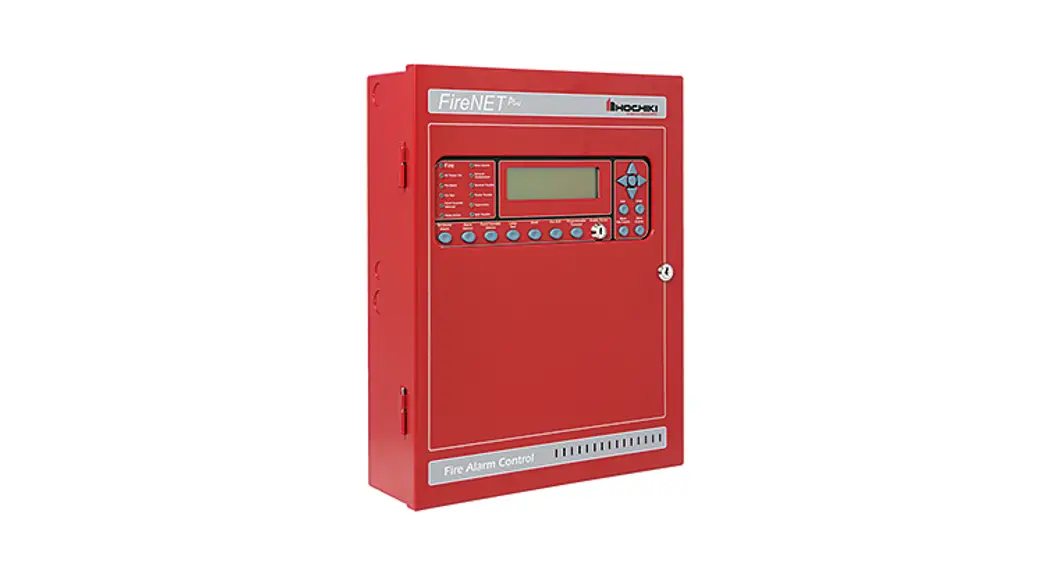
The Hochiki Serial driver allows the FieldServer to record data from Hochiki FireNET panels over RS-232 as per “Serial Port Spec Issue 2.37.pdf”. There is no active polling by this driver; the communications are one-way through the panel’s PC port (J5). The FieldServer acts as a Client; receives messages and records the status of a Panel. The panel MUST output messages in ASCII format in English.
This driver is not capable of emulating a Hochiki panel.
The Hochiki FireNET panel can be a standalone panel or can be part of network. Each Fire Alarm Panel on Network is considered as a Node. 64 Nodes can exist on one network.
Hochiki panel sends the events to the PC (J5) port. The FieldServer captures these events in text form, parses and stores them in Data Arrays. These Data Arrays can be monitored by third party tools. Since the FieldServer does not actively poll for data, the accuracy and timeliness of the stored data is limited to the frequency of update messages that the Hochiki Fire Panel issues.
Please note that the FieldServer can be configured with a large number of points. The point limits purchased with the FieldServer prevent the entire database from being accessed in any one application. It is therefore strongly advisable to ensure that only the point addresses of interest are configured, and that the FieldServer is purchased with the correct point count.
The types of Hochiki panel messages supported by this driver are summarized later in the manual. A detailed table shows each type of message the FieldServer recognizes and the effect that it has on the status of the points in the Data Array.
Max Nodes Supported
| FieldServer Mode | Nodes | Comments |
| Client | 1 | Only one Hochiki PC Interface(J5) per port |
| Server | N/A | This driver cannot be configured as a Server |
Driver Scope of Supply
Supplied by MSA Safety
| Part # | Description |
| FS-8915-10 | UTP cable (7 foot) for Ethernet connection |
| FS-8915-10 | UTP cable (7 foot) for RS-232 use |
| FS-8917-18 | RJ45 to DB9F connector adapter (FS-B3510) |
Provided by the Supplier of 3rd Party Equipment
Required 3rd Party Hardware
| Part # | Description |
| X187/S187 | Programming cable to connect at communication port J5 of Hochiki panel |
Hardware Connections
The FieldServer is connected to the Hochiki panel as shown in the connection drawings below.
Configure the Hochiki panel according to manufacturer’s instructions. 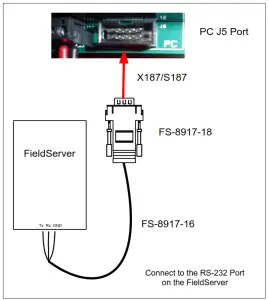
Connector Pinouts
| RJ-45 | ||
| Wire Color | Pin | Signal |
| Brown | 1 | Rx |
| White/Orange | 8 | Tx |
| Blue/White | 4 | GND |
Data Array Parameters
Data Arrays are “protocol neutral” data buffers for storage of data to be passed between protocols. It is necessary to declare the data format of each of the Data Arrays to facilitate correct storage of the relevant data.
| Section Title | ||
| Data_Arrays | ||
| Column Title | Function | Legal Values |
| Data_Array_Name | Provide name for Data Array. | Up to 15 alphanumeric characters |
| Data_Array_Format | Provide data format. Each Data Array can only take on one format. | Float, Bit, Byte, Uint16, Uint32, Sint16, Sint32 |
| Data_Array_Length | Number of Data Objects. Must be larger than the data storage area required by the Map Descriptors for the data being placed in this array. | 1-10000 |
Example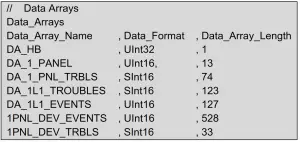
Client Side Configuration
For detailed information on FieldServer configuration, please refer to the FieldServer Configuration Manual. The information that follows describes how to expand upon the factory defaults provided in the configuration files included with the FieldServer (see “.csv” sample files provided with the FieldServer).
This section documents and describes the parameters necessary for configuring the FieldServer to communicate with a Hochiki FireNET panel.
The configuration file tells the FieldServer about its interfaces, and the routing of data required. In order to enable the FieldServer for Hochiki FireNET communications, the driver independent FieldServer buffers need to be declared in the “Data Arrays” section, the destination device addresses need to be declared in the “Client Side Nodes” section, and the data required from the servers needs to be mapped in the “Client Side Map Descriptors” section. Details on how to do this can be found below.
NOTE: In the tables below, * indicates an optional parameter, with the bold legal value as default.
Client Side Connection Parameters
| Section Title | ||
| Connections | ||
| Column Title | Function | Legal Values |
| Port | Specify which port the device is connected to the FieldServer. | P1-P2, R1-R2 1 |
| Protocol | Specify protocol used. | Hochiki |
| Baud* | Specify baud rate. | 19200 |
| Parity* | Specify parity. | None |
| Data_Bits* | Specify data bits. | 8 |
| Stop_Bits* | Specify stop bits. | 1 |
| Timeout* | Specify heartbeat timeout (see Section 8.1.1). | 0-3600s, 20s |
Example
Client Side Node Descriptors
| Section Title | ||
| Nodes | ||
| Column Title | Function | Legal Values |
| Node_Name | Provide name for node. | Up to 32 alphanumeric characters |
| Node_ID* | Provide the address of the Panel. | 1 – 64 |
| Protocol | Specify Protocol used. | Hochiki |
| Port | Specify through which port the device is connected to the FieldServer. | P1-P2, R1-R2 1 |
Example
1 Not all ports shown may be supported by the hardware. Consult the appropriate Instruction manual for details of the hardware.
Client Side Map Descriptor Parameters
FieldServer Specific Map Descriptor Parameters
| Column Title | Function | Legal Values |
| Map_Descriptor_Name | Name of this Map Descriptor. | Up to 32 alphanumeric characters |
| Data_Array_Name | Name of Data Array where data is to be stored in the FieldServer. | One of the Data Array names from “Data Array” section above |
| Data_Array_Offset | Starting location in Data Array. | 0 to maximum specified in “Data Array” section above |
| Function | Function of Client Map Descriptor. | Passive |
| Column Title | Function | Legal Values |
| Node_Name | Name of Node to fetch data from. | One of the node names specified in “Client Node Descriptor” above |
| Data_Type | Data type | Panel, Panel_Trouble, Trouble, Alarm, |
| Length | Length of Map Descriptor indicates the number of devices except in the case of panel related messages where it is the number of Data Array elements that will be used to store data. | Any integer |
| Address* | Device address – offset into the data array where data will be stored for a particular device. Specify 0 to store loop events or troubles unrelated to any specific device on the loop. | 0, any integer |
| Max_Sub_Address* | Maximum number of sub addresses of device. If there is no sub address or Data_Type is Trouble specify – . | -, any integer |
| Loop | Specify the SLC loop number. | 1-4 |
Map Descriptor Examples
Read Indications
Panel Map Descriptor Example
The following panel level Map Descriptors are used to process panel related messages:
HOC_HB Map Descriptor increments the value of DA_HB Data Array upon receiving heartbeat message from the panel. It will store a 0 value if there is a timeout and will also mark the Node offline.
HOC_1_PANEL Map Descriptor stores the panel state.
HOC_1_PANEL_TROUBLES Map Descriptor stores panel troubles.
In the above example:
- Data_Array_Name – Name of one of the Data Arrays defined in the Data_Array section. Indication statuses will be stored in this Data Array.
- Node_Name – One of the Nodes declared in Node Section. Indications will be read from the station address belonging to this Node.
- Data_Type – Specify: Heartbeat to store Heartbeat counts. Panel to store panel state. Panel_Troubles to store panel troubles (see Section 8.1).
- Length – Length is the number of Data Array elements that are used to store data.
Loop Map Descriptor Example
The following Loop level Map Descriptors are used to process loop or loop device messages:
HOC_1L1_TROUBLES Map Descriptor is used to store troubles from Loop 1. The number of loop troubles is stored at offset 0. The number of troubles for each device is stored at the offset corresponding to the device address. Refer to Section 8.1.2 for more information.
HOC_1L1_EVENTS Map Descriptor is used to store all events other than troubles for loop1. Loop events unrelated to any specific device are stored at offset 0. The total number of events for each device is stored at the offset corresponding to the device address. For storage format details, see Section 8.1.4.
HOC_1L1_EVENTS2 is an example of the device address 14 and have 2 sub addresses. Driver will store events for first sub address at offset 14 and for 2nd address at offset 15.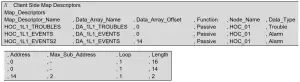
In the above example:
- Data_Array_Name – Name of one of the Data Arrays defined in the Data_Array section. Indication statuses will be stored in this Data Array.
- Data_Array_Offset – Offset into data array where data from a particular device is stored. Specify 0 to store loop events or troubles unrelated to any device on loop.
- Node_Name – One of the Nodes declared in Node Section. Indications will be read from the station address belonging to this Node.
- Data_Type – Trouble: to store number of troubles on device or on loop. Alarm: to store all events other than Troubles on Loop or device. See Section 8.1.4 for details.
- Max_Sub_Address – Maximum number of sub addresses of device. If there is no sub address or Data_Type is Trouble specify -.
- Length – Number of sequential devices. If Max_sub_address is non-zero then length should be the number of devices * max_sub_address. Any range of devices i.e. address to address + number of devices should have same max_sub_adress.
Communication Bus Map Descriptor Example
The following communication bus Map Descriptors are used to store events from devices connected directly to the panel:
HOC_1_PANEL_DEVTROUBLE Map Descriptor stores troubles from two devices with address 1 and 2. For storage format refer to Section 8.1.2.
HOC_1_PANEL_DEV Map Descriptor stores all events other than troubles from two devices with address 1 and 2 each with 16 sub addresses
Events from device 1, sub-addresses 1-16 will be stored in Data_Array 1PNL_DEV_EVENTS at offsets 0-15. Events from device 2, sub-address 1-16 will be stored at offsets 16-31. For storage format refer to Section 8.1.4.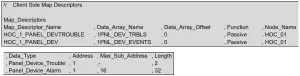
In the above example:
- Data_Array_Name – Name of one of the Data Arrays defined in the Data_Array section. Indication statuses will be stored in this Data Array.
- Data_Array_Offset – Offset into data array where data from a particular device is stored.
- Node_Name – One of the Nodes declared in Node Section. Indications will be read from the station address belonging to this Node.
- Data_Type – Specify: Panel_Device_Trouble to store number of troubles on device. Panel_Device_Alarm to store all events other than Troubles on device.
- Max_Sub_Address – Specify maximum number of sub addresses of device. If there is no sub address or Data_Type is Panel_Device_Trouble specify -.
- Length – Specify number of sequential devices. If Max_sub_address is non-zero then length should be number of devices * max_sub_address. Any range of devices i.e.address to address + number of devices should have same max_sub_address.
Useful Features
Data Synchronization
The Fire Panel and the FieldServer can be synchronized as follows:
- When in its normal state i.e. when no alarms or troubles are present, the panel can be connected to the FieldServer. The FieldServer will then reset its internal data.
- Cycling power to the panel while connected to the FieldServer will cause the FieldServer to reset its internal data to synchronize with the panel.
NOTE:
Pressing “RESET” on the panel will not force the panel to resend all the alarms and troubles to FieldServer. Resetting the panel sends only latched alarms, such as Fire.
Troubleshooting
Heartbeat Data
If heartbeat data is frequently reset to 0 the timeout parameter value declared on the connection may be too short. The panel sends a heartbeat message after every 5 to 10 seconds – the timeout value should be set to 20 – 30s.
Using HyperTerminal to Address Communication Problems
If the heartbeat value is always 0 and the connection overview screen shows no increments to RX Char on the Hochiki connection, connect the panel to HyperTerminal and attempt to generate an event. If there is no message on the HyperTerminal, obtain the correct settings from the manufacturer to allow the panel to communicate with HyperTerminal. Retry connecting to the FieldServer using the same connection parameters as used in HyperTerminal.
Clear on Reset
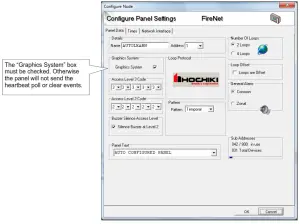
The FieldServer needs to receive a CLEAR message before it will clear the active events in the Data Array. The Graphics System check box needs to be selected in order for the Panel to send a CLEAR message when a RESET is triggered. Refer to the screenshot below.
Reference
Data Types
Heartbeat
The Driver increments the value by 1 whenever it receives a heartbeat message from the panel. If the panel times out (no heartbeat message received in the time specified by the timeout parameter on the connection) the Driver stores a value of 0 indicating communication loss and will also mark the Node offline. The panel sends a heartbeat message after every 5-10 seconds – the timeout value should be set to 20-30s.
Panel
The Panel Data Type indicates whether the events listed in the table below are present globally on the panel.
| Event Type | Data Array Offset |
| FIRE | 0 |
| FIRE DRILL | 1 |
| PRE ALARM | 2 |
| SECURITY | 3 |
| DISABLEMENT | 4 |
| SUPERVISORY | 5 |
| STATUS | 6 |
| EMERGENCY | 7 |
| AUXILIARY | 8 |
| SILENCE ALARM | 9 |
| RESET | 10 |
| USER MESSAGE (Alarm Resound) | 11 |
| TEST MODE | 12 |
Panel Troubles
Panel troubles are troubles that are not associated with any device or loop, e.g. Battery Disconnected or Low Battery Voltage.
The Driver stores each trouble at a different memory location as per the event number. Refer to Section
Alarms
The Driver stores different alarm types as 16bit integers as per the table below:
| Event Type | Decimal value | Bit Offset |
| FIRE | 1 | 0 |
| FIRE DRILL | 2 | 1 |
| PRE ALARM | 4 | 2 |
| SECURITY | 8 | 3 |
| DISABLEMENT | 16 | 4 |
| SUPERVISORY | 32 | 5 |
| STATUS | 64 | 6 |
| EMERGENCY | 128 | 7 |
| AUXILIARY | 256 | 8 |
| SILENCE ALARM | 512 | 9 |
| RESET | 1024 | 10 |
| USER MESSAGE (Alarm Resound) | 2048 | 11 |
| TEST MODE | 4096 | 12 |
If a device has more than one event, the value will be the sum of both events. For example, if the device is Supervisory and Pre-Alarm the driver will store a value of 32+4=36.
Individual alarms can be extracted from these integers by using the Bit_Extract function. Refer to the FieldServer Configuration manual for an example.
Troubles
The Driver stores the number of troubles currently existing on any loop, loop device or communication bus device. The Driver increments the value upon receiving a trouble message and decrements it when a trouble cleared message is received.
Event Number and Description Table
| Event # | Event Descriptor | Event # | Event Descriptor |
| 0 | Internal trouble | 37 | Unexpected I/O Module |
| 1 | Maintenance trouble | 38 | Unexpected network node |
| 2 | Detector removed | 39 | Unknown network type |
| 3 | Slave line open circuit | 40 | Network node missing |
| 4 | Slave line short circuit | 41 | Unexpected network card |
| 5 | Disconnected trouble | 42 | Network card not installed |
| 6 | Double address | 43 | Network card address incorrect |
| 7 | Monitored output trouble | 44 | Network open or short circuit |
| 8 | Unknown device | 45 | Network comms trouble |
| 9 | Unexpected device | 46 | Network comms timeout |
| 10 | Wrong device type | 47 | Network address invalid |
| 11 | Initializing Device | 48 | Fire Drill Active |
| 12 | System initializing | 49 | Unknown |
| 13 | Autolearn | 50 | Communicator Missing |
| 14 | New config downloaded from PC | 51 | Comms Fail |
| 15 | Ground trouble | 52 | Comms Phone Line 1 Trouble |
| 16 | Loop wiring trouble. Press ? for details | 53 | Comms Phone Line 1 Restored |
| 17 | Loop short circuit | 54 | Comms Phone Line 2 Trouble |
| 18 | Loop open circuit | 55 | Comms Phone Line 2 Restored |
| 19 | AC Power Failure | 56 | Disabled device |
| 20 | Low battery voltage | 57 | Disabled zone |
| 21 | Battery disconnected | 58 | Disabled loop |
| 22 | Battery voltage too high | 59 | All sounders disabled |
| 23 | Aux 24V fuse trouble | 60 | Disabled panel input |
| 24 | Charger Trouble | 61 | Disabled panel output |
| 25 | Processor Watch Dog operated | 62 | CE disablement |
| 26 | Bad data trouble | 63 | Buzzer Disabled |
| 27 | Unknown event trouble | 64 | Printer Disabled |
| 28 | Pre alarm | 65 | Ground trouble Disabled |
| 29 | Calibration failed trouble | 66 | Disablement |
| 30 | Device initializing | 67 | Test mode |
| 31 | Input Activated | 68 | Unexpected IO Board |
| 32 | Cause & Effect Active | 69 | IO Board Missing |
| 33 | Loop Not Installed | 70 | Enunciator missing |
| 34 | Unexpected Loop | 71 | Unexpected IO Board |
| 35 | Sub address limit reached | 72 | Sensor Fire test pass |
| 36 | I/O Module not installed | 73 | Sensor Fire test fail |
Additional Information
Message Types Recognized by the Driver
| Message Type |
| Heartbeat |
| Fire |
| Fire drill |
| Pre alarm |
| Security |
| Disablement |
| Supervisory |
| Status |
| Emergency |
| Auxiliary |
| Silence alarm |
| Reset |
| User message (resound) |
| Test mode |
| Trouble |
MSA Safety
1991 Tarob Court
Milpitas, CA 95035
Website: www.MSAsafety.com
U.S. Support Information:
+1 408 964-4443
+1 800 727-4377
Email: [email protected]
EMEA Support Information:
+31 33 808 0590
Email: [email protected]