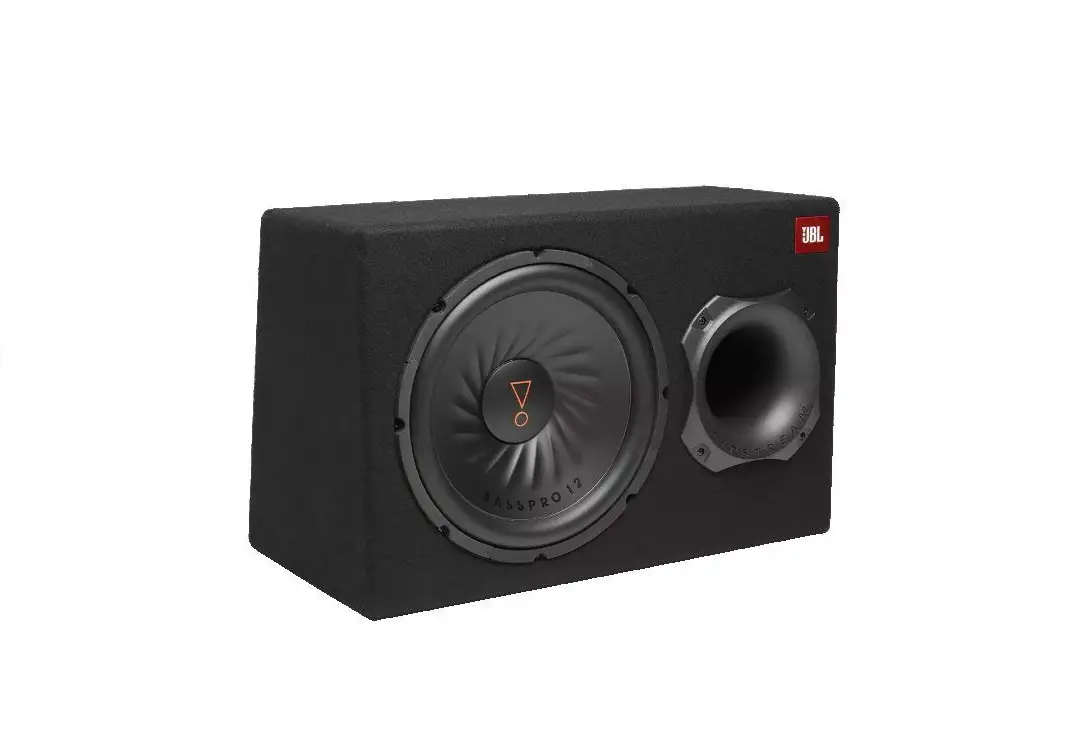
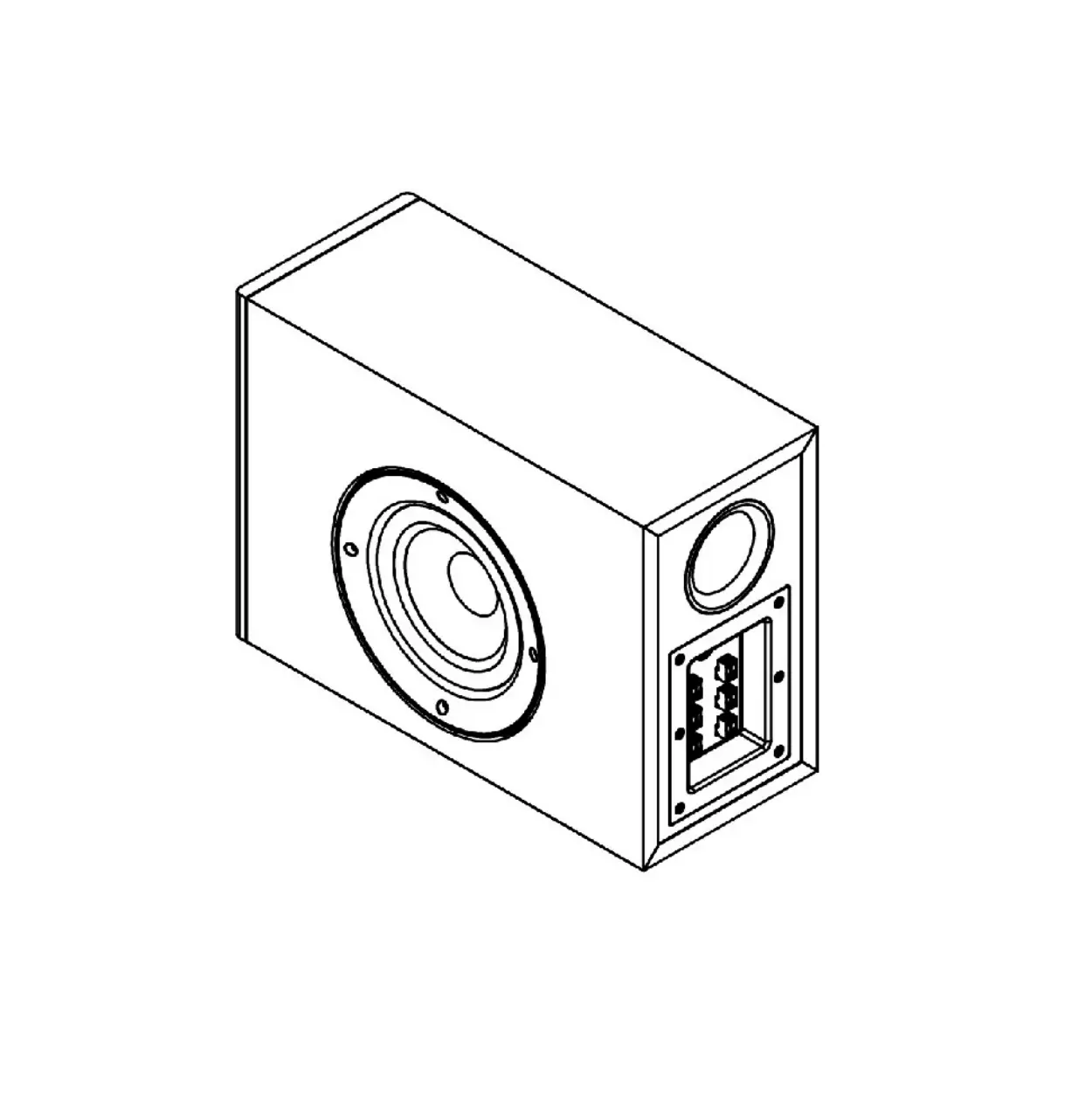
BASSPRO GO Auto Subwoofer and Draagbare Bluetooth Speaker
Product Information:
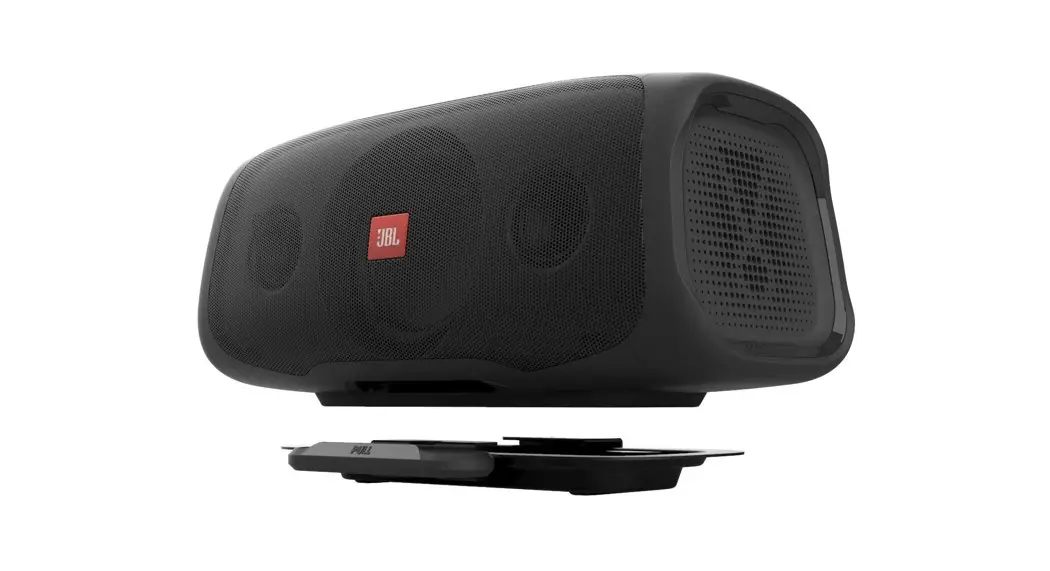
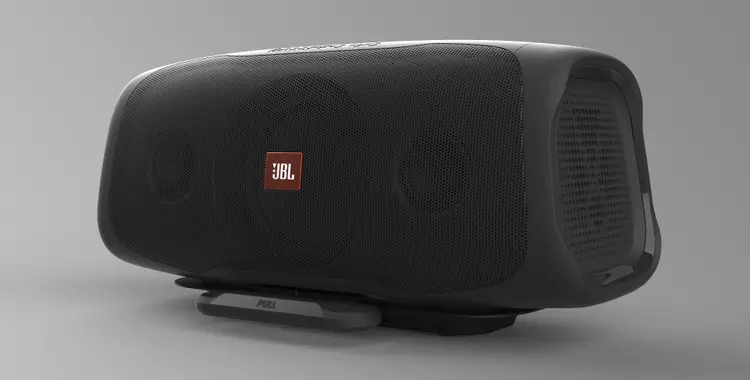
The JBL BassPro Go is a versatile powered subwoofer that can be
mounted and charged in any vehicle. It can function as a subwoofer
or a full-range speaker in your vehicle, and it can also be
disconnected and used as a portable Bluetooth speaker. The
subwoofer features easy-to-use controls and a safety cover to
protect it when used outside of the vehicle. It is also IPx5 marine
rated, making it suitable for marine environments.
Product Usage Instructions:
What’s in the Box:
- 1x portable speaker
- 1x remote bass controller
- 1x vehicle mounting dock
- 2x high-level input adapters
- 1x wiring harness with in-line fuse
- 1x spare fuse
- Mounting hardware
- 2x JBL stickers
- 1x owner’s manual
Installation and Wiring:
A. Mounting the dock in the vehicle:
Use the included sheet metal screws to secure the dock to the
desired mounting surface in your vehicle. Make sure that the
included wire is long enough to reach the mounting location before
securing the dock.
B. Mounting the speaker in the dock:
- Pull the handle out.
- Rest one corner of the speaker on the dock at a slight angle to
seat it. - Rotate the speaker until it is completely in place in the
dock. - Release the handle to secure the speaker in place. Note: It is
easier to connect the wire harness before mounting the speaker in
the dock.
C. Power and Ground Connections in the vehicle:
Refer to the provided wiring harness to connect the power and
ground wires of the subwoofer to the appropriate terminals in your
vehicle.
D. Power/Protect indicators when connected to the vehicle:
The power button on the control panel indicates the different
modes of operation of the speaker. The colors and modes are as
follows:
- White: Subwoofer mode (in vehicle only)
- Green: Full-range mode
- Red: Protect mode (over/under voltage, short circuit, amplifier
circuit failure, excessive heat) - Yellow: Settings mode
E. Signal input in the vehicle:
There are two types of signal inputs available:
- Line-level inputs: If your source unit has preamp outputs,
connect them to the RCA inputs in the wire harness. Use front or
rear preamp outputs for full-range operation, or subwoofer preamp
outputs (if available) for subwoofer mode. - High-level inputs: If your source unit does not have line-level
outputs, use the supplied high-level input adapters to connect the
speaker output wires of your source unit to the RCA inputs in the
wire harness.
Note: When using low-level signals and a remote turn-on lead,
set the Auto Turn-on switch to the appropriate voltage (12V, 2V,
4V, or 6V) and set the speaker’s input level to LO in the settings
menu. Choose the voltage that matches the preamp outputs of your
source unit.
Follow the provided instructions to properly connect the power,
ground, and signal inputs to ensure optimal performance of the JBL
BassPro Go subwoofer.
JBL BASSPRO GO
Owner’s Manual
EN
PULL
600mm23-5/8″) RBC remote bass control with cable
RCA adapter 34.8mm(1-3/8″)
JBL BASSPRO GO
24.3mm(15/16″)
THANK YOU FOR YOUR PURCHASE . . .
Your product has been designed to provide you the performance and ease of operation you expect from JBL. Take time to read this manual before operating o5r6inmsmta(ll2in-3g/1yo6″u)r BassPro Go. This manual describes general installation guidelines and operation instructions. Please note that proper installation of mobile audio components requires qualified experience with mechanical and electrical procedures. If you do not have the knowledge and tools to perform this installation, we strongly recommend consulting an authorized JBL dealer about your installation options.
39.8mm(1-9/16″)
I. PRODUCT DESCRIPTION
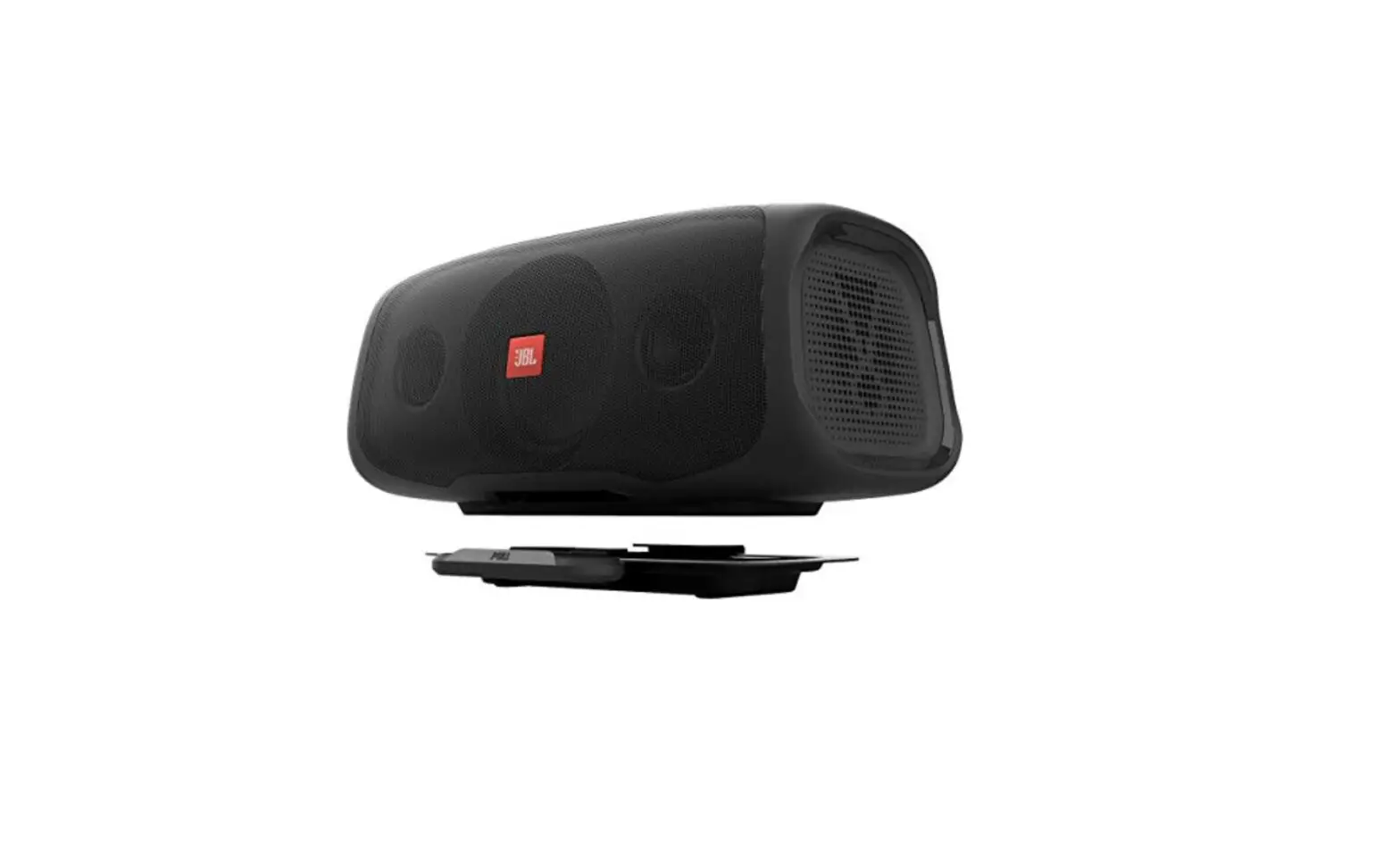
JBL BassPro Go is a powered subwoofer designed to easily mount and charge in any vehicle. It acts as a subwoofer or a full-range speaker in the vehicle; and, with its quick-disconnect feature, becomes a portable Bluetooth speaker. It features easyto-use controls and a convenient safety cover to help protect the speaker when used out of the vehicle, and to provide an IPx5 marine rating.
II. WHAT’S IN THE BOX
1x portable speaker 1x remote bass controller
1x vehicle mounting 2x high-level input
dock
adapters
1x wiring harness with in-line fuse
1x spare fuse
Mounting hardware 2x JBL stickers 1x owner’s manual
1X 1X
2X 1X 4X PULL
1X
2X
1X 1X
5000mm(196-7/8″)
1910.990.9mmm(m7(-71-/12/”2)”)
11883.3.66mmmm((77–33//1166″)
Basspro Go
EN
440022.5.5mmmm(15-7/88″”))
III. INSTALLATION AND WIRING
IMPORTANT: Disconnect the vehicle’s negative () battery terminal before beginning the installation. · Wear protective eyewear when using tools. · Choose a safe mounting location. Check clearances on both
sides of the location. Be sure that screws will not puncture brake or fuel lines or wiring harnesses, and that wire routing will not interfere with vehicle operation. Use caution when drilling or cutting. · When making electrical connections, make sure they are secure and properly insulated. · Using the dock as a template, mark the locations of the holes on the mounting surface. · Drill pilot holes in the mounting surface. · Attach the dock to the mounting surface with the included sheet metal screws and washers.
A. Mounting the dock in the vehicle
Use the included sheet metal screws to secure the dock to the mounting surface in the vehicle. Ensure that the included wire is long enough to reach the desired mounting location before securing the dock.
208.4mm(8-3/16″)
198.7mm(7-13/16″)
PULL
2
B. Mounting the speaker in the dock
1. Pull the handle out.
Pull
EN
2. Rest one corner of the speaker on the dock at a slight angle to get the speaker seated.
3. Rotate the speaker until it is completely in place in the dock.
4. Release the handle to finish securing in place. NOTE: It will be easiest to connect the wire harness before mounting the speaker in the dock.
C. Power and Ground Connections in the vehicle
D. Power/Protect indicators when connected to the vehicle
The power button on the control panel indicates the speaker’s modes of operation.
Illumination color White Green
Red
Yellow
Mode of operation Subwoofer mode (in vehicle only) Full-range mode Protect mode (over/under voltage/short circuit/amplifier circuit failure/excessive heat) Settings mode
E. Signal input in the vehicle
Line-level inputs: If your source unit offers preamp outputs, connect them to the RCA inputs in the wire harness. Use front or rear preamp outputs for full-range operation, or subwoofer preamp outputs (if available) for subwoofer mode.
12V DC AUDIO
2V 4V 6V
Note: When using low-level signals and remote turn-on lead, set the “Auto Turn-on” switch to “12V,” and set the speaker’s input level to “LO” in the settings menu (see “setting the input level”). Set the “Auto-on” switch to 2V, 4V, or 6V, whichever most closely matches the voltage of your source unit’s preamp outputs.
High-level inputs: If your source unit does not have line-level outputs, use the supplied high-level input adapters to connect to the speaker output wires of your source unit to the RCA inputs in the wire harness.
Loosen Screws
Insert Wires
Tighten Screws
Fuse holder, 20A fuse 18″ (46cm)
Battery
Chassis ground ()
Remote turn-on (blue) to stereo REM out
i. Power: Connect the red +12V power wire in the wire harness to the positive terminal of the vehicle battery. Install a 20A fuse and fuse holder within 18″ (457mm) of the battery.
ii. Ground: Connect the black GND wire in the wire harness to bare metal of the vehicle’s chassis, such as at a seat belt bolt.
NOTE: If possible, remove any paint from the chassis for best contact. It is recommended to use a star washer below the ring connector for a secure connection.
iii. Remote-In: Connect the blue remote turn-on wire in the wire harness to the “Remote Out” lead of the source unit, if using low-level signal inputs.
NOTE: 12V ACC turn-on is the preferred method. If you are using high-level signal inputs (vehicle speaker wires), you can choose to have the DC offset feature or the audio-sensing feature turn the amplifier on. You will not have to connect the remote turn-on wire and can terminate the connection.
12V DC AUDIO
NOTE: When using high-level signals, set the “Auto Turn-on” switch to “DC” (to turn on when it receives battery power) or “AUDIO” (to turn on when it senses audio signal). Set the input level to “HI1” in the settings menu (see “setting the input level”). If no sound plays, change the input level to “HI2”.
F. Connecting the remote bass control in the vehicle
Plug the remote bass controller into the appropriate input in the wire harness. Mount the remote in a convenient location, such as under the dash, using sheet metal screws.
Turn the dial clockwise to increase the bass output, and counterclockwise to decrease the bass output. NOTE: Remote bass control will only operate in subwoofer mode.
3
IV. SETTING THE SOUND IN THE VEHICLE
In Settings Mode, you can adjust the input level, gain, low-pass crossover, phase control, and bass boost.
FULL RANGE MODE
CONNECT TO VEHICLE
WOOFER MODE
Press & Hold JBL Connect and Play/Pause buttons for 5s
FULL RANGE MODE
Press & Hold JBL Connect and Bluetooth buttons for 5s
Press & Hold JBL Connect and Bluetooth buttons for 5s
Press & Hold JBL Connect and Bluetooth buttons for 5s
SETTINGS MODE
SETTINGS MODE
SETTINGS MODE
Press JBL Connect button to toggle menu items
Press JBL Connect button to toggle menu items
Press JBL Connect button to toggle menu items
INPUT SENSITIVITY CROSS OVER GAIN BASS BOOST
PHASE CONTROL
INPUT SENSITIVITY CROSS OVER GAIN BASS BOOST
PHASE CONTROL
INPUT SENSITIVITY CROSS OVER GAIN BASS BOOST
PHASE CONTROL
NOTE: To enter Full-Range Mode from Subwoofer Mode, press and hold the JBL Connect and Play/Pause buttons for 5 seconds. To switch back to Subwoofer Mode, repeat the same process.
A. Entering Settings Mode
Press and hold the JBL Connect button and the Bluetooth button for 5 seconds to enter Settings Mode. The power button will illuminate in yellow and an alert will sound. Press the JBL Connect button to toggle between settings. Press the “+” and “” buttons to change the value of each setting.
The color of the first LED indicates which setting you are adjusting. The five white LEDs display the value of the adjustment.
Setting
First LED color
JBL BASSPRO GO Input level (docked in vehicle
only)
Blue
Crossover (docked in vehicle in woofer mode only)
Red
Gain (docked in vehicle only) Green
Bass boost
Orange
Phase (docked in vehicle in woofer mode only)
Teal
EN
B. Setting the input level
When the BassPro Go is docked in your vehicle, you will need to set the input level to accept the type of signal it receives from your source unit. Select level options by pressing the “+” and “” buttons.
Signal from source unit
LED configuration
LO (low-level preamp outputs)
HI1 (high-level speaker outputs)
HI2 (high-level speaker outputs if no playback from HI1)
C. Setting the low-pass crossover in subwoofer mode
The crossover allows only frequencies below a certain point to reach the speaker in woofer mode. The crossover point you choose depends on your musical preferences.
Crossover point
LED configuration
80Hz
100Hz
120Hz
D. Setting the gain
When the BassPro Go is docked in your vehicle, you will need to match the gain (input sensitivity) to output of the signal it receives from your source unit. To set the gain:
1. Start with gain control switch set to 2V.
2. Choose music with substantial bass content and turn the volume control on your receiver to 75% of its total output.
3. Increase the gain one step at a time by pressing the “+” button, listening carefully to the bass output, as the LED read out displays each step. To increase the interval of the gain you are adjusting, move the gain control switch to 2V, 4V, or 6V as necessary. If you hear distortion, lower the gain one step at a time by pressing the “” button until the distortion disappears.
Input signal type
Gain control switch setting
Gain level
LED configuration
Line-level 2V
0.4V – 2V
Line-level 4V
0.8V 4V
Line-level 6V
1.2V 6V
High-level 2V
1V 5V
High-level 4V
2V 10V
High-level 6V
3V 15V
4
E. Setting the bass boost
You can apply a boost to the output at 45Hz in subwoofer mode and in full-range mode.
Boost level
LED configuration
0dB
EN 3dB
6dB
F. Setting the woofer phase
You can set the woofer phase to 0° or 180°, whichever provides the cleanest bass output.
Phase
LED configuration
0°
180°
G. Using the speaker in Full-Range Mode in vehicle
To enter Full-Range Mode, press and hold the Connect button and Play/Pause button simultaneously for 5 seconds. Repeat the process to return to Subwoofer Mode.
The power button will turn green, the five white LEDs will flash, and an alert will sound to indicate Full-Range Mode. NOTE: You can adjust input level, gain, phase, and bass boost in Full-Range mode, as described above. (Crossover cannot be adjusted in Full-Range Mode.)
V. RELEASING THE SPEAKER FROM THE DOCK FOR PORTABLE USE
A. Follow these steps to remove the speaker from the dock
1. Pull the handle at the base of the dock forward. 2. Disconnect the wire harness by gently pressing down on the
tab at the top of the plug, then pulling gently away.
C. Connecting an audio device with Bluetooth
To enter pairing mode, press the Bluetooth button on the top panel. The button will flash to indicate that it is ready for pairing.
Find JBL BassPro Go on your audio device and select it. The Bluetooth button will remain illuminated when pairing is complete.
NOTE: Once you have paired a device, the BassPro Go will remember it and pair with it automatically.
You can enjoy Social Mode and pair up to two more devices by pressing the Bluetooth button, then finding the BassPro Go in the menus of each Bluetooth device and tapping to pair.
The BassPro Go will enter sleep mode after 10 minutes of inactivity, and power off after 20 minutes of inactivity. Press the power button to turn the speaker back on.
Bluetooth button color/ behavior White, flashing White, solid Off
Mode of operation
Bluetooth is in pairing mode Bluetooth is connected Bluetooth is disconnected
D. Adjusting playback volume and selecting play/pause when in portable use
To raise the volume when using the BassPro Go as a portable speaker, press the Volume Up (+) button. To lower it, press the Volume Down () button. To play or pause, press the Play/Pause button.
3. Lift away from the dock.
B. Replacing the back-panel cover
To ensure IPx5 water-resistant performance, replace the cover on the back panel by pressing it into place.
5
NOTE: You can also adjust the playback volume and play/pause using the controls on your Bluetooth music device.
NOTE: You can adjust the bass boost using the same steps described in the Settings Mode section above. Increased bass boost will shorten battery life.
E. Charging a music device with the BassPro Go undocked
The BassPro Go lets you charge your music device with its built-in USB port. To charge your device:
1. Remove the cover from the back panel. 2. Plug the USB power cable of your device into the USB port on
the back panel of the BassPro Go.
F. Connecting to another JBL speaker using JBL Connect
You can link a second JBL BassPro Go, for simultaneous playback of two speakers. To link your devices:
1. Press the JBL Connect button. The power button will flash white.
2. The devices will automatically connect. When they are connected, the power button will turn blue.
NOTE: If the devices do not connect, the power button will return to solid white. Try the process again. BassPro Go is not compatible with JBL Connect+ or JBL Party Mode enabled products.
Power button color/behavior Mode of operation
White, solid
Power is on
White, flashing
Speaker is in JBL Connect pairing mode
Blue, solid
Speaker is connected to a second speaker with JBL Connect
G. Monitoring battery level in portable mode
The LED readout will show you the level of the battery when in portable mode.
Battery level
LED configuration
100%-81%
80%-61%
60%-41%
40%-21%
20%-11%
10%
VI. SPECIFICATIONS
· RMS Power Output in-vehicle, subwoofer mode: 100 watts (200 watts peak)
· RMS Power Output in-vehicle, full-range mode: 2×30 watts (tweeter) & 1×80 watts (woofer)
· RMS Power Output out-of-vehicle, full-range mode: 2×15 watts
(tweeter) & 1×40 watts (woofer)
· Amplifier Class: Class D
EN
· Battery Voltage Range (Volts) : 9V to 16V
· Quiescent current: <1.2A
· Selectable Turn-on Modes: 12V, Audio Signal Sense, DC Offset
· LED Indicator: multicolor
· Total Frequency Response: 40Hz to 20kHz @ -3dB
· Signal-to-Noise Ratio: >70dB (1W output at 4 ohms)
· THD+N @ 4-ohm: <1%
· Input Sensitivity, selectable: High-level or low-level
· Input Sensitivity – Low Level: 400mV to 6V
· Input Sensitivity – High Level: 1V to 15V
· Low-pass crossover: Selectable 80, 100, 120Hz @ 12dB slope
· Bass Boost: Selectable 0dB / 3dB / 6dB @ 45Hz
· Phase Control: Yes, selectable
· Gain: Selectable 0-15
· Fuse Rating: 15A
· Speaker Level Inputs: Yes (RCA adapter)
· Remote Bass Control: Included
· Bluetooth Version: 4.2
· Bluetooth Profile: A2DP 1.3, AVRCP 1.6
· Bluetooth Transmitter Frequency Range: 2.402GHz 2.480GHz
· Bluetooth Maximum Transmitter Power: 0 9dBm
· Bluetooth Transmitter Modulation: GFSK, 8DPSK, /4DQPSK
· Battery type: Ni-MH (32.4Wh)
· Battery charge time: <4 hours
· Music playing time: Up to 8 Hours (Varies by volume level and music content)
· USB Charging (Type A connector) : 5V / 2.1A
· Micro USB: For Service Only
· Length: 402.5mm (15-7/8″)
· Width: 208.4mm (8-3/16″)
· Height: 198.7mm (7-13/16″)
· Weight: 5.28kg (11.64lbs)
· Protection: DC, OVP, UVP, OCP, OTP
6
VII. TROUBLESHOOTING
No audio and POWER INDICATOR is off · No voltage at BATT+ and/or REM terminals, or bad or no
ground connection. Check voltages at amplifier terminals with VOM. No audio and PROTECT INDICATOR is on
EN · Check to see if the input voltage is less than 9V or greater than
16V on BATT+ connection and vehicle charging system. In-line fuse keeps breaking · The wiring is connected incorrectly or there is a short circuit.
Review installation precautions and procedures. Check wiring connections. Distorted audio · Gain is not set properly. Check and adjust settings. Speaker or source unit may be defective. Unwanted noise in the audio signal · Radiated vehicle noise in the line-level input cables. Make sure power wire and signal wires are not near each other (run them down opposite sides of the vehicle). Music lacks dynamics or “punch” · Use 0°/180° phase adjustment. Loudness or audio performance varies with Bluetooth · Loudness and volume will vary between phones. If you feel that the product is not loud enough, check your phone settings to see if any adjustments can be made to improve audio performance, or try using a different audio source or Bluetooth streaming device to determine if performance improves. Audio play/pause, track forward or track back are slow to respond in Bluetooth mode · This will vary by phone or Bluetooth streaming device. Try using a different Bluetooth streaming device to see if this improves. If the problem persists, cycle the power off and let the speaker rest for a few minutes before turning power on. Audio track is cutoff in first few seconds when using track forward or track back · This will vary by phone and the capability of the phone to communicate with Bluetooth control from an external device. Try using a different Bluetooth streaming device to see if this improves.
7
: : :
: : :
JBL , , 06901 , ., 400, 1500 OOO « », , 127018, ., . , .12, . 1 1
:
3
:
www.harman.com/ru
:
8 (800) 700 0467
, :
OOO ” ”
:
, «-». , 2010 : 000000-MY0000000, «M» – ( – , B – , C – ..) «Y» – (A – 2010, B – 2011, C – 2012 ..).
. . , . , () . , , . . . , .
Max Operation Temperature: 45oC
The Bluetooth® word mark and logos are registered trademarks owned by Bluetooth SIG, Inc. and any use of such marks by HARMAN International Industries, Incorporated is under license. Other trademarks and trade names are those of their respective owners.
Este produto está homologado pela Anatel, de acordo com os procedimentos regulamentados para avaliação da conformidade de produtos para telecomunicações e atende aos requisitos técnicos aplicados. Para maiores informações, consulte o site da Anatel www. anatel.gov.br Este equipamento não tem direito à proteção contra interferência prejudicial e não pode causar interferência em sistemas devidamente autorizados.
20 _ _ _
“”
288 3004 400 630 6678
JBL/INFINITY
/
12V
(Pb)
(Hg)
(Cd) (Cr(VI)) (PBB) (PBDE)
SJ/T 11364 GB/T 26572 GB/T 36572
“”(EPuP)
HARMAN International Industries, Incorporated 8500 Balboa Boulevard, Northridge, CA 91329 USA https://www.jbl.com/
© 2020 HARMAN International Industries, Incorporated. All rights reserved. JBL is a trademark of HARMAN International Industries, Incorporated, registered in the United States and/or other countries. Features, specifications and appearance are subject to change without notice.
 Anatel — Agência Nacional de Telecomunicações
 Official JBL Store - Speakers, Headphones, and More!