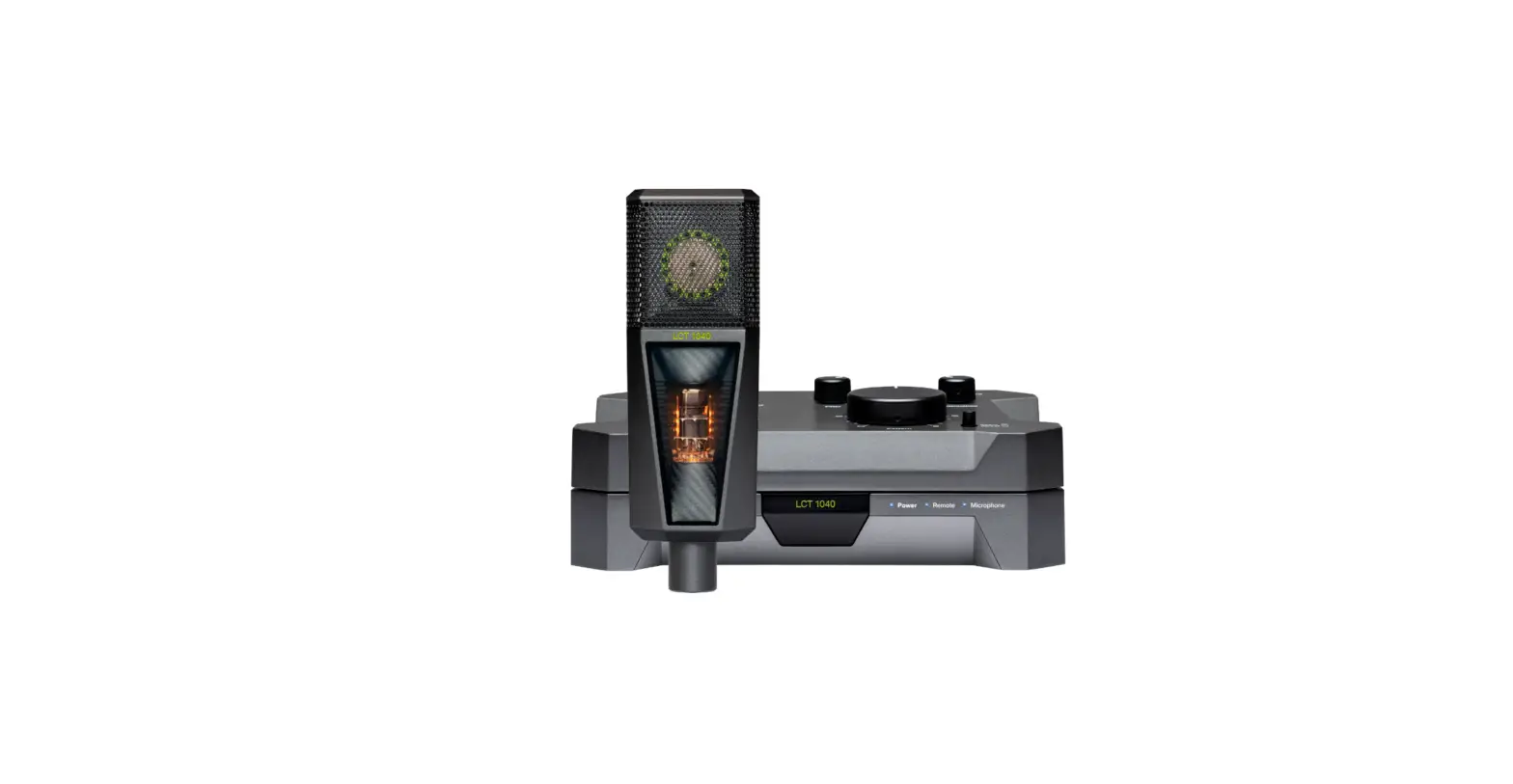
About the LCT 1040
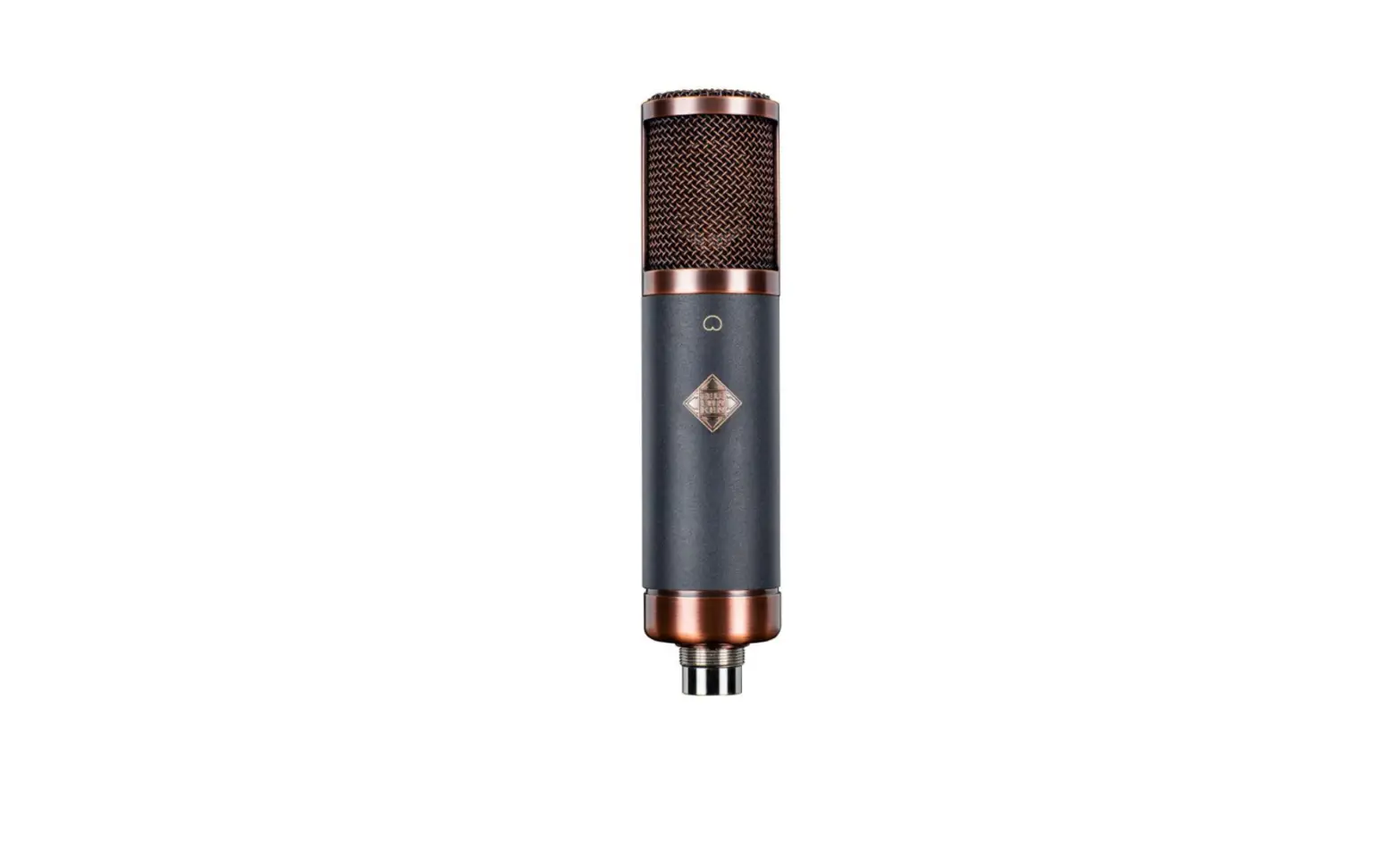
The LCT 1040 is a studio condenser microphone that uses both FET
and tube circuitry. It is built from premium components and
features four distinct all-analog tube characteristics. This
microphone allows you to effortlessly find the perfect sound for
your session. It is designed to create a studio microphone that
enables you to adapt the sound you need for your session without
switching to another microphone. The LCT 1040 brings new levels to
your production workflow, making you more efficient and sound
better than ever before.
What’s included
- Tube microphone with 1 true condenser capsule
- Remote control to set all parameters from your sweetspot
- Power supply unit
- Microphone mount
- Magnetic pop filter to reduce plosives
- Shock mount that reduces low-frequency rumble and
structure-borne noise - Power cable
- Custom 10-pin cable
Settings and Indicators
The LCT 1040 has four main settings:
- Tube compression: This setting allows you to
adjust the level of tube compression to fit your needs. - Filter: You can set the low-cut filter to fit
your needs. - Attenuation: The right attenuation can be set
for your recording situation. - Circuit: You can blend between tube and FET
circuit. This ratio will be sent to the Mix output. - Pattern: You can set your polar patterns
seamlessly. The notches indicate standard polar patterns.
The LCT 1040 also has LEDs on the remote and PSU:
- Power: Indicates that the system is turned on.
The LED turns red in Sleep mode. - Microphone: Microphone is connected.
- Operational: Ready to use when the LED is
steady. Blinking indicates that the system needs a few seconds to
be fully operational (after starting up, changing the pattern,
setting attenuation, etc). - Default/Reverse: Define which side is set as
the front of the microphone. Default indicates the tube window is
set as the front. Reverse sets the logo as the front.
Connectors
The LCT 1040 has the following connectors:
- Sleep: Hold to put the system into sleep
mode/wake it up. - Logo light: Tap to activate/deactivate the
logo light on the microphone. - Power: Turn the system on/off.
- Mix: Outputs the mixed signal set via the
Circuit control: Fully clockwise provides 100% tube, fully
counterclockwise 100% FET. - FET: Outputs the pure FET signal independently
from the setting on the Circuit control setting. The low-cut and
attenuation settings will still affect the signal. - Microphone: Connect the microphone via the
included 10-pin cable. - Remote: Connect a standard 3-pin XLR cable to
use the remote in the detached setup. Not needed in the stacked
setup.
Product Usage Instructions
- Set up the LCT 1040 by checking out the setup video at lewitt-audio.com/lct-1040-setup.
- Connect the microphone via the included 10-pin cable.
- Turn on the system by pressing the Power button.
- Adjust the settings to fit your recording situation. You can
adjust the Tube compression, Filter, Attenuation, Circuit, and
Pattern settings to get the perfect sound for your session. - If you need help or have any questions about the LCT 1040,
visit lewitt-audio.com/contact. - If you want to register your product and extend your warranty
to 10 years for free, visit lewitt-audio.com/mylewitt.
LCT 1040
Manual
Check out the setup video.
lewitt-audio.com/lct-1040-setup
Contents
About the LCT 1040 …………………………………………………………………………….. 1 What’s included …………………………………………………………………………………… 2 Settings and indicators ………………………………………………………………………… 4 Connectors …………………………………………………………………………………………. 6 Preparing the microphone for recording ………………………………………………… 7 Stacked remote setup ………………………………………………………………………….. 8 Detached remote setup ……………………………………………………………………….. 10 FAQs ………………………………………………………………………………………………….. 12
Are you having troubles or need a ton of nerdy details?
lewitt-audio.com/contact
About the LCT 1040
The LCT 1040 is a microphone system with a comprehensive set of options to dial in the perfect sound from your sweetspot.
It all started with the vision of creating a studio microphone that allows you to easily adapt the sound you need for your session without switching to another microphone.
The LCT 1040 is a studio condenser microphone using both, FET and tube circuitry. It is exclusively built from premium components and features four distinct all-analog tube characteristics.
Together with the blendable FET circuit, they allow you to effortlessly find the perfect sound for your session.
After ten years of development and with help from the international audio community, the LCT 1040 brings new levels to your production workflow. You’ll be more efficient and sound better than ever before.
· Gold-sputtered 1″ true condenser capsule · 100% analog signal path · Four distinct all-analog tube characteristics:
Clear, Warm, Dark, Saturated · Independent FET circuit with dedicated
XLR output · Both circuits can be seamlessly blended · Tube and FET microphone in one housing · Remote control and power supply unit · Low-cut filters and pre-attenuation settings · Seamless polar pattern control · Default/Reverse switch to freely determine the
front of the microphone · LED status indicators · E88CC/6DJ8 tube from JJ Electronics
1
What’s included
Tube microphone with 1″ true condenser capsule
Front
Back
Side
Remote control to set all parameters from your sweetspot
Power supply unit 2
Microphone mount
Magnetic pop filter to reduce plosives
Shock mount that reduces low-frequency rumble and structure-borne noise
Power cable
Custom 10-pin cable
Get your popcorn ready and simply scan the code to open the setup video.
lewitt-audio.com/lct-1040-setup
Register your product and extend your warranty to 10 years for free.
lewitt-audio.com/mylewitt
3
Settings and indicators
Tube
Change the tube characteristic. · Clear: Tube works at technical optimum. · Warm: Smooth and pleasant high-end. · Dark: Tamed highs for bright sources. · Saturated: Rich harmonics and subtle
compression.
Filter
Set the low-cut filter to fit your needs.
Attenuation
Set the right attenuation for your recording situation.
Circuit
Blend between tube and FET circuit. This ratio will be sent to the Mix output.
Pattern
Set your polar patterns seamlessly. The notches indicate standard polar patterns.
4
LEDs on remote
Power: Indicates that the system is turned on. The LED turns red in Sleep mode. Microphone: Microphone is connected. Operational: Ready to use when the LED is steady. Blinking indicates that the system needs a few seconds to be fully operational (after starting up, changing the pattern, setting attenuation, etc).
Default
Reverse
Release button
Press to detach the remote from the PSU. If properly stacked, remote and PSU hold firmly together. A click mechanism confirms this.
LEDs on PSU
Power: System receives power. Red in Sleep. Remote: Remote is connected. Microphone: Microphone is connected.
Default/Reverse
Define which side is set as the front of the microphone. Default indicates the tube window is set as the front. Reverse sets the logo as the front.
5
Connectors
Sleep
Hold to put the system into sleep mode/wake it up.
Logo light
Tap to activate/ deactivate the logo light on the microphone.
Power
Turn the system on/off.
Mix
Outputs the mixed signal set via the Circuit control: Fully clockwise provides 100% tube, fully counterclockwise 100% FET.
FET
Outputs the pure FET signal independently from the setting on the Circuit control setting. The low-cut and attenuation settings will still affect the signal.
Microphone
Connect the microphone via the included 10-pin cable.
Remote
Connect a standard 3-pin XLR cable to use the remote in the detached setup. Not needed in the stacked setup.
6
Preparing the microphone for recording
Mount the shock mount onto a stable microphone stand. Open the fixture of the shock mount. Put the tube microphone in the shock mount. The tube window indicates the default front. Lock the fixture.
Attach the pop filter from below. You will feel when the magnet snaps it into place.
Connect the microphone to the PSU via the 10-pin cable. Flip the power switch on the PSU. Check the status LEDs and wait until ‘Operational’ stops blinking.
Now, the microphone system has reached its full sensitivity and you are ready to record.
Open
7
Stacked remote setup
The LCT 1040 consists of three parts: the microphone, the PSU, and the remote. The remote is attached to the PSU by default (no cable needed).
Connect the microphone via the 10-pin cable.
On the right side, you can see how to wire all parts for the stacked remote setup.
Remote control stacked to PSU
8
Custom 10-pin cable
Standard XLR cable Connect to your preamp, audio interface, or mixing console
9
Detached remote setup
You can detach the remote from the PSU and use it without any drawbacks in sound quality. This is perfect when you have a separate control and recording room. The connection works via standard XLR cable and is compatible with your patchbay (maximum cable length is 150m/492ft).
If transformers are in the signal path, the communication between the remote and PSU will not work. Polarity inversion however is not a problem.
If you use a half-normalled patch bay, make sure to insert a cable in the patch-point in the row below. Otherwise the remote will not receive the necessary operating voltage.
Tip: If you are not certain if the remote is properly connected, check the ‘Remote’ LED on the PSU.
Push to detach remote control from PSU
10
Connect the microphone to the PSU via the 10-pin cable. Connect the PSU to the remote via standard XLR cable. Turn on power and check all status LEDs.
Preamp, interface or mixing console 11
FAQs
When is the system fully operational?
The ‘Operational’ LED on the remote indicates that the system is ready to use. Once it stops blinking, the microphone has reached full sensitivity.
Do I need to hang the mic upside down due to the heat coming from the tube?
We tested it. There is no audible difference. Just position it the way you prefer.
What kind of tube is inside?
After months of testing, we settled on the E88CC / 6DJ8 from JJ Electronics.
Can I change the tube?
Can I damage something when incorrectly patched?
The PSU sends +24V to the remote, which could possibly damage other equipment. So please be careful when patching the remote signal.
Can I damage the system if cables are un/plugged while it’s powered?
Technically, no. For the sake of treating your LCT 1040 well, please refrain from doing it.
Can I extend the cable between the remote and the PSU by combining multiple cables?
Yes, but please make sure they’re not longer than 150m/492ft.
Are you using some kind of ‘modeling’ for the tube characteristics?
The signals stay purely in the analog domain. Only the controls are digital, which gives you the best of both worlds.
The LCT 1040 is an extremely fine-tuned and calibrated system. We spent months finding the perfect tube. So, no, please don’t change the tube. You’ll also void your warranty by doing so.
Where can I find the specifications for the LCT 1040?
For detailed specifications and the tech graph, please visit our product page lewitt-audio.com/lct-1040.
12
Please note
· The capsule is a sensitive, high precision component. Make sure you do not drop the microphone from high heights and avoid strong mechanical stress and force.
· To ensure high sensitivity and the best sound reproduction possible, avoid exposing it to moisture, dust or extreme temperatures.
· Do not apply excessive force on the buttons or the connected cables.
· When disconnecting the microphone cable, grasp the connector instead of pulling the cable.
· Do not attempt to modify or open the product, as doing so will void your product warranty.
· The casing of the LCT 1040 can be cleaned easily using a wet cloth, never use alcohol or another solvent for cleaning.
Important Notice! Only use C13 power cord connected to a socketoutlet with earthing connection. Do not use any ground lifting circuits. In case of problems with electrical hum and interference, first try to change position, install a mains filter, or try a different power outlet. If the problem persists please contact our support. Removing the earthing connection can have lethal consequences. Only use indoors, in safe and dry environments. There are no user-serviceable parts inside the power supply unit or the microphone, but there are potentially lethal voltages. If it does not work correctly, please consult your dealer. Do not open the unit yourself. Do not use with damaged cables or after unit has fallen and loose parts or broken glass can be heard inside. Do not cover the power supply unit, always leave enough space around it for proper ventilation.
This equipment has been tested and found to comply with the limits for a Class B digital device, pursuant to part 15 of the FCC Rules. These limits
are designed to provide reasonable protection against harmful interference in a residential installation. This equipment generates, uses and can radiate radio frequency energy and, if not installed and used in accordance with the instructions, may cause harmful interference to radio communications. However, there is no guarantee that interference will not occur in a particular installation. If this equipment does cause harmful interference to radio or television reception, which can be determined by turning the equipment off and on, the user is encouraged to try to correct the interference by one or more of the following measures: Reorient or relocate the receiving antenna. Increase the separation between the equipment and receiver. Connect the equipment into an outlet on a circuit different from that to which the receiver is connected. Consult the dealer or an experienced radio/TV technician for help.
© All rights reserved by LEWITT GmbH
13
If you have any further questions, please get in touch. We look forward to hearing from you.
lewitt-audio.com/contact
 Contact - Talk to us! | LEWITT