 Model: OSWFR
ID: OSW2FR
MOS2FR01
Instruction Manual
Technical specifications
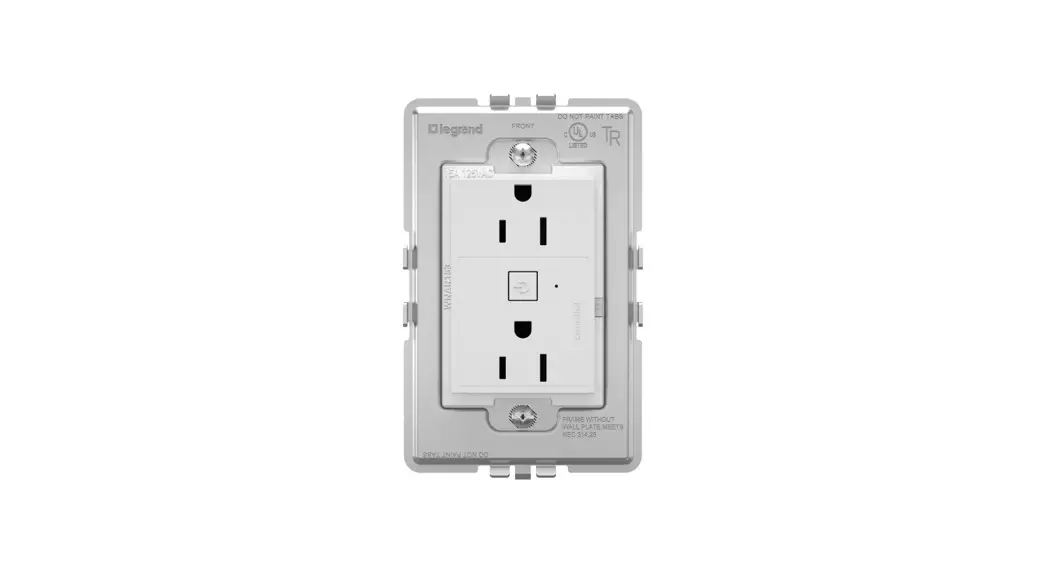
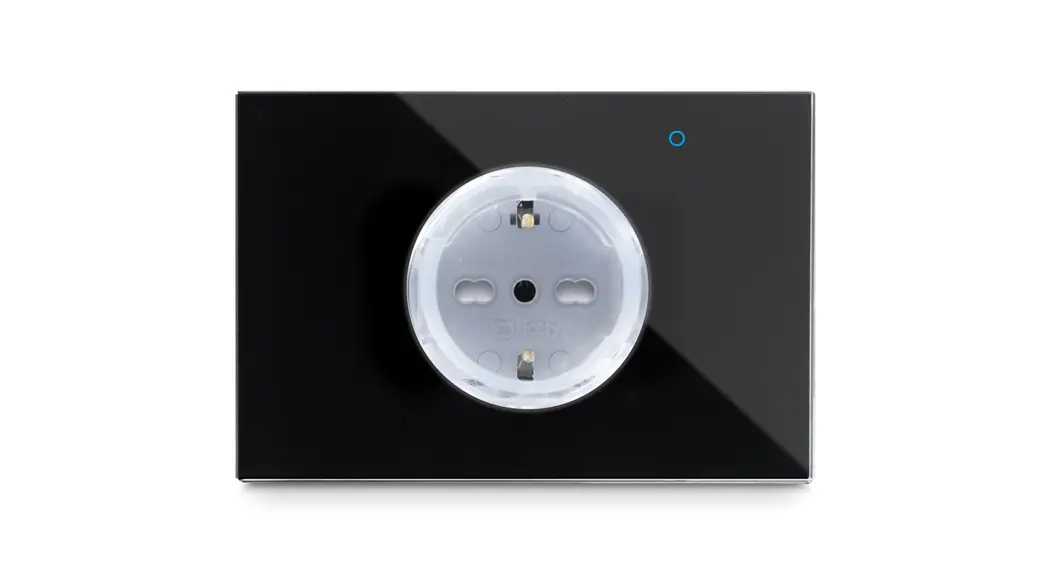
OFR PLUS Smart Outlet
Model: OSWFR
ID: OSW2FR
Input: 230 Vac
Frequency: 50Hz
Max 16 A per RL
Ambient temperature: 25°C
Operating temperature: from 0°C to 40°C
Only works with 2.4GHz Wi-Fi band
Frequency range: 2412-2472MHz
Maximum RF output power of the product: 17.29 dBm
RF exposure information: The Maximum
Permissible Exposure (MPE) level is calculated based on a distance of d=20 cm between the device and the human body. To maintain compliance with the RF exposure requirement, a separation distance of 20 cm between the device and the human should be maintained.
Important notes
Safety Precaution
Incorrect installation is dangerous or illegal. Install in accordance with all national and local codes.
Hire a professional electrician if you are not familiar or not comfortable with electrical work, or if the wiring in your electrical box looks different from the pictures.
For indoor use and dry location only.
Installation Precaution
Neutral wire required.
Troubleshooting
In case of network error, try these steps in order:
- Restart the router and wait a few minutes to allow all devices to reconnect OR, if the problem persists,
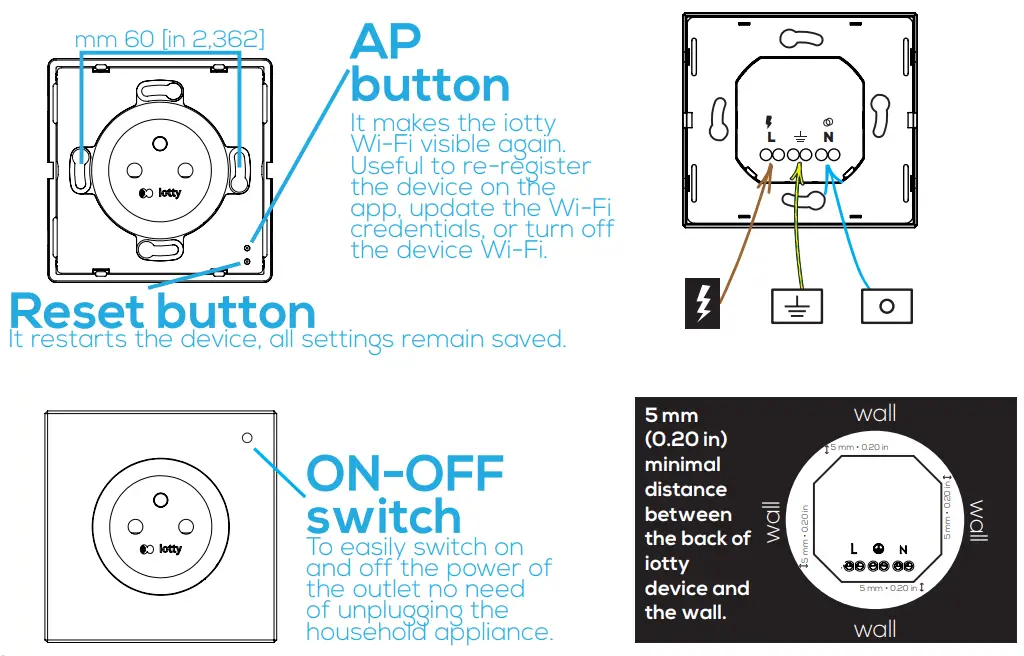
- Remove the faceplate and push the Reset button on the device
OR, if the problem persists,
- Remove the faceplate and push the AP button on the device. Repeat device registration
Warranty
For warranty information visit us at link.iotty.com/warranty
Device overview
Installation steps
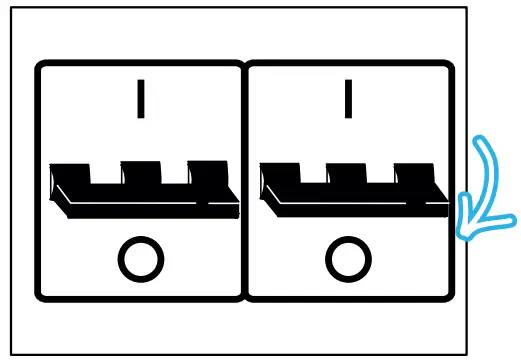
- Turn off the power at the circuit breaker for the outlet you are replacing.

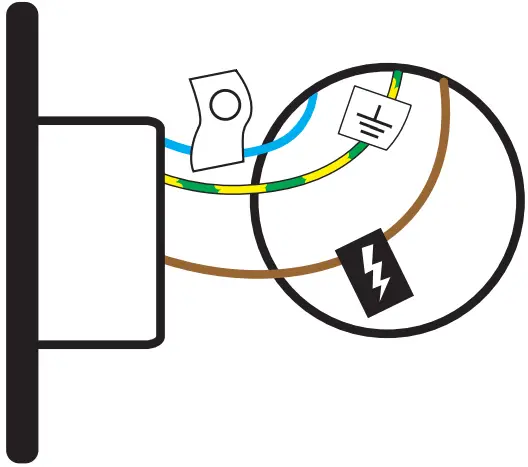
- Remove your old outlet and label your wires.
Remember that you must have neutral wire.
- Wire the iotty plate
Insert the power wire into terminal L. Insert the neutral wire into terminal N. Insert the ground wire into terminal . Compare the wiring with the electrical scheme in the picture to be sure everything is in place.
 Main power supply 230 Vac
 = Power/Live
 = Neutral = Ground
 - Screw the iotty outlet in
Push all the wires back into the wall box (do not push the wires using the back of the outlet). Insert the device in the wall box and screw it in. Position the outlet so that the AP and reset buttons are located on the right.
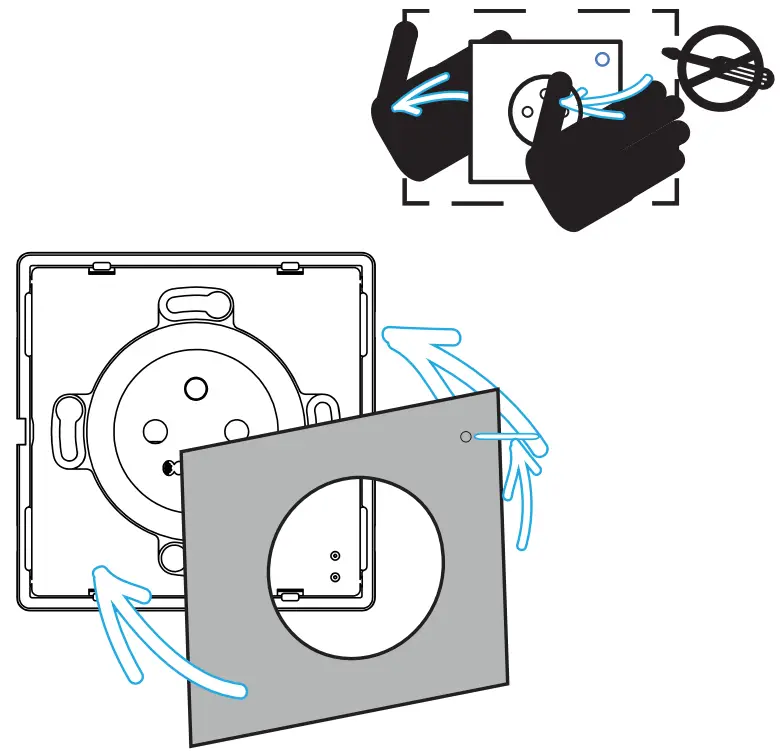
- Attach the glass faceplate
Attach the faceplate so that the little circle is located at the top.
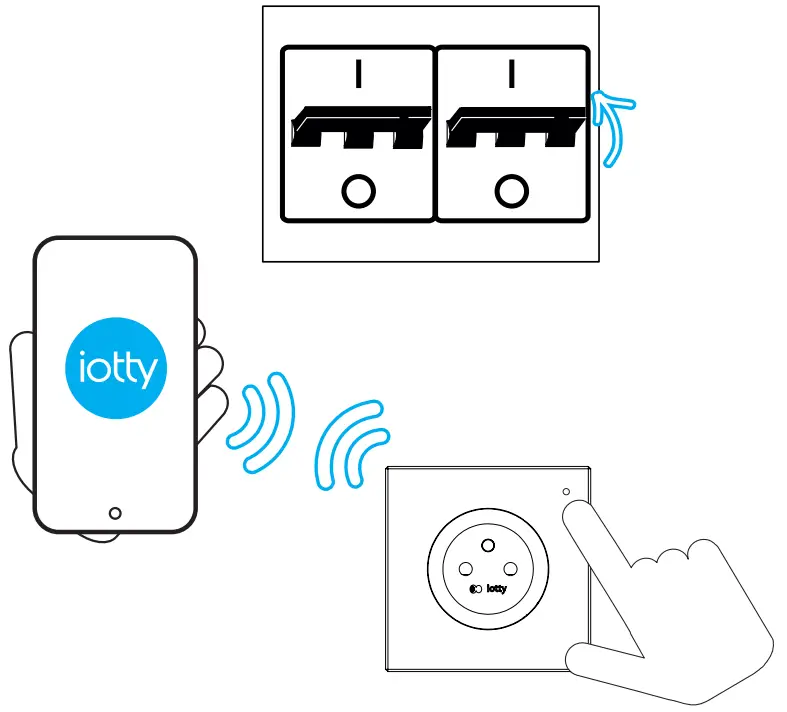
- Turn on the power and register device
Turn on the power at the circuit breaker. Check if the wiring was made correctly by tapping on the glass to turn on and off the outlet. Now the installation is complete and you can proceed to register the device.
 . Compare the wiring with the electrical scheme in the picture to be sure everything is in place.
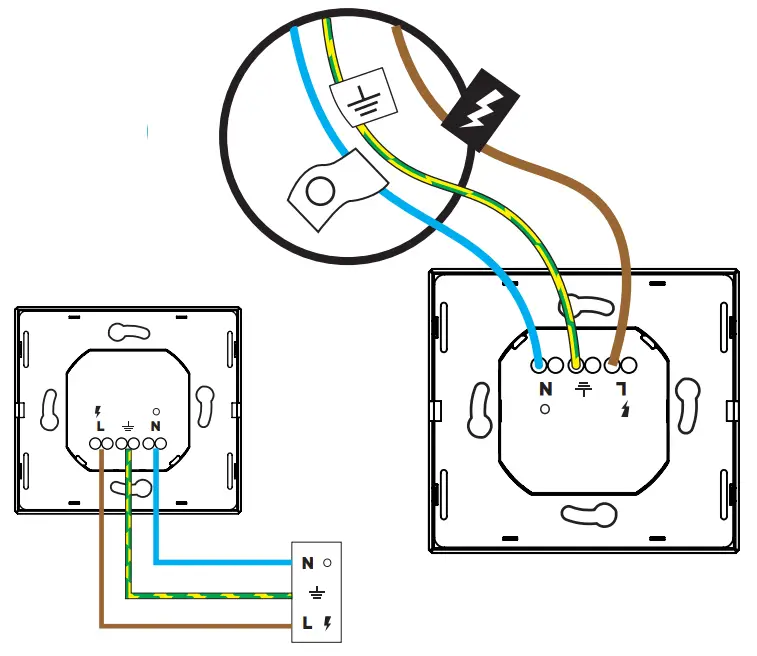 Main power supply 230 Vac
 = Power/Live
 = Neutral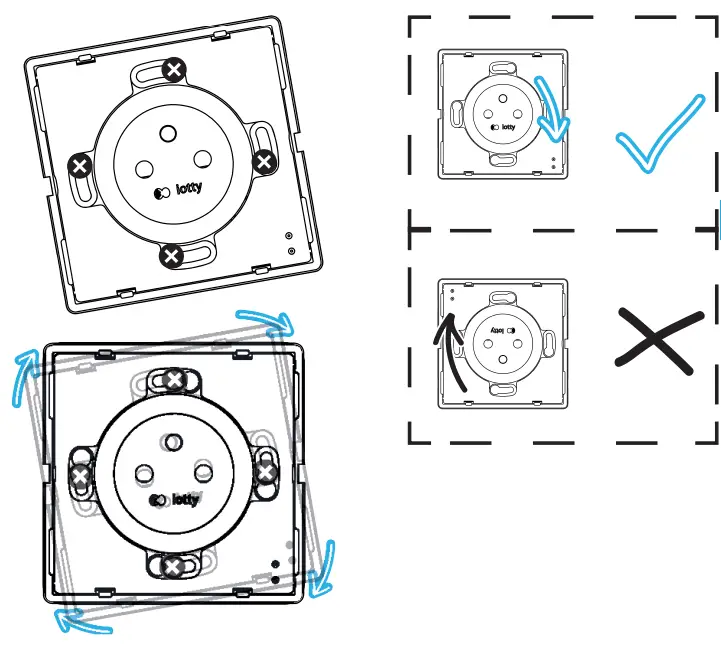
 App
App
 |  |
| http://link.iotty.com/play-store | http://link.iotty.com/app-store |
iotty devices are compatible with the following integrations

If you need more information you can contact us at [email protected] or visit our FAQ section

IOTTY srl
Via Del Laghetto, 18/20
33080 Porcia (PN) – ITALY
[email protected]
[email protected]
 iotty.com