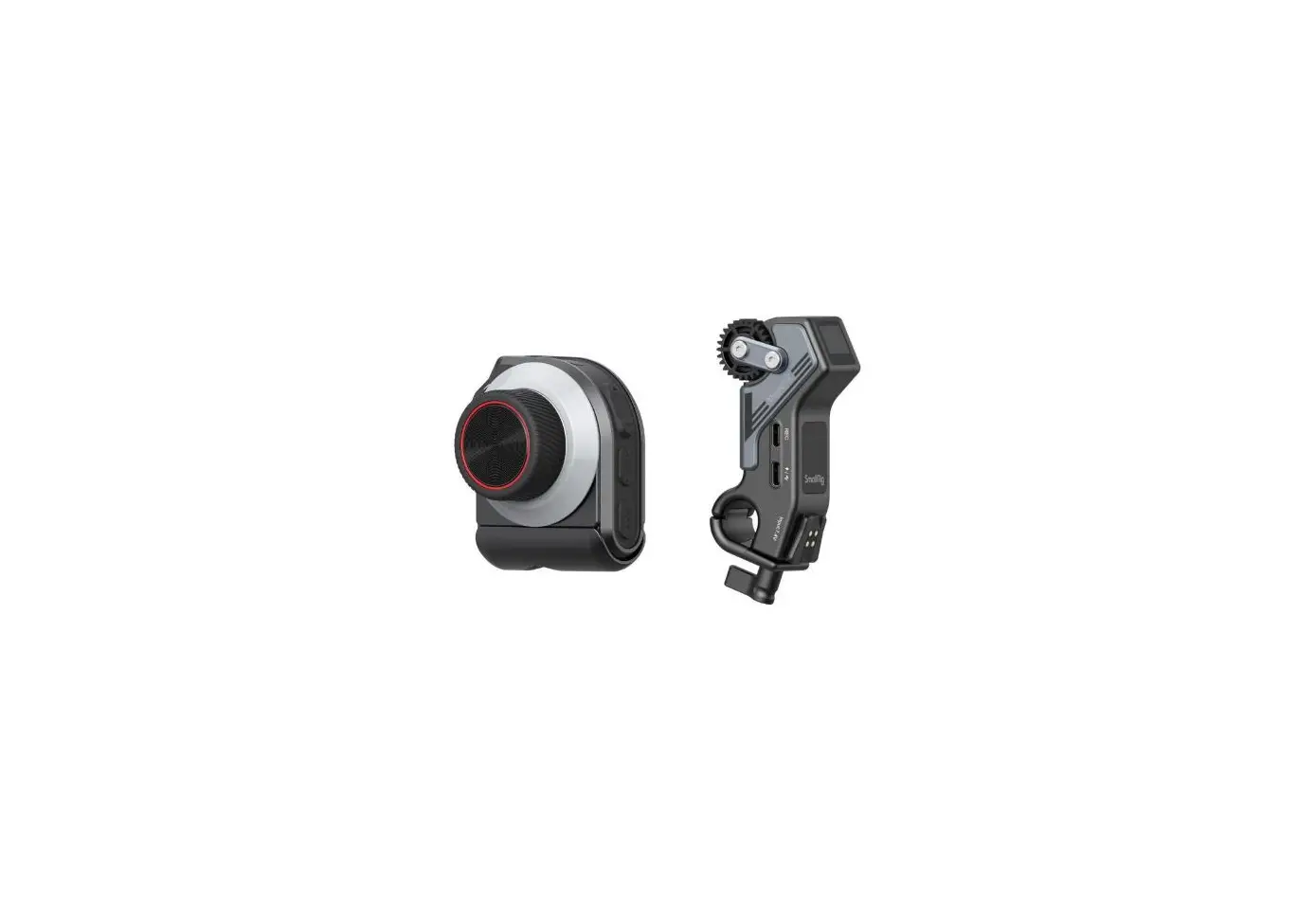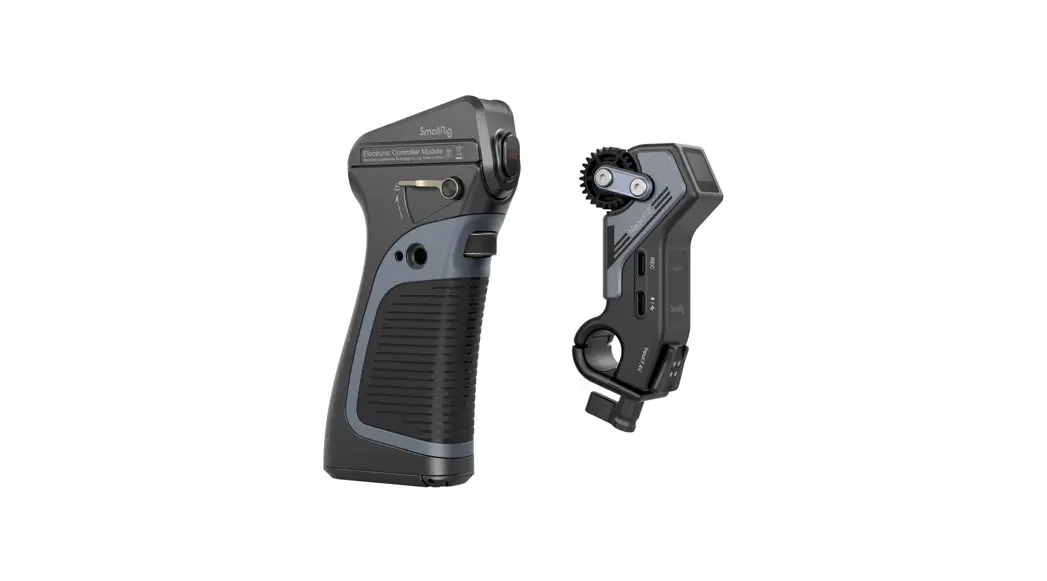
 3782 MagicFIZ Wireless
Follow Focus Handgrip Kit
User Manual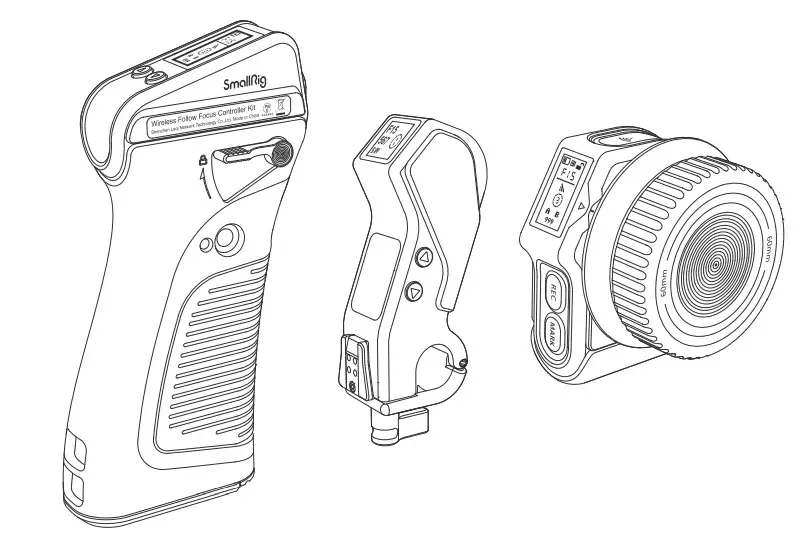
In order to ensure user’s safety and prevent the product damages caused by any improper use, please carefully read the “Warnings” below and properly keep this User Manual for future reference.
Foreword
Thank you for purchasing SmallRig’s product.
Warnings
- Please read this User Manual carefully.
- Do not use the product in water because it is not dust or water proof.
- Do not let the product fall to the ground, be hit or suffer violent impact.
- Never remove the non-detachable lithium battery without permission.
- Since there are some hazardous substances in the battery, please do not discard it. Instead, dispose of the product that is damaged or will never be used according to the waste management measures.
- When the battery is not in use for a long time, please charge and discharge the battery each 6-month, and provide it with approximately 60% of the electric quantity to prolong its use life.
 Please do not disassemble the product or change its battery. If you have any question,please contact the seller to apply after-sales service.
Intended Use
- Please read this User Manual carefully, especially the “Warnings”.
- Please use or store the product in the environment mentioned herein.
- It will be regarded as an improper use when the users are not correctly follow the user manual or use the product under the specific working condition.
Kits and Accessories
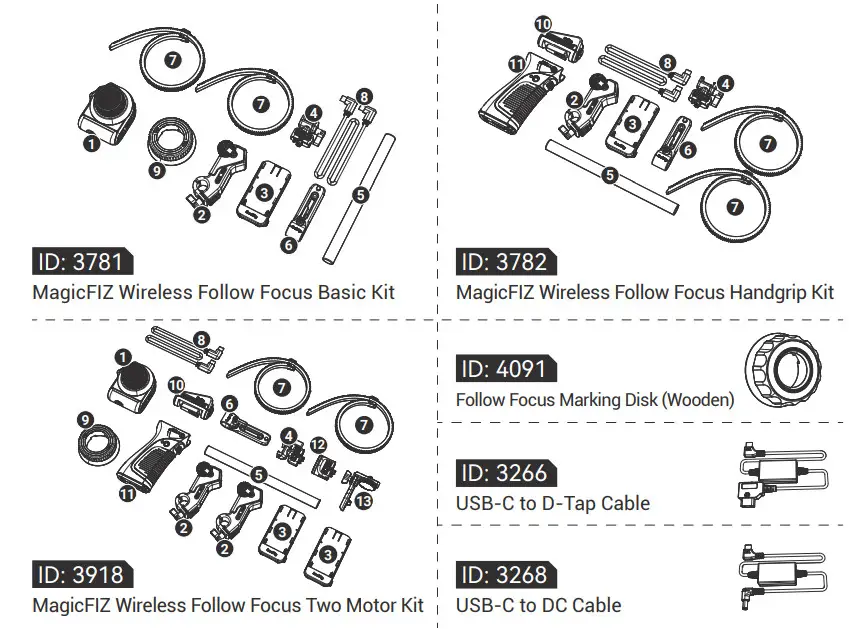
In the Box
| ID: 3781 | ID: 3782 | ID: 3918 | ||||||
| 1 | Wireless Handwheel Controller | × 1 | 10 | Electronic Controller Module | × 1 | 1 | Wireless Handwheel ControlleWireless Handgrip | × 1 |
| 2 | Wireless Receiver Motor | × 1 | 2 | Wireless Receiver Motor | × 1 | 11 | Electronic Controller Module | × 1 |
| 3 | Battery Plate | × 1 | 11 | Wireless Handgrip | × 1 | 10 | Wireless Receiver Motor | × 1 |
| 4 | Handgrip Adapter | × 1 | 3 | Battery Plate | × 1 | 2 | Battery Plate | × 2 |
| 5 | Φ15mm Rod | × 1 | 4 | Handgrip Adapter | × 1 | 4 | Handgrip Adapter | × 2 |
| 6 | Rod Clamp with NATO Rail | × 1 | 5 | Φ15mm Rod | × 1 | 3 | Shoulder Rig Adapter | × 1 |
| 7 | Snap-on Follow Focus Gear Ring | × 2 | 6 | Rod Clamp with NATO Rail | × 1 | 12 | Monitor Adapter | × 1 |
| 8 | USB-C to USB-C Cable | × 1 | 7 | Snap-on Follow Focus Gear Ring | × 2 | 13 | Φ15mm Rod | × 1 |
| 9 | Follow Focus Marking Disk (Silicone) | × 1 | 8 | USB-C to USB-C Cable | × 1 | 5 | Rod Clamp with NATO Rail | × 1 |
| Spanner | × 1 | Spanner | × 1 | 6 | Snap-on Follow Focus Gear Ring | × 1 | ||
| User Manual | × 1 | User Manual | × 1 | 7 | USB-C to USB-C Cable | × 2 | ||
| Carrying Bag | × 1 | Carrying Bag | × 1 | 8 | Follow Focus Marking Disk (Silicone) | × 1 | ||
| 9 | Spanner | × 1 | ||||||
| User Manual | × 1 | |||||||
| Carrying Bag | × 1 |
Product Function Description
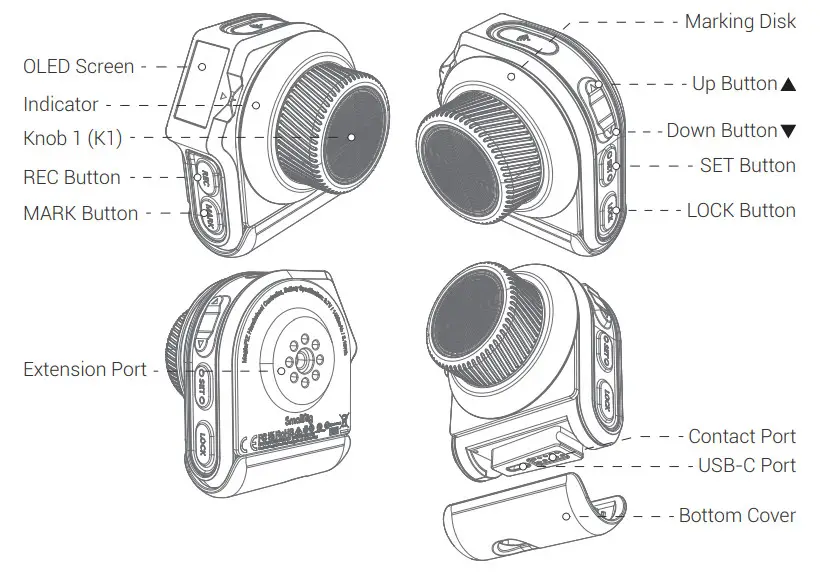
- Wireless Handwheel Controller
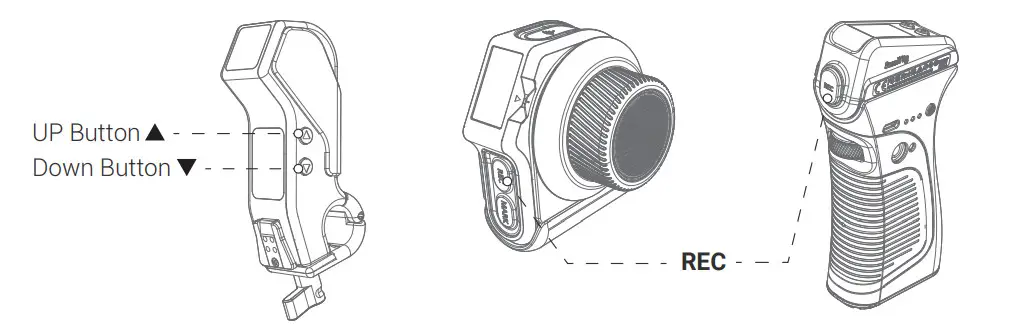
 REC Button: 1. REC Recording ON / OFF Function; 2. Machine ON / OFF Function.
MARK Button: 1. A-B Marks; 2. Automatic Lens Calibration.
Up / Down Button: 1. Channel Adjustment; 2. Motor Number Adjustment; 3. Page Up / Page Down.
SET Button: 1. Press and hold the button to enter or exit the current option;
2. Click the button to activate or confirm the current option.
LOCK Button: For preventing misoperation; turn on/off the switch by double click.
Knob 1 (K1): Fine control of Wireless Receiver Motor.
Indicator: Six color display, including red – green – blue – yellow – pink – white.
USB-C Port: Charging and wired communication port.
Contact Port: Charging and communication port.
Extension Port: 1/4″-20 threaded hole.
Marking Disk: Replaceable. - Wireless Handgrip
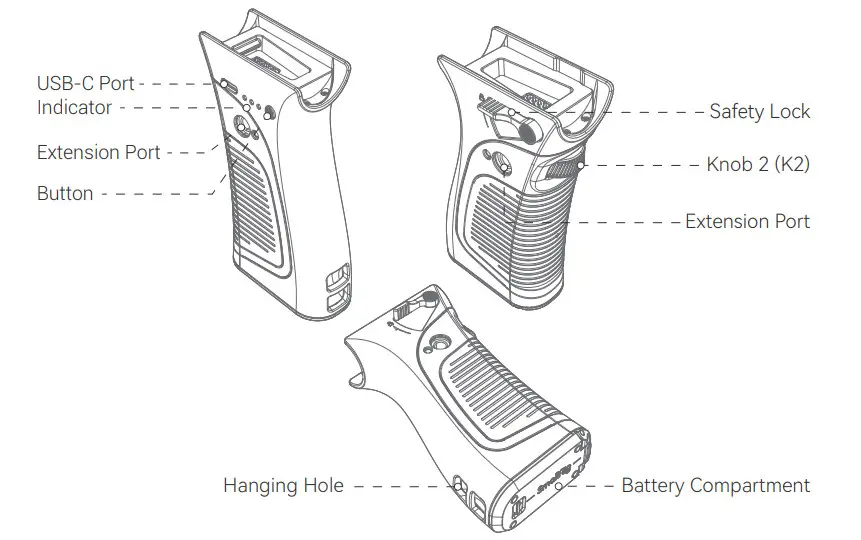
 USB-C Port:
1. Charging and discharging; 2. Communication.
Indicator:
Battery level and status display.
Button: Click to show current battery level.
Safety Lock: For preventing accidental falling off.
Knob2 (K2):
Control Wireless Receiver Motor.
Extension Port:
For connecting with external accessories.
Battery Compartment:
Suitable for LP-E6 battery.
Hanging Hole: For assembling lanyard. - Wireless Follow Focus Controller Kit
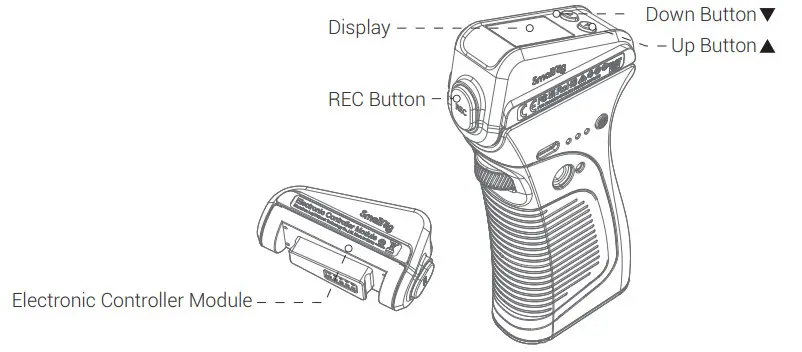
(Combination of Wireless Handgrip + Electronic Controller Module) REC Button:
1. REC Recording ON / OFF Function;2. Machine ON / OFF Function;
3. Confirm.
Up / Down Button:
1. Channel Adjustment;
2. Motor Number Adjustment;
3. Page Up / Page Down.
* The Electronic Controller Module can be used only with the Wireless Handgrip. - Wireless Receiver Motor
 Up / Down Button: 1. Channel Adjustment; 2. Motor Number Adjustment.
REC Port: Connect the camera REC port for wired control. Port: Power supply and communication Port.
Battery Plate Port: Used with Battery Plate (ID: 3777), compatible with NP-F batteries.
 REC Button: 1. REC Recording ON / OFF Function; 2. Machine ON / OFF Function.
 USB-C Port:
 REC Button:
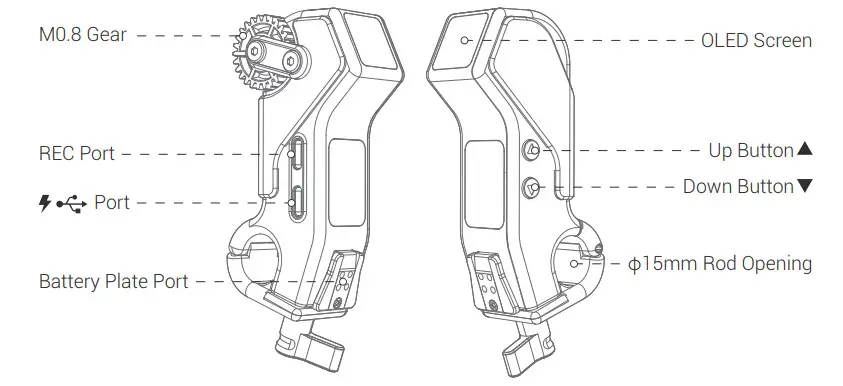 Up / Down Button: 1. Channel Adjustment; 2. Motor Number Adjustment.
 Port: Power supply and communication Port.
Instruction of Product Installation and Power Supply
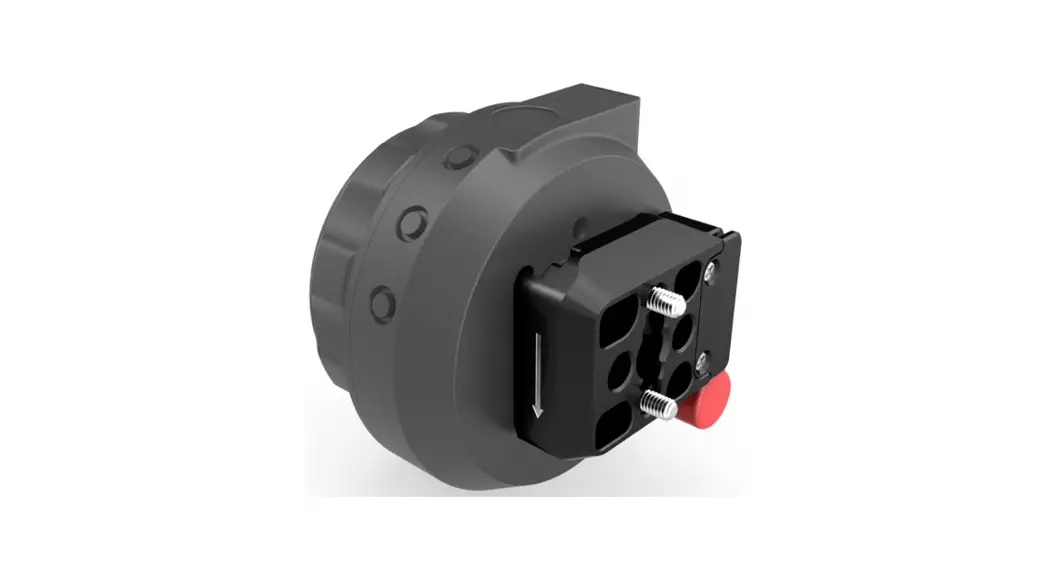
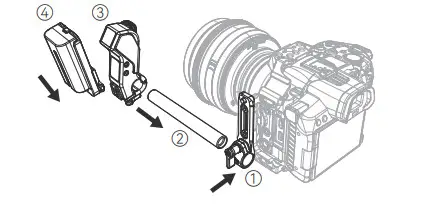
- Installation Guide for Wireless Receiver Motor Install the Wireless Receiver Motor on the camera side by use of the included accessories.

- Installation Guide for Wireless Handwheel Controller
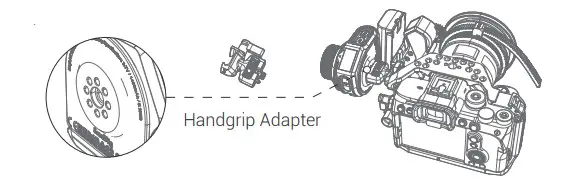
2.1 Install the Wireless Handwheel Controller on the camera side by use of the Handgrip Adapter via 1/4″-20 threaded hole. 2.2 Marking Disk Replacement / Installation.
- Installtion Guide for Wireless Handgrip
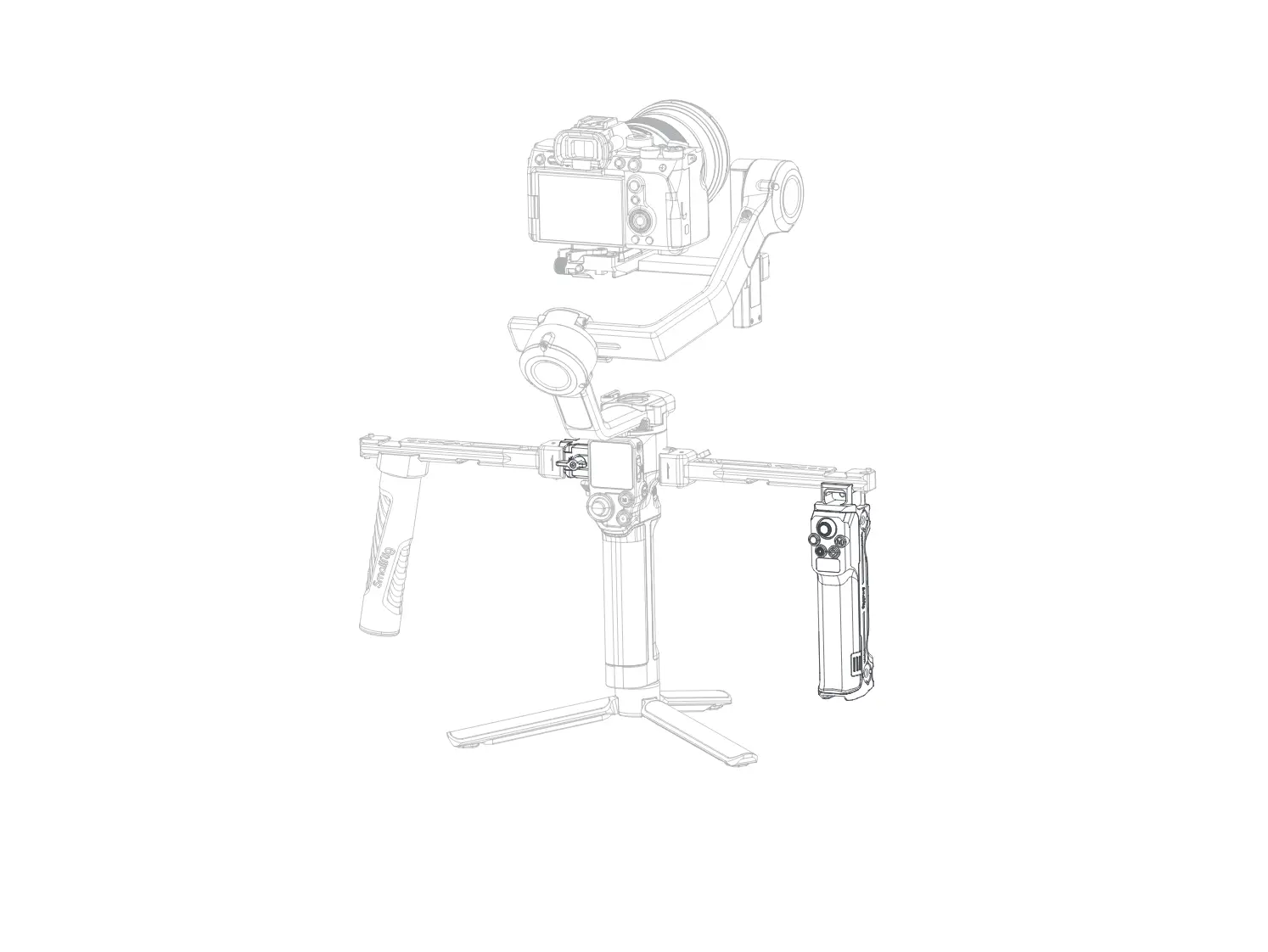
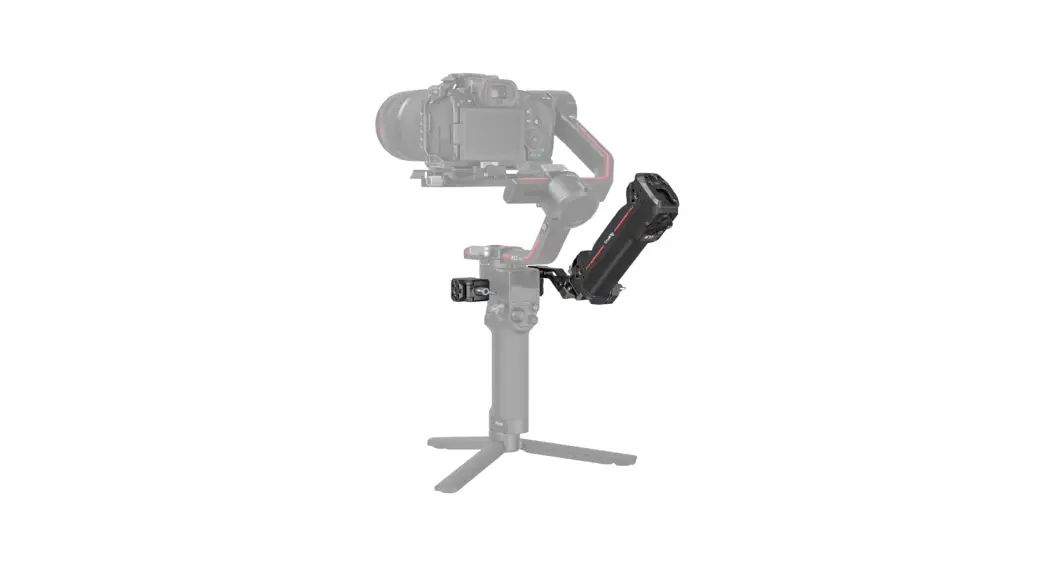
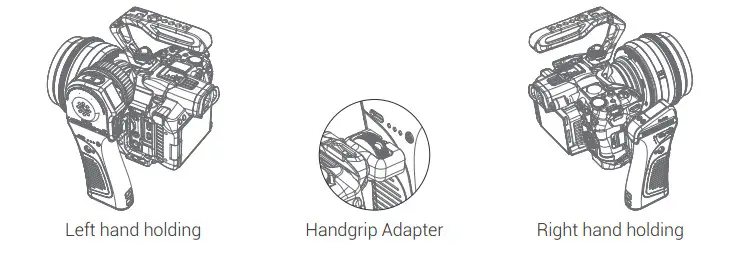
3.1 Combined Installation of Electronic Controller Module, Wireless Handwheel Controller, and Wireless Handgrip. 3.2 The Wireless Handgrip is suitable for both left and right hands.
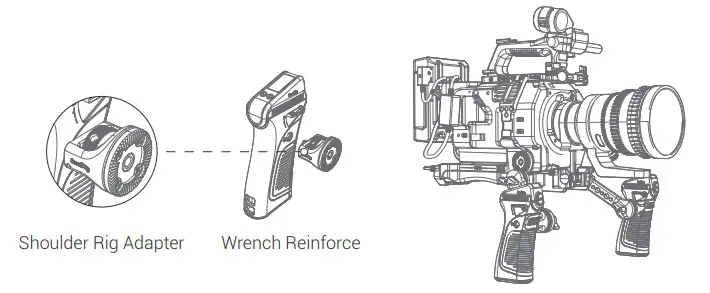
 3.3 Installation Guide for Shoulder Rig Adapter, VCT-14 Extension Arm, and ARRI Rosette
  Instruction for Wireless Receiver Motor Power Supply
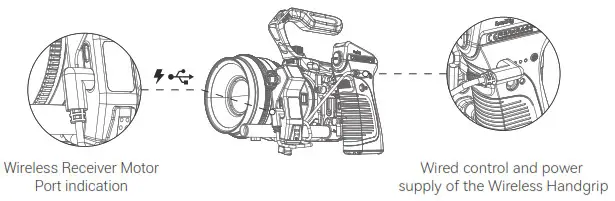
4.1 Use the USB-C to D-Tap Cable (ID: 3266) or USB-C to DC Cable (ID: 3268) to connect the V-mount battery for powering the Wireless Receiver Motor 4.2 Use the standard USB-C to USB-C cable to connect the Wireless Handgrip for powering the Wireless Receiver Motor, achieving the cabled control.
 4.3 Power the Wireless Receiver Motor through the Battery Plate.
- Instruction for REC Wiring
5.1 Connect one end of the control cable with the Wireless Receiver Motor and the other end with the camera; wirelessly control the video REC recording through the Wireless Handwheel Controller and Electronic Controller Module.
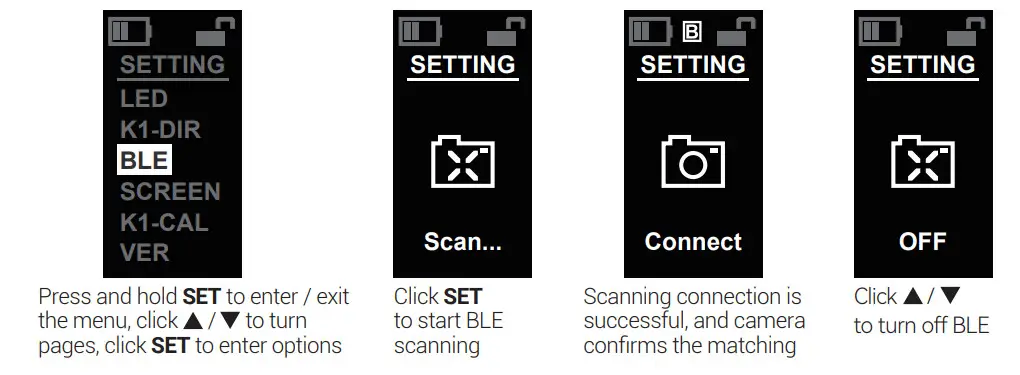
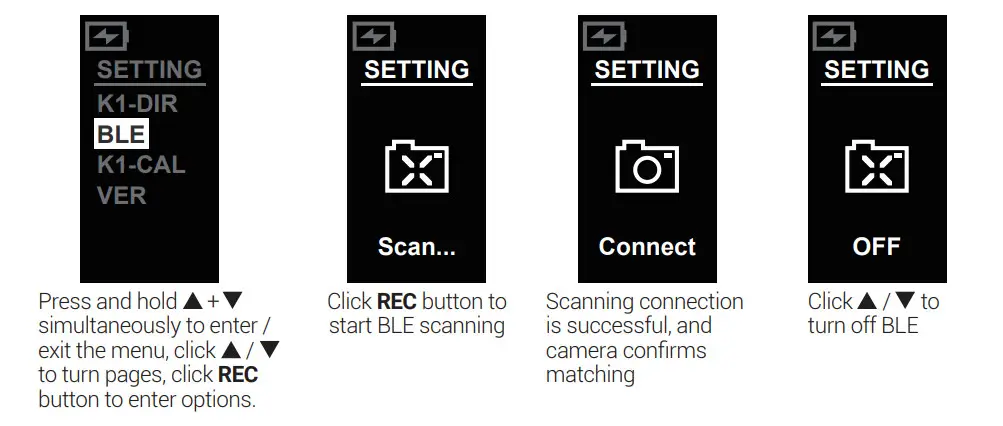
 5.2 Directly connect the Wireless Handwheel Controller and Electronic Controller Module with the camera BLE to wirelessly control the REC recording.
Sony Canon Nikon A7C, A7RIII, A7RIV, AT IV, FX3,
A7SIII, A9, A9 II, RX100 VII,
DSC-RX100M7, A6100,
A6400, A6600, ZV1, ZV-E10EOS 90D, EOS M6 Mark II
EOS M50, EOS R, EOS R5
EOS RP, G7X Mark IIIZ50
 2.2 Marking Disk Replacement / Installation.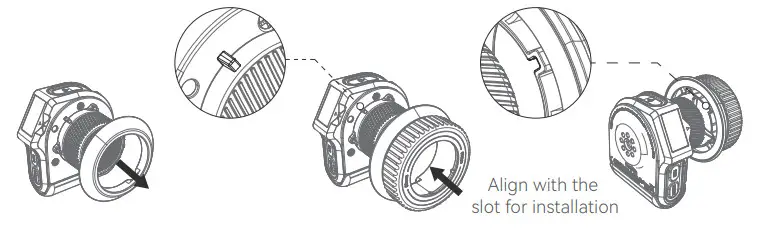
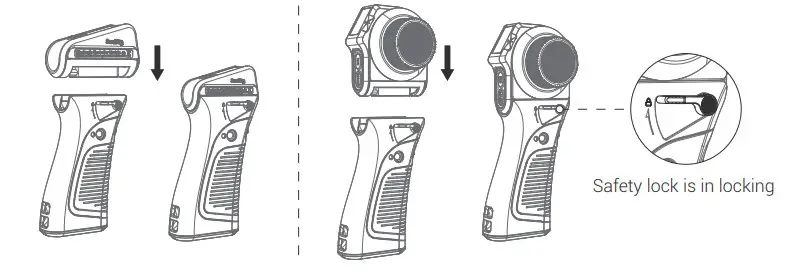 3.2 The Wireless Handgrip is suitable for both left and right hands.
 3.3 Installation Guide for Shoulder Rig Adapter, VCT-14 Extension Arm, and ARRI Rosette
 Instruction for Wireless Receiver Motor Power Supply
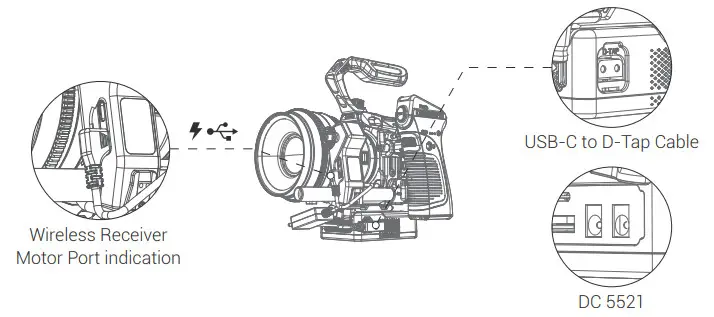 4.2 Use the standard USB-C to USB-C cable to connect the Wireless Handgrip for powering the Wireless Receiver Motor, achieving the cabled control.
 4.3 Power the Wireless Receiver Motor through the Battery Plate.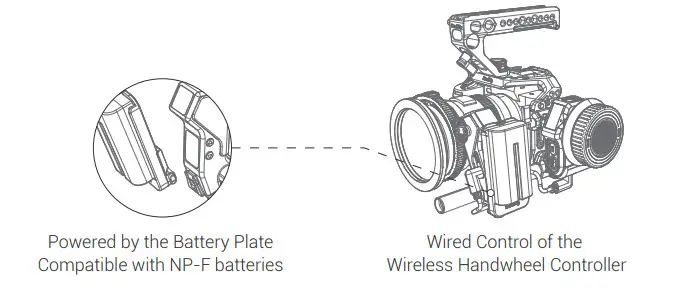
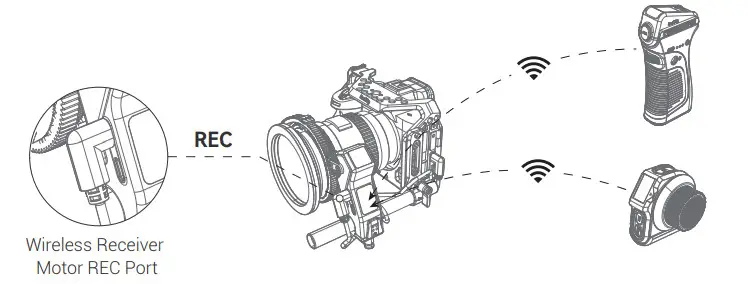
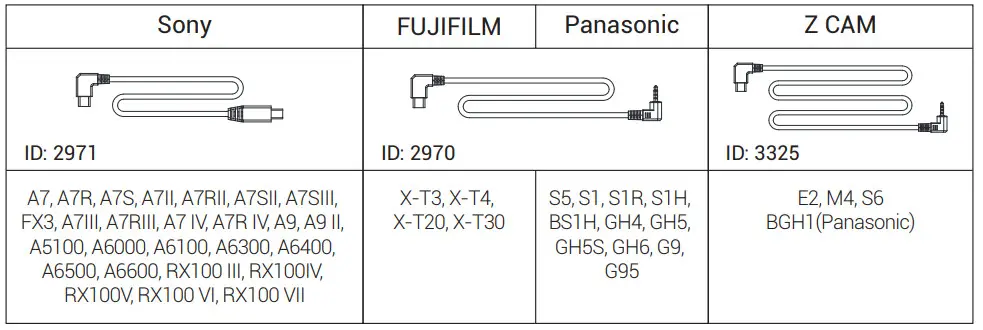 5.2 Directly connect the Wireless Handwheel Controller and Electronic Controller Module with the camera BLE to wirelessly control the REC recording.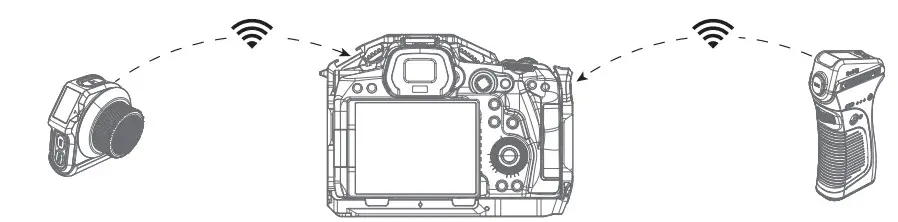
Interface Instruction
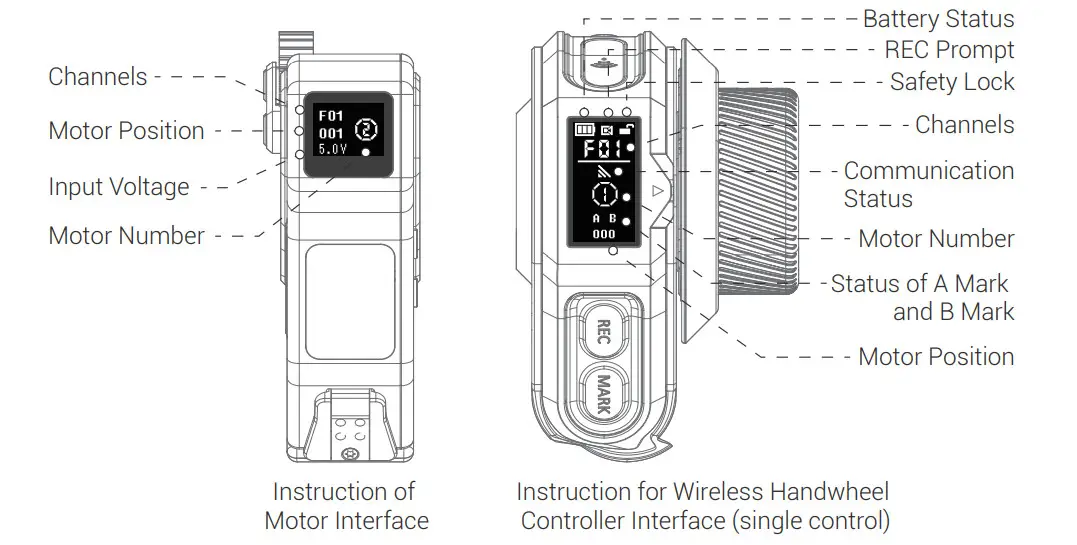
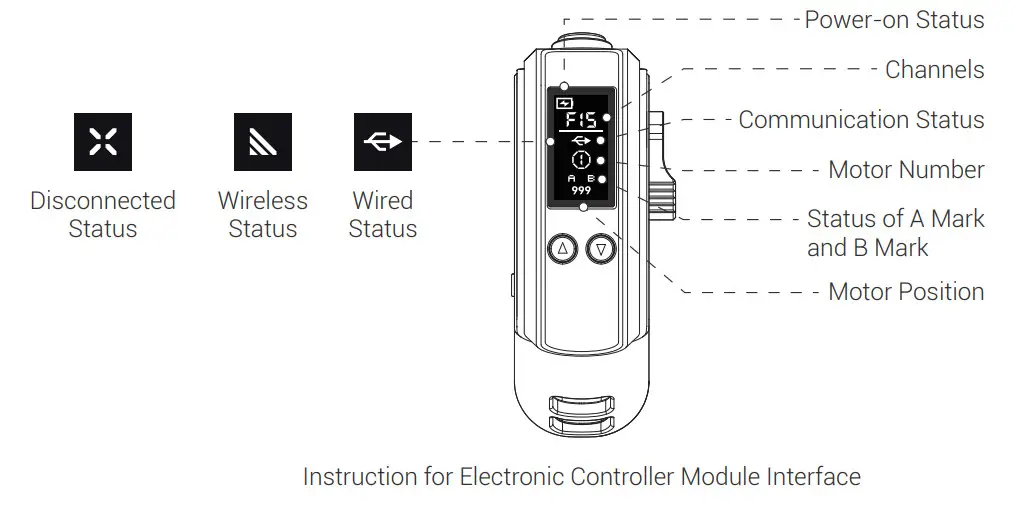
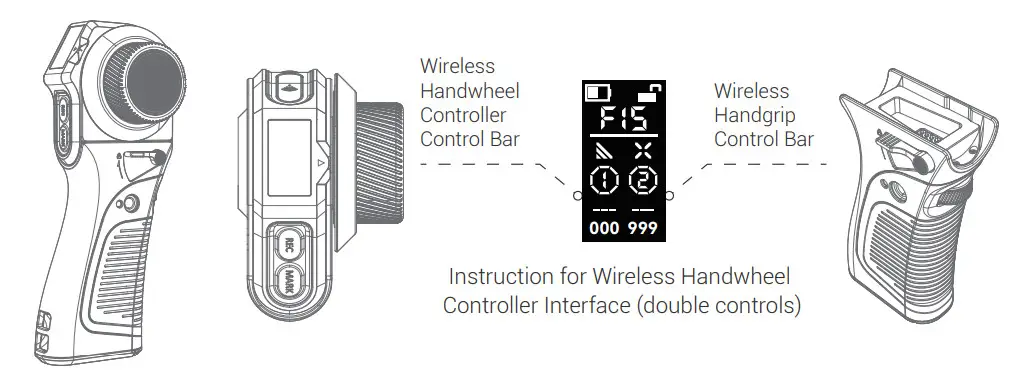
Basic Operation
- ON / OFF Operation
Press and hold the UP / DOWN button to turn on the machine; press both buttons simultaneously to turn off the machine.
Press and hold the REC button to turn ON / OFF the machine.
- Channel Adjustment
Double click /
/ of the Wireless Receiver Motor / Wireless Handwheel Controller / Electronic Controller Module to select the channel.
- Motor Number Adjustment
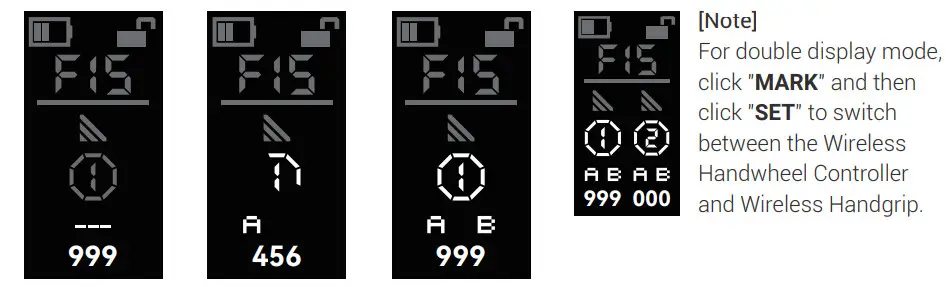
Wireless Receiver Motor: Press and hold to activate the motor number; click /to adjust the number; press and hold to exit. Wireless Handwheel Controller Single-Display Mode: Click SET “
 ” to activate the motor number; click /to adjust the number; press and hold “ ” to exit.
 Wireless Handwheel Controller Double-Display Mode: Click SET “ ” to activate the motor number and switch the control; click /to adjust the number; press and hold “SET” to exit.
 Electronic Controller Module Handgrip Mode: Press and hold to activate the motor number; click / to adjust the number; press and holdto exit.
- Lens Calibration (automatic / manual)
Method 1-1: Automatic lens calibration with the Wireless Handwheel Controller Press and hold MARK “ ” to start the calibration; click /to adjust the motor number.
 Method 1-2: Manual lens calibration with the Wireless Handwheel Controller The automatic lens calibration lasts for over 20s, or click MARK “” to switch to manual mode automatically, Click MARK “ ” to confirm starting point and ending point.
 Method 2: Automatic lens calibration with Wireless Receiver Motor Press and hold to calibrate the lens automatically; clickto confirm starting point and ending point.
- A-B Marks Setting
Wireless Handwheel Controller: Click MARK “ “, the dotted line jumps; then click A Mark and B Mark for a customized limits; click again to cancel the A-B Marks. Electronic Controller Module: Click / simultaneously and click REC “
 ” to set A Mark and B Mark; click /simultaneously to cancel the A-B Marks.
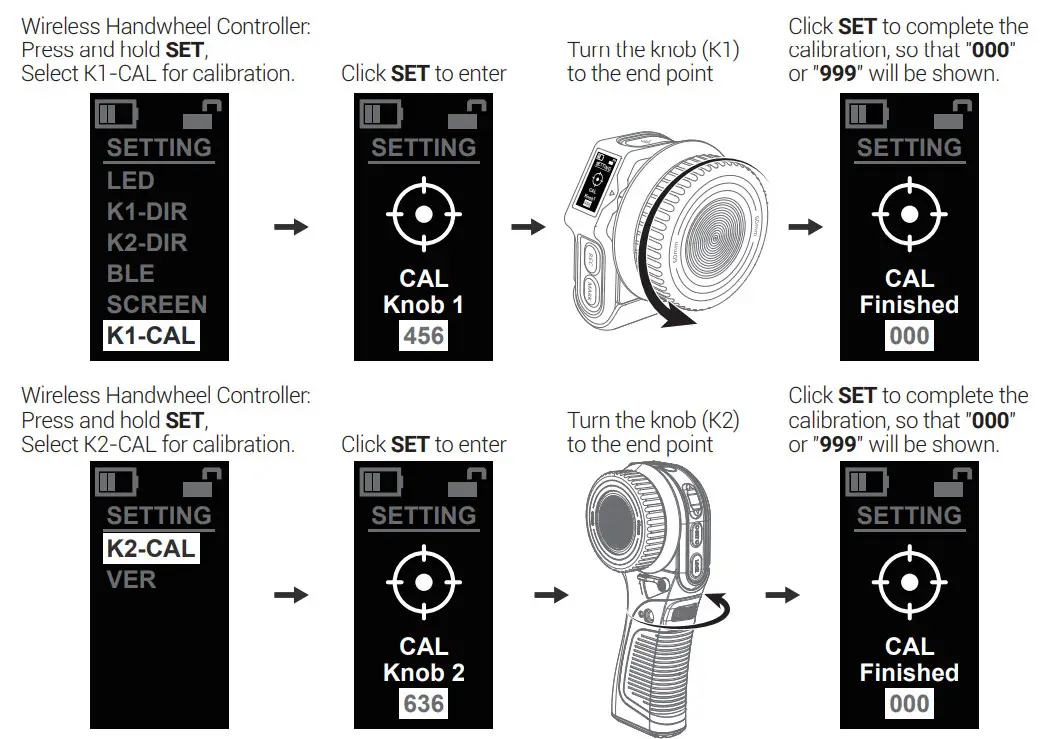
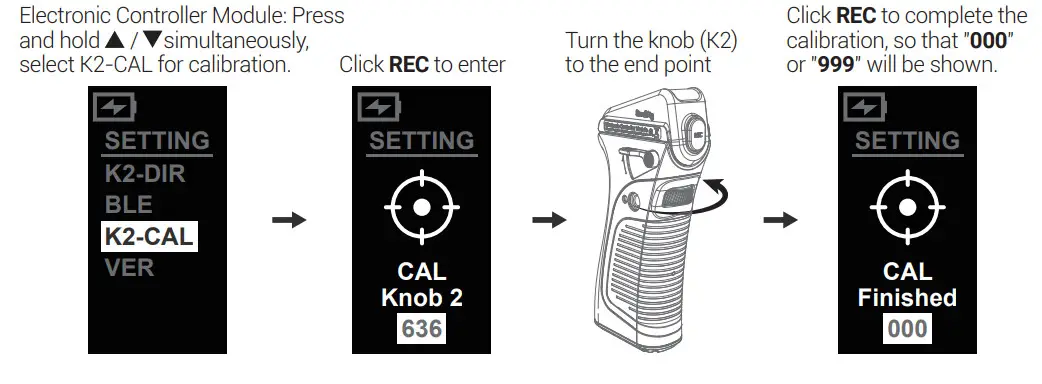
- Reset Calibration
It is required to reset and calibrate the Wireless Handwheel Controller and Wireless Handgrip when:
1. The knob is turned to the end point and the motor is reversed rapidly.
2. The knob is turned to the end point and the non “000” or “999” position information is shown.


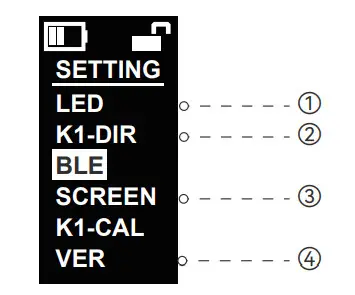
- Other Operations
① LED: The indicator shows RED → GREEN → BLUE → YELLOW → PINK → WHITE → OFF.
② K1-DIR: Positive and negative rotation switching of the motor controlled by the Wireless Handwheel Controller.
③ SCREEN: Screen inversion display.
④ VER: Version information.
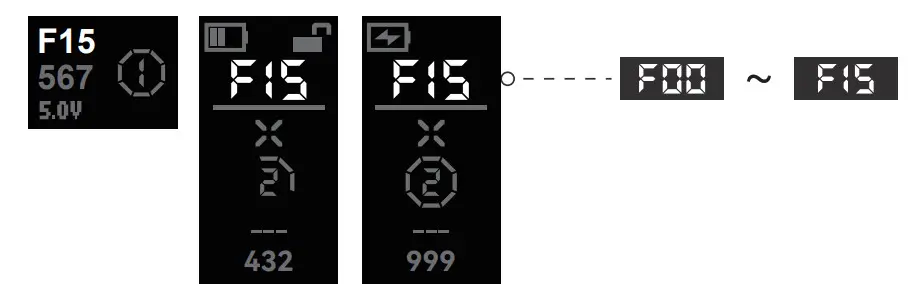
 Wireless Handwheel Controller Single-Display Mode: Click SET “
 ” to activate the motor number; click
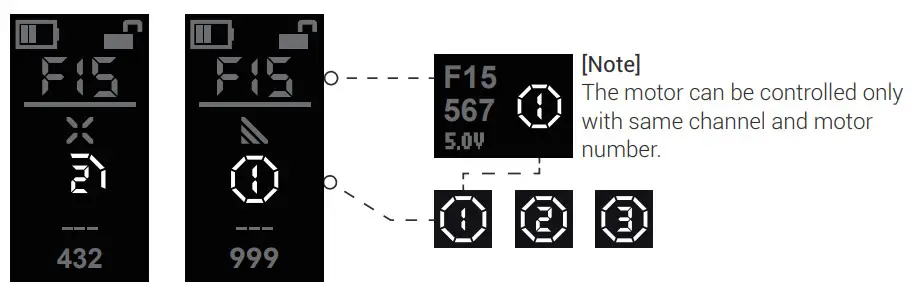 Wireless Handwheel Controller Double-Display Mode: Click SET “
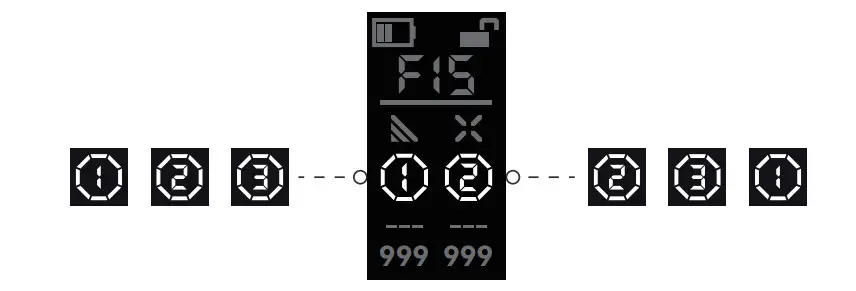 Electronic Controller Module Handgrip Mode: Press and hold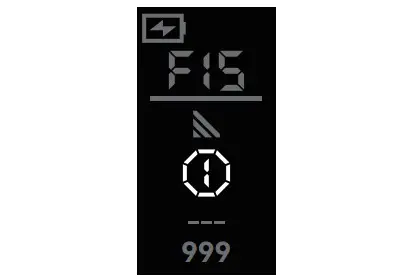
 ” to start the calibration; click
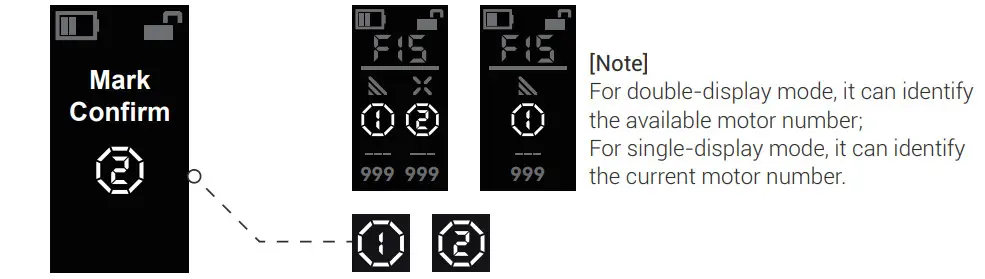 Method 1-2: Manual lens calibration with the Wireless Handwheel Controller The automatic lens calibration lasts for over 20s, or click MARK “
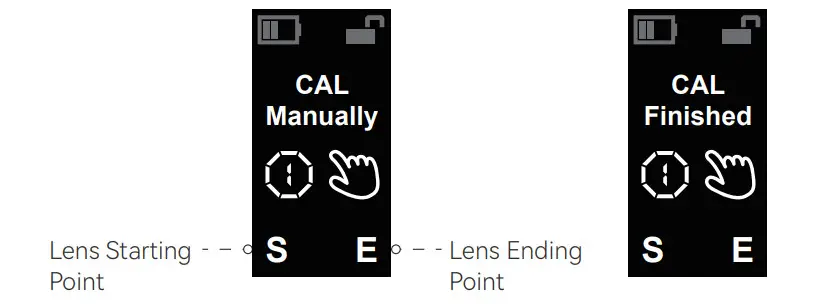 Method 2: Automatic lens calibration with Wireless Receiver Motor Press and hold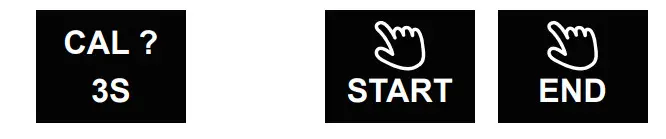
 Electronic Controller Module: Click
 ” to set A Mark and B Mark; click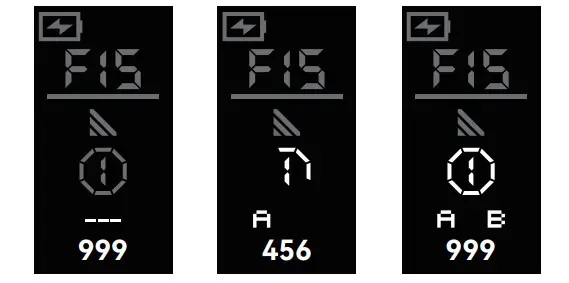
Specifications
| Wireless Handwheel Controller | 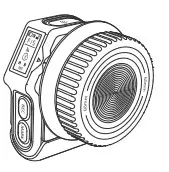 | Screen Size | OLED 0.96″ |
| Battery Specification | 3.7V / 1400mAh / 5.18Wh | ||
| Full Battery Life | 20h (without light display status) | ||
| Input Voltage | 5V – 12V | ||
| Operating Current | Approximate 0.14A | ||
| Channels | FOO – F15:16 in total, 3 motor numbers | ||
| Maximum Transmission Distance | 5100m ( Ideal Conditions ) | ||
| Communication Frequency | 2.4000 – 2.4835GHz |
| Wireless Follow Focus Controller Kit | 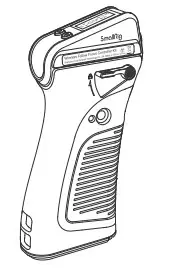 | Screen Size | OLED 0.96″ |
| Applicable Battery Types | LP-E6 / LP-E6N | ||
| Input Voltage | 5V – 16.8v | ||
| Full Charge Duration | Approximate 1h3Omin | ||
| Output Power | 5V= 2A 9V=- 2A | ||
| Full Battery Life | Approximate 40h | ||
| Loading Range | s6kg | ||
| Side Power Display | 20% – Red Light, 60%- Green Light, 100% – Green Light |
| Wireless Receiver Motor | 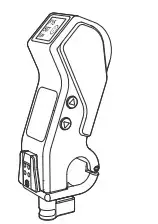 | Screen Size | OLED 0.52″ |
| Peak Torque | 0.5N.m | ||
| Input Voltage | 5V — 16.8V | ||
| Maximum Transmission Distance | 5100m ( Ideal Conditions ) | ||
| Communication Frequency | 2.4000 – 2.4835GHz | ||
| Input Voltage of External Battery | 7.4V — 8.2V | ||
| Compatible Rods | Standard 015mm Rod |
For more methods, please scan the code for details.
 https://www.smallrig.com/SmallRig-MagicFIZ-Wireless-Follow-Focus-Two-Motor-Kit-3918.html
FCC Compliance Statement
This device complies with Part 15 of the FCC Rules. Operation is subject to the following two conditions:
- This device may not cause harmful interference.
- This device must accept any interference received, including interference that may cause undesired operation.
[Warning]
Changes or modifications not expressly approved by the party responsible for compliance could void the user’s authority to operate the equipment.
[Note]
This equipmet has been tested and found to comply with the limits for a Class B digital device, pursuant to Part 15 of the FCC Rules. These limits are designed to provide reasonable protection against harmful interference in a residential installation. This equipment generates,uses and can radiate radio frequency energy, if not installed and used in accordance with the instructions, may cause harmful interference to radio communications. However, there is no guarantee that interference will not occur in a particular installation. If this equipment does cause harmful interference to radio or television reception, which can be determined by turning the equipment off and on, the user is encouraged to try reorient or relocate the receiving antenna.
Increase the separation between the equipment and receiver.
Connect the equipment to an outlet in a different circuit than the receiver is connected to. Consult the dealer or an experienced radio / TV technician for help.
RF Warning Statement
This device has been evaluated to meet general RF exposure requirements. The device can be used in portable exposure condition without restriction.
ISED Statement
English:This device contains licence-exempt transmitter(s)/receiver(s) that comply with Innovation, Science and Economic Development Canada’s licence-exempt RSS(s). Operation is subject to the
following two conditions:
- This device may not cause interference.
- This device must accept any interference, including interference that may cause undesired operation of the device.
The digital apparatus complies with Canadian CAN ICES-3 (B)/NMB-3(B).
This device meets the exemption from the routine evaluation limits in section 2.5 of RSS 102 and compliance with RSS 102 RF exposure, users can obtain Canadian information on RF exposure and compliance.
This equipment complies with Canada radiation exposure limits set forth for an uncontrolled environment.
RF Exposure
The device has been evaluated to meet general RF exposure requirement. The device can be usedin portable exposurecondition without restriction.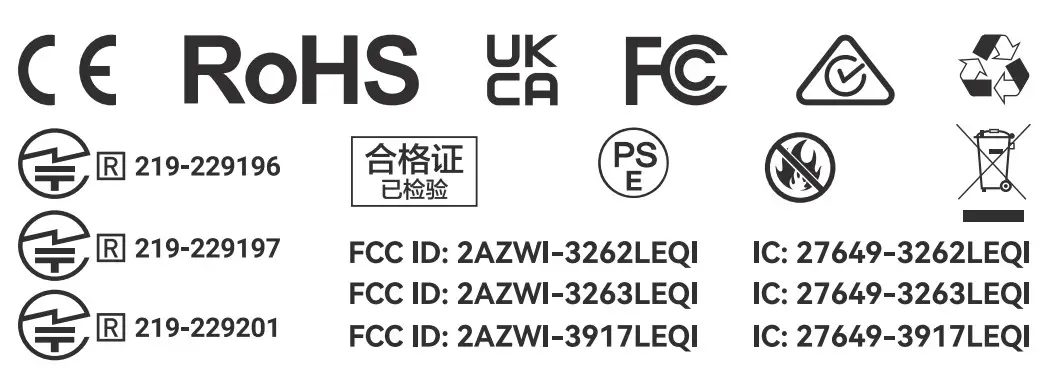 Guarantee Card
| Serial No. | |
| Item Name | |
| Purchase Date | |
| User Name | |
| Mobile | |
| Address | |
| Receipt |
Service Warranty
Please keep your original receipt and guarantee card. Be sure the dealer has written on it the date of purchase and SN of the product.These are required for warranty service.
After-sale warranty terms
- 7 Days DOA Return Policy: Within 7 days from the date of the package receipt, return or replacement can be done if the item received is malfunctioning or physical damaged (not caused by human abused), return shipping cost will be on SmallRig’s charge.
- 1-Year Warranty: Within 1-year from the date of the package receipt, defective product which is not caused by human abused is eligible to get repair / replacement for free; defective product which is caused by human abused, repair / replacement will be charged based on the damage level.
This warranty does not cover:
- Defect caused by users’ violation of the “Warnings” and “Intended Use”.
- The product identification or SN label is removed or defaced in any way.
- The product is serviced or repaired by any one other than our company or the service agency authorized by our company.
The product has been covered by the liability insurance of PICC Property and Casualty Co., Ltd.
Manufacturer: Shenzhen Leqi Network Technology Co., Ltd.
Add: Rooms 103, 501 and 601, Building 5, Fenghe Industrial Park, Nos. 1301-50 Guanguang Road, Longhua District, Shenzhen, Guangdong, China.
www.smallrig.com
Made in China
 SmallRig - DIY Camera Rigs, Stabilizers and Other Camera Accessories