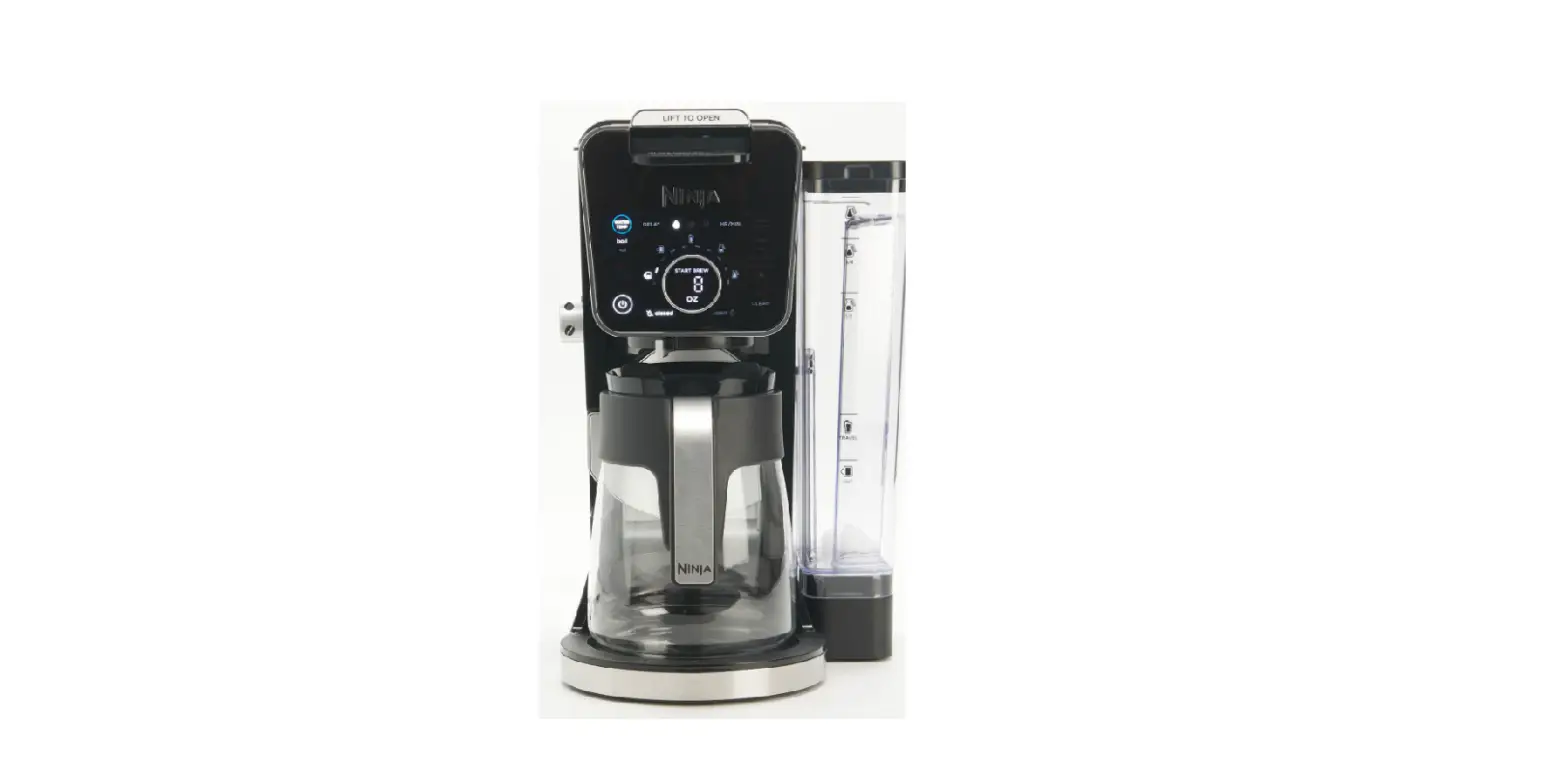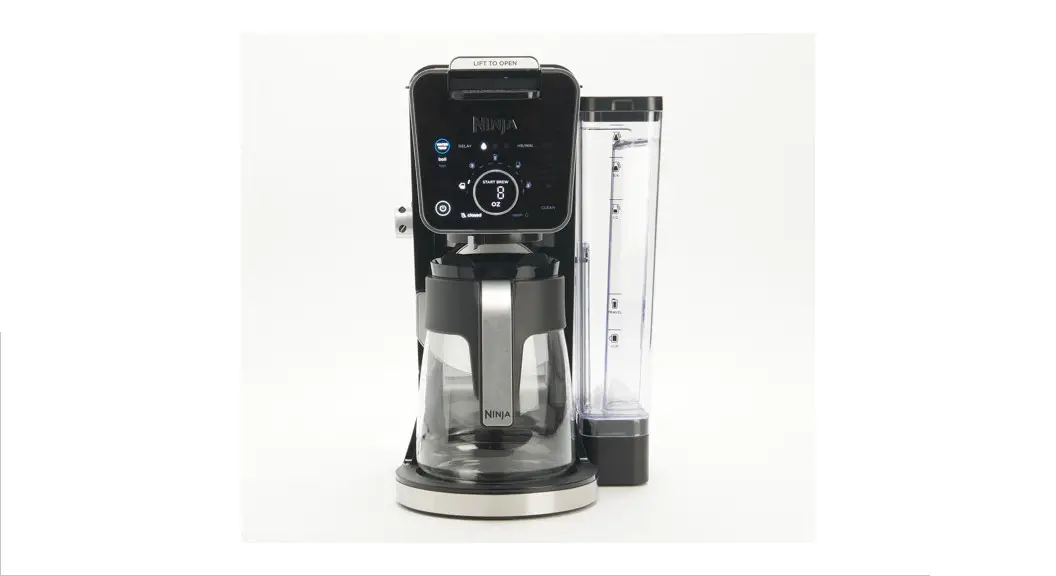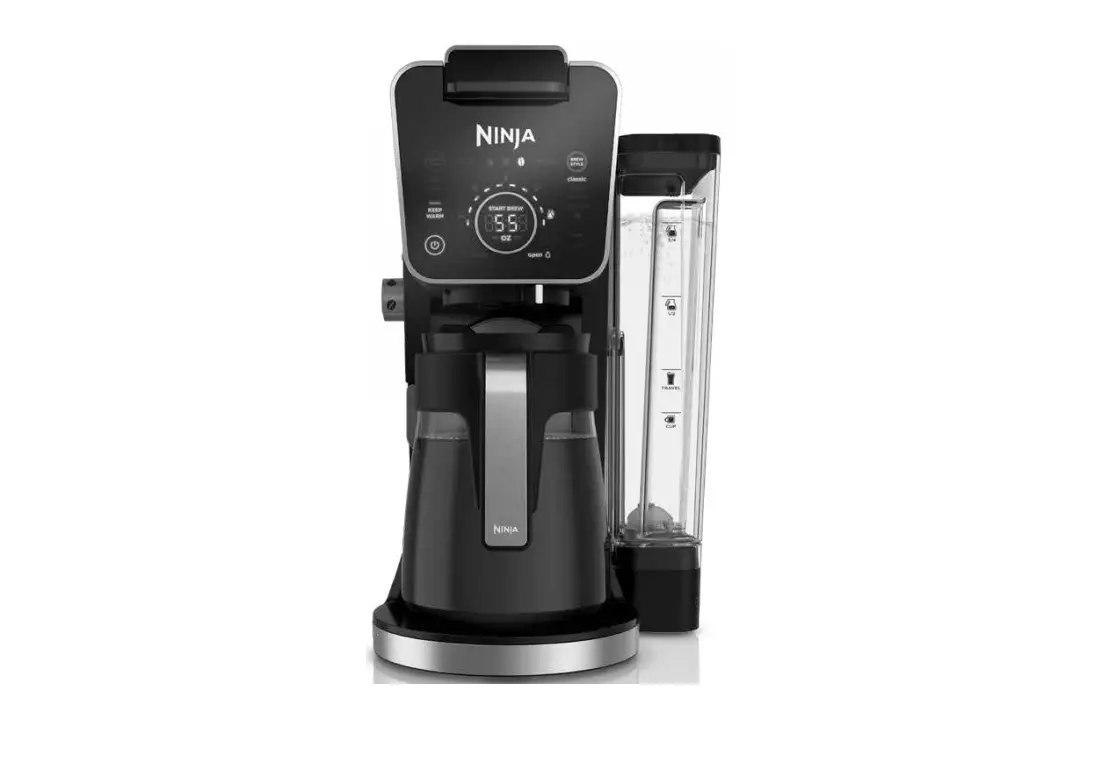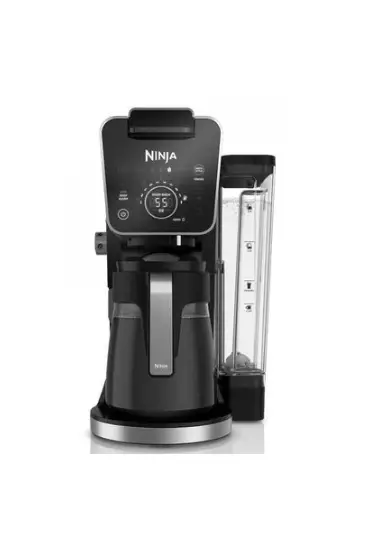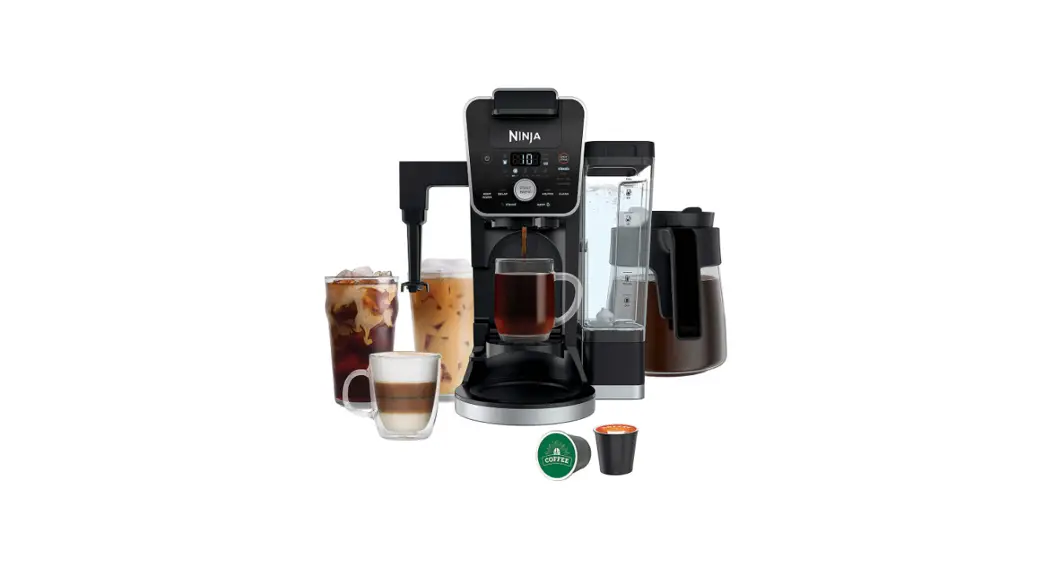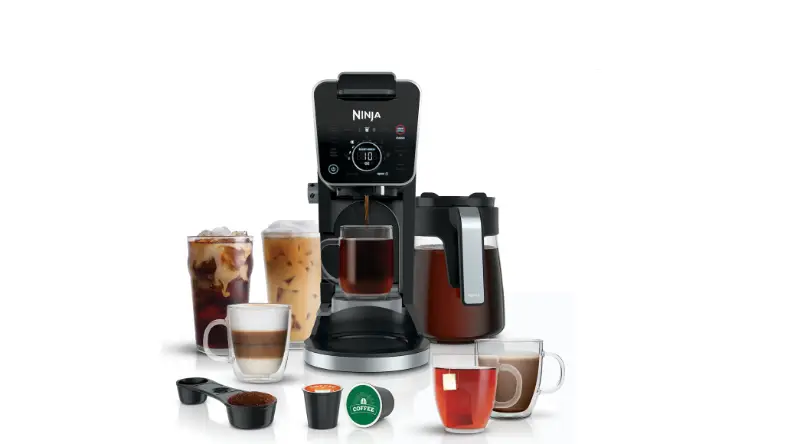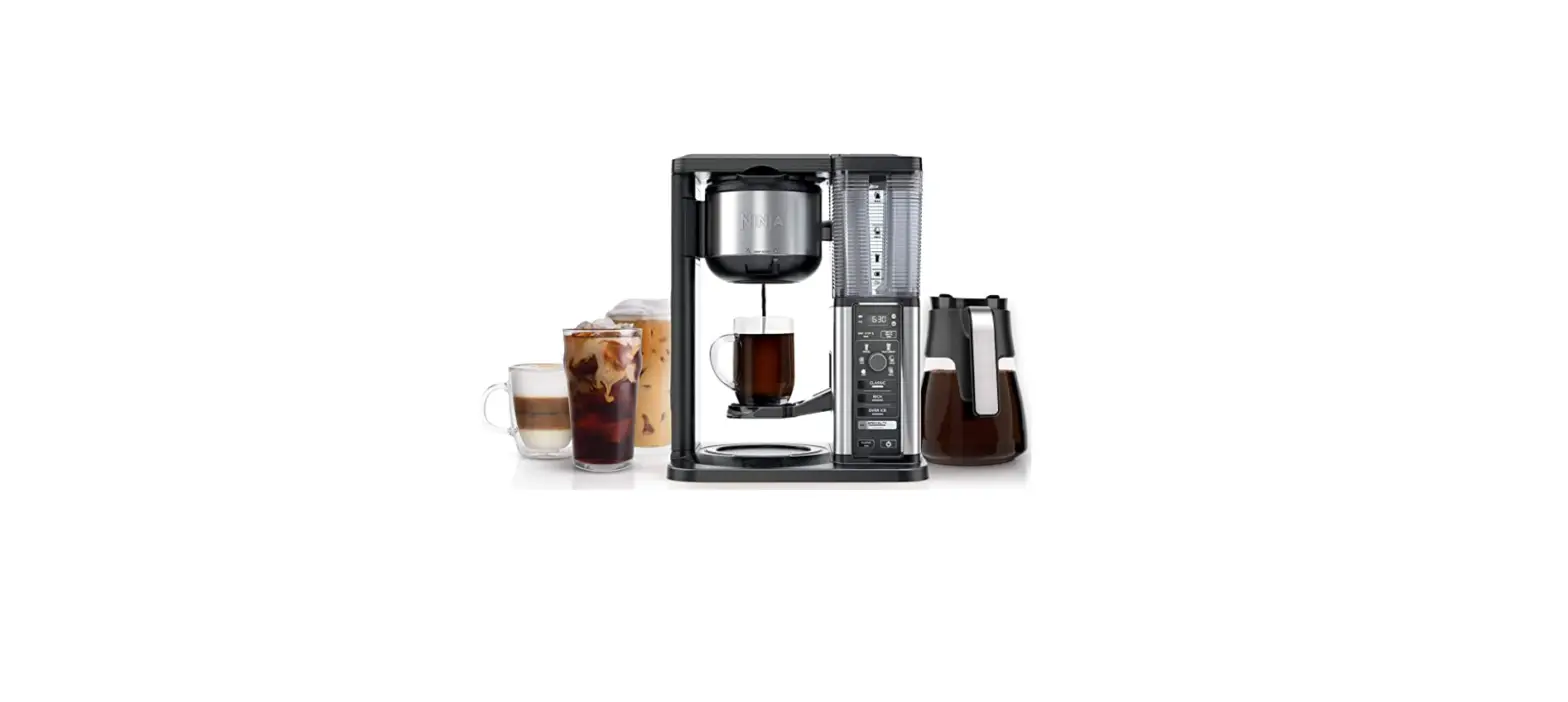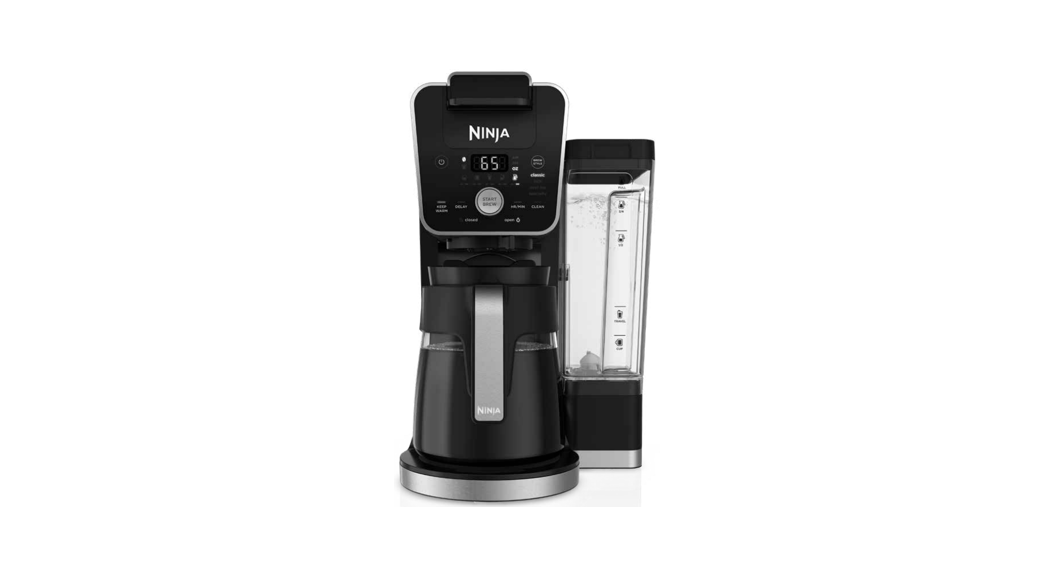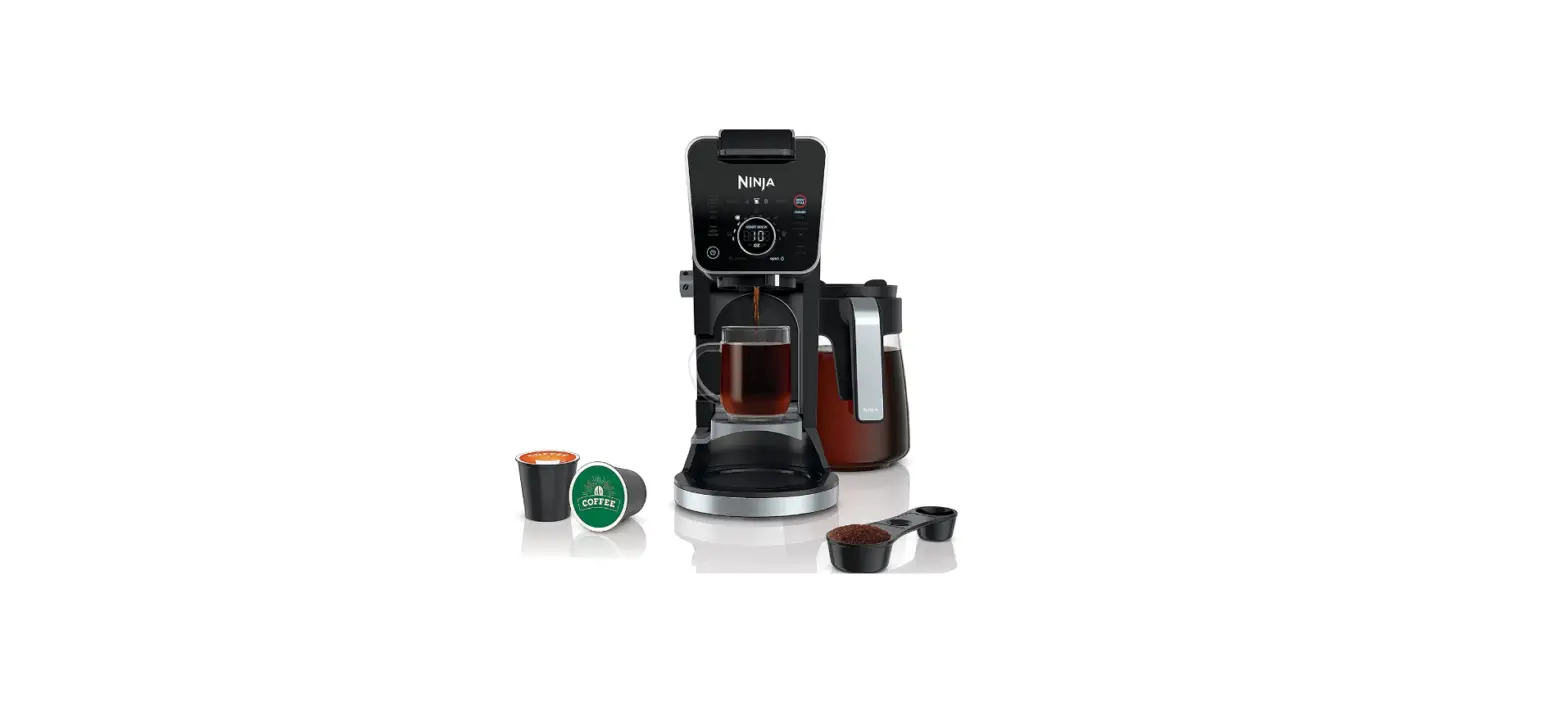

Ninja CFP301 DualBrew Pro System Coffee Maker
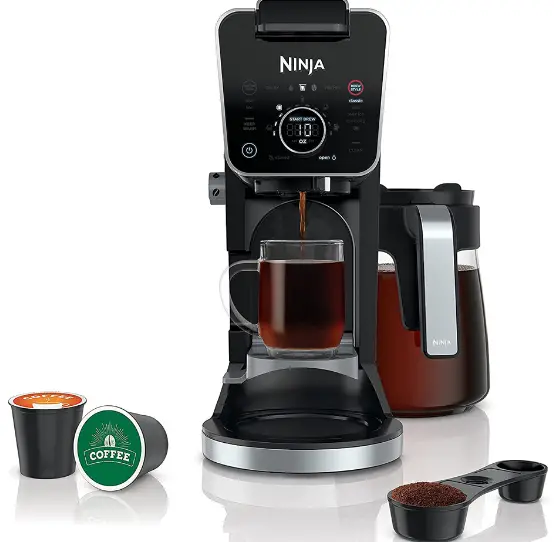
HERE’S WHAT’S IN THE BOX
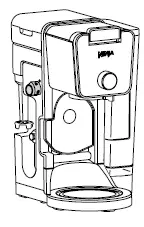
- NINJA DUALBREW

- NINJA POD ADAPTER
 BREW BASKET
- 60 OZ. GLASS CARAFE

- FROTHER WHISK

- 60 OZ. REMOVABLE WATER RESERVOIR

- NINJA SMART SCOOP

- NINJA DUALBREW
 BREW BASKET
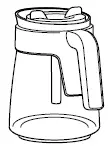
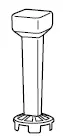
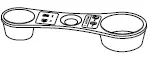
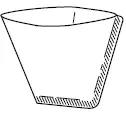
- PAPER FILTER KIT

FILLING THE WATER RESERVOIR.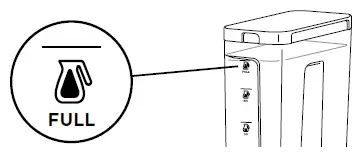
POSITIONING THE WATER RESERVOIR
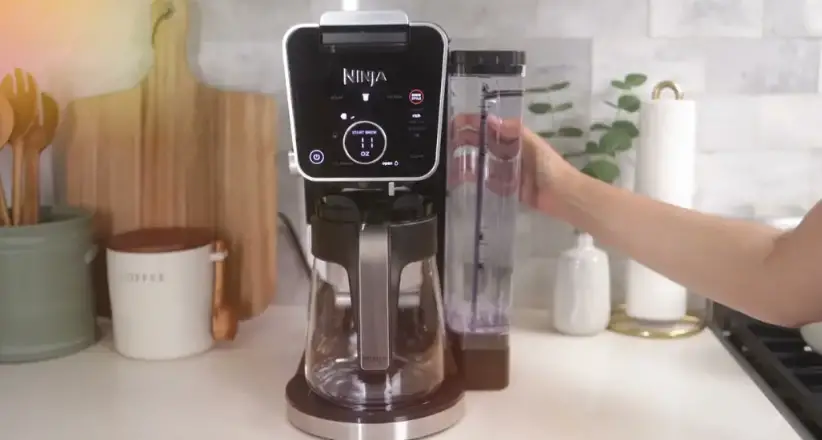
STEP 1. Remove the reservoir from the base. Remove the removable latch from the back of the brewer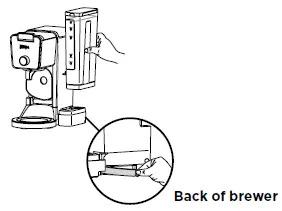
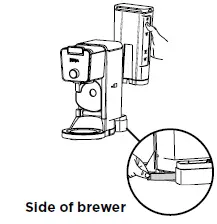
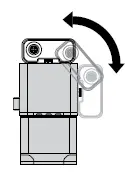 STEP 2. Swing the reservoir base around the brewer until it clicks into place. You may feel some resistance. Then, rotate the removable latch 180 degrees and reinsert it in the new gap where the base was previously positioned.
CUP, MUG, OR CARAFE
CUP: Pull down the cup platform to set a mug on it.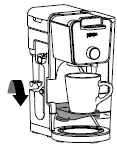 TRAVEL MUG & XL SIZES: Place an XL Cup, Travel Mug, or XL Tumbler on the base of the brewer.
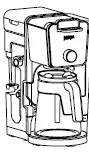
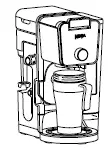 CARAFE: Place the carafe on the Intelligent Warming Plate. The Intelligent Warming Plate will turn on only if brewing a carafe size on Classic or Rich brew.
- Plug it into an outlet and turn it on.
- Fill the water reservoir to the Full line with fresh water and place it on the base.
- Remove the Ninja Pod Adapter and slide the Sliding Lid into the closed position.
- Place the empty carafe under the brew basket and run a Full Carafe, Classic brew. Once the brew is complete, discard the water and you’re ready to go.
WANT YOUR COFFEE TO STAY HOT LONGER?
The Intelligent Warming Plate will automatically turn on while brewing a Classic or Rich brew on any Carafe size and remain on for 2 hours. To adjust how long the Intelligent Warming Plate remains on (up to 4 hours), refer to the Owner’s Guide. When the Intelligent Warming Plate is on, it can be turned off manually by pressing KEEP WARM. It can be turned on manually by pressing KEEP WARM while a Classic or Rich brew and any Carafe size is selected.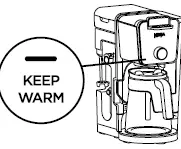
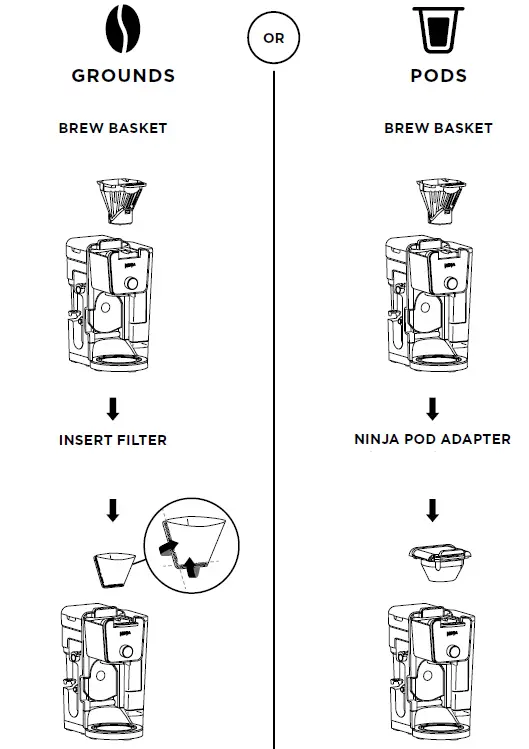
BREW BASKET AND NINJA POD ADAPTER ASSEMBLY
LOCKING AND REMOVING THE NINJA POD ADAPTER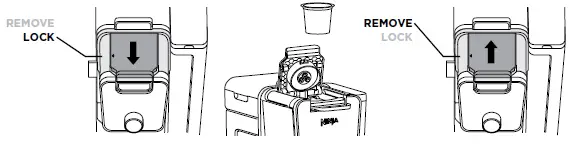
- Once the adapter is installed in the brewer, make sure the position indicator on the left side of the adapter is aligned with LOCK by pulling the handle toward you. Then, lift to open the handle, insert a pod, firmly push down on the handle to pierce the pod, and begin programming your brew.
- To uninstall the adapter, remove the used pod and close the handle. Push the handle away from you so the position indicator is in the REMOVE position. Then, using the edges on the left and right, lift the adapter out of the brewer.
SLIDING LID
The sliding lid is used only when brewing loose coffee grounds. To use it, first remove the Ninja Pod Adapter. Then, using the handle on top of the brewer, slide the lid toward you until it firmly clicks into place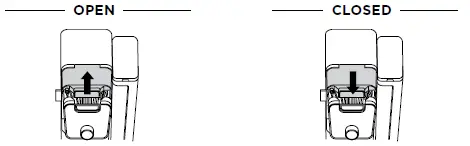
NINJA SMART SCOOP™
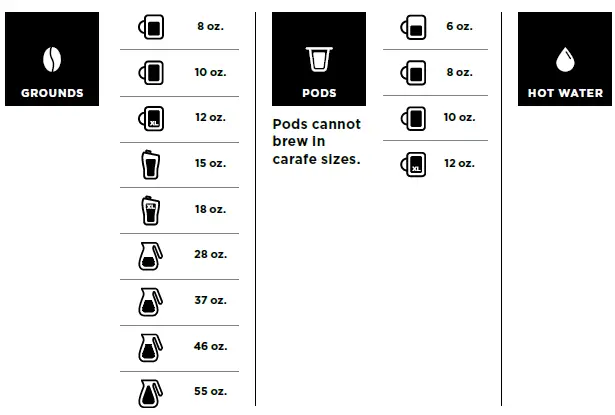
The Ninja Smart Scoop is used for accurately measuring coffee grounds. The numbers beside the icons show the number of level scoops recommended for each brew size.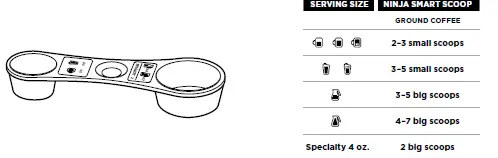
CAHUOTOOMSEAT AIC M DERTIPH SOTDOP
GROUNDS
- Ensure the brew basket is installed and the Ninja Pod Adapter is removed. Then, insert a paper filter in the basket (refer to steps on pages 4 and 5).

- Use the Ninja Smart Scoop™ to add your desired amount of coffee grounds (refer to the Smart Scoop section on page 5).

- Slide the sliding lid forward, ensuring it is completely closed

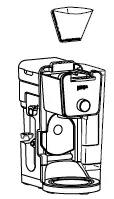
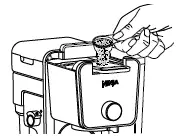
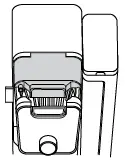
Pod
- Ensure the brew basket and Ninja Pod Adapter are installed in the brewer (refer to steps on pages 4 and 5).

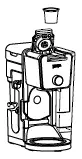
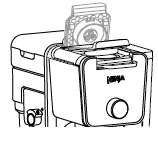
- Lift adapter handle to reveal pod holder and insert a pod.

- Firmly push down on the handle to pierce the pod. Some noise and resistance is normal

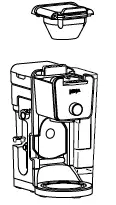
HOT WATER
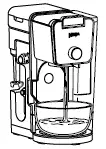
- The water outlet is completely separate from the coffee outlet to ensure clean water is dispensed every time.
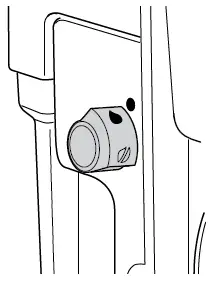
- To enter hot water mode, turn the dial on the left side of the brewer to the water droplet icon, aligning it with the marker. You will see a change in the display.

- The hot water will dispense next to the coffee outlet.

CHOOSE A SIZE
BREW
Press the START BREW button to start brewing. There will be an illuminating progress bar on the display to track the status of your brew. THE BREW MAY PAUSE ONCE OR MULTIPLE TIMES DURING THE BREW CYCLE. THAT’S OK. Pausing allows the coffee grounds to fully extract and unlock the full flavor of the brew style
CHOOSE A BREW
- Smooth, well-balanced flavor.

- Specially designed to brew hot over ice for freshly brewed iced coffee that is not watered down.

- Richer than classic, with more intense flavor that stands up to milk, cream, or flavoring

- A super-rich concentrate that allows you to make coffee-based drinks like cappuccinos and lattes. Will only brew 4 oz.

- Smooth, well-balanced flavor.


DRIP STOP
The drip stop is used to close off the brew basket to prevent any coffee from dispensing. You will need to manually open and close the drip stop by moving the handle to your desired position. The drip stop can be closed and reopened at any point before, during, or after a brew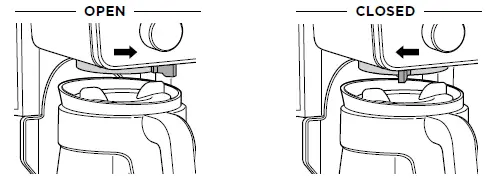
FROTHING
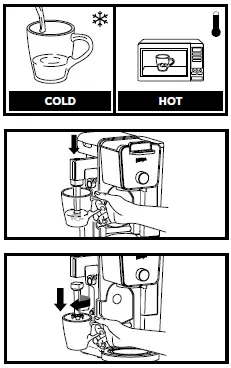
- Add milk to your cup until it is about 1⁄3 full.
- For cold froth, go to Step 3.
- For hot froth, microwave for 45–60 seconds.
- Swing the arm of the frother toward the front of the brewer. Install the frother whisk by twisting it to the right.
- Hold the cup under the frother and submerge the whisk just below the surface of the milk. Press and hold the button on top of the frother and froth for 30–45 seconds.
- Remove the frother whisk by twisting it to the left.
- Keep your cup below the whisk while you carry it to your sink or dishwasher for easy cleaning

ICED NUTTY COCOA LATTE
INGREDIENTS
- 2 Ninja Big Scoops (4 tablespoons) ground coffee
- 2 tablespoons chocolate syrup, plus more for garnish
- 1 tablespoon caramel syrup, plus more for garnish
- 2 cups ice
- 1⁄2 cup milk
- 1 tablespoon peanut butter
DIRECTIONS
- Following the measurement provided, place the ground coffee into the filter.
- Add chocolate syrup, caramel syrup, and ice to an 18-ounce cup and set in place to brew.
- Press the BREW STYLE button to select SPECIALTY, then press the START BREW button to begin the brew.
- While coffee is brewing, place milk and peanut butter in a large mug, stir to combine, then microwave for 45–60 seconds.
- When brew is complete, stir to combine.
- Froth milk mixture for 30 seconds, then gently pour over coffee. Garnish as desired.
GUIDE TO KEEPING COFFEE HOT
The type of cup you brew into can greatly influence the drinking temperature of your coffee. For a hotter cup, use the hot water mode on BOIL to conveniently pre-warm the cup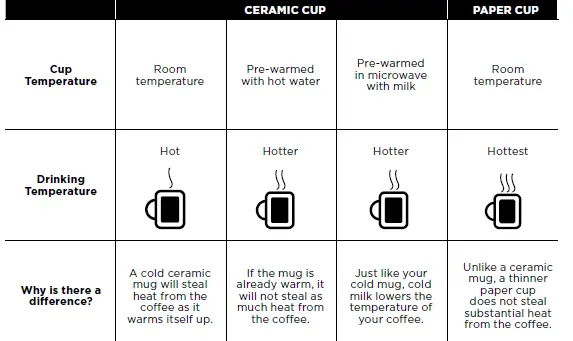
NEED HELP
For questions or to register your product, contact us at 1-877-646-5288 or visit us online at ninjakitchen.com
- CFP301_QSG_MP_Mv31
- © 2021 SharkNinja Operating LLC
- NINJA is a registered trademark of SharkNinja Operating LLC.
- NINJA SMART SCOOP is a trademark of SharkNinja Operating LLC.
- All other marks, including KEURIG and K-CUP, are trademarks of their respective owners.
FAQS
What is better a ninja or a Keurig?
The Keurig outshines the Ninja coffee bar by a lot with its 75-ounce tank that will make many more cups than the 50-ounce reservoir with the Ninja. Both are removable for easy cleaning, but you’ll be filling your Ninja a lot more, especially if you’re brewing carafes.
Can you use Nespresso pods in Ninja DualBrew?
Because the Ninja and Nespresso coffee makers are two different types of machines, it is not possible to use Nespresso pods in a Ninja
Does the Ninja DualBrew pro need a filter?
The answer is no, you don’t need filters for a Ninja coffee maker. This is because the Ninja coffee maker has a built-in water filtration system
What is the lifespan of a ninja coffee maker?
Ninja coffee makers are actually reported to have short lifespans of about 1-2 years
Which Ninja machine is best?
The Ninja Foodi Power Blender Ultimate System is the best Ninja blender we’ve tested.
Do Ninja coffee makers use pods?
Ninja® DualBrew Coffee Maker, Compatible with K-Cup Pods, and 12-Cup Drip Coffee Maker.
What is better Nespresso or Ninja?
If you want versatility, you’ll probably prefer the Ninja Coffee Bar.
Can you use regular coffee filters in Ninja?
Yes, you can use regular coffee filters in the Ninja Coffee Bar. However, we recommend using the cone-shaped filters as they will fit better and produce a richer flavor
Why is my Ninja coffee maker so slow?.
The most likely reason for your coffee maker’s slow brewing pace is that it needs to be cleaned
Why does my Ninja coffee maker need to be cleaned so often?
It is usually in the form of chalky white buildup due to the mineral left-overs in the water
VIDEO
- Plug it into an outlet and turn it on.
- Fill the water reservoir to the Full line with fresh water and place it on the base.
- Remove the Ninja Pod Adapter and slide the Sliding Lid into the closed position.
- Place the empty carafe under the brew basket and run a Full Carafe, Classic brew. Once the brew is complete, discard the water and you’re ready to go.
WANT YOUR COFFEE TO STAY HOT LONGER?
The Intelligent Warming Plate will automatically turn on while brewing a Classic or Rich brew on any Carafe size and remain on for 2 hours. To adjust how long the Intelligent Warming Plate remains on (up to 4 hours), refer to the Owner’s Guide. When the Intelligent Warming Plate is on, it can be turned off manually by pressing KEEP WARM. It can be turned on manually by pressing KEEP WARM while a Classic or Rich brew and any Carafe size is selected.
BREW BASKET AND NINJA POD ADAPTER ASSEMBLY
LOCKING AND REMOVING THE NINJA POD ADAPTER
- Once the adapter is installed in the brewer, make sure the position indicator on the left side of the adapter is aligned with LOCK by pulling the handle toward you. Then, lift to open the handle, insert a pod, firmly push down on the handle to pierce the pod, and begin programming your brew.
- To uninstall the adapter, remove the used pod and close the handle. Push the handle away from you so the position indicator is in the REMOVE position. Then, using the edges on the left and right, lift the adapter out of the brewer.
SLIDING LID
The sliding lid is used only when brewing loose coffee grounds. To use it, first remove the Ninja Pod Adapter. Then, using the handle on top of the brewer, slide the lid toward you until it firmly clicks into place
NINJA SMART SCOOP™
The Ninja Smart Scoop is used for accurately measuring coffee grounds. The numbers beside the icons show the number of level scoops recommended for each brew size.
CAHUOTOOMSEAT AIC M DERTIPH SOTDOP
GROUNDS
- Ensure the brew basket is installed and the Ninja Pod Adapter is removed. Then, insert a paper filter in the basket (refer to steps on pages 4 and 5).
- Use the Ninja Smart Scoop™ to add your desired amount of coffee grounds (refer to the Smart Scoop section on page 5).
- Slide the sliding lid forward, ensuring it is completely closed
Pod
- Ensure the brew basket and Ninja Pod Adapter are installed in the brewer (refer to steps on pages 4 and 5).
- Lift adapter handle to reveal pod holder and insert a pod.
- Firmly push down on the handle to pierce the pod. Some noise and resistance is normal
HOT WATER
- The water outlet is completely separate from the coffee outlet to ensure clean water is dispensed every time.
- To enter hot water mode, turn the dial on the left side of the brewer to the water droplet icon, aligning it with the marker. You will see a change in the display.
- The hot water will dispense next to the coffee outlet.
CHOOSE A SIZE
BREW
Press the START BREW button to start brewing. There will be an illuminating progress bar on the display to track the status of your brew. THE BREW MAY PAUSE ONCE OR MULTIPLE TIMES DURING THE BREW CYCLE. THAT’S OK. Pausing allows the coffee grounds to fully extract and unlock the full flavor of the brew style
CHOOSE A BREW
- Smooth, well-balanced flavor.
- Specially designed to brew hot over ice for freshly brewed iced coffee that is not watered down.
- Richer than classic, with more intense flavor that stands up to milk, cream, or flavoring
- A super-rich concentrate that allows you to make coffee-based drinks like cappuccinos and lattes. Will only brew 4 oz.
- Smooth, well-balanced flavor.
DRIP STOP
The drip stop is used to close off the brew basket to prevent any coffee from dispensing. You will need to manually open and close the drip stop by moving the handle to your desired position. The drip stop can be closed and reopened at any point before, during, or after a brew
FROTHING
- Add milk to your cup until it is about 1⁄3 full.
- For cold froth, go to Step 3.
- For hot froth, microwave for 45–60 seconds.
- Swing the arm of the frother toward the front of the brewer. Install the frother whisk by twisting it to the right.
- Hold the cup under the frother and submerge the whisk just below the surface of the milk. Press and hold the button on top of the frother and froth for 30–45 seconds.
- Remove the frother whisk by twisting it to the left.
- Keep your cup below the whisk while you carry it to your sink or dishwasher for easy cleaning
ICED NUTTY COCOA LATTE
INGREDIENTS
- 2 Ninja Big Scoops (4 tablespoons) ground coffee
- 2 tablespoons chocolate syrup, plus more for garnish
- 1 tablespoon caramel syrup, plus more for garnish
- 2 cups ice
- 1⁄2 cup milk
- 1 tablespoon peanut butter
DIRECTIONS
- Following the measurement provided, place the ground coffee into the filter.
- Add chocolate syrup, caramel syrup, and ice to an 18-ounce cup and set in place to brew.
- Press the BREW STYLE button to select SPECIALTY, then press the START BREW button to begin the brew.
- While coffee is brewing, place milk and peanut butter in a large mug, stir to combine, then microwave for 45–60 seconds.
- When brew is complete, stir to combine.
- Froth milk mixture for 30 seconds, then gently pour over coffee. Garnish as desired.
GUIDE TO KEEPING COFFEE HOT
The type of cup you brew into can greatly influence the drinking temperature of your coffee. For a hotter cup, use the hot water mode on BOIL to conveniently pre-warm the cup
NEED HELP
For questions or to register your product, contact us at 1-877-646-5288 or visit us online at ninjakitchen.com
- CFP301_QSG_MP_Mv31
- © 2021 SharkNinja Operating LLC
- NINJA is a registered trademark of SharkNinja Operating LLC.
- NINJA SMART SCOOP is a trademark of SharkNinja Operating LLC.
- All other marks, including KEURIG and K-CUP, are trademarks of their respective owners.
FAQS
What is better a ninja or a Keurig?
The Keurig outshines the Ninja coffee bar by a lot with its 75-ounce tank that will make many more cups than the 50-ounce reservoir with the Ninja. Both are removable for easy cleaning, but you’ll be filling your Ninja a lot more, especially if you’re brewing carafes.
Can you use Nespresso pods in Ninja DualBrew?
Because the Ninja and Nespresso coffee makers are two different types of machines, it is not possible to use Nespresso pods in a Ninja
Does the Ninja DualBrew pro need a filter?
The answer is no, you don’t need filters for a Ninja coffee maker. This is because the Ninja coffee maker has a built-in water filtration system
What is the lifespan of a ninja coffee maker?
Ninja coffee makers are actually reported to have short lifespans of about 1-2 years
Which Ninja machine is best?
The Ninja Foodi Power Blender Ultimate System is the best Ninja blender we’ve tested.
Do Ninja coffee makers use pods?
Ninja® DualBrew Coffee Maker, Compatible with K-Cup Pods, and 12-Cup Drip Coffee Maker.
What is better Nespresso or Ninja?
If you want versatility, you’ll probably prefer the Ninja Coffee Bar.
Can you use regular coffee filters in Ninja?
Yes, you can use regular coffee filters in the Ninja Coffee Bar. However, we recommend using the cone-shaped filters as they will fit better and produce a richer flavor
Why is my Ninja coffee maker so slow?.
The most likely reason for your coffee maker’s slow brewing pace is that it needs to be cleaned
Why does my Ninja coffee maker need to be cleaned so often?
Why does my coffee taste burnt from my Ninja coffee maker?
Your water temperature can affect the taste of your coffee. Even if your brewing process was perfect, overheating your hot coffee will ruin the flavor, causing it to taste burnt. So, after your pot of coffee is done, you should remove it from the hot plate
Can you put tea bags in Ninja coffee maker?
The permanent mesh filters are already in place in the coffee and tea filter holders. You can add your coffee, loose leaf tea, or tea bags directly into their respective filter holders
How good are Ninja coffee makers?
If you have room in your kitchen and budget, the Ninja Coffee Bar could be a great option
Does Ninja coffee maker make espresso?
No, the Ninja Coffee Bar doesn’t make true espresso.
Can you use reusable K Cups in Ninja coffee maker?
There are no reusable K cups that I know of due to the three water injection needles on the top
VIDEO
BEFORE YOUR FIRST BREW
- Plug it into an outlet and turn it on.
- Fill the water reservoir to the Full line with fresh water and place it on the base.
- Remove the Ninja Pod Adapter and slide the Sliding Lid into the closed position.
- Place the empty carafe under the brew basket and run a Full Carafe, Classic brew. Once the brew is complete, discard the water and you’re ready to go.
WANT YOUR COFFEE TO STAY HOT LONGER?
The Intelligent Warming Plate will automatically turn on while brewing a Classic or Rich brew on any Carafe size and remain on for 2 hours. To adjust how long the Intelligent Warming Plate remains on (up to 4 hours), refer to the Owner’s Guide. When the Intelligent Warming Plate is on, it can be turned off manually by pressing KEEP WARM. It can be turned on manually by pressing KEEP WARM while a Classic or Rich brew and any Carafe size is selected.
BREW BASKET AND NINJA POD ADAPTER ASSEMBLY
LOCKING AND REMOVING THE NINJA POD ADAPTER
- Once the adapter is installed in the brewer, make sure the position indicator on the left side of the adapter is aligned with LOCK by pulling the handle toward you. Then, lift to open the handle, insert a pod, firmly push down on the handle to pierce the pod, and begin programming your brew.
- To uninstall the adapter, remove the used pod and close the handle. Push the handle away from you so the position indicator is in the REMOVE position. Then, using the edges on the left and right, lift the adapter out of the brewer.
SLIDING LID
The sliding lid is used only when brewing loose coffee grounds. To use it, first remove the Ninja Pod Adapter. Then, using the handle on top of the brewer, slide the lid toward you until it firmly clicks into place
NINJA SMART SCOOP™
The Ninja Smart Scoop is used for accurately measuring coffee grounds. The numbers beside the icons show the number of level scoops recommended for each brew size.
CAHUOTOOMSEAT AIC M DERTIPH SOTDOP
GROUNDS
- Ensure the brew basket is installed and the Ninja Pod Adapter is removed. Then, insert a paper filter in the basket (refer to steps on pages 4 and 5).
- Use the Ninja Smart Scoop™ to add your desired amount of coffee grounds (refer to the Smart Scoop section on page 5).
- Slide the sliding lid forward, ensuring it is completely closed
Pod
- Ensure the brew basket and Ninja Pod Adapter are installed in the brewer (refer to steps on pages 4 and 5).
- Lift adapter handle to reveal pod holder and insert a pod.
- Firmly push down on the handle to pierce the pod. Some noise and resistance is normal
HOT WATER
- The water outlet is completely separate from the coffee outlet to ensure clean water is dispensed every time.
- To enter hot water mode, turn the dial on the left side of the brewer to the water droplet icon, aligning it with the marker. You will see a change in the display.
- The hot water will dispense next to the coffee outlet.
CHOOSE A SIZE
BREW
Press the START BREW button to start brewing. There will be an illuminating progress bar on the display to track the status of your brew. THE BREW MAY PAUSE ONCE OR MULTIPLE TIMES DURING THE BREW CYCLE. THAT’S OK. Pausing allows the coffee grounds to fully extract and unlock the full flavor of the brew style
CHOOSE A BREW
- Smooth, well-balanced flavor.
- Specially designed to brew hot over ice for freshly brewed iced coffee that is not watered down.
- Richer than classic, with more intense flavor that stands up to milk, cream, or flavoring
- A super-rich concentrate that allows you to make coffee-based drinks like cappuccinos and lattes. Will only brew 4 oz.
- Smooth, well-balanced flavor.
DRIP STOP
The drip stop is used to close off the brew basket to prevent any coffee from dispensing. You will need to manually open and close the drip stop by moving the handle to your desired position. The drip stop can be closed and reopened at any point before, during, or after a brew
FROTHING
- Add milk to your cup until it is about 1⁄3 full.
- For cold froth, go to Step 3.
- For hot froth, microwave for 45–60 seconds.
- Swing the arm of the frother toward the front of the brewer. Install the frother whisk by twisting it to the right.
- Hold the cup under the frother and submerge the whisk just below the surface of the milk. Press and hold the button on top of the frother and froth for 30–45 seconds.
- Remove the frother whisk by twisting it to the left.
- Keep your cup below the whisk while you carry it to your sink or dishwasher for easy cleaning
ICED NUTTY COCOA LATTE
INGREDIENTS
- 2 Ninja Big Scoops (4 tablespoons) ground coffee
- 2 tablespoons chocolate syrup, plus more for garnish
- 1 tablespoon caramel syrup, plus more for garnish
- 2 cups ice
- 1⁄2 cup milk
- 1 tablespoon peanut butter
DIRECTIONS
- Following the measurement provided, place the ground coffee into the filter.
- Add chocolate syrup, caramel syrup, and ice to an 18-ounce cup and set in place to brew.
- Press the BREW STYLE button to select SPECIALTY, then press the START BREW button to begin the brew.
- While coffee is brewing, place milk and peanut butter in a large mug, stir to combine, then microwave for 45–60 seconds.
- When brew is complete, stir to combine.
- Froth milk mixture for 30 seconds, then gently pour over coffee. Garnish as desired.
GUIDE TO KEEPING COFFEE HOT
The type of cup you brew into can greatly influence the drinking temperature of your coffee. For a hotter cup, use the hot water mode on BOIL to conveniently pre-warm the cup
NEED HELP
For questions or to register your product, contact us at 1-877-646-5288 or visit us online at ninjakitchen.com
- CFP301_QSG_MP_Mv31
- © 2021 SharkNinja Operating LLC
- NINJA is a registered trademark of SharkNinja Operating LLC.
- NINJA SMART SCOOP is a trademark of SharkNinja Operating LLC.
- All other marks, including KEURIG and K-CUP, are trademarks of their respective owners.
FAQS
What is better a ninja or a Keurig?
The Keurig outshines the Ninja coffee bar by a lot with its 75-ounce tank that will make many more cups than the 50-ounce reservoir with the Ninja. Both are removable for easy cleaning, but you’ll be filling your Ninja a lot more, especially if you’re brewing carafes.
Can you use Nespresso pods in Ninja DualBrew?
Because the Ninja and Nespresso coffee makers are two different types of machines, it is not possible to use Nespresso pods in a Ninja
Does the Ninja DualBrew pro need a filter?
The answer is no, you don’t need filters for a Ninja coffee maker. This is because the Ninja coffee maker has a built-in water filtration system
What is the lifespan of a ninja coffee maker?
Ninja coffee makers are actually reported to have short lifespans of about 1-2 years
Which Ninja machine is best?
The Ninja Foodi Power Blender Ultimate System is the best Ninja blender we’ve tested.
Do Ninja coffee makers use pods?
Ninja® DualBrew Coffee Maker, Compatible with K-Cup Pods, and 12-Cup Drip Coffee Maker.
What is better Nespresso or Ninja?
If you want versatility, you’ll probably prefer the Ninja Coffee Bar.
Can you use regular coffee filters in Ninja?
Yes, you can use regular coffee filters in the Ninja Coffee Bar. However, we recommend using the cone-shaped filters as they will fit better and produce a richer flavor
Why is my Ninja coffee maker so slow?.
The most likely reason for your coffee maker’s slow brewing pace is that it needs to be cleaned
Why does my Ninja coffee maker need to be cleaned so often?
Why does my coffee taste burnt from my Ninja coffee maker?
Your water temperature can affect the taste of your coffee. Even if your brewing process was perfect, overheating your hot coffee will ruin the flavor, causing it to taste burnt. So, after your pot of coffee is done, you should remove it from the hot plate
Can you put tea bags in Ninja coffee maker?
The permanent mesh filters are already in place in the coffee and tea filter holders. You can add your coffee, loose leaf tea, or tea bags directly into their respective filter holders
How good are Ninja coffee makers?
If you have room in your kitchen and budget, the Ninja Coffee Bar could be a great option
Does Ninja coffee maker make espresso?
No, the Ninja Coffee Bar doesn’t make true espresso.
Can you use reusable K Cups in Ninja coffee maker?
There are no reusable K cups that I know of due to the three water injection needles on the top