
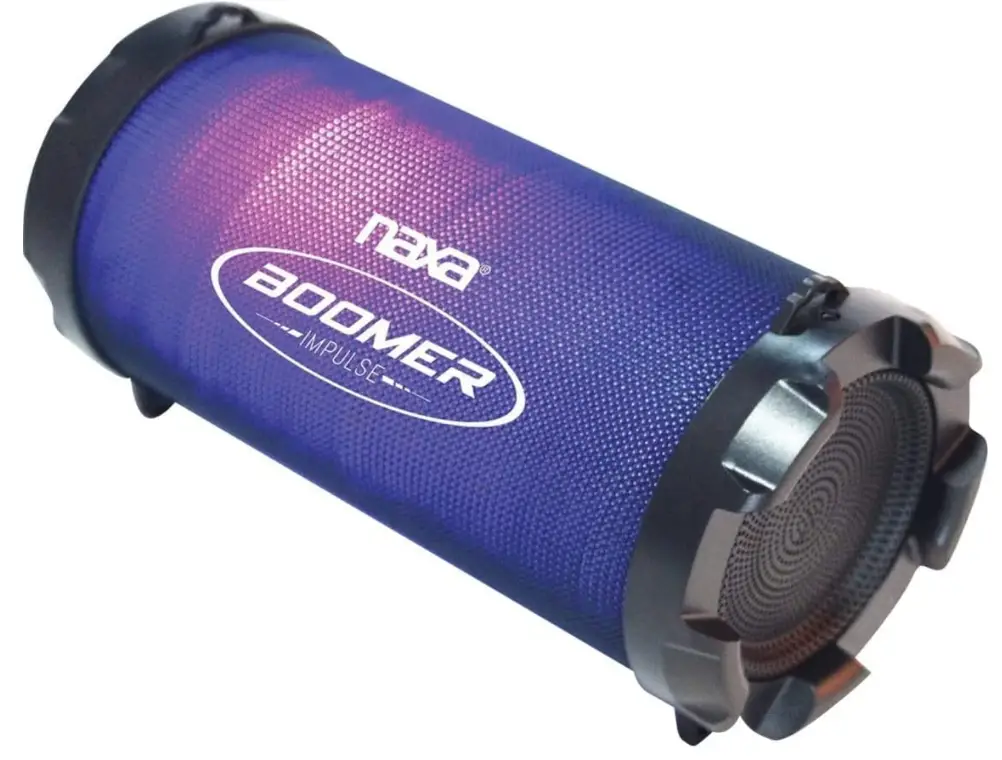
Naxa Electronics NAS-3087 Boomer Impulse Flash Bluetooth Boombox
Introduction
With an On/Off button, a portable music system features multicolor LED lighting effects. Your Bluetooth-enabled laptop, tablet, or smartphone can wirelessly stream music. It directly plays MP3s from USB flash drives or microSD cards (32 GB max). It consists of strong stereo speakers, a 3-inch subwoofer, and an internal rechargeable battery (800mAh). Included accessories are a carrying strap, an AUX wire, and a USB charge cord.
FEATURES
- Powerful stereo speakers and dedicated 3” subwoofer Multicolor LED Light Effects with On/Off switch
- Stream music wirelessly from your Bluetooth® enabled smartphone, tablet, or laptop Plays MP3s directly from USB flash drives or microSD cards (32 GB max)
- 5mm AUX connector Built-in FM radio
- Power: Built-in Rechargeable battery (1200 mAh), USB charge (DC 5V)
- Accessories included: USB charge cable, 3.5mm AUX cable, Carrying strap, User manual
PRODUCT DETAILS
- MODEL NAS-3087
- UNIT Dimensions (in): 9.74 x 4.5 x 5 [L x W x H]
- WEIGHT (LBS.): 0.98
GIFTBOX/CLAMSHELL - DIMENSIONS (IN): 10.15 x 5 x 5.4 [L x W x H]
- WEIGHT (LBS.): 1.4
- MASTER CARTON # Of Units/per: 4
- DIMENSIONS (IN): 10.9 X 11.1 X 11.5 [L x W x H]
- WEIGHT (LBS.): 6.33
LOADING QTY/CONTAINER
- 20: 4728
- 40: 10404
- 40HQ: 12300
SPECIFICATIONS
- PRODUCT NAME: BOOMER IMPULSE FLASH Bluetooth® Boombox with LED Lights
- OUTPUT POWER (RMS): 5W
- FREQUENCY RESPONSE: 150Hz – 20 KHz
- REMOVABLE MEDIA SUPPORT: USB, MicroSD (Max. 32GB)
- MEDIA FORMATS: MP3
- RADIO TUNER: FM
- WIRELESS SOURCE: Bluetooth® 2.1 + EDR
- INPUT: 3.5mm AUX audio
- POWER SOURCE: Rechargeable battery (1200 mAh), USB charge (DC 5V)
- BATTERY LIFE: 2 Hours
- ACCESSORIES INCLUDED: USB charge cable, 3.5mm AUX cable, Carrying strap, User manual
Frequently Asked Questions
Connect the cable’s small end to the device’s DC 5V USB charge port [2]. To stream music from a Bluetooth-enabled player, use Bluetooth mode (e.g., smartphone or tablet). Connect the cable’s large end to a computer’s high-power USB port. The computer needs to be turned on.
Your iOS or Android device must be connected to the 2. Tap the Naxa Resound icon on your iOS or Android device, and then turn on the Wi-Fi on your smartphone or tablet with Wi-Fi. Read the instructions on the screen, and then press to proceed.
Go to Settings > System > Advanced> Reset Options > Reset Wi-Fi, mobile, & Bluetooth on Android devices. For iOS and iPadOS devices, you’ll need to unpair every device first, then restart your phone or tablet by going to Settings > Bluetooth, selecting the info icon, and then selecting Forget This Device for each device.
Just hold the Bluetooth pairing button while locating the Boom 3 in the Bluetooth menu on your device, and you’re good to go. Although it’s not absolutely required, you can access some additional functions, such as equalizer adjustments for audiophiles, through an Android or iOS app.
You should only need to do this briefly with most Bluetooth speakers. The power and Bluetooth buttons must be pressed and held simultaneously in order for almost every Bluetooth speaker to be reset.
When partnering with another Bluetooth® device, use the code 0000. Depending on the Bluetooth device being used, the passcode may display as Pass key, PIN code, PIN number, or Password.
You can use an aux cable to connect the device if it supports aux. You will need to purchase a Bluetooth adapter and attach it straight to this port if your other devices use USB ports. Connect it to the speaker you already have.
In a word, yes. Wi-Fi is not necessary for Bluetooth headphones, and they function perfectly without it.
Short-range data transfer between devices is possible using Bluetooth. For instance, it is frequently used in mobile phone headsets to enable hands-free phone use. On the other side, Wi-Fi enables connections between devices and the Internet.