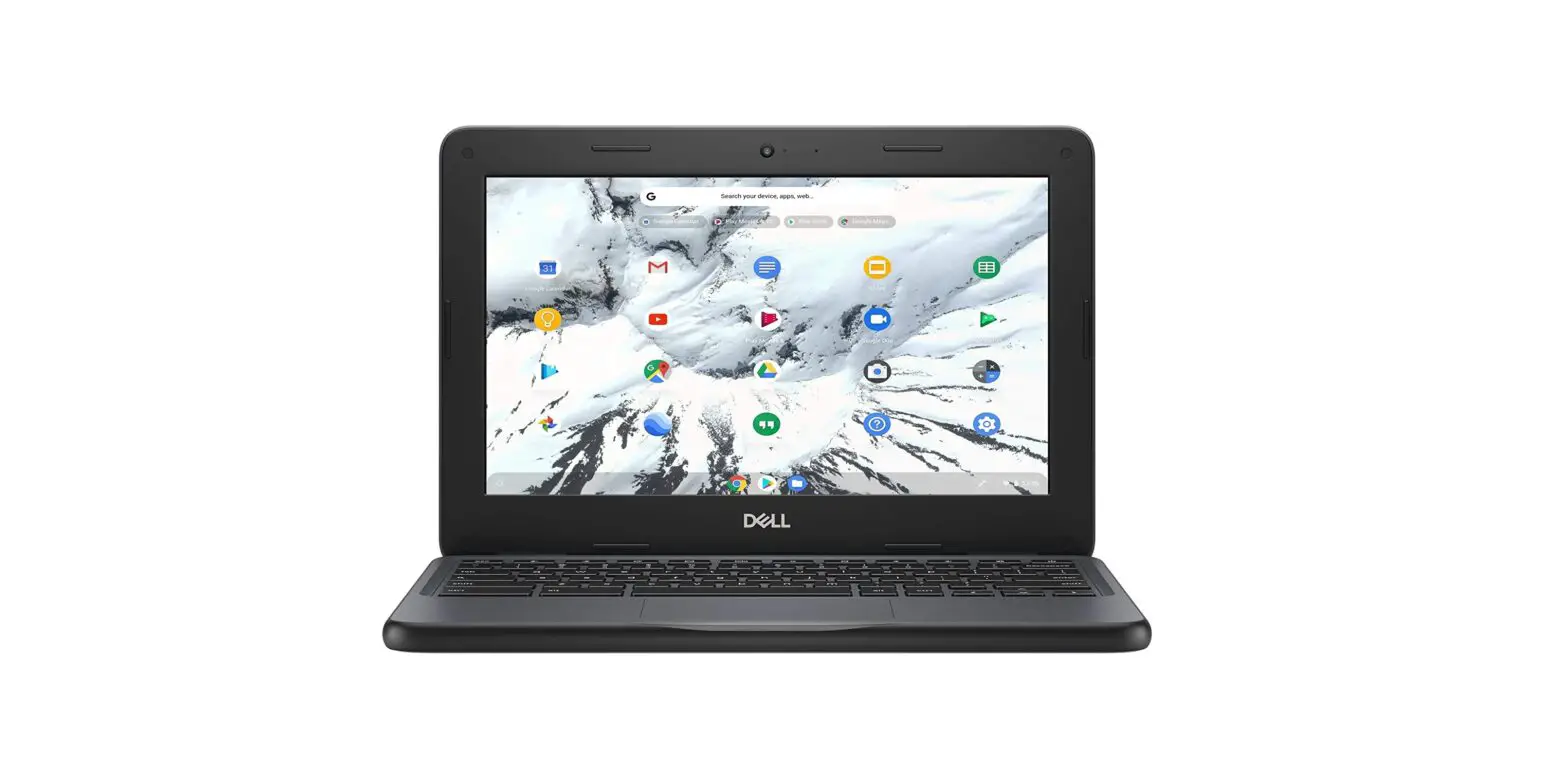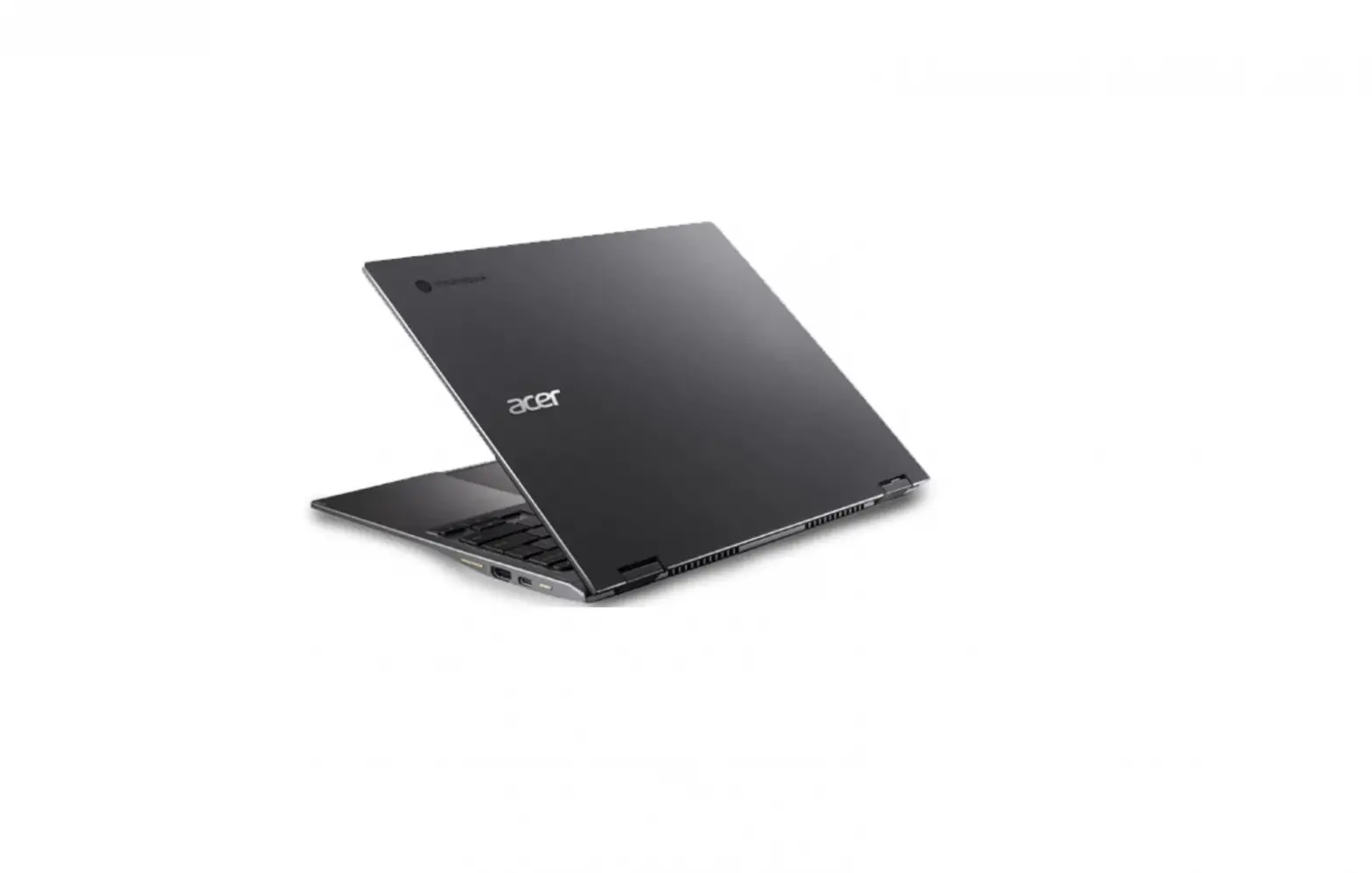
 Latitude 7410 Chromebook
Setup and specifications guide
User Manual
7410 Chromebook Laptop
Notes, cautions, and warnings NOTE: A NOTE indicates important information that helps you make better use of your product.
 CAUTION: A CAUTION indicates either potential damage to hardware or loss of data and tells you how to avoid the problem.
 WARNING: A WARNING indicates a potential for property damage, personal injury, or death.
Set up your computer
Steps
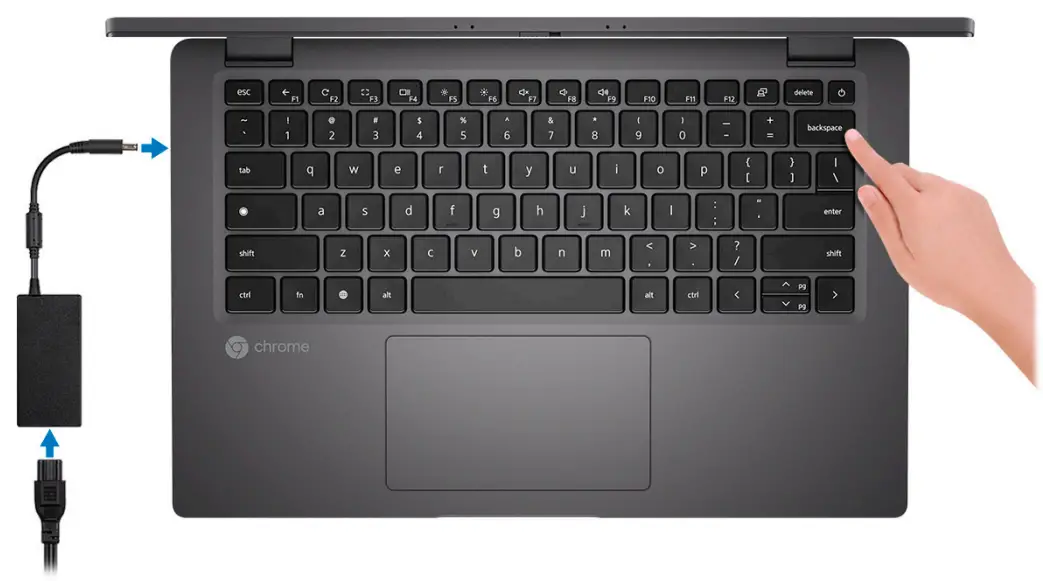
- Connect the power adapter and press the power button.
 NOTE: To conserve battery power, the battery might enter power saving mode.
- Finish system setup.
Follow the on-screen instructions to complete the setup. When setting up, Dell recommends that you:
● Connect to a network for operating system updates. NOTE: If connecting to a secured wireless network, enter the password for the wireless network access when prompted.
● If connected to the internet, sign-in with or create a Google account. If not connected to the internet, create an offline account.
● On the Support and Protection screen, enter your contact details.
Chassis overview
Topics:
- Display view
- Left view
- Right view
- Palmrest view
- Bottom view
- Modes
Display view
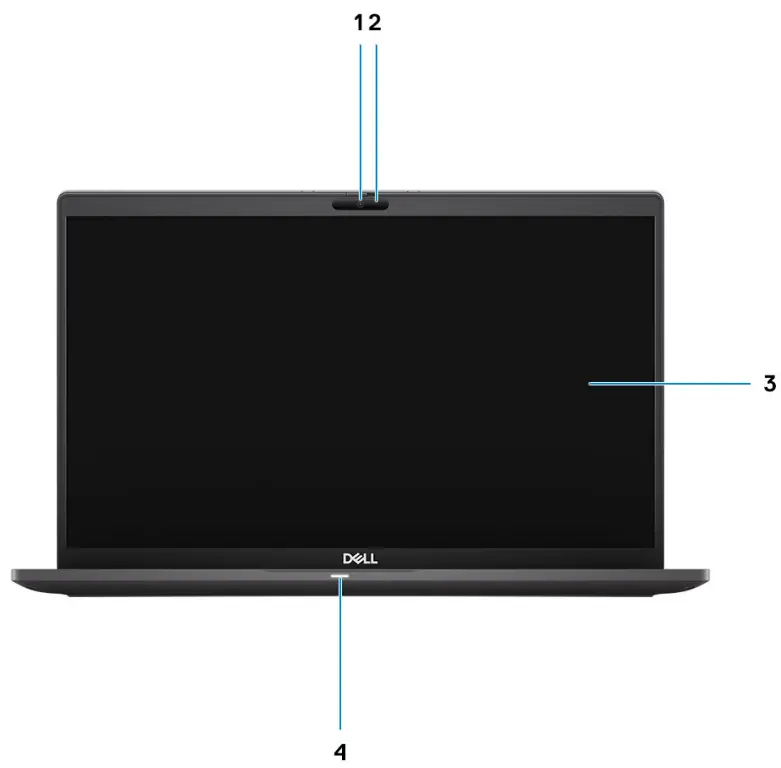
- Camera
- Camera Status Light
- Display
- LED indicator
● Off – The battery has charged fully.
● Solid White – The battery is charging.
● Solid Amber – The charge on the battery is critically low.
NOTE: LED indicators are also used for system diagnostics. For more information, please check the troubleshooting section in your computer’s Service Manual.
Left view
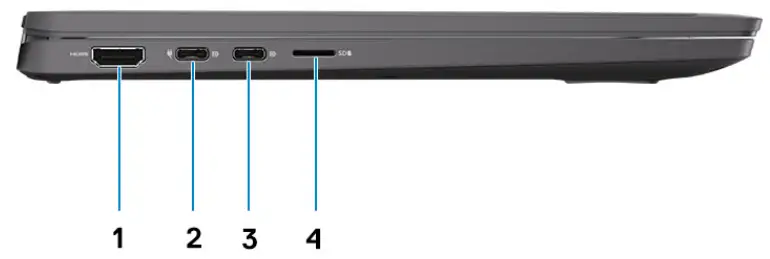
- HDMI 2.0 port
- USB 3.2 Gen 2 Type-C port with DisplayPort alt mode/Power Delivery
- USB 3.2 Gen 2 Type-C port with DisplayPort alt mode/Power Delivery
- MicroSD 4.0 card reader slot
Right view
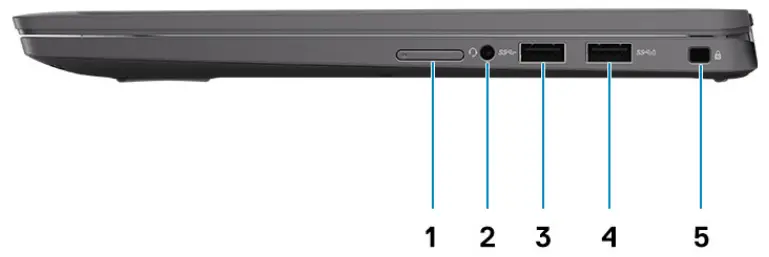
- SIM card slot (Notebook only)
- Universal audio jack
- USB 3.2 Gen 1 Type-A port
- USB 3.2 Gen 1 Type-A port with PowerShare
- Wedge-shaped security slot
Palmrest view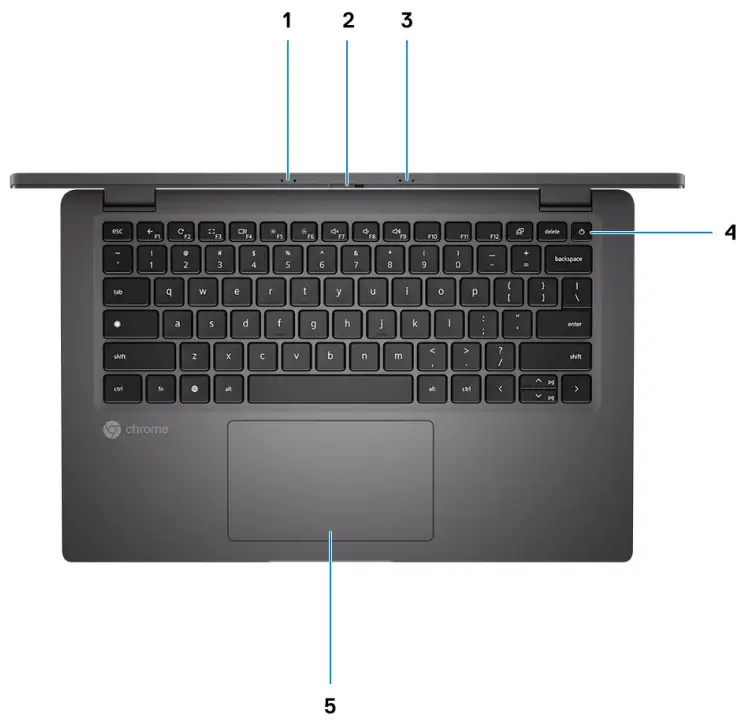
- Left microphone
- Privacy camera shutter
- Right microphone
- Power button
- Touchpad
NOTE: The system is shipped with dual-digital microphones.
Bottom view
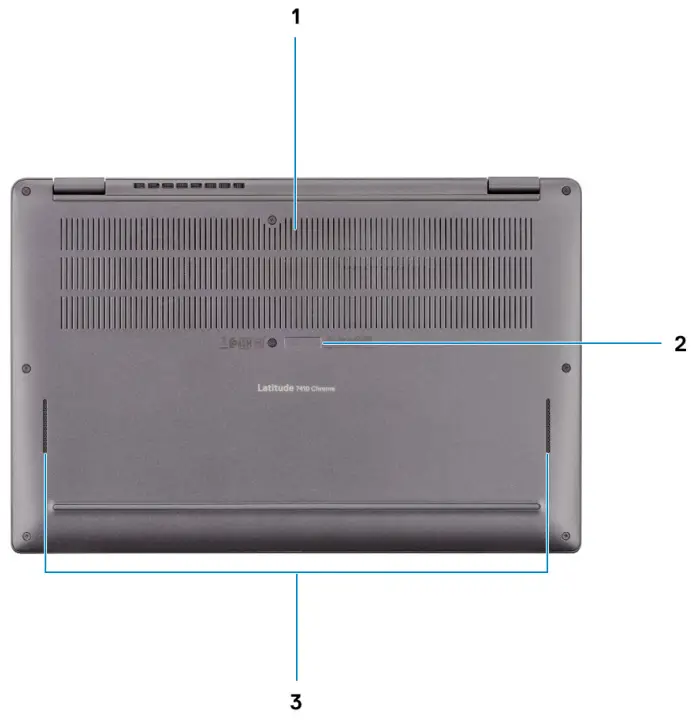
- Air vents
- Service tag location
- Speakers
Modes
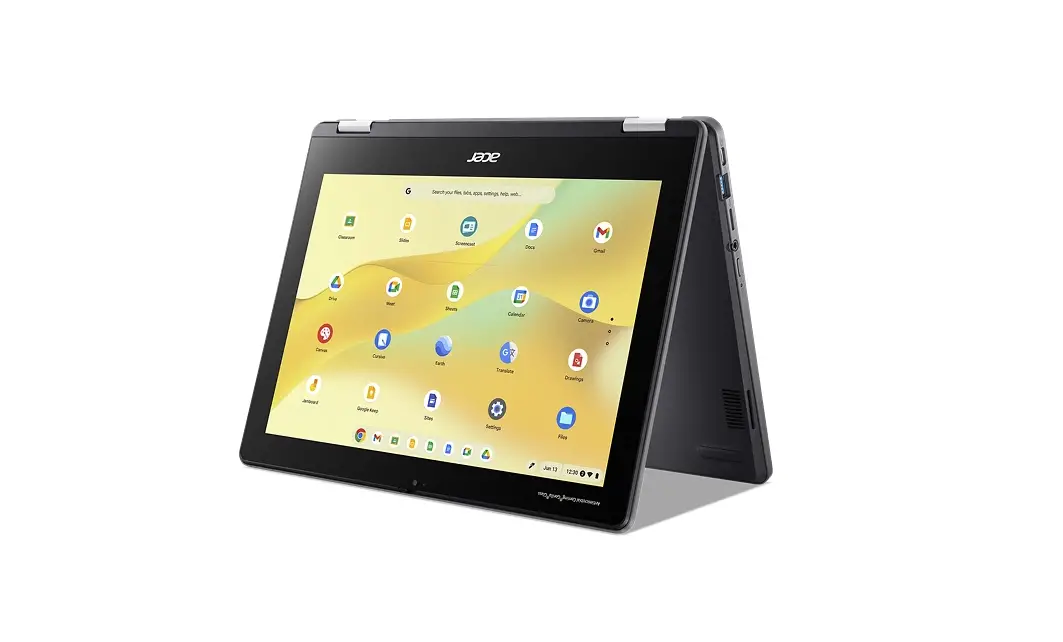
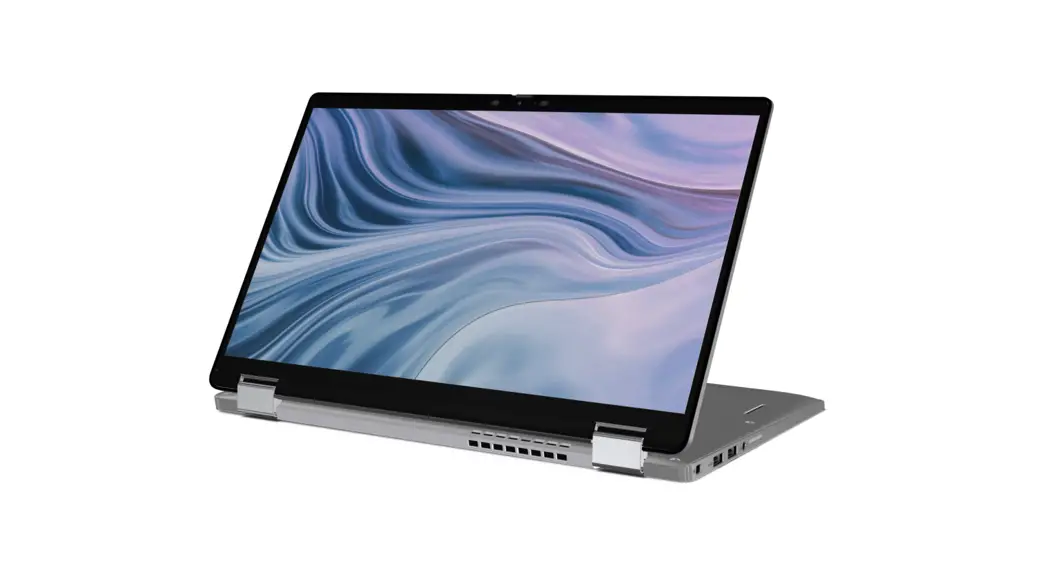
This section illustrates various usage modes of a Latitude 7410 Chromebook Laptop and 2-in-1 computer:
Laptop mode NOTE: This usage mode applies to both laptop and 2-in-1 configurations.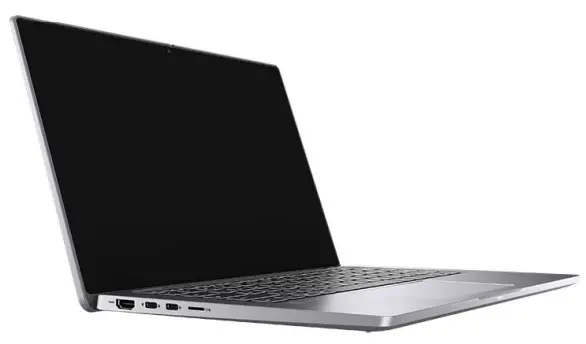
2-in-1 Modes NOTE: These usage mode applies 2-in-1 configurations only.
Tablet mode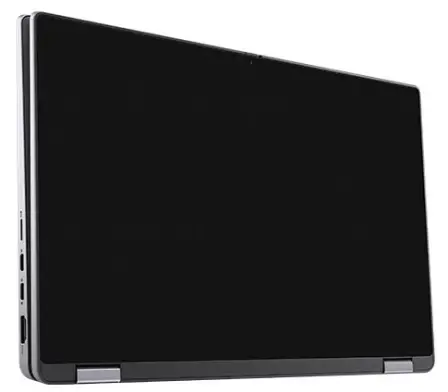
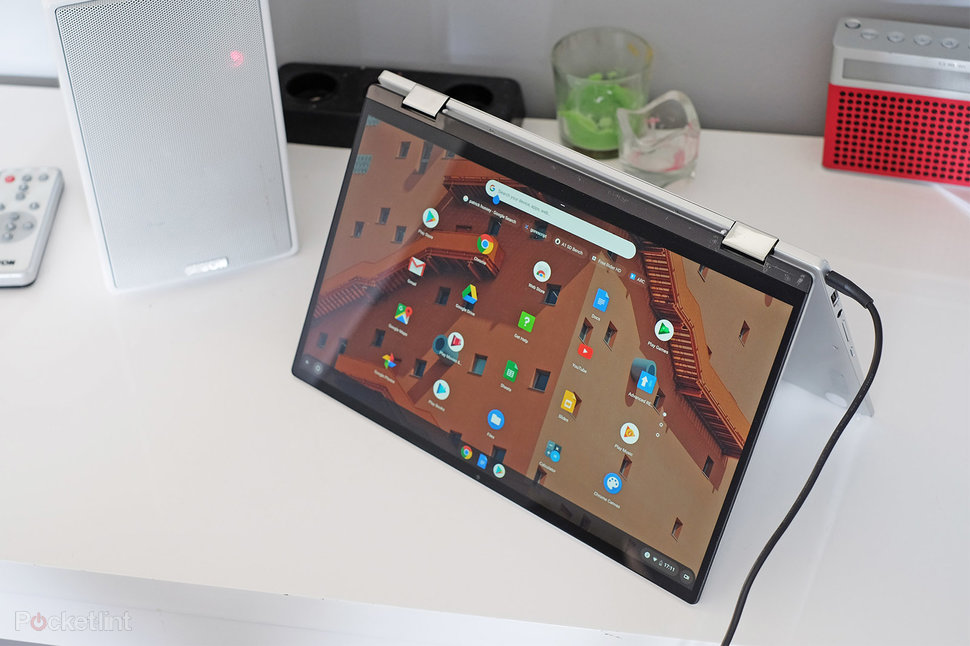
Stand mode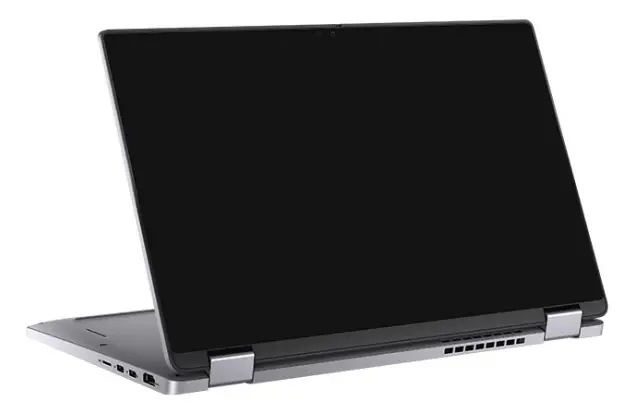
Tent mode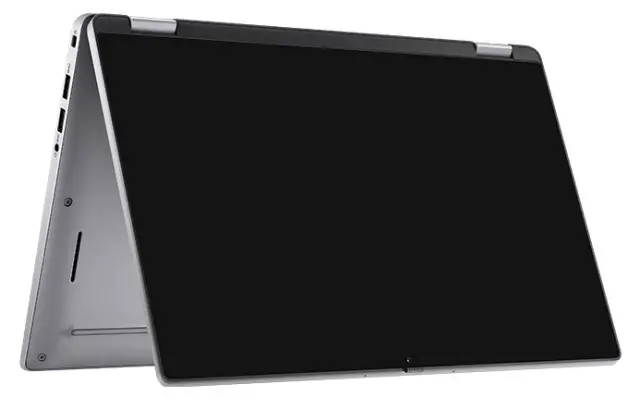
Technical specifications
NOTE: Offerings may vary by region. The following specifications are only those required by law to ship with your computer. For more information about the configuration of your computer, go to Help and Support in your Windows operating system and select the option to view information about your computer.
Topics:
- Processors
- Chipset
- Operating system
- Memory
- Storage
- Ports and connectors
- Audio
- Video
- Touchpad
- Camera
- Communications
- Media-card reader
- Power adapter
- Battery
- Dimensions and weight
- Display
- Security
- Security Software
- Computer environment
Processors
Table 1. Processors
| Description | Values | ||
| Processors | 10th Generation Intel Core i3 Processors, i3-10110U | 10th Generation Intel Core i5 Processors, i5-10310U | 10th Generation Intel Core i7 Processors, i7-10610U |
| Wattage | 15 W | 15 W | 15 W |
| Core count | 2 | 4 | 4 |
| Thread count | 4 | 8 | 8 |
| Speed | 2.1 GHz to 4.1 GHz | 1.7 GHz to 4.4 GHz, | 1.8 GHz to 4.9 GHz |
| Cache | 4 MB | 6 MB | 8 MB |
| Integrated graphics | Intel UHD Graphics | Intel UHD Graphics | Intel UHD Graphics |
Chipset
Table 2. Chipset
| Description | Values |
| Processor | Intel 10th Generation Core i3 / i5 / i7 |
| Chipset | Comet Lake U V1 (15W) |
| DRAM bus width | 64-bit |
| PCIe bus | Gen 3 |
Operating system
Your Latitude 7410 Chromebook supports the following operating systems:
- Chrome Operating System
Memory
Table 3. Memory specifications
| Description | Values |
| Slots | None NOTE: System has on-board soldered RAM |
| Type | DDR4 |
| Speed | 2667 MHz (Intel Core i3 / i5 / i7) |
| Maximum memory | 16 GB |
| Minimum memory | 8 GB |
| Configurations supported | ● 8 GB DDR4 at 2667 MHz (Onboard) ● 16 GB DDR4 at 2667 MHz (Onboard) |
Storage
Your computer supports one of the following configurations:
- M.2 2230/2280 for solid-state drive
The primary drive of your computer varies with the storage configuration. For computers: - M.2 2230/2280 for solid-state drive
Table 4. Storage specifications
| Form factor | Interface type | Capacity |
| M.2 2230 solid-state drive | Gen 3 PCIe x4 NVMe | Up to 256 GB |
| M.2 2280 solid-state drive | Gen 3 PCIe x4 NVMe | Up to 512 GB |
Ports and connectors
Table 5. External ports and connectors
| Description | Values |
| External: | |
| USB | ● Two USB 3.2 Gen 2 Type-C port with DisplayPort alt mode/Power Delivery ● One USB 3.2 Gen 1 Type-A port with PowerShare ● One USB 3.2 Gen 1 Type-A port |
| Audio | One Universal Audio Jack |
| Video | One HDMI 2.0 port |
| Power adapter port | USB-C type |
| Security | One Wedge shaped lock slot |
| Card slot | One uSD 4.0 card slot |
Table 6. Internal ports and connectors
| Description | Values |
| Internal: | |
| One M.2 Key-M (2280 or 2230) for solid-state drive One M.2 3042 Key-B for WWAN One M.2 2230 Key-E for WLAN | ● One M.2 slot for 2230/2280 solid-state drive ● One M.2 slot for 3042 WWAN card (Notebook only) ● One M.2 2230 slot for Wi-Fi NOTE: To learn more about the features of different types of M.2 cards, see the knowledge base article SLN301626. |
| SIM card | uSIM card slot (Notebook only) |
Audio
Table 7. Audio specifications
| Description | Values |
| Controller | Realtek ALC3254 |
| Stereo conversion | Supported |
| Internal interface | High definition audio |
| External interface | Universal Audio Jack |
| Speakers | Two |
| Speaker Output Average | 2 W |
| Speaker Output Peak | 2.5 W |
| Microphone | Dual-digital microphones in camera assembly |
Video
Table 8. Integrated graphics specifications
| Integrated graphics | |||
| Controller | External display support | Memory size | Processor |
| Intel UHD Graphics | ● One HDMI 2.0 ● Two USB 3.2 Gen 2 Type-C with DisplayPort 1.2 alt mode | Shared system memory | Intel 10th Generation Core i3 / i5 / i7 processors |
Touchpad
Table 9. Touchpad specifications
| Feature | Specifications |
| Resolution | |
| Horizontal | 3132 |
| Vertical | 1669 |
| Dimensions | |
| Horizontal | 115.06 mm (4.53 in.) |
| Vertical | 67.05 mm (2.64 in.) |
Camera
Table 10. Camera specifications
| Narrow Border Webcam Y-2.7mm | ||
| Description | Values | |
| Number of cameras | One | |
| Type | HD RGB camera | |
| Location | Front Camera | |
| Sensor type | CMOS sensor technology | |
| Resolution: | ||
| Still image | 0.92 megapixel | |
| Video | 1280 x 720 (HD) at 30 fps | |
| Diagonal viewing angle | 74.9 degrees | |
Table 11. Camera specifications
| Standard Border Webcam Y-6mm | |
| Description | |
| Number of cameras | One |
Table 11. Camera specifications (continued)
| Standard Border Webcam Y-6mm | ||
| Description | ||
| Type | HD RGB camera | |
| Location | Front Camera | |
| Sensor type | CMOS sensor technology | |
| Resolution | ||
| Still image | 0.92 | |
| Video | 1280 x 720 (HD) at 30 fps | |
| Still image | 0.23 megapixel | |
| Video | 640 x 360 at 30 fps | |
| Diagonal viewing angle | 78.6 degree | |
Communications
Wireless module
Table 12. Wireless module specifications
| Description | Values |
| Model number | Intel Wi-Fi 6 AX201 |
| Transfer rate | Up to 2400 Mbps |
| Frequency bands supported | 2.4 GHz/5 GHz |
| Wireless standards | ● WiFi 802.11a/b/g ● Wi-Fi 4 (Wi-Fi 802.11n) ● Wi-Fi 5 (Wi-Fi 802.11ac) ● Wi-Fi 6 (WiFi 802.11ax) |
| Encryption | ● 64-bit/128-bit WEP ● AES-CCMP ● TKIP |
| Bluetooth | Bluetooth 5.1 |
Table 13. WWAN module
| Feature | Specifications |
| Model number | Dell DW5820e Intel 7360 LTE-A |
| Host interface | M.2 3042 form factor |
| Network standard | LTE FDD/TDD, WCDMA/HSPA+, GNSS/Beidou |
| Transfer rate | Up to 450 Mbps DL/50 Mbps UL (Cat 9) |
| Operating Frequency Bands | (1,2,3,4,5,7,8,11,12,13,17,18,19,20,21,26,28,29,30,38,39,40,41,66 ), HSPA+ (1, 2, 4,5, 8) |
| Data Rate | ● LTE FDD: 450 Mbps DL/50 Mbps UL (Cat 9) ● LTE TDD: 347 Mbps DL/30 Mbps UL (Cat 9) |
Table 13. WWAN module (continued)
| Feature | Specifications |
| ● UMTS/HSPA+: UMTS 384 kbps DL/384 kbps UL | |
| Power supply | DC 3.135 V to 4.4 V, Typical 3.3 V |
| Antenna Diversity | Supported |
| Radio On/Off | Supported |
| Wake On Wireless | Supported |
| Temperature | ● Normal operating temperature: -10°C to 55°C ● Extended Operating temperature: -20°C to 65°C |
| Antenna connector | ● WWAN Main Antenna X 1 ● WWAN Diversity Antenna X 1 |
Media-card reader
Table 14. Media-card reader specifications
| Description | Values |
| Type | One uSD 4.0 card |
| Cards supported | ● Micro Secure Digital (mSD) ● Micro Secure Digital High Capacity(mSDHC) ● Micro Secure Digital Extended Capacity(mSDXC) |
Power adapter
Table 15. Power adapter specifications
| Description | Values | ||
| Type | 65 W Type-C | 90 W Type-C | |
| Connector dimensions: | 48.26 mm x 129.54 mm x 215.9 mm | 48.26 mm x 129.54 mm x 215.9 mm | |
| Input voltage | 100 VAC x 240 VAC | 100 VAC x 240 VAC | |
| Input frequency | 50 Hz x 60 Hz | 50 Hz x 60 Hz | |
| Input current (maximum) | 1.7 A | 1.50 A | |
| Output current (continuous) | ● 3.25 A ● 3 A | ● 4.45 A ● 3 A | |
| Rated output voltage | ● 20 VDC ● 15 VDC ● 9.0 VDC ● 5.0 VDC | ● 20 VDC ● 15 VDC ● 9.0 VDC ● 5.0 VDC | |
| Temperature range: | |||
| Operating | 0°C to 40°C (32°F to 104°F) | 0°C to 40°C (32°F to 104°F) | |
| Storage | -40°C to 70°C (-40°F to 158°F) | -40°C to 70°C (-40°F to 158°F) | |
Battery
Table 16. Battery specifications
| Description | Values | ||
| Type | 52 Whr | 68 Whr | |
| Voltage | 7.6 VDC | 11.40 VDC | |
| Weight (maximum) | 0.257 kg (0.40 lb) | 0.33 kg (0.53 lb) | |
| Dimensions: | |||
| Height | 251.00 mm (9.88 in.) | 292.20 mm (11.50 in.) | |
| Width | 85.80 mm (3.37 in.) | 99.50 mm (3.91 in.) | |
| Depth | 5.00 mm (0.19 in.) | 8.90 mm (0.35 in.) | |
| Temperature range: | |||
| Operating | 0°C to 70°C (32°F to 158°F) | 0°C to 70°C (32°F to 158°F) | |
| Storage | -20°C to 60°C (-4°F to 140°F) | -20°C to 60°C (-4°F to 149°F) | |
| Operating time | Varies depending on operating conditions and can significantly reduce under certain power-intensive conditions. | Varies depending on operating conditions and can significantly reduce under certain power-intensive conditions. | |
| Charging time (approximate) | ● Express: 2 Hrs ● Standard: 3 Hrs | ● Express: 2 Hrs ● Standard: 3 Hrs | |
| Life span (approximate) | 300 discharge/charge cycles | 300 discharge/charge cycles | |
| Operating time | Varies depending on operating conditions and can significantly reduce under certain power-intensive conditions. | Varies depending on operating conditions and can significantly reduce under certain power-intensive conditions. | |
Dimensions and weight
Table 17. Dimensions and weight
| Description | Values | |
| Height: | ||
| Front | ● Notebook, CF: 16.93 mm (0.66 in.) ● Notebook, AL: 16.54 mm (0.65 in.) ● 2-in-1, AL: 15.78 mm (0.62 in.) | |
| Rear | ● Notebook, CF: 18.36 mm (0.72 in.) ● Notebook, AL: 17.95 mm (0.70 in.) ● 2-in-1, AL: 18.14 mm (0.71 in.) | |
| Width | 321.35 mm (12.65 in.) | |
| Depth | ● Notebook, CF: 211.78 mm (8.33 in.) ● Notebook, AL: 211.70 mm (8.33 in.) ● 2-in-1, AL: 211.48 mm (8.32 in.) | |
Table 17. Dimensions and weight (continued)
| Description | Values |
| Weight | ● Notebook, CF: 1.39 kg (3.07 lb) ● Notebook, AL: 1.52 kg (3.36 lb) ● 2-in-1, AL: 1.63 kg (3.60 lb) NOTE: The weight of your notebook depends on the configuration ordered and the manufacturing variability. |
Display
Table 18. Display specifications
| Decsription | Values | |||||
| Type | Full High Definition (FHD) | Full High Definition (FHD) | Full High Definition (FHD) | Full High Definition (FHD) | Ultra-High Definition (UHD) | |
| Panel technology | WVA (wide view angle) | WVA (wide view angle) | WVA (wide view angle) | WVA (wide view angle) | WVA (wide view angle) | |
| Luminance (typical) | 300 nits | 300 nits | 300 nits | 300 nits | 400 nits | |
| Dimensions (active area): | ||||||
| Height | 173.95 mm (6.84 in.) | 173.95 mm (6.84 in.) | 173.95 mm (6.84 in.) | 173.95 (6.84 in.) | 173.95 mm (6.84 in.) | |
| Width | 309.40 mm (12.17 in.) | 309.40 mm (12.17 in.) | 309.40 mm (12.17 in.) | 309.4 (12.17 in.) | 309.40 mm (12.17 in.) | |
| Diagonal | 355.60 mm (14.00 in.) | 355.60 mm (14.00 in.) | 355.60 mm (14.00 in.) | 355.6 (14.00 in.) | 355.60 mm (14.00 in.) | |
| Native resolution | 1920 x 1080 | 1920 x 1080 | 1920 x 1080 | 1920×1080 | 3840×2160 | |
| Megapixels | 2.0736 | 2.0736 | 2.0736 | 2.0736 | 8.2944 | |
| Color gamut | NTSC 72% Typ. | NTSC 72% Typ. | NTSC 72% Typ. | sRGB 100% | sRGB 100% | |
| Pixels per inch (PPI) | 157.3 | 157.3 | 157.3 | 157.3 | 314.7 | |
| Contrast ratio (min) | 1000:1 | 600:1 | 600:1 | 1000:1 | 1000:1 | |
| Response time (max) | 35 ms | 35 ms | 35 ms | 35 ms | 40 ms | |
| Refresh rate | 60 Hz | 60 Hz | 60 Hz | 60 Hz | 60 Hz | |
| Horizontal view angle | 80 degrees | 80 degrees | 80 degree | 80 degree | 80 degrees | |
| Vertical view angle | 80 degrees | 80 degrees | 80 degree | 80 degree | 80 degrees | |
| Pixel pitch | 0.161 mm | 0.161 mm | 0.161 mm | 0.161 mm | 0.0805 mm | |
Table 18. Display specifications (continued)
| Decsription | Values | ||||
| Power consumption (maximum) | 2.2 W | 4.1 W | 2.4 W | 1.8 W | 3.75 W |
| Anti-glare vs glossy finish | Anti-glare | Anti-glare | Anti-glare | AR/AS | Anti-glare |
| Touch options | No | Yes | No | Yes | No |
| Stylus Support | No | Yes | No | Yes | No |
Security
Table 19. Security specifications
| Features | Specifications |
| Google H1 security chip (TPM 2.0 compatible) | Integrated on system board |
| Fingerprint reader | Not Supported |
| Wedge-shaped lock slot | Standard |
Security Software
Table 20. Security Software specifications
Specifications
VMware Workspace ONE
Computer environment
Airborne contaminant level: G1 as defined by ISA-S71.04-1985
Table 21. Computer environment
| Description | Operating | Storage |
| Temperature range | 0°C to 35°C (32°F to 95°F) | -40°C to 65°C (-40°F to 149°F) |
| Relative humidity (maximum) | 10% to 90% (non-condensing) | 0% to 95% (non-condensing) |
| Vibration (maximum)* | 0.66 GRMS | 1.30 GRMS |
| Shock (maximum) | 110 G† | 160 G† |
| Altitude (maximum) | -15.2 m to 3048 m (4.64 ft to 5518.4 ft) | -15.2 m to 10668 m (4.64 ft to 19234.4 ft) |
* Measured using a random vibration spectrum that simulates user environment.
† Measured using a 2 ms half-sine pulse when the hard drive is in use.
Software
This chapter details the supported operating systems along with instructions on how to install the drivers.
Topics:
- Operating system
- View system information
Operating system
This page contains information about the operating system used by the Latitude 7410 Chromebook.
Chrome OS
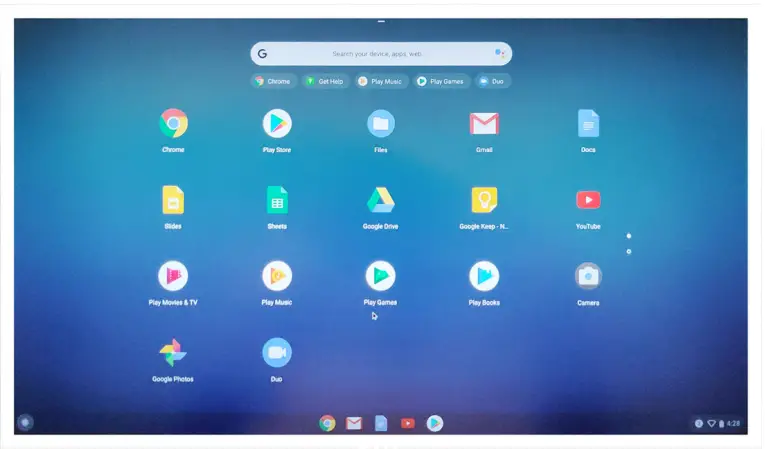
Chromebooks are powered by the Google Chrome operating system, based on Google’s popular Chrome browser. It has been developed to provide a fast, simple, and more secure computing experience for users who spend most of their time online.
Key Benefits
- Speed
- Simplicity
- Security
- Updatability
- Syncronisability
- High power at low cost
- Easy to learn and use
- Documents, calendar, e-mail, contacts, and tasks available online and offline, and all securely backed-up and synchronised in the cloud.
- Access to the Chrome web app store
- Killer web apps
- The latest Intel Core processors
- Fun games
- Built-in support for popular file types and external devices
For more information about the Chrome OS, please visit the Chrome OS training page.
Verified Boot
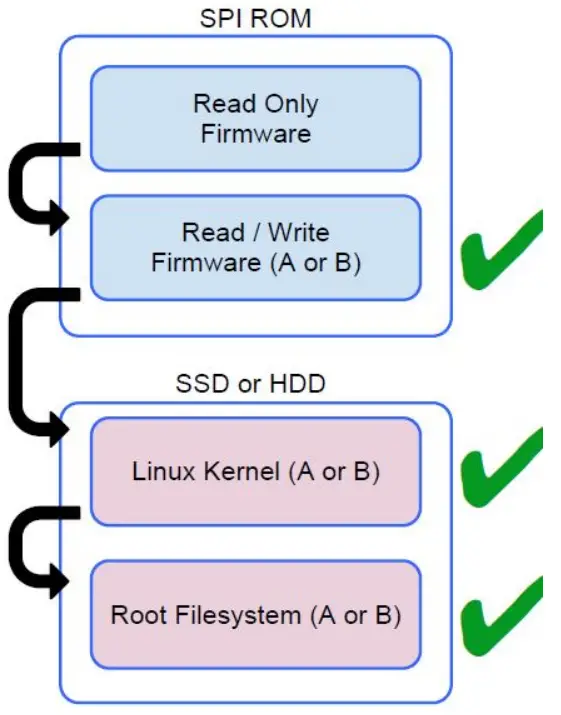
Read Only firmware verifies the integrity of Read/Write (R/W) firmware. R/W firmware verifies the active Linux kernel. During run time, the kernel verifies each block read from disk.
If a verification step fails and there is no backup option, the machine enters recovery mode.
The Developer Mode switch turns off verified boot (at the Kernel stage) to enable users to run Chromium OS (or other OS).
The BIOS is always verified.
Disk Partition Map
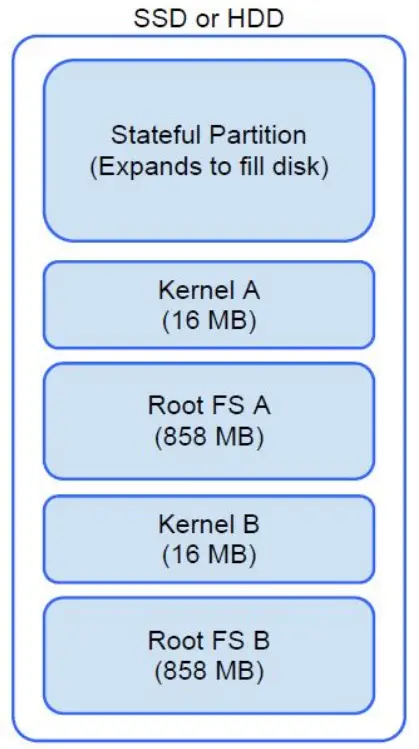
There are two copies of Chrome OS on disk: an active copy and a backup copy. Each copy consists of a kernel partition and a root file system. The backup copy is updated automatically in the background. Users only need to reboot. The partition contains encrypted user data and is also used in the factory for storing test software.
Developer and Recovery mode
Table 22. Developer and Recovery mode
| Developer Mode | Recovery Mode |
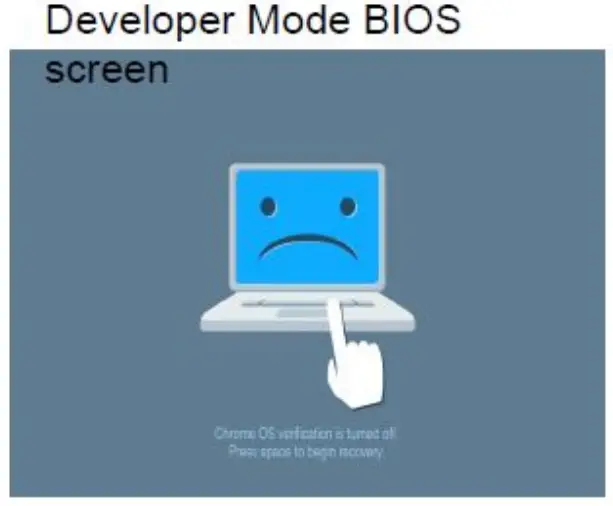 | 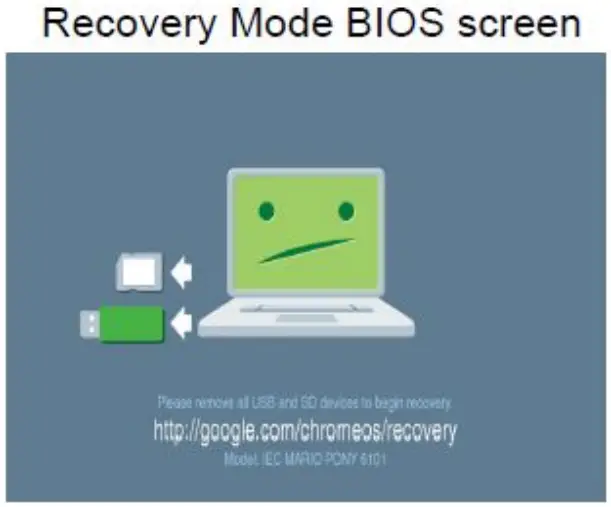 |
| ● Used to boot without verification. ● Can be turned on via key combination during boot. ● Stateful partition is wiped during transitions. ● Used in the factory to boot test image. | ● Allows a user to reinstall the Chrome OS from a USB key or SD card. ● Recovery mode is entered if verified boot fails. ● A user can force recovery mode via a key combination during boot. |
Coreboot and U-boot Custom Firmware
Coreboot (x86 only)
- Memory and chipset initialization
- Open-source, except for MRC binary from Intel.
U-Boot
- Performs verified boot
- Handles recovery and Developer Mode
- Open source code
Normal boot is very fast, as it takes less than 1 second to start loading kernel. Chromebook does not boot other operating systems such as Windows or OS X.
Chrome vs Chromium OS
Table 23. Difference between Chromium and Chrome OS
| Difference between Chromium and Chrome OS | |
| Chromium OS | Chrome OS |
| ● Is an open source project: http://www.chromium.org/chromium-os ● Runs on regular PCs and Chrome devices | ● Is based on Chromium OS ● Only runs on the Chrome devices with required hardware features (TPM, RO firmware, recovery button, developer switch). ● Includes additional licensed features such as the Netflix plugin, video codecs, and fonts |
View system information
This page contains all the information about viewing system information for the Latitude 7410 Chromebook.
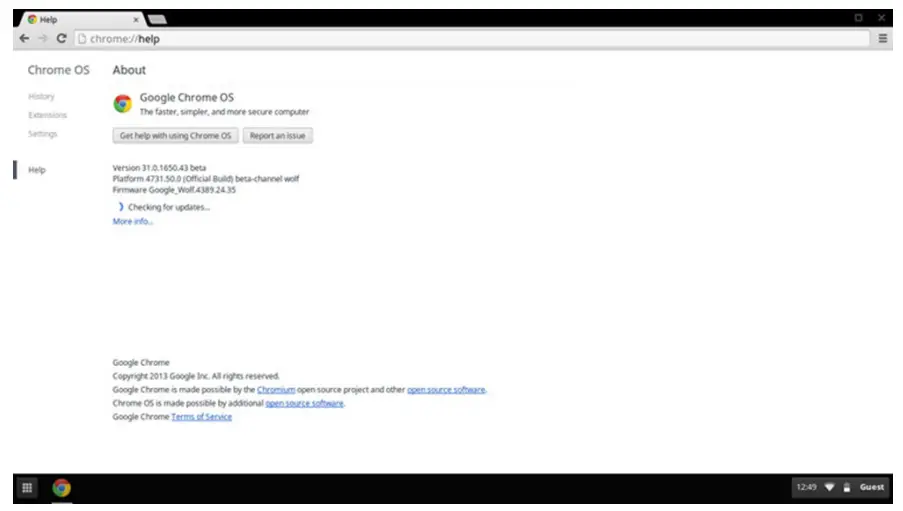
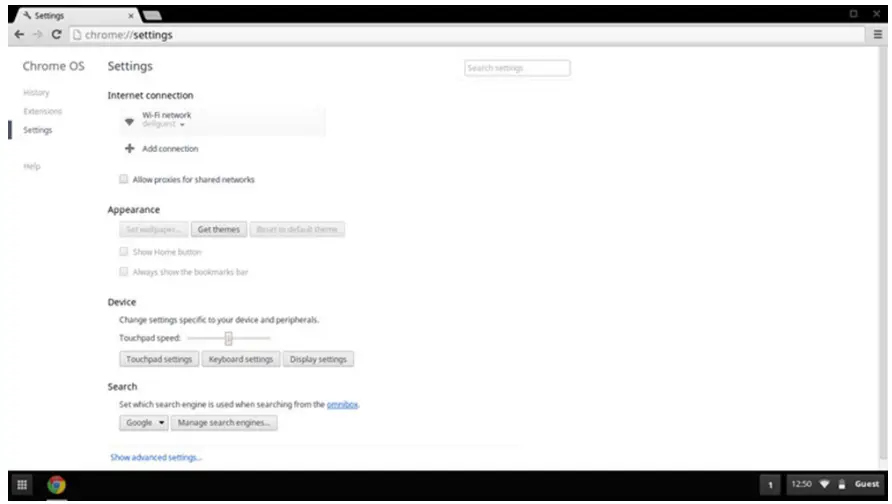
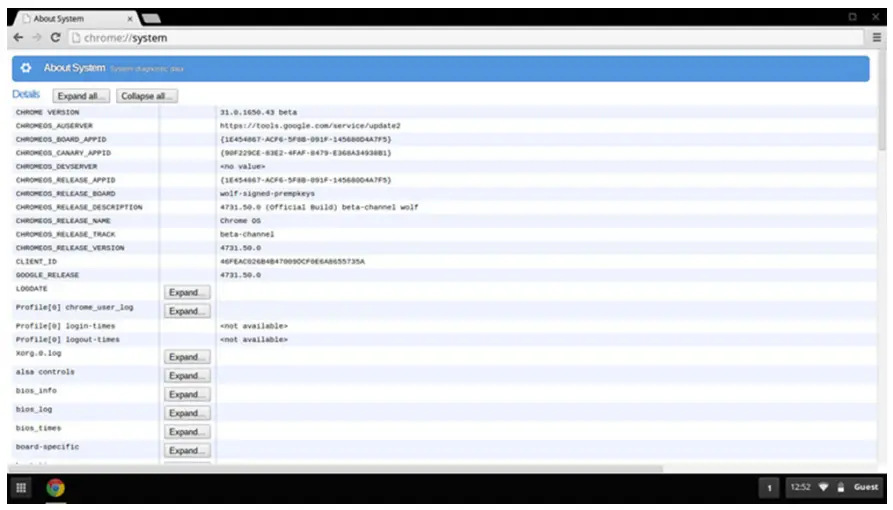
Latitude 7410 Chromebook does not support Dell BIOS. Hence, there are several ways to check system specifications depending on the information you are searching for. The table below lists some of the most commonly used methods to view system information and specifications.
CommandChrome:help
Action and Purpose: View basic OS information.
Command Chrome:settings
Action and Purpose: View information such as screen resolution options (Device>Display settings), touchpad, and other basic hardware information.
Command Chrome:system
Action and Purpose: View advanced system information such as the Google Chrome version, BIOS information, CPU information, memory information, network status, power supply information, etc.
Command Chrome:net-internals
Action and Purpose: View advanced networking information.
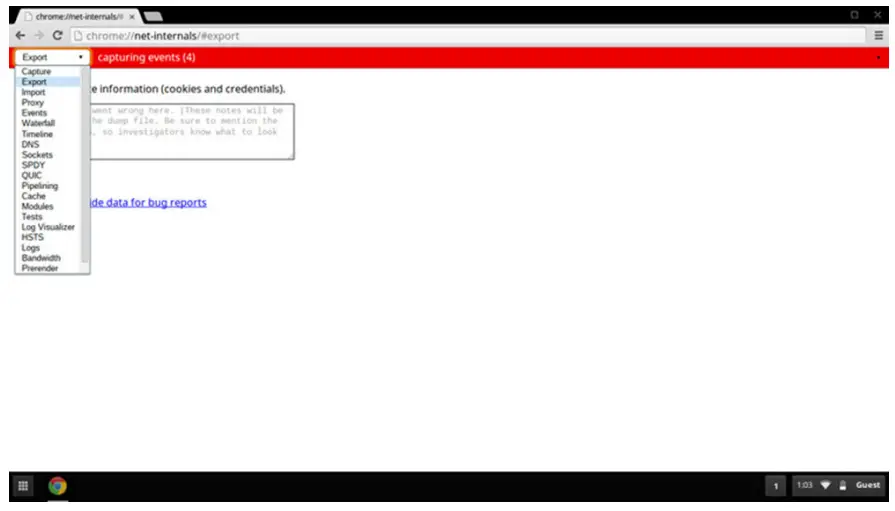
Table 24. View system information
| Commands | Action and Purpose | Screenshot |
| Chrome:net- internals | View advanced networking information. |
Getting help
Topics:
- Contacting Dell
Contacting Dell
Prerequisites
NOTE: If you do not have an active Internet connection, you can find contact information on your purchase invoice, packing slip, bill, or Dell product catalog.
About this task
Dell provides several online and telephone-based support and service options. Availability varies by country and product, and some services may not be available in your area. To contact Dell for sales, technical support, or customer service issues:
Steps
- Go to Dell.com/support.
- Select your support category.
- Verify your country or region in the Choose a Country/Region drop-down list at the bottom of the page.
- Select the appropriate service or support link based on your need.
Regulatory Model: P119G / P131G
Regulatory Type: P119G002 / P131G002
April 2022
Rev. A03
© 2020-2022 Dell Inc. or its subsidiaries. All rights reserved. Dell Technologies, Dell, and other trademarks are trademarks of Dell Inc. or its
subsidiaries. Other trademarks may be trademarks of their respective owners.