X-SW2200 Aqua Low Fog Machine
Product Information
PAD STAGE EFFECTS – i-sw2200
Manufacturer: GUANGZHOU DJ POWER ELECTRONIC TECHNOLOGY
CO.,LTD
1. BEFORE YOU BEGIN
- 1.1 What Is Included
The package should contain all the necessary parts for the
product. - 1.2 Unpacking Instructions
When unpacking, carefully check the product and its accessories
for any damage caused during shipping. If any damage is found,
contact the carrier or dealer/seller immediately. - 1.3 Symbols
The user manual contains symbols that indicate caution,
important information, and useful information. - 1.4 Disclaimer
The manufacturer provides a disclaimer regarding the use of the
product. - 1.5 Safety Notes
The user manual includes important safety notes related to
installation, usage, and maintenance.
2. INTRODUCTION
- 2.1 Description
The product is a stage effects machine designed to create a fog
effect. - 2.2 Features
– Quick Dissipation Effect
– DJPOWER PRO-V fog fluid compatibility
- 2.3 Product Overview
The user manual provides an overview of the product.
- 2.4 Product Dimensions
The user manual includes the dimensions of the product.
3. TECHNICAL SPECIFICATIONS
The user manual provides technical specifications for the
product, including AC Power, Heating Atomizer Capacity, Output,
Features, Control Accessory, Consumable, and Weight &
Dimensions.
4. SETUP
- 4.1 AC Power
The product operates on AC power with a voltage of AC 220 V-240
V, 50/60 Hz. Check the label on the back panel or refer to the
specifications chart to determine the specific voltage requirements
for your model. Connect the product to a protected circuit and
ensure proper grounding to avoid electrical hazards. - 4.2 AC Plug
If you need to wire a new plug or change the existing plug,
follow the instructions provided in the user manual. The
appropriate wiring connections for different regions are listed in
a table. - 4.3 Resetting the Breaker
The user manual provides instructions on how to reset the
breaker if necessary. - 4.4 DMX Linking
If you want to link the product to a DMX controller, refer to
the user manual for instructions on how to connect and configure
the product for DMX operation.
USER MANUAL
GUANGZHOU DJ POWER ELECTRONIC TECHNOLOGY CO.,LTD
1 BEFORE YOU BEGIN
1.1 What Is Included
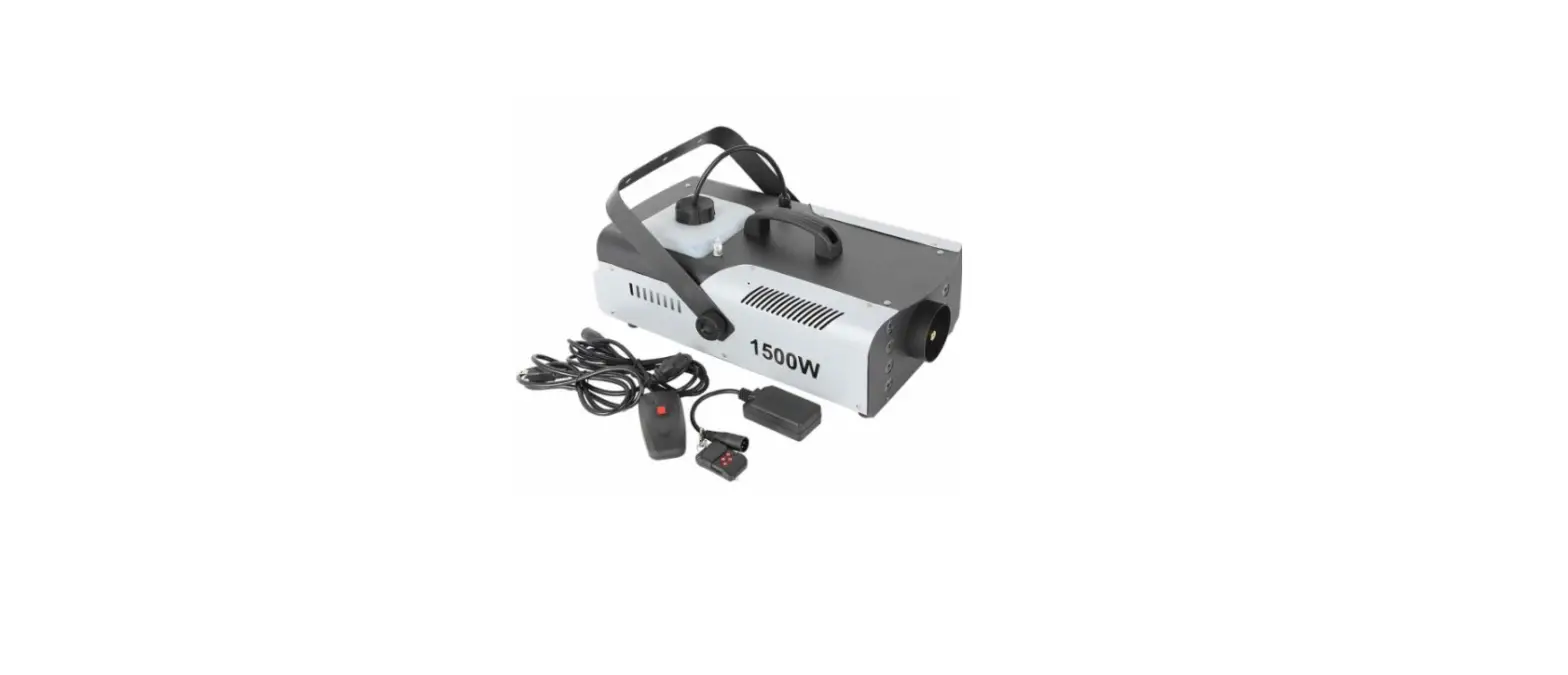
· X-SW2200 Machine · Diversion Hose · Power Cord · W-2 Wireless Remote Kit
· Nozzle Bracket · Jumper Hose · User Manual
1.2 Unpacking Instructions
Carefully unpack the product immediately and check the container to make sure all the parts are in the package and are in good condition.
If the box or the contents (the product and included accessories) appear damaged from shipping, or show signs of mishandling, notify the carrier or dealer/seller immediately. In addition, keep the box and contents for inspection.
1.3 Symbols
Symbol
Meaning
Caution Critical installation, configuration, or operation information. Not following these instructions may make the product not work, cause damage to the product, or cause harm to the operator.
Important Important installation or configuration information. Failure to comply with this information may keep the product from working correctly.
Information Useful information.
1.4 Disclaimer
The information and specifications contained in this User Manual are subject to change without notice. DJPOWER assumes no responsibility or liability for any errors or omissions and reserves the right to revise or to create this manual at any time. Copyright © 2022 DJPOWER. All rights reserved.
1.5 Safety Notes
Please read the following Safety Notes carefully before working with the product. The notes include important safety information about installation, usage, and maintenance.
– 1 –
1.5.1 Personal Safety
· Always connect the product to a grounded circuit to avoid the risk of electrocution. · During heating up and operation, the housing will be scalding hot. Do not touch. · Condensation may form on the bottom of the product, creating damp or wet conditions under and
around the machine. Use caution! Surfaces around the product may become slippery. · The product is very hot during operation and it remains hot for a long time after operation has stopped.
Do not touch the product’s nozzle. · Make sure that children, unauthorised people and animals do not obtain access to the machine. · Eye protection is always required when operate the machine closely.
1.5.2 Mounting and Rigging
· For safety reasons, we do not recommend mounting the product in any capacity. Operate the product while it is on the ground only.
· The product is for indoor use only! To prevent risk of fire or shock, do not expose the product to rain or moisture.
· CAUTION: When transferring product from extreme temperature environments, (e.g. cold truck to warm humid ballroom) condensation may form on the internal electronics of the product. To avoid causing a failure, allow product to fully acclimate to the surrounding environment before connecting it to power.
· Do not mount the product on a flammable surface (linoleum, carpet, wood, paper, carton, plastic, etc.). · Do not use in a confined space. Always install the product in a location with adequate ventilation, at
least 20 in (50 cm) from adjacent surfaces. · Be sure that no ventilation slots on the product’s housing are blocked.
1.5.3 Power and Wiring
· Always make sure that the voltage of the outlet to which you are connecting the product is within the range stated on the decal or rear panel of the product.
· Make sure the power cord is not crimped or damaged. · Never connect this product to a dimmer pack or rheostat. · Never disconnect the product from power cord by pulling or tugging on the cord. · To eliminate unnecessary wear and improve its lifespan, during periods of non-use completely
disconnect the product from power via breaker or by unplugging it.
1.5.4 Operation
· Do not operate this product if you see damage to the housing or cables. Have the damaged parts replaced by an authorized technician at once.
· Make sure there are no flammable materials close to this product while it is operating. · Do not cover or plug the output nozzle during operation. · Do not use the product as a space heater. · Never carry the product by the power cord or any moving part. Always use the handles. · Drain the tank before transporting the product.
– 2 –
· The maximum ambient temperature (Ta) is 104 °F (40 °C). Do not operate the product at higher temperatures.
· Always disconnect the product from the power source before cleaning. · This product contains no user-serviceable parts. Any reference to servicing in this User Manual will only
apply to properly trained, certified technicians. Do not open the housing or attempt any repairs which can lead to damage or malfunction. · In the event of a serious operating problem, stop using the product immediately. · Use only DJPOWER Consumable PRO-V/PRO-A/PRO-C
Keep this User Manual for future use. If you sell the product, be sure that the purchaser receives this document.
2 INTRODUCTION
2.1 Description
Similar with world’s first monocoque frame aqua low fog machine H-SW3000, X-SW2200 creates a continuous low-lying fog hugs the floor and dissipates without rising. By using the Ultrasonic technology, needs for dry ice is eliminated. Main consumables are pure water, environment friendly, cost saving and space saving. Enhanced material, lighter than similar models, portable and durable. User-friendly LCD display and operation, it is perfect for large clubs, large stage productions, rental companies and production release conference.
2.2 Features
· Rainproof design, long-lasting body with austenite welding and anti-corrosive primer; · Integrated in a plastic case (with castors), applicable for touring; · Automatically replenish water in the atomization chamber, continuous use; · Drain holes design for water tank, free from leakage; · Advanced No-Fluid protection; · Advanced No-Water protection; · Anti-loose power plug; · Low fluid consumption, 3L fluid reservoir -2 hours on full output; · Built-in LCD control, 3-pin and 5-pin DMX control; · Please use DJPOWER professional fluid PRO-V/PRO-A/PRO-C; different fluid will show different stage
effect. DJPOWER PRO-V fog fluid provides an awesome Quick Dissipation Effect.
– 3 –
2.3 Product Overview
2.4 Product Dimensions
– 4 –
3 TECHNICAL SPECIFICATIONS
AC Power Heating Atomizer Capacity
Output
Features
Control Accessory Consumable Weight & Dimensions
Input Voltage & Rate Current Limiter Type Current Limiter Specifications Total Power Consumption Operating Current Power Input Connector Power Output Connector (Daisy Chained) Heat Up Time Total Power Consumption Unit Quantity Power Consumption of each Unit Adjustable Adjustment Range Fluid Tank Capacity Water Chamber Capacity Adjustable Volume Volume Adjustment Level/Range Max Output Volume Max Coverage Fluid Consumption @ full volume Continuous Output Max Continuous Output Level Fuuly-loaded Cumulative Output Duration @ full volume Physical Thermostat Electronic Thermo-Control Adjustable Output Adjustable Fan Speed No-Fluid Protection On-device Manual Control Wireless Control Wired Control Control Protocol DMX Channel Range Data Connectors Diversion Hose Diversion Nozzle Consumable Net Weight Gross Weight Machine Dimensions Packing Dimensions
220-240 V, 50/60 Hz Breaker 10 A, 250 V 2,000 W 10 A Lockable PowerCon IP65 Lockable PowerCon IP65 Appr. 4-5 min 600 W 2 pc 300 W 0-100% 3 L 22 L 1-100% Appr. 15,000 cuft/min Appr. 300 m² Appr. 29min/L 100%
Appr. 100.0 min
LCD control board W-2 × DMX-512 3 3- and 5-pin XLR 3 m, 125mm (5 inch) Optional 125mm (5 inch) PRO-V/PRO-D & Water 32 kg 36 kg 759× 390 × 444 mm 860 × 460 × 510 mm
– 5 –
4 SETUP
4.1 AC Power
The machine has a fixed voltage power supply and can work with an input voltage of AC 220 V-240 V, 50/60 Hz, depending on the specific model.
To determine the product’s power requirements (circuit breaker, power outlet, and wiring), use the current value listed on the label affixed to the product’s back panel, or refer to the product’s specifications chart. The listed current rating indicates the product’s average current draw under normal conditions.
Always connect the product to a protected circuit (circuit breaker or fuse). Make sure the product has an appropriate electrical ground to avoid the risk of electrocution or fire.
Never connect the product to a rheostat (variable resistor) or dimmer circuit, even if the rheostat or dimmer channel serves only as a 0 to 100% switch.
4.2 AC Plug
The X-SW2200 comes with a power input cord terminated with a Lockable power connector on one end. The other end is · CN plug (CN market, etc.)
· EU plug (EU market, etc.)
· US plug (US market, etc.)
If the power input cord that came with your product has no plug, or if you need the change the plug, use the table below to wire the new plug:
Connection AC Live AC Neutral AC Ground
Wire (U.S.) Black White Green/Yellow
Wire (Europe) Brown Blue Green/Yellow
4.3 Resetting the Breaker
This product is equipped with a resettable breaker. If the breaker trips, all sections of this product will lose power. · Remove the power cord from mains power. · Allow unit to cool for 15 minutes. · After 15 minutes, you may attempt to reset the breaker by pressing the button with your finger. · Plug the product’s power cord into the power outlet and continue using as recommended.
4.4 DMX Linking
You can link the X-SW2200 to a DMX controller using a 3- or 5-pin DMX connection. If using other DMXcompatible products with this product, you can control each individually with a single DMX controller. Instructions for connecting and configuring this product for DMX operation are in the User Manual.
– 6 –
4.5 Mounting
Before mounting the product, read and follow the safety recommendations indicated in the Safety Notes.
4.5.1 Orientation
For safety reasons, we do not recommend mounting the product in any capacity. Operate the product while it is on the ground only, and make sure there is adequate room for ventilation, configuration, and maintenance.
4.5.2 Rigging
DJPOWER recommends using the following general guidelines when mounting this product. · Before deciding on a location for the product, make sure there is easy access to the product for
maintenance and programming purposes. · Make sure that the structure or surface onto which you are mounting the product can support the
product’s weight (see the Technical Specifications). · When mounting the product on the floor, make sure that the product and cables are away from people
and vehicles.
5 OPERATION
5.1 Preparing for Operation
· After checking that all the parts are intact and complete, position the machine on flat. · Fill the water into water tank when power off. The capacity of water tank is 34 L. · Always connect the product to a grounded circuit. Before power on, make sure it is connected with the
rated voltage. · Turn on the machine, it will immediately start heating up.
5.2 On-device Control Panel
To access the control panel functions, use the four buttons located underneath the LCD display.
Button <MENU>
<TIMER>
Function Switch menu pages to select a function Increases the numeric value of current function TIMER starts the timer-controlled operation
<VOLUME> <ENTER>
Decreases the numeric value of current function VOLUME triggers the pump to modify the output volume Enter enables the currently displayed menu or sets the currently selected value into the selected function STOP turns the fog output off
– 7 –
· To go to the desired main level, press <MENU> repeatedly until the option shows on the display. This will take you to the first programming level for that option.
· To select an option or value within the current programming level, press <TIMER> or <VOLUME> until the option shows on the display. If there is another programming level, you will see that first option, or you will see the selected value.
· Press <MENU> repeatedly to switch menu pages.
· Press <STOP> to go back to Standby Page.
5.3.2 Menu Map
Display!
Description
Parameter Range
Starting Pages
“#$%&&”! ()*+,-.!/0′!
!
“#$%&&”! 12#&3′(!4’56!
!
Preparing Page
5)78,.9!:;! <<<<<<<<<<<<<<!
!
The machine is heating up.
Standby Page
=)7>?!&!@-A!B-9! “#$%&&”!
!
Finished heating up, ready to work.
Working Status Pages
C.8)*D7E!F”+! “#$%&&”!
!
GH*78,-.!!3”+! “#$%&&”!
!
Interval countdown of TIMER mode Duration countdown of TIMER mode
Setting Pages
B-9!IH8;H8!/”J!! Output status of VOLUME mode B7.!$;))>!/”J!
!
B-9!IH8;H8!!!! /”J!
!
Press ” ” or ” ” to set fog output of VOLUME mode
1-100%
B7.!$;))>!
!!!!!!!!!!!/”J!
!
Press””or””to set fan speed of VOLUME mode
1-100%
5HK,>,8?! !!!!!!!!!!!/”J!
!
Press””or””to set output humidity of Low/High/
VOLUME mode
OFF
L,K)*!C.8)*D7E! !!!!!!!!!!!F”+!
!
Press””or””to set timer interval of TIMER mode
5-600s
– 8 –
L,K)*!GH*78,-.! !!!!!!!!!!!3”+!
!
GM”!1>>*)++!
!!!!!!!!!!!!4/&!
!
BEH,>!$).+-*!
!!!!!!!!!!!!IN!
!
1H8-!=H.!@7+8! $)88,.9+!!!!OP$!
!
@7.9H79)! !!!!!!!!P.9E,+Q!
!
Error & Warning Pages
%78)*!@)D)E!@-A! =)R,EE!%78)*!
!
B-9!BEH,>!@-A! =)R,EE!
!
5)78,.9!B7,EH*)! 2-.87S8!$)*D,S)!
!
Press ” ” or ” ” to set timer duration of TIMER mode
5-300s
Press ” ” or ” ” to select DMX starting address
1-512
Press””or””to activate/deactivate fluid sensor to turn on/off no-fluid-protection function
ON/OFF
Press””or””to set if the machine will automatically run previous setting when power on again
YES/NO
Press””or””to select the language and Chinese/En
save by ENTER
glish
5.4 DMX Mode & Operation
The Machine X-SW2200 works with a DMX controller. · Connect the product to a suitable power outlet. · Turn the product on. · Connect a DMX cable from the DMX output of the DMX controller to the DMX input socket on the
product.
5.4.1 Starting Address
When selecting a starting DMX address, always consider the number of DMX channels. If you choose a starting address that is too high, you could restrict the access to some of the product’s channels.
DJPOWER® X-SW2200 DMX set the starting address in the 001 – 512 DMX range and uses 3 DMX channels, which defines the highest configurable address to 510 to have all channels controllable. Connect a DMX cable from the DMX output of the DMX controller to the DMX input socket on the product, or press repeatedly “MENU” button until the LCD shows “DMX Address”. Press “” or “” to set desired DMX starting address.
5.4.2 DMX Mode Menu Map
When connected with DMX controller and receive DMX signal, the display will always show current DMX starting address, that can be changed anytime by pressing “”or”” .
– 9 –
GM”!1>>*)++! !!!!!!!!!!!4/&!
5.4.3 DMX Channel Assignments and Values
Channel 1 2
3
Function Fog Output Fan Speed
Humidity
Value 000 – 010 011 – 255 000 – 010 011 – 255 000 -010 011 – 122 123 – 255
Description OFF 1-100% OFF 1-100% OFF Low High
5.5 Wireless Remote-Control Mode & Operation
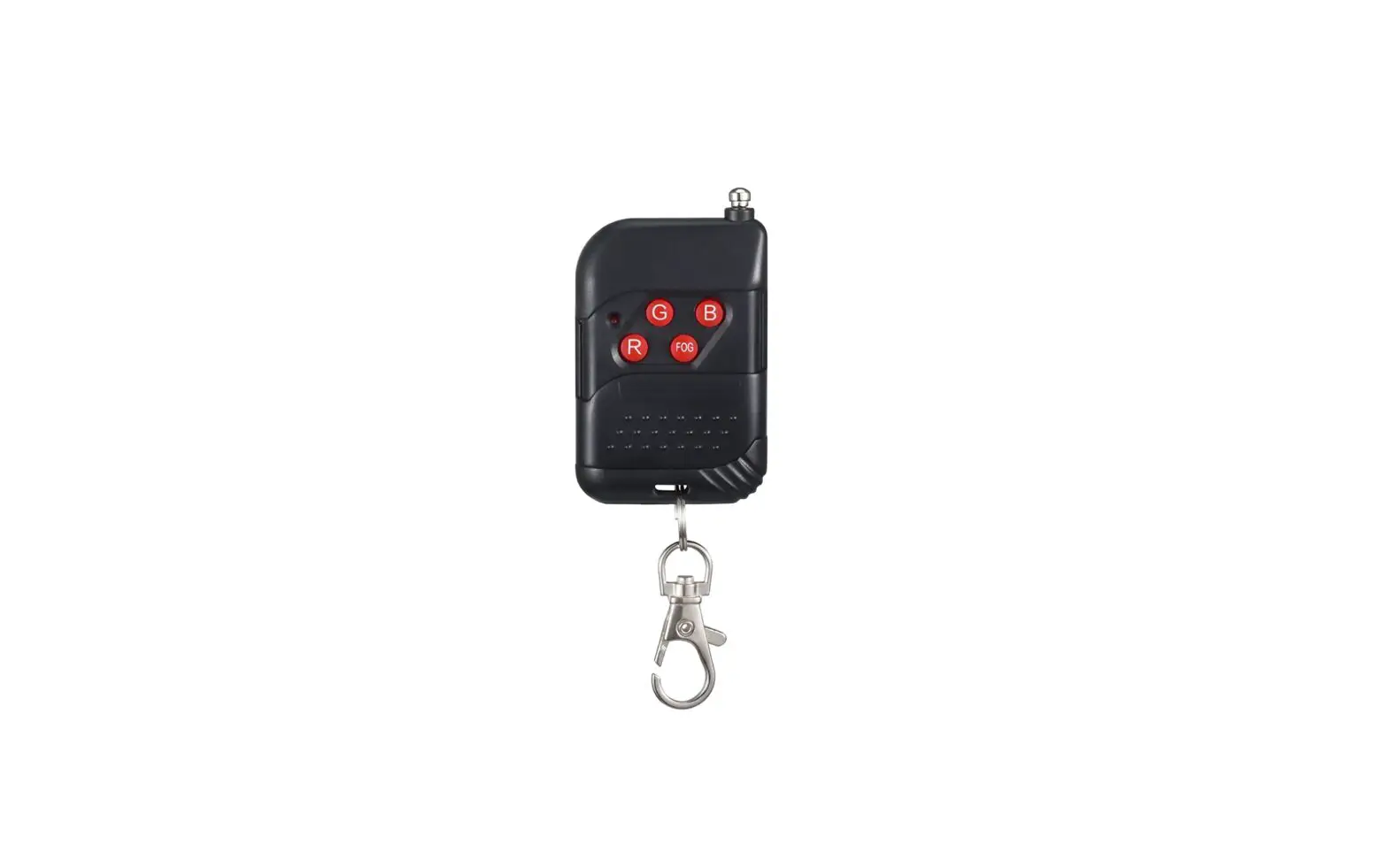
This mode will allow you to control the X-SW2200 using the wireless controller W-2. This consists of the transmitter and the receiver. Any one (or more) W-2 transmitter can work with any one (or more) W-2 receiver, no paring procedure needed.
You may control up to 4 independent X-SW2200 or many more if you run them simultaneously. See the below instructions on setting up your X-SW2200 to operate with the W-2.
· Plug the wires receiver into the fog machine 5-pin port labeled “Wireless Controller”. The red LED indicator will be on when the transmitter is successfully connected. There is no any reaction in the green LED indicator.
=)7>?!&!@-A!B-9! “#$%&&”!
· There are 4 buttons on the wireless remote transmitter which act as triggers. Each button can be assigned to a different X-SW2200. You may only choose 1 dipswitch on each receiver. See the below configuration options for setting the receivers to operate with the transmitter remote.
Mode
Dipswitches
– 10
CH1 CH1, CH2 CH1, CH2, CH3 CH1, CH2, CH3, CH4 1, 2, 3, 4 = On …
1 = On, 2-4 = Off 1, 2 = On, 3,4 = Off 1, 2, 3 = On, 4 = Off 1, 2, 3, 4 = On ···
Press the button, The screen display as below: B-9!IH8;H8!/”J! B7.!$;))>!/”J!
Press the button again, The screen display as below: =)7>?!&!@-A!B-9! “#$%&&”!
5.6 Auto Run Last Settings
If the machine is shut off while it is operating at standalone mode (On-device & Wireless control), the “Auto Run Last Setting” will allow the machine to recover its previous same operating status when the unit is powered on again without pressing any button.
· Shut off: Get disconnected from power source, or turn off the power switch · Power on: Get connected with power source, or turn on the power switch
5.7 Fluid Sensor
This machine uses software-based fluid sensor to detect whether there is fluid inside tube so as to protect the pump from being damaged. Turn on the “Fluid Sensor” to activate “No Fluid Protection” function.
BEH,>!$).+-*! !!!!!!!!!!IN!
5.7.1 Trigger “No-Fluid Protection”
When the Fluid Sensor is ON, the software-based “no-fluid protection” function will be activated. After the program continues to detect the machine working with no fluid inside the tube for 90 s, the pumpshutoff will be activated with the flickering warning page showing on the screen.
B-9!BEH,>!@-A! =)R,EE!
When this waring message shows up, the machine will stop work but the LCD is still operable, only keep flickering.
5.7.2 Clear “No-Fluid Protection” Warning
When the machine is under the no-fluid protection, after refilling the fluid, there are three ways to clear the warning.
– 11
· Press<STOP> first, then press<VOLUME>to let the machine run again, the warning will disappear until the fluid is pumped and fill the tube.
· Under the DMX control mode, bring down channel 1 to OFF (value 0-9), then back to ON (value 10255), to let the machine run again. The warning will disappear until the fluid is pumped and fill the tube.
· Turn off “Fluid Sensor” in the menu. The LCD will keep flickering whenever it shows the warning message or regular operation menu pages until the fluid is finally pumped into tube and sensed by software.
5.8 Low Water Protection
When the water in the chamber is low, the LCD will flicker and show the warning message as below: %78)*!@)D)E!@-A! =)R,EE!%78)*!
After the warning message shows up, the machine can still run for another 10 minutes with remaining water in the chamber, then shut off. Adding water in the chamber by either opening the lid on the top, or through the water auto-refill inlet.
Fog output is no need to stop when open the water chamber lid, the big volume of fog will not come out towards to people from the open lid. Water auto-refill: please use Gourd pipe (thread specification: inner thread 6 points) to avoid spill.
– 12
6 TECHNICALINFORMATION
6.1 Maintenance
To avoid the X-SW2200 clogging, after every 40 hours of continuous operation, use a detergent composed of 35% vinegar and 65% distilled water through the system and fog 10-15 times after finish heating-up to prevent the accumulation of particulate matter in the heating element. The recommended cleaning procedure is as follows.
1) Unplug the product from power.
2) Empty all fluid from the machine.
3) Add cleaning solution to the tank.
4) Connect the product to power and allow it to heat up. 5) Run the product in a well-ventilated area until the tank is empty. Do not allow the pump to run
dry. 6) Refill with fog fluid to continue using the X-SW2200. Run the machine briefly to clear any
cleaning solution from the pump and heater. 7) Excessive dust, fluid residue and dirt will degrade performance and cause overheating. Remove
dust from air vents with air compressor, vacuum or soft brush. The casing could be cleaned by the damp cloth.
Test-run your DJPOWER® X -SW2200 on a monthly basis to achieve the best performance.
6.2 Storage
6.2.1 Machine Storage
Before storing the machine, clean it as described in the cleaning procedure above; however, only follow steps 1 through 5. Do not refill the tank with fog fluid if storing the machine. Cleaning the system prior to storage will help prevent any particles from condensing inside the pump or heater while not in use.
6.3 Trouble Shooting
Errors No fluid Low water Heat failure
Symptom
Refer to “MENU MAP” chapter to for more information
Refer to “MENU MAP” chapter to for more information
Refer to “MENU MAP” chapter to for more information
Potential Cause No fluid Fluid pump error Low water Water pump error
Remedies Refill fluid Contact Service Refill water Contact Service
Contact Service
– 13