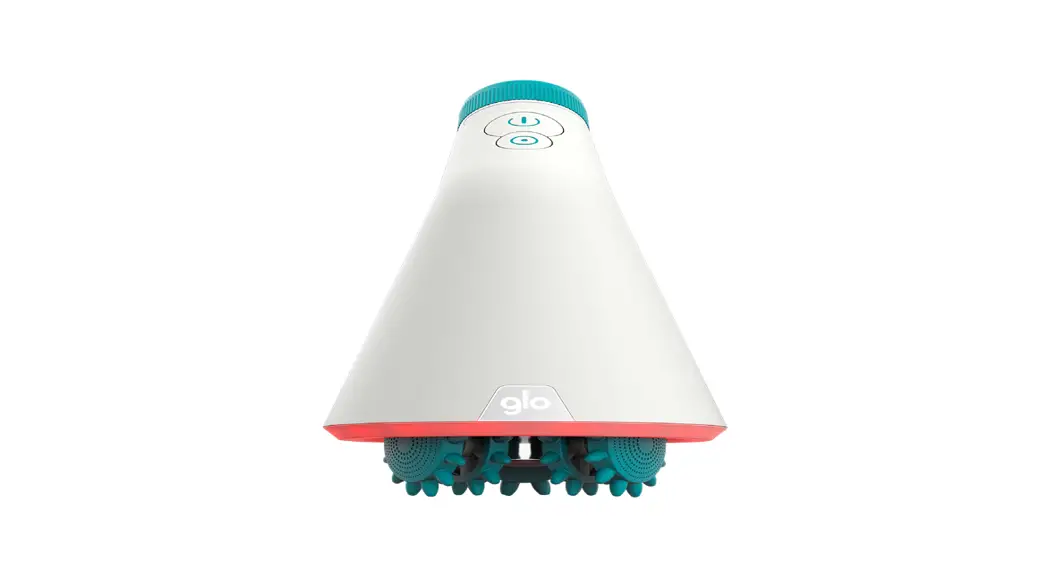
Gring XL Fingertip Massager
Product Information
The GringXL is a versatile device that can be used as a vibrator
or a remote control for other Gvibe toys. It features a powerful
motor that provides various vibration modes. The device comes with
a magnetic charger for convenient charging. The GringXL has a
3-year warranty.
Product Usage Instructions
To switch on the GringXL, press and hold the power button for
two seconds. The powerful motor will start vibrating. To increase
the power of vibration, use the mode switch. To decrease the power
of vibration or turn off the device, press the mode switch until it
reaches the desired level or turns off.
If you want to use the GringXL as a vibrator, simply follow the
above instructions to adjust the vibration power as per your
preference.
If you want to use the GringXL as a remote control for other
Gvibe toys, make sure your Gvibe toy is compatible. Once both
devices are turned on, they will connect automatically. To control
the Gvibe toy, use the power button to increase or decrease the
vibration modes. Press the power button until it reaches the
desired level or turns off to switch off the Gvibe toy.
To charge the GringXL, connect the charger to the charging
points located at the bottom of the toy. Connect the USB-end to
your computer or adapter’s USB port. When charging, a light
indicator will start blinking. Once fully charged, the light will
stop blinking. Note that the buttons will not work while charging,
so you cannot use the toy during this time. Charging time is
approximately 1.5 hours, and the fully charged toy can run for
about 40 minutes at maximum speed.
Start / increase power of vibration
Mode switch Decrease power of vibration
Magnetic charger
Powerful motor ress and hold for two seconds to switch on.
increase the vibration modes of vibration decrease the vibration /OFF
Leistungsstarker Motor Für die Entsicherung drücke und halte den Knopf für zwei Sekunden lang gedrückt.
verstärken der vibration schwingungsarten vibration verringern / OFF
Moteur puissant Appuyez sur et maintenez la touche enfoncée pendant deux secondes.
augmentation de la force de vibration modes de vibration réduction de la force de vibration / OFF
Potente motor Pulse y mantenga pulsado durante 2 segundos.
aumentar la intensividad de la vibración modos de vibración reducir la intensidad de la vibración / OFF
H 2 .
/OFF
Using GringXL as vibrator
GringXL has the «Travel Lock» protection from accidental activation. To turn on the GringXL press the button and hold for 2 seconds. To switch the vibration mode, click on the middle button. GringXL has 6 vibration modes.
SWITCHING OFF To turn off the GringXL, press the button until it turns off.
Gring as a remote control for other Gvibe toys
Please make sure that your Gvibe toy is compatible with the GringXL. The GringXL and the Gvibe toys connect automatically right after turning on. This is how you can manage the toys by Gvibe now:
ON/ increasing the vibration
Modes of vibration
Decreasing the vibration / OFF
CHARGING
Connect the charger to the points of charging at the bottom of the toy. The USB-end is connected to the USB port of your computer of adaptor. When charging a light indicator starts blinking. As soon as the toy is full charged the light stops blinking. The buttons will not work when charging meaning you can’t use the toy.
When the battery is low Gring XL will switch modes automatically to switch off. Charging time is around 1.5 hours. After charged fully the toy runs about 40minutes at max speed.
3-YEAR WARRANTY