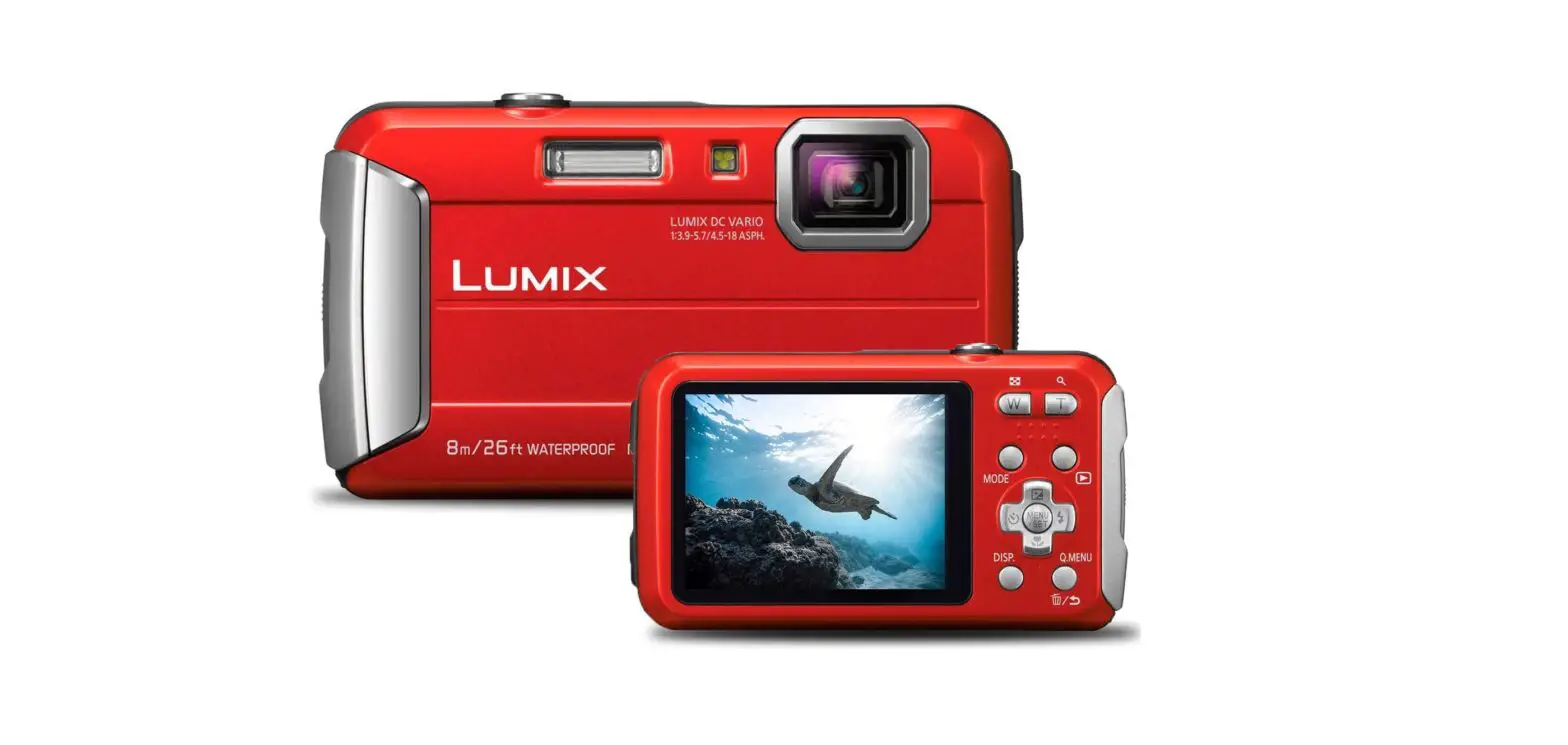
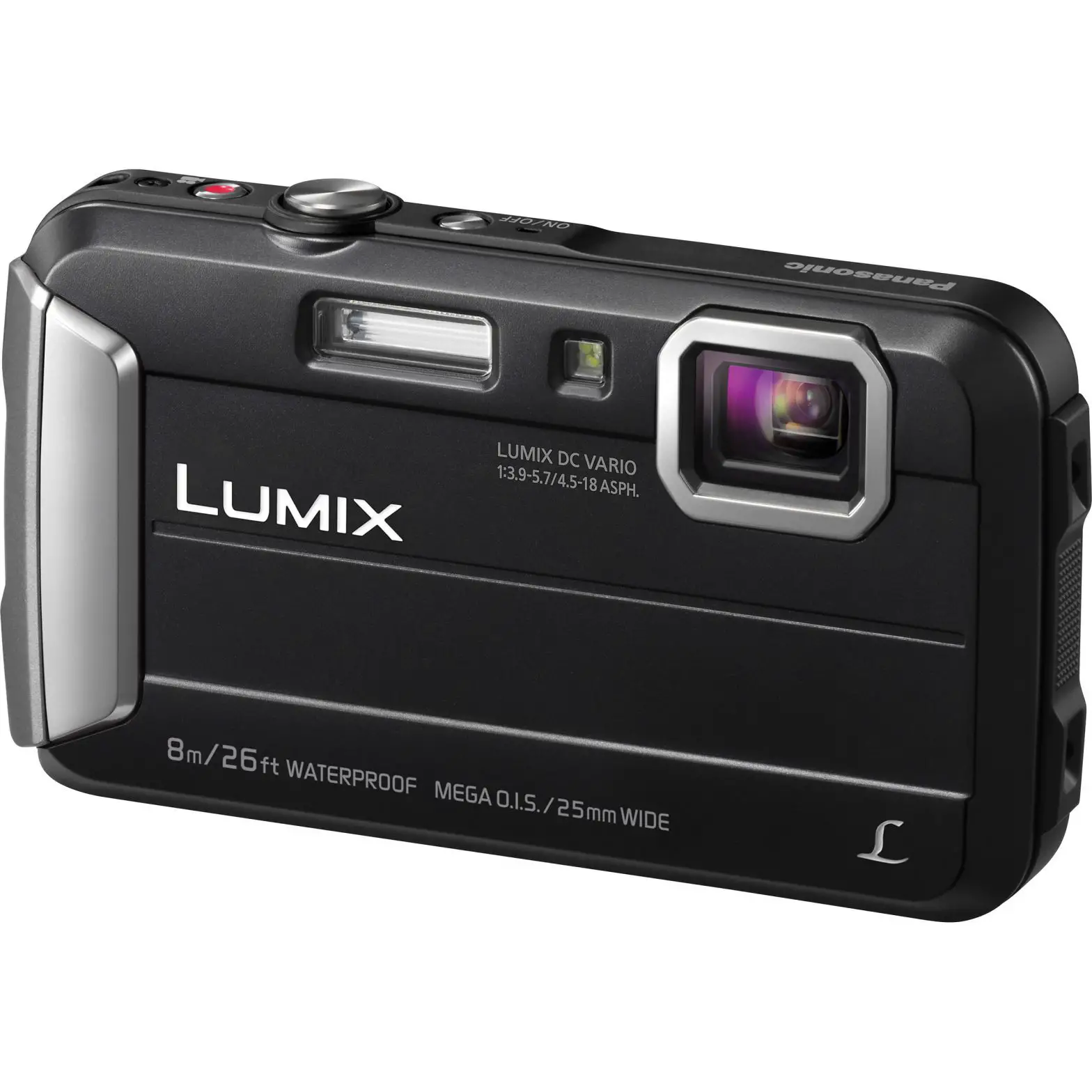
DMC-FT30EG Digital Camera
Product Information
Product: Digital Camera
Model No.: DMC-FT30EG DMC-FT30EP DMC-FT30EF DMC-FT30EB
DMC-FT30EE DMC-FT30GC DMC-FT30GA DMC-FT30GN DMC-TS30P DMC-TS30PC
DMC-TS30PU DMC-TS30GK
Colour (K): Black Type (Except PC/GK), Blue Type (A), Red Type
(R), Orange Type (Except GK)
Please use this manual together with the service manual for
Model No.DMC-FT25EB/EE/EF/EG/EP/GA/GC/GF/GN, DMC-TS25P/PC/PU/GK,
Order No.DSC1302002CE
Product Usage Instructions
2.1. How to Define the Model Suffix (NTSC or PAL model)
To define the model suffix to be serviced, refer to the
nameplate which is putted on the bottom side of the Unit.
Note: After replacing the Main P.C.B., be sure to achieve
adjustment. The Maintenance software (DIAS) is available at
software download on the Support Information from NWBG/VDBG-AVC
web-site in TSN system.
2.1.2. INITIAL SETTINGS
After replacing the Main P.C.B., be sure to perform the initial
settings after achieving the adjustment by following the procedure
below according to the model suffix of the unit.
- IMPORTANT NOTICE: Before proceeding Initial settings, be sure
to read the following CAUTIONS. - [CASE 2. Other than After replacing Main P.C.B.]
MODEL VIDEO OUTPUT LANGUAGE DATE REMARKS DMC-FT30EB PAL English Date/Month/Year DMC-FT30EE PAL Russian Date/Month/Year DMC-FT30EF PAL English Date/Month/Year DMC-FT30EG PAL English Date/Month/Year DMC-FT30EP PAL English Date/Month/Year DMC-FT30GA PAL English Date/Month/Year DMC-FT30GC PAL English Date/Month/Year DMC-FT30GN PAL English Date/Month/Year DMC-TS30GK NTSC Chinese (Simplified) Year/Month/Date DMC-TS30P NTSC English Month/Date/Year DMC-TS30PC NTSC English Month/Date/Year DMC-TS30PU NTSC Spanish Month/Date/Year
3 Replacement Parts List
3.1. Electrical Component
COMPARISON CHART: The following tables show the difference
between DMC-FT25/TS25 series and DMC-FT30/TS30 series.
| Safety Ref No. | Original Part No. | New Part No. | Part Name & Descriptions | Pcs |
|---|---|---|---|---|
| FP9006 | K1MY15BA0235 | K1MY15BA0575 | CONNECTOR 15P | 1 |
| IC6002 | RS10405 | RS10760 | IC | 1 |
3.2. Frame and Casing Section
COMPARISON CHART: The following tables show the difference
between DMC-FT25/TS25 series and DMC-FT30/TS30 series.
| Remarks | Safety Ref No. | Original Part No. | New Part No. | Part Name & Descriptions |
|---|---|---|---|---|
| VEP56146B | VEP56146D | MAIN P.C.B. | 6 | |
| L0AA01A00125 |
ORDER NO.DSC1502009AE B26
Digital Camera
Model No. DMC-FT30EG DMC-FT30EP DMC-FT30EF DMC-FT30EB DMC-FT30EE DMC-FT30GC DMC-FT30GA DMC-FT30GN DMC-TS30P DMC-TS30PC DMC-TS30PU DMC-TS30GK
Colour (K)………..Black Type(Except PC/GK) (A)………..Blue Type (R)………..Red Type (D)………..Orange Type(Except GK) Please use this manual together with the service manual for Model No.DMC-FT25EB/EE/EF/EG/EP/GA/GC/GF/GN, DMC-TS25P/PC/PU/GK, Order No.DSC1302002CE
© Panasonic Corporation 2015 Unauthorized copying and distribution is a violation of law.
TABLE OF CONTENTS
PAGE 1 Introduction ———————————————————3 2 Service Navigation————————————————4
2.1. How to Define the Model Suffix (NTSC or PAL model)———————————————————4
3 Replacement Parts List —————————————-8 3.1. Electrical Component ————————————-8 3.2. Frame and Casing Section ——————————8 3.3. Packing and Accessories Section ———————9
PAGE
2
1 Introduction
· The purpose of issuing this Service Manual is that to introduce the following newly added models. DMC-FT30EG/EP/EF/EB/EE/GC/GA/GN, DMC-TS30P/PC/PU/GK
· This Service Manual contains technical information which will help service personnel to understand and service the Digital Camera; DMC-FT30EG/EP/EF/EB/EE/GC/GA/GN, DMC-TS30P/PC/PU/GK.
· Since this Service Manual does not cover the same part which is already described in the Original Service Manual for DMC-FT30,TS30 series, when servicing, refer to the descriptions in the Service Manual for DMC-FT25EB/EE/EF/EG/EP/GA/GC/GF/GN,TS25P/PC/PU/GK, Order No.DSC1302002CE.
3
2 Service Navigation
2.1. How to Define the Model Suffix (NTSC or PAL model)
There are seven kinds of DMC-FT30/TS30, regardless of the colours. · a) DMC-TS30P/PC · b) DMC-FT30EB/EF/EG/EP · c) DMC-FT30EE · d) DMC-FT30GN · e) DMC-TS30GK · f) DMC-FT30GC/GA,DMC-TS30PU
What is the difference is that the “INITIAL SETTINGS” data which is stored in Flash ROM mounted on Main P.C.B.
2.1.1. Defining methods
To define the model suffix to be serviced, refer to the nameplate which is putted on the bottom side of the Unit.
Note: After replacing the Main P.C.B., be sure to achieve adjustment. The Maintenance software (DIAS) is available at “software download” on the “Support Information from NWBG/VDBG-AVC” web-site in “TSN system”.
4
2.1.2. INITIAL SETTINGS
After replacing the Main P.C.B., be sure to perform the initial settings after achieving the adjustment by ordering the following procedure in accordance with model suffix of the unit. 1. IMPORTANT NOTICE:
Before proceeding Initial settings, be sure to read the following CAUTIONS.
2. PROCEDURES: · Precautions: Read the above “CAUTION 1” and “CAUTION 2”, carefully · Preparation: 1. Attach the Battery to the unit. 2. Set to NORMAL PICTURE mode by operating the mode button. Note: If the picture mode is other than NORMAL PICTURE mode, it does not display the initial settings menu. · Step 1. The temporary cancellation of “INITIAL SETTINGS”: While keep pressing “UP of Cursor button” and MOTION PICTURE button simultaneously, turn the Power on. · Step 2. The cancellation of “INITIAL SETTINGS”: Press the PLAYBACK button. Press “UP of Cursor button” and MOTION PICTURE button simultaneously, then turn the Power off. · Step 3. Turn the Power on: Turn the Power on.
5
· Step 4. Display the “INITIAL SETTINGS” menu: While keep pressing MENU/SET and “RIGHT of Cursor button” simultaneously, turn the Power off. The “INITIAL SETTINGS” menu is displayed. There are two kinds of “INITIAL SETTINGS” menu form as follows: [CASE 1. After replacing Main P.C.B.] When Main P.C.B. has just been replaced, the following model suffix list is displayed as follows. (Six pages in total)
[CASE 2. Other than “After replacing Main P.C.B.”]
· Step 5. Choose the model suffix in “INITIAL SETTINGS”: (Refer to “CAUTION 1”) [Caution: After replacing Main P.C.B.] (Especially, other than “EG, EF, EB and EP” models) The model suffix can be chosen, JUST ONE TIME. Once one of the model suffix have been chosen, the model suffix lists will not be displayed, thus, it can be changed. Therefore, select the area carefully. Select the area with pressing “UP / DOWN of Cursor buttons”.
6
· Step 6. Set the model suffix at “INITIAL SETTINGS”: Press the “RIGHT of Cursor buttons”. The only set area is displayed. Press the “RIGHT of Cursor buttons” after confirmation. (The unit is powered off automatically.)
· Step 7. CONFIRMATION: Confirm the display of “PLEASE SET THE CLOCK” in concerned language when the unit is turned on again. When the unit is connected to PC with USB cable, it is detected as removable media. 1) As for your reference, major default setting condition is as shown in the following table. Default setting (After “INITIAL SETTINGS”)
MODEL a) DMC-FT30EB b) DMC-FT30EE c) DMC-FT30EF d) DMC-FT30EG e) DMC-FT30EP f) DMC-FT30GA g) DMC-FT30GC h) DMC-FT30GN i) DMC-TS30GK j) DMC-TS30P k) DMC-TS30PC l) DMC-TS30PU
VIDEO OUTPUT PAL PAL PAL PAL PAL PAL PAL PAL PAL NTSC NTSC NTSC
LANGUAGE English Russian English English English English English English Chinese (Simplified) English English Spanish
DATE Date/Month/Year Date/Month/Year Date/Month/Year Date/Month/Year Date/Month/Year Date/Month/Year Date/Month/Year Date/Month/Year Year/Month/Date Month/Date/Year Month/Date/Year Month/Date/Year
REMARKS
7
3 Replacement Parts List
3.1. Electrical Component
COMPARISON CHART: The following tables show the difference between DMC-FT25/TS25 series and DMC-FT30/TS30 series.
Safety Ref No.
Original Part No.
New Part No.
Part Name & Descriptions Pcs
DMC-FT25/TS25 series DMC-FT30/TS30 series
FP9006 K1MY15BA0235
K1MY15BA0575
CONNECTOR 15P
1
IC6002 RS10405
RS10760
IC
1
3.2. Frame and Casing Section
COMPARISON CHART: The following tables show the difference between DMC-FT25/TS25 series and DMC-FT30/TS30 series.
Remarks
Safety Ref No.
Original Part No.
New Part No.
Part Name & Descriptions
DMC-FT25/TS25 series DMC-FT30/TS30 series
4
VEP56146B
VEP56146D
MAIN P.C.B.
6
L0AA01A00125
L0AA01A00175
SPEAKER
39
VYK6E06
VYK6U49
FRONT ALMI CASE UNIT
39
VYK6E12
VYK6U50
FRONT ALMI CASE UNIT
39
VYK6E10
VYK6U47
FRONT ALMI CASE UNIT
39
—–
VYK6U48
FRONT ALMI CASE UNIT
40
VKM0D26
VKM0K12
REAR ALMI CASE
40
—–
VKM0J90
REAR ALMI CASE
41
VKM0D28
VKM0K13
TOP CASE
41
VKM0D29
41
—–
VKM0K13 VKM0K13
TOP CASE TOP CASE
Pcs
Remarks
1 (RTL) E.S.D. 1 1 (-K) 1 (-R) 1 (-A) 1 (-D) 1 (-A) 1 (-D) 1 EG-K/A/R,EP-K/A/R,EF-K/A/R,EB-
K/A/R,EE-K/R,GC-K/A/R,GA-K/A/ R,GN-K/A/R 1 P-K/A/R,PC-A/R,PU-K/A/R,GK-A/R 1 (-D),EE-A
8
3.3. Packing and Accessories Section
Safety Ref No.
Part No.
100
VPF1458
101
—–
Part Name & Descriptions CAMERA BAG BATTERY PACK
Pcs
Remarks
1 EG,EP,EF,EB,EE,GC,GA,GN,GK
1 EG,EP,EF,EB,EE,GC,GA,GN,GK
102
DE-A92AC/SXP BATTERY CHARGER
1 EG,EP,EF,EB,EE,GN
102
DE-A92BC/SXP BATTERY CHARGER
1 GC,GA,GK
103
K1HY08YY0031 USB CABLE
105
VFC4297
HAND STRAP
106
SFM0076
CD-R(SOFTWARE/INSTRUCTION BOOK)
1 EG,EP,EF,EB,EE,GC,GA,GN,GK 1 EG,EP,EF,EB,EE,GC,GA,GN,GK 1 EG,EP,EF,EB See “Notes”
106
SFM0079
CD-R(SOFTWARE/INSTRUCTION BOOK)
1 EE,GC,GA,GN See “Notes”
106
SFM0080
CD-R(SOFTWARE/INSTRUCTION BOOK)
1 GK See “Notes”
109
VPF1539
POLYETHYLENE BAG
1 EG,EP
109
VPF1547
POLYETHYLENE BAG
1 EF,EB,EE,GC,GA,GN,GK
111
SQT0721
BASIC O/I (GERMAN/TURKISH)
1 EG
111
SQT0724
BASIC O/I (ITALIAN)
1 EG
111
SQT0723
BASIC O/I (SPANISH/PORTUGUESE)
1 EG
111
SQT0722
BASIC O/I (FRENCH/DUTCH)
1 EG,EF
111
SQT0725
BASIC O/I (SWEDISH/DANISH)
1 EP
111
SQT0726
BASIC O/I (POLISH/CZECH)
1 EP
111
SQT0727
BASIC O/I (HUNGARIAN/FINNISH)
1 EP
111
SQT0728
BASIC O/I (ENGLISH)
1 EB
111
SQT0729
BASIC O/I (RUSSIAN/UKRAINIAN)
1 EE
111
SQT0730
BASIC O/I (ENGLISH/CHINESE(TRADITIONAL)) 1 GC,GA
111
SQT0731
BASIC O/I (ARABIC)
1 GC,GA
111
SQT0732
BASIC O/I (VIETNAMESE)
1 GA
111
SQT0734
BASIC O/I (ENGLISH)
1 GN
111
SQT0733
BASIC O/I (CHINESE(SIMPLIFIED))
1 GK
113
SPK0051
113
SPK0052
PACKING CASE PACKING CASE
1 EG,EP,EF,EB,EE,GC,GA,GN 1 GK
114
VQL2X49
COLOR LABEL
1 EG-K,EP-K,EF-K,EB-K,EE-K,GC-K,GA-K,GN-K
114
VQL3B09
COLOR LABEL
1 EG-R,EP-R,EF-R,EB-R,EE-R,GC-R,GA-R,GN-R
114
VQL2Z72
COLOR LABEL
1 EG-D,EP-D,EF-D,EB-D,EE-D,GC-D,GA-D,GN-D
114
VQL3B10
COLOR LABEL
1 GK-R
115
K2CQ2YY00082 AC CORD
1 EG,EP,EF,EE,GA
115
K2CT3YY00034 AC CORD
1 EB,GC
115
K2CJ2YY00052 AC CORD
1 GN
115
K2CA2YY00130 AC CORD
1 GK
119
VMG2068
SILICON JACKET
1 GN
200
VPF1458
CAMERA BAG
1 P,PC,PU
201
—–
BATTERY PACK
1 P,PC,PU
202
DE-A91BA/SXP BATTERY CHARGER
1 P,PC,PU
203
K1HY08YY0031 USB CABLE
205
VFC4297
HAND STRAP
206
SFM0075
CD-R(SOFTWARE/INSTRUCTION BOOK)
1 P,PC,PU 1 P,PC,PU 1 P,PC,PU See “Notes”
207
VQL2Y50-AM OPERATING LABEL (CANADIAN-FRENCH)
209
VPF1547
POLYETHYLENE BAG
211
SQT0718
BASIC O/I (ENGLISH/SPANISH)
1 PC 1 P,PC,PU 1P
211
SQT0719
BASIC O/I (ENGLISH/CANADIAN FRENCH)
1 PC
211
SQT0720
BASIC O/I (SPANISH)
1 PU
213
SPK0049
PACKING CASE
1 P,PC
213
SPK0050
PACKING CASE
1 PU
214
VQL2X49
COLOR LABEL
1 P-K PU-K
214
VQL3B09
COLOR LABEL
1 P-R,PC-R,PU-R
214
VQL2Z72
COLOR LABEL
1 P-D,PC-D,PU-D
9
Exploded view 10
11