DIGITUS DN-45003 Charging Trolley for Pads – Tablets up to 14 inch
Product Description
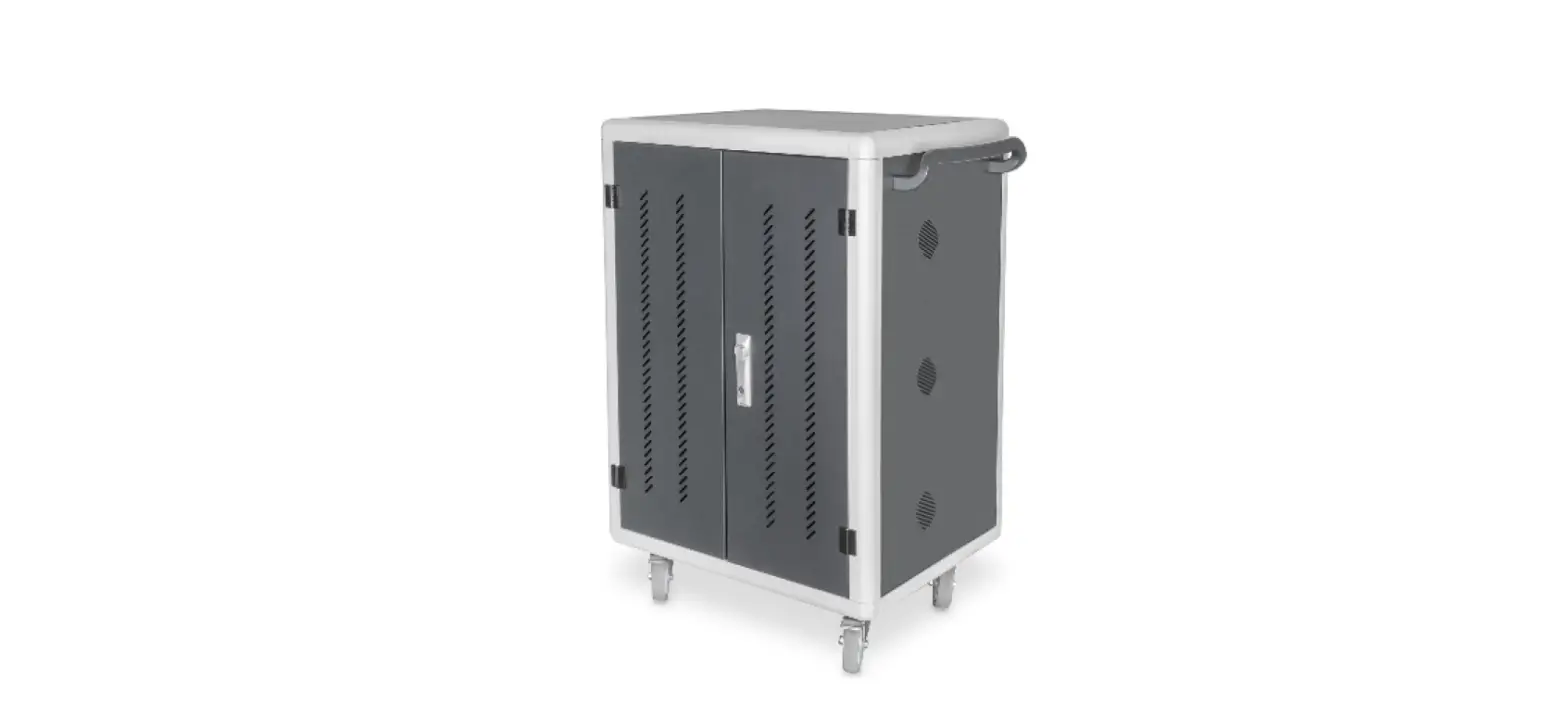
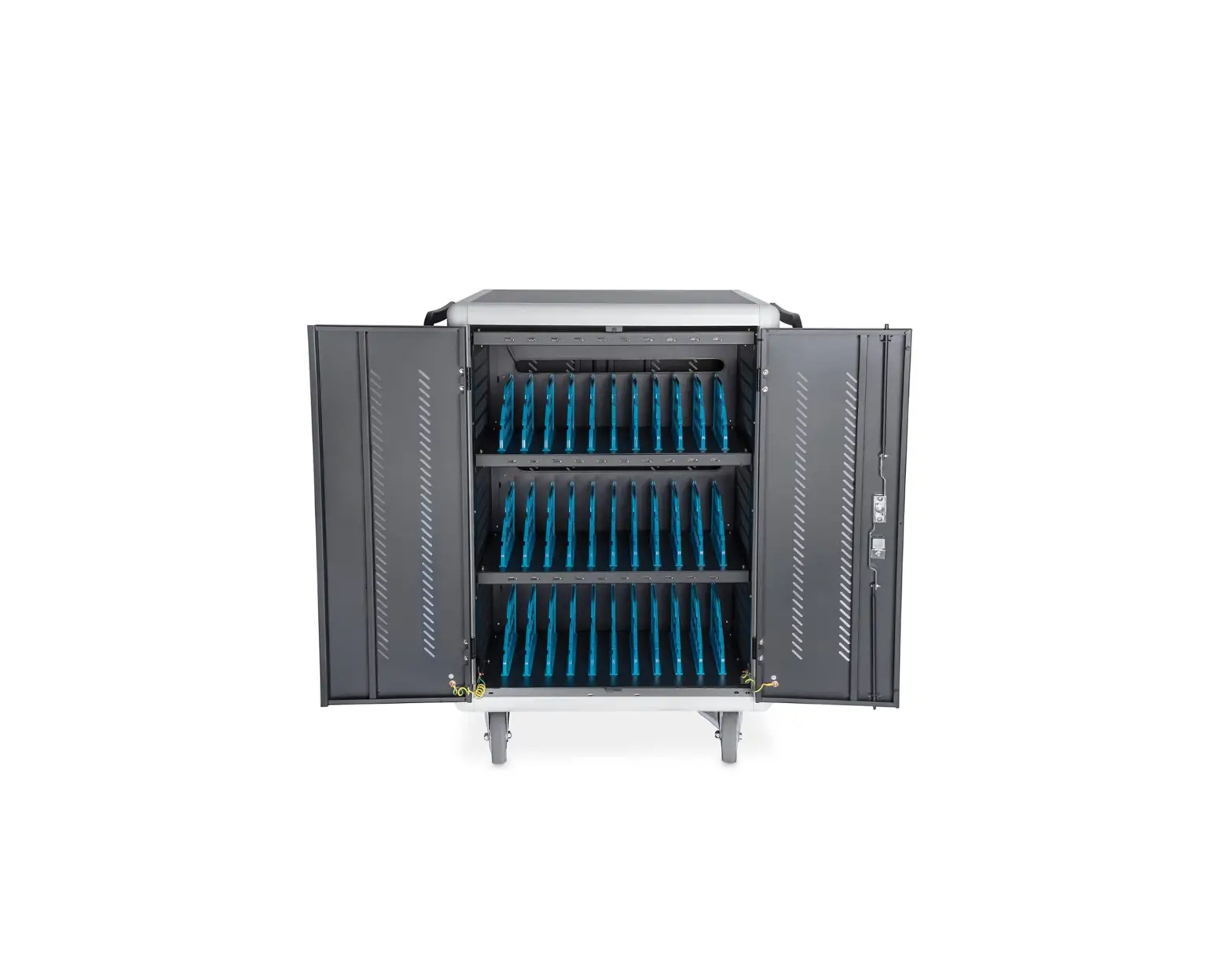
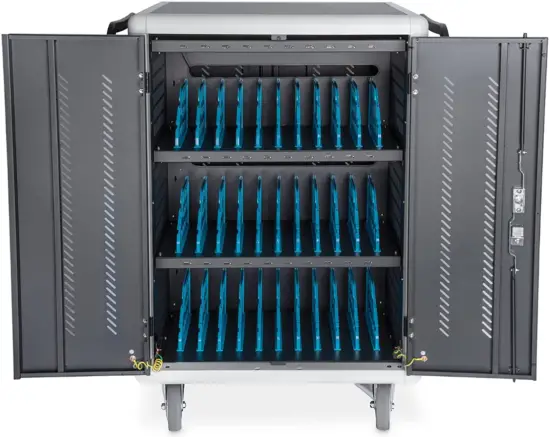
The mobile charging cabinet from DIGITUS® is the ideal and compact solution for storing and charging your portable devices such as notebooks and tablets. Mobile charging cabinets are frequently used in public facilities such as schools in order to store devices securely at a central location while charging them at the same time. The cabinet includes 16 charging stations, all of which have their own USB connection on the front. An installed ventilators (24 V) combined with ventilation slits ensures active cooling of the cabinet.
Technical Features
- 16 stations for devices
- 16x USB connection
- Compact housing, mobile thanks to installed rollers
- 1x ventilator (24 V) for active cooling of the cabinet
- Incl. RCD 30 mA (residual current operated device)
Package content
- Mobile charging cabinet
- Power cable
- Manual
Product Standard
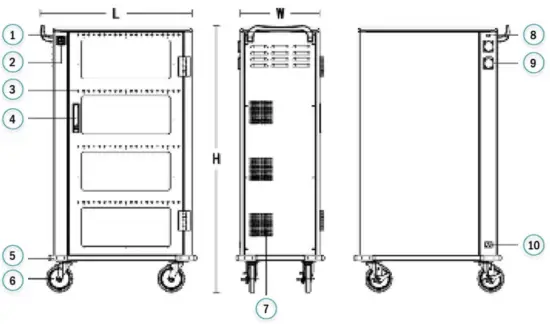
- Handle
- Power switch
- LED Light
- Anti-theft mechanical lock
- Collision Angle
- Super silent universal brake casters
- Temperature-controlled silent fan
- External USB outlet
- External USB outlet
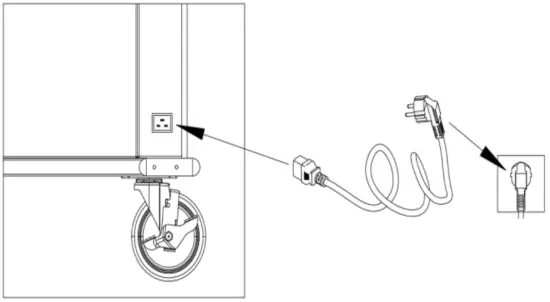
- Power input port
| Product model | DN-45003 |
| Number of supported charges | 16 |
| Product size(L×W×H) | 550×375×384 |
| Location volume(L×W×H) | 22.1×350×235 |
| Charged object | Tablet |
Service Environment
| Working temperature | 0°C ~45°C |
| Working environment humidity | 20%~80% |
| Humidity of storage environment | -15°C ~45°C |
| The machine has passed the national CCC certification, CE certification and RoHS certification | |
Product Parameter
| Main material | The main body adopts 1.0mm-1.5mm cold-rolled steel plate, the cabinet is provided with ABS engineering plastic partition layer, layering the tablet is effective in preventing scratches |
| Input |
|
| Product power | 3500W |
| Cooling system | Fored air cooling |
| Output | Recharge: 5V 2.1A Quick recharge: 20W |
| Status indicator light | Red light: in charging state, green light: full/disconnected |
| External AC socket | 1 x safety outlet |
| External USB charging port | 1 |
| System compatibility | Android system, IOS system, Windows system |
| Support fast charging protocol | Apple, BC1.2(DCP), HUAWEI-FCP, MTK PE, SAMSUNG-AFC |
| Super compatible | Other Android devices, Other mobile terminals, V+/V-No agreement class |
Behavior of electricity
- Overload protection: Cut off the power automatically when overloaded, protect equipment
- Leakage protection: Quick leakage protection device, double leakage protection, Prevent personal electric shock and leakage, and ensure safety
- Insulation blocking: AC and DC isolation design, electrical shied installation, safe low voltage
- Overcurrent protection: Each port is configured independently to the maximum 3.1A continuous output, discount the failed port output when the load overflows, and don’t affect other port usage.
- Input overvoltage protection: When the power input voltage is higher than 30V, intelligent cut off input and output, protect other charging equipment from damage
- Input undervoltage protection: When the power input voltage is below 8V, intelligent cut off input and output, protect other charging equipment from damage
- Output short circuit protection: Cut off the output in case of abnormal short circuit of the output port to ensure safety.
- Perfusion protection: Built-in reverse cut-off, prevent equipment current backflow
- Overcharge protection: Built-in overcharge protection circuit, intelligent detection charging condition of charging equipment, after the completion of charging, it will automatically stop charging to realize worry-free charging
- To use safety as the premise, intelligent control to achieve high-performance, high-quality charging
- Efficient heat dissipation: The design of air flow heat dissipation channel with lower intake and upper exhaust is adopted to effectively improve the heat dissipation effect
- Industrial concentrator charging: more in line with public charging than the original civil charger.
- To provide a high quality use environment
- The integrated circuit: Built-in MCU+ intelligent chip integrated circuit (DS dual intelligent charging)
- Automatically turn lights: Multicolor status indicator, automatically displays current port device status.
- The temperature control: When the temperature in the cabinet exceeds 40°C, start the cooling fan to dissipate heat quickly and ensure safe charging
- Auto sleep: Automatic sleep without charging device, reduce power consumption, intelligent ring charging
- Convenient and efficient: No setup, plug and play, intelligent charging management
- Wide voltage input: Support global 100~264V wide voltage input (optional)
Other characteristics
Details make for a better user experience
- Mute design: Adopt silent silicone universal wheel and infinitely variable speed cooling fan, greatly reduce noise generation
- Neat: Gate array mode, beautiful and tidy, projected status indicator light, at a glance
- Ergonomic: Plastic partition bracket, arc edge design, self-braking function
- Mistake proofing design: Users need not care, the equipment always works at its best
Charging operation
- Disconnect the power supply from the charging car early, pen cupboard door.

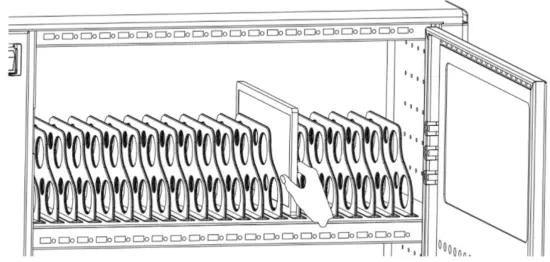
- By tablet number, Place the tablets one by one into the tablet rotation slot with the corresponding number.

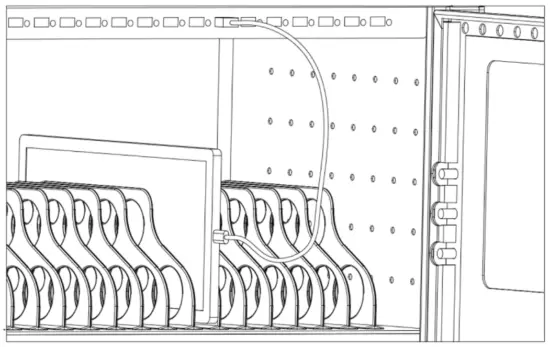
- The two ends of the USB cable are connected to the charging /HUB port on the device and the tablet port respectively.

- After the connection is completed, Lock the cupboard door, Plug the charger into the mains outlet and prepare to start charging.
- Switch the main power switch to “ON”, At this point, all charging units LED charging status indicator lights red. The device is in charge.

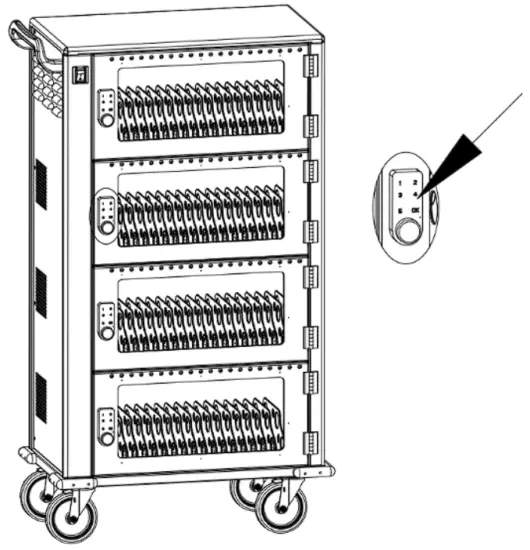
Code lock operation manual
 Battery low voltage dicator light
 Lock indicator light
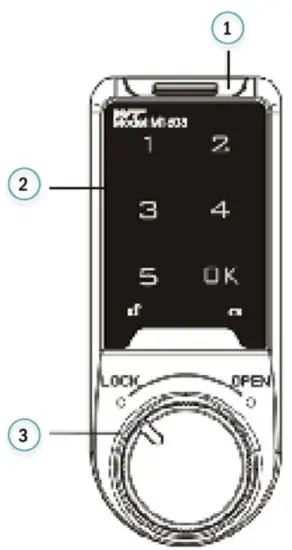
1) Battery compartments
2) Touch the keyboard
3) Knob
Unlock and lock
- Enter the factory user password “1234” + OK or enter the factory management password “4321” + OK
- Buzzer: di ……A long sound,
 constant light
 - Rotate the knob to OPEN position within 3 seconds
• Password error ring “di..di..di…”three sounds
• The battery indicator stays on, the battery is out of charge
Note: Once the lock has been unlocked by the management password, then the user password will automatically reset to the default 1234
Lock Turn the knob to the LOCK position
User Settings
- Modify factory password (Such as: modified to 123123)
1) Modify the factory user password “1234” + OK key or modify the factory management password “4321” + OK key, buzzer “di……” a long sound light permanent bright
2) Hold down again OK key more than 2 seconds, Lights flashing
3) Enter a new password”1234” + OK key, “di……”a long sound, Password changed successfully
• Password length can be set to 4 ~ 15 digits, the administrative password and the user password cannot be set to the same password - Enable common mode, Set a temporary password
Enable common mode
1) Enter the correct administration password “****” + OK key, buzzer “di……” a long sound light permanent bright
2) Hold down again OK key more than 2 seconds, lights, flashing Press it again OK key
3) Enter number “4, 4” Press the OK key, “di……” a long sound
Set a temporary password
1) Click on the OK key, lights flashing
2) Enter a 4 – 15-bit password
3) Click on the OK key, buzzer “di……” a long sound light permanent bright, the temporary password has been set successfully, when you go into standby mode, The light will flash every three seconds
• Temporary passwords can only be used effectively once, automatic failure after use
Special function description
- Password forgetting and decoding
- When the user accidentally forgets his password, please provide the 16-digit code on the right side of the lock to customer service, they will send you a reset code and then the lock will reset after you enter the reset code.
- False password input
- Password error alarm
- Enter the wrong password four times in a row to open the lock, this will lock the keyboard for 60 seconds, and send out alarm prompt sound, any key pressed during this period will not work
- Battery undervoltage indication
- When the keyboard light is on, it means the battery is low. Please replace the battery in time.
- Replace the battery
- Remove the battery compartment,will“CR2032”button batteries are loaded into the battery bin in the correct direction, insert the battery bin into the electronic lock, the electronic lock is released after energizing “di..di…”two sounds
- Pay attention to environmental protection
- Used batteries cannot be disposed of together with household garbage, according to laws and regulations, the consumer should place the battery to a special collection point for processing.
Frequently Asked Questions
| The fault phenomenon | The main reason | Processing method |
| After entering the password, di..di..di Three, no lock | Password mistake | See Special function description 1 |
| Enter the correct password, di..di… Two long notes, two flashes | The battery voltage is too low | Please replace the battery |
| Enter the correct password, di…., Constant light, cannot unlock | The knob is out of position | Please turn the knob to its normal position |
| Button no sound, can unlock | The buzzer is damaged | Need to replace circuit board buzzer |
Declaration
Hereby Assmann Electronic GmbH, declares that the Declaration of Conformity is part of the shipping content. If the Declaration of Conformity is missing, you can request it by post under the below mentioned manufacturer address.

www.assmann.com
Assmann Electronic GmbH
Auf dem Schüffel 3 58513 Lüdenscheid Germany