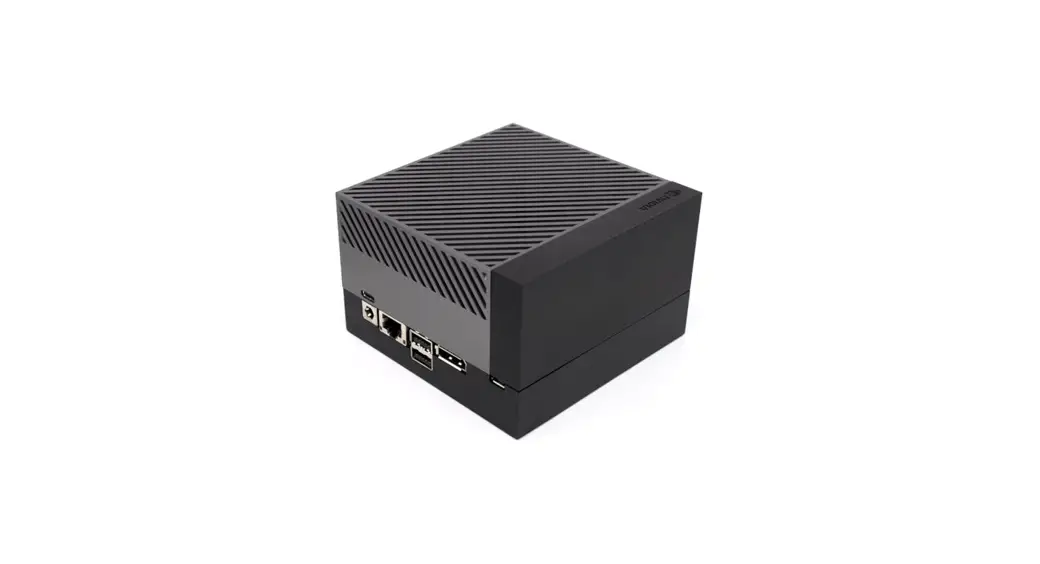
J2032 reServer Jetson
Product Information: reServer J2032
The reServer J2032 is an AI edge server designed for real-world
applications. It is equipped with AI capabilities that allow it to
process data and make decisions at the edge of a network. The
server comes with an assembly guide to help users set it up.
For more information on how to use the reServer J2032, please
visit the manufacturer’s wiki at https://wiki.seeedstudio.com/reServer-J2032-Getting-Started/.
Product Usage Instructions
- Refer to the assembly guide provided with the reServer
J2032. - Connect four pieces of component 1 to the server following step
1 of the assembly guide. - Connect four pieces of component 2 to the server following step
3 of the assembly guide. - Connect twelve pieces of component 3 to the server following
step 5 of the assembly guide. Alternatively, connect a Nano NX or
follow step 11 if using a FAN cable. - Connect twelve pieces of component 3 to the server following
step 11 of the assembly guide if using a FAN cable. - Optionally, connect SATA’s Power Cable and Button’s Power Cable
to the server following step 13 of the assembly guide. - Connect four pieces of component 2 to the server following step
14 of the assembly guide. - Connect one piece of component 1 to the server following step
15 of the assembly guide. - Refer to the manufacturer’s wiki at https://wiki.seeedstudio.com/reServer-J2032-Getting-Started/
for more information on how to use the reServer J2032.
reServer J2032
Real-world AI,Right at the Edge.
Assembly Guide
For more information, please scan the QR code, visit our wiki:
https://wiki.seeedstudio.com/reServer-J2032-Getting-Started/
Step 1
1
x4
Step 2
Step 3
2
x4
Step 4
Step 5
3
x12
or
Nano NX
or
Step 11
FAN Cable Connected with PCBA
3
x12
Optional
SATA’s Power Cable and Button’s Power Cable Connected with PCBA
Step 13
2
x4
Step 14
Step 15
1
x4
Step 16
For more information, please scan the QR code, visit our wiki:
https://wiki.seeedstudio.com/reServer-J2032-Getting-Started/