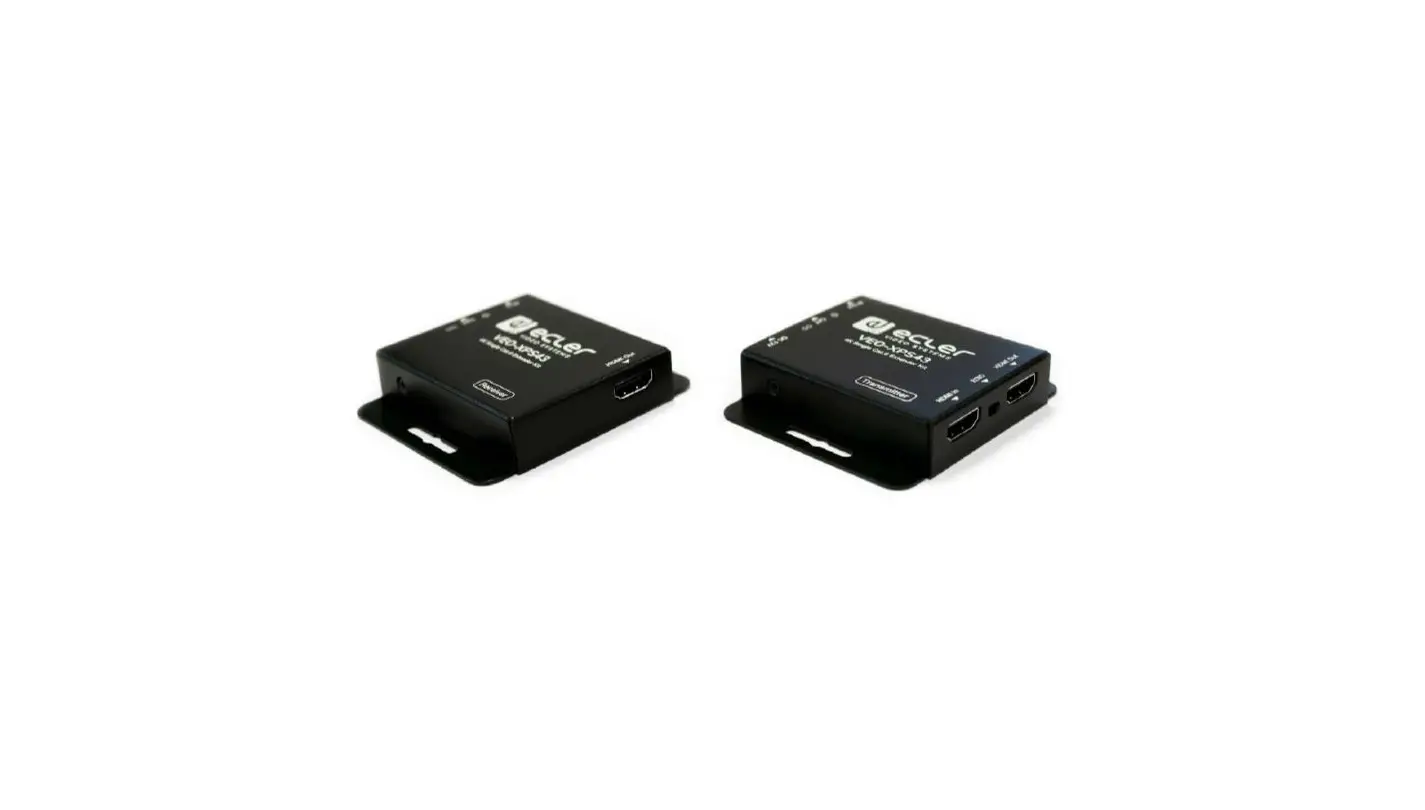
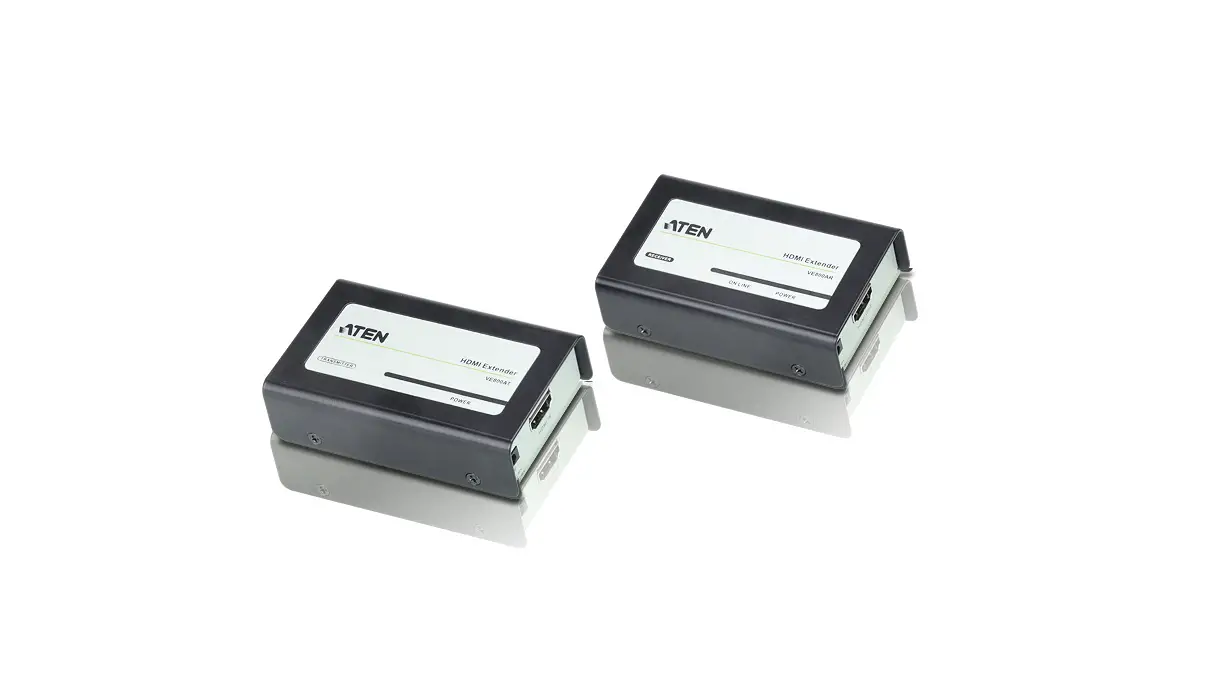
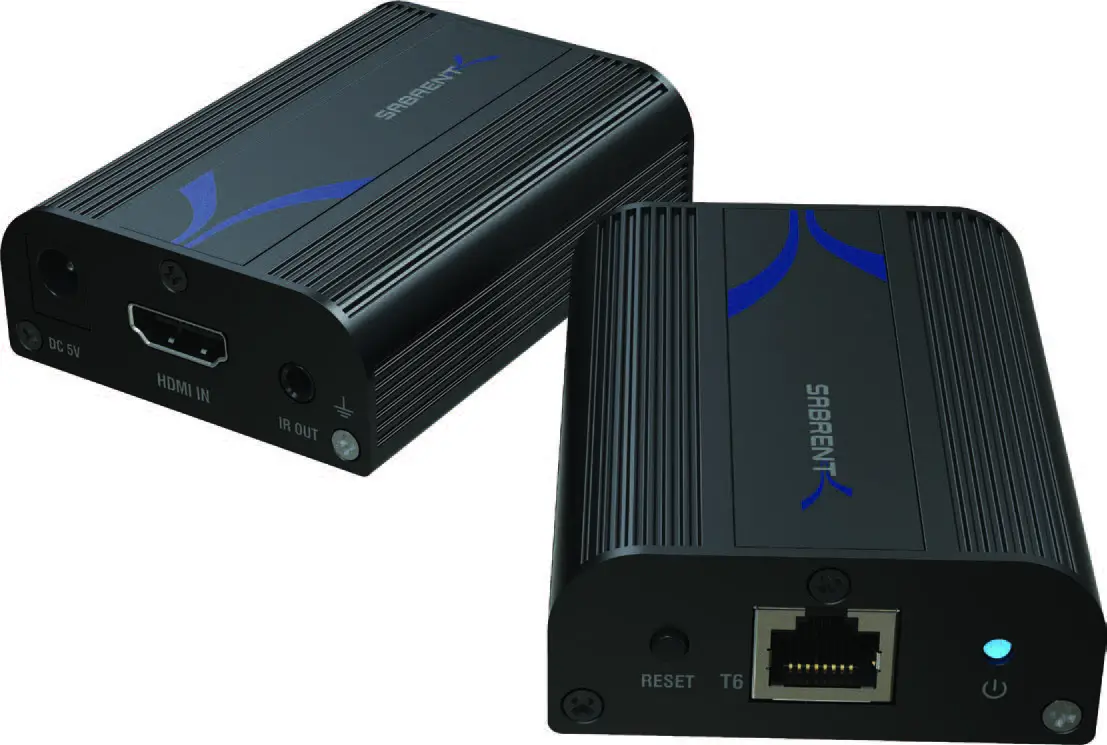
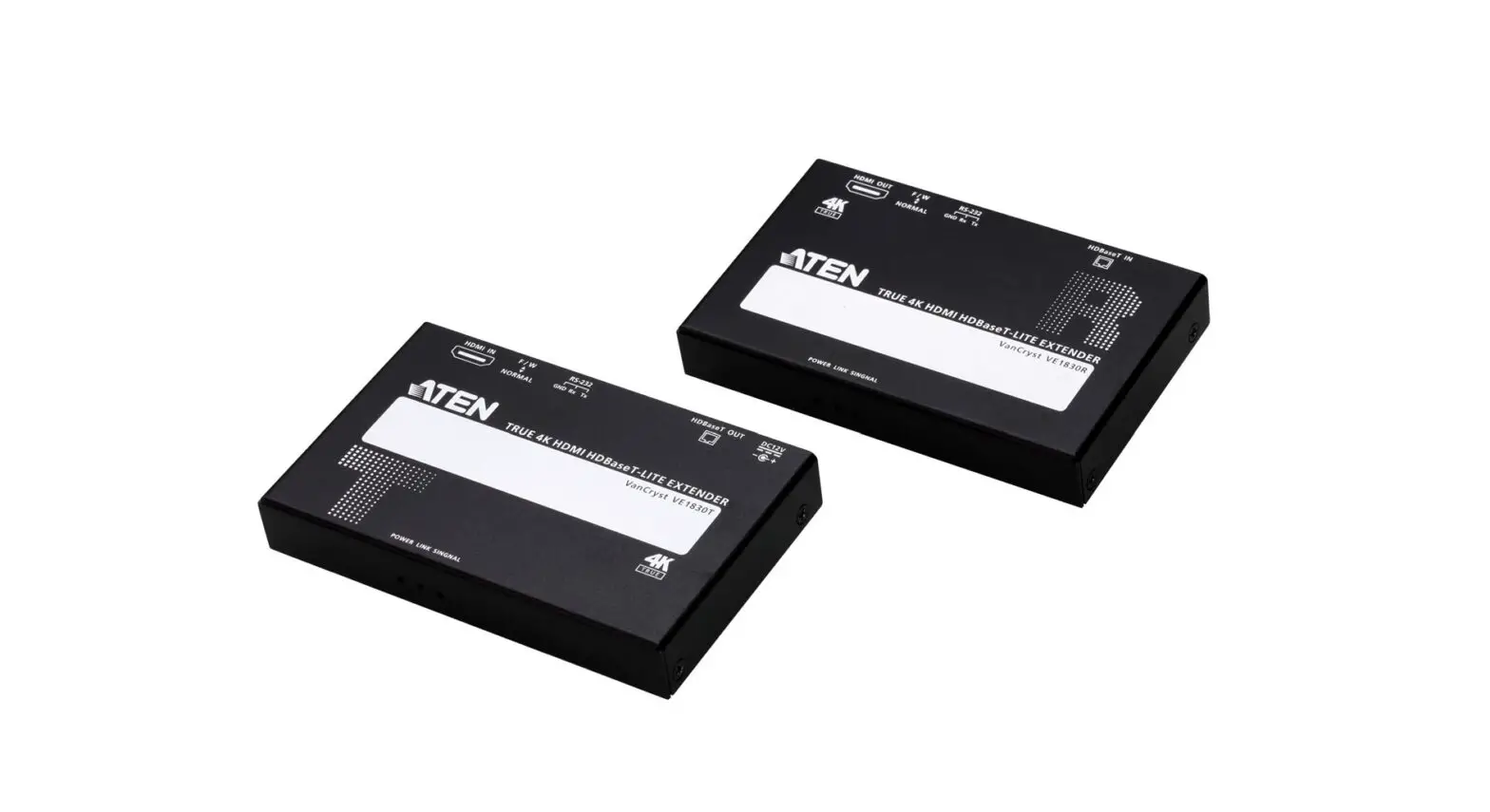
VE1821 4K HDMI Cat 6 Extender
VE1821 4K HDMI Cat 6 Extender
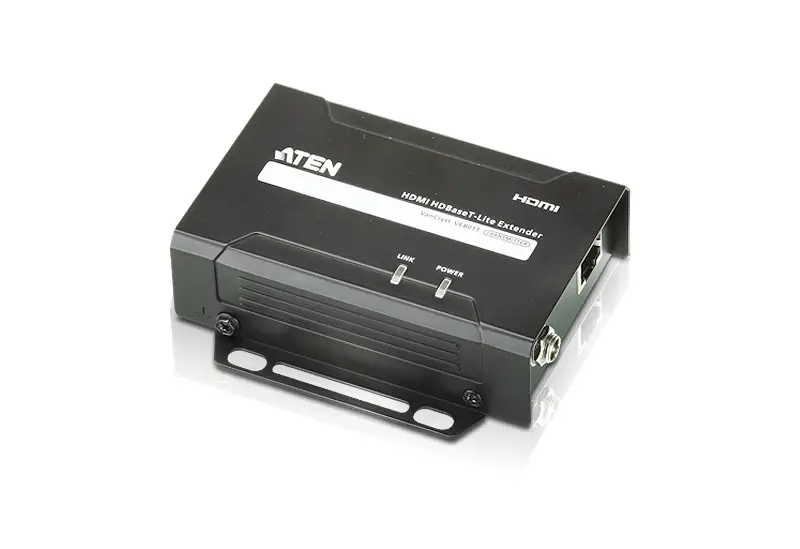
The VE1821 is a hardware device that extends HDMI signals up to
100 meters over a Cat 6 cable. It supports resolutions up to 4K and
provides IR signal transmission for remote control. The device
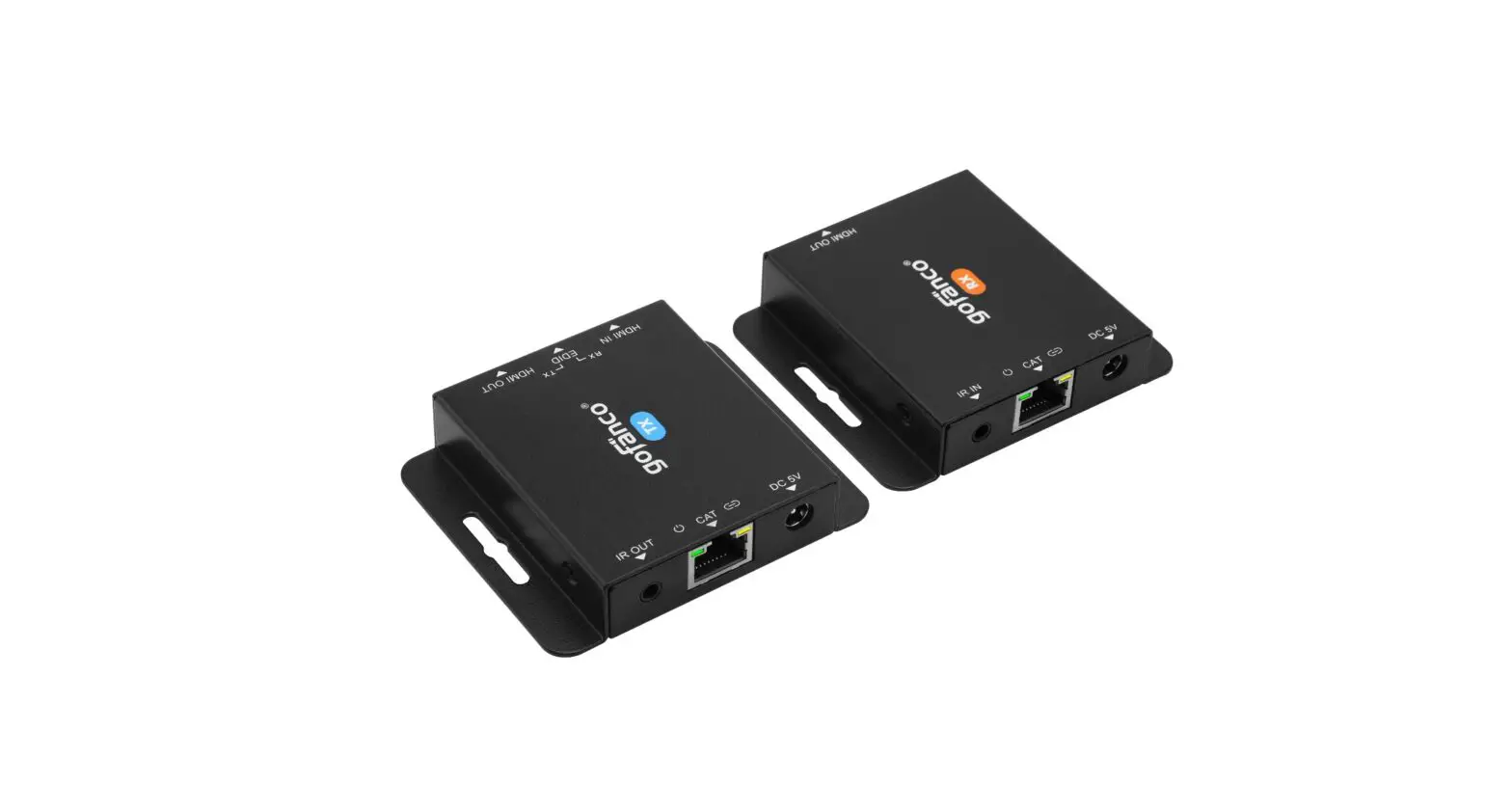
consists of a transmitter (VE1821T) and a receiver (VE1821R).
A Hardware Overview
The device has the following hardware components:
- HDMI out
- Two HDMI in
- EDID switch
- IR in
- Link port
- IR out
- Power jack
Product Usage Instructions
B Installation
- Connect an HDMI source device to the VE1821T’s HDMI input
port. - Connect up to two HDMI-enabled displays to the VE1821T and
VE1821R’s HDMI output ports. - Connect a Cat 6 / 2L-2910 cable to the VE1821T and VE1821R’s
link ports. - (Optional) Connect the supplied IR receiver cable to the
VE1821R’s IR input port. - (Optional) Connect the supplied IR emitter cable to the
VE1821T’s IR output port. - Connect the power adapter to the VE1821T’s power jack. The
VE1821R receives power from the VE1821T via the connected Cat 6 /
2L-2910 cable by its PoC capability.
Note: The VE1821R is the receiver unit and should be placed near
the display device.
VE1821
4K HDMI Cat 6 Extender Quick Start Guide
© Copyright 2023 ATEN® International Co. Ltd. ATEN and the ATEN logo are registered trademarks of ATEN International Co., Ltd. All rights reserved. All other trademarks are the property of their respective owners. Released: 02/2023
VE1821 4K HDMI Cat 6 Extender
A Hardware Overview
1 HDMI out 2 HDMI in 3 EDID switch 4 IR in 5 link port 6 IR out 7 power jack
Extenseur 4K HDMI Cat 6 VE1821
A Présentation du matériel
1 Sortie HDMI 2 Entrée HDMI 3 Commutateur EDID 4 Entrée IR 5 port de liaison 6 Sortie IR 7 prise de courant
VE1821 4K HDMI Cat 6 Extender
A Hardware Übersicht
1 HDMI-Ausgang 2 HDMI Eingang 3 EDID Switch 4 IR Eingang 5 Link Port 6 IR Ausgang 7 Netzbuchse
Extensor VE1821 4K HDMI Cat 6
A Vista general del hardware
1 Salida HDMI 2 Entrada HDMI 3 Interruptor EDID 4 Entrada IR 5 puerto de enlace 6 Salida IR 7 conector de alimentación
Ripetitore HDMI Cat 6 4K VE1821
A Panoramica dell’hardware
1 Uscita HDMI 2 ingresso HDMI 3 Interruttore EDID 4 Ingresso IR 5 porta di collegamento 6 Uscita IR 7 connettore di alimentazione
VE1821 4K HDMI Cat 6
A
1 HDMI 2 HDMI 3 EDID 4 5 6 7
A Hardware Overview
Front View 1
VE1821R
Rear View
VE1821R
4
5
B Installation
2
3
1
VE1821T
VE1821R (Front)
6
5
VE1821T
VE1821R (Rear)
7
IR
IR Receiver
4
2
Monitor
1
DVD / Media Player
2
Monitor
HDMI
HDMI
3
Cat 6 / 2L-2910
IR
HDMI
VE1821T (Front)
VE1821T (Rear)
Power
IR Emitter
5
Power Adapter
6
Package Contents
1 VE1821T 4K HDMI Cat 6 Extender (Transmitter)
1 VE1821R 4K HDMI Cat 6 Extender (Receiver)
1 IR emitter cable 1 IR receiver cable 1 power adapter 4 power plugs 1 user instructions
Support and Documentation Notice All information, documentation, firmware, software utilities, and specifications contained in this package are subject to change without prior notification by the manufacturer. To reduce the environmental impact of our products, ATEN documentation and software can be found online at http://www.aten.com/download/
Technical Support www.aten.com/support
Scan for more information
ATEN Website
The terms HDMI, HDMI High-Definition Multimedia Interface, and the HDMI Logo are trademarks or registered trademarks of HDMI Licensing Administrator, Inc.
B Installation
1 Connect an HDMI source device to the VE1821T’s HDMI input port. 2 Connect up to two HDMI-enabled displays to the VE1821T and VE1821R’s
HDMI output ports. 3 Connect a Cat 6 / 2L-2910 cable to the VE1821T and VE1821R’s link ports. 4 (Optional) Connect the supplied IR receiver cable to the VE1821R’s IR input
port. 5 (Optional) Connect the supplied IR emitter cable to the VE1821T’s IR output
port. 6 Connect the power adapter to the VE1821T’s power jack. The VE1821R
receives power from the VE1821T via the connected Cat 6 / 2L-2910 cable by its PoC capability.
B Installation
1 Connectez un appareil source HDMI au port d’entrée HDMI du VE1821T. 2 Connectez jusqu’à deux écrans compatibles HDMI aux ports de sortie HDMI
du VE1821T et du VE1821R. 3 Connectez un câble Cat 6 / 2L-2910 aux ports de liaison du VE1821T et du
VE1821R. 4 (Facultatif) Connectez le câble du récepteur IR fourni au port d’entrée IR du
VE1821R. 5 (Facultatif) Connectez le câble émetteur IR fourni au port de sortie IR du
VE1821T. 6 Connectez l’adaptateur d’alimentation à la prise d’alimentation du
VE1821T. Le VE1821R est alimenté par le VE1821T via le câble Cat 6 / 2L2910 connecté grâce à sa capacité PoC.
B Installation
1 Verbinden Sie ein HDMI Quellgerät mit dem HDMI Eingangsanschluss des VE1821T.
2 Schließen Sie zwei HDMI-fähige Bildschirme an die HDMI Ausgangsanschlüsse des VE1821T und VE1821R an.
3 Schließen Sie ein Cat 6 / 2L-2910 Kabel an die LAN Anschlüsse des VE1821T und VE1821R an.
4 (Optional) Schließen Sie das mitgelieferte IR Empfängerkabel an den IR Eingangsanschluss des VE1821R an.
5 (Optional) Schließen Sie das mitgelieferte IR Senderkabel an den IR Ausgangsanschluss des VE1821T an.
6 Schließen Sie das Netzteil an die Netzbuchse des VE1821T an. Der VE1821R erhält durch seine PoC Fähigkeit über das angeschlossene Cat 6 / 2L-2910 Kabel Strom vom VE1821T.
B Instalación
1 Conecte su dispositivo fuente HDMI al puerto de entrada HDMI del VE1821T.
2 Conecte hasta dos pantallas compatibles con HDMI a los puertos de salida HDMI de VE1821T y VE1821R.
3 Conecte un cable Cat 6 / 2L-2910 a los puertos de enlace de VE1821T y VE1821R.
4 (Opcional) Conecte el cable receptor IR suministrado al puerto de entrada IR de VE1821R.
5 (Opcional) Conecte el cable emisor IR suministrado al puerto de salida IR de VE1821T.
6 Conecte el adaptador de corriente a la toma de alimentación de VE1821T. El VE1821R recibe corriente del VE1821T a través del cable Cat 6 / 2L-2910 por su capacidad PoC.
B Installazione
1 Collegare un dispositivo sorgente HDMI alla porta di ingresso HDMI del VE1821T.
2 Collegare fino a due schermi abilitati HDMI alle porte di uscita HDMI del VE1821T e del VE1821R.
3 Collegare un cavo Cat 6 / 2L-2910 alle porte di collegamento del VE1821T e del VE1821R.
4 (Facoltativo) Collegare il cavo ricevitore IR incluso nella confezione alla porta di ingresso IR del VE1821R.
5 (Facoltativo) Collegare il cavo trasmettitore IR incluso nella confezione alla porta di uscita IR del VE1821T.
6 Collegare l’adattatore di alimentazione alla presa di alimentazione del VE1821T. Il VE1821R viene alimentato dal VE1821T tramite il cavo Cat 6 / 2L-2910 collegato, che può alimentare tramite PoC.
B
1 HDMI HDMI VE1821T. 2 HDMI HDMI VE1821T
VE1821R. 3 Lan 6 (2L-2910)
VE1821T VE1821R. 4 () –
– VE1821R. 5 () –
– VE1821T. 6 VE1821T.
VE1821R VE1821T Lan PoC.
C Operation
EDID Switch Set the switch to either bypass or send a copy of the display’s EDID information from the sink device to the source device. · Set the EDID switch to Tx: The VE1821 bypasses display EDID information
from VE1821T local HDMI output to source device. · Set the EDID switch to Rx: The VE1821 bypasses display EDID information
from VE1821R HDMI output to source device.
EDID
R
T
VE1821T (Front)
IR Transmission From the receiver side to remotely control the HDMI source device connected to the VE1821T via IR signals, connect the supplied IR receiver cable to the VE1821R’s IR input port, and then connect the supplied IR emitter cable to the VE1821T’s IR output port. Note: VE1821 does not support bi-directional IR bypass, only one way from Receiver to Transmitter.
C Fonctionnement
Commutateur EDID Réglez le commutateur pour contourner ou envoyer une copie des informations EDID de l’écran de l’appareil récepteur à l’appareil source. · Réglez le commutateur EDID sur Tx : Le VE1821 contourne les informations
EDID de l’écran de la sortie HDMI locale du VE1821T vers l’appareil source. · Réglez le commutateur EDID sur Rx : Le VE1821 contourne les informations
EDID de l’écran de la sortie HDMI du VE1821R vers l’appareil source.
EDID
R
T
Transmission IR Du côté du récepteur, pour contrôler à distance l’appareil source HDMI connecté au VE1821T via des signaux IR, connectez le câble récepteur IR fourni au port d’entrée IR du VE1821R, puis connectez le câble émetteur IR fourni au port de sortie IR du VE1821T. Remarque : Le VE1821 ne prend pas en charge la dérivation IR bidirectionnelle, mais uniquement dans un sens, du récepteur à l’émetteur.
C Bedienung
EDID Switch Stellen Sie den Switch so ein, dass er entweder eine Kopie der EDID Informationen des Bildschirms vom Empfangsgerät an das Quellgerät sendet oder umgeht. · Stellen Sie den EDID Switch auf Tx: Der VE1821 umgeht die EDID
Informationen des Bildschirms vom lokalen HDMI Ausgang des VE1821T zum Quellgerät. · Stellen Sie den EDID Switch auf Rx: Der VE1821 umgeht die Anzeige der EDID Informationen vom HDMI Ausgang des VE1821R zum Quellgerät.
EDID
R
T
IR Übertragung Um das an den VE1821T angeschlossene HDMI Quellgerät über IR Signale fernzusteuern, schließen Sie das mitgelieferte IR Empfängerkabel an den IR Eingangsanschluss des VE1821R an und verbinden Sie dann das mitgelieferte IR Senderkabel mit dem IR Ausgangsanschluss des VE1821T. Hinweis: Der VE1821 unterstützt keinen bidirektionalen IR Bypass, nur eine Richtung vom Empfänger zum Sender.
C Funcionamiento
Interruptor EDID Configure el interruptor para derivar o enviar una copia de la información EDID de la pantalla desde el dispositivo de destino al dispositivo fuente. · Configure el interruptor EDID en Tx: El VE1821 deriva la información de
pantalla EDID de la salida HDMI local de VE1821T al dispositivo fuente. · Configure el interruptor EDID en Rx: El VE1821 deriva la información de
pantalla EDID de la salida HDMI local de VE1821R al dispositivo fuente.
EDID
R
T
Transmisión IR Desde el lado del receptor para controlar de forma remota el dispositivo fuente HDMI conectado al VE1821T a través de señales IR, conecte el cable del receptor IR suministrado al puerto de entrada IR del VE1821R y luego conecte el cable del emisor IR suministrado al puerto de salida IR del VE1821T. Nota: VE1821 no admite derivación IR bidireccional, solo una forma de receptor a transmisor.
C Funzionamento
Interruttore EDID Impostare l’interruttore in modo che aggiri o che mandi una copia delle informazioni EDID dello schermo dal dispositivo di destinazione al dispositivo di origine. · Impostare l’interruttore EDID su Tx: Il VE1821 aggira le informazioni EDID del
display dall’uscita HDMI locale del VE1821T al dispositivo sorgente. · Impostare l’interruttore EDID su Rx: Il VE1821 aggira le informazioni EDID del
display dall’uscita HDMI locale del VE1821R al dispositivo sorgente.
EDID
R
T
Trasmissione IR Dal lato del ricevitore per controllare da remoto il dispositivo sorgente HDMI collegato al VE1821T tramite segnali IR, collegare il cavo ricevitore IR incluso nella confezione alla porta di ingresso IR del VE1821R, e poi collegare il cavo trasmettitore IR incluso nella confezione alla porta di uscita IR del VE1821T. Nota: Il VE1821 non supporta bypass IR bidirezionali, solo un’unica direzione da ricevitore a trasmettitore.
C
EDID EDID EDID . · EDID Tx: VE1821
EDID HDMI VE1821T . · EDID Rx: VE1821 EDID HDMI VE1821R .
EDID
R
T
– : HDMI, VE1821T -, – – VE1821R, – VE1821T.
Power & Link LEDs Behavior
Power LED HDMI LED
VE1821R (Rear)
Key
Indication
Lights green power LED (Green)
Off
Lights orange
HDMI LED (Orange) Blinks orange
Off
www.aten.com
Power LED HDMI LED
VE1821T (Rear)
Description The unit is powered on. The unit is powered off. Video display is normal with HDCP key. Video display is normal without HDCP key. There is no video signal.
Comportement des LED Alimentation et Liaison
www.aten.com
LED d’alPimowenetratLiEoDn HLEDDMHIDLEMDI
LED d’alPimowenetratLiEoDn HLEDDMHIDLEMDI
VE1821R (RAerrairè)re)
VE1821TT (RAerrairè)re)
Touche
Indication
LED d’alimentation S’allume en vert
(verte)
Éteint
S’allume en orange
LED HDMI (orange) Clignote en orange
Éteint
Description L’unité est sous tension.
L’unité est hors tension.
L’affichage vidéo est normal avec la clé HDCP.
L’affichage vidéo est normal sans la clé HDCP.
Il n’y a pas de signal vidéo.
Verhalten der Betrieb- & Verbindung-LEDs
www.aten.com
BetriebsanPzoewigeer-LED HDMI LED
BetriebsanPzoewigeer-LED HDMI LED
VE11882211RR (Rüecakrs)eite)
VVEE1188221T1T ((RRüecakrse) ite)
Taste Netz-LED (Grün)
Anzeige Leuchtet grün Aus
Leuchtet orange
HDMI LED (Orange) Blinkt orange
Aus
Beschreibung Das Gerät ist eingeschaltet.
Das Gerät ist ausgeschaltet.
Die Videoanzeige ist normal mit der HDCP Taste.
Die Videoanzeige ist normal ohne HDCP Taste.
Es liegt kein Videosignal vor.
Comportamiento LED de Alimentación/Enlace
www.aten.com
LED de aliPmoewnetar cLiEóDn HLEDDMHIDLEMDI
LED de aliPmoewnetar cLiEóDn HLEDDMHIDLEMDI
VE1821R V(PEa1r8te21R (tRraesaerr)a)
VE1821T V(PEa1r8te21T (tRraesaerr)a)
Tecla
Indicación
LED de alimentación Luz verde
(Verde)
Desactivado
Luz naranja
LED HDMI (Naranja) Parpadea en naranja
Desactivado
Descripción La unidad está encendida.
La unidad está apagada.
La pantalla de vídeo es normal con la tecla HDCP.
La pantalla de vídeo es normal sin la tecla HDCP.
No hay señal de vídeo.
Indicazioni LED Alimentazione & Collegamento
www.aten.com
LED alimPeonwteazr iLoEnDe HLEDDMHIDLEMDI
LED alimPeonwteazriLoEnDe HLEDDMHIDLEMDI
VE1821R V(PEa1rt8e21R (pRoestaerr)iore)
VE1821T (PVaEr1te821T p(oRsetearri)ore)
Tasto LED di alimentazione (verde)
LED HDMI (Arancione)
Indicazioni Verde acceso Spento
Arancione acceso
Lampeggia arancione Spento
Descrizione L’unità è accesa.
L’unità è spenta.
Il video funziona normalmente col tasto HDCP.
Il video funziona normalmente senza il tasto HDCP.
Non c’è segnale video.
www.aten.com : VE1821 -, . /
PowerLED HDMILED HDMI
PowerLED HDMILED HDMI
VEE11882211RR (Rear) )
VEE11882211TT (Rear) )
()
HDMI
()
. . HDCP. HDCP. .
4K HDMI Cat 6 VE1821
A
1 HDMI 2 HDMI 3 EDID 4 5 ‘ 6 7 ‘
Extensor VE1821 4K HDMI Cat 6
A Vista Geral do Hardware
1 Saída HDMI 2 entrada HDMI 3 Botão EDID 4 Entrada IR 5 porta de ligação 6 Saída IR 7 Ficha de alimentação
VE1821 4K HDMI Cat 6 Uzatici
A Donanima Genel Baki
1 HDMI çikii 2 HDMI girii 3 EDID anahtari 4 kizilötesi girii 5 iletiim balanti noktasi 6 kizilötesi çikii 7 güç girii
Ekstender VE1821 4K HDMI Cat 6
A Przegld sprztu
1 Wyjcie HDMI 2 Wejcie HDMI 3 Przelcznik EDID 4 Wejcie IR 5 Port lcza 6 Wyjcie IR 7 Gniazdo zasilania
Extender 4K HDMI Cat 6 VE1821
A Prezentare hardware
1 ieire HDMI 2 Intrare HDMI 3 comutator EDID 4 intrare IR 5 port conectare 6 ieire IR 7 muf jack alimentare
VE1821 4K HDMI 6
A
1 HDMI 2 HDMI 3 EDID 4 IR 5 6 IR 7
VE1821 4K HDMI Cat 6
A
1 HDMI 2 HDMI 3 EDID 4 IR 5 6 IR 7
VE1821 4K HDMI Cat 6
A
1 HDMI 2 HDMI 3 EDID 4 IR 5 6 IR 7
VE1821 4K HDMI Cat 6
A
1 HDMI 2 HDMI 3 EDID 4 IR 5 6 IR 7 ^
B
1 ‘ – HDMI HDMI VE1821T.
2 HDMI HDMI VE1821T VE1821R.
3 ‘ Cat 6 / 2L-2910 ‘ VE1821T VE1821R.
4 () ‘ , , VE1821R.
5 () ‘ , , VE1821T.
6 ‘ VE1821T. VE1821R VE1821T ‘ Cat 6 / 2L-2910 PoC.
B Instalação
1 Ligue o dispositivo fonte HDMI à porta de entrada HDMI do VE1821T. 2 Ligue até dois ecrãs ativados HDMI às portas de saída HDMI do VE1821T e
VE1821R. 3 Ligue um cabo Cat 6 / 2L-2910 nas portas de ligação do VE1821T e
VE1821R. 4 (Opcional) Conectar o cabo do recetor IR fornecido na porta de entrada IR
do VE1821R. 5 (Opcional) Conectar o cabo do emissor IR fornecido na porta de saída IR do
VE1821T. 6 Ligue o transformador à fonte de alimentação do VE1821T. O VE1821R
recebe energia do VE1821T através do cabo de Cat 6 / 2L-2910 pela sua capacidade PoC.
B Kurulum
1 Bir HDMI kaynak cihazini, VE1821T’nin HDMI balanti noktasina balayin.
2 HDMI girii olan iki adede kadar monitörü VE1821T ve VE1821R’nin HDMI çiki balanti noktalarina balayin.
3 VE1821T ve VE1821R’nin iletiim balanti noktalarina bir Cat 6 / 2L2910 kablo balayin.
4 (stee bali) Salanan kizilötesi alici kablosunu VE1821R’nin kizilötesi giri balanti noktasina balayin.
5 (stee bali) Salanan kizilötesi verici kablosunu VE1821T’nin kizilötesi çiki balanti noktasina balayin.
6 Güç adaptörünü VE1821T’nin güç giriine balayin. VE1821R, PoC kapasitesi sayesinde, bali olan Cat 6 / 2L-2910 kablosu araciliiyla VE1821T’den güç alir.
B Instalacja
1 Podlczy urzdzenie ródlowe HDMI do portu wejciowego HDMI urzdzenia VE1821T.
2 Do gniazd wyjciowych HDMI urzdze VE1821T i VE1821R mona podlczy maksymalnie dwa wywietlacze dostosowane do HDMI.
3 Podlczy kabel Cat 6/ 2L-2910 do portów lcza urzdze VE1821T i VE1821R.
4 (Opcjonalnie) Podlczy dostarczony kabel odbiornika podczerwieni do wejciowego portu podczerwieni urzdzenia VE1821R.
5 (Opcjonalnie) Podlczy dostarczony kabel nadajnika podczerwieni do wyjciowego portu podczerwieni urzdzenia VE1821T.
6 Podlczy zasilacz do gniazda zasilania urzdzenia VE1821T. Dziki funkcji PoC urzdzenie VE1821R jest zasilane z urzdzenia VE1821T za pomoc podlczonego kabla Cat 6 / 2L-2910.
B Instalare
1 Conectai un dispozitiv surs HDMI la portul de intrare HDMI al VE1821T.
2 Conectai pân la dou monitoare cu HDMI la porturile de ieire HDMI ale VE1821T i VE1821R.
3 Conectai un cablu Cat 6 / 2L-2910 la porturile de conectare ale VE1821T i VE1821R.
4 (Opional) Conectai cablul receptorului IR furnizat la portul de intrare IR al VE1821R.
5 (Opional) Conectai cablul emitorului IR furnizat la portul de ieire IR al VE1821T.
6 Conectai adaptorul de alimentare la mufa jack de alimentare a VE1821T. VE1821R este alimentat de VE1821T prin intermediul cablului Cat 6 / 2L-2910 conectat datorit capacitii PoC a acestuia.
B
1 HDMIVE1821THDMI 2 2HDMIVE1821TVE1821RHDMI
3 6/2L-2910VE1821TVE1821R
4 VE1821RIRIR
5 VE1821TIRIR
6 VE1821TVE1821R
PoC6/2L-2910 VE1821T
B
1 HDMI VE1821T HDMI . 2 2 HDMI VE1821T VE1821R
HDMI . 3 Cat 6 / 2L-2910 VE1821T VE1821R
. 4 () IR VE1821R IR . 5 () IR VE1821T IR . 6 VE1821T . VE1821R PoC
Cat 6/2L-2910 VE1821T .
B
1 HDMIVE1821THDMI 2 HDMIVE1821TVE1821RHDMI 3 Cat 6 / 2L-2910VE1821TVE1821R 4 IRVE1821RIR 5 IRVE1821TIR 6 VE1821TVE1821RCat 6 /
2L-2910PoCVE1821T
B
1 HDMI VE1821T HDMI f 2 2 HDMI VE1821T VE1821R HDMI
f 3 Cat 6 / 2L-2910 VE1821T VE1821R f 4 () IR VE1821R IR f 5 () IR VE1821T IR f 6 VE1821T ^fVE1821R PoC
Cat 6 / 2L-2910 VE1821T f
C
EDID EDID – . · EDID Tx: VE1821
EDID HDMI VE1821T . · EDID Rx: VE1821 EDID HDMI VE1821R .
EDID
R
T
, HDMI, VE1821T , ‘ , , VE1821R, ‘ VE1821T.
C Funcionamento
Botão EDID Definir o botão para desviar ou enviar uma cópia na informação EDID do ecrã a partir do dispositivo no dispositivo fonte. · Definir o botão EDID para Tx: O VE1821 desvia a informação EDID do ecrã a
partir da saída HDMI local do VE1821T para o dispositivo fonte. · Definir o botão EDID para Rx: O VE1821 desvia a informação EDID do ecrã a
partir da saída HDMI do VE1821R para o dispositivo fonte.
EDID
R
T
Transmissão IR A partir do recetor para controlar remotamente o dispositivo de fonte HDMI conectado ao VE1821T através dos sinais IR, conecta o cabo recetor IR fornecido à porta de entrada IR do VE1821R, e depois conecta o cabo emissor IR fornecido à porta de saída IR do VE1821T.
C Çalitirma
EDID Anahtari Anahtari, alici cihazdan kaynak cihaza ekranin EDID bilgilerinin kopyasini atlayacak veya gönderecek ekilde ayarlayin. · EDID anahtarini Tx olarak ayarlama: VE1821, VE1821T yerel HDMI
çikiindan kaynak cihaza ekranin EDID bilgilerini atlar. · EDID anahtarini Rx olarak ayarlama: VE1821, VE1821R yerel HDMI
çikiindan kaynak cihaza ekranin EDID bilgilerini atlar.
EDID
R
T
Kizilötesi letimi VE1821T’ye bali HDMI kaynak cihazini, alicidan uzaktan kizilötesi sinyallerle kontrol etmek amaciyla, salanan kizilötesi alici kablosunu VE1821R’nin kizilötesi alici balanti noktasina balayin ve ardindan salanan verici kablosunu da VE1821T’nin kizilötesi çiki balanti noktasina balayin.
C Obsluga
Przelcznik EDID Ustawi przelcznik w poloeniu obejcia lub przesylania kopii danych EDID wywietlacza z urzdzenia docelowego do urzdzenia ródlowego. · Ustawi przelcznik EDID w poloeniu transmisji: urzdzenie VE1821 obchodzi
dane EDID wywietlacza na drodze sygnalu wysylanego z lokalnego wyjcia HDMI urzdzenia VE1821T do urzdzenia ródlowego. · Ustawi przelcznik EDID w poloeniu odbioru: urzdzenie VE1821 obchodzi dane EDID wywietlacza na drodze sygnalu wysylanego z wyjcia HDMI urzdzenia VE1821R do urzdzenia ródlowego.
EDID
R
T
Transmisja z zastosowaniem podczerwieni Aby zdalnie sterowa urzdzeniem ródlowym HDMI podlczonym do urzdzenia VE1821T po stronie odbiornika przy uyciu sygnalów podczerwieni, podlczy dostarczony kabel odbiornika podczerwieni do wejciowego portu podczerwieni urzdzenia VE1821R, a nastpnie podlczy dostarczony kabel nadajnika
C Operare
Comutator EDID Setai comutatorul s ocoleasc sau s transmit o copie a informaiilor EDID ale monitorului de la dispozitivul receptor la dispozitivul surs. · Setai comutatorul EDID la Tx: VE1821 ocolete informaiile EDID ale
monitorului de la ieirea HDMI local a VE1821T la dispozitivul surs. · Setai comutatorul EDID la Rx: VE1821 ocolete informaiile EDID ale
monitorului de la ieirea HDMI a VE1821R la dispozitivul surs.
EDID
R
T
Transmisia prin IR De pe receptor, pentru a controla de la distan dispozitivul surs HDMI conectat la VE1821T prin intermediul semnalelor IR, conectai cablul receptorului IR furnizat la portul de intrare IR al VE1821R i apoi conectai cablul emitorului IR furnizat la portul de ieire IR al VE1821T.
C
EDID EDID · EDIDTxVE1821VE1821THDMI
EDID · EDIDRxVE1821VE1821RHDMI
EDID
EDID
R
T
IR VE1821THDMIIR IRVE1821RIR IRVE1821TIR
C
EDID EDID . · EDID Tx : VE1821 VE1821T HDMI
EDID . · EDID Rx : VE1821 VE1821R HDMI
EDID .
EDID
R
T
IR IR VE1821T HDMI IR VE1821R IR IR VE1821T IR . : VE1821 IR .
C
EDID EDID · EDIDVE1821VE1821THDMI
EDID · EDIDVE1821VE1821R HDMI
EDID
EDID
R
T
IR IRVE1821THDMI IRVE1821RIRIR VE1821TIR VE1821IR
C
EDID EDID f · EDID TxjVE1821 VE1821T HDMI
EDID f · EDID RxjVE1821 VE1821R HDMI
EDID f
EDID
R
T
IR IR VE1821T HDMI d IR VE1821R IR d IR VE1821T IR f jVE1821 IR df
www.aten.com
: VE1821 , . ‘
PowerLED HDMHIDLMEDI
PowerLED HDMHIDLMEDI
VEE11882211RR (Rear))
VEE11882211TT (Rear))
()
HDMI ()
.
.
. . HDCP. HDCP. .
www.aten.com
Nota: O VE1821 não suporta desvio IR bidirecional, apenas uma via a partir do recetor para o transmissor. Comportamento LED de Energia e Ligação
LED PdoeweenreLrgEiDa HLEDDMHIDLEMDI
LED PdoeweenreLrgEiDa HLEDDMHIDLEMDI
VE1821R (RTreaasre)ira)
VE1821TT (RTreaasre)ira)
Tecla
Indicação
LED de alimentação Luz verde
(verde)
Off
Luz laranja
LED HDMI (laranja) Pisca laranja
Off
Descrição A unidade está ligada. A unidade está desligada. O ecrã vídeo é normal com chave HDCP. O ecrã vídeo é normal sem chave HDCP. Não existe sinal de vídeo.
www.aten.com
Not: VE1821, çift yönlü kizilötesi atlama desteklemez, sadece Alicidan Vericiye tek yönlüdür. Güç ve Balanti LED’lerinin Açiklamasi
PGoüwçeLr ELEDD’i HDDMMI LLEEDD’i
PGoüwçeLr ELEDD’i HDDMMI LLEEDD’i
VEE11882211RR (RAerkaar))
VEE11882211TT (RAerkara))
Tu güç LED’i (Yeil)
HDMI LED’i (Turuncu)
Gösterge Yeil yaniyor Sönük Turuncu yaniyor
Turuncu yanip sönüyor Sönük
Açiklama Ünitenin gücü açik. Ünite kapali. Video gösterimi HDCP anahtari ile normal. Video gösterimi HDCP anahtari olmadan normal. Video sinyali yok.
www.aten.com
podczerwieni do wyjciowego portu podczerwieni urzdzenia VE1821T. Uwaga: Urzdzenie VE1821 nie obsluguje dwukierunkowego obejcia przy uyciu podczerwieni, moliwa jest tylko transmisja jednokierunkowa z odbiornika do nadajnika. Wskazania diody zasilania i diody lcza
Dioda LEDPozwaseirlaLnEiDa HDDioMdaI LLEEDD HDMI
Dioda LEDPozwaseirlaLnEiDa HDDioMdaI LLEEDD HDMI
VEE11882211RR (RTyela)r)
VEE11882211TT (RTyela)r)
Klawisz Dioda LED zasilania (zielona)
Dioda LED HDMI (pomaraczowa)
Wskazanie wieci si na zielono Wylczone wieci si na pomaraczowo
Miga na pomaraczowo
Wylczone
Opis Urzdzenie jest wlczone. Urzdzenie jest wylczone. Wywietlacz pracuje normalnie z kluczem HDCP. Wywietlacz pracuje normalnie bez klucza HDCP. Brak sygnalu wideo.
www.aten.com
Not: VE1821 nu accept ocolirea IR bidirecional, ci doar într-un singur sens de la receptor la emitor. Comportarea LED-urilor de alimentare i conectare
LED aPolimwenr tLaErDe HLEDDMHI LDEMD I
LED aPolimwenr tLaErDe HLEDDMHI LDEMD I
VEE11882211RR (RSepaart)e)
VEE11882211TT (RSepaart)e)
Tast LED alimentare (verde)
LED HDMI (portocaliu)
Indicaie Lumineaz verde Oprit Lumineaz portocaliu
Clipete portocaliu Oprit
Descriere Unitatea este pornit. Unitatea este oprit. Afiajul video este normal cu cheie HDCP. Afiajul video este normal fr cheie HDCP. Lips semnal video.
www.aten.com VE1821IR LEDLED
Power LED HDMI LED
Power LED HDMI LED
VE1821R (Rear)
VE1821TT (Rear)
LED
HDMI LED
ON
OFF
HDCP
HDCP
OFF
& LED
Power LED HDMI LED
VE1821R ((Rear) )
LED( )
HDMI LED( )
www.aten.com
Power LED HDMI LED
VE1821TT ((Rear) )
. . HDCP . HDCP . .
LED
LPEoDwerLED HDMI LED
VE1821R (Rear)
LED
HDMI LED
LED
LPEoDwerLED HDMI LED
VE1821R (Rear) )
LED ( )
HDMI LED ( )
www.aten.com
LPEoDwerLED HDMI LED
VE1821TT (Rear)
HDCP HDCP
www.aten.com
LPEoDwerLED HDMI LED
VE1821TT ((Rear) )
f f d HDCP f d HDCP f f
 ATEN - Simply Better Connections | ATEN U.S.A.