
Connect App User Guide
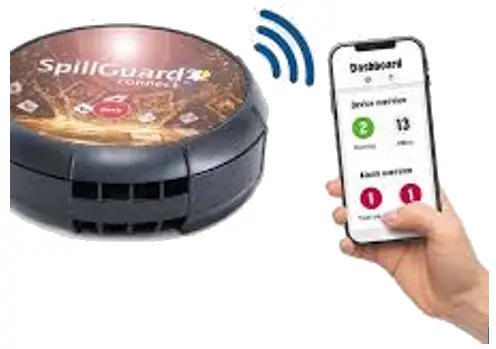
Quick Guide
SpillGuard Connect App

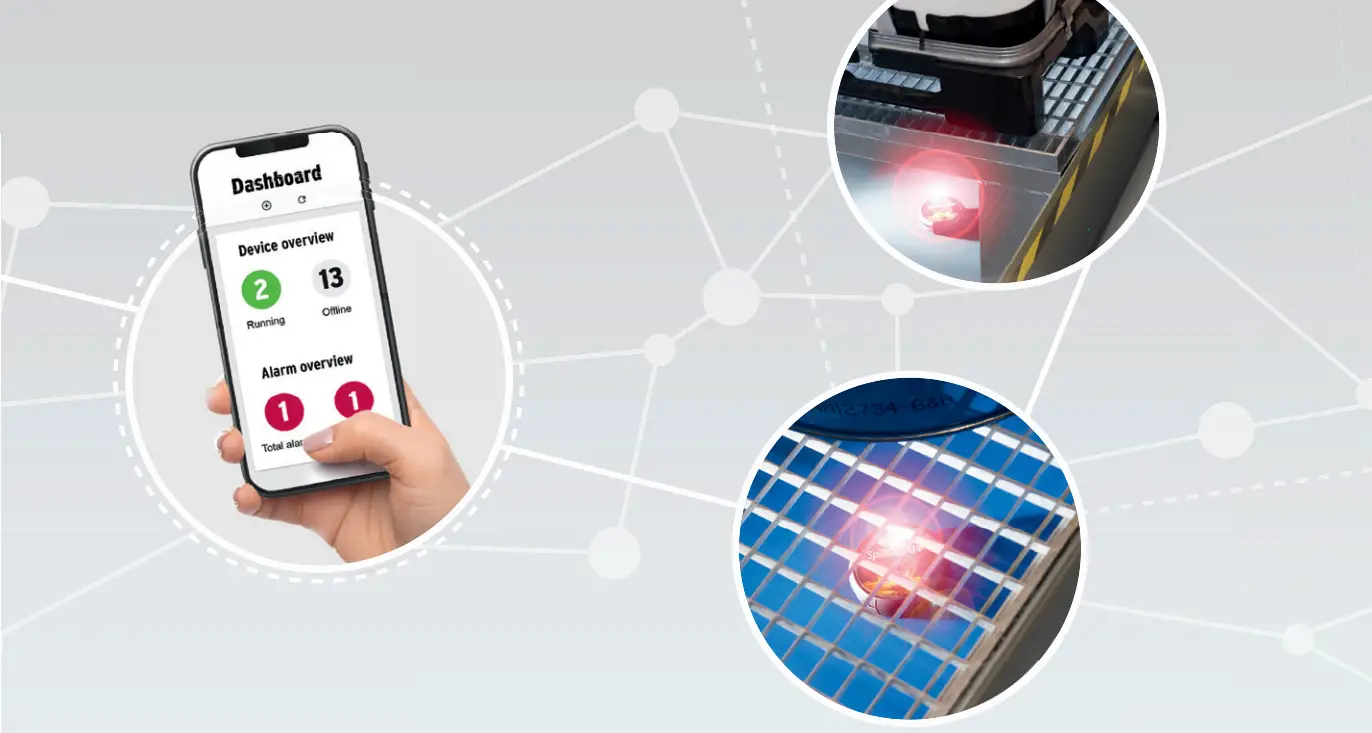
This is a quick guide to help you get started quickly. The operating instructions can be downloaded from the following link: www.denios.com/spillguard
Before you commission the product, ensure you read this Quick Guide completely. Always observe the safety instructions and warnings.
This Quick Guide contains information and notices to ensure the safe commissioning and fault-free operation of the product.
This Quick Guide forms part of the product.
Copyright
The copyright notice can be found in the operating instructions at:www.denios.com/spillguard
Symbols
 | Warning of general hazard! |
 | Warning: explosive atmosphere! |
| Read the operating instructions and safety notices! |
 | Notices and useful information |
 | Instructions for use |
 | Final result |
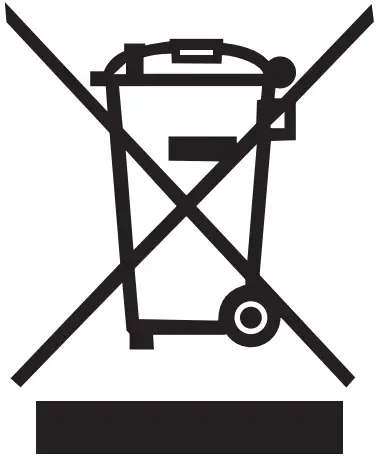 | Do not dispose of with household waste |
 | Wear safety glasses! |
 | Wear protective gloves! |
 | Visual LED signal |
 | Audible signal tone |
 | Wireless signal |
Safety instructions
This chapter provides important information regarding the safe use of the product. This information refers to the protection of persons and the safe, fault-free operation.
Read all the safety notices and instructions.www.denios.com/spillguard
Follow all the safety instructions in this Quick Guide. Ensure that the national directives and safety regulations are observed when handling hazardous substances as well as the safety directives for guaranteeing operational safety
WARNING
- If the housing is opened there is a risk of an explosion in Ex atmospheres.
- Risk of injury!
- Opening the housing is prohibited.
1.1. Warnings in the Quick Guide
The warnings are structured as follows:
- Type of hazard
- Consequences of hazard
- How to avoid the hazard
WARNING
Symbol and signal word indicate a hazard which can lead to serious injury or death. CAUTION
Symbol and signal word indicate a hazard which can lead to minor injury.
1.2. Use in Ex zones The operator of the systems for use in potentially explosive areas is obliged to carry out a risk assessment. in accordance with the ATEX guideline 2014/34/EU and also to produce an explosion protection document in which appropriate protective measures are defined in order to avoid explosion hazards.
1.3. Intended use
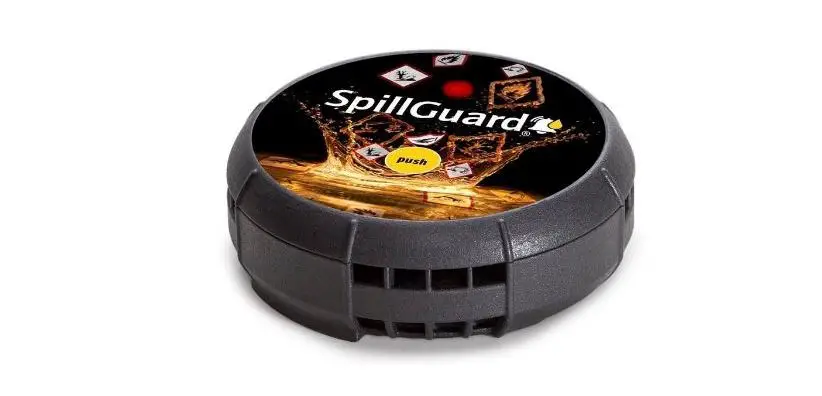
SpillGuard® connect is a mains-powerindependent leak recognition system for detecting leaks of liquids / liquid hazardous substances. It is designed for use in clean, uncontaminated spill sumps. The spill sumps should preferably be in metal or non-metallic (plastic) materials. Outdoor use is not permitted. SpillGuard® connect may only be used within the limits for use defi ned on the nameplate. It is suitable for Ex zone 0, due to gases and vapours. SpillGuard® connect may only be used as a precaution with the liquids which have already been positively tested by DENIOS. The list of positively tested substances can be found here:
www.denios.com/spillguard
Substances which are not include din the list must be tested for suitability.
The stability list contains a representative selection of liquid hazardous substances. On request, DENIOS can carry out a functional and exposure test for your substance. The test covers checking the reliable detection of the substance as well as the subsequent maintenance of the visual and audible alarm signals for a period of 24h (exposure test).
1.4. Improper use
The product must not be used for the following purposes:
- Use in spill sumps for storing non- approved media
- Use in potentially explosive areas outside the nameplate limits
- Use in potentially explosive areas caused by dust
- Any use which is not expressly described as permitted in this Quick Guide
The user is liable for any use not in accordance with the intended use!
1.5. Duration of use
The contractual run time for the wireless modem and thus the duration of use of SpillGuard connect® is 5 years. The battery service life has also been designed for this period, with the conditions of use expected being taken into account. If the conditions of use deviate from these e.g. insuffi cient signal cover or too low application temperatures, this will have a negative impact on the service life of the batter and thus the duration of use of SpillGuard® connect. SpillGuard® connect must be replaced following one-off leakage detection and thus contamination with the hazardous substance.
Notice:
This does not apply in the event of a false alarm, which will not have a negative impact on the function of SpillGuard® connect.
The service life of SpillGuard® connect is a maximum of 5 years, after which SpillGuard® connect must be replaced.
The SpillGuard® connect battery must not be replaced!
Requirements for the installation location
SpillGuard® connect is mainly to be used in the base of a spill sump.
The following prerequisites must be met:
- The base of the spill sump must be free of any type of contamination.
- SpillGuard® connect must be aligned parallel to the substrate.
- The installation location should be at the lowest point of the spill sump so that a leak is detected as early as possible.
- The environment for the installation location should be chosen in such a way that there is no shielding of or interference with the wireless signals.
Product description
3.1. Indicators and operator controls
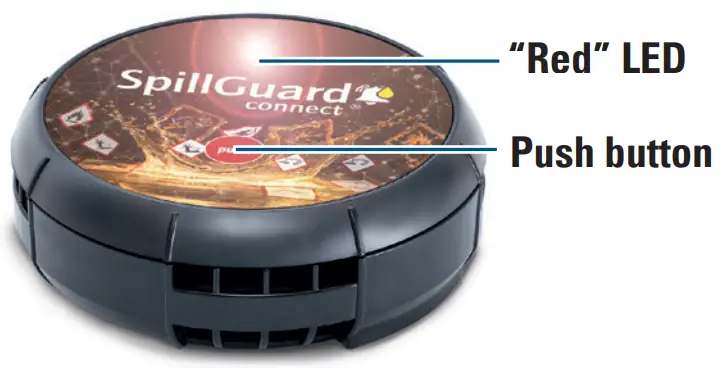
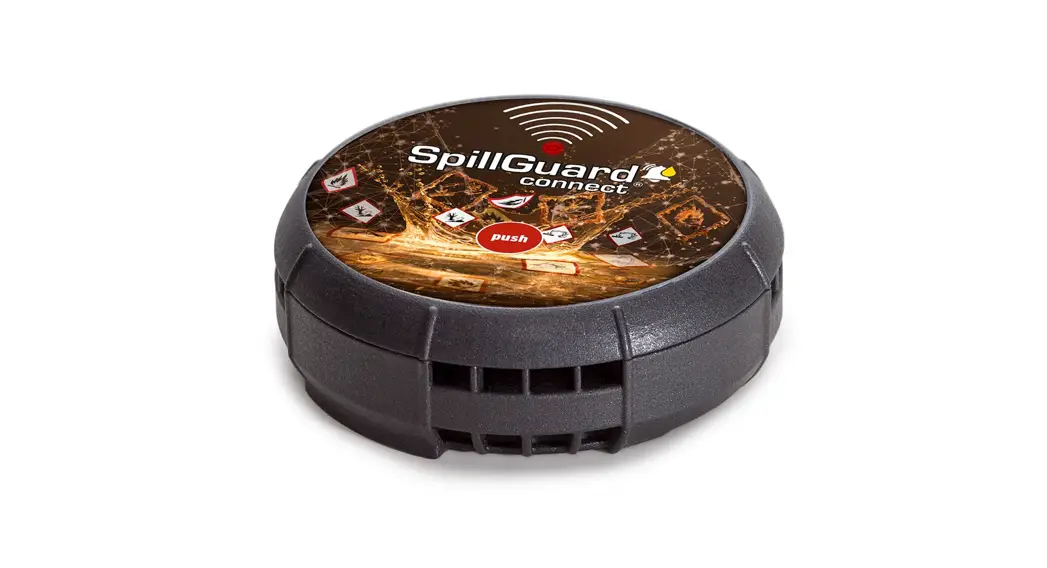
“Red” LED
The “red” LED illuminates during operation and when an alarm is triggered
 Push button
The Push button is used to switch SpillGuard® connect on and off and also to turn off the signal when an alarm has been triggered.
Wireless signal
In the event of a leak, the alarm signal is transmitted as a digital signal by means of the integrated wireless module. The alarm is transmitted by radio (narrow band NB-IoT) to the DENIOS server and from here to the text message and/or e-mail recipient saved.
3.2. Technical data
Marking II 1G Ex ia ma IIB T4 Ga
| Operational temperature range* | 0 °C to 40 °C |
| Temperature class | T4 (max. 135°C) |
| Explosion group | IIB |
| Ignition protection type | Intrinsically safe encapsulation |
| Equipment category | 1G |
| Dimensions | Ø 110 mm, height 40 mm |
| Weight | 215 g |
| Nominal voltage | 3.0 V |
| Duration of use | Max. 5 years |
| Required level height for sensor wetting | 6 mm |
| Certifi cate | TÜV 20 ATEX 8602 IECEx TUR 20.0076 |
*Operational temperature range
The recommended operational temperature range is the basis for the given period of use of 5 years. SpillGuard® connect can also be used at a temperature of down to maximum -10°C.
A longer load at low or high temperatures or high humidity can shorten the actual battery service life. In the case of temperatures fluctuating around the dew point, false alarms can occur more often.
3.3. WEB registration using registration code
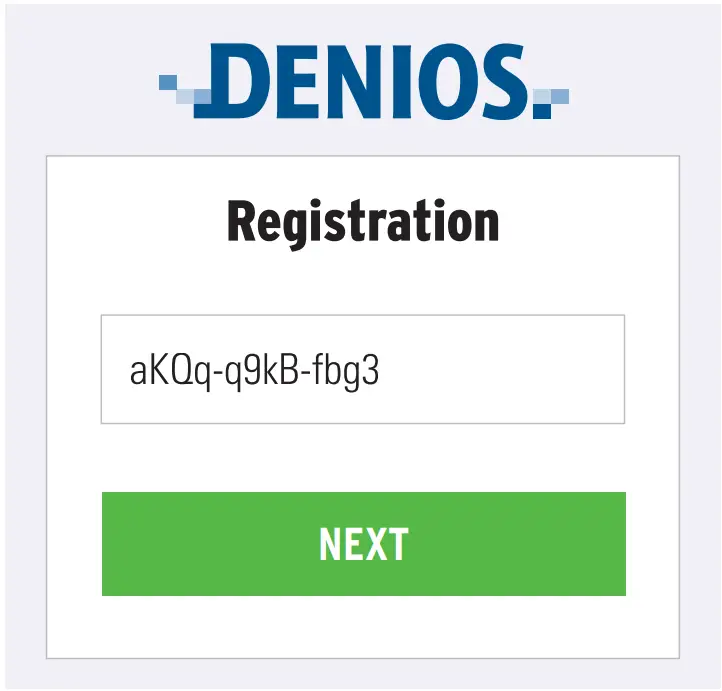
Together with the delivery note you will receive a 12-digit registration code. For initial registration:
- Open your web browser and enter the following address: http://connect.denios.com
- Enter the 12-digit registration code and click „Next“.

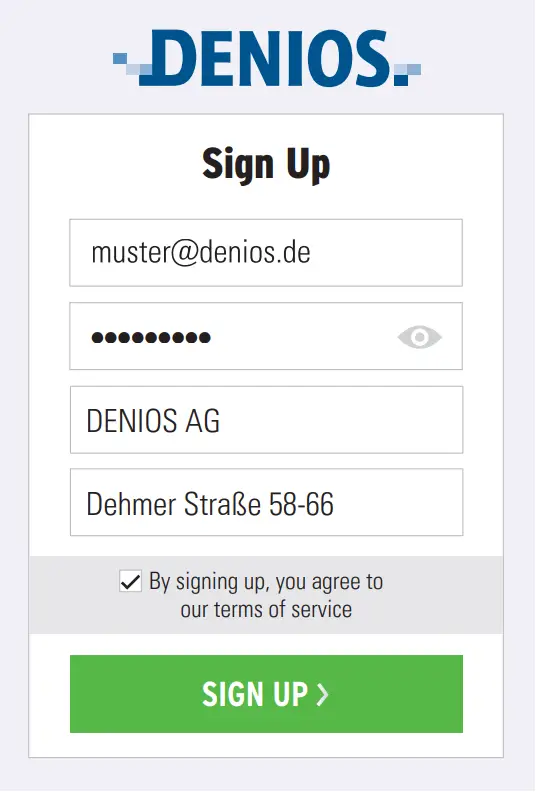
- Now create an account and read through the General Terms and Conditions as well as the Privacy Policy.

- Following successful registration, the SpillGuard® connect web application opens automatically
3.4. Activating and confi guring SpillGuard® connect
- Press the button „Activate device“
+ Activate device - Complete all the data fi elds.
Notice:
The more complete your data, the more efficiently and specifi cally the information will be transmitted in the event of an emergency! - Click „Save“ to save your data
Set-up and operation
4.1. Switching on and calibrating SpillGuard® connect
- Position SpillGuard® connect at the lowest point of the spill sump with the sensor surface towards the bottom.
- Press and hold the Push button until the beep sounds.
 1 beep
 LED fl ashes quickly
 - The calibration process is complete after approx. 30 seconds.
 2 beeps LED flashes once a minute
 SpillGuard® connect is ready for operation.
 2 beeps
4.2. Calibration for a new location
When installing SpillGuard® connect in a new location proceed as follows:
- Press and hold the button until the beep is heard to switch off SpillGuard® connect. 1 beep
- Position SpillGuard® connect in the new ocation.
- Press and hold the button until the beep is heard. 1 beep LED fl ashes quickly
- The calibration process is complete after approx. 30 seconds. 2 beeps LED fl ashes once a minute SpillGuard® connect is ready for operation.
4.3 Alarm procedure
After detecting a leak the following alarms are given:
5 beeps, 15 s pause Fast flashing during the pause SpillGuard® connect transmits the specifi ed text message to the recipient address saved
- the status (alarm) on the web interface is updated
- the alarm text saved is sent by text message/e-mail to the recipient addresses saved (see chapter 3.4).
1. Press the Push button (>1s and <10s) 1 beep The alarm is turned off .
When handling hazardous substances, observe the safety instructions in the safety data sheet for the leaked hazardous substance.
1. Carry out measures to clean up the leak. WARNING
- Hazard from direct contact with the hazardous substance
- Injury possible to hands, eyes etc.
- Wear personal protective equipment (PPE)

- Press the Push button (>1s and <10s) to turn off the alarm.
- Clean the sensor surface with a soft, lint-free cloth. In this case, SpillGuard® connect can be used again.
- Switch on and calibrate SpillGuard® connect (see chapter 4.1 and 4.2).
4.4 False alarm
Under certain climatic conditions condensation can form on the sensor surface.
This can trigger a false alarm.
- Press the Push button (>1s and <10s) to turn off the alarm.
- Clean the sensor surface with a soft, lint-free cloth. In this case, SpillGuard® connect can be used again.
- Switch on and calibrate SpillGuard® connect (see chapter 4.1 and 4.2).
More information
Further information on alarms, decommissioning and disposal for example can be found in the operating instructions. The operating instructions can be found here:www.denios.com/spillguard
EU conformity
SpillGuard® connect is certifi ed in accordance with directive 2014/34/EU (ATEX directive).
Production is monitored by regular and independent inspections for continuous compliance with legal and normative requirements.
This declaration of conformity as well as confi rmation of conformity with directives:
- 2014/34/EU (ATEX)
- 2014/53/EU (RED)
- 2011/65/EU (RoHS 2)
can be found at the following address:www.denios.com/spillguard
Detailed operating instructions and much more information can be found at

 connect.denios.com
 SpillGuard – Warnsystem für Gefahrstoff-Leckagen von DENIOS