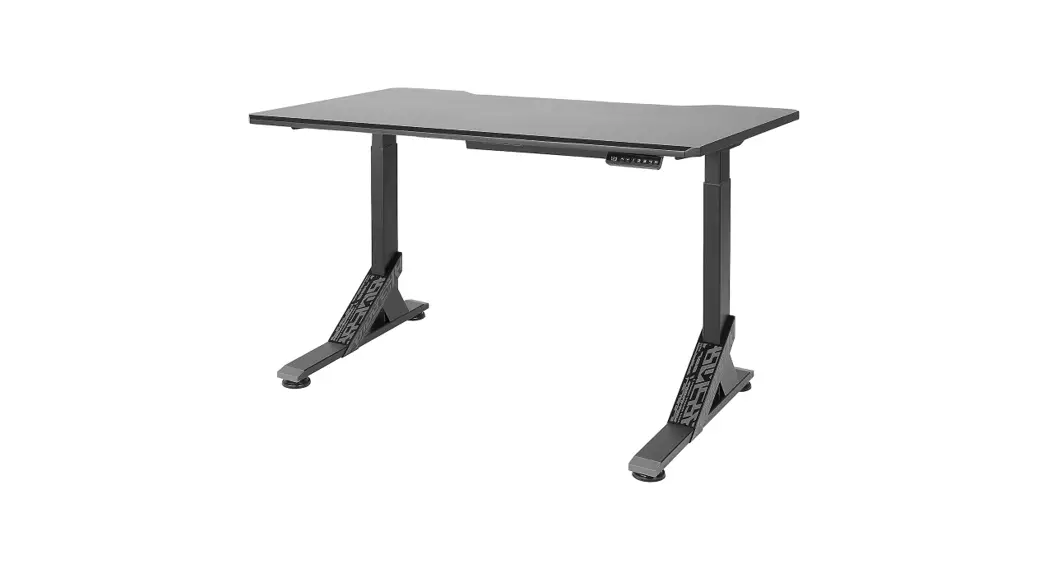
 UPPSPEL
This appliance is not to be used by persons (including children) with reduced physical, sensory or mental capabilities, or lack of experience and knowledge, unless they have been given supervision or instructions on how to use the product.
Children being supervised not to play with the appliance.
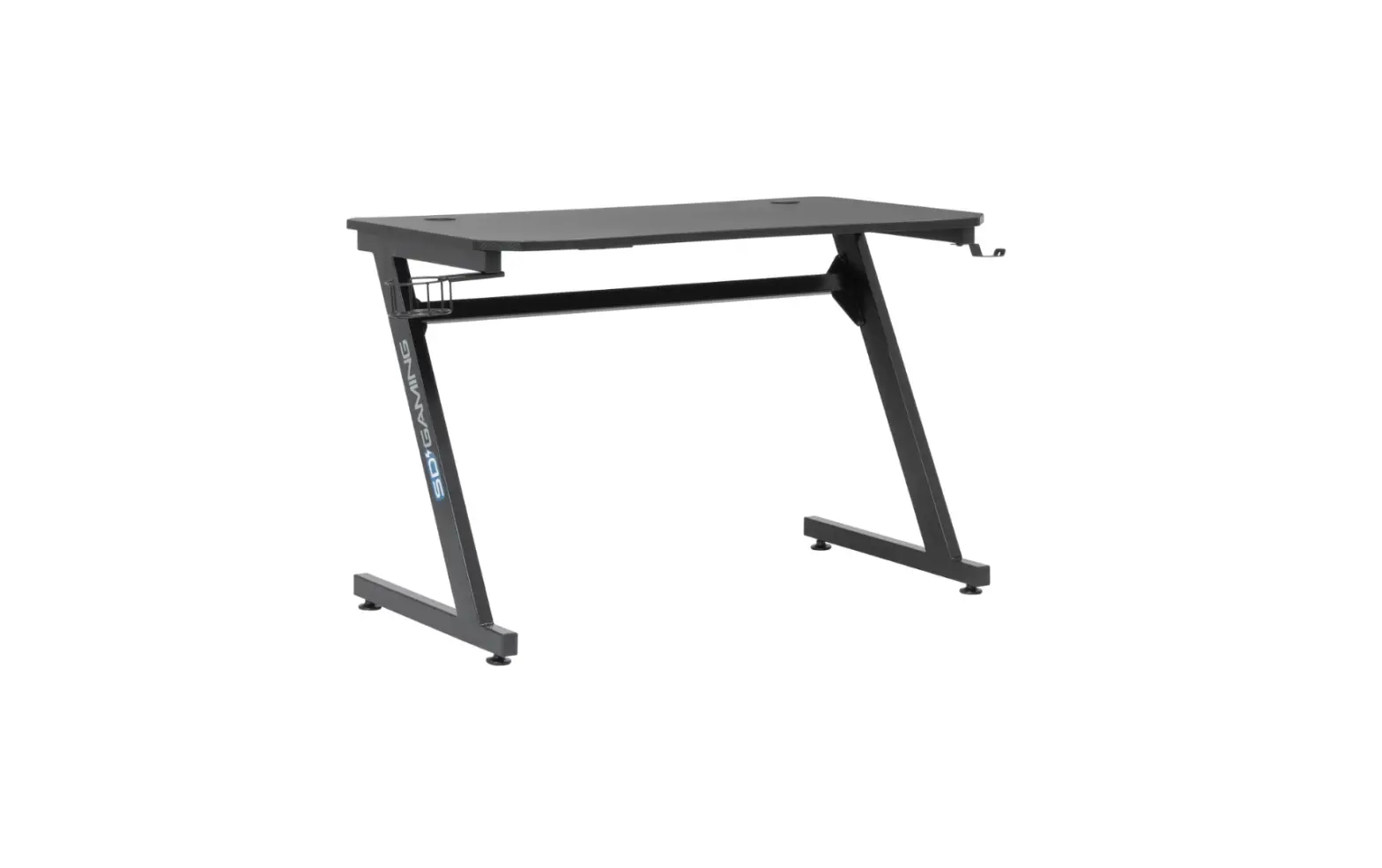
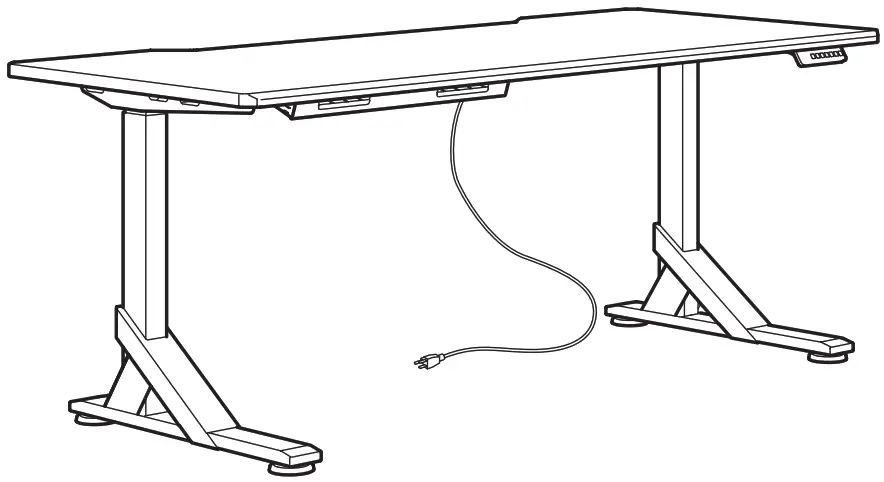
| Advice and instructions for UPPSPEL | Installation instructions — The table is assembled according to separate assembly instructions. — Connect the electrical cable to a power source. NOTE! The electrical cable must have full mobility. — The table is now ready for use. The motors stop automatically when the table reaches its lowest and highest position respectively.Usage — The table shall only be used as a gaming table with the possibility to continuously adjust the working height between sitting and standing positions. The table shall only be used indoors and in dry premises (office environment or similar). The table shall only be used indoors and in dry The table must not be overloaded – maximum load is 50KG/ 110lbs. The system may be run continuously for a maximum of 2 minutes. |
| Input: 220-240VAC 50-60Hz | |
| Standby power consumption: <0.1 W | |
| Sound level: Lower than 55 dB(A) | |
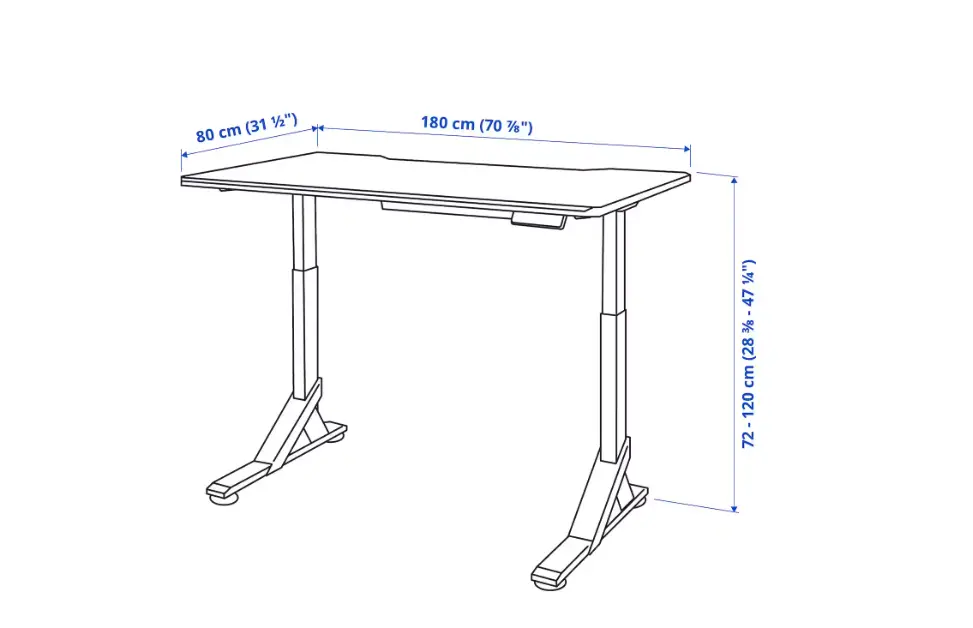
| Height setting interval: 72-120 cm/28.3-47.2 inch. | |
| Maximum load: 50KG/ 110lbs. | |
| Temperature interval at usage: +50 up to +104 °F/+10 °C up to + 40 °C. | |
| Temperature interval at storage: 0 up to 158 °F/-18 °C up to 70 °C. | |
| Humidity: 20% up to 80% at 104 °F/40 °C. | |
| Power supply unit: DC 33 V, Max400W |
QUICK GUIDE
Follow these instructions when adjusting table height:
1. Make sure no objects are in the way of the table.
2. In order to move the table up/down, press the up and down arrow button respectively.
3. The display switches off when not in use for about 10 seconds. Press any button to wake the controller up.
Safety regulations
- When the table is moving up/down, keep the necessary safety distance to avoid the risk of being squeezed between the moving tabletop and fixed objects in the surrounding area.
- When the table is moving up/down, the user shall make sure that nobody is injured and that no object is damaged. The tabletop must not bump into a fixed object, causing the table to overturn. Always remove any chair before the table is moved up/down.
- The table tripod must not be altered or reconstructed in any way. In service and repair work of the table, the electrical cable must a always be disconnected from the power source.
- Modifications to the legs are absolutely forbidden!
- The table must not be used as a hoisting device for persons.
Maintenance and repair instructions
- After approx. 1 week of use, check that the screws are properly tightened.
- If the table cannot be lowered or raised, check that all electrical connections are connected properly.
- If any part of the electrical system is replaced, the electrical cable must first be disconnected from the power source. Replace the electrical part and then connect the electrical cable to the power source. The table is now ready for use.
If the table still does not work, please contact your nearest IKEA store or customer service.
Manufacturer:
IKEA of Sweden AB
Address: Box 702, SE-343 81 ÄLMHULT
SAVE THESE INSTRUCTIONS
Product servicing
Do not attempt to repair this product yourself, since opening or removing protective covers may expose you to dangerous voltage points or other risks.
TROUBLESHOOTING GUIDE
NOTE!
Always disconnect the cable from the power source before maintenance!
| Symptom | Check | Try |
| The desk does not move | Is the main power supply connected to the legs? | Try to connect a lamp or similar to the main power supply to check that the supply voltage is OK. |
| Are all plugs mounted correctly between the legs and power supply? | See assembly instructions. Check all connections. | |
| Is there visible damage to the cables, controls or the legs? | Damaged parts must be exchanged – Contact IKEA Customer Service. | |
| The desk stops and can only then move in the opposite direction. | Is the desk in its fully raised or lowered position? | When the desk has reached its upper position it can only move downwards. |
| Is there a lot of weight on the desk compared to when the desk functioned normally? | Remove some of the load and try again. | |
| The desk will only move downwards even though the desk is not overloaded. | Perform Basic settings. | |
| The desk does not move up to its fully raised position. It always stops at the same position. | The system has a new end stop position upwards. Perform Basic settings to remove this stop. | |
| The desk only moves a little bit upwards and stops. | Have the correct screws been used when mounting the frame to the legs? | Check if any screw used has the correct length (assembly instructon). If the screw is too long it can damage the leg. |
| Are all connections correct? | Check all connections. | |
| Does the desk have too much weight on it? | Reduce the weight load and try again. A Basic setting might be needed before the desk will move upwards. | |
| The USB doesn’t work. | Contact your nearest IKEA store or customer service. | |
| Basic Setting: Push the arrow down button until the legs have reached the lowest position and keep pressure on the button for 6 seconds more. Upon certain errors, this must be done twice in succession. Now the desk is in initial position. | ||
INITIALISATION INSTRUCTIONS:
Step 1. Continuously press the button for a few seconds until the desk reaches its lowest position.
Step 2. Continuously press the button a second time until the display shows “RST”.
Step 3. Continuously press the button a third time until the desk moves slightly downwards. When the desk stops moving and the display shows “72”, it is ready to use.
HEIGHT ADJUSTMENT CONTROLLER
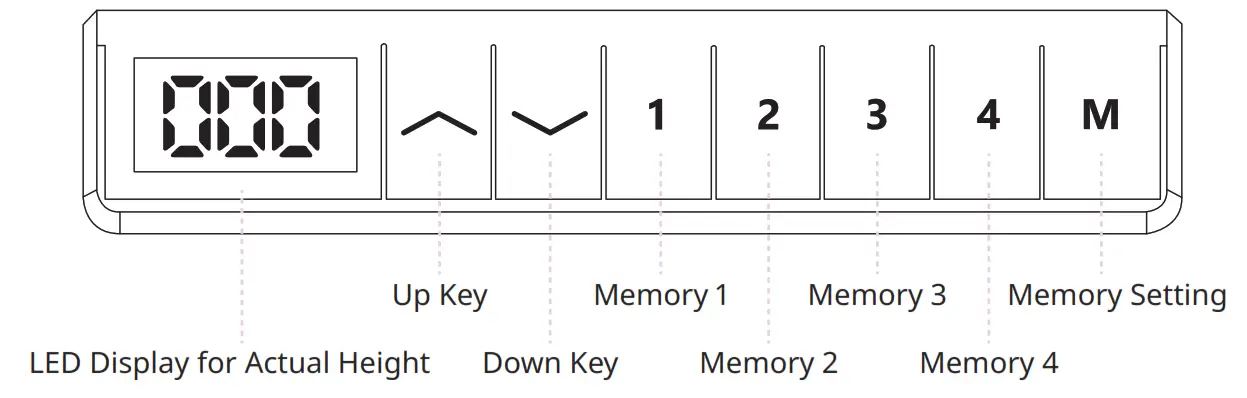
— LED Display: Press any key once to wake up the LED display.
— Up key : Press and hold to raise the desk.
— Down key: Press and hold to lower the desk.
— Memory setting: M + 1, 2, 3, 4
— To save this current height: Press the button M, the display will show “S-“, then press the preferred memory button 1, 2, 3, 4. This will bind the height to this number.
— For Example, if you press 1, the display will show “S-1” etc.
— Memory button 1, 2, 3, 4
NOTE!
— The desk’s movement can be stopped at any time by pressing any button.
— Height settings will remain even if the desk’s power is cut
INITIALIZATION / RESET PROCESS:
Step 1: Press/hold the button for a few seconds until the table reaches its lowest position.
Step 2: Press/hold the button a second time until the display shows “RST”.
Step 3: Press/hold the button a third time until the table slowly lowers. Once the table stops moving and the display shows “72”, your desk is ready to use.
LOCK / UNLOCK CONTROLLER
Lock the controller: Press and hold the for M 10 seconds until the display shows “LOC”.
Unlock the controller: Press and hold the symbol for M10 seconds until the display shows the actual height of the table.
ERROR CODE INSTRUCTIONS
| Error Code | Reason | Solution |
| E01 E02 | Overcurrent protection/short circuit | See instructions for Reset/Initialisation. |
| E07 E08 | Hall circuit failure | See instructions for Reset/Initialisation. |
| E13 | Legs height deviation over 2cm | Remove the load from table top. See instructions for Reset/Initialisation. |
| H01 | Over-heating | Unplug from the wall socket and re-plug or wait 18 minutes to let the motors cool before using them again. |
| RST | Power failure | See instructions for Reset/Initialisation. |
| LOC | Controller shows LOC, desk stop working | This is not a problem, caused by misoperation. Press M button for 8 seconds to unlock handset. |
 The crossed-out wheeled bin symbol indicates that the item should be disposed of separately from household waste. The item should be handed in for recycling in accordance with local environmental regulations for waste disposal. By separating a marked item from household waste, you will help reduce the volume of waste sent to incinerators or land-fills and minimise any potential negative impact on human health and the environment. For more information, please contact your IKEA store.