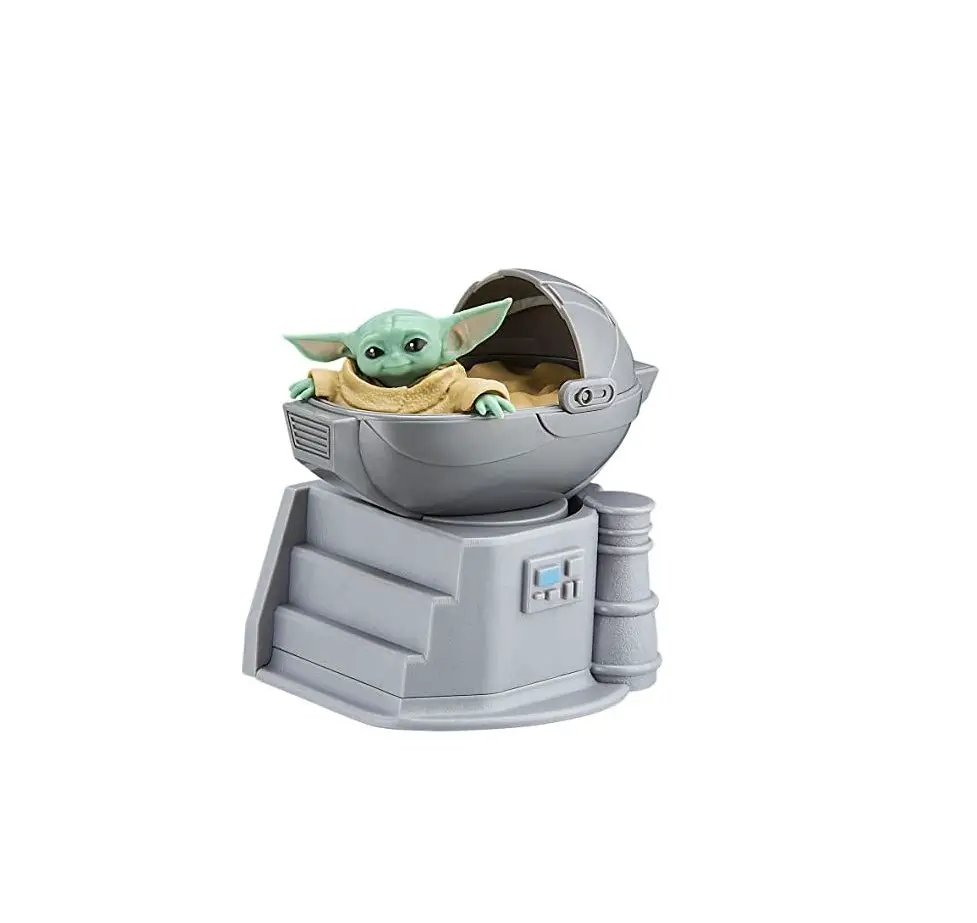
iHOME Li-B66MD Star Wars Child Bluetooth
Speaker User Manual
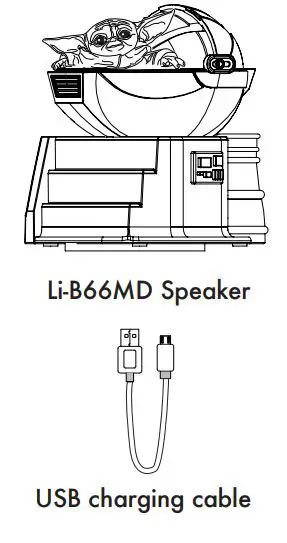
What’s Included:
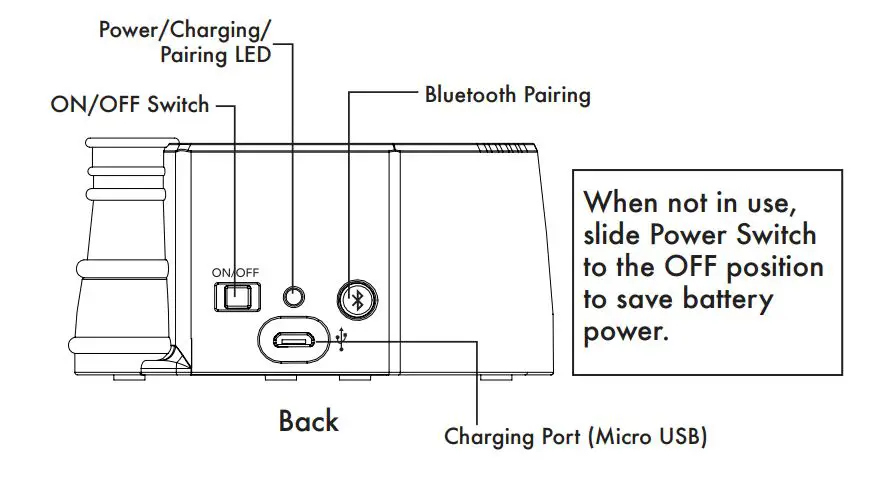
Controls
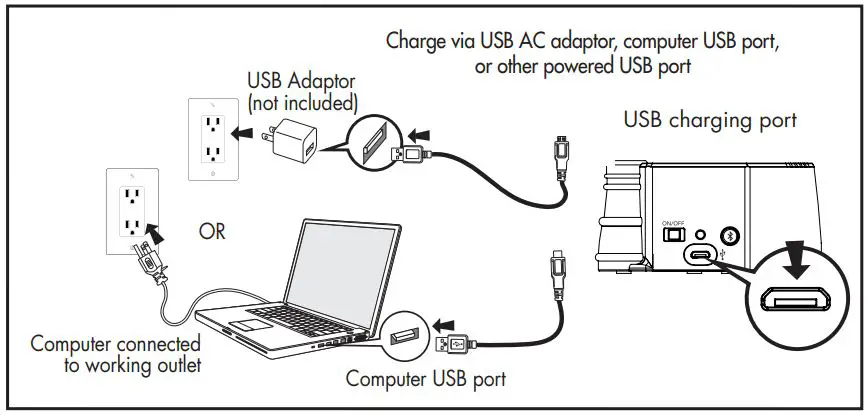
Charging the Unit
CHARGE UNIT BEFORE USE
- Connect the micro USB plug to the micro USB charging port on the back of the unit.

- Connect the standard USB plug end of the cable to a power USB port on a computer or other USB charging device. For first time use, charge unit for about 5 hours.
- The Power/Charging/Pairing LED on the back of the unit glows red steadily while the unit is charging and turns OFF once the unit is fully charged. If unit is not powered on when micro USB plug is connected, the red light glows steadily to indicate unit is charging.
Pairing Your Device
Pairing is the set-up process to introduce your Bluetooth-capable device to the Li-B66MD. Once your device is paired, the Li-B66MD can recognize it and you can play your audio through it.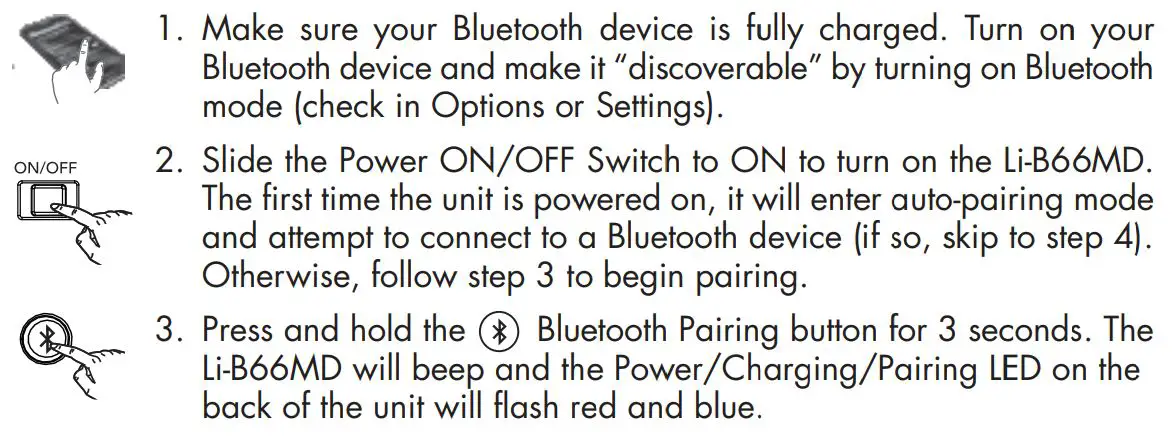
- 4. “iHome B66” should appear in your device’s Bluetooth menu. If “Not Paired”, “Not Connected” or similar message appears, select “iHome B66” to connect it. If prompted for a passcode, enter “1234” on your device’s keypad.
- 5. If pairing is successful, a tone will sound and the blue LED will glow solid, indicating the Li-B66MD is ready to play music. There should also be an indication on your device. Once the Li-B66MD is paired to a device, it will attempt to auto link when the device is within range (about 30 feet).
Pairing with a Different Device
When the speaker is ON, it will automatically link with the previously paired Bluetooth device as long as that device is still within range (approx. 30 feet). So to pair with a different device you must press and hold the  Bluetooth Pairing Button for 3 seconds to re-enter pairing mode.
Playing Audio Via Bluetooth
- Move the ON/OFF Switch to the ON position to listen to audio streamed wirelessly from your paired iPad, iPhone, iPod or other Bluetooth device. The Power / Charging / Pairing LED on the unit will flash blue and a tone will sound as the unit searches for a previously paired device, and then turn solid blue once a previously paired device is detected.
- Use the controls on your Bluetooth device to play or pause audio, navigate tracks and control volume.
- When done listening, move the ON/OFF Switch to the OFF position to conserve the battery.
Maintenance:
- Place unit on a level surface away from sources of direct sunlight or excessive heat.
- Protect your furniture when placing your unit on natural wood and lacquered finish. A cloth or other protective material should be placed between it and the furniture.
- Clean your unit with a soft cloth moistened only with mild soap and water. Stronger cleaning agents can damage the surface of the unit.
Troubleshooting
Unit doesn’t respond (no power):
- Make sure unit is completely charged.
- Check that all connections are correct and properly plugged in.
- Make sure your device is properly paired with the Li-B66MD.
- Make sure the ON/OFF Switch is not in the OFF position.
- The rechargeable battery in your speaker can be replaced only by eKids Consumer Repair Department.
Unit doesn’t respond (locked up/ “frozen”)
If the unit does not respond, try resetting it. Press and hold the Bluetooth Pairing button for 9 seconds. Note that doing so will clear settings, and any Bluetooth devices will need to be re-paired.
Trouble pairing device with Li-B66MD
Bluetooth implementation varies depending on your device’s hardware and operating system. Please see our website for updates on pairing.
- When you power ON the speaker, it will automatically link with the last previously paired Bluetooth device if the device is still within range (approx. 30 feet). To pair with a different device you must turn off Bluetooth capability on the already paired device, or take it out of range.
- If your device does not auto-link when within range, re-pair the device. To do so, first delete the Li-B66MD from your Bluetooth devices menu.
For further information and to see the latest instructions, visit www.ekids.com
FCC INFORMATION
B66
FCC ID: EMOB66N
IC: 986B-B66N
HVIN: XX-B66Na
This equipment complies with FCC RF radiation exposure limits set forth for an uncontrolled environment.
This device complies with Part 15 of the FCC Rules, operation is subject to the following two conditions:
(1) This device may not cause harmful interference, and
(2) this device must accept any interference received, including interference that may cause undesired operation.
- Warning: Changes or modifications to this unit not expressly approved by the party responsible for compliance could void the user’s authority to operate the equipment.
- NOTE: This equipment has been tested and found to comply with the limits for a Class B digital device, pursuant to Part 15 of the FCC Rules.
These limits are designed to provide reasonable protection against harmful interference in a residential installation. This equipment generates, uses and can radiate radio frequency energy and, if not installed and used in accordance with the instructions, may cause harmful interference to radio communications. However, there is no guarantee that interference will not occur in a particular installation. If this equipment does cause harmful interference to radio or television reception, which can be determined by turning the equipment off and on, the user is encouraged to try to correct the interference by one or more of the following measures:
- Reorient or relocate the receiving antenna.
- Increase the separation between the equipment and receiver.
- Connect the equipment into an outlet on a circuit different from that to which the receiver is connected.
- Consult the dealer or an experienced radio/TV technician for help.
This equipment should be installed and operated with minimum distance 20cm between the radiator & your body.
Canada Statement
This equipment complies with IC RSS-102 radiation exposure limits set forth for an uncontrolled environment.
This equipment should be installed and operated with a minimum distance of 20 cm between the radiator and your body The device comply with ISEDC RF exposure requirement, users can obtain Canadian information on RF exposure and compliance. This device contains licence-exempt transmitter(s)/receiver(s) that comply with Innovation, Science and Economic Development Canada’s licence-exempt RSS(s). Operation is subject to the following two conditions: 1. This device may not cause interference. 2. This device must accept any interference, including interference that may cause undesired operation of the device.
Any Changes or modifications not expressly approved by the party responsible for compliance could void the user’s authority to operate the equipment.
Limited 90-Day Warranty Information
eKids, LLC, warrants this product to be free from defects in workmanship and materials, under normal use and conditions, for a period of 90 days from the date of original purchase.
Should this product fail to function in a satisfactory manner, it is best to first return it to the store where it was originally purchased. Should this fail to resolve the matter and service still be required by reason of any defect or malfunction during the warranty period, eKids will repair or, at its discretion, replace this product without charge.
This decision is subject to verification of the defect or malfunction upon delivery of this product to the Factory Service Center authorized by Customer Service.
If service is required, please call Customer Service at 1-800-288-2792 to obtain a Return Authorization Number and shipping instructions. Disclaimer of Warranty
NOTE: This warranty is valid only if the product is used for the purpose for which it was designed. It does not cover (i) products which have been damaged by negligence or will full actions, misuse or accident, or which have been modified or repaired by unauthorized persons; (ii) cracked or broken cabinets, or units damaged by excessive heat; (iii) damage to digital media players, CD’s or tape cassettes (if applicable); (iv) the cost of shipping this product to the Factory Service Center and its return to the owner. This warranty is valid only in the United States of America and does not extend to owners of the product other than to the original purchaser. In no event will eKids or any of its affiliates, contractors, resellers, their officers, directors, shareholders, members or agents be liable to you or any third party for any consequential or incidental damages, any lost profits, actual, exemplary or punitive damages. (Some states do not allow limitations on implied warranties or exclusion of consequential damages, so these restrictions may not apply to you.) This warranty gives you specific legal rights, and you may also have other rights which vary from state to state. Your acknowledgement and agreement to fully and completely abide by the above mentioned disclaimer of warranty is contractually binding to you upon your transfer of currency (money order, cashier’s check, or credit card) for purchase of your eKids product.
Questions? Visit www.ekids.com
For any other questions: 1-800-288-2792 Toll Free
©2020 SDI Technologies, Inc. All Rights Reserved. iHome is a registered trademark of SDI Technologies Inc.,
used under license.
Li-B66MD-060220-A(EN)
Printed in China