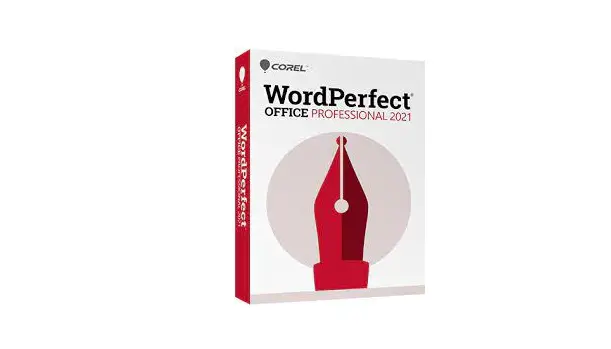
COREL WPO2021-Pro WordPerfect Office Professional 2021 User Manual
What’s Included
Main Applications:
Also Includes:
- 900+ TrueType fonts
- 10,000+ clipart images
- 300+ templates
- 175+ digital photos
- NEW! Concise Oxford English Dictionary
- WordPerfect Address Book
- Presentations™ Graphics – bitmap editor and drawing application
- WordPerfect XML Project Designer
System Requirements
- Windows 10*, Windows 8.1 or Windows 7 with latest updates and service packs
- 1 GHz or faster (x86) or an AMD64 processor
- 1 GB RAM (x86) or 2 GB RAM (AMD64)
- 2.75 GB hard disk space for application files
- 1024 x 768 screen resolution
- Mouse or tablet
- DVD drive (Required for box installation)
- Microsoft Internet Explorer 11 or higher
Trusted by Legal, Government and Enterprise Worldwide
Depend on the trusted power of WordPerfect Office Professional 2021 to create and deliver professional documents, presentations, spreadsheets, and more.
With built-in PDF functionality, Reveal Codes, eBook publishing, and unparalled security settings, your teams can place full confidence in a familiar toolset to allow them to work more efficiently, streamlining the most important documentation and workflow requirements.
With support for more than 60 file types, including the latest Microsoft Office formats, no matter what type of business you are in—legal, government, or enterprise WordPerfect delivers the compatibility, power, and affordability to be successful in every professional environment.
Why your organisation should depend on this versatile office suite
 Built-in PDF functionality, allows you to create, edit, and share PDF files right from your desktop.
 View document formatting with Reveal Codes placing you in full control on any updates, reviews or approvals.
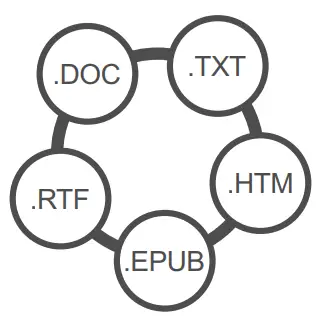 Microsoft Office compatibility and a further 60 file types ensures unrivalled support and file sharing
 Redaction functionality allows you to black out sensitive information providing peace of mind that important text cannot be retrieved or revealed and is kept confidential.
 Intuitive eBook publishing so your organisation can create eBooks or corporate documentation, and publish them to print or to share via popular eBook devices.
 Extensive content library of more than 10,000 high-quality clipart images, 900 TrueType fonts, 300 professional templates, and more than 175 digital photos.
Affordable, license options, that scale
Flexible pricing with volume discounts keeps your office productivity deployment affordable. Costs come down as your seat count increases.
Protect your investment with CorelSure Maintenance
The CorelSure Software Maintenance program is designed to ensure you get the greatest possible return on your software investment by connecting you with premium tech support, resources, and easy deployment options. Plus, you’re covered to upgrade to the latest version released during your term, and can enjoy backward licensing for version flexibility.
Compare Versions
Professional | Standard | |
| WordPerfect® 2021 word processor |  |  |
| Quattro® Pro 2021 spreadsheet program | | |
| Presentations™ 2021 slideshow creator | | |
| WordPerfect® Lightning™ digital notebook | | |
| WordPerfect® eBook Publisher | | |
| Paradox® database management system | | |
| AfterShot™ 3 Standard RAW photo-editing software | | |
| Corel® MultiCam Capture™ Lite | | |
| Oxford Concise Dictionary | | |
| Software Developers Kit (SDK) | | |
| Volume license pricing available | | |
| PDF Import | | |
| PDF Forms creation tool | | |
| Metadata Removal tool | | |
| Bates Numbering | | |
| Pleading Expert and Pleading paper | | |
| Document review | | |
| Routing slip | | |
| Corel® Perfect Authority Table of Authorities software (Available separately) | | |
Contact Us
Leverage flexible license plans for all team sizes. Contact us for a no-obligation quote or a free consultation of your office productivity needs.
Visit wordperfectoffice.com for more information
 * WordPerfect Office 2021 supports Windows 10, version 20H2 and later versions which may be released during the lifecycle of WordPerfect Office 2021
©2021 Corel Corporation. All rights reserved. Other product and company names and logos may be trademarks or registered trademarks of their respective companies.
 Powerful Productivity Software for Home and Office