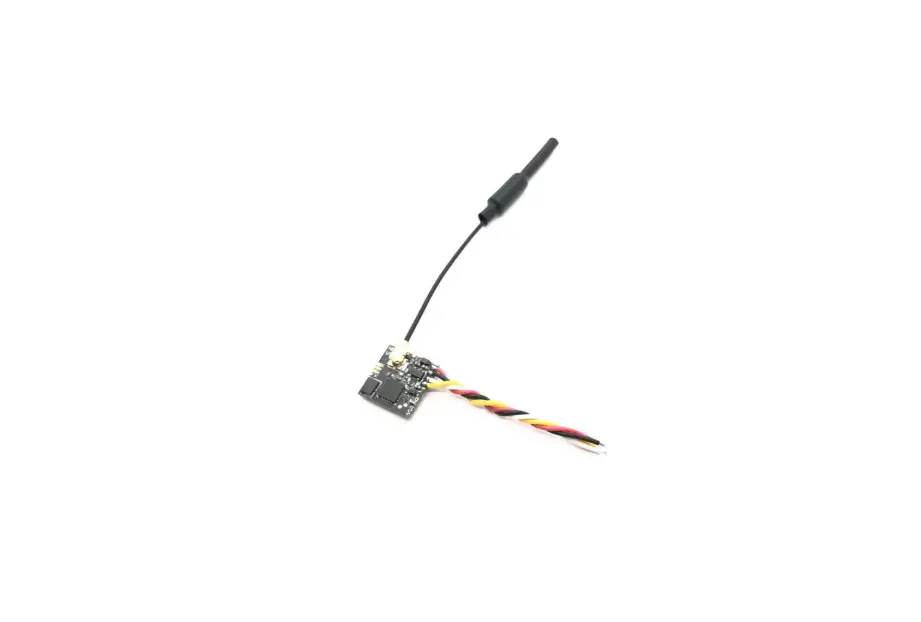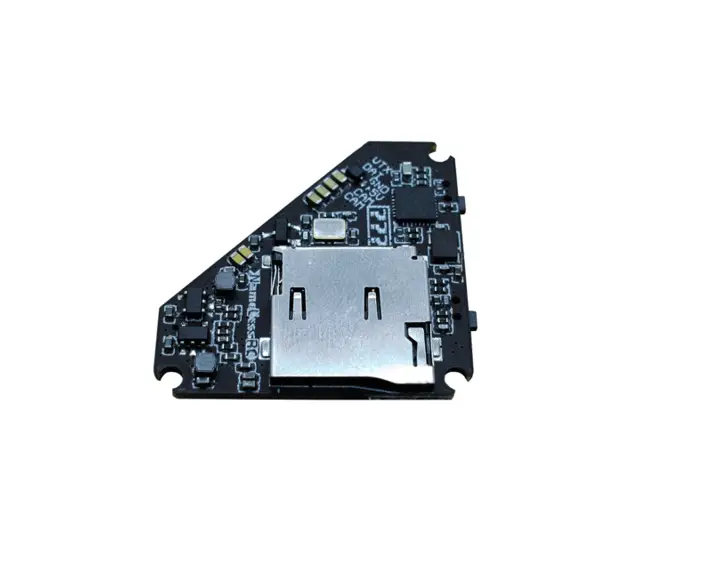

NameLessRC D400 VTX+DVR AIO
User Manual
Specification:
-Brand Name: NameLessRC
-Item Name: D400 VTX+DVR AIO
-Input Power: 5V
-Output Power: PIT/25mW/100mW/200mW/400mW Switchable
-Frequency: 5.8GHz 6 bands 48 channels, with Raceband: 5362-5945 MHZ
-Control Mode: BFOSD Control/ Button, IRC Tramp ready
-Video Output format: NTSC
-Record video size : 1280×720 @30FPS
-TF Card support: Max.32G
-Compress Format: AVI
-Microphone: Yes
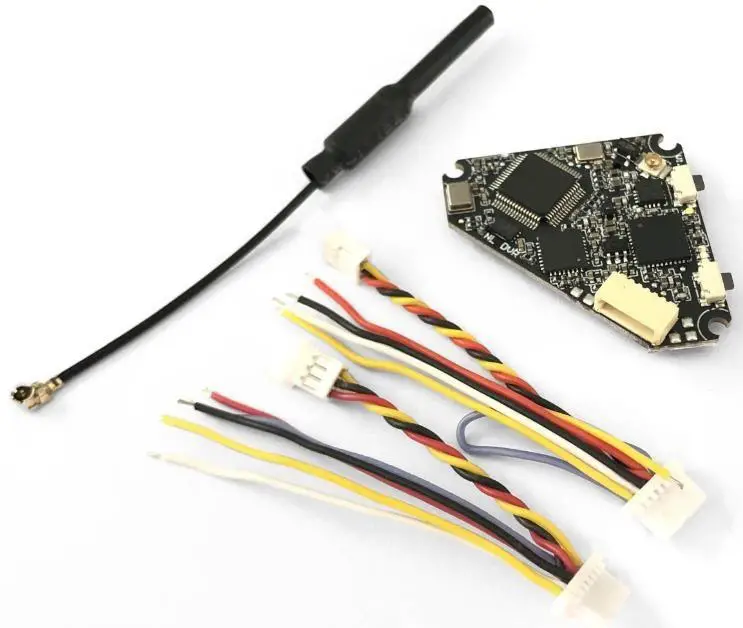
-Antenna: IPEX
-Mounting hole: 26.5*26.5mm
-Weight: 3.5g without antenna
Features:
-VTX maximum power up to 400mW.
-Built-in microphone.
-Support to choose recording FC OSD info or not.
-Start/Stop recording via button or OSD. Automatic recording after power on.
-Automatically save a video every 5 minutes.
-Cable plug and welding pads are both available.
-Small & light size for whoop and toothpick style frames.
-The VTX will not be damaged even if the antenna is dropped.
Attention:
-VTX’s default setup is on lock mode(5733-5866MHZ unlock). Please follow your local laws and regulations if you need to unlock the frequency.
-Please format the TF card to FAT/FAT32.
Pins Assignment:
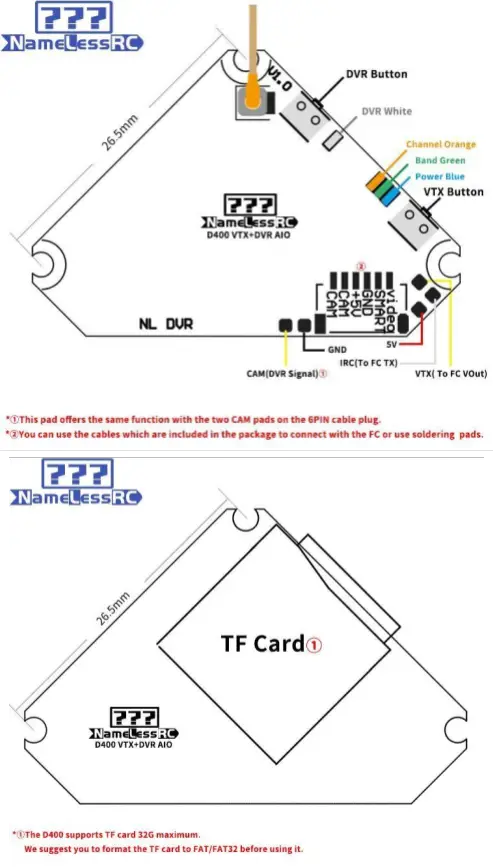
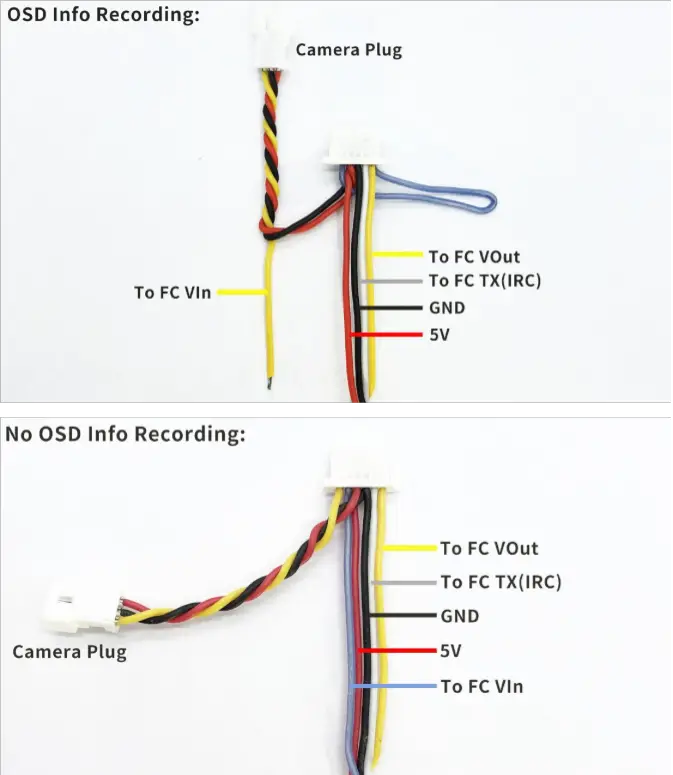 Note:
Note:
You can choose to use the included cables or welding pads according to your needs.
Precautions for use:
-Please maintain a good cooling environment for better performance.
-Input voltage must be within the specified range 5V.
-Please choose antenna with good VSWR and DB if you replace, to get far transmission distance.
-Please use good TF card for better recording quality.
-Pay attention to static electricity protection during transportation and installation.
Control methods: VTX lock/unlock
(D400 VTXcable for Betaflight 4.1: https://drive.google.com/open?id=1LR2UCBB_0OrupfQlvufxuH7ozPHD-1YI)
-The VTX is set up via BFOSD Control (IRC Tramp) or button.
-The VTX’s default set up is lock on 25mw.
-To lock/unlock the VTX :
Option 1: Long press the VTX button for 25 seconds after power on. The 3 LEDs will flash one by one if the VTX is successful to unlock. Please re-power the VTX after this step.
Option 2: Please enter the PIT mode for three times within 30secs after powering up the VTX (PIT mode switch is set in BF mode page). The 3 LEDs will flash one by one if the VTX is successful to unlock. Please re-power the VTX after this step.
VTX LED functions:
-Orange LED shows channels status. Green for bands and Blue for power. -The Green LED flash after Orange and blue LED flash at the same time means the VTX enters PIT mode successfully.
-The three LEDs will flash one by one after the VTX is powered. After that, each LED will flash to show the channel, band & power’s status. Orange LED flash 1 time for Channel 1, 2 times for Channel 2. Green LED flash 1 time for Band 1, 2 times for Band 2, and so on. The three LEDs will flash one by one again after finish showing the status.
VTX Channel/Band/Power set up:
-Power the D400 and long press VTX button for 3 seconds. The Channel Orange LED will flash. 1 time for Channel 1, 2 times for Channel 2 and so on. Short press to switch the Channel.
-Long press VTX button for 3 seconds after step 1, the Band Green LED will flash.
1 time for Band 1, 2 times for Band 2 and so on. Short press to switch the Band.-Long press VTX button for 3 seconds after step 2, the Power Blue LED will flash.
1 time for 25mW, 2 times for 100mW and so on. Short press to switch the Power.
-Long press VTX button for 3 seconds after step 3 or re-power the D400, the set up will be saved.(Re-power during each step also can save the set up)
Frequency Table(Mhz):
Red area on frequency table is locked area! Please follow your local laws and regulations.
Channel | 1 | 2 | 3 | 4 | 5 | 6 | 7 | 8 |
Band A | 5865 | 5845 | 5825 | 5805 | 5785 | 5765 | 5745 | 5725 |
Band B | 5733 | 5752 | 5771 | 5790 | 5809 | 5828 | 5847 | 5866 |
Band E | 5705 | 5685 | 5665 | 5645 | 5885 | 5905 | 5925 | 5945 |
FS | 5740 | 5760 | 5780 | 5800 | 5820 | 5840 | 5860 | 5880 |
Race Band | 5658 | 5695 | 5732 | 5769 | 5806 | 5843 | 5880 | 5917 |
Low Race | 5362 | 5399 | 5436 | 5473 | 5510 | 5547 | 5584 | 5621 |
DVR Recording:
–DVR White LED constantly bright means it is in standby, flashing means recording.
Option 1: Automatic recording after power on.
Option 2: Short press the DVR button to start/stop recording.
Option 3: Start/stop recording via OSD control (Video: https://youtu.be/v9MAinKmdsQ)
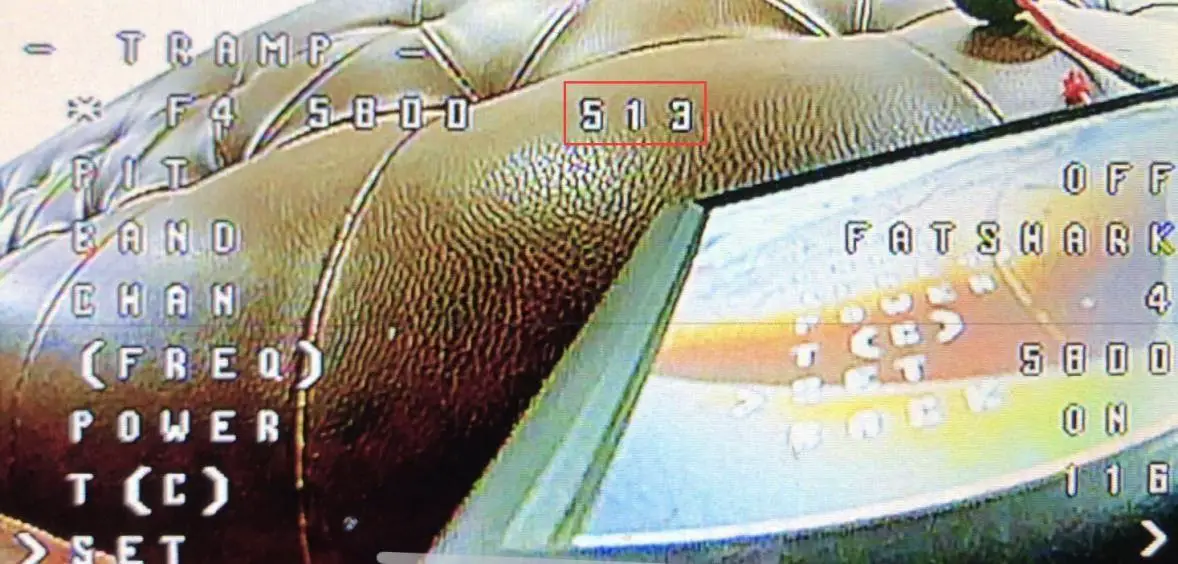
-Enter the OSD VTX set up page
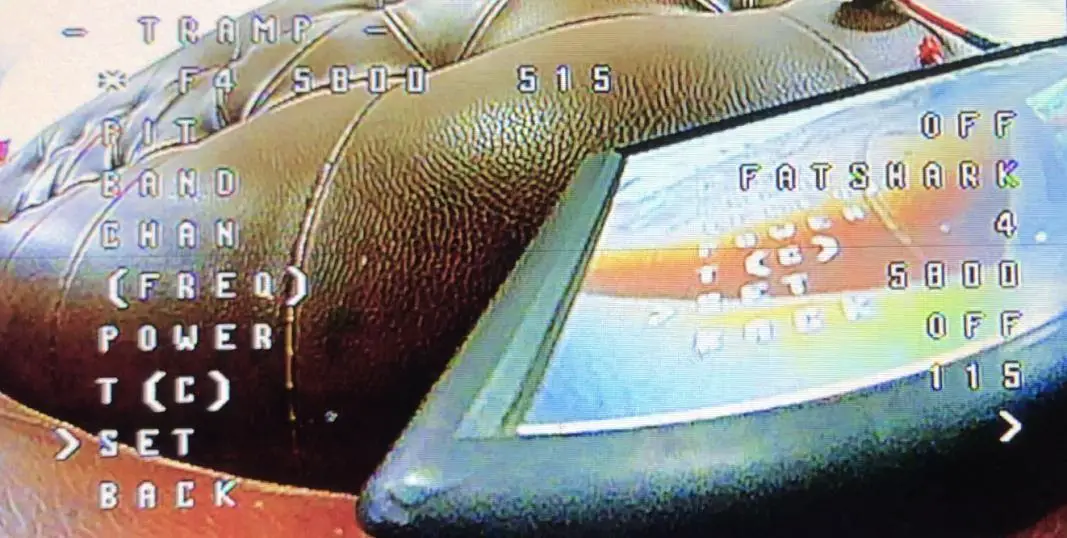
-Switch the POWER to ON and confirm. The code will show 513 which means the DVR is starting to recording. Meanwhile, the DVR White LED will be flashing.
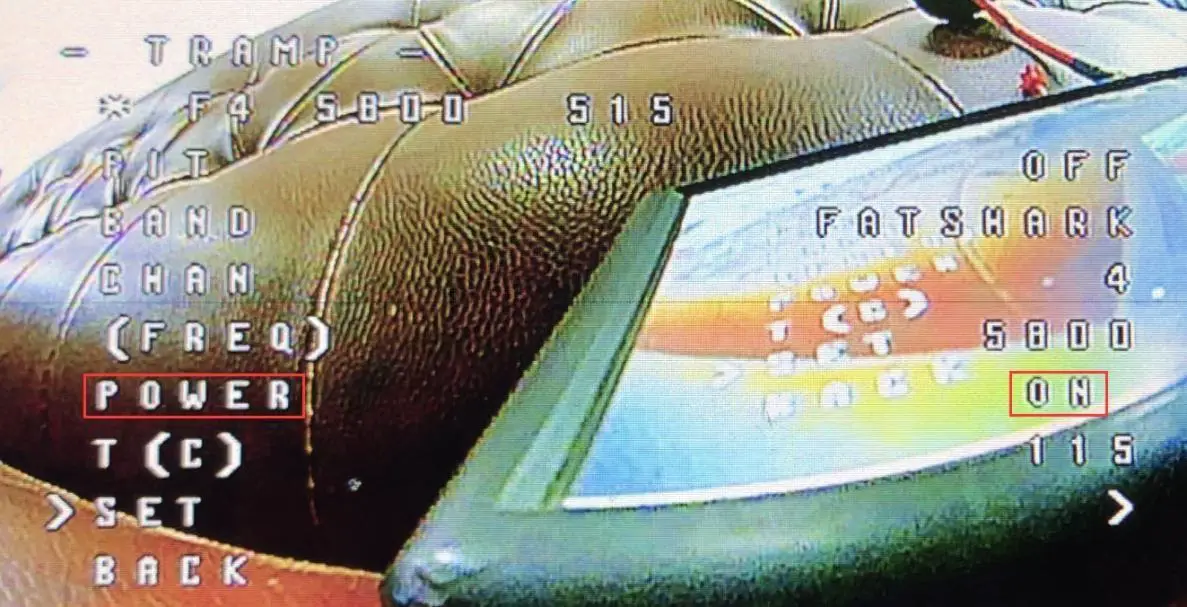
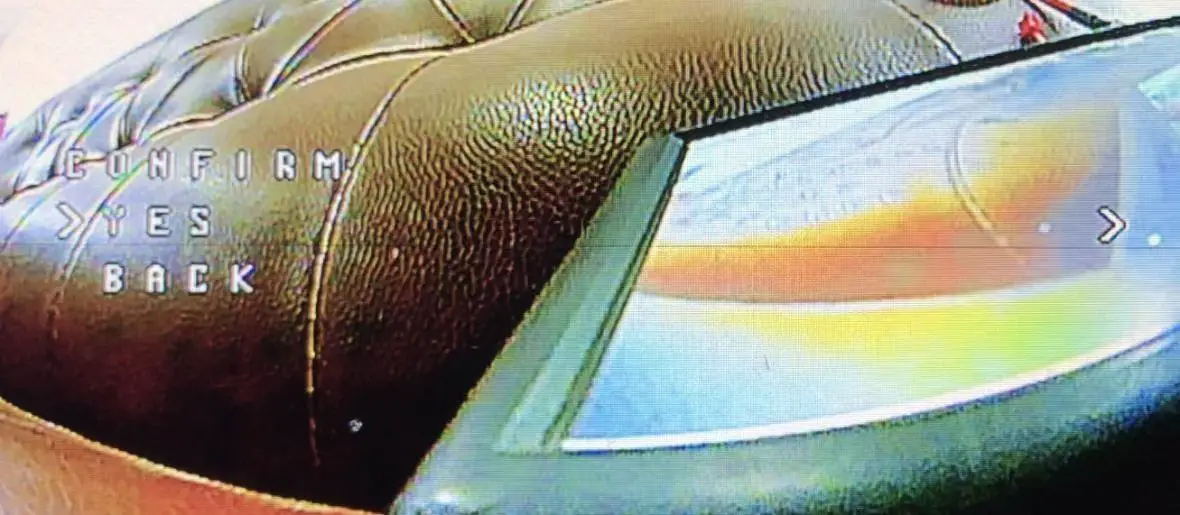
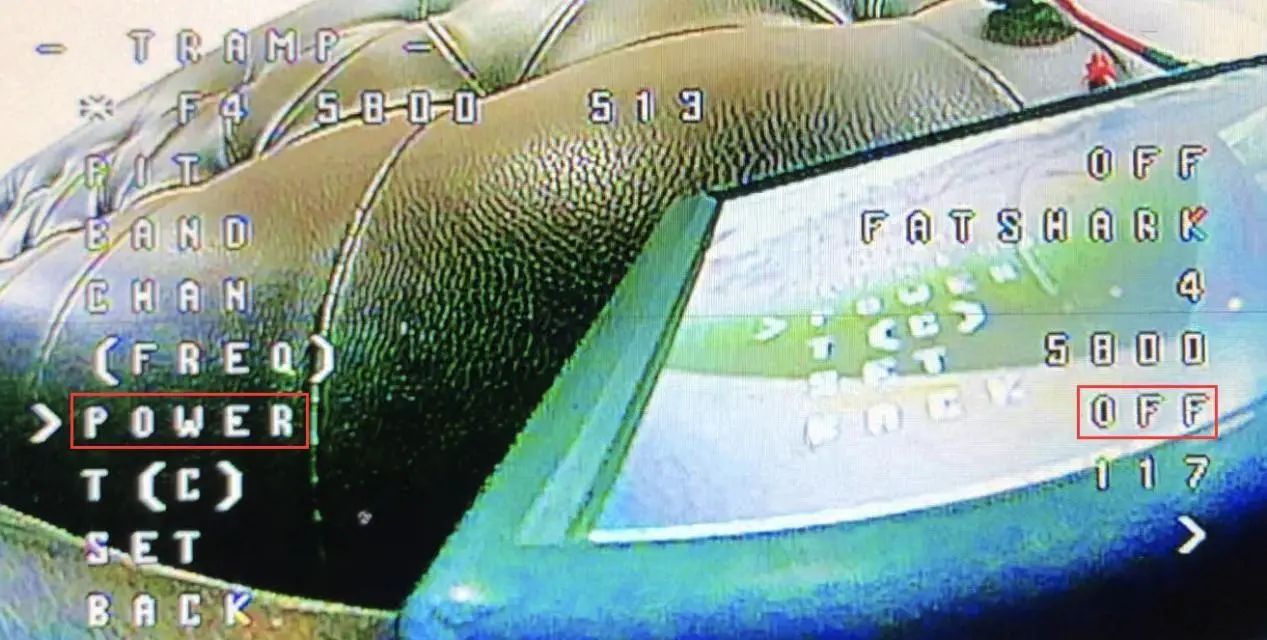
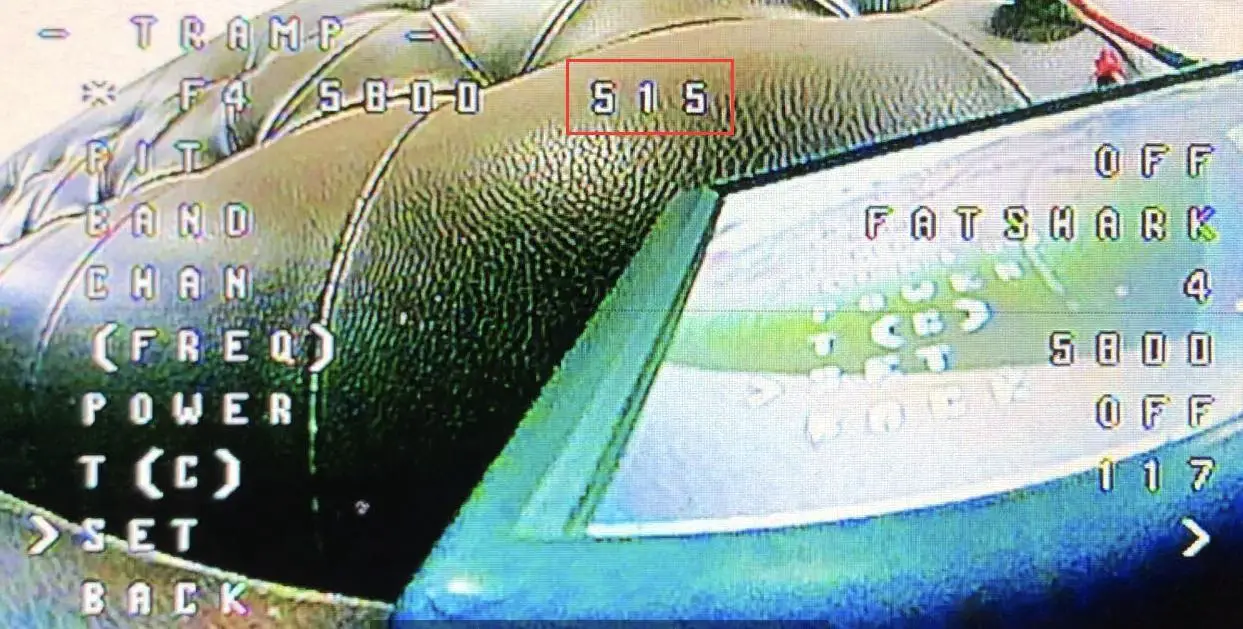
-Switch the POWER to OFF and confirm. The code will show 515 which means the DVR stop recording. Meanwhile, the DVR White LED will be constantly bright.
Note: We recommend setting the power you expect again after start/stop recording via OSD.
NameLessRC D400 VTX DVR AIO User Manual – Download [optimized]
NameLessRC D400 VTX DVR AIO User Manual – Download