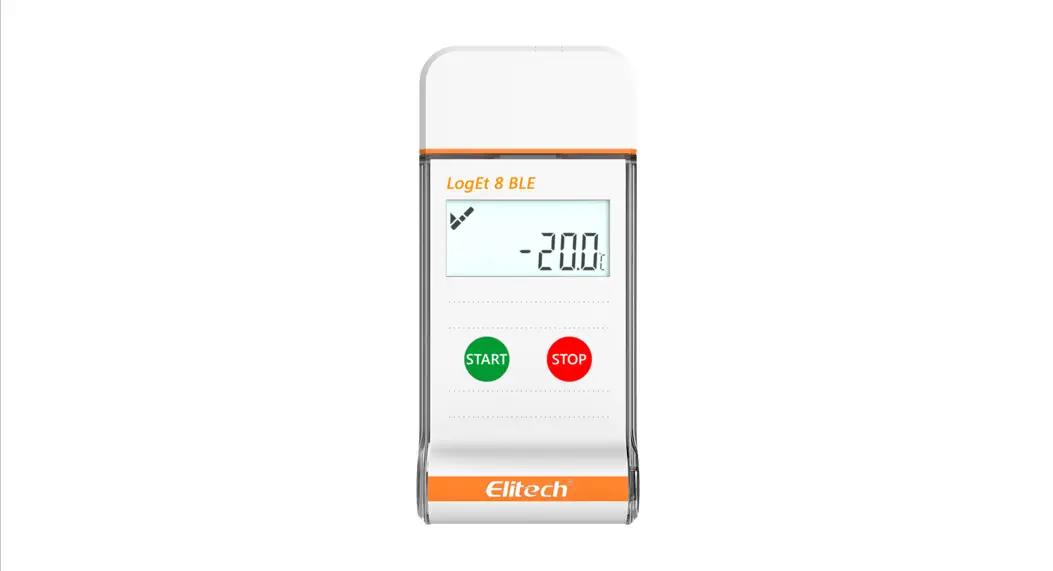

LogET 6 User Manual
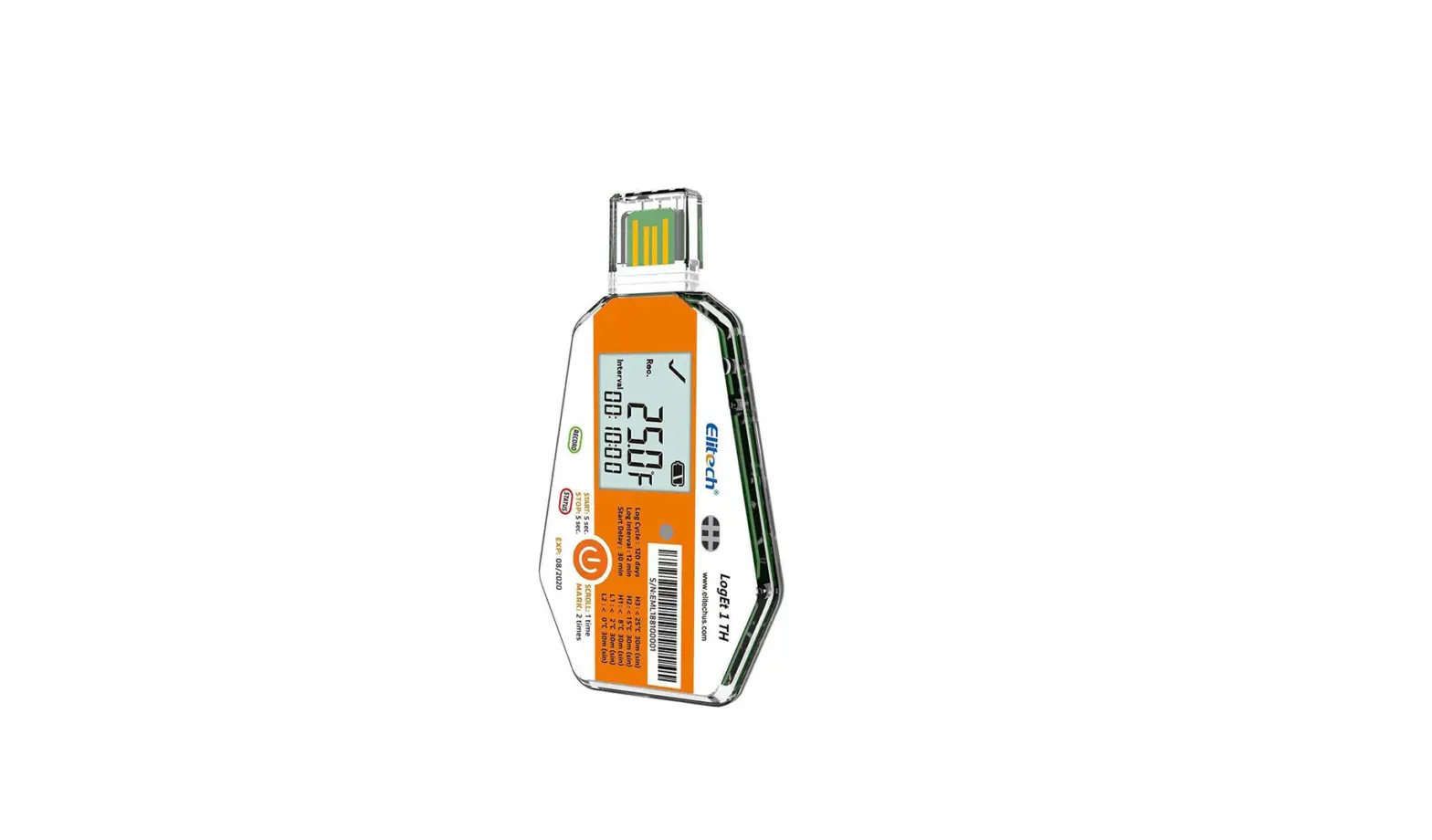
Single-Use PDF Temperature Data Logger
Product Overview
The data logger is mainly used to record the temperature of food in storage and transportation. It helps accurately monitor the whole process to indicate whether food is safe and fresh.
Structure Description
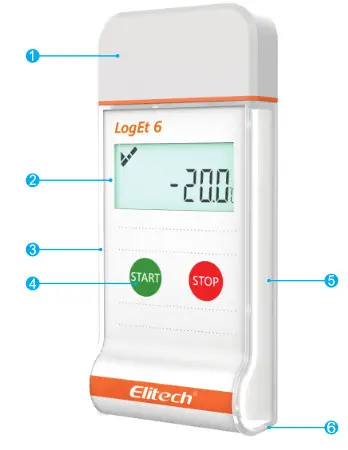
Technical parameters
| Recording Options | Single-Use |
| Temperature Range | -30 ℃ to 70 ℃ |
| Temperature Accuracy | ±0.5(-20 ℃/+40 ℃);±1.0(other range) |
| Temperature Resolution | 0.1 ℃ |
| Data Storage Capacity | 16,000 readings |
| Shelf Life/Battery | 2 years/ER14250 3.6V lithium battery |
| Recording Interval | 10 minutes(standard, others on request) |
| Recording Duration | up to 110 days²(standard, others on request) |
| Startup Mode | Button or software |
| Stop Mode | Button, software or stop when full |
| Protection Class | IP67 |
1.Depending on optimal storage conditions(±15℃ to +23 ℃/45% to 75% rH)
| Certifications | EN12830, CE, RoHS |
| Validation Certificate | Hardcopy |
| Software | PDF /ElitechLog Win or Mac (latest version) |
| Report Generation | Automatic PDF report |
| Password Protection | Optional on request |
| Connection Interface | USB 2.0, A-Type |
| Alarm Configuration | Optional, up to 5 points |
| Reprogrammable | With free Elitech Win or MAC software |
| Demensions | 100mmx46mmx19mm(LxWxH) |
| Weight | 60g |
2.Depending on application temperature(very low/ high temperatures may shorten it)
Parameter Instruction
Users can reconfigure parameters via the data management software. The reconfiguration will clear the original parameters and data
| Alarm threshold | The logger supports three upper limits and two lower limits | |
| Alarm zone | The range that is out of alarm thresholds | |
| Alarm type | Single | The logger records the single time for continuous out-of-limit events |
| Cumulative | The data logger records the cumulative time of all the out-of-limit events. | |
| Alarm delay | The logger does not alarm immediately when the temperature is within the alarm zone. It begins to alarm only when the alarm delay time elapses | |
| MKT | Mean kinetic temperature is an evaluation method that indicates the effect of temperature fluctuation on stored articles | |
Operating Instructions
| Action | Operation |
| Start the data logger | Press and hold the start button for about 5 seconds |
| Stop the data logger | Press and hold the stop button for about 5 seconds |
| Show status | Press and release the start button |
| Set Mark | Press and hold the start button for about 5 seconds |
View data After the data logger is plugged into a computer USB port, a PDF data report will be created automatically. The LCD screen will display report generation progress. When created, the report can be viewed. The creation will not last for more than 4 minutes.
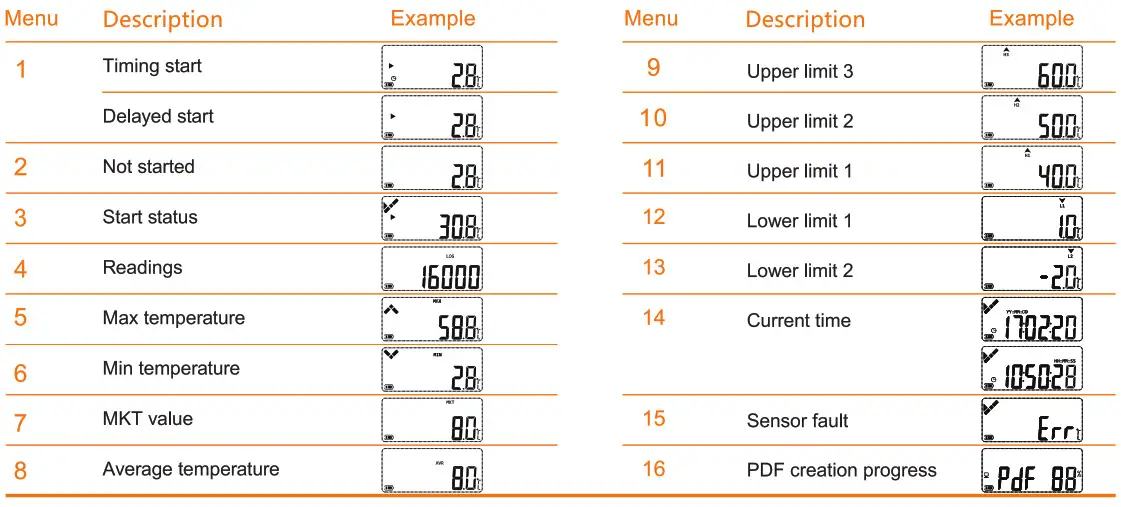
Description of the combined indicators and other status
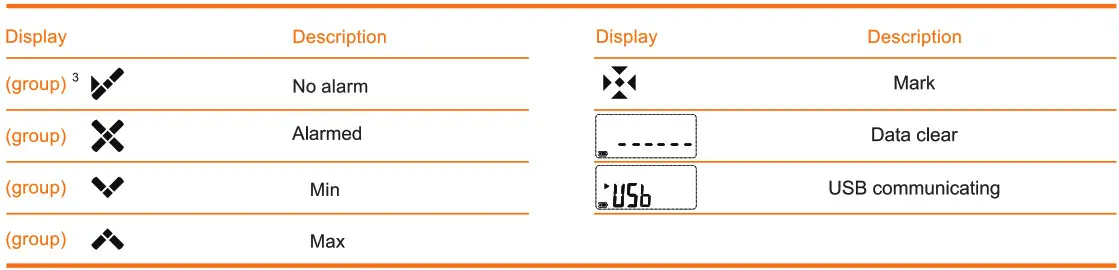
Report
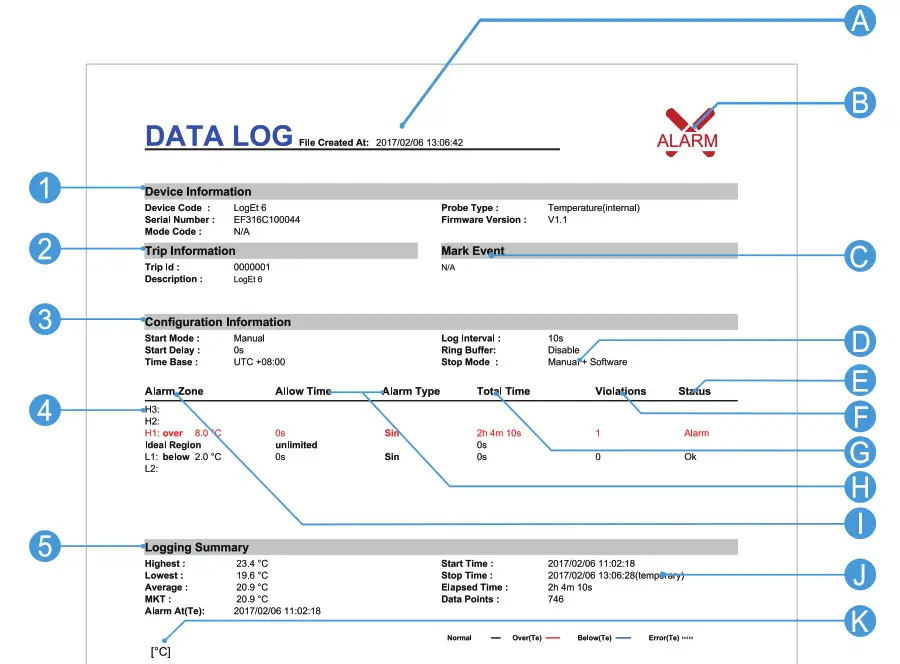
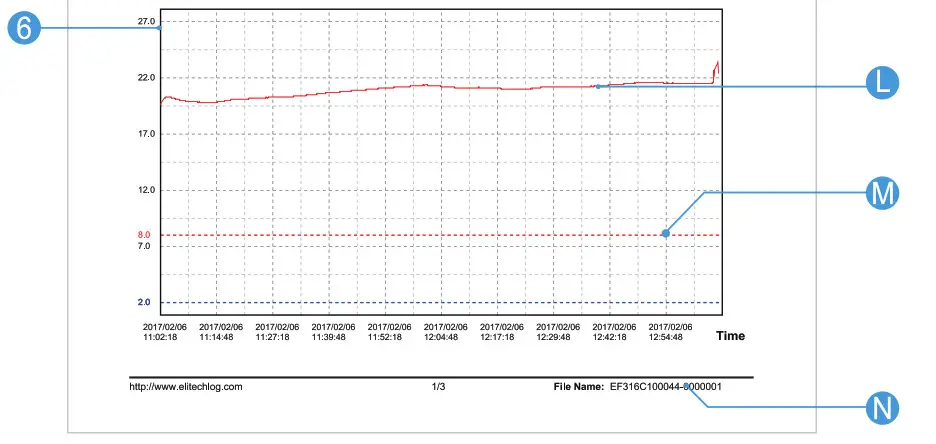
The first page
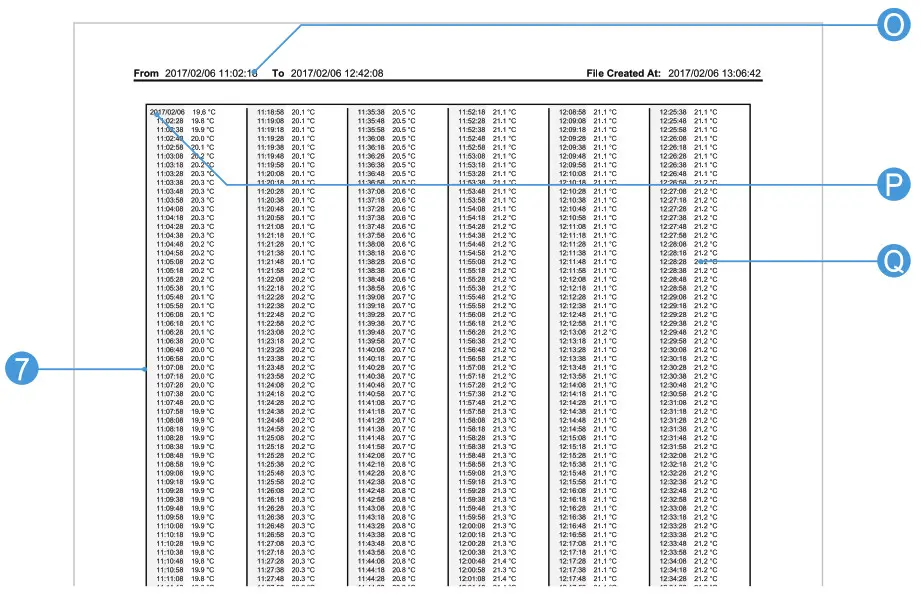
Other Pages
| 1 | Basic information | B | Alarm (Alarm status as shown in the figure above) | J | Actual stop mode (different from the item C) |
| 2 | Description of the usage | C | Mark Event | K | Vertical coordinate unit of the data grap |
| 3 | Configuration information | D | Stop mode that has been set. | L | Record data curve |
| 4 | Alarm threshold and related statistics | E | Alarm status of the temperature alarm zone | M | Alarm threshold |
| 5 | Statistical information | F | Total times of exceeding the temperature alarm threshold | N | Document name (serial number & description of usage ID) |
| 6 | Temperature and humidity graph | G | Total time of exceeding the temperature alarm threshold | 0 | Record time range in the current page |
| 7 | Temperature and humidity data details | H | Alarm delay and alarm type | P | Records when date changes (date & temperature) |
| A | Document creation time (record stop time | Alarm threshold and temperature alarm zones | Q | Records when the date is not changed (time & temperature) |
Attention: The data above is only used as explanation of the report. Please refer to the actual document for specific configuration and information.
Elitech Technology, Inc.
1551 McCarthy Blvd, Suite 112, Milpitas, CA 95035 USA
Tel: (+1)408-844-4070
Sales: [email protected]
Support: [email protected]
Website: www.elitechus.com
Software Download: elitechus.com/download/software
Elitech (UK) Limited
2 Chandlers Mews, London, E14 8LA UK
Tel: (+44)203-645-1002
Sales: [email protected]
Support: [email protected]
Website: www.elitech.uk.com
Software Download: elitechonline.co.uk/software
References
 Software – Elitech UK user ico-collapse ic-cross-line-top ic-expand ic-cross-line-top ic-close-circle
 Index of /download/software
-
UK.COM
-
Elitech UK temperature logger,temperature controller panl - Leader cold chain industry suppliers
-
Elitech temperature data logger - Leader cold chain industry suppliers
 Software – Elitech UK user ico-collapse ic-cross-line-top ic-expand ic-cross-line-top ic-close-circle
 Index of /download/software
 UK.COM
 Elitech UK temperature logger,temperature controller panl - Leader cold chain industry suppliers
 Elitech temperature data logger - Leader cold chain industry suppliers