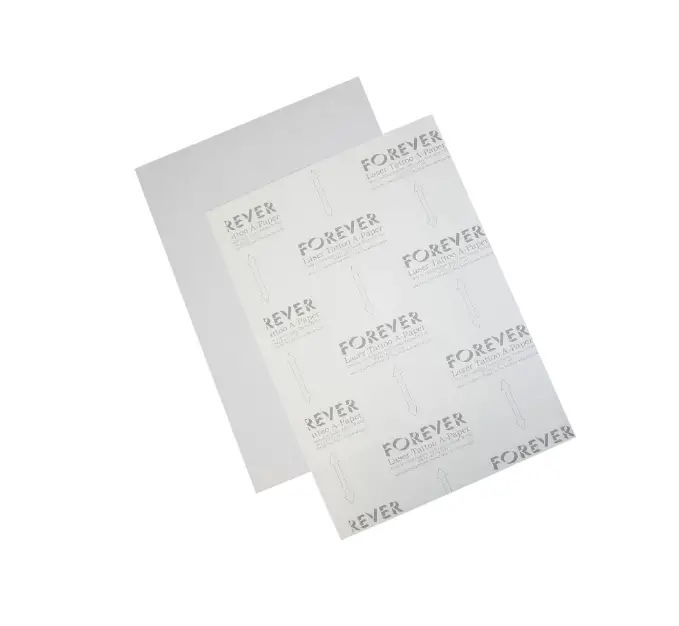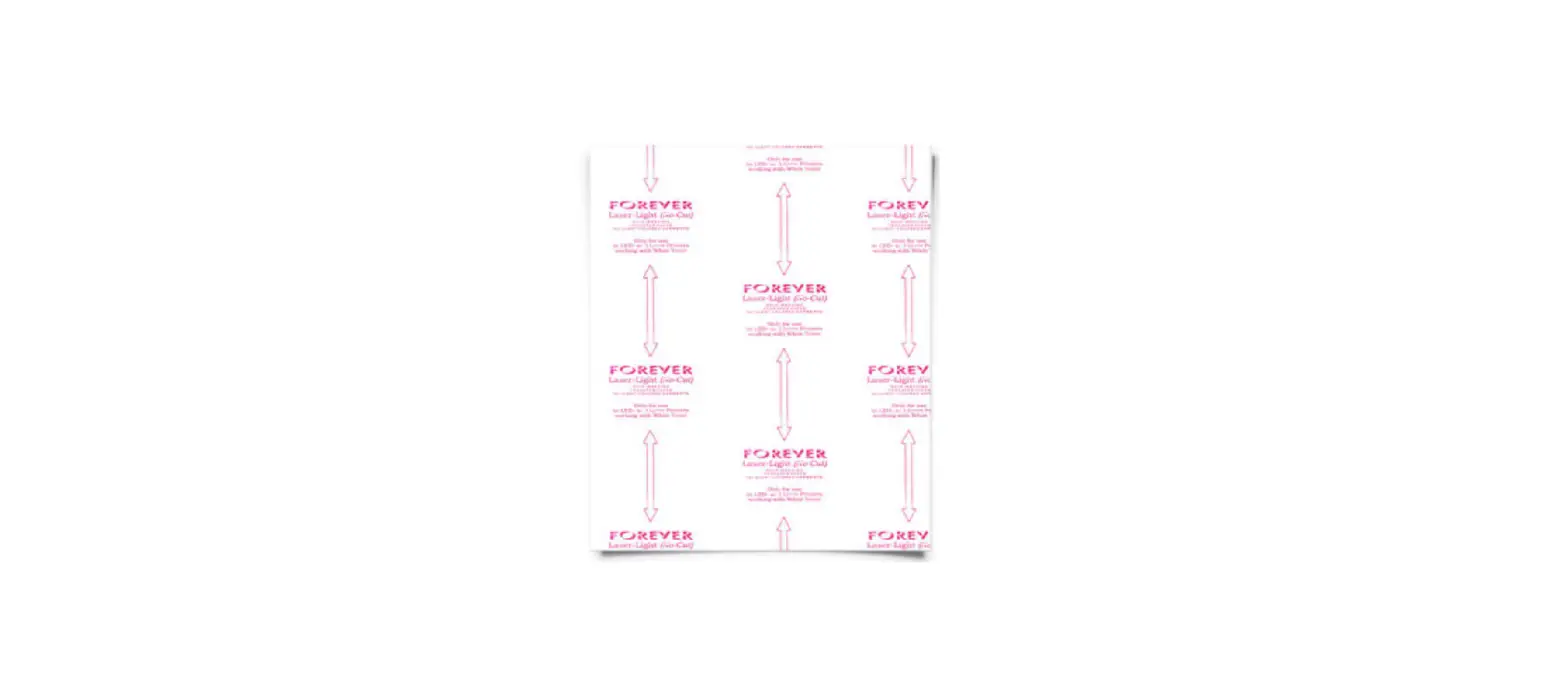

 LASER-DARK (NO-CUT) LowTemp
FOR BLACK & DARK COLORED SURFACES
2-PAPER-SYSTEM
For LED-Printers With & Without White Toner
 SUPPORTED FILE FORMATS
 SUPPORTED FILE FORMATS
Generally, all common file formats can be used when printing with a White Toner OKI printer onto our transfer media. If you are not using TransferRIP, we recommend printing from CorelDraw. CorelDraw can import most of the popular file formats. For example, you can create and save your designs in any Adobe program or create and print directly from CorelDraw. Printing detailed designs from Photoshop requires more effort and is only possible with high-end graphic computers.
PRINTABLE FILE FORMATS: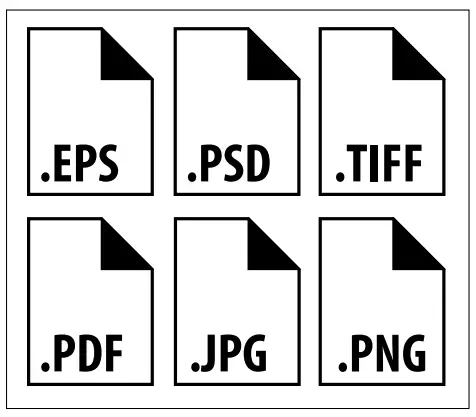

 BEFORE YOU PRINT
 BEFORE YOU PRINT
- Switch on your device.
- Go into the Calibration Menu, select ”Reg. Adjust” and confirm to correct the color registration.
- Print a test design, preferably, with the primary colors Cyan, Magenta, Yellow, and Black/White (if you do not have one at hand, please refer to our website at
www.forever-ots.com) - A worn drum may lead to poor toner coverage. When the message “Image drum near the end of life” appears, we recommend that you observe the print quality of the respective color closely and have a spare drum ready just in case.
IMPORTANT:
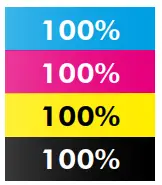
FOR CMYK DESIGNS WITHOUT WHITE TONER
Please note the Color Density (on the right) which is needed to achieve optimal results.

 PRINTER SETTINGS:
 PRINTER SETTINGS:
| USE THE MULTI-PURPOSE TRAY FOR FEEDING AND THE REAR OR SIDE TRAY FOR COLLECTING | OKI ES7411WT/ C711WT/PRO7411WT & OKI ES9420WT/ C920WT/PRO920WT 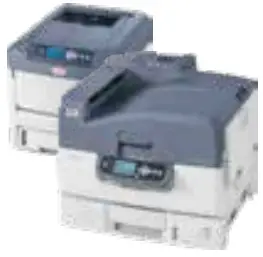 | OKI PRO8432WT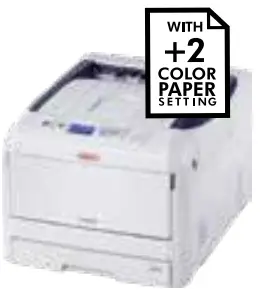 | OKI ES9541DN OKI C941DN 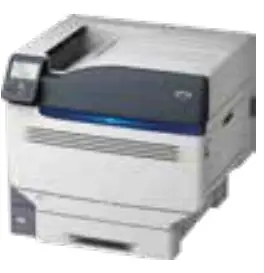 | OKI LED RAVI  | OKI PRO 6410 NEON COLOR 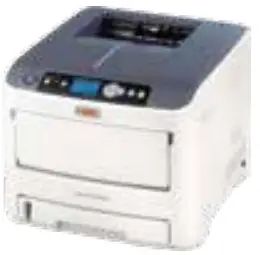 |
| PRINT MODE | Transparency | UserType 1 | Transparency | Transparency | Transparency |
| PAPER FEED | Multi-Purpose-Tray | Multi-Purpose-Tray | Multi-Purpose-Tray | Multi-Purpose-Tray | Multi-Purpose-Tray |
| COLOR SETTINGS: CYAN MAGENTA nacm BLACK | 0 +2 +1 -3 – | COLOR PAPER SETTING: +2 | Use only with FOREVER Transfer 5C | 0 0 0 – 0 | 0 0 0 0 0 |
| 0 0 0 © | |||||
| IMPORTANT! If you use TransferRIP make sure that the printer is set to the factory settings! | |||||
| IMPORTANT: FOR ES7411VVT / C711 WT / PRO7411VVT – If you have used a different print mode other than “transparent foil”, turn off your printer completely for at least 20 Minutes before printing on A-Foil. | |||||
 RASTERIZING PHOTOS & GRAPHICS FOR A SOFT TOUCH
 RASTERIZING PHOTOS & GRAPHICS FOR A SOFT TOUCH
- Why do we recommend rasterization?
Reason: Even photos or designs with a background can be transferred with Laser-Dark (No-Cut) LowTemp. In this case, we recommend rasterizing the design to achieve a soft touch on the fabric. With the help of our “TransferRIP“ software, you can rasterize your design with a few clicks and benefit from many other features.
A rasterized design on the fabric feels even softer than a screen print and has also extremely good wash-fastness. Since the surface is limited to the raster points, a rasterized print has much better washability than a print with larger or full-scale areas.
 TEXTILE SELECTION
 TEXTILE SELECTION
- Always select a less stretchy fabric when working with cotton fabrics (no spandex or lycra).
Reason: This helps to prevent cracking when pulling or stretching the fabric apart.
 TRANSFER PRESS
 TRANSFER PRESS
- If existing, remove the Teflon sheet from the upper and lower plates of your heat press.
Reason: Teflon absorbs too much heat and leads to faulty and inconsistent results. - Make sure that your silicone pad is faultless and is glued to the lower plate.
Reason: If the upper and the lower plate of the heat presses are not touching each other in a purely vertical movement, but also partially in a horizontal (slide) movement, this may lead to an incomplete transfer of the B-Coating to the A-Foil, especially by large, full-scale designs or pictures. This might happen due to a mechanical fault, where the closing device is worn out, loosened, or defective. - Make sure that the press has reached the set temperature on the heat plate. Leave your Swing-Away press closed until the lower metal plate is hot to the touch.
Reason: Only with sufficient heat on both plates, can you get consistent results. We advise that you keep your Heat Press in the closed position when not in use. This keeps the Lower Plate hot and ready for your next application. - The bottom silicone pad of your heat press should not be too soft.
Reason: Extremely Soft silicone pads might lead to problems in the separation of A & B Media. - Always place the transfer media in the middle of your heat press.
Reason: Some heat presses do not have uniform heat and pressure distribution on the edges. The further you go to the edges, the more likely processing errors will occur, due to this lack of pressure on and around these areas.
 SEPARATION OF THE A & B MEDIA
 SEPARATION OF THE A & B MEDIA
- It is necessary to leave the A & B Media on the press during the separation.
Reason: Otherwise, cold air will flow under the media and will cause the transfer to cool down rapidly. If the media cools down too fast, parts of the design may transfer from your A-Foil to the B-Paper LowTemp which is not desired. - Do not separate the A & B Media too fast.
Reason: A too-fast separation may lead to torn-out areas on round edges or other critical areas in your design. - Separate the A & B Media in a flat and constant motion.
Reason: The media remains flat on the press and the separation works perfectly. - Please note the following information during the separation of print-outs from the OKI ES9541DN/C941DN:
The CMYK colors consist of polymer toner. This kind of toner stays longer hot than crushed toner which is used in the other OKI White Toner Printers. Therefore it is important to rub strongly with a piece of textile for 3-5 seconds all over the B-Paper to remove some residual heat, before starting the separation of A and B.
 TRANSFER TO THE SUBSTRATE
 TRANSFER TO THE SUBSTRATE
- Tape all four corners of the transfer (A-Foil) with heat-resistant tape.
Reason: While opening the press or removing the textile from your press, it may happen that the corners of the A-Foil lift up from the fabric. This leads to undesired hot-peeling and to incomplete and faulty edges.
 AFTER THE PRESS PROCESS
 AFTER THE PRESS PROCESS
- Peel the A-Foil when absolutely cold.
Reason: If you remove the A-Foil while still warm, it will lead to an incomplete and faulty transfer.
 WASHING
 WASHING
- Up to 40°C (cold wash cycle). Do not use fabric softener or liquid detergent. Do not tumble dry.
 STORAGE
 STORAGE
- Please store the unprinted media away from dust, moisture, and heat.
The printed A-Foils can often be stored for several months, when not scratched or bent.
The married transfers can also be stored for longer, when protected from dust, moisture, heat, scratches, and bending.
We do recommend storing them in a box or in sealable zip-lock bags.
 PRINT
PRINT
 PRINT
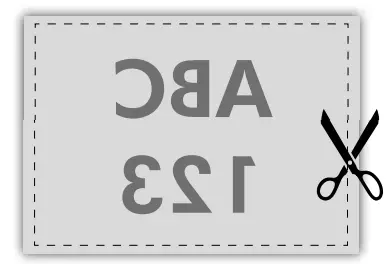
PRINT- Print your design in Mirror Image Mode onto the Matt Side of the A-Foil.
HEAT PRESS
- Place the A-Foil in the middle of the lower plate (Printed side facing up).
- Place the B-Paper LowTemp on top of the A-Foil (coated side facing down).
- Cover with a sheet of Silicone or Baking Paper.
The B-Paper LowTemp can be cut slightly smaller than the A-Foil. This prevents your transfer press from becoming dirty.
NOTE: It is possible that on unprinted areas some kind of white spots are appearing after pressing it with the B-Paper. To avoid that, put 5 sheets of normal copy paper onto the B-Paper.
TRANSFER B-PAPER TO A-FOIL
- Press the A-Foil & B-Paper together at 150°C (300°F) for 90 seconds with 2-3 bar (29-43.5 psi) medium pressure.
Increase the time to 120 seconds for full-scale White
Toner & CMYK designs (see TABLE 1)
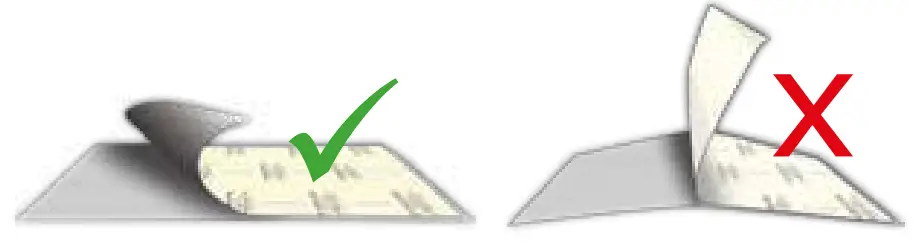
- Separate the B-Paper LowTemp from the A-Foil without lifting them up from the lower plate of your heat press. Please work in a SLOW, LOW & FLUID MOTION.
- Cut around your design to remove the coating frame caused by the bleeding of the B-Paper LowTemp.

APPLICATION TO TEXTILES & OTHER SUBSTRATES
- Place the textile or another substrate on the lower plate of the heat press.
- Fix the transfer by taping the corners of the A-Foil with
Heat Resistant Tape. - Press using the parameters shown in TABLE 2.
- Remove the A-Foil after it is completely cold.

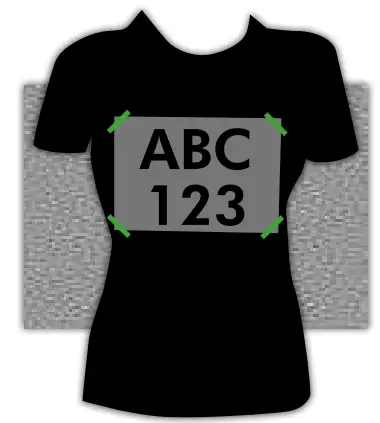
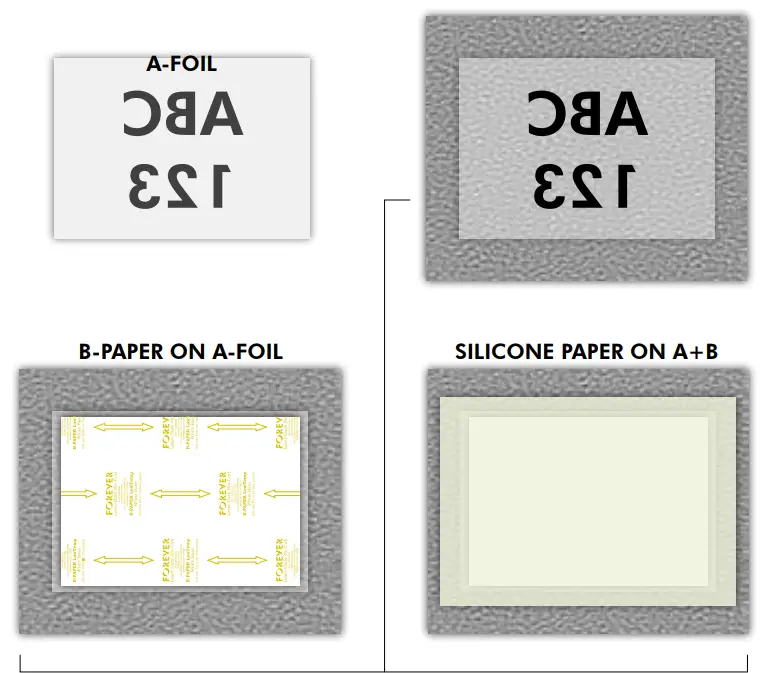 TABLE 1: B-PAPER TO A-FOIL
 |  |  |  |
| OKI WHITE TONER | 150 – 160°C 300 – 320°F | 90 – 120 sec. | 2 – 3 Bar 29 – 43.5 PSI |
| CMYK | 150 – 160°C 300 – 320°F | 120 sec. | 2 – 3 Bar 29 – 43.5 PSI |
IMPORTANT: Different CMYK printer manufacturers use different types of toner. The settings above only reference values! Finding out the optimal temperature and time requires experimentation.
TABLE 2: TEXTILES & OTHER SUBSTRATES
 | |  | |
| COTTON | 150 – 160°C 300 – 320°F | 30 sec. | 2 – 3 Bar 29 – 43.5 PSI |
| POLYESTER | 120 – 130°C 248 – 266°F | 30 sec. | 2 – 3 Bar 29 – 43.5 PSI |
| POLYPROPYLENE | 105°C 220°F | 30 sec. | 2 – 3 Bar 29 – 43.5 PSI |
| BLEND FABRIC | 120 – 130°C 248 – 266°F | 30 sec. | 2 – 3 Bar 29 – 43.5 PSI |
| PAPER/CARTON | 100°C 210°F | 15 sec. | 1 – 2 Bar 14.5 – 29 PSI |
| BOOK COVERS | 110 – 120°C 230 – 250°F | 15 sec. | 1 – 2 Bar 14.5 – 29 PSI |
| WOOD | 130°C 266°F | 30 sec. | 2 – 3 Bar 29 – 43.5 PSI |
| NYLON* | 150°C 300°F | 30 sec. | 2 – 3 Bar 29 – 43.5 PSI |
FIXING
- It is important to repress the transfer properly to soften the touch and increase washability.
- For a Matte Finish use our “FOREVER Matte Finish Economy” and press for 30 seconds with temperature and pressure as indicated in TABLE 2.
- For a Glossy Finish use our “FOREVER Glossy Finish” Paper and press for 30 seconds with temperature and pressure as indicated in TABLE 2.
* Pre-press the material for 30 seconds!
FINISHING WITH HOT STAMPING FOILS
ONLY FOR LASER-DARK (NO-CUT) A-FOIL & OKI WHITE TONER PRINTERS
TRANSFER SETTINGS:
 | | | |
| B-PAPER TO A-FOIL | 155°C / 310°F | 90 sec. | 2-3 Bar / 29-43.5 psi / medium pressure |
| TRANSFER TO TEXTILE | 155°C / 310°F | 5 – 10 sec. | 2 Bar / 29 psi / low pressure |
| HOT STAMPING FOIL | 155°C / 310°F | 30 – 45 sec. | 5 Bar / 72.5 psi / high pressure |
FINISHING WITH HOT STAMPING FOILS:
PREPARATION OF THE TRANSFER:
- Print your design using CMYK BLACK (4-Color-Black*) & Press with B-Paper (See Table above).
- Separate the B-Paper from the A-Foil while HOT, in a Slow, Low & Fluid Motion.
- Cut around your transfer to remove the coating frame.
TRANSFER TO TEXTILE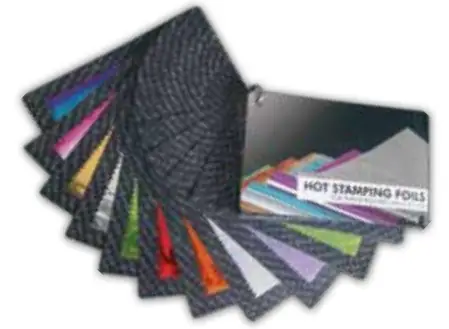
- Place the transfer on your textile & press together (See Table above).
- Wait until the textile has completely cooled down, BEFORE removing the A-Foil!
APPLYING THE HOT STAMPING FOIL - Place the desired sheet of Hot Stamping Foil on your design, cover it with a sheet of Matt Finish Economy & press together (See Table above).
- Wait until the Hot Stamping Foil has completely cooled down, BEFORE removing.
- Wash resistant up to 40°C (Cold Wash Cycle).
TIP: Use a textile to rub over the finished design to remove left-over HSF particles!
* 4-Color-Black consists of 100% Cyan, 100% Magenta & 100% Yellow!
ATTENTION: We recommend Swing-way and Pneumatic Presses! It is important to use heavy pressure for the best results!
www.HeatPressNation.com
[email protected]
PHONE: 1-800-215-0894
 Homepage - FOREVER GmbH
 HeatPressNation.com - Digital Heat Press Transfer Machines