
Apps TrackerHome Platform Migration Application
REGISTER ACCOUNT AT NEW PLATFORM
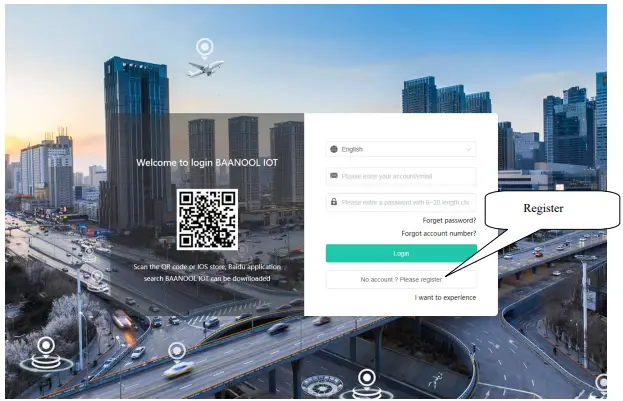
- New platform website http://www.baanooliot.com

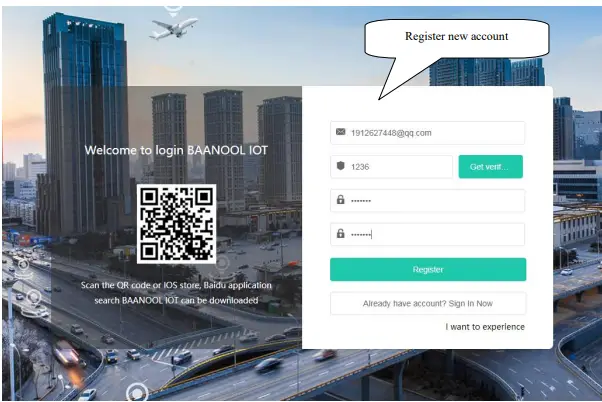
- Fill in email and password

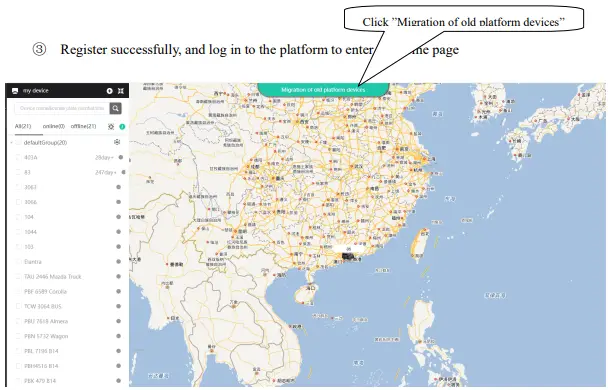
- Register successfully, and log in to the platform to enter the home page

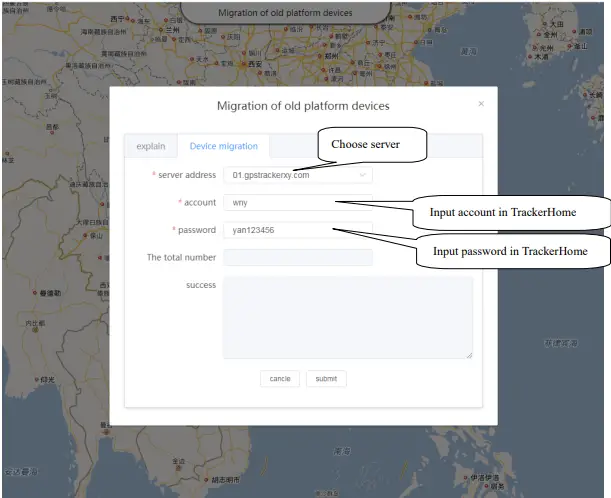
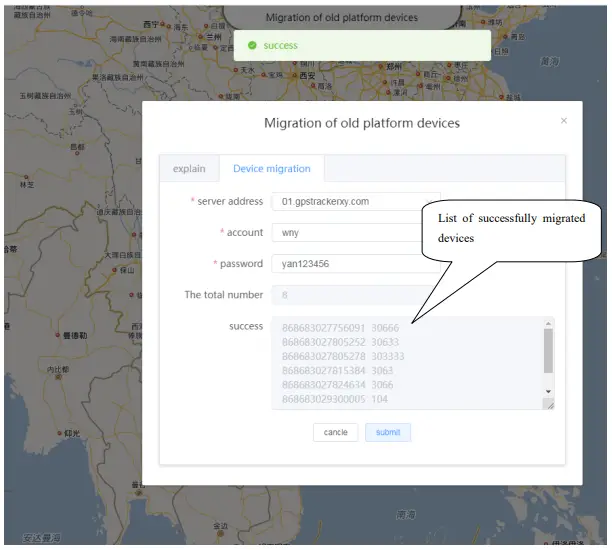
- Select the server in TrackerHome you used before and fill in the account information

Click submit ””, and you will see the device number and device name that have been successfully migrated
SEND SMS COMMAND TO SET DNS OF THE NEW PLATFORM
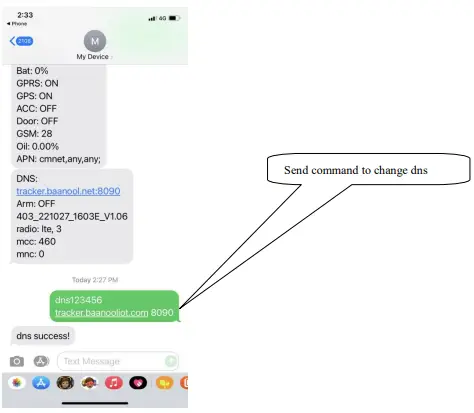
- Command:dns+password+space+tracker.baanooliot.com+space+8090
- e.g: dns123456 tracker.baanooliot.com 8090

If there is any problem with the operation, please contact us by email:[email protected]
 BAANOOL IOT