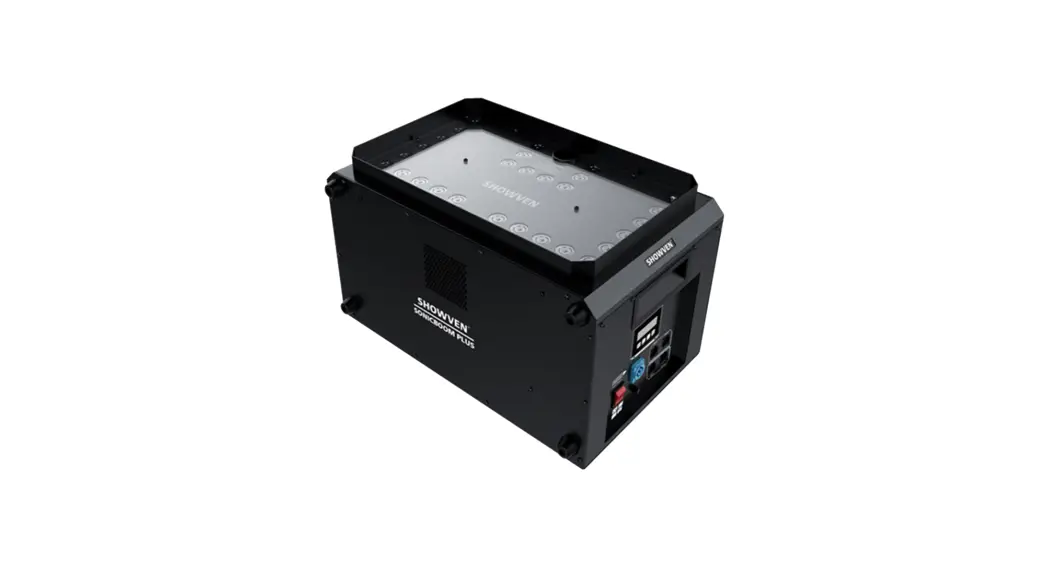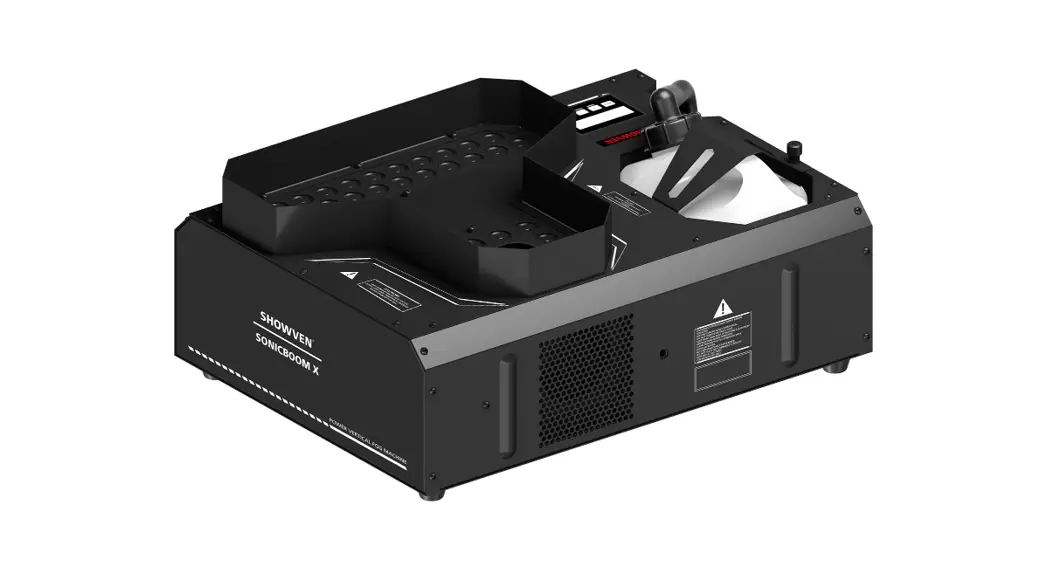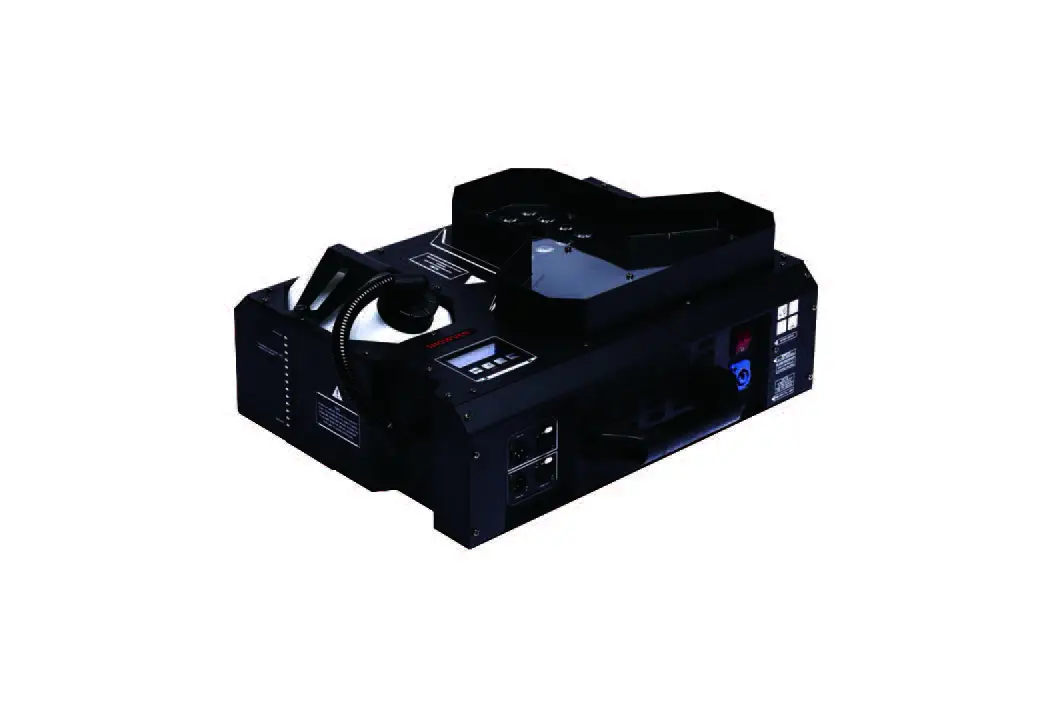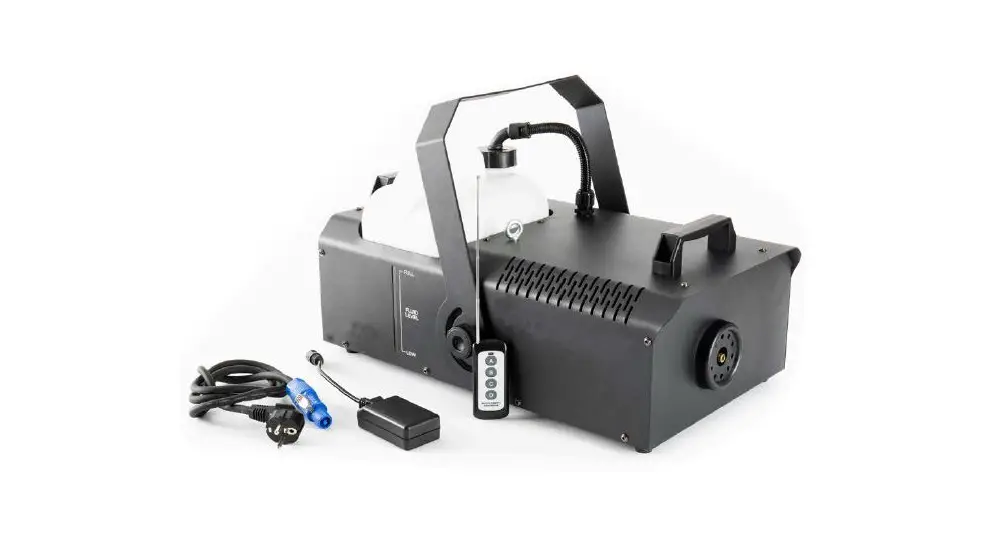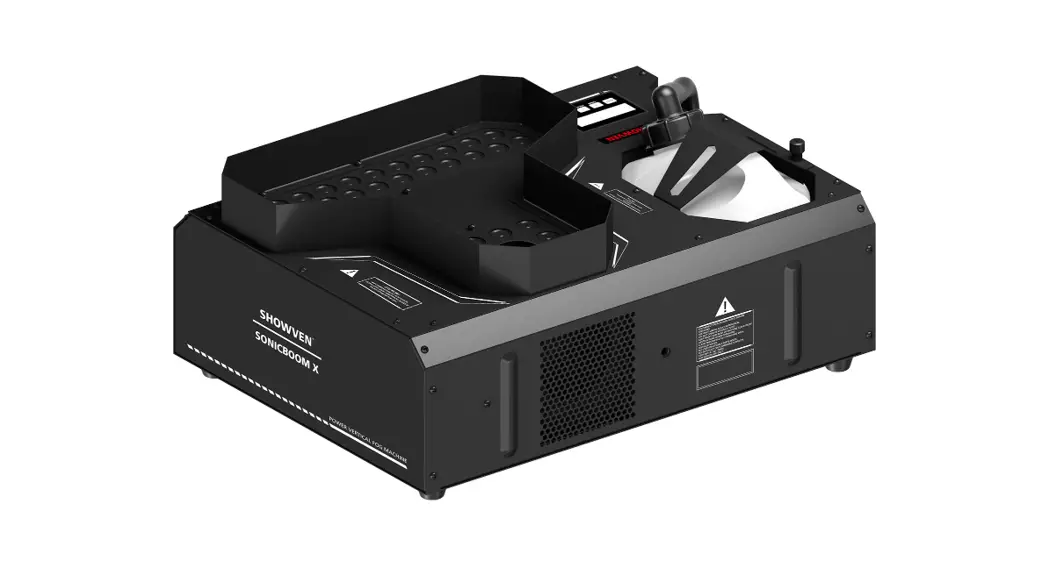

SONICBOOMTM SMOKEJET USER MANUAL
V1.0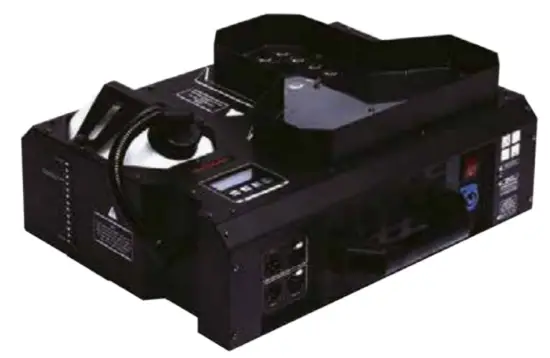
Shown Technologies Co., Ltd.
▲Foreword
Thanks for choosing SHOWVEN SONICBOOM™ SMOKEJET.
Please read the following manual carefully and completely before operating this product. Operating according to instructions is very important for safety, and can elongate the service life of the machine.
▲Product Description
- Since the introduction of SMOKEJET, it is used in more and more shows to generate a smoke column effect instead of a cumbersome CO2 jet.
- In order to solve the problem of lack of explosive force of present smoke jet on market, SHOWN adopting pipeline integration technology on SONICBOOM, ensure stronger smoke burst.
- A unique constant pressure system, guarantee consistent smoke effect.
▲Functional Characteristics
》Independent smoke column color change
》Patented pipeline integration technology, ensure 0.3s instant smoke burst
》Automatic constant pressure design, highly consistent smoke effect
》220V version SONICBOOM Support 1500W half power mode, easier main power supply.
》Over temp. alarm, no fuel alarm, over-voltage alarm, etc. multi safety status monitoring. Safer for use, easier for maintenance.
》Support manual operation on the machine control panel
》DMX control, 11 channels and 1 channel optional
》Only use SHOWVEN original FX-S/FX-ST fog fluid, other fluids may lead to clogging or malfunction.
》FX-S is a quick dissipating fog fluid, the smoke dissipates in seconds, it is the perfect choice for creating an instant smoke column.
》FX-ST is specially designed to generate a sonic boom effect, suggest to use on SONICBOOM X for short time (less than 2s) effects, the dissipating time is a little longer than FX-S.
▲Technical Specifications
| Model | SONIC BOOM” / SONICBOOM” X |
| Power Input | 220V version: AC220V-240V 50/60Hz 110y version: AC100V-120V 50/60Hz |
| Fuse | 15A/250V |
| Work Power | 220V version: 3,000W/1500W (Half power mode) 110V version: 2000W |
| LED Power | 5W x35PCS |
| Heat-up Time | 220V version: 5min 1 10V version: 7min |
| SONIC BOOM Mode | YES for SONICBOOM X |
| Max Continuous Output Duration | 8s |
| Output | 55000cuft/min |
| Max Output Height | 10m |
| Tank Capacity | 2.5L |
| N.W. | 17.2Kg |
| G.W. | 19Kg |
| Machine Size | 482x408x215 (mm) |
| Package Size | 560x480x280 (mm) |
| DMX Channel | 11/1 |
| Consumable | FX-S/FX-ST |
▲Safety Information
》Unauthorized repairs are prohibited, they may cause a serious incident.
》This product is not waterproof design, please keep it dry, please do not use it when there is fog fluid leakage or wet from the rain.
》Make sure the power supply is inconsistent with the rated voltage of the equipment, and the socket must be well-grounded. Unplug and turn off the machine when not used.
》For adult use only, keep it away from fire, inflammable and explosive articles.
》Installed in a well-ventilated area, ensure at least 50cm space around the machine, cover of the nozzle is forbidden.
》If the machine fails to work, please stop operation and unplug the machine. Check fog fluid, fuse, power connection, etc. carefully, it can’t solve the problem, please contact SHOWVEN or your local SHOWN partner for advice.
》Only use SHOWVEN original FX-S/FX-ST fog fluid, other fluids may lead to clogging or malfunction. Please do not add any other material such as pigment, water, etc to the fuel bottle.
》To avoid fluid spill, make sure fog fluid does not exceed the related MAXIMUM fluid level line. When installing the SONIC BOOM in an invert direction, the fuel bottle should be installed upward.
》In case of eye contact with fog fluid, please wash it with clean water. If the fluid is swallowed immediately look for medical advice.
▲Operation
- Please read the above safety information carefully before operating the machine.
- Fill the fluid tank with SHOWVEN original fog fluid, and pay attention to the maximum fill level.
- Connect the machine to a suitable rated power supply, due to the work power being relatively high, please ensure the power supply meets the requirement.
- Turn on the machine, it heats up automatically and shows “warm-up” on the LCD screen.
- Once the machine has reached operating temperature, “Warm-up” disappears and the temperature reached around 100%, pressure at around 100%. Now the machine is ready for operation.
- After each firing, wait a few seconds to start the next firing and allow the pressure and temperature are stable.
“MENU”: switch through the setup menu
“+”: Parameter up; multiplex “TIMER” (smoke output time)
“-”: Parameters down; multiplex “VOLUME” (smoke output start)
“ENTER”: confirm and save parameters (screen will blink once when save successfully); multiplex “STOP”.
NOTE: Screen will switch to the main interface automatically if not press any button in a long time.
a) Main Interface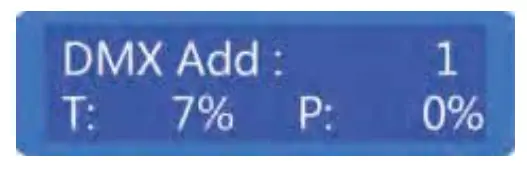
First Line: DMX address, “:” blinks when there is a DMX signal.
Second Line: shows machine core temperature T and pressure P. The machine is ready for operation only when both temperature and pressure values are close to 100%.
Error information:
| Error information | Explanation |
| E0 System IC | Circuit fault |
| E1 Pressure | Pressure faults, no fog fluid or pump error |
| E2 K temp. Sensor | Temperature sensor fault |
| E3 Evacuate | Evacuate fuel pipe fault |
| E5 Temp Over | Circuit fault |
| E6 Heat Fail | Heating element damage or circuit fault |
Example of the “TIMER” setting function in the menu:
① “set interval 10s”
② “set duration 2s” SONIC BOOM will repeat: firing 2s, the interval of 10s, firing 2s, interval 10s.
Press the “VOLUME” button under the main interface, SONICBOOM activated and start to generate smoke, and press “STOP” to stop the machine.
b) Setting Menu
Press the “MENU” switch through the setup menu.
| Items | Range | Explanation |
| DMX 512 Address | 1~506 | Set DMX address |
| Power Regulation | Standard/Half Power | Setting working power for the machine |
| Color Optional | 0~10 | LED color set when manual firing |
| SonicBoom Mode | Regular mode/Sonicboom mode | Setting working mode |
| Single Channel | ON/OFF | Single-channel mode set |
LED color setting:
| 0: LED OFF | 1: RED | 2: GREEN | 3: BLUE | 4: PINK |
| 5: PURPLE | 6: ORANGE | 7: YELLOW | 8: SKY BLUE | 9: WHITE |
Above setting disabled when using DMX console, LED color determined by setting on console. When choosing 1 channel mode, the LED color is determined by a single channel, DMX value, and related color as below:
| Color | SMOKE OFF | RED | GREEN | BLUE | PINK | PURPLE | ORANGE | YELLOW | SKY BLUE | WHITE | Random | LED OFF |
| DMX value | 0-40 | 41-60 | 61-80 | 81-100 | 101-120 | 121-140 | 141-160 | 161-180 | 181-200 | 201-220 | 221-235 | 236-255 |
c) Advanced Interface
Press “MENU” for 3s, enter the advanced setting interface
| Item | Value | Explanation |
| Manual Evacuate | ON/OFF | Manual Evacuate when pressure is always insufficient |
| Interval Set | 0-200 | Interval time |
| Duration Set | 0-8 | Smoke output duration |
| Wireless Remote | ON/OFF | Wireless ON/OFF switch |
| Language | Chinese/English | Language switch |
| Manual Pump | ON/OFF | For maintenance |
▲ DMX Channel
11 DMX channels for SONIC BOOM.
| Channels | Function |
| Channel 1 | Firing: (0-9) OFF, ( 10-255) ON |
| Channel 2 | Inner LED RED: (0-9) OFF, (10-255) LED brightness increase |
| Channel 3 | Inner LED GREEN: (0-9) of, (10-255) LED brightness increase |
| Channel 4 | Inner LED BLUE: (0-9) OFF, ( 10-255) LED brightness increase |
| Channel 5 | Outer LED RED: (0-9) OFF, (10-255) LED brightness increase |
| Channel 6 | Outer LED GREEN, (0-9) OFF, (10-2551) LED brightness increase |
| Channel 7 | Outer LED BLUE, (0-9) OFF, (10-255) LED brightness increase |
| Channel 8 | LED Random: (0-9) OFF, (10-255) LED random color, use together with channel 9. |
| Channel 9 | LED color change speed: (0-9) of, (10-255) LED color change speed increase |
| Channel 10 | LED strobe: (0-9) OFF, (10-255) LED strobe increase |
| Channel 11 | LED dimmer, (0-9) OFF, (10-255) LED brightness increase |
NOTE: Manual function disabled when DMX connected.
▲ E1 Pressure error explanation
In order to protect the pump, SONICBOOM will run a self-check program to find out whether there is fog fluid in the fuel pipe.
- E1 pressure error activation
When there is no fog fluid in the fuel tank, the system can not reach preset pressure or even turn on for a long time. The pump will stop working, and report E1. - Way to clear the E1 error
① Fill the fog fluid tank, then restart the machine.
② Press “VOLUME” to reset.
③ DMX Channel 1, start a firing.
▲ Upside-down installation
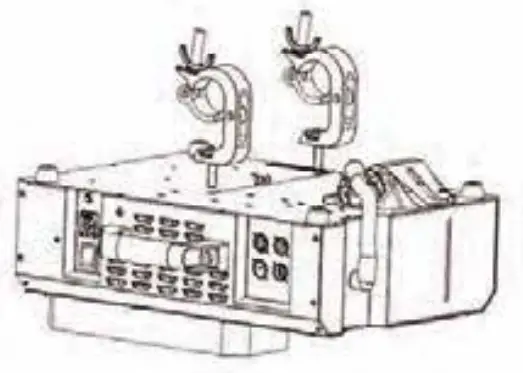
For upside-down installation, please remove the bottom panel of the fluid tank, and installed it on the other side (top panel), the fluid tank should be installed upward as below picture. For safety, hanging installation should install a safety rope.
▲ Maintenance
- Use SHOWVEN original fog fluid for the best effect of SONIC BOOM. The warranty will be void if any other type of fluid is used.
- Don’t disassemble the machine from an unauthorized person, modifications to the machine are not allowed.
- Excessive dust, liquid or dirt, etc on the equipment will affect the performance of the machine and cause poor heat dissipation. Remove dust with an air compressor, vacuum, or soft brush. Use a damp cloth to clean the case.
- Before storing the machine, run distilled water through the system to help avoid condensing the pump or heater.
- To keep the best status and performance of the machine, it is recommended to run the machine at least once per month.
- After continuous use of 40h (or 1-2month), please use 35% vinegar with 65% distilled water to wash the pump and pipe system by running the machine 10-15 times.
Warranty Instructions
▲Sincere thanks for your choosing SONICBOOM™ SMOKEJET, you will receive quality service from us.
▲The product warranty period is one year. If there are any quality problems within 7 days after shipping out from our factory, we can exchange a brand new same model machine for you.
▲We will offer free-of-charge maintenance service for machines with hardware malfunction (except for the instrument damage caused by human factors) during the warranty period. Please don’t repair the machine without factory permission.
★Below are situations NOT included in warranty service:
- Damage caused by improper transportation, usage, management, and maintenance, or damage caused by human factors;
- Disassemble, modify or repair products without Showven’s permission;
- Damage caused by external reasons (lightning strike, power supply, etc);
- Damage caused by improper installation or use;
For product damage not included in the warranty range, we can provide paid service.
★An invoice and warranty card are necessary when applying for maintenance service from SHOWN.
Warranty Card
| Product Name: | Serial No. | ||
| Purchase Date: | |||
| Tel: | |||
| Address: | |||
| Problem Feedback | |||
| Actual Problem: | |||
| Maintenance Detail: | |||
| Service Engineer: | Service Date: | ||

Shown Technologies Co., Ltd
Add: Building B1, Changsha E-center No.18, Xiangtai Road, Economic & Technology
Development Zone, Hunan, China
Tel : +86-731-83833068
Web: www.showven.cn
E-mail: [email protected]
 Vendita Luci per Palco, Americane, Fari LED Teatro a Pubblica Amministrazione e Professionisti
 Founder of Sparkular, Sparkular Machine Maker | Showven