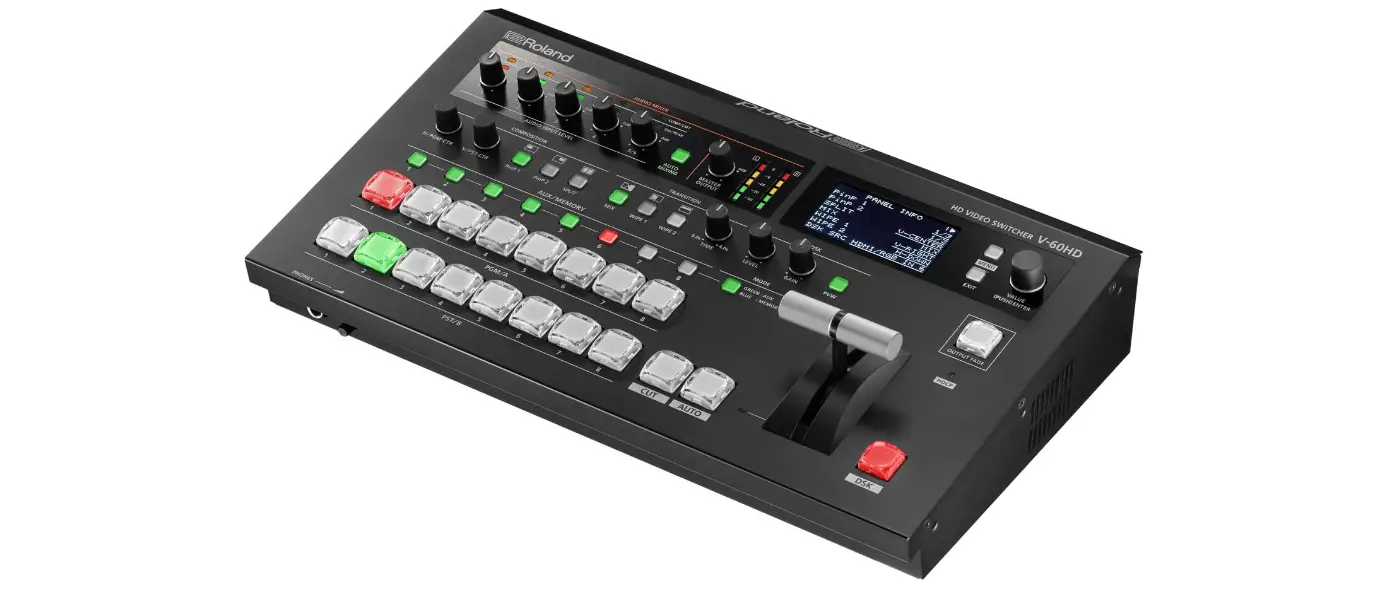

Roland V-60HD HD Plug-n-Play Video Switcher with Audio
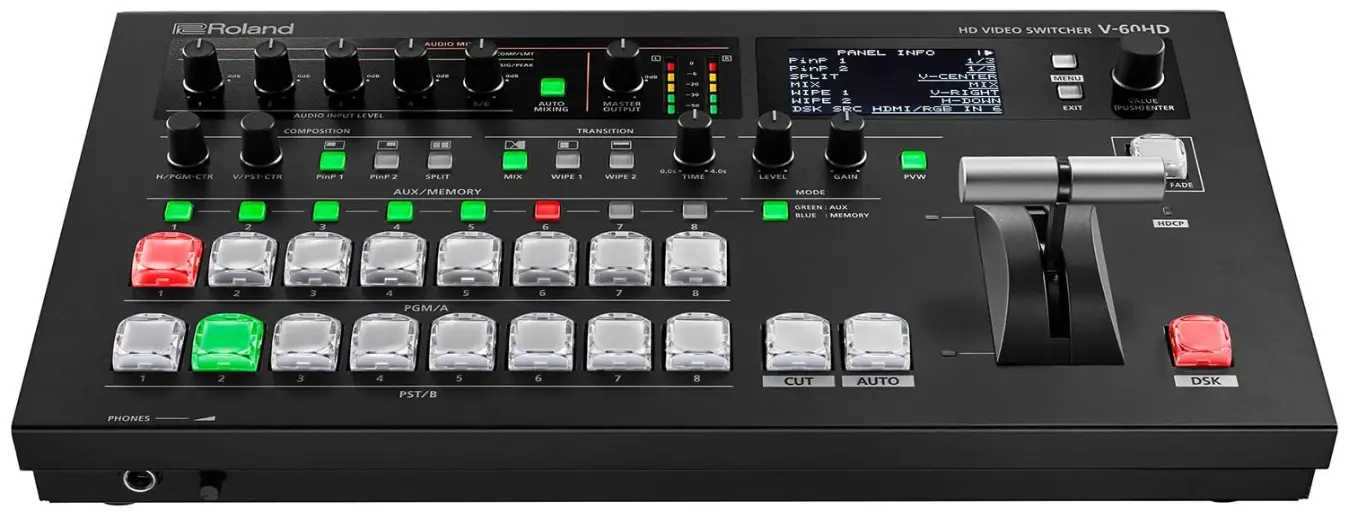
HD Video Switcher

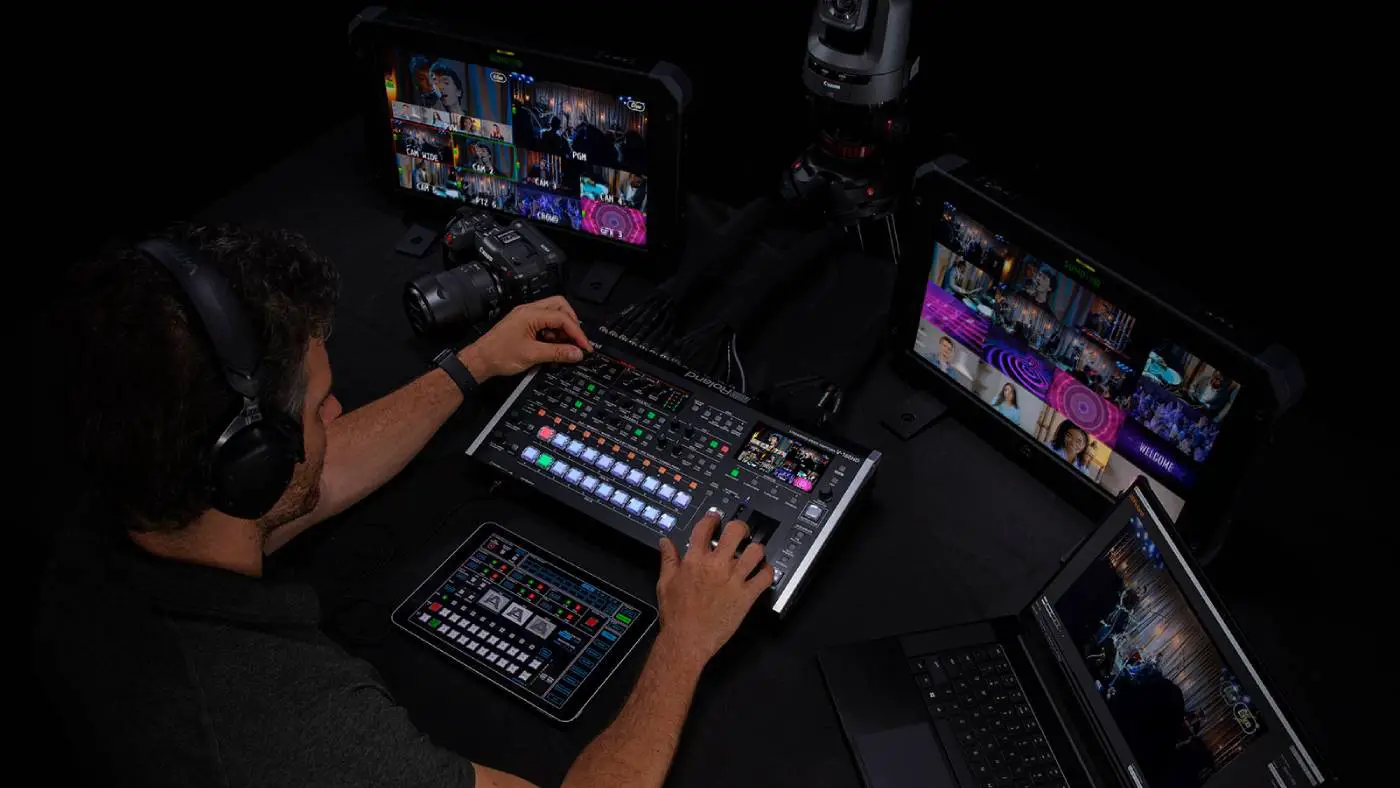
Plug-n-Play Production Switcher with Audio for Live Event and Streaming
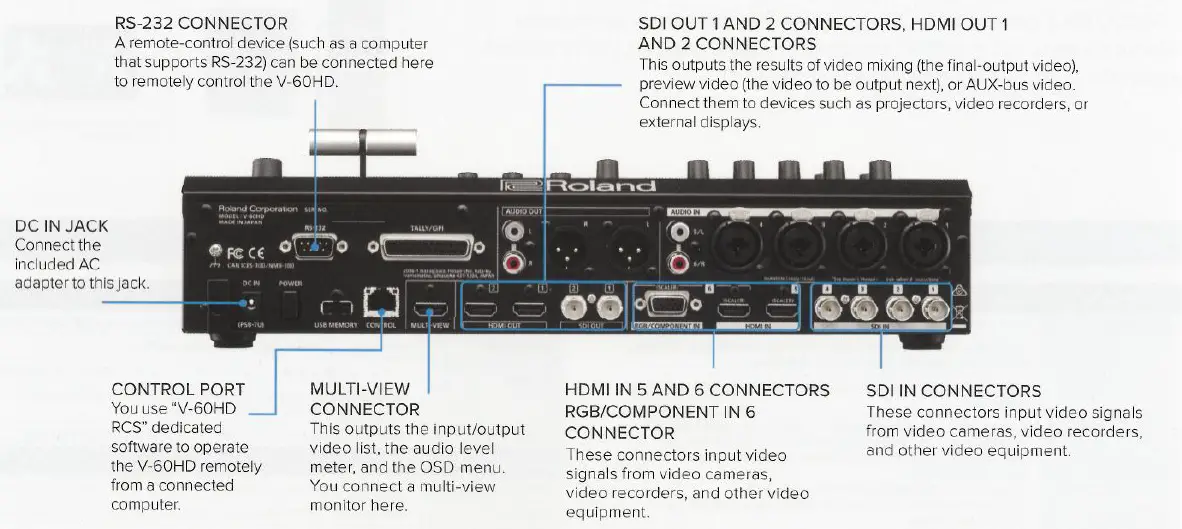
- 4 SDI Inputs (with de-interlacer)
- 2 HDMI Inputs (scaled)
- 1 RGB shared with HDMI input 6 (scaled)
- 2 SDI Outputs -Assignable to PGM, PVW, AUX
- 2 HDMI Outputs -Assignable to PGM, PVW, AUX
- 1 Multiview Outputs -Program, Preview, plus 8 video sources with Audio meters
- LAN -Remote control and Smart Tally
- RS-232 -Remote control
- USB Port -Still Image Upload, Saving Program Files
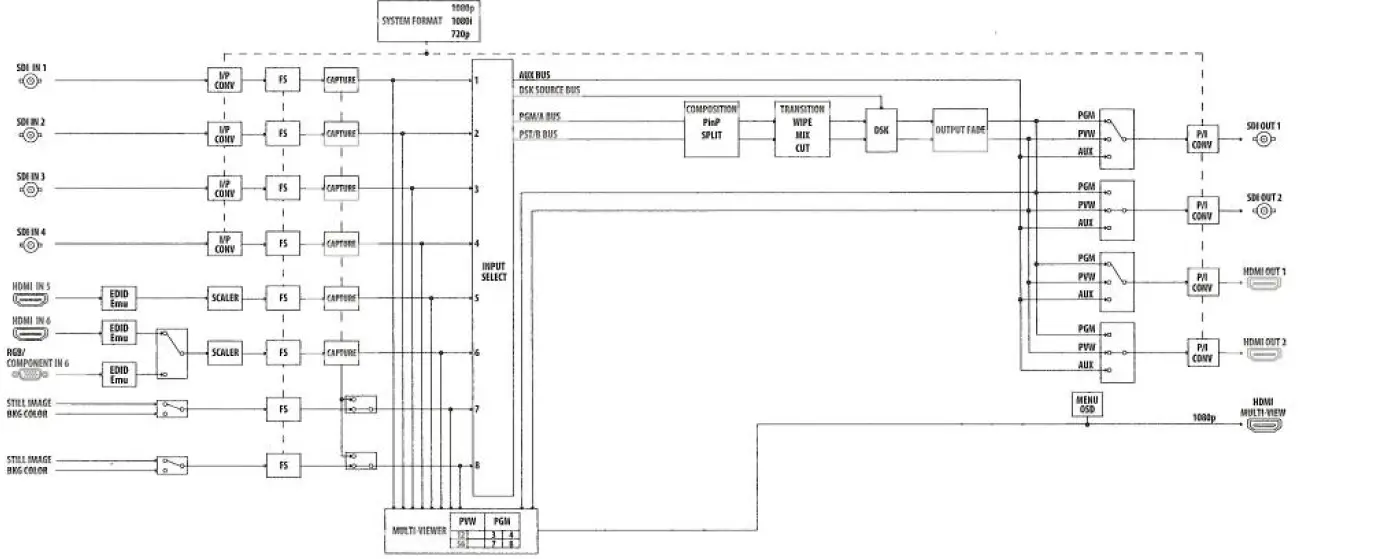
BLOCK DIAGRAM
AUDIO 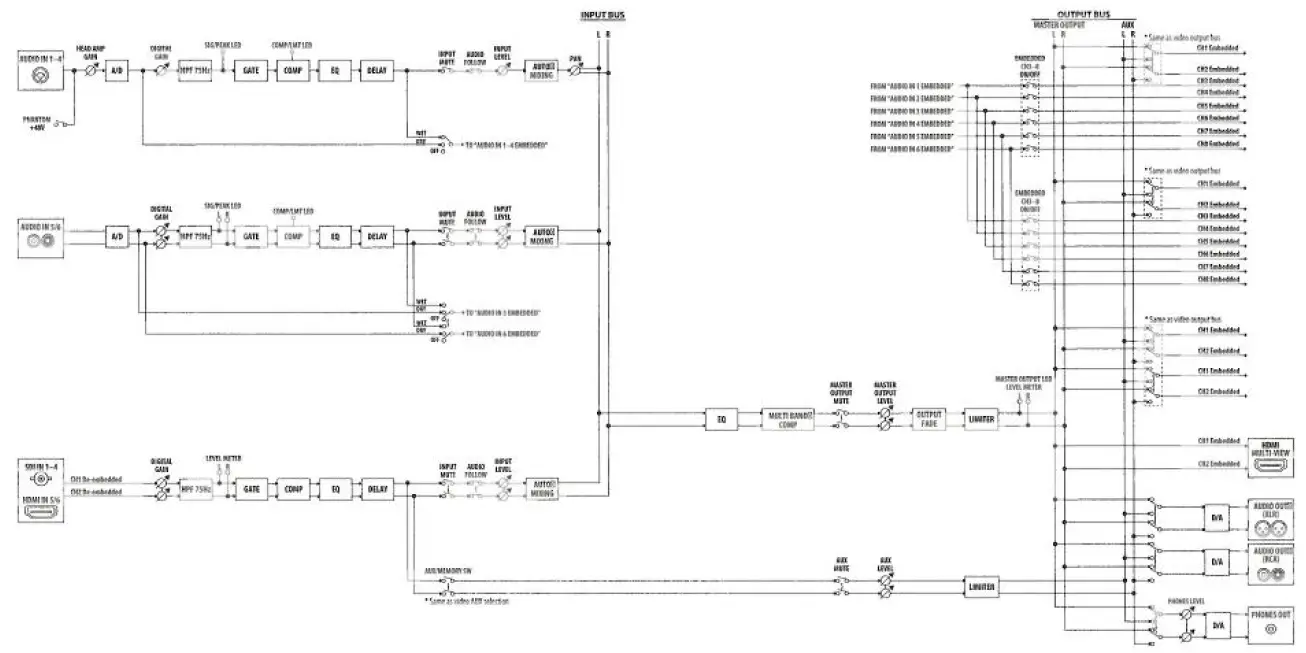
VIDEO 
Smart Tally 
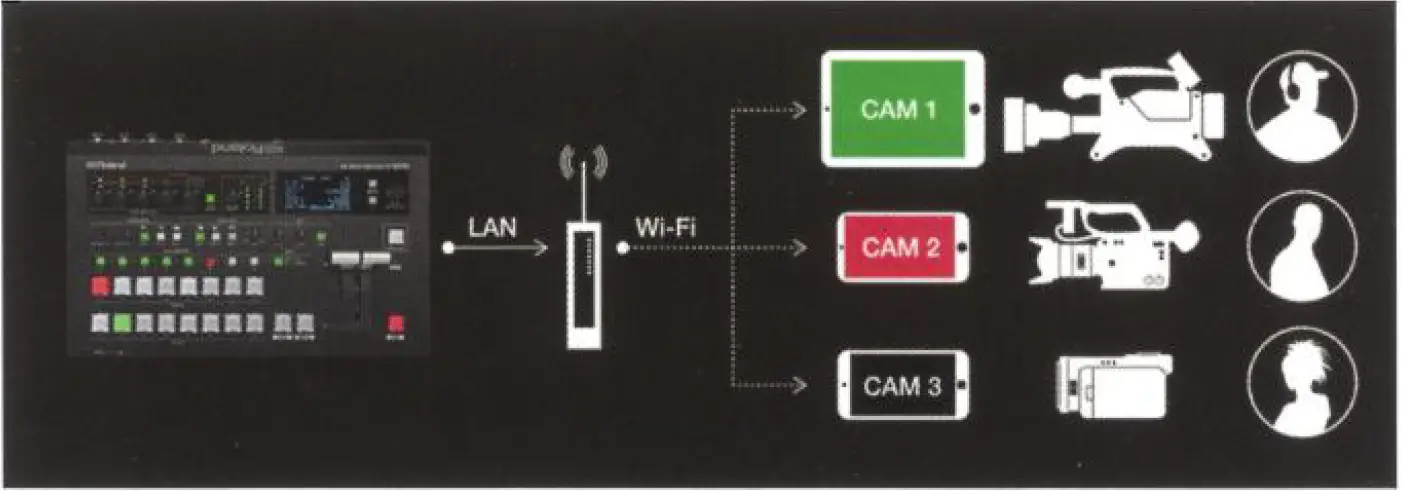
Roland’s unique and proprietary wireless tally system uses a wireless LAN router connected to the V-60HD to send tally information to iOS or Android devices on the network.
Remote Control
An easy-to-use software application V-60HD RCS for Mac
or PC provides setup and control information for the Roland V-60HD through a network port. The V-60HD is equipped with an RS-232 port for control and operation remotely from a touch panel or other programmable interface device.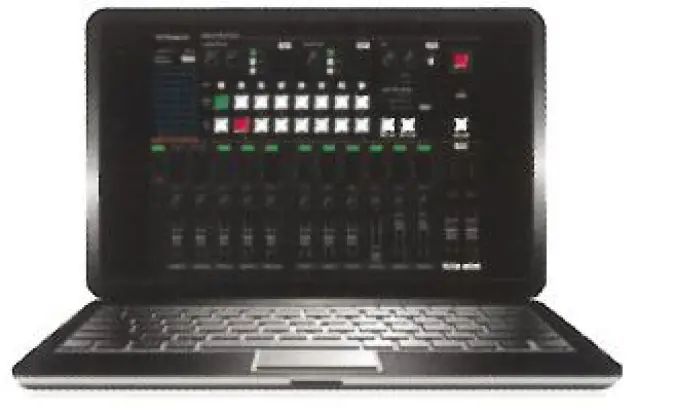
AUDIO
Audio Mixer with preamp and dynamics Discrete Multi-Channel Audio Embedding
The V-60HD powerful preamp and dynamics effects include a high-pass filter, gate, compressor, 3-band EQ, delay and ability to select audio follows video channel so audio passes through when a specific video source is selected. Dynamics can be adjusted from the onscreen menu or accessed through the powerful Remote-Control Software for Windows or Mac.
Auto mixing
The included Auto-Mixing function ensures the correct mix for multiple panel participants at conferences by automatically adjusting levels across multiple audio sources. A priority weighting assignment that is channel specific can be set giving the moderator or priority audio channel a higher volume level while using the Auto-Mixing function allowing the operator to focus on video switching and production.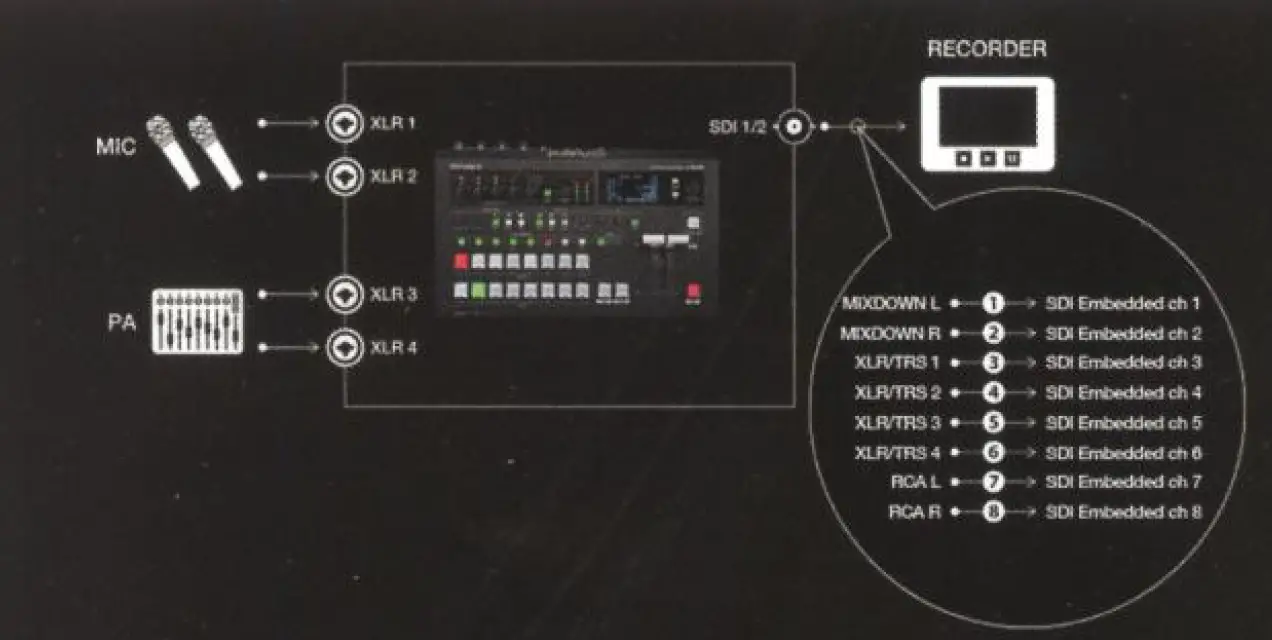
Assign up to eight analog audio inputs a separate audio embed channel on SDI 1 and 2 outputs, for a separate mix pre-effect (dry) or post-effect (wet) for correcting audio problems post live event.
VIDEO
The V-60HD simplifies your set-ups and combines the best of both worlds that includes SDI inputs for camera sources and scaled HDMI inputs for data, computer, tablet and other video sources. The combination of powerful audio features that include multi-channel embedded audio, XLR and RCA analog inputs, de-embedded audio from digital SDI or HDMI sources plus a variety of video connections with a Program and
Aux Bus makes the V-60HD ideal for a variety of live event production and streaming applications. 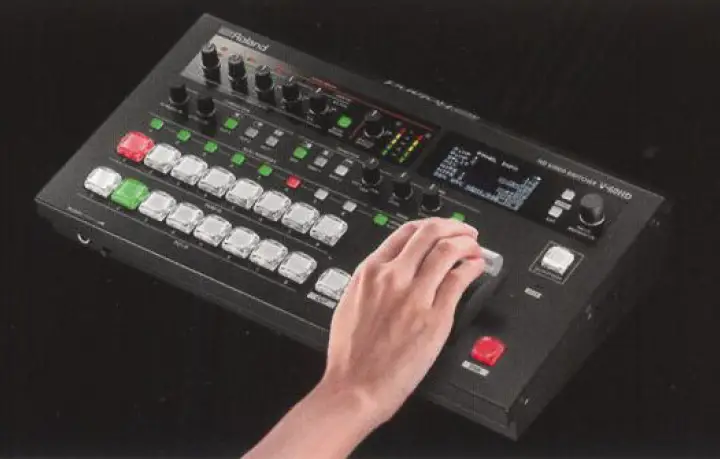
Video composition
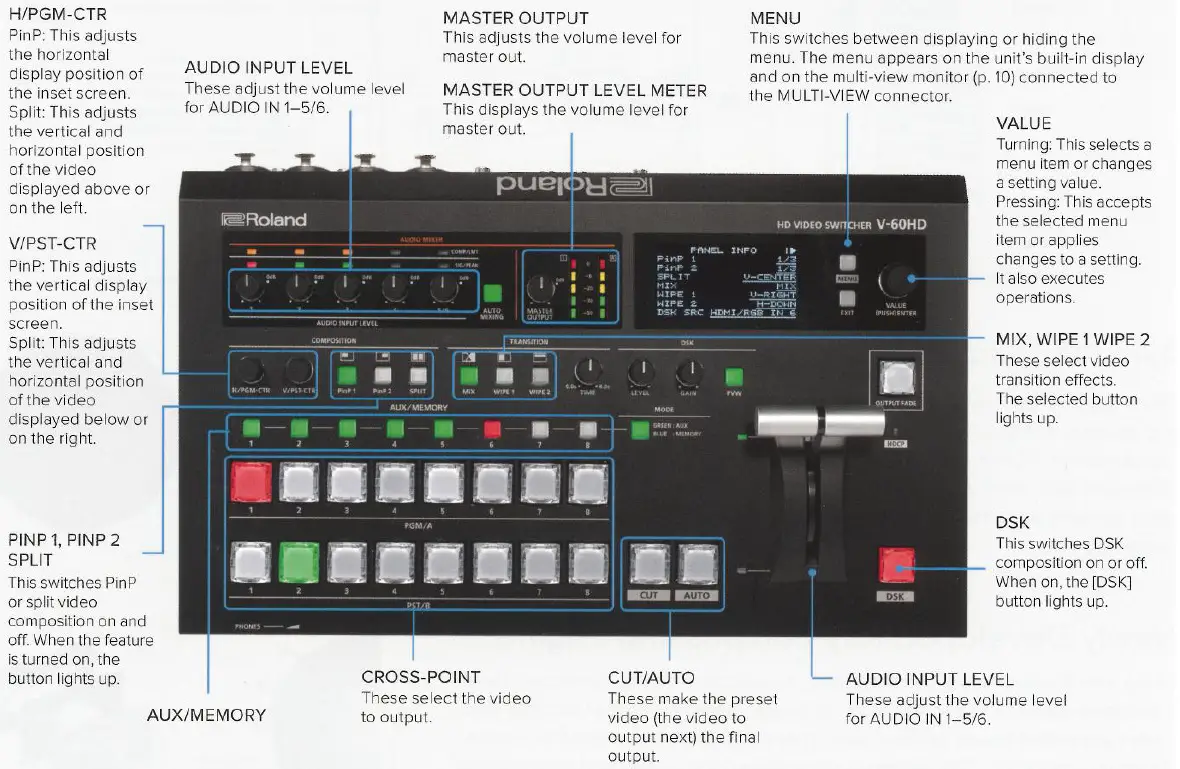
Professional broadcast cross-point buttons with PGM/PST LED color indicators. Rugged T-Bar, DSK quick-edit knobs for key level and gain. Two dedicated PinP and Split buttons with knobs for center framing of Split and PinP placement. Change transition type using either mix or two preset wipe buttons with dedicated transition dissolve time knob. Front panel 3-inch LCD display with quick access menu navigation to adjust switcher parameters.
AUX bus
A dedicated AUX bus can be assigned to any of the four discrete SDI or HDMI outputs providing seamless switching from the 8-input channels (4 SDI, 2 HDMI or 1 RGB and 2 Still Images). Dedicated AUX layer cross-point buttons ensures quick operation and seamless switching.
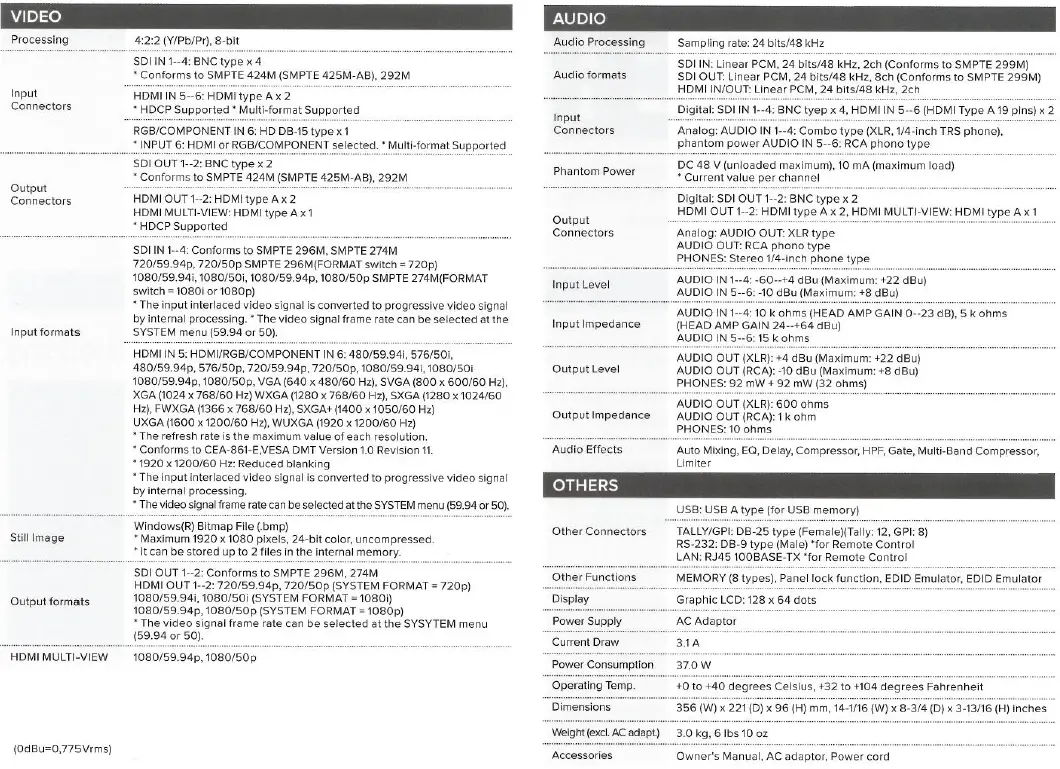
SPECIFICATIONS V-60HD 
FREQUENTLY ASKED QUESTION
What is the HS Code?
If I use a 4K video capture card with this device, would it allow me to stream in 4K and are there settings to adjust the resolution?
the V-60HD’s highest setting is 1080p 59.94 Hz, it will not output 4K
that box that comes with it, is that the recorder? Does it record the channels separately for post-production?
It’s just a switcher. It does not have an internal recorder
A video switcher, sometimes known as a video mixer, is a hardware or software system that chooses one of several incoming video signals from various sources (such as a camera or PowerPoint feed) and sends it to one output, such as a streaming device, video recorder, or display device (i.e. a monitor or screen).
Client devices do not need to download the complete video before playing it because only a few seconds of the clip are sent over the internet at once. When a video stream is delivered over the Internet in real time without being beforehand recorded and saved, this is known as live streaming.
Without livestreaming, you can record a video with Switcher Studio. On your primary switching device’s Outputs page, just choose None for recording purposes: By tapping the icon that resembles a box with a right-facing arrow in the tab bar, you may access the Outputs tab.
Ross’s passion is production switchers. They are the foundation of our business and have been produced by us since 1974. Customers like you who push our goods to their limits and motivate us to improve things helped us design our production switchers.
With all the functionality of the mini and the ability to live stream straight over an Ethernet connection, the ATEM Mini Pro offers better quality, fewer dropped frames, and easier settings. In order to better time your camera cuts, the ATEM Mini Pro now provides the capability for multiview with 4 came
It enables the user to select the sources to display on the monitor and the timing of those displays. Having said that, a switcher is useful if you’re recording various video or audio sources and want to seamlessly transition between them during a live stream.
A production switcher, or video mixer, is another name for a video switcher. Although choosing between audio or video sources is the device’s primary function, it can also be used to mix video, set compositions, and add content, graphics, or special effects to a secondary source.
switcher definitions. a person who punishes others by whipping or switching them. substitute: whipper. the oppressor kind. a person in a position of authority who puts unwarranted pressure on others.
You probably don’t need an audio mixer if you don’t have several audio inputs. An audio interface is an alternative. An audio mixer can assist you manage your sound if you do want to host a stream or broadcast an event that involves more than two audio sources.
The word “streaming” was first applied to tape drives made by Data Electronics Inc. that were designed to ramp up gradually and run for the duration of the track, hence reducing drive costs. Early in the 1990s, “streaming” was used to better describe video on demand and then live video on IP networks.
The term “live” in this context refers to streaming media that is simultaneously recorded and presented in real-time, without any pauses or delays. Live streaming is essentially the same as streaming, with the exception that it enables the delivery of content as a real-time data stream over the Internet.
How is streaming carried out? Audio and video data are divided into data packets and transmitted over the Internet in the same way as other types of data. Each packet comprises a small portion of the file, and an audio or video player in the client device’s browser transforms the stream of data packets into audio or video.
The period of time between an event’s scheduled start time and conclusion time is known as the “live event.” Model 1. Whether or not there is a cover charge, a live event is defined as a popular or classical concert, performance, dance party, or other live entertainment with music being played or performed; Sample 1.