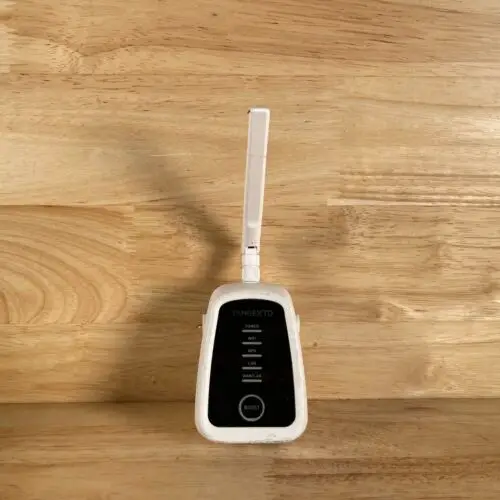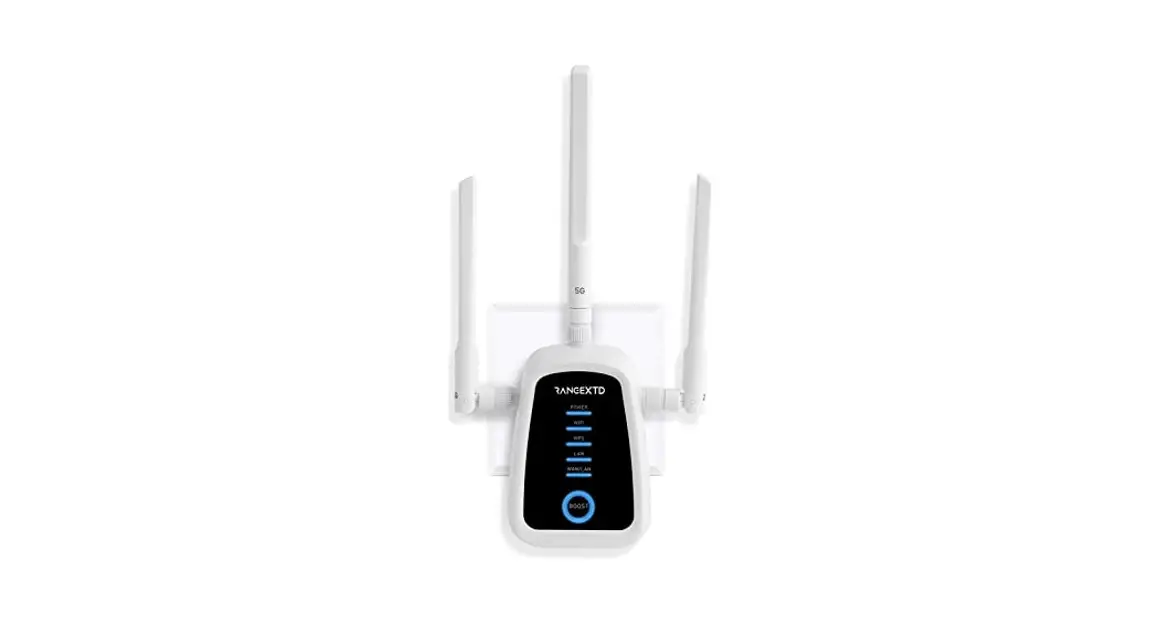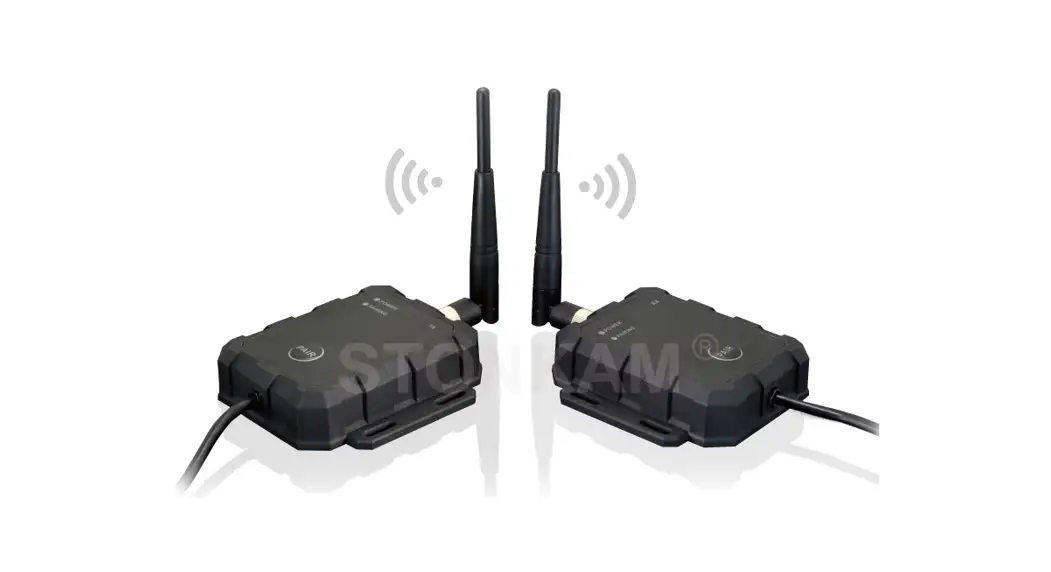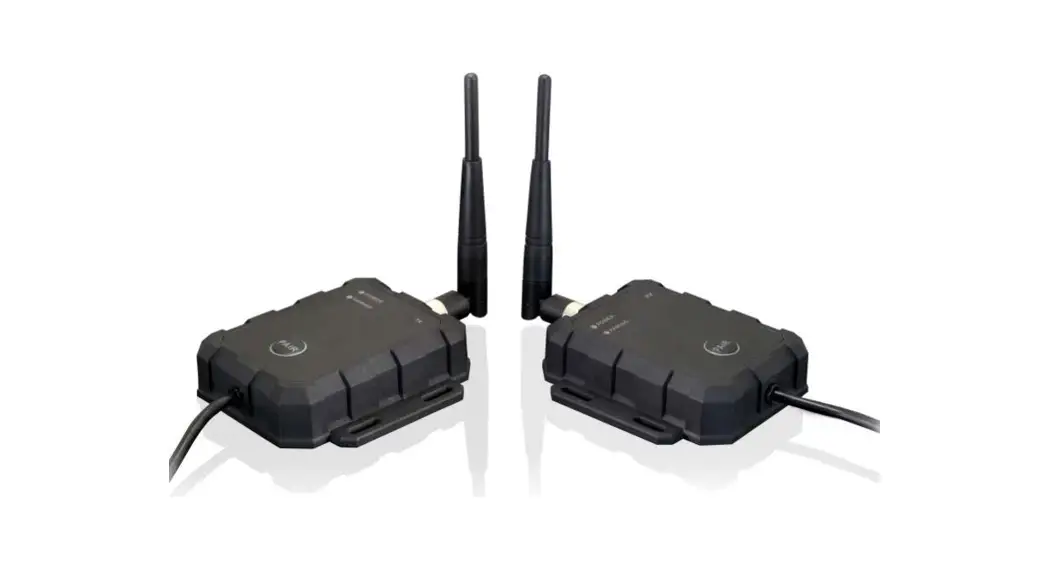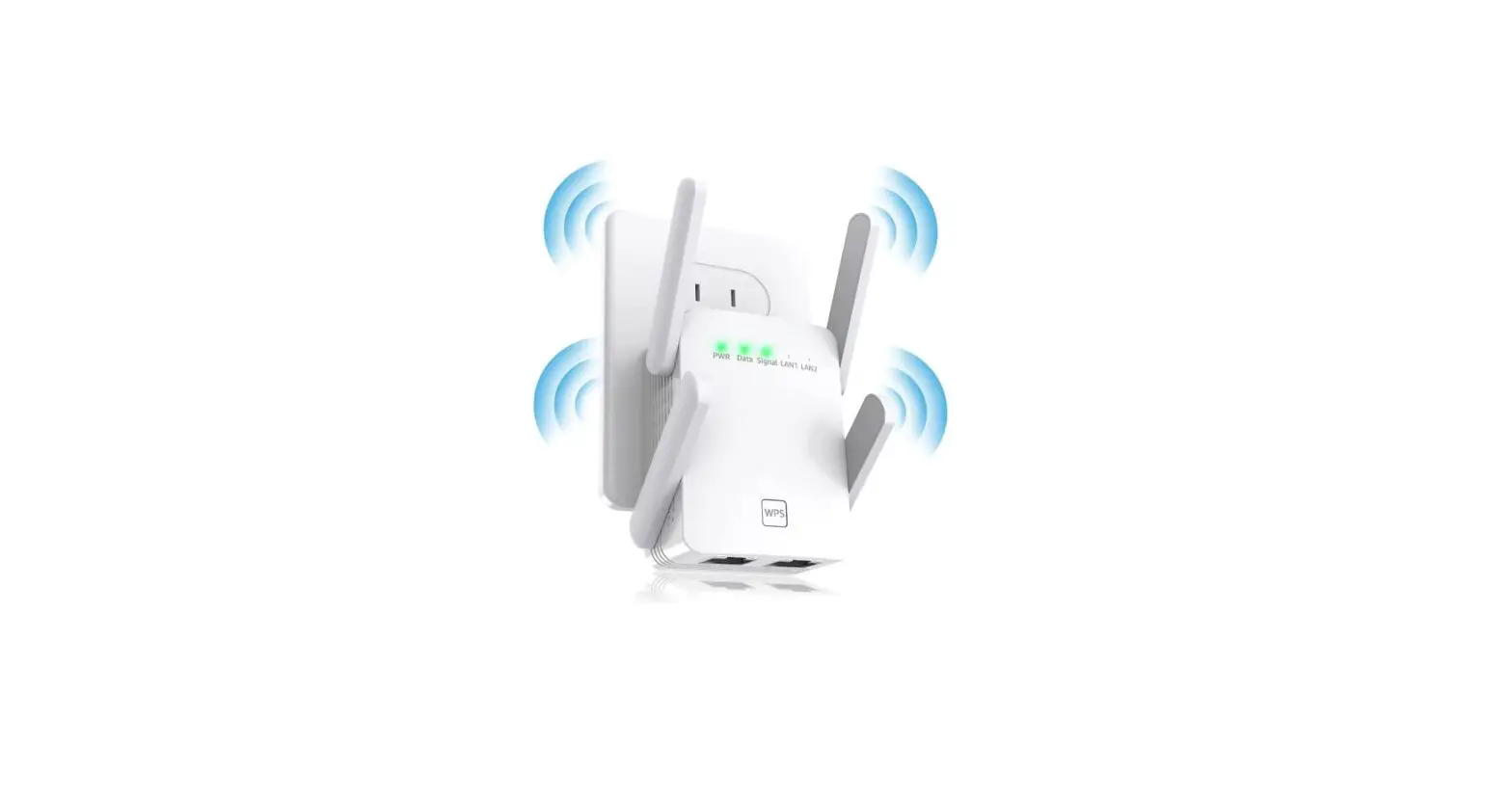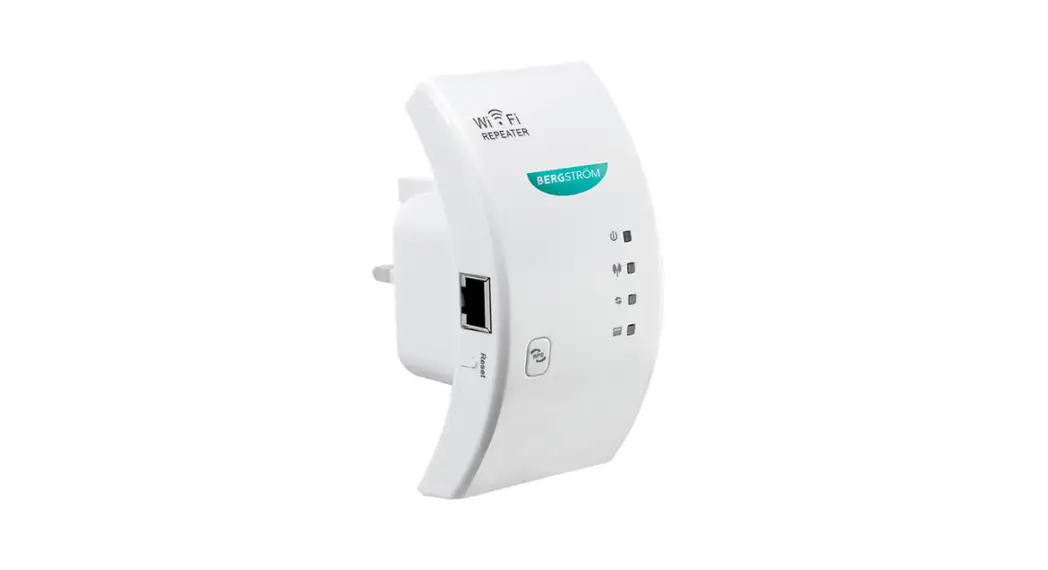

 L441 Wifi Booster
Instruction Manual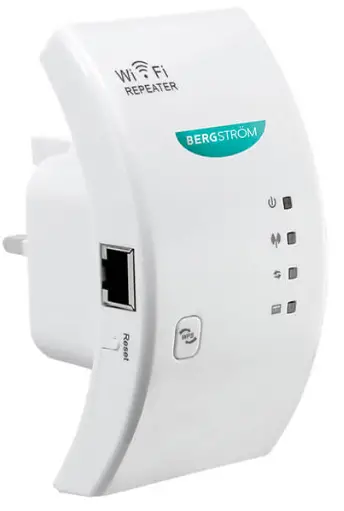 Wifi Booster
L441 v001: 09/09/22
Please read and retain these instructions for future reference
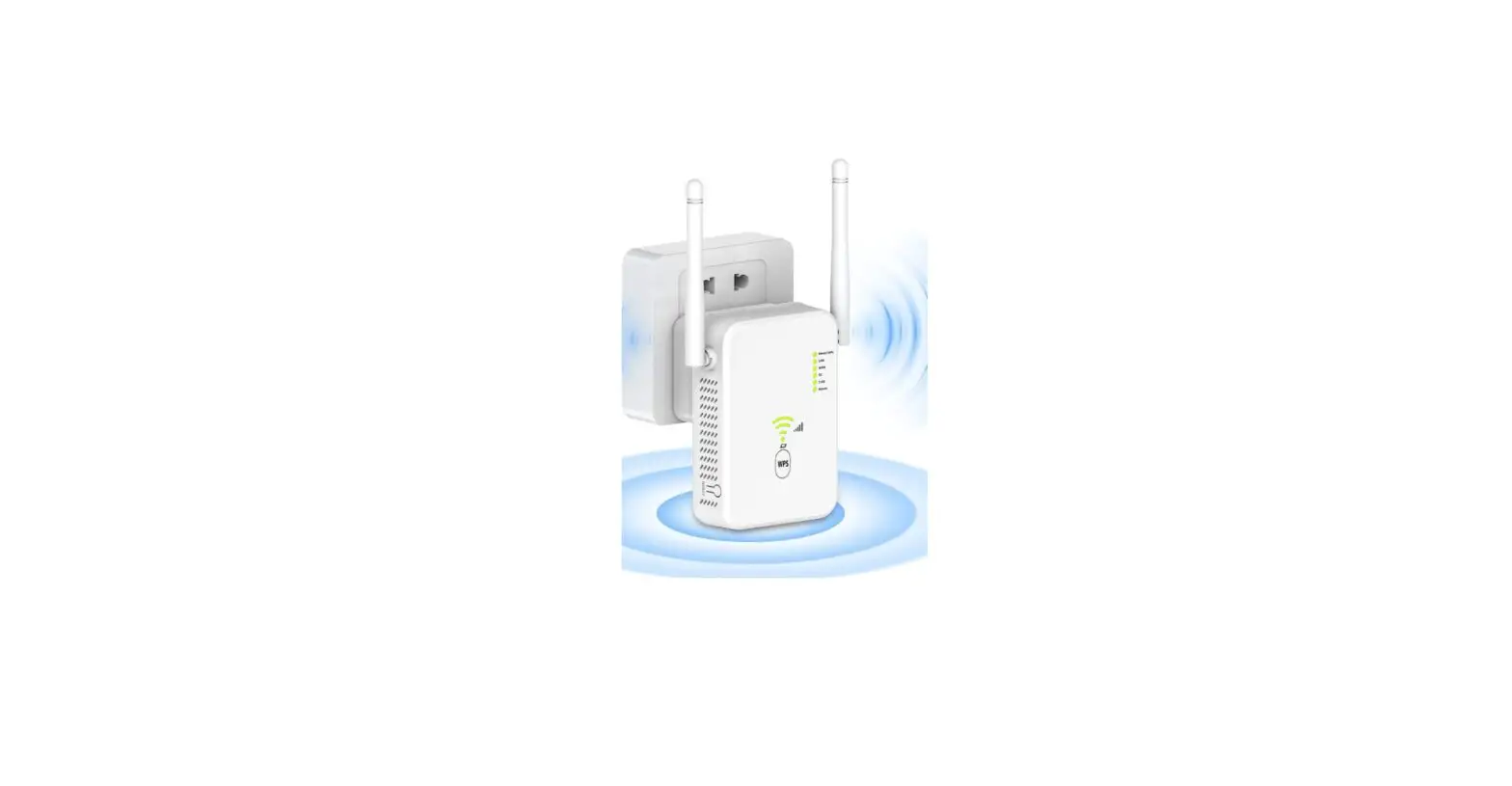
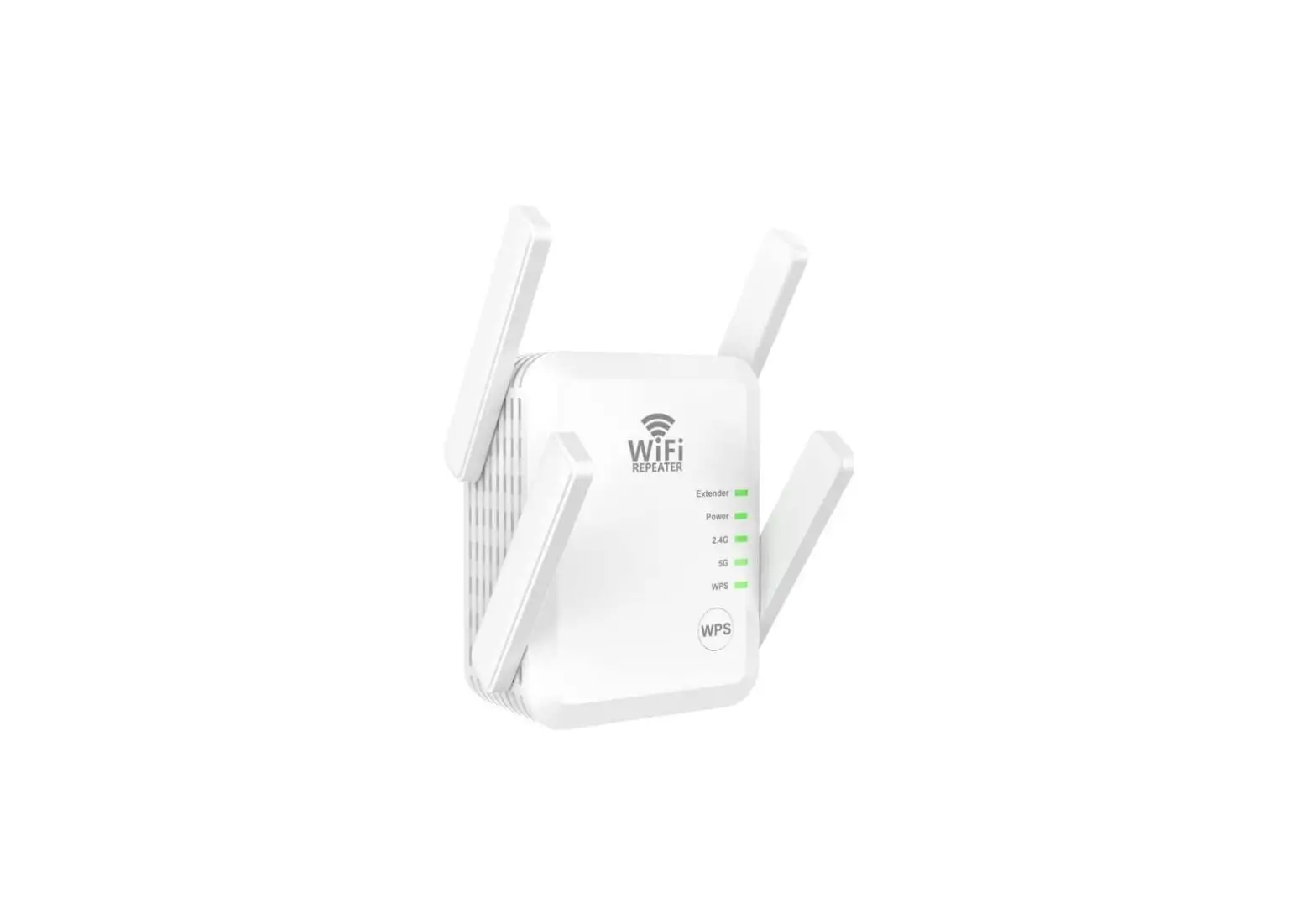
L441 Wifi Booster
Dimensions (H) 11 x (W) 5.7. x (D) 6cm
Material: ABS, PC
- OUR WIRELESS WI-FI REPEATER HELPS TO INCREASE THE REACH OF YOUR WI-FI SO YOU CAN USE IT NO MATTER WHERE YOU ARE IN THE HOUSE, IT CAN EVEN POTENTIALLY REACH TO YOUR GARDEN, SO YOU CAN ENJOY YOUR ENTERTAINMENT FROM THE RELAXATION OF YOUR GARDEN CHAIR!
- FREQUENCY – 2.4GHZ TO 2.4835GHZ
- POWER REQUIREMENTS – 110V – 230V SOCKET
- COMPATIBLE WITH 802.11N/G/B DEVICES
- STABLE SIGNAL AND HIGH TRANSMISSION SPEED
ASSEMBLY INSTRUCTIONS / INSTRUCTIONS FOR USE:
Unpack the components carefully. Please check all parts have been removed from the packaging.
• includes 1 x WIFI wireless repeater, 1XRJ45 network cable
INSTRUCTIONS FOR USE
LED Explanation
| Icon | Indication | Status |
 | POWER LED | NO: The device is power on . OFF: The Device is not receiving electrical power |
 | WLAN LED | Wireless signal |
 | WPS LED | Flashing: WPS connection is established or WPS signal of another device is expected |
 | LAN LED | NO: The LAN port is connect OFF: The LAN port is disconnected Flashing: Transferring data to/from a network device |
WPS Button: If your host router supports WPS function, you can press the WPS button and then press the WPS button of the WiFi Repeater to establish a secure connection between the host router and the WiFi Repeater.
Reset Button: This button is used to restore the Repeater’s factory default settings. With the Repeater powered on, use a pin to press and hold the Reset button for about 8 seconds.
LAN Port: One 10/100Mbps RJ45 Ethernet port is used to connect an Ethernet-enabled device to a Wi-Fi network, such as Internet TV, DVR, Gaming console and so on. Please note that this port cannot be connected to a router.
Configure the WI-FI Booster Wirelessly
A1. Plug the Wi-Fi Repeater to a socket, WLAN indicator flashes.
A2. Click on the network icon( ) on the right bottom of your desktop.You will find the signal from the BF ROSWIFI-XXXXXX.
Click on Connect and wait for a few seconds. ( Or connect your computer /laptopto a WiFi repeater with an RJ45 cable )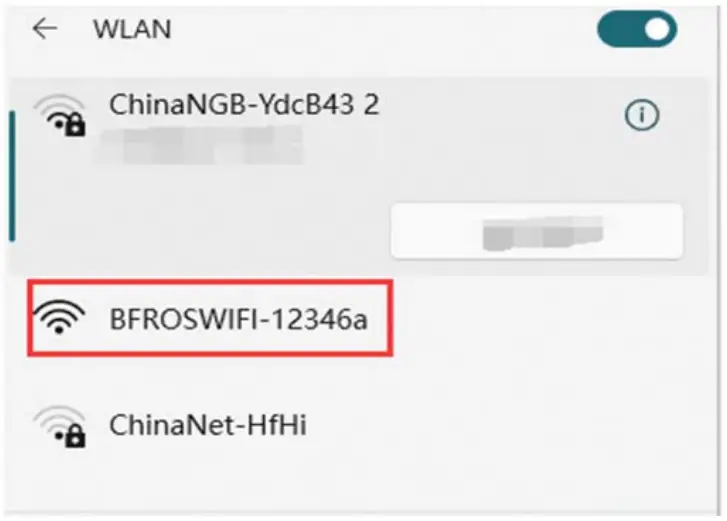 A3. Open web browser and type
http://192.168.11.1 in the browser’s address box.
This number is the defaultIP address for this device Note: Please check whether the WiFi-Repeater accord with factory default settings once you can’t download http://192.168.11.1.
If you are still not sure what reasons you can reset the Wifi- Repeater, just need to press the reset button for 10 seconds then try again.
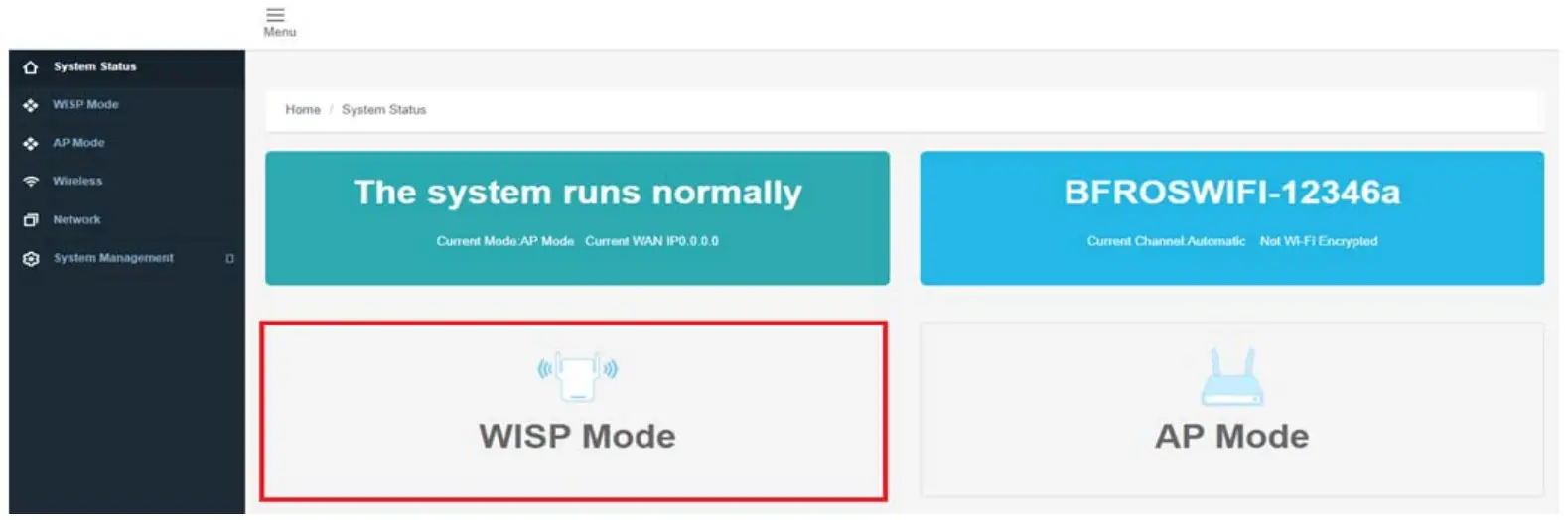
A4. The following login screen will appear. Select the language, enter the password, and then click log in. The default password is “admin”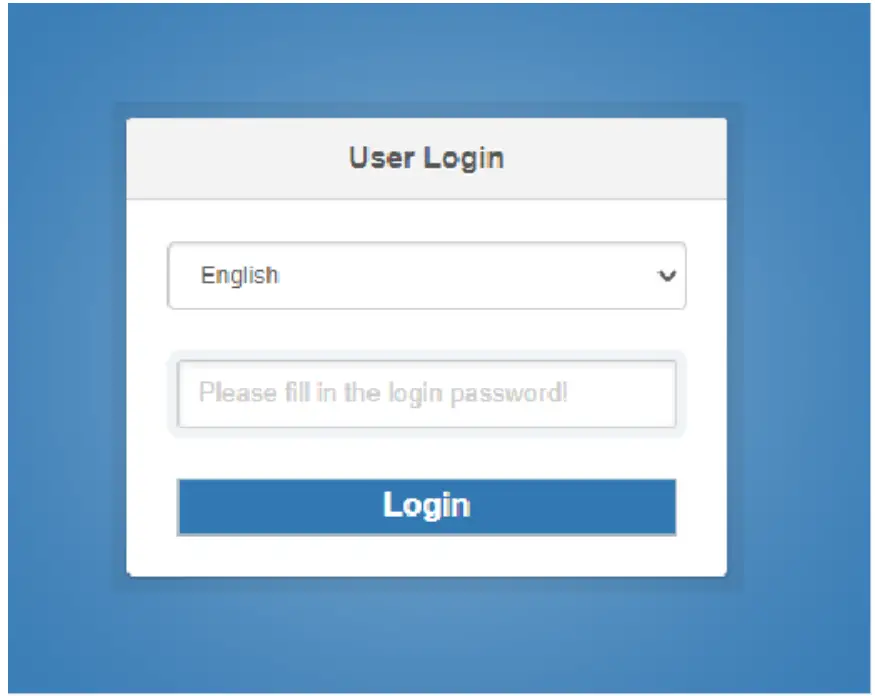 A5. After logging in, you will see the web page below: Click ‘WISP Mode ‘.
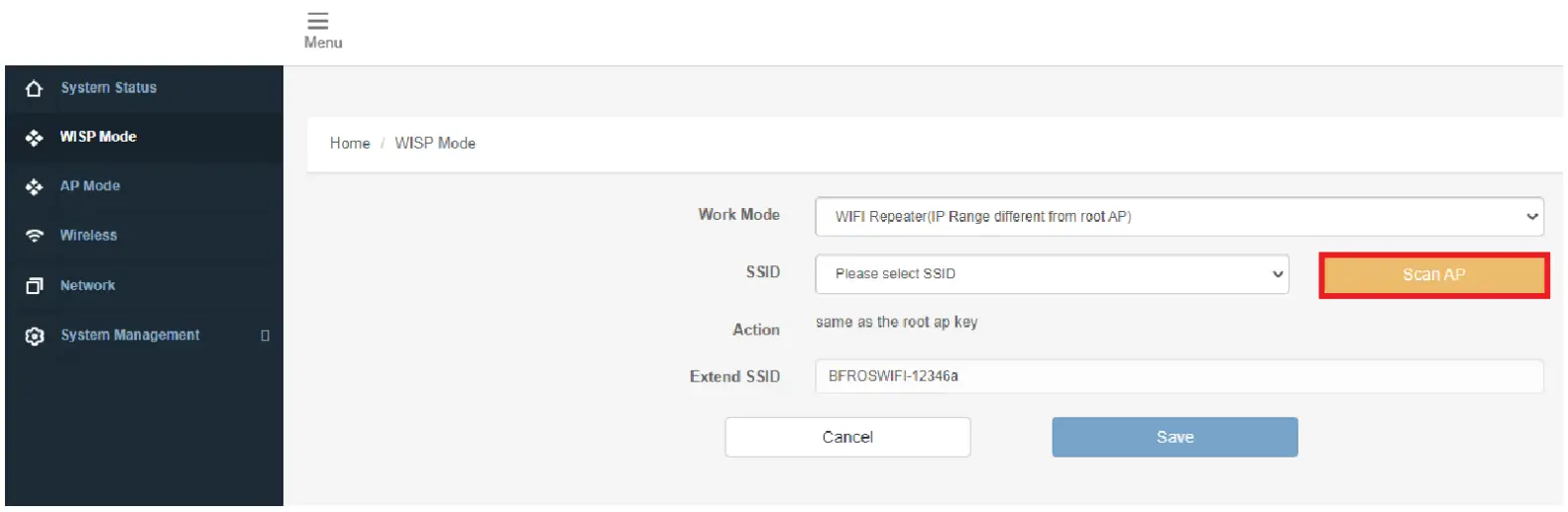
 A6. Click Scan and sel ect continue.
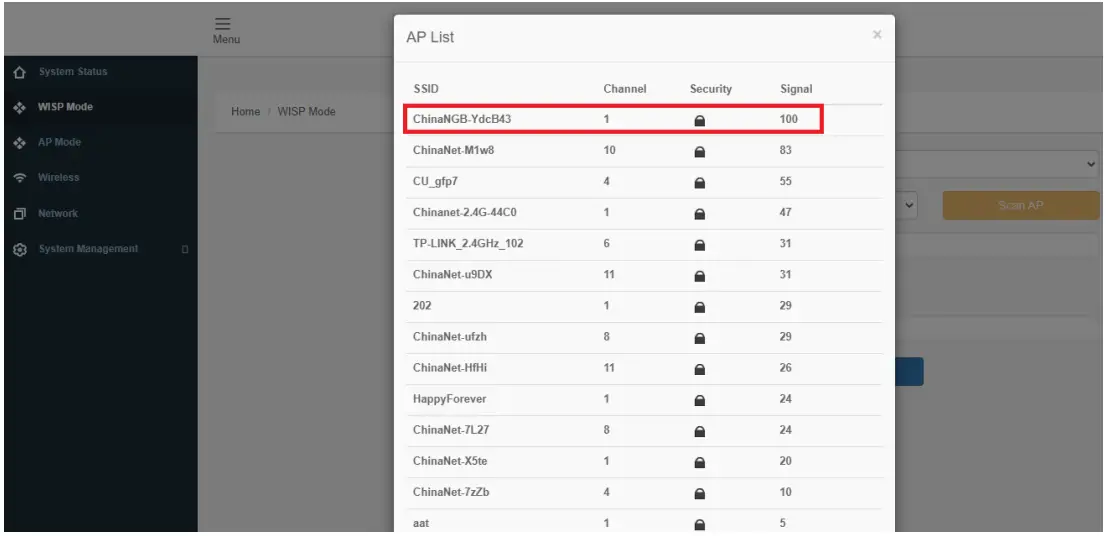
 A7. Select your Wireless SSID to continue.
 A8. When you see below, please do not change any setting but only insert the key of your network.
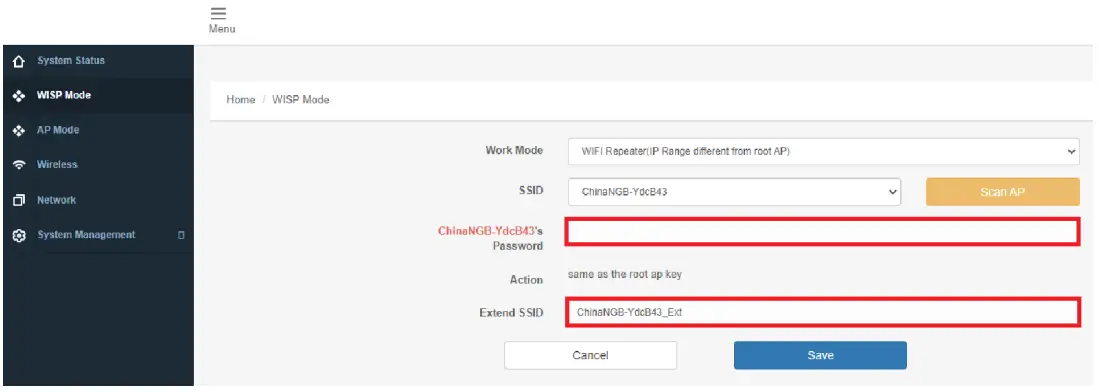 Click on ‘ Save ‘ button, The Repeater will restart
Wait for a few seconds your Wi-fi Repeater is ready for use
The default wireless SSID and Security key of Wi-Fl Repeater is same as your AP/route
Use the Repeater as a Network Adapter
The Repeater can be used as a wireless adapter to connect any Ethernetenabled device, such as a Blu-Ray player,game console ,DVR ,or smart TV,to your wireless network.
After the Repeater connected to the Internet,you can connect an Ethernet-only device to the Re peater using an Ethernet cable.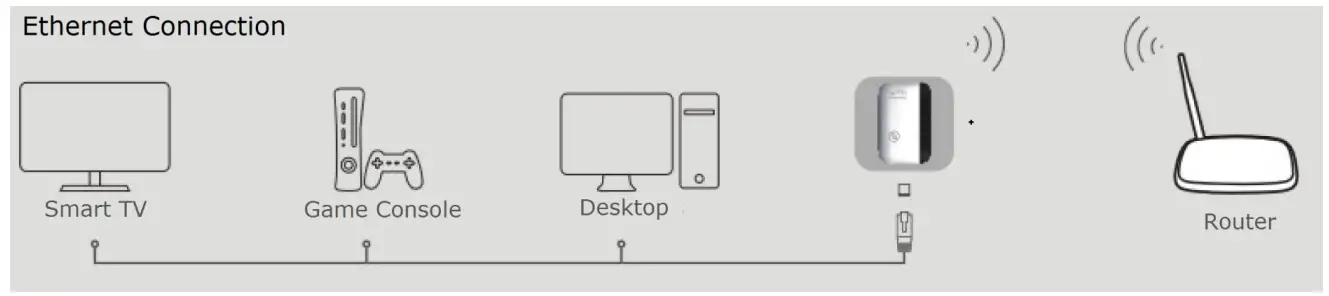 B. Configure the Wireless AP Mode.
- Plug the Wi-fi Repeater into a wall socket
- Follow process A3 to A5
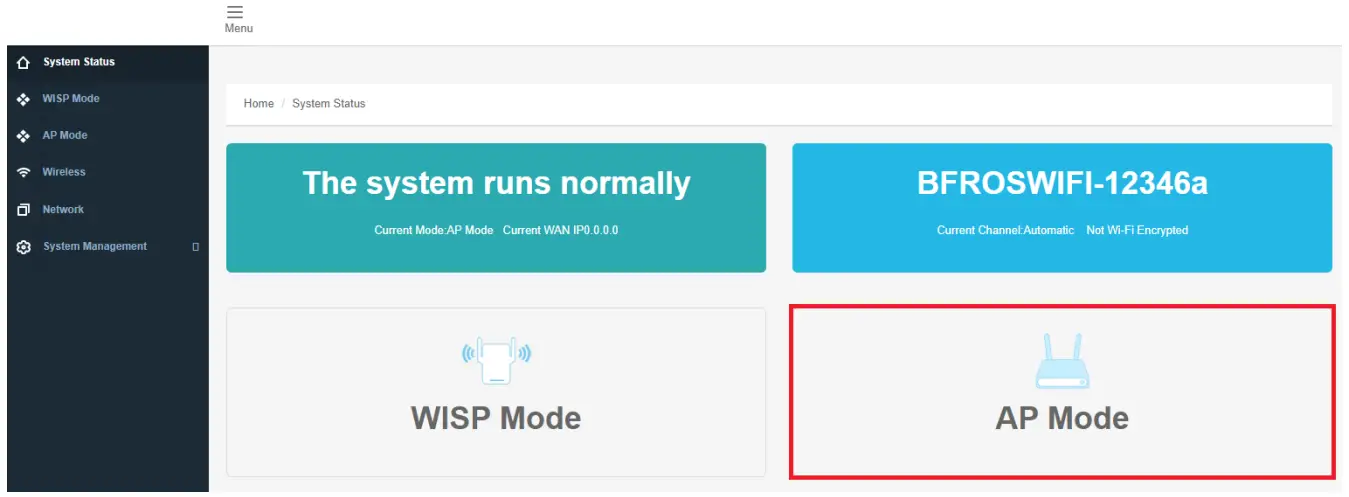
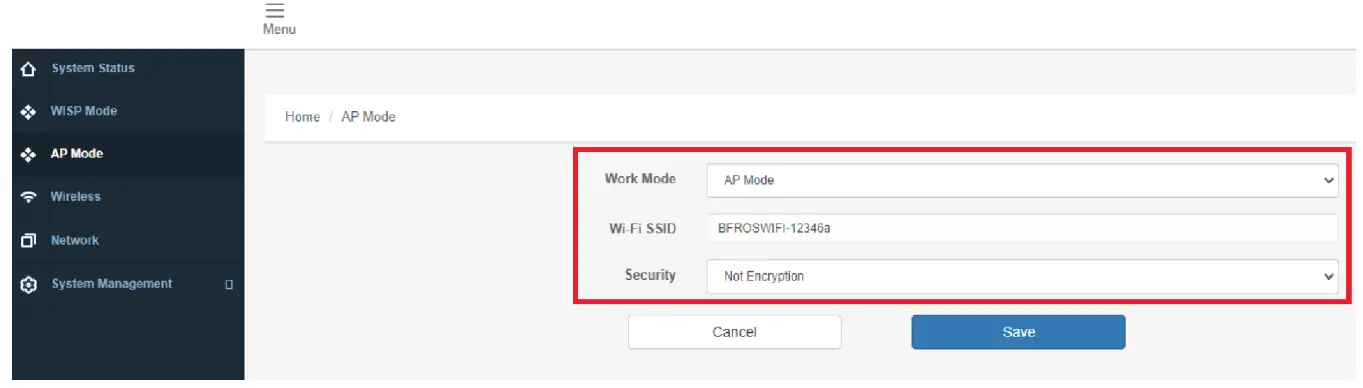
- Click on ‘AP Mode ‘ to continue.

- The following message will be displayed on your wed browser,

Relocate
Plug in the Wi-fi booster halfway between your router and the Wi-Fi dead zone.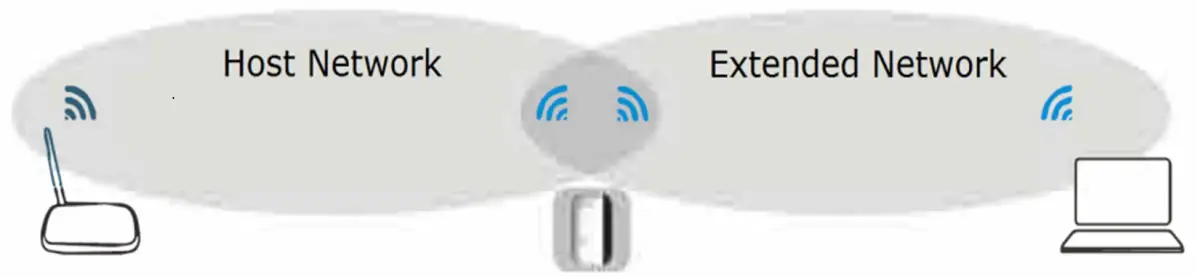 The repeater Wi-fi booster to the end of the host network’s SSID and uses the same Wi-Fi password.
DISPOSAL
- Coopers of Stortford use recyclable or recycled packaging where possible.
- Please dispose of all packaging, paper, cartons, packaging in accordance with your local recycling regulations.
- At the end of the product’s lifespan please check with your local council authorised household waste recycling centre for disposal.
- Plastics, polybags – this is made from the following recyclable plastic.
| Code & Symbol |  |
| Type of Plastic | ABS, PC |
| Commonly used for | CD’s, crisp packets, various flexible packaging, baby bottles, sunglass lenses |
| Notes | Not often or widely recycled |
The Enterprise Department
UK Head Office, 11 Bridge Street, Bishop’s Stortford, CM23 2JU
Tel: 0844 4824400*, Fax: 01279 756595
www.coopersofstortford.co.uk
EU address: D.S.B. LD, 160 Bd. de Fourmies, 59100 Roubaix, France
Tel: (+44) 1279 701269
*UK Calls cost around 7 pence per minute plus your telephone company’s network access.
Please check with your telephone supplier.
 Coopers of Stortford | Home, Garden and Lifestyle | UK Delivery