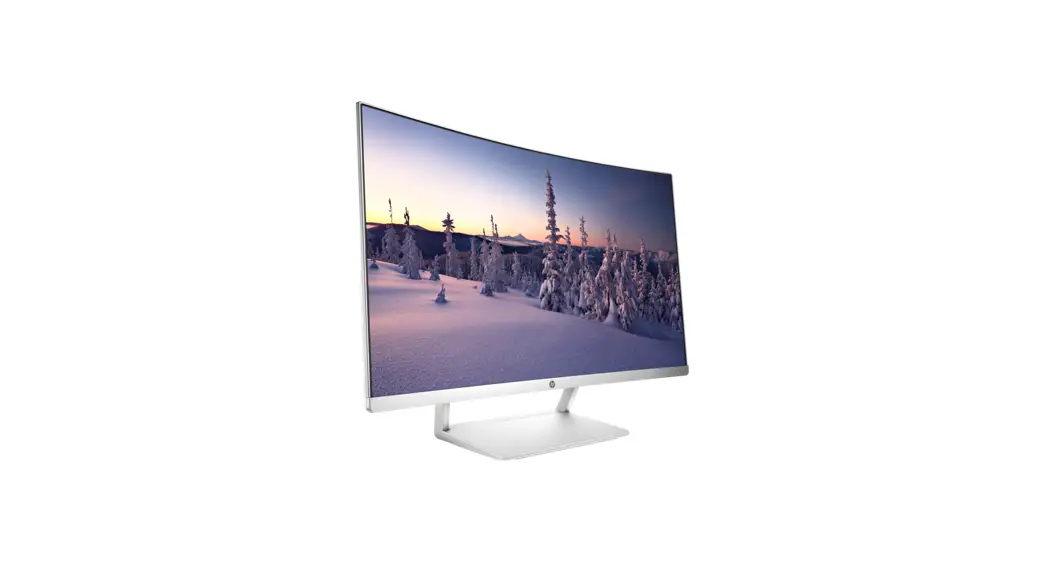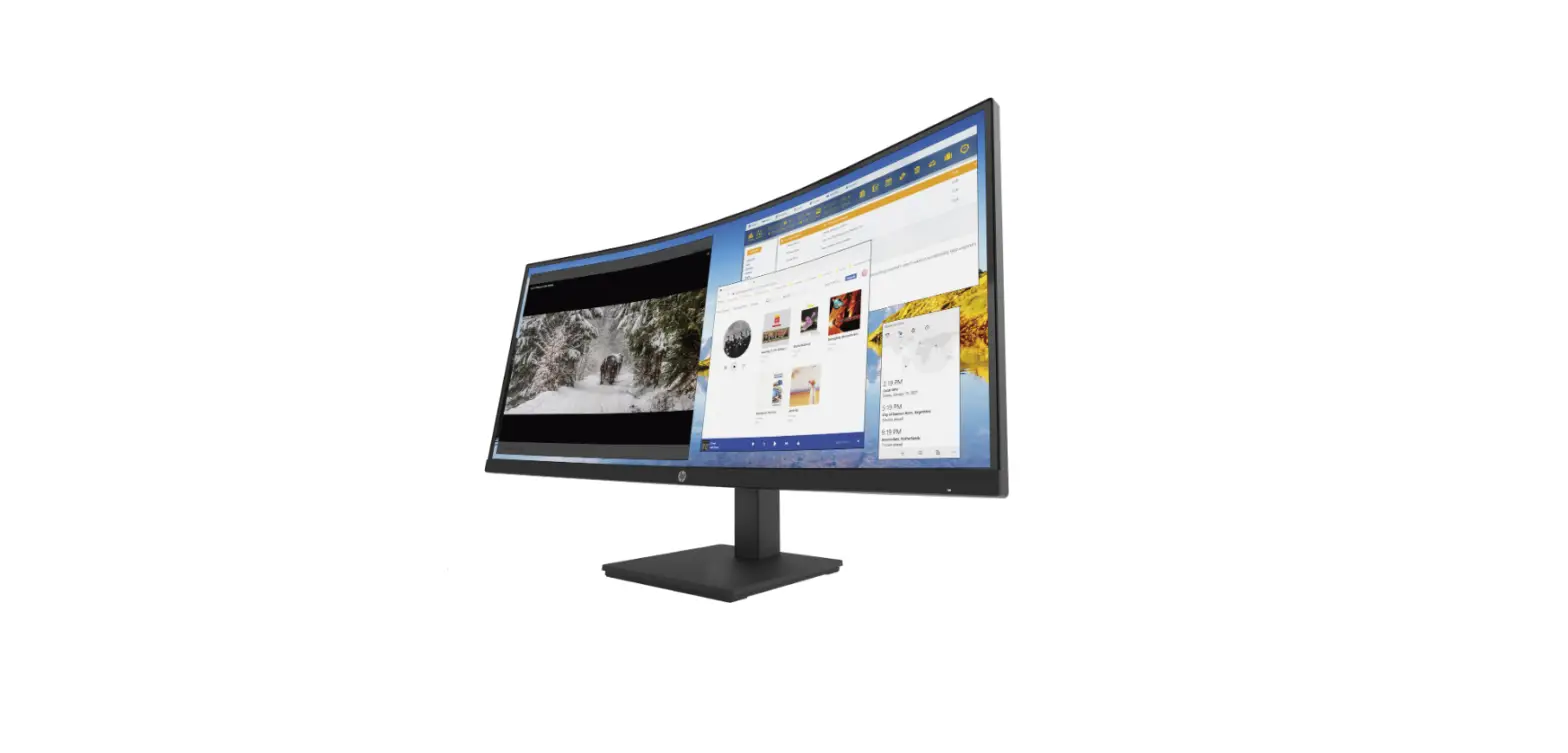
HP 37.5-inch Curved Display User Guide
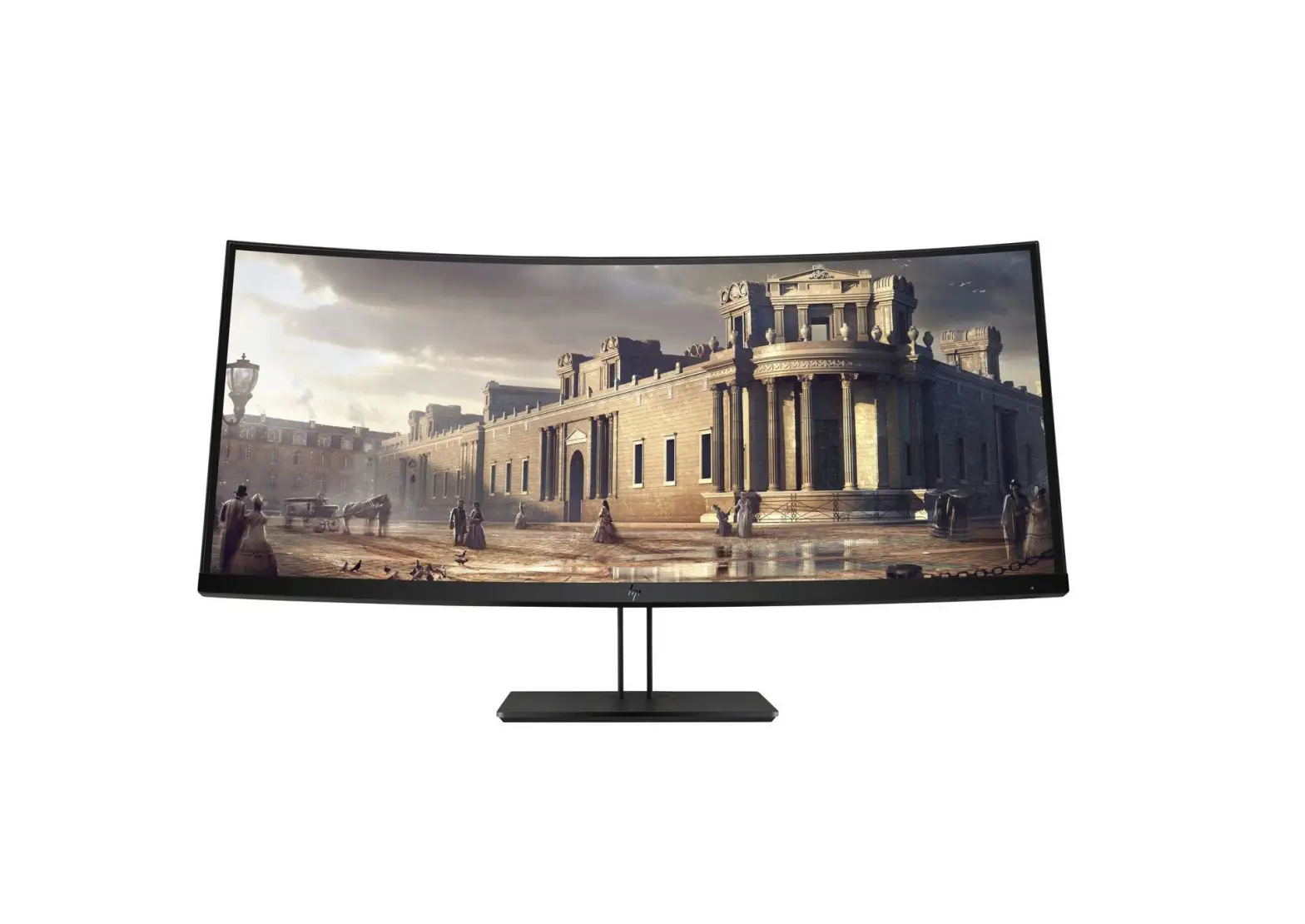
HP Z38c 37.5-inch Curved Display
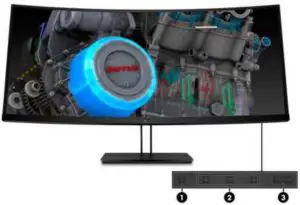
- Menu button
Press to open the OSD menu, select a menu item from the OSD, or close the OSD menu. - Function buttons
Use these buttons to navigate through the OSD menu based on the indicators above the buttons that are activated when the OSD menu is open. - Power/LED
Press to turn the monitor on or off. When the monitor is on, the power light above the power button is on.LED:
Fully powered = white
Sleep mode = amber
Sleep timer mode = flashing amber - Cable Management
Effortless routing of cables through the cable management tunnel at the base of the column.
NOTE: Function buttons can be configured in the OSD menu to quickly select the most commonly used operations.
Product Overview
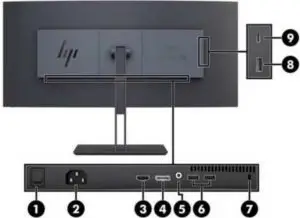
- Master power switch
Turns off all power to the monitor - Power Connector
Connects AC power - HDMI 2.0 port
Connects an HDMI cable to the source device - DisplayPort™ 1.2 (input)
Connects a DisplayPort™ cable to the source device - Audio out (headphone) jack
Connects optional powered stereo speakers, headphones, earbuds, a headset, or a television audio cable - USB Type-A ports (2) (downstream)
Connects a USB device (no battery charging) - Security cable slot
Connects a security cable to a stationary object - USB Type-A port with battery charging 1.2 (downstream)
Connects a USB Type-A cable to the source device (delivers 5Volts / 2 Amps conforming to the BC1.2 standard) - USB Type-C™ port (upstream & downstream)
Connects a USB Type-C™ cable to the source device (5v(3A), 5.25v(3A),9V(3A), 12v(3A), 15V(3A), 20v(3.25A)
NOTE: The USB Type-C port can also function as a USB downstream port when connected to a USB Type-C source device.
The USB Type-C port can function as a DisplayPort audio/video input, as a USB 3.0 upstream connection, or it can be used to deliver up to 65 watts of power to a device. Power outputs are 5V/3A, 5.25V/3A, 9V/3A, 10V/3A, 12V/3A, 15V/3A, 20V/3.25A to achieve 15W, 5.75W, 27W, 30W, 36W, 45W, 65W output for HP qualified E MARK Cable and only 5V/3A to achieve 15W output for the other cable.
Models: Z4W65AA, Z4W65A4
| Panel | Type | 37.5-inch IPS, LED Backlit |
| Viewable Image Area (diagonal) | 95,29 cm (37.5 in) widescreen; diagonally measured | |
| Panel Active Area (W x H) | 87,97 x 36,65 cm (34.64 × 14.43 in.) | |
| Panel Type | IPS | |
| Micro-Edge Bezel | Yes, 3-sided | |
| Curved Pane | Yes, 2300r | |
| Hardness | 3H | |
| Resolution | 3840 x 1600 @ 60Hz | |
| Aspect Ratio | 21:9 | |
| Viewing Angle (typical) | Up to 178° horizontal/178° vertical (10:1 minimum contrast ratio) | |
| Brightness (typical)* | 300 cd/m² | |
| Contrast Ratio (typical)* | 1,000:1 | |
| Dynamic Contrast Ratio (typical)* | 5,000,000:1 | |
| Response Time (typical)*, *** | 5ms Gray to Gray | |
| *** Product default is 14ms response time and can be adjusted to as low as 5ms in the display menu. See user guide for more information. | ||
| Pixel Pitch | 0.22908 X 0.22908 mm | |
| Pixels Per Inch (PPI) | 100.93 | |
| Backlight Lamp Life (to half brightness) | 30,000 hours minimum | |
| Panel Bit Depth** | 10-bit, Up to 1.07 billion colors | |
| Color Gamut | 98% of sRGB | |
| *All performance specifications represent the typical specifications provided by HP’s component manufacturers; actual performance may vary either higher or lower. **8+2 With the use of FRC technology. | ||
| User Controls | On Screen Display (OSD) User Controls | Brightness, Contrast, Color Control, Input Control, Image Control, Power Control, Menu control, Management, Language, Information |
| Monitor Control Buttons or Switches | Menu, Minus (“-“)/Color Control, Plus (“+”) /Viewing Modes, Back/Next Active Input, Power | |
| User-Assignable Function Buttons | Yes, 10 | |
| Languages | 10 (English, Spanish, German, French, Italian, Netherlands, Portuguese, Japanese, T-Chinese and S-Chinese) | |
| Color Management | Factory Color Calibrated | Yes |
| Factory Calibration Accuracy | ||
| White Point Maximum | 3.0 ∆E 2000 | |
| Grayscale Average (255 levels) Maximum | 3.0 ∆E 2000 | |
| Gamma Target Tolerance (2.2 for sRGB, 2.4 for BT.709) | ±0.1 | |
| X-Rite ColorChecker Average Maximum | 3.0 ∆E 2000 | |
| Signal Interface/ Performance | 27-130 kHz | |
| Vertical Frequency | 24-76Hz | |
| Native Resolution | 3840 x 1600 @ 60Hz | |
| Preset VESA Graphic Modes (noninterlaced) | 640 x 480 @60Hz | |
| 720 x 400 @70Hz | ||
| 800 x 600 @60Hz | ||
| 720 x 480 @60Hz | ||
| 1024 x 768 @60Hz | ||
| 1280 x 720 @60Hz | ||
| 1280 x 1024 @60Hz | ||
| 1440 x 900 @60Hz | ||
| 1600 x 900 @60Hz | ||
| 1600 x 1200 @60Hz | ||
| 1680 x 1050 @60Hz | ||
| 1920 x 1080 @60Hz | ||
| 1920 x 1200 @60Hz | ||
| 1920 x 1600 @60Hz | ||
| 2560 x 1080 @60Hz | ||
| 2560 x 1600 @60Hz | ||
| 3840 x 1600 @60Hz | ||
| 3840 x 1600 @30Hz | ||
| Maximum Pixel Clock Speed | 600 MHz | |
| Anti-Glare | Yes | |
| Flicker Free | Yes | |
| Default Color Temperature | D65 | |
VIDEO/OTHER INPUTS
| Connector Types | DisplayPort™ | (1) DisplayPort™ 1.2 |
| HDMI | (1) HDMI 2.0 | |
| USB Type-C™ | (1) USB Type-C™ | |
| HDCP support | Yes, all video inputs | |
| Audio | (1) Audio out (analog) | |
| USB Port Specifications | USB Version | 3.0 |
| Location | (2) bottom, (1) side | |
| USB Hub | Yes | |
| Downstream Ports | 3, USB3.0 Type A | |
| Upstream Ports | 1, Type-C™ | |
| Fast Charging USB Ports | 1 Ports (side) | |
| Power Output Maximum | PD 65w via USB Type-C™ | |
| USB-Type C™ Port | USB-Type C™ Version | USB 3.1 Gen1 / 5G bps |
Specifications
| Location | Side (see illustration on page 2) |
| USB-Type C™ Hub | Yes |
| USB-Type C™ Ports (Upstream and Downstream) * | 1 |
| *The USB Type-C port can also function as a USB downstream port when connected to a USB Type-C source device. | |
| Video Support | USB-C Alt mode – DisplayPort™ 1.2 |
| Power Output | 5V/5.25V/9V/10V/12V/15V, 3A. 20V 3.25A |
| Power Output Maximum | 65w |
POWER
| Power Supply | Internal |
| Input Power | 100 – 240 VAC at 50/60 Hz |
| Typical Power1 | 80 W |
| Maximum Power2 | 195 W |
| Energy Saving/Standby Mode | 0.5 W |
DIMENSIONS AND WEIGHT
| Mechanical | Dimensions (W x D x H) | Unpacked w/stand (highest stand setting) | 89,55 x 24,80 x 55,87 cm (35.26 x 9.76 x 22 in) |
| Unpacked w/o stand (head only) | 89,55 x 10,42 x 39,95 cm (35.26 x 4.10 x 15.73 in) | ||
| Packaged | 106 x 45,2 x 55,5 cm (41.73 x 17.8 x 21.85 in) | ||
| Weight
| Head Only | 9,8 kg (21.56 lb) | |
| Unpacked | 13,8 kg (30.36 lb) | ||
| Packaged | 21 kg (46.26 lb) |
MONITOR FEATURES
| Plug and Play | Yes |
| Color | Black |
| Cable Management | Enhanced cable management for easy concealment of power, video and USB cables. Effortless routing of cables through the cable management tunnel at the base of the column. |
| Detachable Stand | Yes |
| Tilt Range | –5° to + 20° vertical |
| Swivel Range | 45°L to 45°R |
| Display height adjustment: | Adjustment Range: 120 mm Min (desk to bottom of display): 39 mm Max (desk to bottom of display): 159 mm |
| Pivot Rotation | N/A |
| VESA Mounting | Yes, 100 mm |
| Security Lock-Ready | Yes |
ENVIRONMENTAL
| Specifications | Temperature – Operating | 5° to 35° C (41° to 95° F) |
| Temperature – Non-operating | –20° to 60° C (-4° to 140° F) | |
| Humidity – Operating | 20% to 80% Relative Humidity non-condensing | |
| Humidity – Non-operating | 5% to 95%, 38.7° C max wet-bulb | |
| Altitude – Operating | 0 to 5,000 m (0 to 16,404 ft) | |
| Altitude – Non-operating | 0 to 12,192 m (0 to 40,000 ft) | |
| White LED Backlights | Yes | |
| CCFL Panel | No | |
| Arsenic-Free Display Glass | Yes | |
| Low Halogen3 | Yes (except cables) | |
| Mercury-Free Display Backlights | Yes |
ENVIRONMENTAL DATA
Eco-Label Certifications & declarations
This product has received or is in the process of being certified to the following approvals and may be labeled with one or more of these marks:
- IT ECO declaration
| Energy Consumption (in accordance with US ENERGY STAR® test method) | 115VAC, 60Hz | 230VAC, 50Hz | 100VAC, 50Hz |
| Normal Operation | 42.96 W | 41.95 W | 43.22 W |
| Sleep | 0.45 W | 0.48 W | 0.50 W |
| OFF | 0.28 W | 0.27 W | 0.30 W |
| Heat Dissipation* | 115VAC, 60Hz | 230VAC, 50Hz | 100VAC, 50Hz |
| Normal Operation | 147 BTU/hr | 143 BTU/hr | 148 BTU/hr |
| Sleep | 2 BTU/hr | 2 BTU/hr | 2 BTU/hr |
| OFF | 1 BTU/hr | 1 BTU/hr | 1 BTU/hr |
Additional Information
- This product is in compliance with the Restrictions of Hazardous Substances (RoHS) directive – 2002/95/EC.
- This HP product is designed to comply with the Waste Electrical and Electronic Equipment (WEEE) Directive – 2002/96/EC.
- This product is in compliance with California Proposition 65 (State of California; Safe Drinking Water and Toxic Enforcement Act of 1986).
- Plastics parts weighing over 25 grams used in the product are marked per ISO 11469 and ISO1043.
- This product contains 19.8% post-consumer recycled plastic (by wt.)
- This product is 97.6% recycle-able when properly disposed of at end of life.
Packaging Materials
| External | lPAPER/Corrugated | 2929 g |
| lPAPER/Paperboard | 2 g | |
| Internal | lPLASTIC/Polyethylene Expanded – EPE | 2688 g |
| PLASTIC/Polyethylene high density – HDPE | 28 g | |
| PLASTIC/Other& COMPOSITE/paper/carton+plastic | 4 g |
HP, Inc. is committed to compliance with all applicable environmental laws and regulations, including the European Union Restriction of Hazardous Substances (RoHS) Directive. HP’s goal is to exceed compliance obligations by meeting the requirements of the RoHS Directive on a worldwide basis. By July 1, 2006, RoHS substances will be virtually eliminated (virtually = to levels below legal limits) for all HP electronic products subject to the RoHS Directive, except where it is widely recognized that there is no technically feasible alternative (as indicated by an exemption under the EU RoHS Directive).RoHS Compliance
Material Usage
This product does not contain any of the following substances in excess of regulatory limits (refer to the HP General Specification for the Environment at:- gse [PDF]
- Asbestos
- Certain Azo Colorants
- Certain Brominated Flame Retardants – may not be used as flame retardants in plastics
- Cadmium
- Chlorinated Hydrocarbons
- Chlorinated Paraffins
- Formaldehyde
- Halogenated Diphenyl Methanes
- Lead carbonates and sulfates
- Lead and Lead compounds
- Mercuric Oxide Batteries
- Nickel – finishes must not be used on the external surface designed to be frequently handled or carried by the user.
- Ozone Depleting Substances
- Polybrominated Biphenyls (PBBs)
- Polybrominated Biphenyl Ethers (PBBEs)
- Polybrominated Biphenyl Oxides (PBBOs)
- Polychlorinated Biphenyl (PCB)
- Polychlorinated Terphenyls (PCT)
- Polyvinyl Chloride (PVC) – except for wires and cables, and certain retail packaging has been voluntarily removed from most applications.
- Radioactive Substances
- Tributyl Tin (TBT), Triphenyl Tin (TPT), Tributyl Tin Oxide (TBTO)
Packaging
- HP follows these guidelines to decrease the environmental impact of product packaging:
- Eliminate the use of heavy metals such as lead, chromium, mercury and cadmium in packaging materials.
- Eliminate the use of ozone-depleting substances (ODS) in packaging materials.
- Design packaging materials for ease of disassembly.
- Maximize the use of post-consumer recycled content materials in packaging materials.
- Use readily recyclable packaging materials such as paper and corrugated materials.
- Reduce size and weight of packages to improve transportation fuel efficiency.
- Plastic packaging materials are marked according to ISO 11469 and DIN 6120 standards.
End-of-life Management and Recycling
Hewlett-Packard offers end-of-life HP product return and recycling programs in many geographic areas. To recycle your product, please go to: http://www.hp.com/go/reuse-recycle or contact your nearest HP sales office. Products returned to HP will be recycled, recovered or disposed of in a responsible manner.
The EU WEEE directive (2002/95/EC) requires manufacturers to provide treatment information for each product type for use by treatment facilities. This information (product disassembly instructions) is posted on the Hewlett Packard web site at: http://www.hp.com/go/recyclers. These instructions may be used by recyclers and other WEEE treatment facilities as well as HP OEM customers who integrate and re-sell HP equipment.
HP, Inc. Corporate Environmental Information
For more information about HP’s commitment to the environment:
Global Citizenship Report
http://www.hp.com/hpinfo/globalcitizenship/gcreport/index.html
Eco-label certifications
http://www.hp.com/hpinfo/globalcitizenship/environment/productdesign/ecolabels.html
ISO 14001 certificates:
http://h20195.www2.hp.com/V2/GetDocument.aspx?docname=c04755842 and c04777932 [PDF]
OPTIONS (Each sold separately)
| HP USB Graphics Adapter— Part number NL571AA | Enables connection of up to six simultaneous displays to help you boost productivity and multi-task across several open applications. Use one Adapter to bridge between a notebook or desktop PC and second monitor or use multiple Adapters to connect several displays to each other. |
| HP B500 PC Mounting Bracket —Part number 2DW52AA | Maximize your available work area with a single-footprint solution. Simply attach the bracket to the back of your display, and your PC platform to the bracket via the 100mm VESA pattern. It’s that easy! |
| HP DisplayPort™ Cable Kit — Part number VN567AA | Connects a DisplayPort™ connector on an HP Business Desktop computer to a DisplayPort™ connector on a monitor. |
| HP Business PC Security Lock Kit— Part number PV606AA | Attaches to the rear of the PC with a six-foot steel cable that can be used to secure a PC or peripherals such as mice, keyboards, monitors or USB security devices to protect them against unauthorized removal by physically connecting the system to an anchor point. |
WHAT’S IN THE BOX?
| What’s in the box? | Monitor and Accessories | HP Z38c 37.5-inch Curved Display, AC power cord 1,9 m (6.2 ft), (1) HDMI 1,8 m (5.9 ft), (1) DisplayPort™ 1,8 m (5.9 ft), (1) USB TypeC™ 1,8 m (5.9 ft) |
| Documentation | CD, documentation | |
| Other | Software included | HP Desktop Assistant |
| User Guide Languages | English, Arabic, S. Chinese, T. Chinese, Czech, Danish, Dutch, Finnish, French, German, Greek, Hungarian, Italian, Japanese, Kazakh, Korean, Norwegian, Polish, Brazilian Portuguese, Russian, Slovenian, Spanish, Swedish and Turkish. | |
| Warranty Languages | English, Arabic, S. Chinese, T. Chinese, Czech, Danish, Dutch, Finnish, French, German, Greek, Hungarian, Italian, Japanese, Kazakh, Korean, Norwegian, Polish, Brazilian Portuguese, Russian, Slovenian, Spanish, Swedish and Turkish | |
| Country of Origin | China |
CERTIFICATION AND COMPLIANCE
| Certification and Compliance | Microsoft WHQL Certification (Windows 10, Windows 8 and Windows 7), SmartWay Transport Partnership (NA only) CE, CB,KC/MSIP/Mexico CoC/PSB/ICES/TUV-S/ISO 9241 -307 / EAC / cTUVus / PSE / ISC / CCC / CEL / CECP / SEPA / VCC I/ FCC / BSMI / Vietnam MEPS / Australian-New Zealand MEPS / WEEE / BIS/ ErP/ E-Standby |
| Compatibility | Compatible with platforms using the VESA standard video modes. Recommended for use with HP products. |
| Service and Warranty | Protected by HP, including a 3 year standard limited warranty. Optional HP Care Pack Services are extended service contracts that extend your protection beyond the standard warranties. |
| Zero Bright Dot Guarantee* | Yes |
- The HP Pixel Policy allows no bright sub-pixel defects for this display. For complete details, see http://support.hp.com/usen/document/c00288895.
| Change Log | |
| 28/08/2017 | From V1 to V2 Panel Specs Updated |
| 28/08/2017 | From V2 to V3 Environmental data table added |
| 14/12/2017 | From V3 to V4 Corrected unpacked weight |
 HP and Compaq LCD Monitors, HP TouchSmart PCs, and All-in-One PCs - HP Pixel Policy | HP® Customer Support
 HP | Care Pack Central