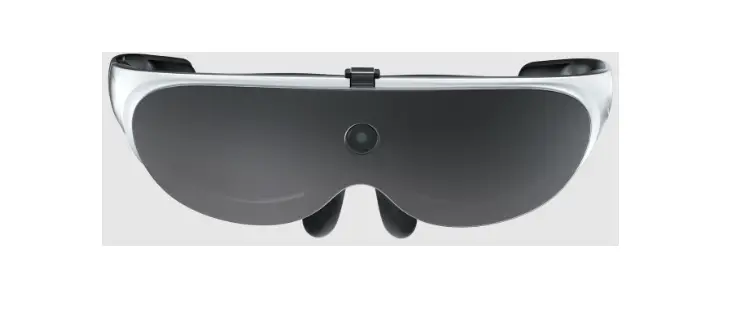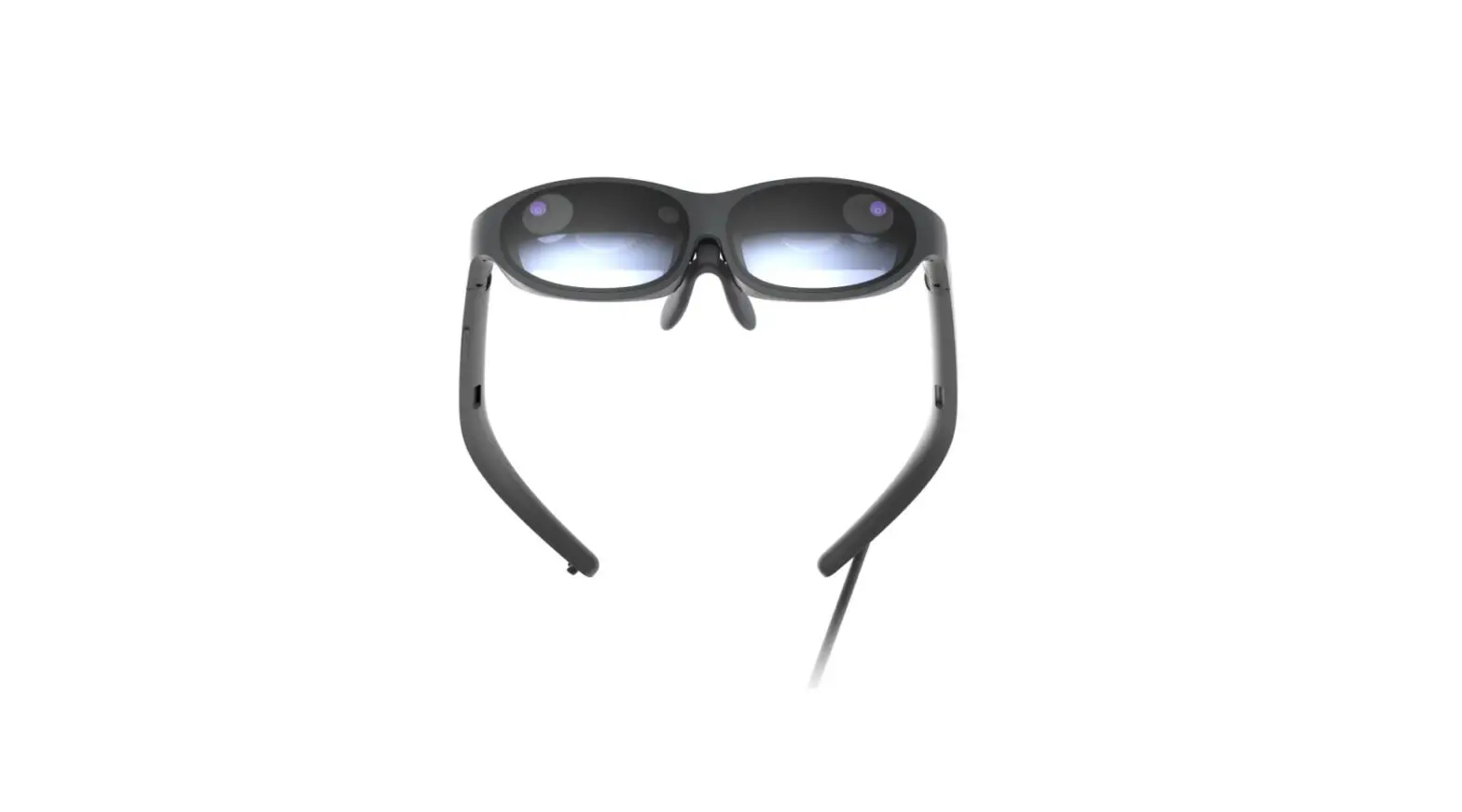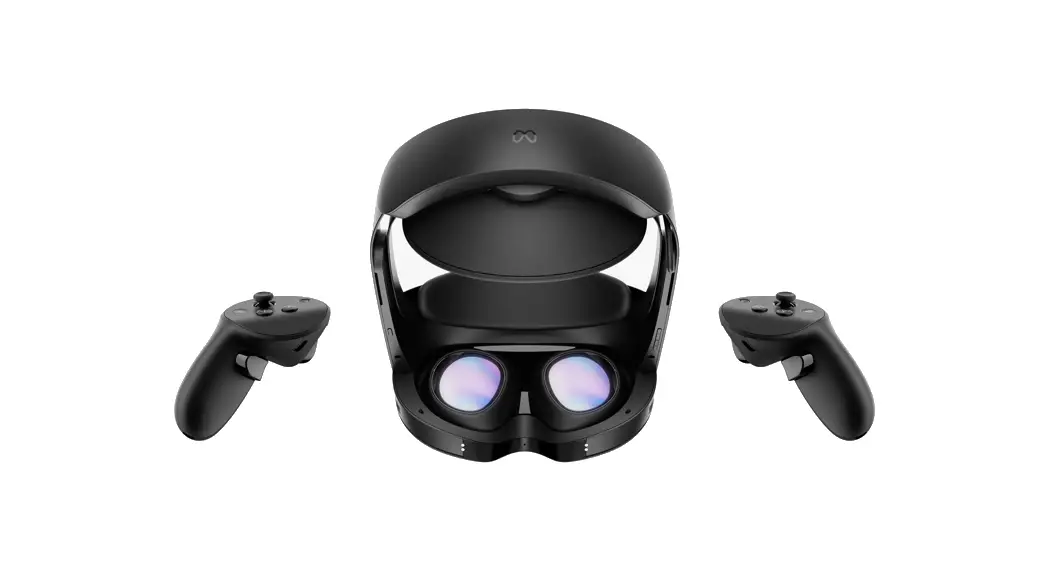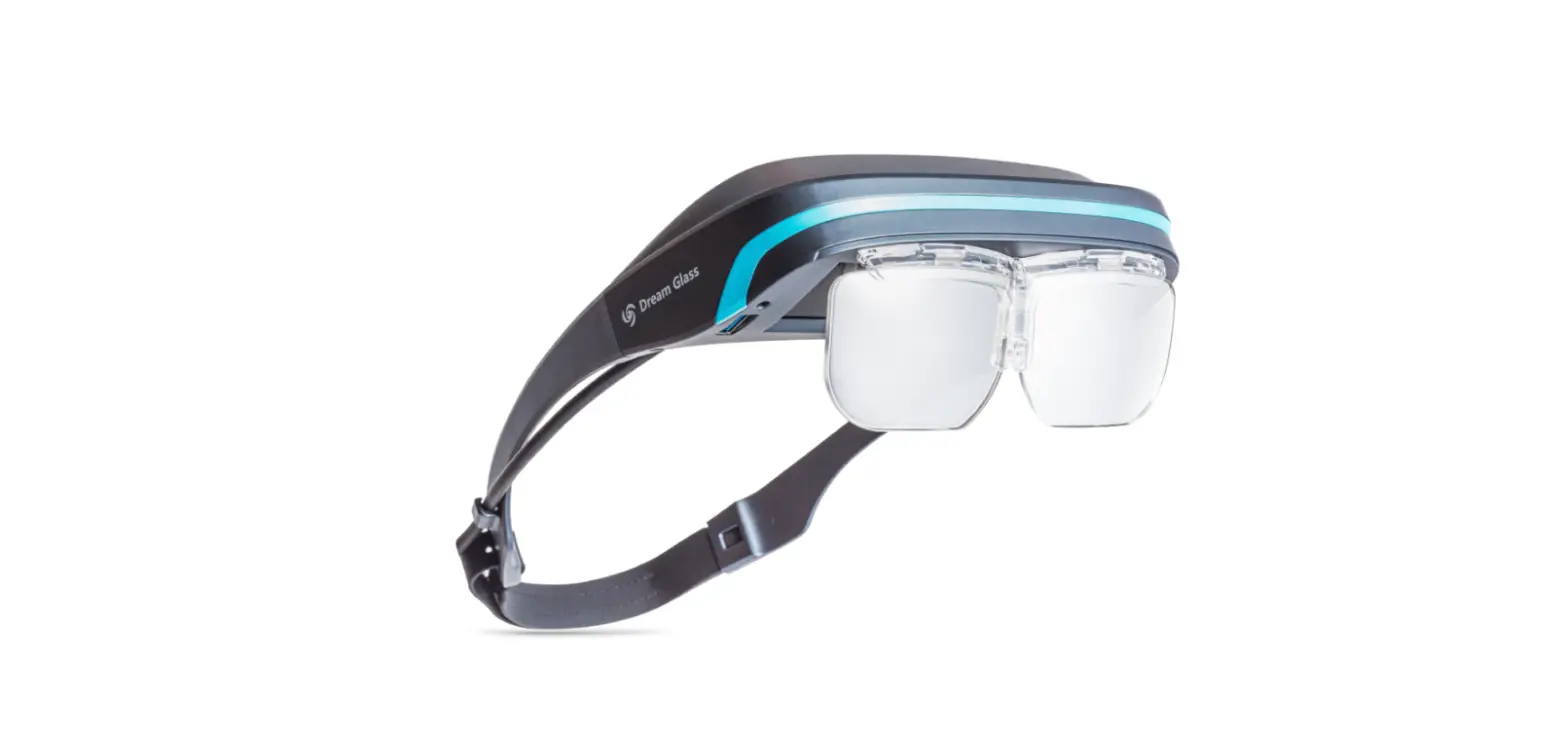

DreamGlass GLASS4K Dream Glass 4K AR Glasses
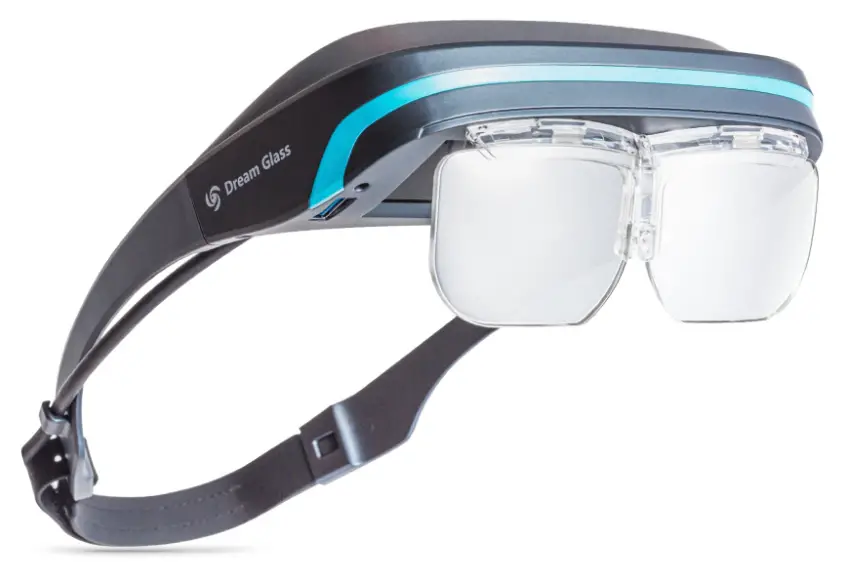
Thank you for choosing Dream Glass. To ensure that you can experience Dream Glass quickly and correctly, please read this manual carefully before use. The product pictures in this manual are all sketch graphics. Please be advised that the actual product might differ from the sketches. DreamWorld reserves the final interpretation right of this manual, warranty certificate and other related materials.
Inside the Box
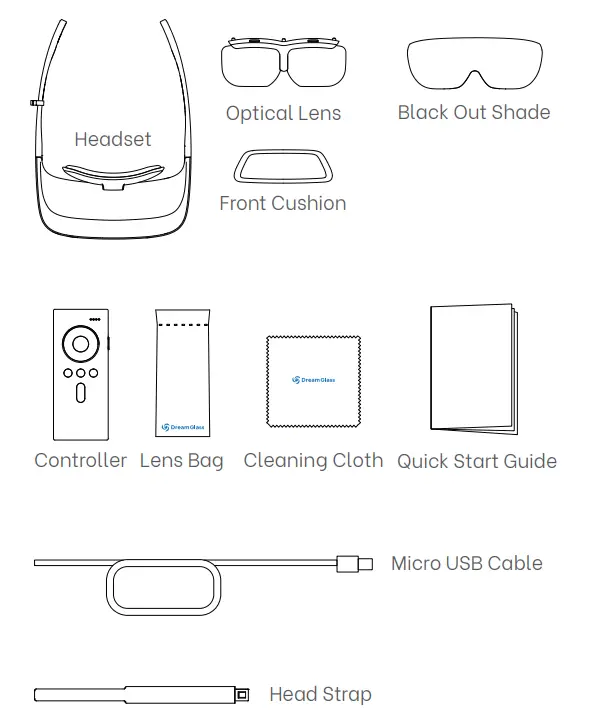
Remark:
Using guide video saved in headset.
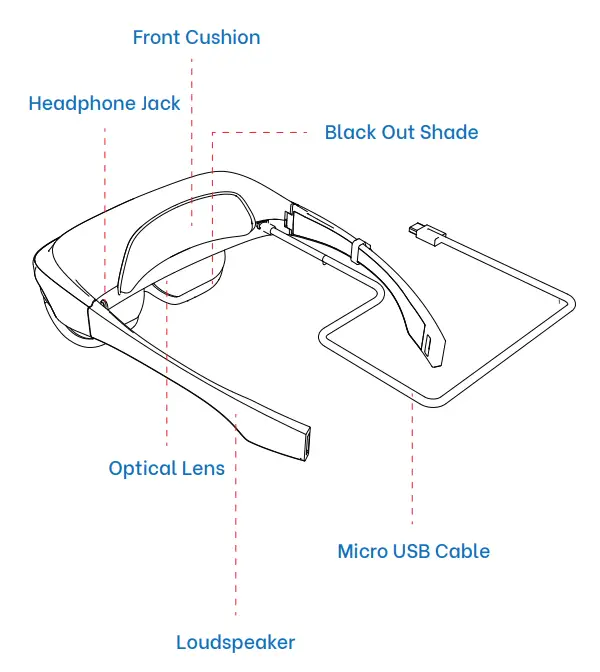
Headset Components
Controller
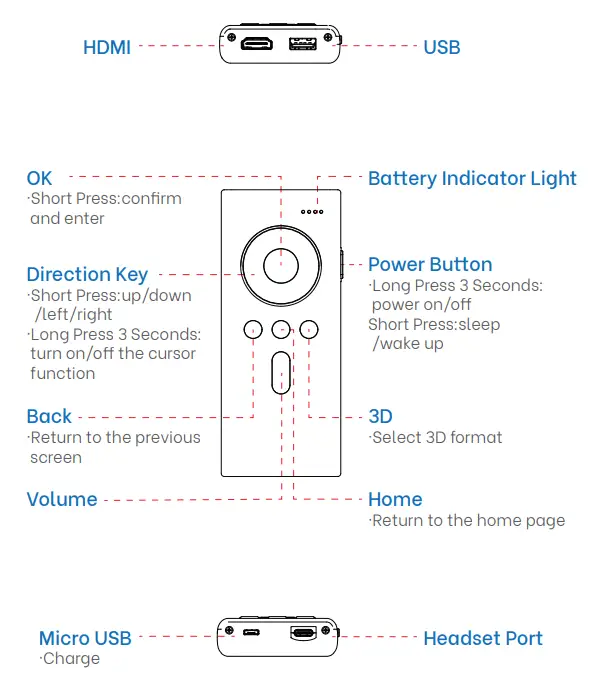
Setting Up
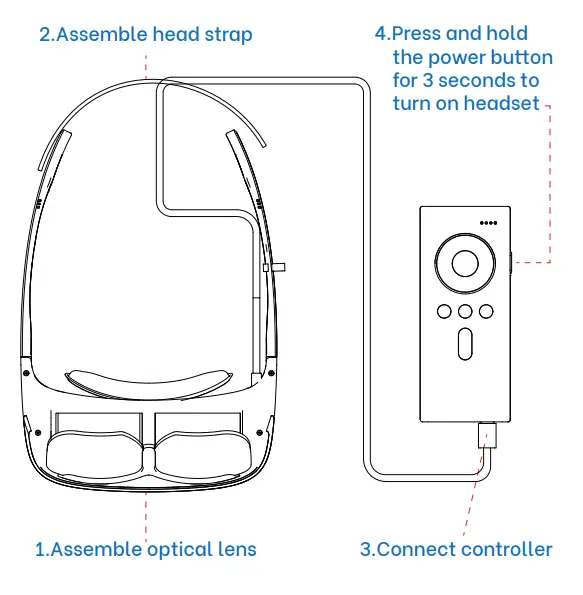
How to Assemble and Wear
Please assemble and wear the headset by following the instructions below.
Please wear the headset according to the following picture and adjust the head strap to fit your head comfortably.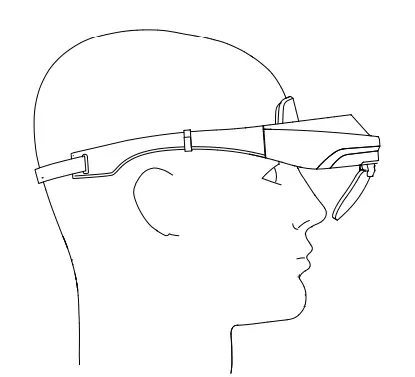
Adjusting Pupil Distance(PD)
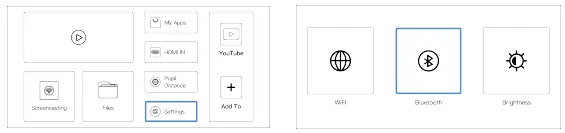
Please adjust your Pupil Distance properly for the best visual effect when using the headset for the first time. You can adjust with your controller through the following steps: Press “Home”, go to “Pupil Distance”→ Press “Left”: decrease PD/ Press “Right’”: increase PD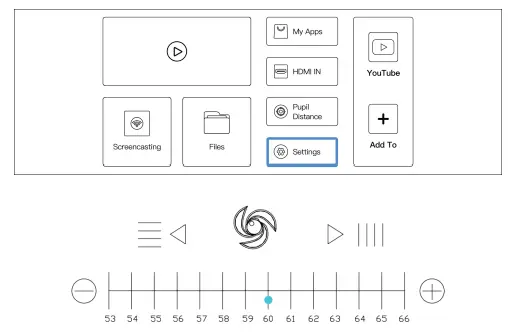
Instructions
WiFi Setup
Follow the according steps to connect to your desired WiFi: Press “Home”, go to “Settings”→“WiFi”, then enter the password.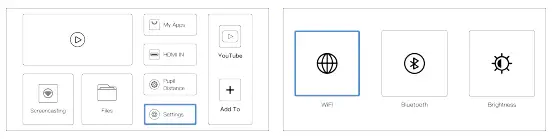
3D Settings
Press the “3D” button to select a suitable 3D format according to the video.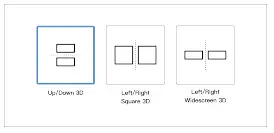
Browsing Local Contents
If you are ready to expand your visual imagination with Dream Glass on your favorite local media contents,you can either open”My Apps”or plug your USB drive then go to “Home”→“Files”.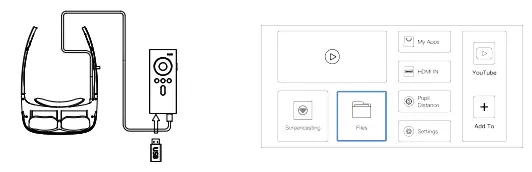
Wireless Screencasting
Important notice: The headset and smartphone should be connected to the same WiFi when using the Wireless Screencasting function.
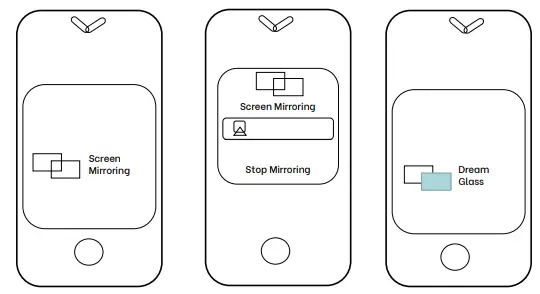
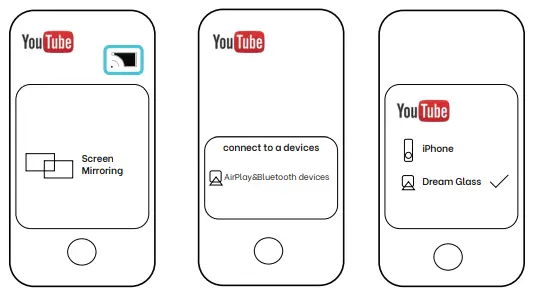
Screen Mirroring:
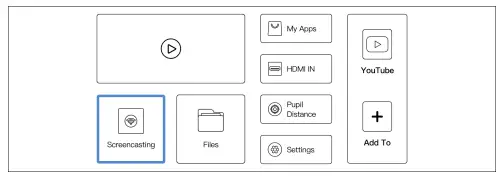
- Headset: Press “Home”, go to “Screencasting” as shown in the picture to turn the function on.

- Smartphone: Turn on the Screen Mirroring function of your smartphone (iPhone for example), find and pair with Dream Glass.

Mobile APP Screencasting:
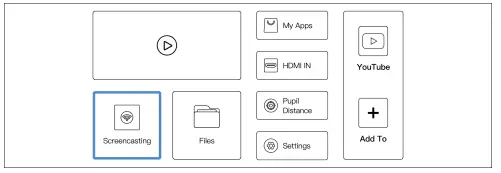
- Headset: Press “Home” go-to “Screencasting” as shown in the picture to turn the function on.

- Smartphone: Open the app and click the screencasting button as shown below(YouTube for example), find and pair with Dream Glass.

Connecting to External Devices
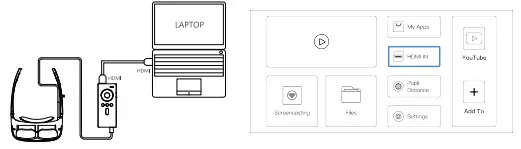
- Connecting with PC, laptops, tablets: Please connect your PC, laptops, tablets via an HDMI cable as shown in the picture. Then go to “Home”-“HDMI IN” and follow the instructions on the screen.

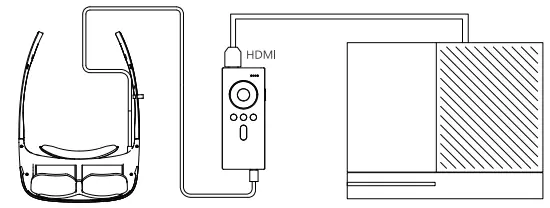
- Connecting with game consoles, If you are a fan of the Nintendo Switch, PS4, Xbox, etc., Dream Glass will be your best gaming companion ever. Please connect with an HDMI cable, go to “Home”-
“HDMI IN” to connect.
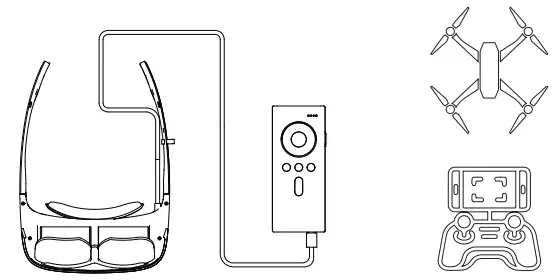
- Connecting with drones, Please connect to your drone as shown in the following picture. After inserting your smartphone into the drone’s operating handle, please use the screen mirroring function as mentioned above.

- Connecting with Bluetooth earphones/speakers, Please make sure the Bluetooth function is turned on for your earphones or speakers. Go to “Home”-

“Settings”-“Bluetooth” to match your devices before using.
Charging Indication
As shown in the picture, insert the Micro USB cable to charge your controller.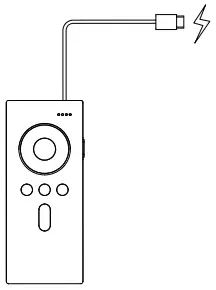
Charging Indicator
- The number of indicator lights show your residual battery power when you turn on the controller.
- The charging indicator lights flash when the controller is connected to the power supply. The indicator lights will always be on after being fully charged.
Power Indicator
| State of power indicator | Residual battery |
| 3 lights on, 1 light flash | 75%-100% |
| 2 lights on, 1 light flash | 50%-75% |
| 1 light on, 1 light flash | 25%-50% |
| 1 light flash only | < 25%, need to recharge |
| 1 light flashing fast | Low power, need to recharge |
Specifications
|
Display | FOV | 90 ° |
| Lens | Fits over eyeglasses, See-through freeform surface lens, off-axis reflection | |
| Resolution | 4K(3840*2160),1920*1080 per eye | |
| Pixel Per Inch | 868 | |
| Aspect ratio | 16:9 | |
| FPS | 60Hz | |
| 3D format | Side by side, Over /Under | |
| Audio | Audio output | Built-in speaker,3.5mm Jack/Bluetooth connection |
| Sensor | Tracking | 3DOF head tracking |
|
Compute and connectivity | CPU | 1.8GHz |
| GPU | Mali-T864 | |
| Storage | 16GB | |
| Memory | 2GB | |
| USB | 2.0 | |
| HDMI | 1.4 |
|
Compute and connectivity | Headset port | Only for Dream Glass use |
| WiFi | 2.4G/5G dual-band, Hotspot | |
| Bluetooth | 5.0 | |
| Compatible device | Smartphone,Tablet,PC,Laptop, Switch,PS4,Xbox,Drone | |
| USB drive format | FAT32 | |
| Software | System | Android 7.1.2 |
|
Power | Battery | 8000 mAh Lithium batteries |
| Working duration | About 5hours | |
| Charging | 5V at 2A Max. | |
| Fit | Size | 269*170*43mm, adjustable head strap for different head size |
| Weight | About 200g | |
| Operating environment | 0°C–60°C, 90% RH Max. | |
Precautions / Warnings
Precautions
- Please handle Dream Glass with care and store it properly to prevent damage (from falling etc.)
- Do not yank, tie, tighten or bend the wires.
- In order to ensure a long battery life, please use a standard power adapter. Please charge or use the controller at least once every four months.
- To ensure the best visual effect, please take good care of the lens. Do not press, bend or scratch.
- Please use the Dream Glass cleaning cloth or a similar soft cloth to wipe your lens gently if it becomes dirty. To prevent scratching the lens, be sure to dust off the cleaning cloth before wiping.
- To avoid damaging the device, please don’t use any organic solvent to wipe the lens or the headset surface.
- The magnetic parts inside of Dream Glass may attract tiny metal objects. Please avoid approaching magnetically sensitive items, such as credit cards and magnetic storage devices.
- Radio frequency signals and the magnetic fields of Dream Glass may affect pacemakers or other medical equipment. Please consult your doctor before use.
- If you feel any serious discomfort while using the headset, such as fatigue, dizziness, nausea, headache, etc., please stop using Dream Glass immediately and rest until the discomfort disappears.
- Dream Glass is made of premium material.However, sensitive skin users may experience uncomfortable symptoms such as tingling, burning, itching etc. If so, please stop using it immediately.
- Using Dream Glass for a long period of time may affect the eyesight of teenagers. Children under 12 years old should use it under parental supervision.
- Please keep Dream Glass away from children under 3 years old.
Warnings
- Keep away from fire when charging. Do not use non-specified adaptors and cables,
- Do not heat, drop, bend, disassemble, puncture, cut, flatten or burn the battery.
- Do not expose the battery to blazing sunlight, water vapor or extreme temperature environment.
- Do not disassemble Dream Glass without permission. Any self-disassembly or modification will invalidate your warranty rights.
- Do not dispose of Dream Glass together with common household garbage. Please recycle or scrap the lithium battery inside Dream Glass properly.
Warranty Information
Return Policy
We accept returns of items that were purchased directly from DreamWorld provided that they are unused, in the original packaging (i.e. Dream Glass devices must be inside the original, unopened box and the seal on the box must not be tampered with or broken in any manner). Accessories must have all tags (if applicable and be enclosed in the original packaging) and returned within 14 days from the date of delivery or pickup. If your purchased product has any manufacturing defects or other QC issues, you can get your Dream Glass exchanged/repaired for free within 14 days from the purchase date. Please contact our Customer Service team via [email protected] to get your return or exchange started. Then, prepare and drop off your shipment as required. The refund will be issued via the payment method you used to make your purchase. The time required to process your refund will be within 7-15 business days from the date DreamWorld confirms receipt of the refunded item.
Warranty Policy
DreamWorld offers a 12-month warranty on all the Dream Glasses we have sold. You can get your Dream Glass repaired within 12 months from purchase date after paying the maintenance fee. Please contact [email protected] if you need repair services. This warranty is valid only if you purchased a product through our official channels, and if the product was originally sold to you in its original, sealed packing. Do not use until you have read the terms of this warranty.
The limited warranty does not cover:
- Defects or damage resulting from improper usage not included in this manual;
- Attached parts except for headset and controller, such as the packing box or gifts;
- Defects or damage resulting from non-authorized modification, changing or repairing;
- Defects or damage resulting from external causes such as collision with an object, fire, flooding, dirt, windstorm;
- The product after the warranty has ended. However, repairs can be done at a cost. Please contact us should there be any issues.
Contact Us
Specific Absorption Rate (SAR) information:
This smartphone meets the government’s requirements for exposure to radio waves. The guidelines are based on standards that were developed by independent scientific organizations through periodic and thorough evaluations of scientific studies. The standards include a substantial safety margin designed to assure the safety of all persons regardless of age or health. This equipment should be installed and operated with minimum distance of 0 cm the radiator your body.
 Home | Dream Glass