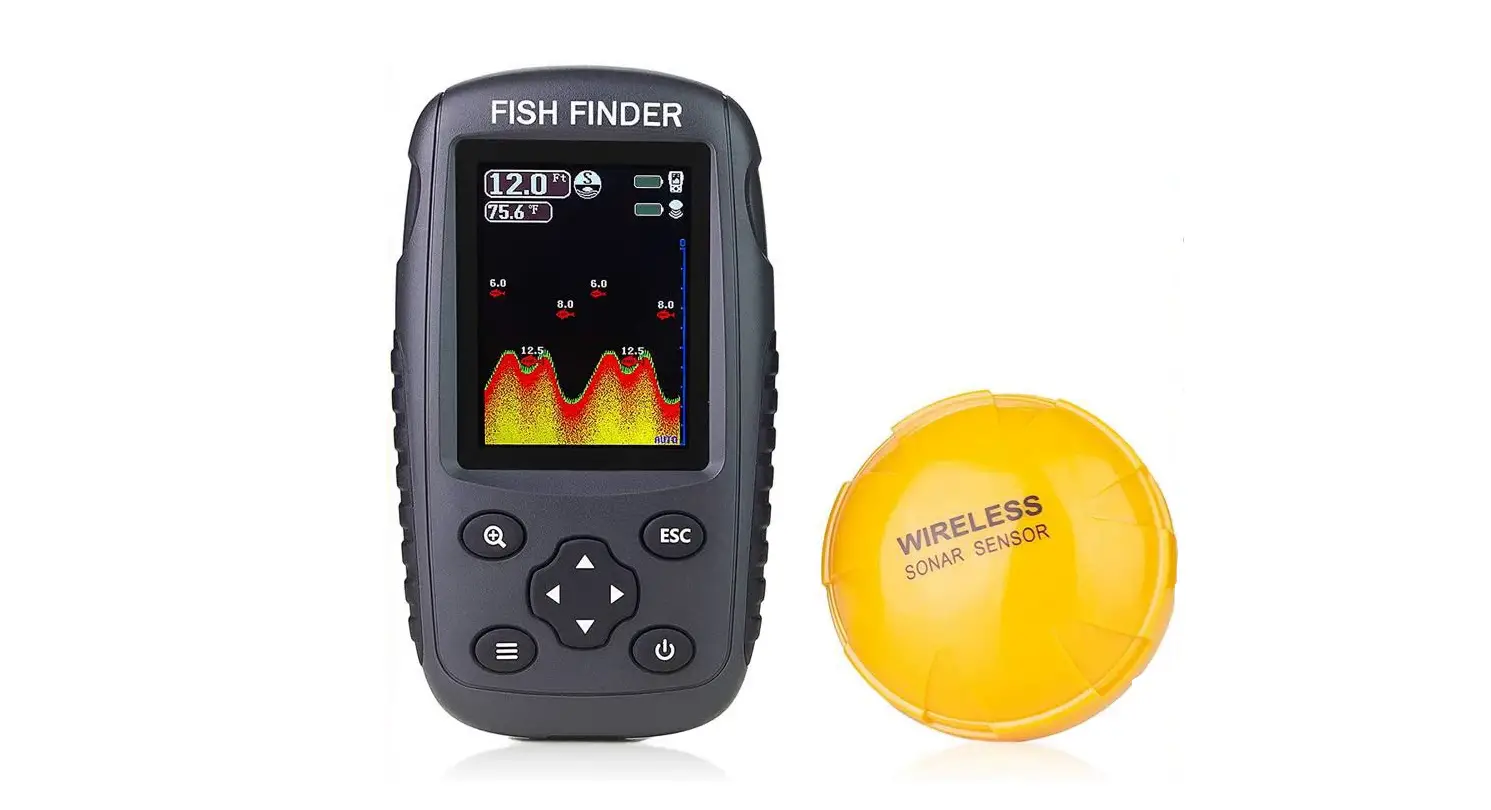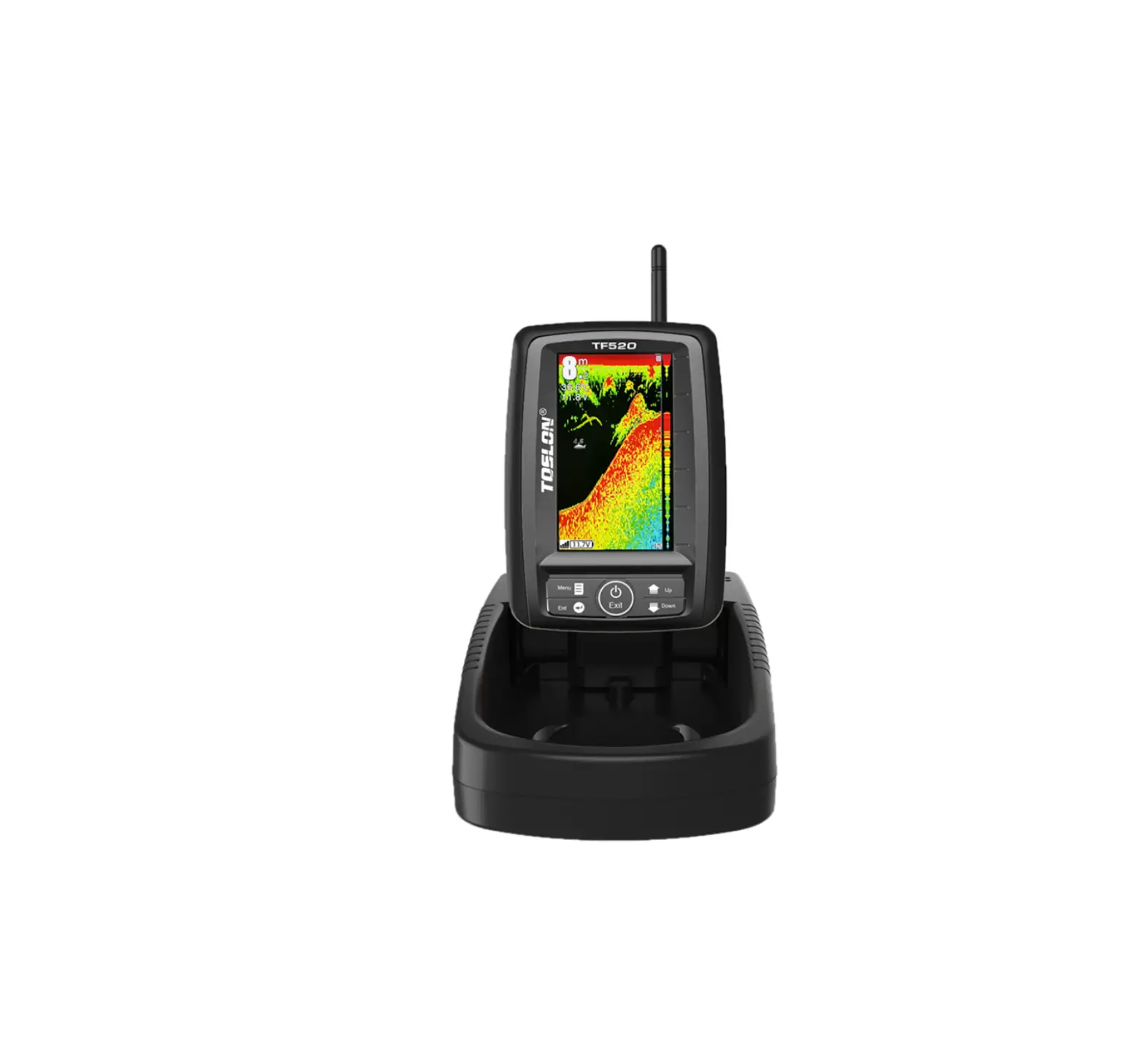
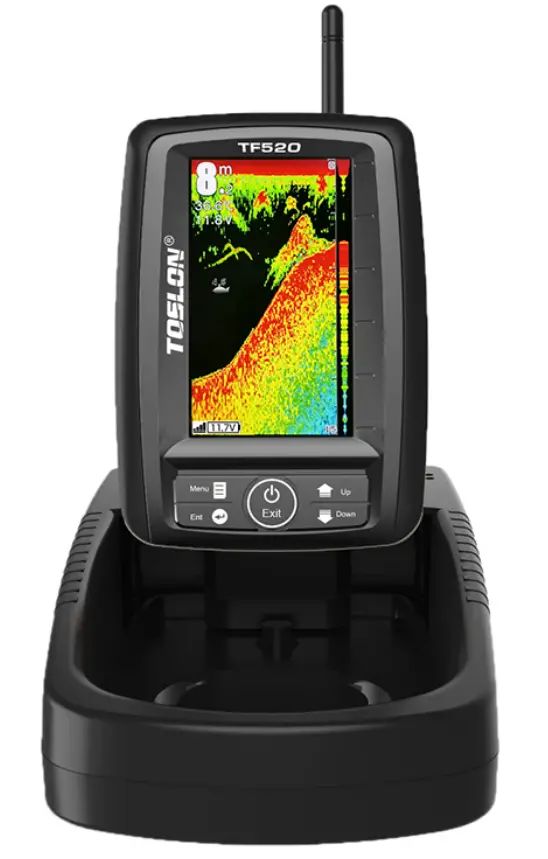
AMEWI TF520 Fish Finder
CONTENTS
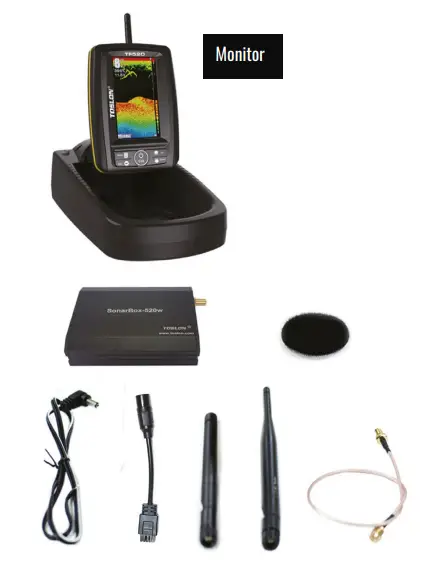
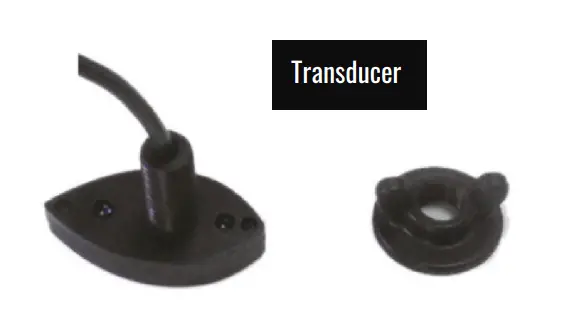
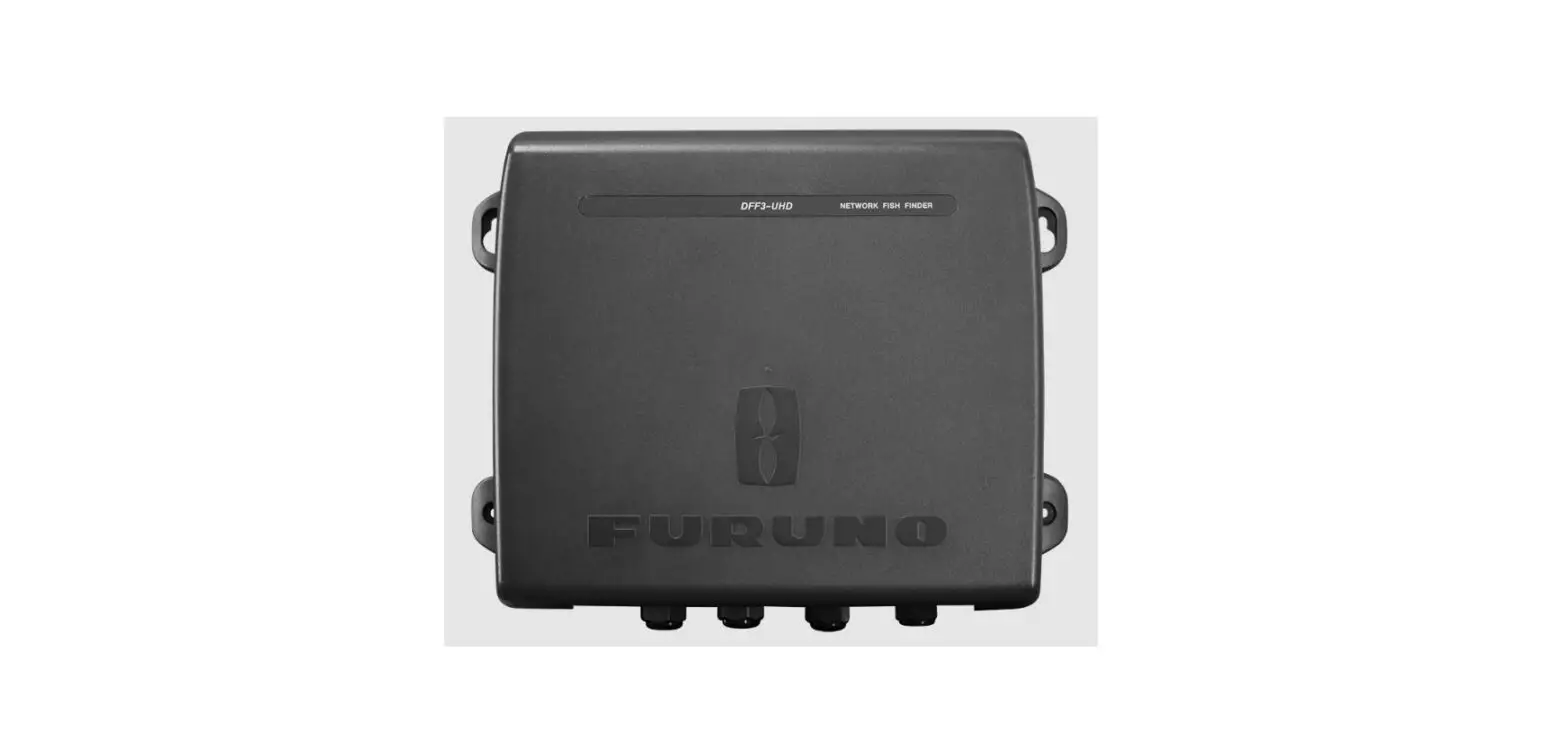
Sonar Box
- Sonar Box 520W
- Power cable DC 5,5-2,1)

- Transducer Adapter
- Antenna for Monitor
- Antenna for Sonar Box
- SMA Radio Cable
- Valcro
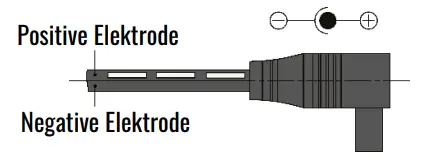
The Toslon TF520 Sonar Box is already installed in your Baiting 2500 boat and requires no further installation.
POWERING
| For Monitor | For Sonar Box | |
| Recommended voltage | 9 – 15V | 9 – 12V |
| Maximum voltage | 16,0V | 14,8V |
Nachfolgend sehen Sie den Spannungsbereich der gängigsten Akkus und Batterien auf dem Markt.
From bellow shows the voltage range of the most popular batteries in the market:
| Battery type | Voltage | Permission |
12V Lead-acid | 10,8V – 14,8V |
|
| 8x AA NiMH | 7,8V – 10,6V |
|
8x AA Alkaline | 7,5V-12,8V |
|
| 2S Lithium | 5,6-8,4V |
|
| 3S Lithium | 8,4-12,6V |
|
| 4S Lithium | 11,2V-16,8V |
|


USING
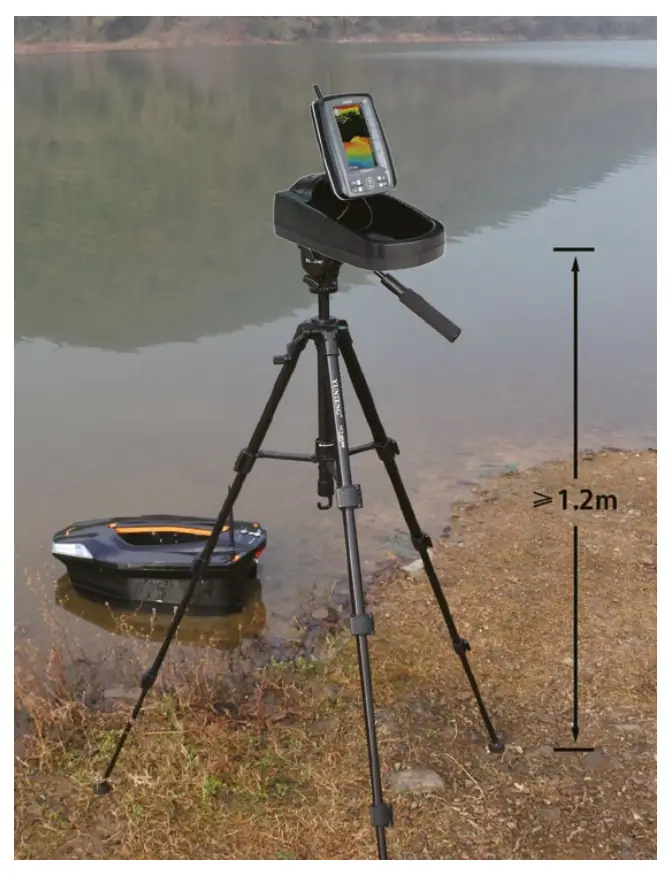
- Please do not put the display on ground during the operation, which could cause a short R/C distance.
It is recommended to install the monitor on a tripod, which can ensure that the monitor is at least 1.2 meters above the ground. - Make sure the antenna is tighten on the boat, otherwise the R/C distance will be greatly shorten
KEY FUNCTION
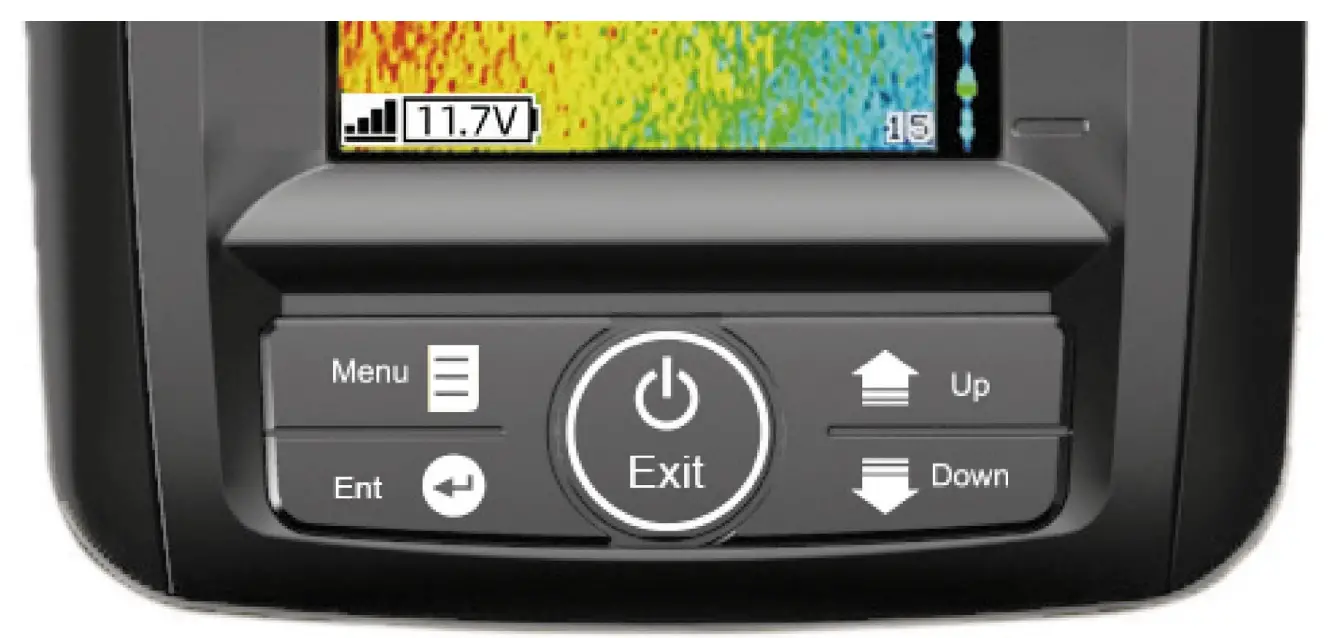
| Menu | Open Menu settings; Switch between menus |
| Ent | Finalizes menu selections; confirm a setting |
| Up | Move up to select menu; increase a value of option |
| Down | Move down to select menu; decrease a value of option |
| Power / Exit | Turns unit on/off. Also be use to quit a menu setting |
WHAT’S ON THE DISPLAY
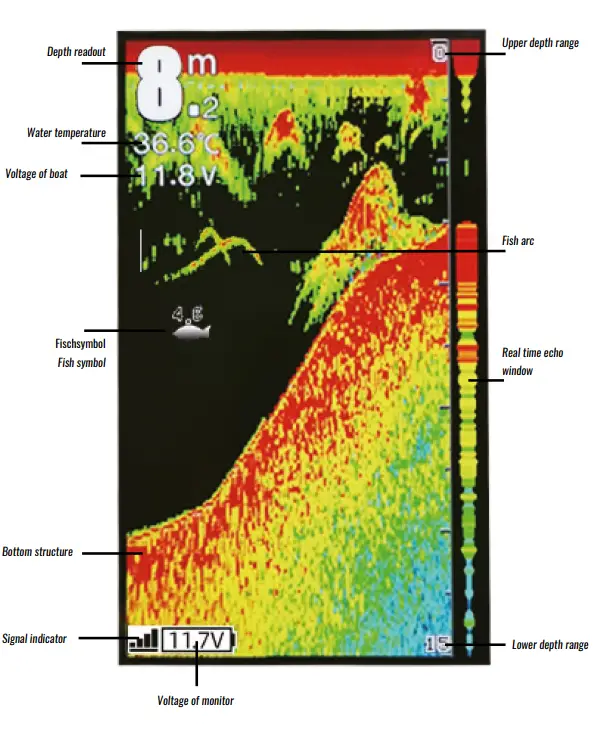
In most cases, the default setting is sufficient. However, in some situations you may need to adjust the menu setting to get the best performance on the system.
Sensitivity
Sets how the echoes are displayed on the screen. If you increase the sensitivity, you can see more details on the screen.
In deep water, increase the sensitivity. In shallow water, on the other hand, decrease the sensitivity
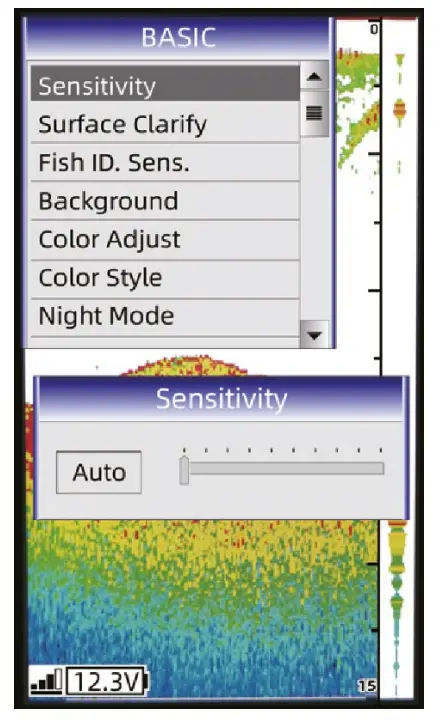
How to set the Sensitivity?
- Press MENU key, and go to “Sensitivity”.
- Press ENT key to conform the selection.
- Press UP/DOWN key to increase/decrease the value.
- Press ENT key to confirm the setting.
Surface clarify
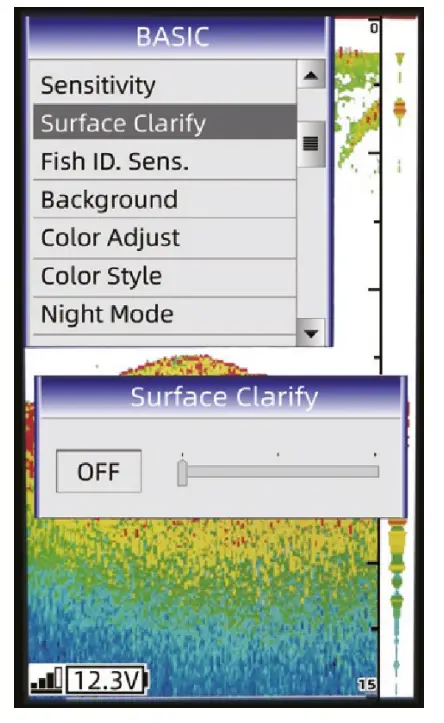
Wave action, boat waves and temperature inversions can cause interference on the screen near the surface. The surface clarification option reduces surface interference by reducing the sensitivity of the receiver near the surface.
Fish ID Sens.
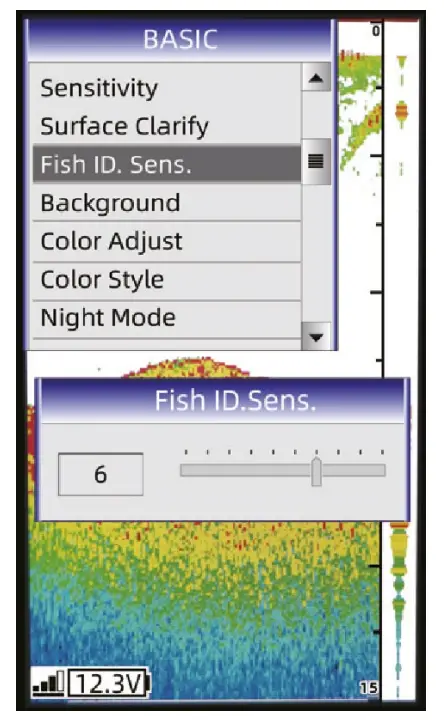
Fish ID. Sens. adjust the threshold of fish size display. Selecting a higher setting allows weak returns being displayed as fish, which is helpful especially when you are intending to find smaller fish species or bait fish. Selecting a low setting will prevent weak sonar returns being displayed as fish, which will be very helpful when you are seeking large species of fish. Note: If you hope to find big fish, please set the value to 1. However, if you hope to find all the fish, including small ones, set the value to 9
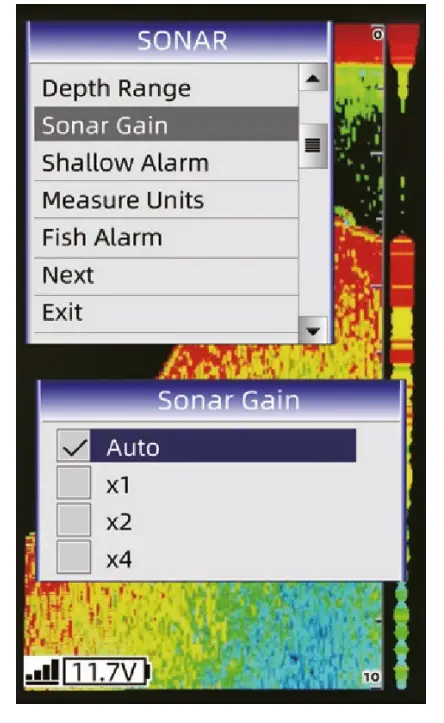
Sonar Gain
The gain controls the sensitivity of the hardware receiver. A higher gain makes the sonar more sensitive to echo returns, allowing it to display weaker targets.
If the gain is set too high, the image might be cluttered with background noise.
Radio Bind
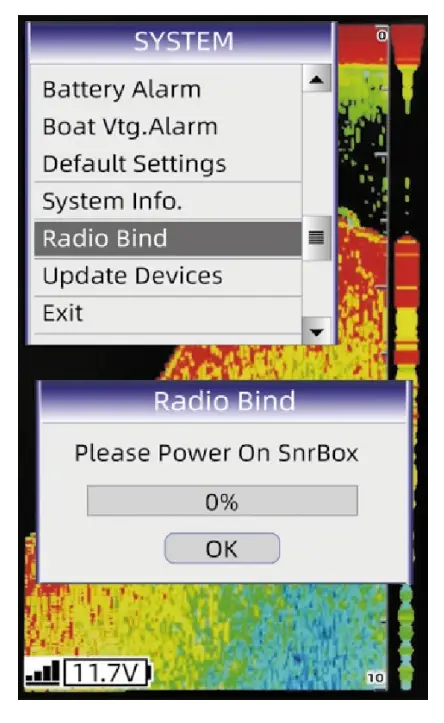
For the TF520, each Sonar Box has an “Identity Card”. It only can relate to one monitor.
And for all TF520s that were sold, the authorisation process was done in advance by Toslon. However, in some cases you may mix the monitor and the Sonar Box. Then you need do the radio bind as following instruction:
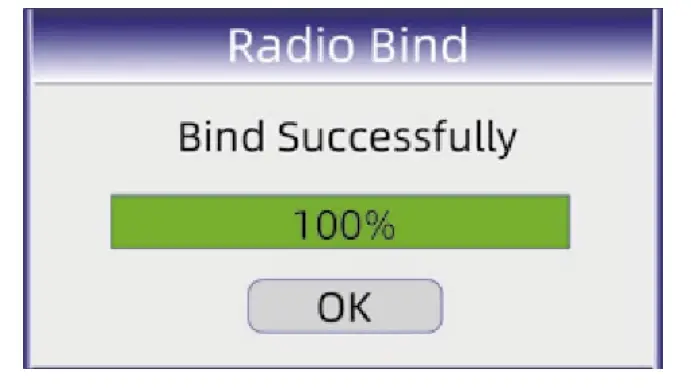
- Enter “Radio Bind” menu, a message is shown to remind you to power on the Sonar Box.
- Power on the Sonar Box, the device will make radio bind automatically.
Note: before making Radio Bind, please power off the Sonar Box in advance.
| MENÜ LISTE / MENU LIST | ||
| BASIC | Sensitivity | Controls the level of details shown on the display. |
| Surface Clarify | Reduces surface clutter by decreasing the sensitivity of the receiver near the surface. | |
| Fish ID Sens. | Adjust the threshold of fish size display. (see manual) | |
| Background | Change the background of the screen. | |
| Color Adjust | Adjust the contrast & brightness of sonar image. | |
| Color Style | Provides different colour styles for the sonar image. | |
| Night Mode | Adjust the brightness of backlight to suit device using at dark environment. | |
| SONAR | Depth Range | Determine in which portion the bottom will be displayed on the screen. |
| Sonar Gain | Controls the sensitivity of the sonar receiver | |
| Shallow Alarm | Sounds when the depth becomes equal to or less than the menu setting | |
| Measure Units | Selects the units of measure for all distance and temperature related readouts. | |
| Fish Alarm | Sounds when the fish finder detects what it determines to be a fish. | |
| SYSTEM | Simulator | Used to let you practicing using the Fishfinder as if you were on the water. |
| Backlight | Adjust the brightness of backlight. | |
| Key Tone | Set if the sonar unit sound a tone or not when a key is pressed. | |
| Language | Select the display language for menus. | |
| Battery Alarm | Sounds when the input battery voltage of display is equal to or less than the setting. | |
| Boat Voltage Alarm | Sounds when the input battery voltage of Sonar Box is equal to or less than the setting. | |
| Default Settings | Used to restore original factory setting. | |
| System information | Show system information of device. | |
| Radio Bind | Make authorization between monitor and Sonar Box. | |
| Update Devices | Update monitor or Sonar Box with latest version of software. | |
| Specifications and features | Display | Display size: 4.3″ TFT LCD, non-reflective |
| Resolution: 480×272 Pixels; 65536 color | ||
| Language: Multi-language | ||
| Monitor and Display Real-time Voltage of Bait boat Battery | ||
| IPX6 Level Waterproof Casing Design | ||
| Sonar | Depth Capability: 30m (100ft) | |
| Sonar Frequency: 115Khz | ||
| Sonar Beam Angle: 60deg @-10db | ||
| Sonar Alarms: Fish / Shallow / Low Battery | ||
| R/F | Radio frequency: 2,4GHz | |
| Frequency Power: 20dBm | ||
| Power | DC 9-15V / 3S Lithium | |
| Akku 3S 18650 (Optional) | ||
| Technical & Case | Sensor cable length: 0,5m | |
| Sonar unit size: 153 x110 x 44mm | ||
| Operational Temperature: -10°C ~ 50°C | ||
| Wassertemp. Im Messwertgeber enthalten Water Temp. Included in Transducer | ||
| Features | Frequency-hopping spread spectrum (FHSS) | |
| Direct-sequence spread spectrum (DSSS) | ||
| Hardware gain adjustable | ||
| Eingebaute 3S-Lithium-Akku-Ladefunktion Built in 3S lithium battery charging function | ||
| Stable wireless performance even in bad condition |
CUSTOMERS SUPPORT