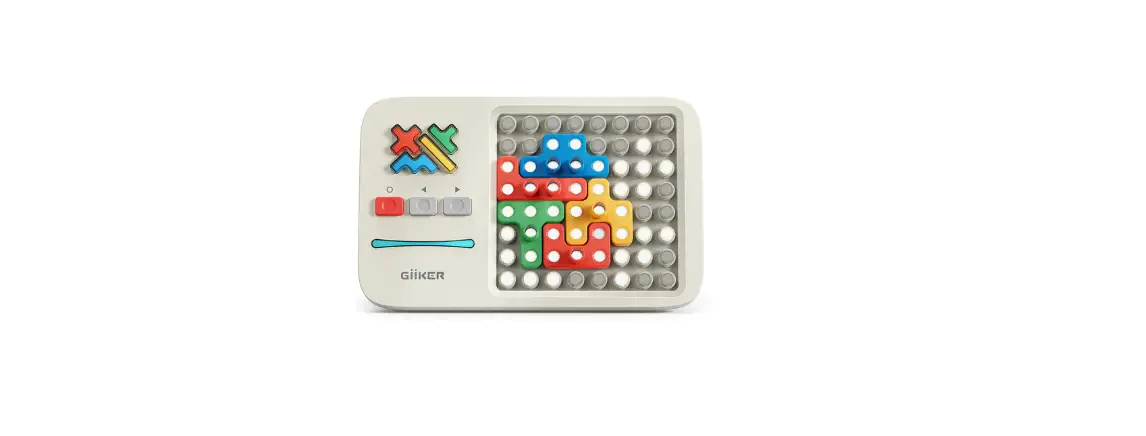
GiiKER Super Slide Brain Games User Manual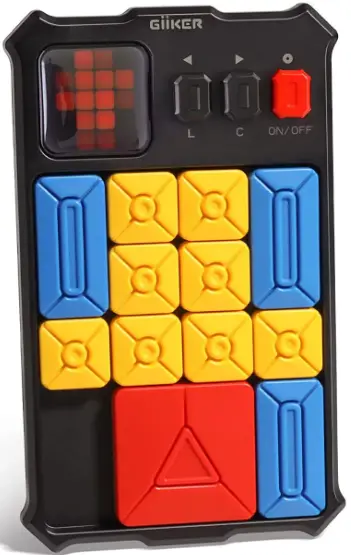
ABOUT SUPER SLIDE
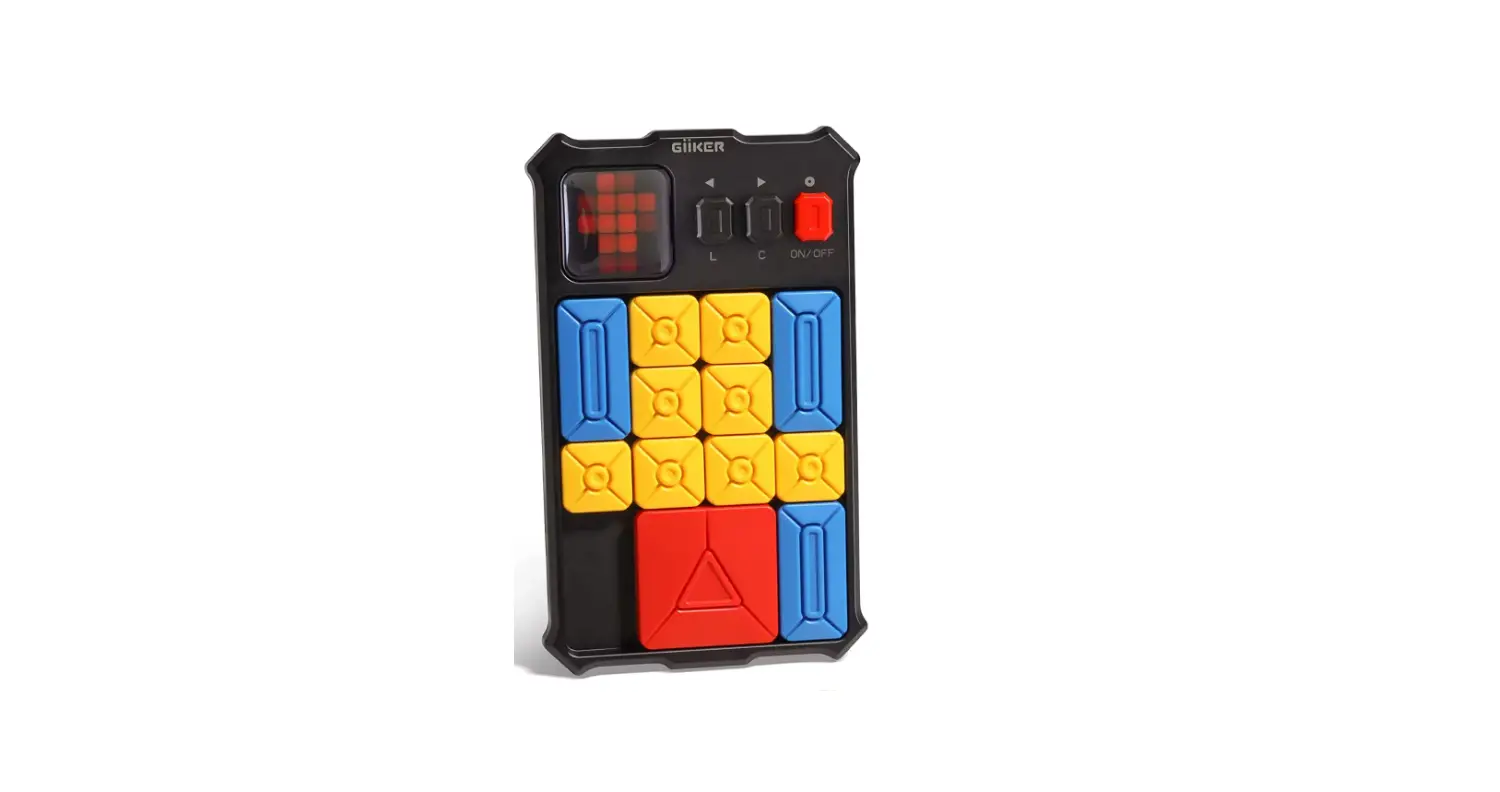
Super Slide is an interactive game cansole for sliding puzzle. Follow the LED to set a game, the goal s to shift the big square block to the automatic detection zone. Explore 500+ leveled up games with lear and challenge modes, enjoy the game. like never before!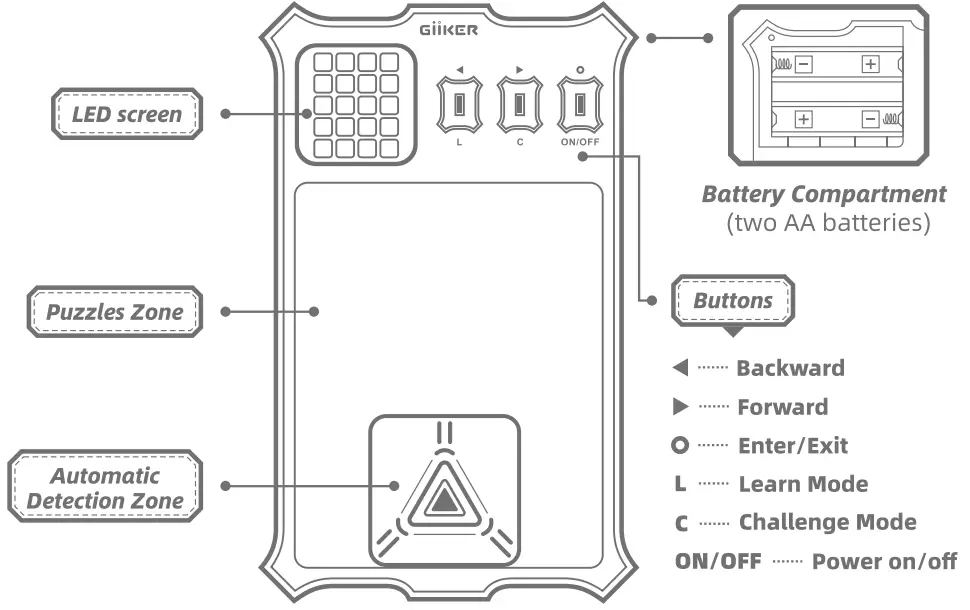
Installing Batteries
Remove the cover on the back of the Super Slide and insert two AA batteries as shown below. Use only two fresh, high quality batteries. Caution: When inserting the batteries, make sure that the positive (+) and negative (-) ends are facing the correct directions. (See Illustration). Insert the negative end first. When removing batteries, remove the positive end first.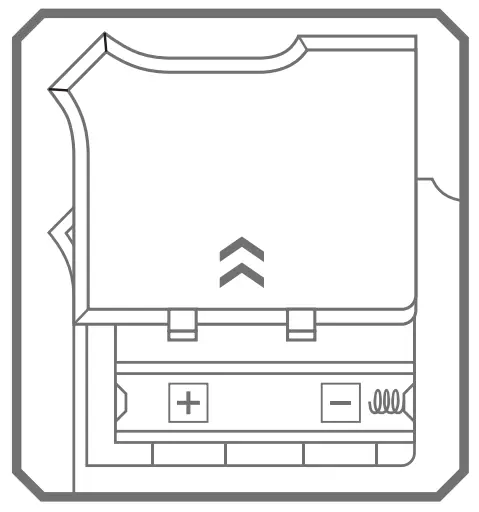
Turn On/Off and Mute Settings
Turn 0n/0ff:
Long press ON/OFF button for 2 seconds. LED screen will dim if no ‘operations for 5 minutes. Automatically tum off if no operations for 15 minutes.
Mute Settings: Long press L button and C button at the same time for two seconds to set mute on or off
How to Play
Target
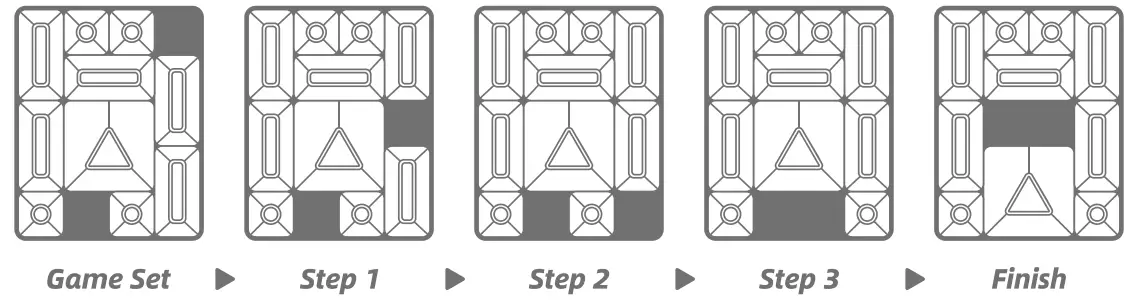
To shift the big square block to the exit/automatic detection zone without liting any puzzle blocks.
Puzzle Zone
Occupies 20 small square spaces, the exit area of which contains automatic detection functions. While the big square block is shifted to the exit area, it can automatically give sounds and animation indications to indicate success.
Puzzle Blocks
Big Square Block
(4 square spaces)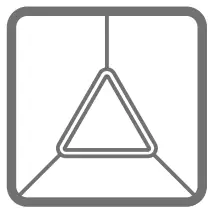
Small Square Block
(1 square space)
Rectangular Block
(2 square spaces, horizontally o vertically)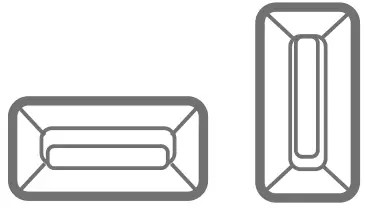
Set A Game
SUPERSLIDE contains 500+ games with leveled-up difficultes. Select a game first, follow the instructions in the LED screen to set a game by placing the puzzle blocks in the puzzle zone
Rule of the Play.
Uses can only shift the puzzle blocks. Lifting is not allowed.
EXAMPLE
Quick Start
Press ON/OFF to turn on. Press  or
or b button to select a game.
Step 2: Set a Game.
When a game is selected, follow the instructions to place the puzzle blocks in the puzzle zone. The LED screen shows different colors of pixels combinations and indicates its corresponding layout by flashing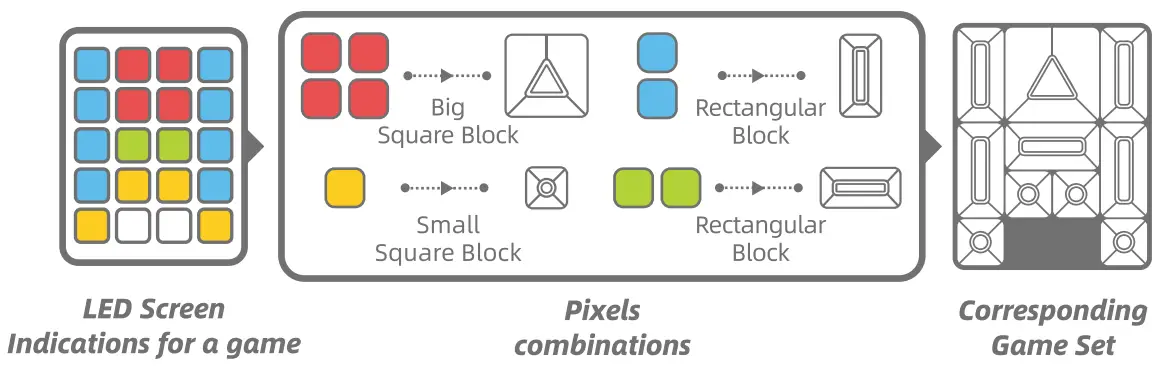
Step 3: Solve the Game
When the game is set, press © to turn the LED game indications from blink to still You can start solving now. With the automatic detection sensor, when the big square block is moved the exit zane, it will give animation and sounds indication.
Learn Mode
When the game is set, long press [L] button for 2 seconds to enter [Learn Mode] of the current game. In the [Learn Mode], you can view the solving steps of the game.
Short press 4 or b button, to view step backward or forward. Long press or b button, to view 10 steps fast backward or forward .
Short press O button to exit [L] mode and return to the game.
Challenge Mode
When the game is set, long press [C] button for 2 seconds to enter [Challenge Mode] of the current game.
In the [Challenge Mode], users have to start the solving after 3 seconds countdown and finish the solving before all the LED lights turn out. The system will give a rating based on the solve time.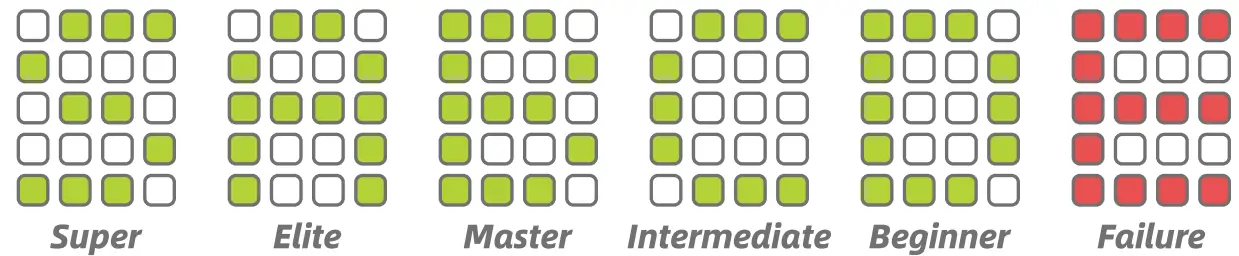
Short press © button to exit [€] mode and return to the game.
Specifications
| Name | SUPERSLIDE | Model | JKHRDOOT |
| Material | ABS | Age | 14 |
| Dimensions | 175mm*103mm*25mm | Packing Weight | 1579 |
Notes
- damage the product.
- The product is not water resistant. Do not drop the praduct into water. Do not leave the. product out in the rain or near a source of moisture.
- D0 not place the product near a source of heat. Operate and store the product in the temperature between 0° and 40° C.
- leakage of battery acid can cause personal injury as well as damage to your Super Slide. If battery leakage occurs, thoroughly wash the affected skin and cloths. Keep battery acid away from your eyes and mouth. Leaking batteries may make popping sounds. To avoid battery leakage: *o not mix different brands of batteries; do not mix different types of batteries (alkaline, standard (carbon-zinc) or rechargeable (NI-Cd) batteries); do not leave used batteries in the Super Slide; do not leave batteries in the Super Siide for long periods of non-use; do ot put the batteries in backwards. Make sure the positive (+) and negative (-) ends are facing the correction direction; do not dispose of batteries in a fire.
- The supply terminals are not to be short-circuited.
Troubleshooting
| Problem Observed | Possible Reason | solution |
| Unable to turn on | Uninstalled batteries or wrongly installed batteries | Instalthe batteries as instructed |
| Battery life down to 0% | Replace new batteries | |
| No sounds | Set mute on | Long press L and C button at the same time for two Seconds to set mute off. |
| LED grows Dim | No operations for more then 5 minutes | Press any button to awake |
Search for the Superslide app in the App Store or Google Play or scan the QR code to download the app on your mobile device. The app is supported in i0S 10.0 or Android 6.0 or later.



GIlKER warrants that your GIIKER hardware product (‘the Product”) will be free from defects in materials and workmanship for a period of one (1) year from the date of purchase (the Warranty Period”). If a defect in the Product arises under normal and intended use within the Warranty Period, please contact the authorized GIIKER dealer in your country. The authorized GIlKER dealer in your country will, at its option and subject to applicable laws, replace or repair the Product with new or reconditioned parts,
This warranty is only valid to the original retail purchaser, accompanied by a receipt or proof of purchase. GIlKER does not warrant that the operation of the Product will be uninterrupted or error-free. This Warranty does not apply to: a)Products you purchase from unauthorized dealer ; b)Defects in consumables, such as stickers or protective coatings designed to diminish over time; c)Defects caused by misuse or failure to follow the product directions, improper installation; product alteration or modification; improper or unauthorized repair; d)Defects caused by accidents, neglect, fire, water, lightning, or other acts of nature; incorrect electrical line voltage, fluctuations or surges; e) Normal wear and tear or otherwise due to the normal aging, other causes beyond GIlKER’s reasonable control.
Statements
Apple and the Apple lago are trademarks of Apple Inc., registered in the U.S. and other countries. App Store is a service mark of Apple Inc.
Google Play is a trademark of Google Inc.
GIKER and the GIIKER logo are registered trademarks of Giker Limited; All other trademarks mentioned in this manual are the property of their respective owners,
Declaration of Conformity
GIlKER Technology Co.,Ltd. declares that this product is in compliance with the relevant requirements of Directive 2009/48/EC, Directive 2011/65/EU . This declaration of conformity is published on our website www.giiker.cn/compliance.
EUROPEAN UNION-DISPOSAL INFORMATION
 The symbol above means that according to local laws and regulations your product should be disposed of seperately from household waste. When this product reaches its end of life, take it to a collection point designated by local authorities. Some collection points accept products for free. The separate collection and recycling of your product at the time of disposal will help conserve natural resources and ensure that it s recycled in a manner that protects human health and the environment.