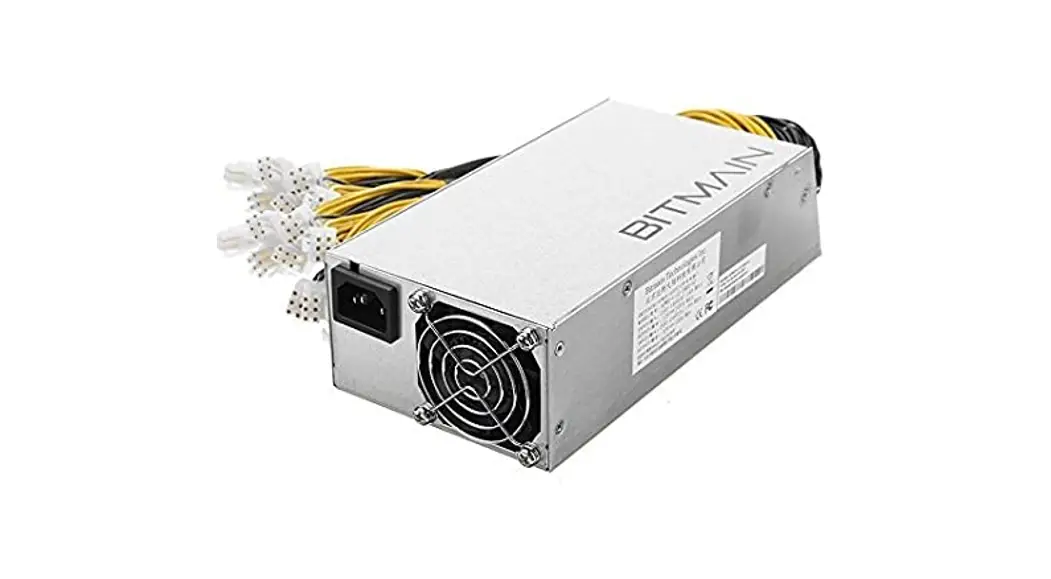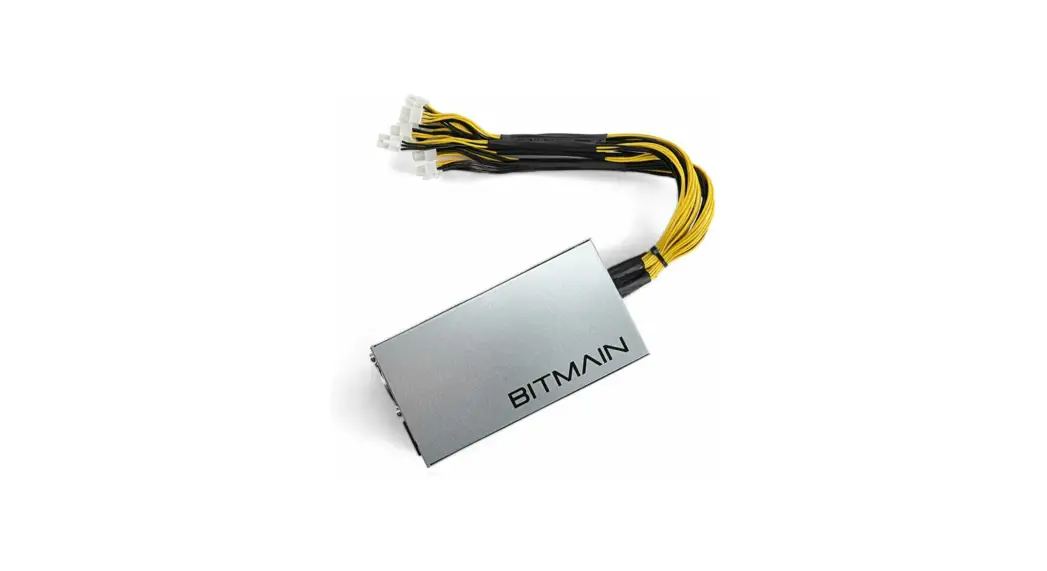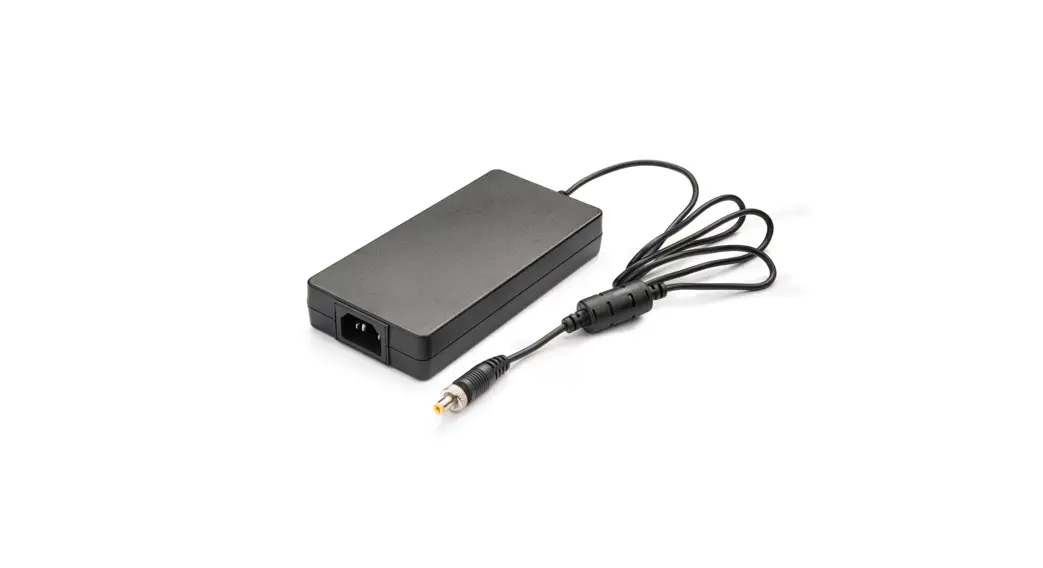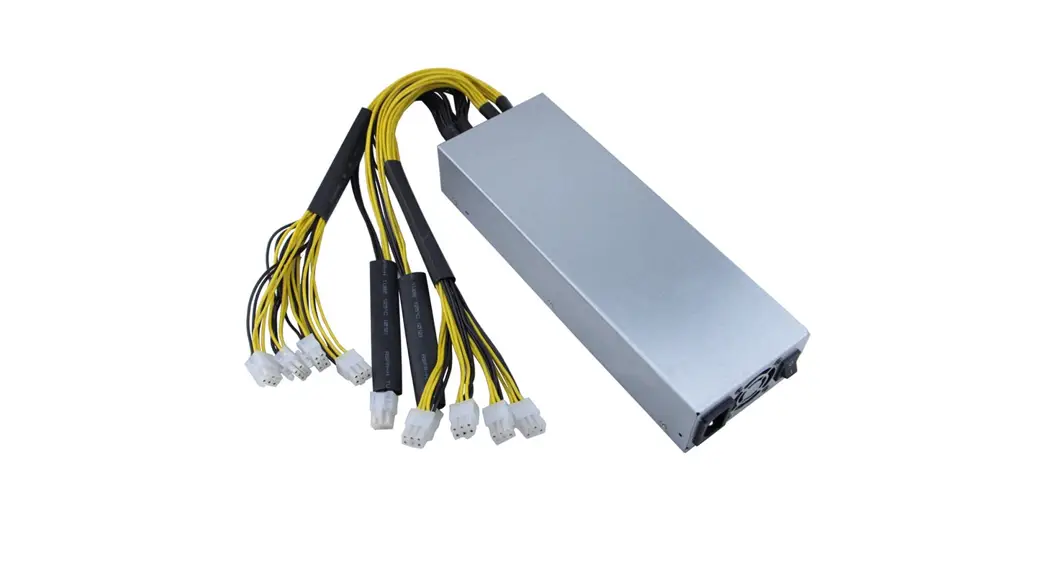
 APW3-12-1600 PSU Series
AntMiner PSU
User Guide
Overview
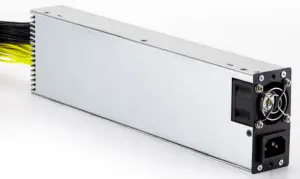
The APW3-12-1600 series AC-DC PSU combines high efficiency and good dynamic performance into a power dense package. It also features overload, overheats, overcurrent and low voltage protection, making it well suited to 12V, ≤1600W power devices.
Please note:
- This PSU cannot be used in countries with a mains power voltage is lower than 205V, the PSU will not start below this voltage.
Features
- ±20% voltage input range
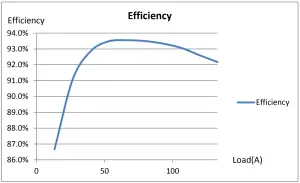
- High efficiency, up to 93.8%
- Short circuit, overload, and overheat protection
- Extreme power density, 1U form factor
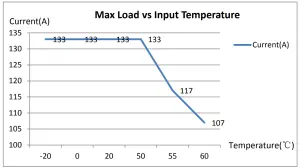
- 100% rated up to 50°C ambient
- C13 power connector
- 12 Month Warranty
Specifications
| Output | DC Voltage | 12V |
| Rated Current | 133A | |
| Rated Power | 1600W | |
| Ripple & Noise | <1% | |
| Voltage Regulation | <2% | |
| Source Regulation | <1% | |
| Load Regulation | <1% | |
| Setup, Rise Time | <SS | |
| Power-off Protection Trip Time | >10mS | |
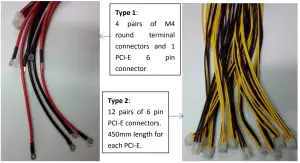
| Interface Type | 12 pairs of 6 pin PCI-E connectors. 450mm length for each PCI-E cable. | |
| Input | Voltage Range | 176-264V AC |
| Starting Voltage | 200-205V AC | |
| Frequency Range | 47-63Hz | |
| Power Factor | >0.95 (full load) | |
| Leakage Current | <1.5mA (220V 50Hz) | |
| Interface Type | IEC320-C13 | |
| Protection | Low-voltage Input | 171-181V AC |
| Output Short Circuit | Yes | |
| Output Overcurrent | 134-150A | |
| Overheat Protection | Yes | |
| Environment Conditions | Operating Temperature | -20-50 2C @ 100%, -20-60 2C @ 80% load (refer to Load/Temperature graph) |
| Operating Humidity | 20% – 90% RH (non-condensing) | |
| Structure | Dimensions | 332mm*87mm*41mm |
| Weight | 2.3kg | |
| Cooling | Fan Size | 40mm*40mm*28mm |
| Air Blowing Direction | From AC input to DC output |
Max Load vs. Ambient Temperature Graph (220V input)
Efficiency vs Load (220V input)
Switching On/Off Remotely
The PSU turns on automatically by plugging it into the mains. However, it also has a 3-pin port which can be used to remotely power the PSU on and off.
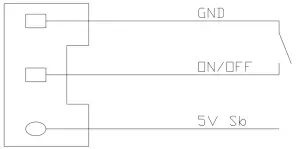
Remote On/Off Method 1: Use the physical power switch to control ON/OFF and GND lines, closing the circuit turns the machine on, and breaking the circuit turns the machine off.
Remote On/Off Method 2: 5V sb PSU supports an external MCU, which controls a transistor or MOSFET to manage the ON/OFF pins to switch the PSU ON/OFF remotely. The PSU will turn on once power is provided to the 5V sb pin.
Order Information & Wire Type
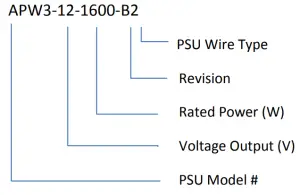
Order Information
Wire Types
Trouble Shooting & FAQ
| # | Issue | Reason | Troubleshooting |
| 1
| Fan won’t run, and no 12V output
| AC Input is abnormal
| 1. Make sure the AC input wire has a good connection and the plugs are connected firmly 2. Make sure the mains power is working well and its voltage is above 205V. |
| 2 | The fan is running, but there is no 12V output. | 1. Voltage in your power system is lower than required 2. PSU is in protection mode | 1. Please check whether the voltage is above 205V with a multimeter to make sure the PSU can switch on correctly. 2. Check whether there is a short circuit output or overload that is causing the PSU to enter a locked status. After removing the problem, the PSU should power up. |
| 3
| After a few minutes, the PSU stops working, starts working, stops working, and keeps cycling. | PSU is in over-heat protection | 1. Check whether the fan is working 2. Check whether the fan’s vent is being blocked 3. Check whether there is a dust buildup inside the PSU due to prolonged use. Do NOT remove the PSU’s cover unless trained to do so. 4. Check the power and ambient temperatures following the Load/Temperature graph |
| 4 | Output is normal, but the fan is not working. | Fan is broken | 1. Check that the fan is clear of blockages or buildup 2. Fan is broken and needs to be replaced. |
| 5 | The PSU suddenly has no output and can’t be started again. | The PSU is in over-current protection. | Check whether the load current has exceeded the built-in overcurrent protection limit. The protection automatically triggers when the load current exceeds the limit to protect against damage to the PSU and the miner. |
Precautions for Use
- Before using the PSU, please ensure that the voltage and power outputs are compatible with your equipment.
- Please ensure that the PSU appears to be in good shape and has not suffered damage in transit. If the exterior of the PSU appears damaged, do not use it.
- Make sure that the metal cover for the PSU with the on/off switch is properly grounded.
Improper grounding is dangerous. - The PSU must be installed in such a way that it receives good, unobstructed airflow.
Under no circumstances should the PSU be installed in an enclosed place. - When installing the PSU, please double-check that the output polarities are the correct way round and that the screws are fastened securely in place.
- Do not attempt maintenance on any wiring while the PSU is powered up from the mains.
- Running the PSU at <80% load or below can greatly prolong the life of the PSU. Usually, for every 10ºC above the rated amount, the life of the PSU is cut in half.
AntMiner PSU
APW3-12-1600 Series
May 14, 2015 Version 1.1