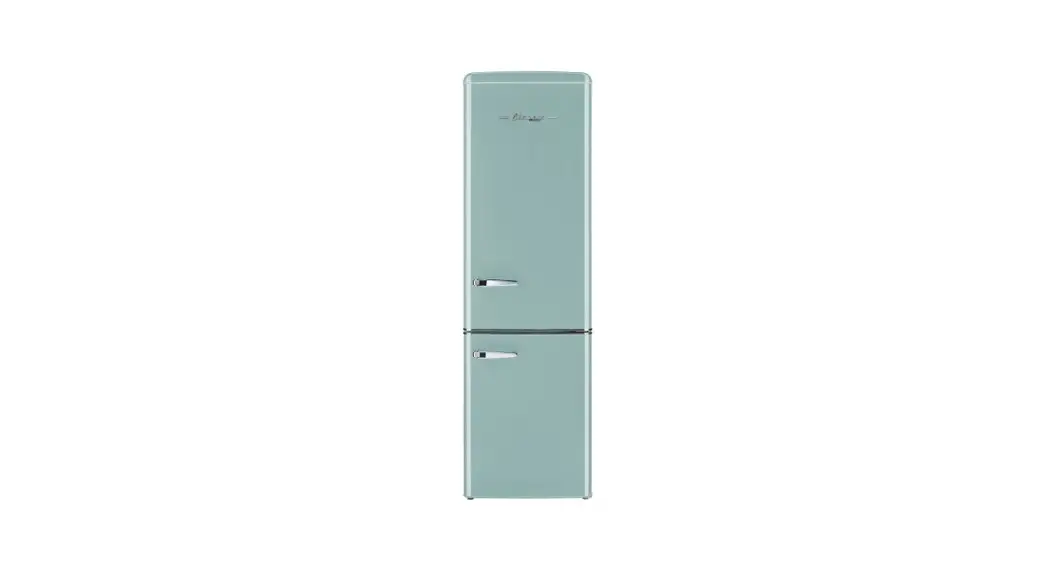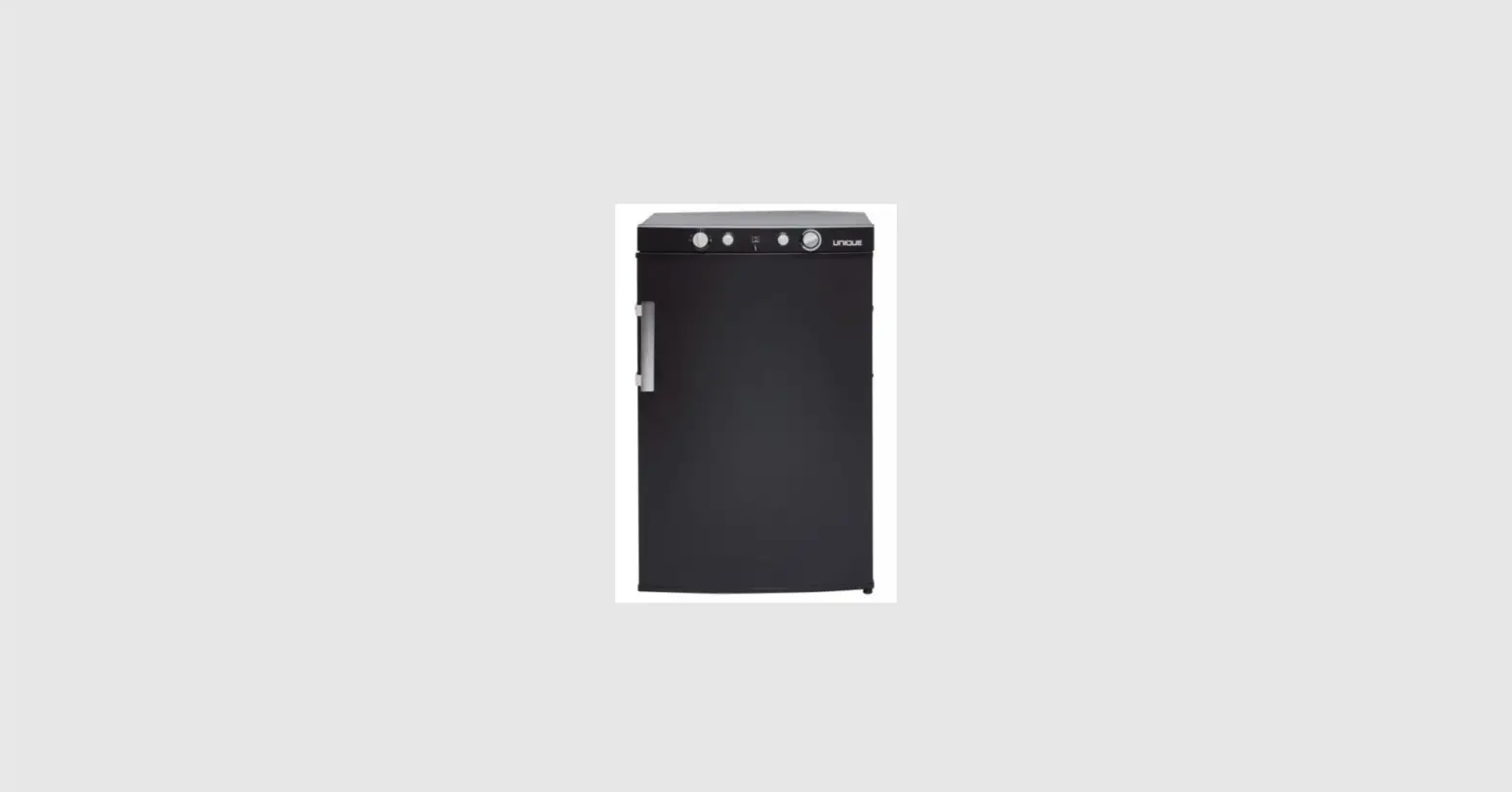

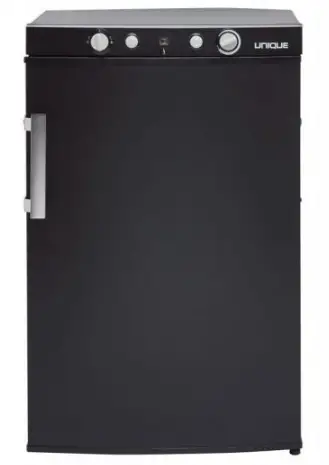
UNIQUE APPLIANCES UGP 3 SM Top Mount Control Panel
WARNING: Installation of all gas components must be done by a licensed gas technician. Improper installation, adjustment, alteration, service, or maintenance can cause injury or property damage. Refer to this manual. For assistance or additional information consult a qualified installer, service agenc y or the gas supplier.
FOR YOUR SAFETY IF YOU SMELL GAS
Open windows. Extinguish any open flame Do not touch electrical switches. Immediately turn off gas supply and call your gas supplier
FOR YOUR SAFETY
Do not store or use gasoline or other flammable and liquids in the vicinity of this or any other appliance
Tools required
- Phillips’s screwdriver/drill – removing top plate, securing clips, burner, and burner cover.
- 11 mm wrench – remove the thermocouple from the bracket.
- 8 mm or 5/16” wrench to remove the thermocouple from the valve.
- Shut off the gas supply at the gas line.
- Disconnect the fridge from the gas line and cap the line for safety reasons.
- With the fridge standing, walk around the back of the fridge and look towards the bottom right corner/side for a small silver box known as the “burner box cover”.
INSTRUCTION
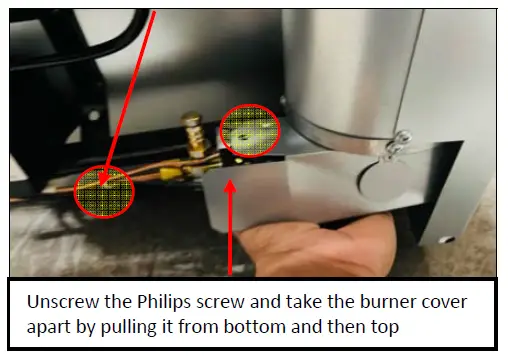
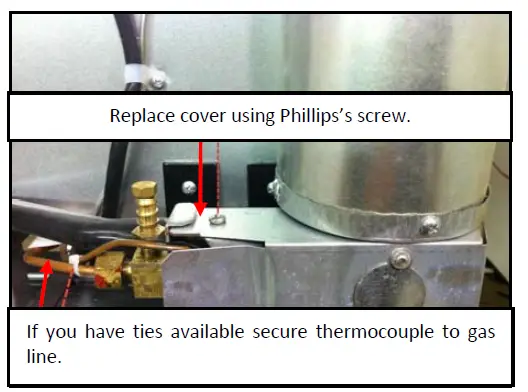
- Remove the cover, exposing the burner assembly by unscrewing the Phillips screw. Proceed to cut the zip tie holding the thermocouple and gas line together.

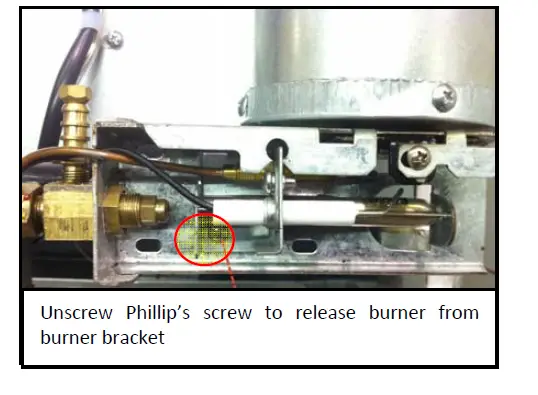
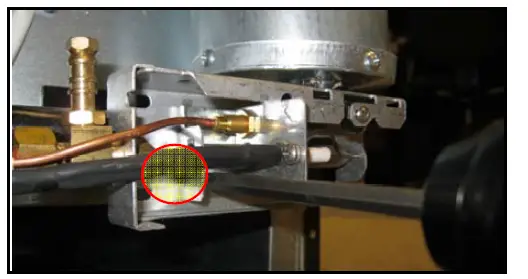
- Use Phillip’s screwdriver to release the burner from the burner bracket.

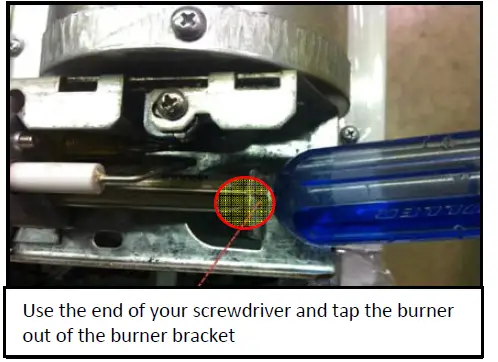
- Use the end of the screwdriver and tap the burner out of the bracket

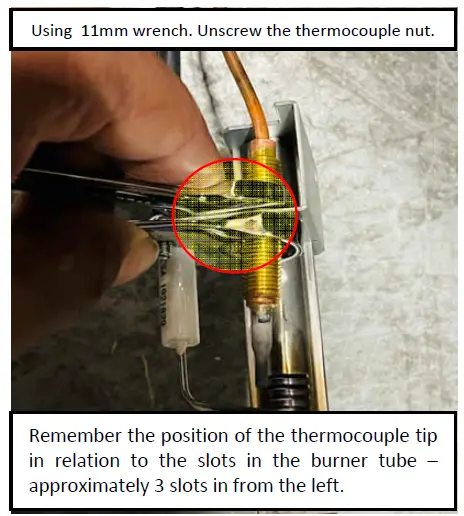
- Using the 11mm wrench, unscrew the thermocouple nut and remove the thermocouple from the burner bracket.

- Now that the thermocouple is removed from the burner bracket, the next step is to remove it from the back of the gas valve located under the top cover panel.

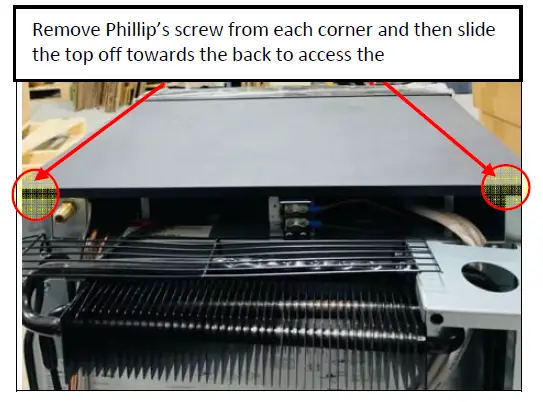
- Begin removing the top panel/plate to access the thermocouple and gas valve.

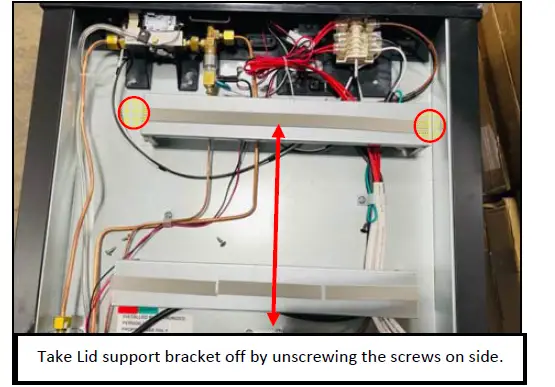
- Remove the lid support brackets to ease the process.

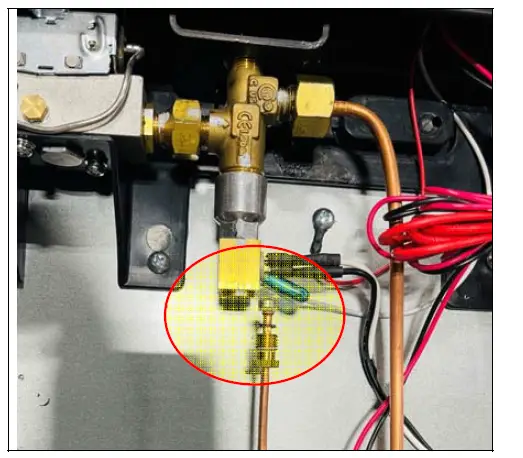
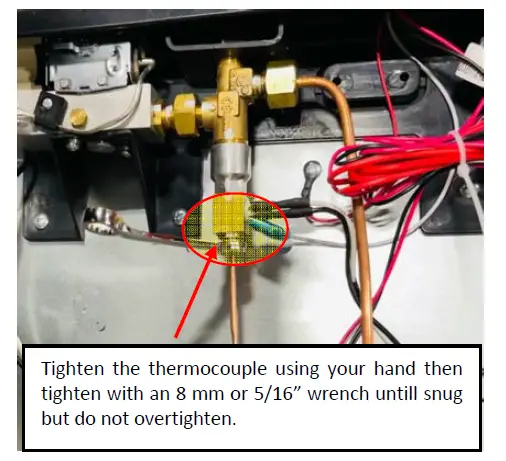
- Locate the thermocouple and remove it from the back of the thermocouple connector with an 8 mm or 5/16” wrench.

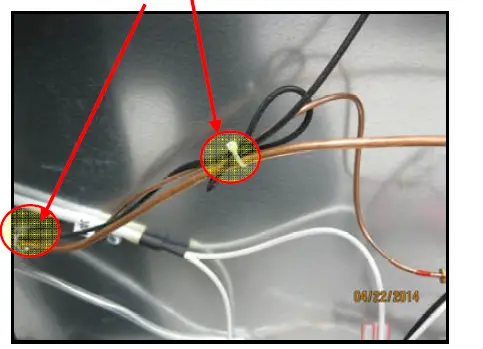
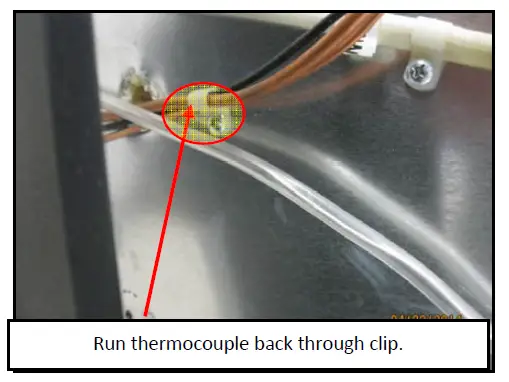
- Cut ties and release from clip to discard old thermocouple.

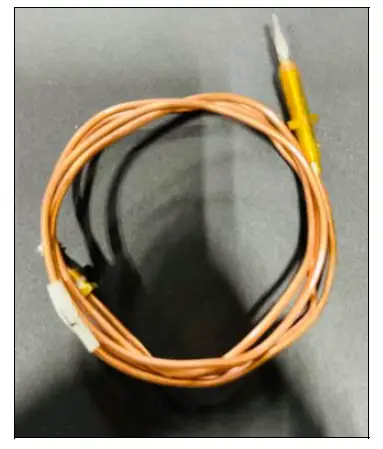
- Take the new thermocouple and straighten it out to avoid the kink left into the copper line.

- Replace the new thermocouple at the thermocouple connector and secure it using the nut.

- Run thermocouple back through clip and tighten.

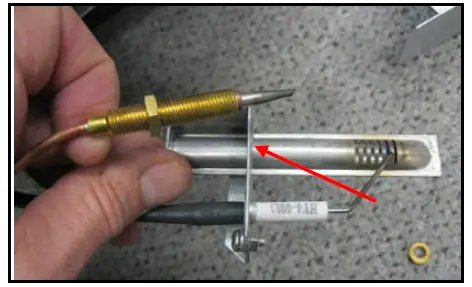
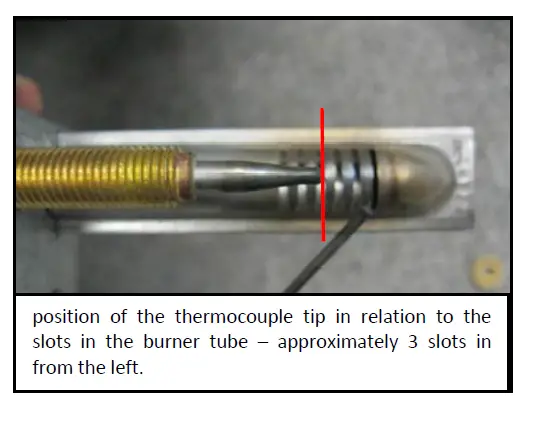
- Next, install the thermocouple on the bracket using the two retaining nuts.

- Position the tip as shown below, three slots in from the left of the bracket, then tighten the nuts.

- Now that the thermocouple is securely fastened to the burner. Mount the burner bracket back on the burner assembly using Phillips’s screwdriver.

- Replace burner cover.
- Replace the lid on top of the appliance and secure it with the Phillips Screws.
- Complete
- Reconnect the fridge back to the gas line.
- Turn on the gas supply.
- Soap test gas line connections for leaks.

 Stylishly designed kitchen appliances - Unique Appliances