Y2641 Rechargeable Wireless Keyboard
Product Information
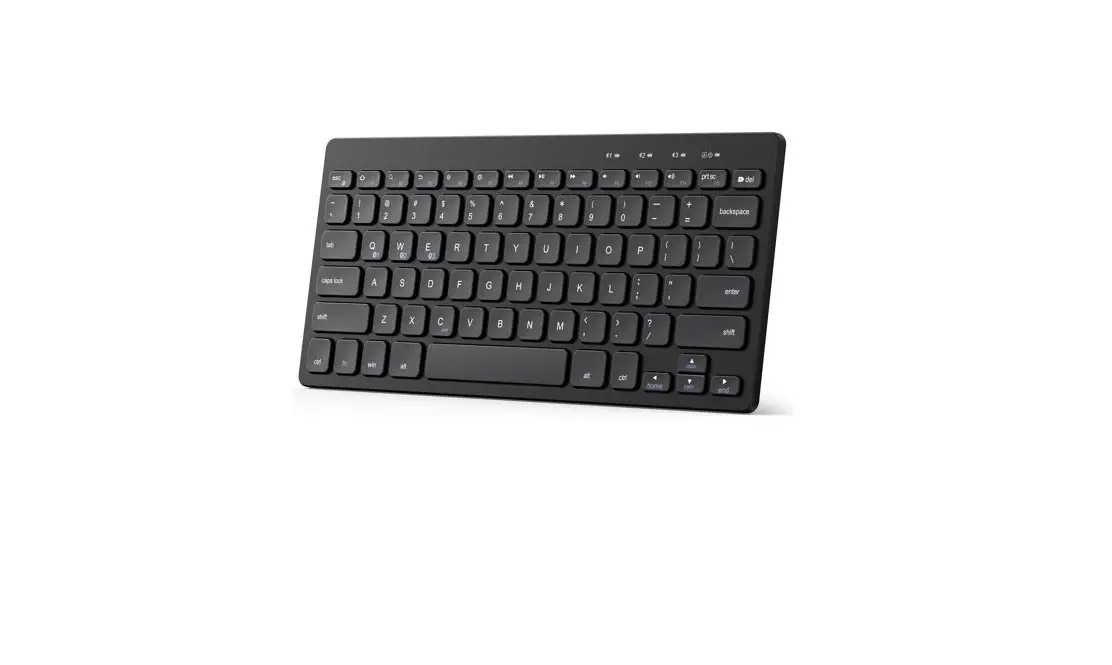
Product Name: Anker Rechargeable Wireless Keyboard
Product Number: Y2641 51005003727 V01
Series: 3 SERIES
Important Safety Instructions
- This keyboard is not a toy. Keep away from children.
- Read and follow all instructions and warnings before use.
- If any parts are damaged, contact Technical Support before
resuming use. - Do not attempt to repair or modify the keyboard.
- Do not insert foreign metal objects into the keyboard or its
ports. - Avoid using the keyboard with wet hands. If exposed to moisture
during use, turn off and take out the battery immediately. Contact
Technical Support before resuming use. - Avoid exposing the keyboard to heat sources and open
flames. - Ensure proper ventilation around the keyboard to prevent
overheating. - Do not place anything on or around the keyboard during
operation. - If the keyboard becomes hot to the touch, swells, or expands,
turn it off, unplug it, and contact Technical Support. - Avoid direct eye contact with the keyboard. In case of contact,
wash the affected area with large amounts of water and seek medical
attention immediately.
Care and Storage
Handle the keyboard with care and store it in a safe place when
not in use.
Disposal
Dispose of the keyboard according to local regulations and
guidelines.
What’s in the Box
The package includes the Anker Rechargeable Wireless Keyboard
and user manual.
At a Glance

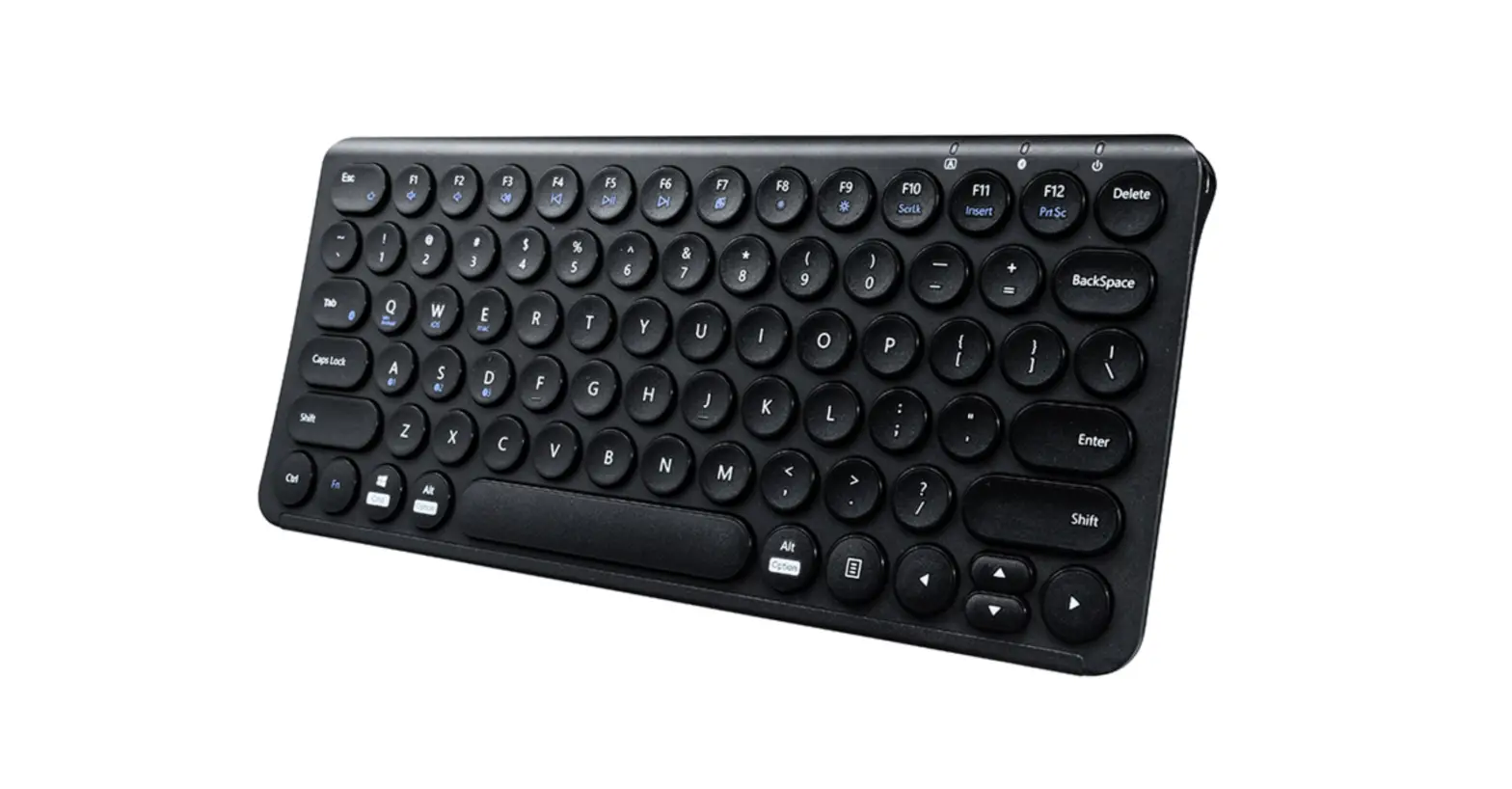
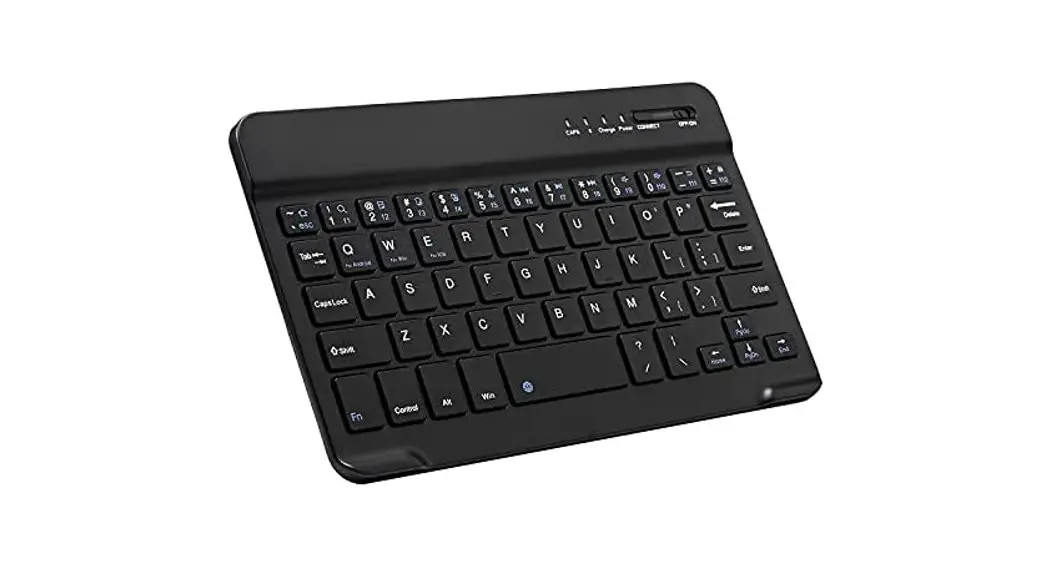
Keys and Functions
| Key | Functionality on Android | Functionality on iOS | Functionality on Windows |
|---|---|---|---|
| Fn | Fn Lock | Fn Lock | Fn Lock |
| F1 | Brightness – | Brightness – | Brightness – |
| F2 | Brightness + | Brightness + | Brightness + |
| F3 | Search | Search | Search |
| F4 | Home | Home | Open Browser |
| F5 | Open the menu | N/A | Open the menu |
| F6-F12 | Various functions | Various functions | Various functions |
LED Indicator Guide
| Indicator | LED Status | Description |
|---|---|---|
| Power Indicator | Solid blue (off after 3s) | Powered on |
| Flashing blue (every 2s) | Low power | |
| Bluetooth Indicator | Flashes blue | Ready for pairing |
| Off | Paired successfully | |
| Caps Lock Indicator | Solid blue | Caps function enabled |
| Charging Indicator | Solid red | Charging |
| Solid green | Fully charged |
Product Usage Instructions
Powering On Your Keyboard
- Slide the On/Off slider to power on the keyboard.
- The power indicator will turn solid blue.
- Note: The keyboard will enter sleep mode after being idle for
30 minutes. Press any key to activate it.
Pairing Your Wireless Keyboard with Your Devices
- Slide the On/Off button to turn on the keyboard. The power
indicator will turn solid blue for 3 seconds and then turn off to
save power. - Press the Connect button on the keyboard. The Bluetooth
indicator will flash blue. - Enable your device’s Bluetooth function on your
iOS/Android/Windows device. A list of available Bluetooth devices
will be displayed. - Select “Anker Rechargeable Wireless Keyboard”. The keyboard
will be paired with your device successfully.
For FAQs and more information, please visit:
anker.com/support
@anker_official @Anker Deutschland @AnkerOfficial
@anker_jp
@Anker Japan
@Anker_JP
@Anker
3 SERIES
Product Number: Y2641 51005003727 V01
Anker Rechargeable Wireless Keyboard
USER MANUAL
Important Safety Instructions
This keyboard is not a toy. Keep away from children. Read and follow all instructions and
warnings before use.
· Inspect the keyboard and charging cable before use. If
any parts are damaged, contact Technical Support before
01
English
resuming use.
· Do not open, disassemble, modify, drop, crush, puncture,
incinerate, or shred the Bluetooth® keyboard.
14
· The keyboard is not serviceable. Do not attempt to open,
repair, or modify.
· To prevent a short circuit or other potential hazards, do not
insert foreign metal objects into the keyboard or its ports.
· Keep the keyboard away from moisture and do not use it
with wet hands. Moisture in or on the keyboard may lead
to electrical shock. If exposed to moisture during use, turn
off and take out the battery immediately. Contact Technical
Support before resuming use.
· The keyboard contains a lithium-ion battery. Keep away from
heat sources and open flames.
· It is normal for the keyboard to become warm during
operation. To prevent overheating, keep the area around the
keyboard ventilated. Do not place anything on or around the
keyboard during operation.
· Do not operate the keyboard near a heat source or in direct
sunlight. Recommended for use in temperatures between 0°C
and 40°C. NEVER use in temperatures outside the range of 0°C
to 40°C.
· If the keyboard begins to emit a strong odor, becomes hot
to the touch, swells or expands, turn it off and unplug the
keyboard immediately and contact Technical Support.
· If the battery inside the keyboard leaks for any reason, turn
EN 01
off and unplug the keyboard immediately. · Do not allow the contents of the battery to contact your skin or
eyes. In the event of contact, wash the affected area with large amounts of water and seek medical attention immediately.
CARE AND STORAGE
Do not store your keyboard in areas of high temperatures (such as in your car) or high humidity. · Do not place heavy objects on top of the keyboard. · Keep the keyboard away from oil, chemicals, and liquids. · Clean the keyboard with a damp clean cloth.
DISPOSAL
· Do not burn or dispose of your keyboard in a fire or incinerator.
· Do not throw your keyboard away in the trash. The keyboard contains a lithium ion battery. Contact your local electronics recycler to recycle the keyboard.
What’s in the Box
· Anker Rechargeable Wireless Keyboard · Micro USB Cable
At a Glance
1 23 4 5 6 7
1. Caps Lock Indicator 2. Bluetooth Status Indicator 3. Connect Button 4. On/Off Slider 5.Charging Indicator 6. Power Indicator 7. USB power charging port
02 EN
EN 03
Keys and Functions
Key
Fn
ESC Key
Functionality Functionality Functionality
on Android on iOS
on Windows
Fn Lock
Fn Lock
Fn Lock
F1
Brightness – Brightness – Brightness –
F2
Brightness + Brightness + Brightness +
F3
Search
Search
Search
F4
Home
Home
Open Browser
F5
Open the menu
N/A
Open the menu
Note: Some applications or operating systems may have different key bindings.
Keys and Functions
Key
Fn
F6
F7 F8 F9 F10 F11 F12
Functionality Functionality Functionality
on Android on iOS
on Windows
Back
Back
Previous Track
Previous Track
Previous Track
Previous Track
Pause/Play Pause/Play Pause/Play
Next Track Next Track Next Track
Mute
Mute
Mute
Volume – Volume – Volume –
Volume + Volume + Volume +
04 EN
EN 05
LED Indicator Guide
Indicator
LED Status
Description
Power Indicator
Solid blue (off after 3s)
Flashing blue (every 2s)
Powered on Low power
Bluetooth Indicator
Flashes blue Off
Ready for pairing Paired successfully
Caps Lock Indicator Solid blue
Caps function enabled
Charging Indicator
Solid red Solid green
Charging Fully charged
Powering On Your Keyboard
Slide the On/Off slider to power on the keyboard. The power indicator will turn solid blue.
Note: The keyboard will enter sleep mode after being idle for 30 minutes. Press any key to activate it.
06 EN
EN 07
Pairing Your Wireless Keyboard with
Your Devices
1. Slide the On/Off button to turn on the keyboard. The power indicator will turn solid blue for 3 seconds and turn off to save power. 2. Press the Connect button on the keyboard. The Bluetooth indicator will flash blue. 3. Enable your device’s Bluetooth function on your iOS/Android/ Windows device. A list of Bluetooth devices available will be displayed. 4. Select “Anker Rechargeable Wireless Keyboard”. The keyboard will be paired with your device successfully.
Pairing Your Wireless Keyboard with Your Devices
Plug one end of the provided cable into the keyboard and the other into a power adapter (not provided).
08 EN
Note: The cable is used for charging your keyboard only. EN 09
Specifications
Operating Voltage Operating Current Operating Range
3.0V – 4.2V 30 mA (Max) < 10 m
Lithium Battery Capacity 230 mAh
Charging Voltage / Current (Max)
5V / 200 mA
Operating Temperature
0°C to 40°C
Bluetooth Version
BT 5.1 (BDR)
Standby Time
90 days
Working Time
90 hours
10 EN
Notice
FCC Statement This device complies with Part 15 of the FCC Rules. Operation is subject to the following two conditions: (1) This device may not cause harmful interference, and (2) this device must accept any interference received, including interference that may cause undesired operation.
Warning: Changes or modifications not expressly approved by the party responsible for compliance could void the user’s authority to operate the equipment. Note: This equipment has been tested and found to comply with the limits for a Class B digital device, pursuant to Part 15 of the FCC Rules. These limits are designed to provide reasonable protection against harmful interference in a residential installation.
This equipment generates, uses, and can radiate radio frequency energy and, if not installed and used in accordance with the instructions, may cause harmful interference to radio communications. However, there is no guarantee that interference will not occur in a particular installation. If this equipment does cause harmful interference to radio or television reception, which can be determined by turning the equipment off and on, the user is encouraged to try to correct the interference by one or more of the following measures:
(1) Reorient or relocate the receiving antenna. (2) Increase the separation between the equipment and receiver. (3) Connect the equipment into an outlet on a circuit different from that to which the receiver is connected. (4) Consult the dealer or an experienced radio / TV technician for help.
EN 11
Radiation Exposure Statement
This equipment complies with FCC radiation exposure limits set forth for an uncontrolled environment. The following importer is the responsible party contract for FCC matters: Company Name: Fantasia Trading LLC Address: 5350 Ontario Mills Pkwy, Suite 100, Ontario, CA 91764 Telephone: +1-800-988-7973
CAUTION
RISK OF EXPLOSION IF BATTERY IS REPLACED BY AN INCORRECT TYPE. DISPOSE OF USED BATTERIES ACCORDING TO THE INSTRUCTIONS
Changes or modifications not expressly approved by the manufacturer responsible for compliance could void the user’s authority to operate the equipment.
12 EN
The Bluetooth® word mark and logos are registered trademarks owned by the Bluetooth
EN 13
·
· ·
·
·
· · · 0 40 · · · 14 JP
· · ·
· ·
· · Micro USB
JP 15
1 23 4 5 6 7
1. Caps Lock 2. Bluetooth 3. Bluetooth 4. 5. 6. 7. USB
OS
ESC
F1
F2
F3
F4
F5
Android
iOS
Windows
Fn Fn Fn
N/A
: OS
16 JP
JP 17
OS
F6
Android
iOS
Windows
F7
F8
/ / /
F9
F10
F11
F12
LED
(3 )
(2 )
Bluetooth
Caps Lock
Caps Lock
18 JP
JP 19
3
: 30
1.
2. Bluetooth Bluetooth
3. (iOS/Android/Windows) Bluetooth Bluetooth
4.Anker Rechargeable Wireless Keyboard
20 JP
JP 21
( )
:
/ ()
3.0V4.2V 30mA () < 10m 230mAh 5V / 200mA 0°C40°C Bluetooth 5.1 (BDR) 90 () 90
22 JP
JP 23
24 JP
Customer Service
DE: Kundenservice | ES: Atención al Cliente | FR: Service Client IT: Servizio Clienti | NL: Klantenservice | PT: Serviço de Apoio ao Clien RU: | TR: Müteri Hizmetleri JP: | KO: |
| :AR | :HE
EN: 18-month limited warranty *
DE: 18 Monate eingeschränkte Garantie*
ES: Garantía limitada de 18 meses*
FR: Garantie limitée de 18 mois*
IT: Garanzia limitata di 18 mesi*
NL: 18 maanden beperkte garantie
PT: Garantia de até 18 meses
RU: 18
TR: 18 aylik sinirli garanti
JP: 18 ()
KO: 18
18
18
18 :AR 18 :HE
*EN: Please note that your rights under applicable law governing the sale of consumer goods remain unaffected by the warranties given in this Limited Warranty.
DE: Die gesetzlichen Gewährleistungspflichten bleiben von der beschränkten Herstellergarantie unberührt.
ES: Tenga en cuenta que los derechos que le conceden las leyes aplicables que rigen la venta de bienes de consumo no se ven afectados por las garantías que proporciona esta garantía limitada.
FR: Notez que vos droits dans le cadre de la législation régissant la vente de biens de consommation ne sont pas affectés par les garanties accordées dans cette garantie limitée.
IT: Si prega di notare che i diritti del cliente ai sensi della legge applicabile in materia di vendita di beni di consumo non sono influenzati dalle garanzie concesse dalla presente Garanzia limitata. 25
EN: Lifetime technical support DE: Technischer Support für die Produktlebensdauer ES: Asistencia técnica de por vida FR: Assistance technique à vie IT: Supporto tecnico per l’intero ciclo di vita NL: Levenslang technisch support PT: Suporte técnico vitalício RU:
TR: Ömür boyu teknik destek JP: | KO: |
:AR | :HE [email protected] [email protected] (For Middle East and Africa Only)
(US/CA) +1 (800)988 7973 (UK) +44 (0) 1604 936200 (DE) +49 (0) 69 9579 7960 (Middle East & Africa) +971 42428633 (UAE) +971 8000320817 (KSA) +966 8008500030 (Kuwait) +965 22069086 (Egypt) +20 8000000826 (AU) +61 3 8331 4800 (TR) +90 0850 460 14 14 (RU) +8 (800) 511-86-23 (India) +91 18003138831 ( ) +86 400 0550 036 ( ) 03 4455 7823 ( ) +82 02-1670-7098
26
 download - Anker US