
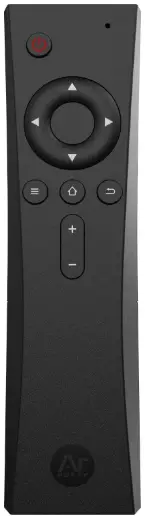
ARGON B091F3XSF6 IR Remote
Raspberry Pi OS Installation
- Step 1:
Connect to the Internet. Install Argon ONE Configuration Script. Reboot after installatio
curl https://download.argon40.com/argon1.sh - Step 2:
Enable Power Button and volume buttons by going to Terminal App and type: I argonone-ir
Then, follow instructions indicated in the Terminal.
NOTE: Enable Power button first, reboot.
Then you can enable other buttons.
LibreELEC Installation
- Step 1:
In KODI, Go To “Add-ons” Side Bar >
Install from Repository > All repositories > Program add-ons. Then INSTALL: (a) Raspberry Pi Tool and (b) System Tools.
REBOOT after installing both “Add-ons” - Step 2:
In a separate PC or computer, download Argon Forty Remote Add-on Zip file from the link below,
then SAVE to a USB Thumb drive.
https://download.argon40.com/ ArgonRemote.zip - Step 3:
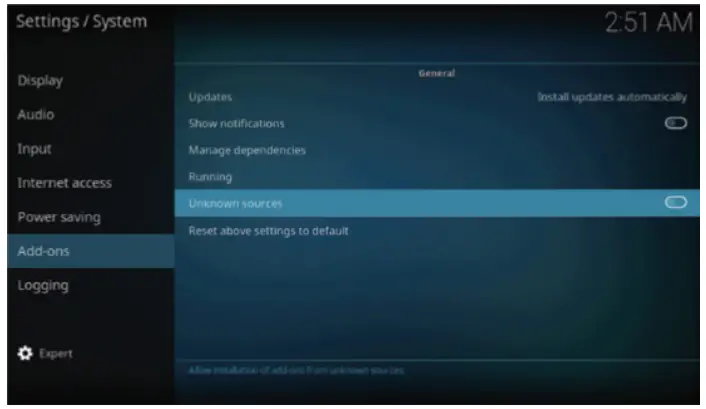
In LibreElec, go to SETTINGS/ SYSTEMS/ Add-ons/ General and enable “Unknown Sources”
- Step 4:
Make sure you are connected to the INTERNET. Insert thumb drive with the Argon Forty Remote Add-on Zip file. - Step 5:
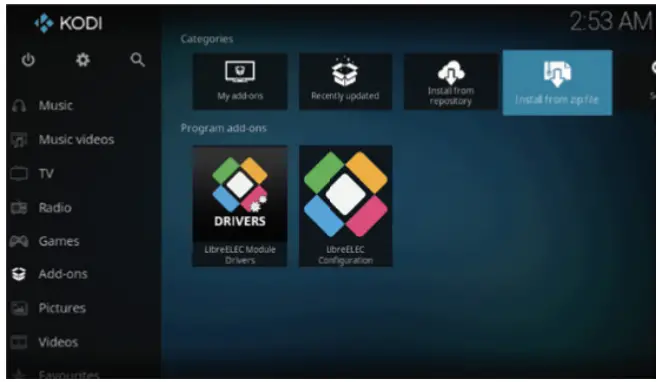
Then, go back to HOME / Add-ons click “Install from zip file” and select the Argon Forty Remote Add-on Zip file
REBOOT after installation. Ignore “error message” if any. - Step 6:
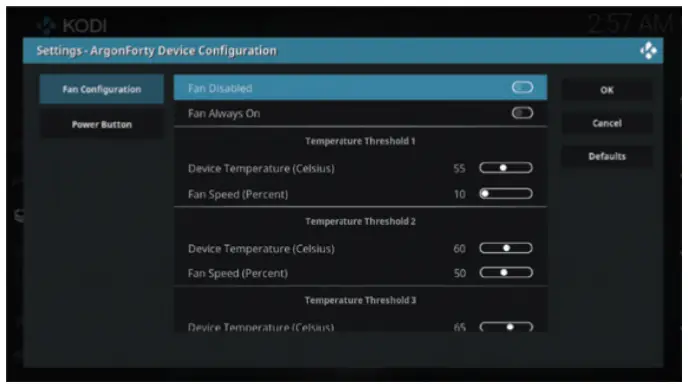
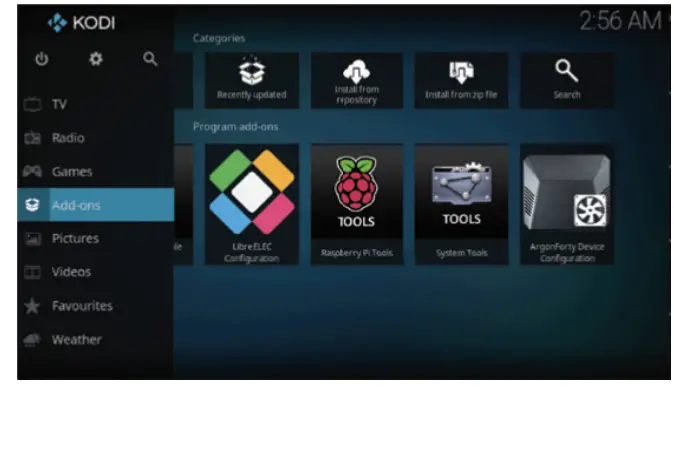
Confirm that the Argon Forty Remote is properly installed when you see the Raspberry Pi Tools and Argon Forty Device Configuration icons
LibreELEC Argon ONE and REMOTE CONFIGURATION
You can edit or change the settings of the Argon ONE in the SETTINGS tab of the Argon Forty Add-on