
AtriCure ASU/ASB Ablation Sensing Unit
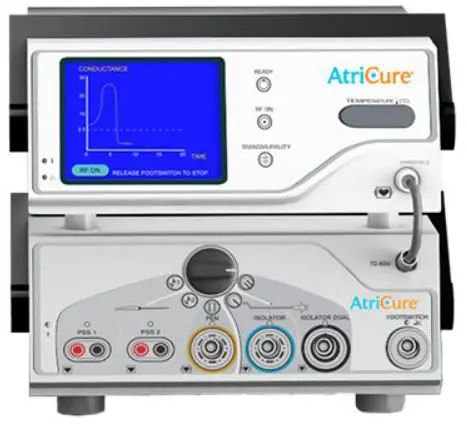
OVERVIEW
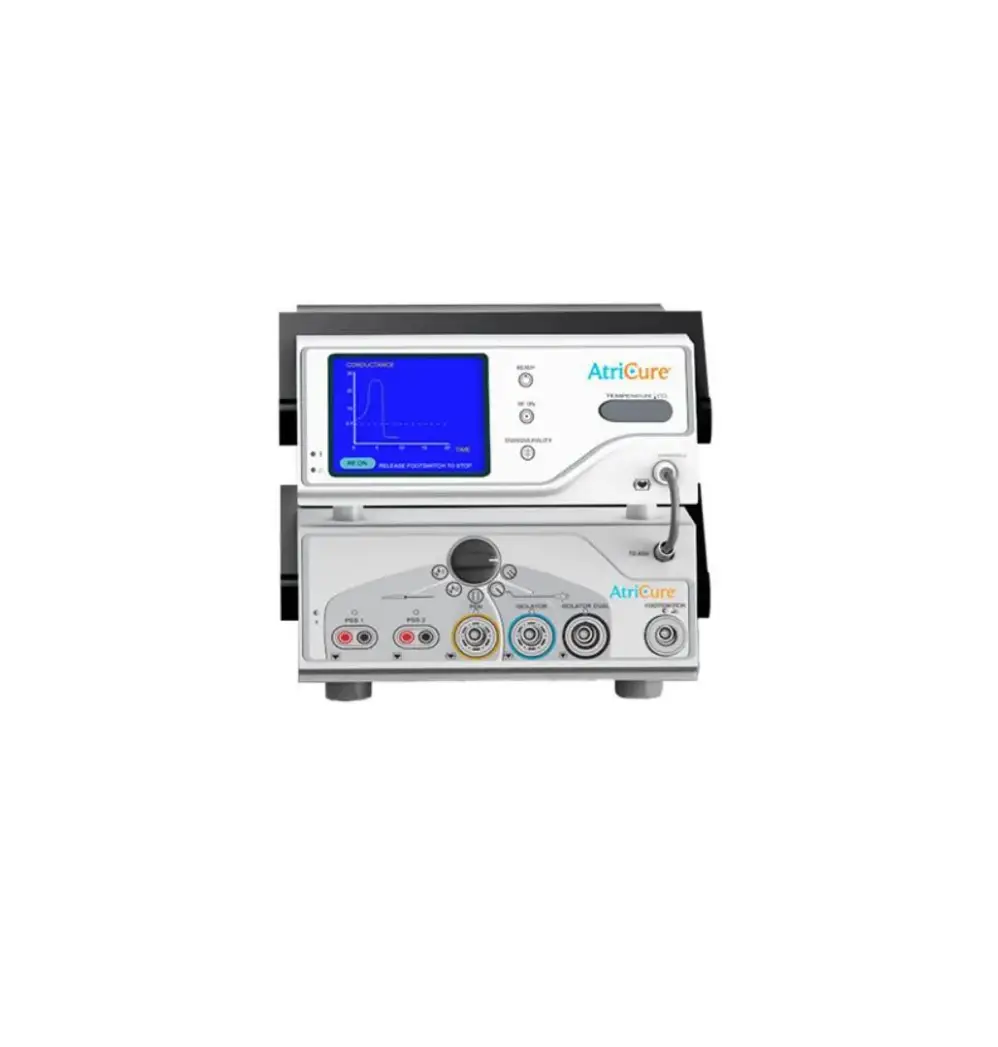
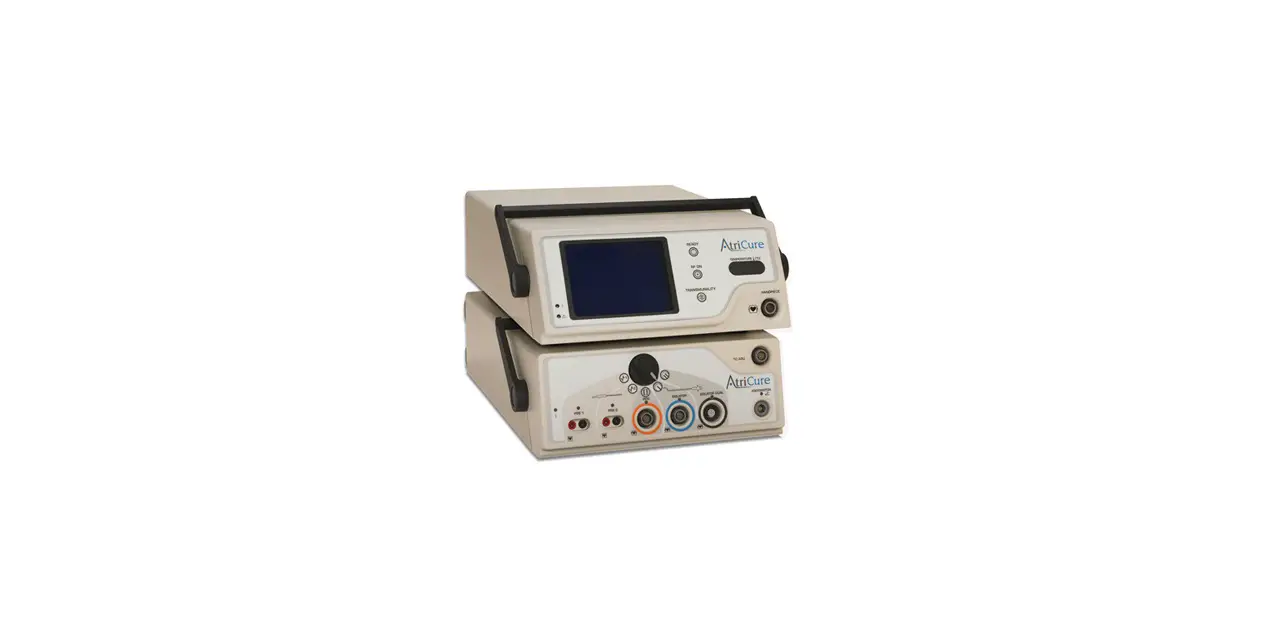
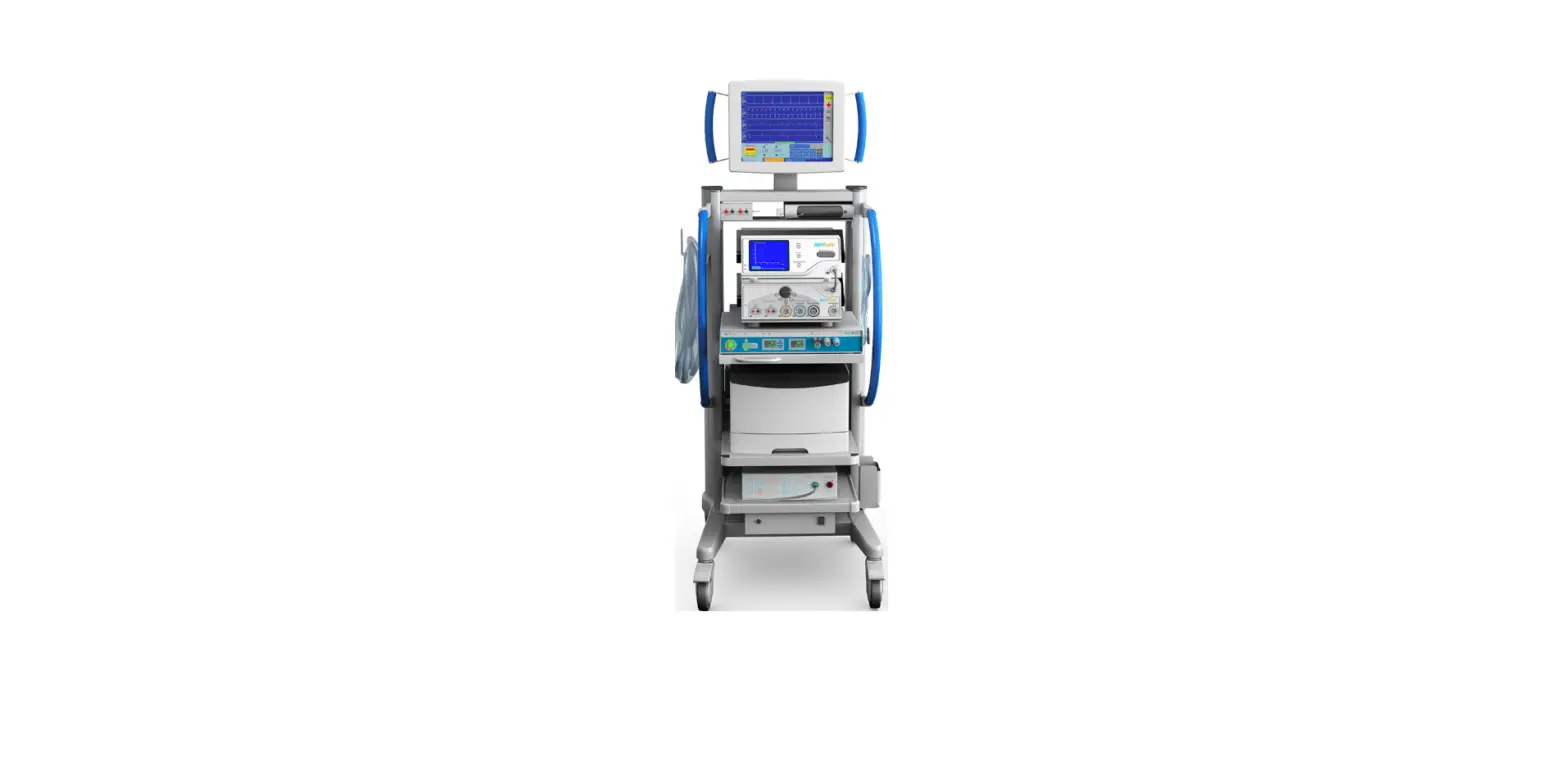
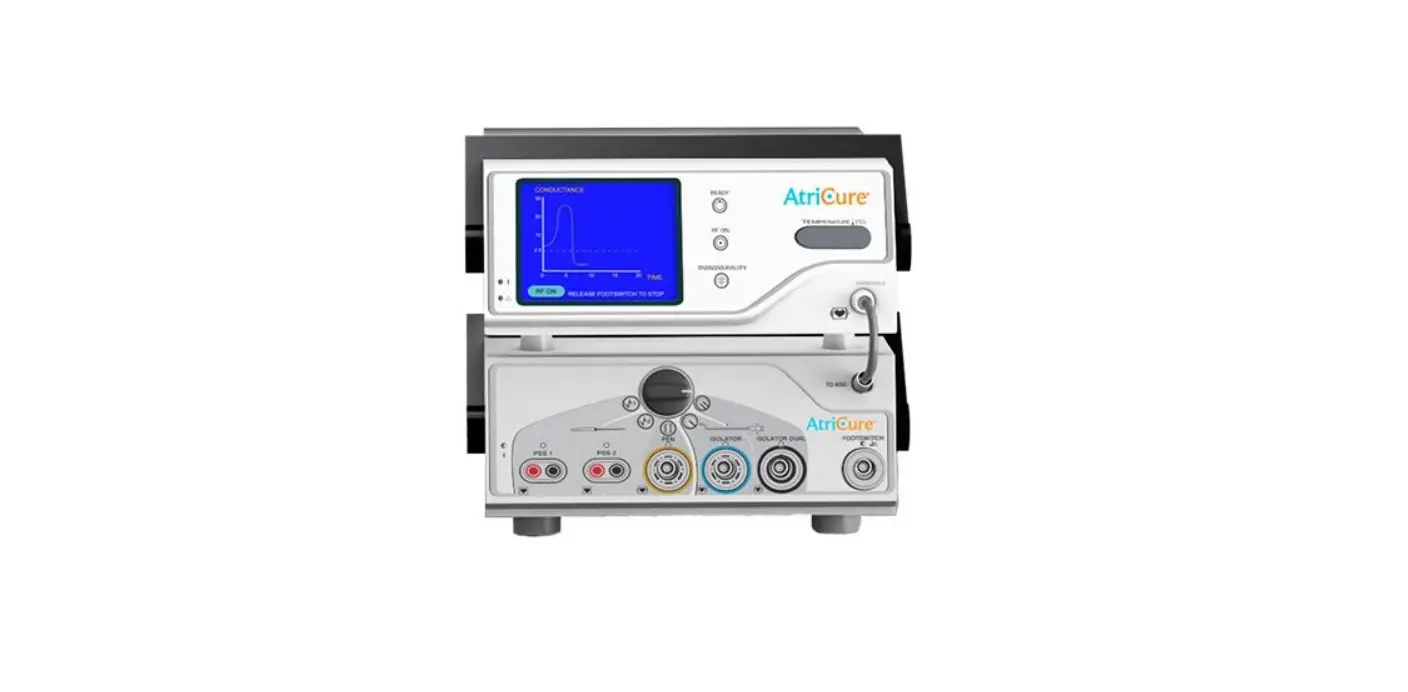
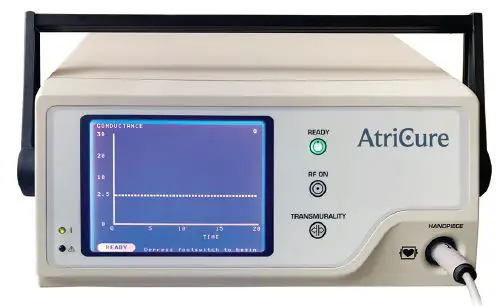
ASU FRONT PANEL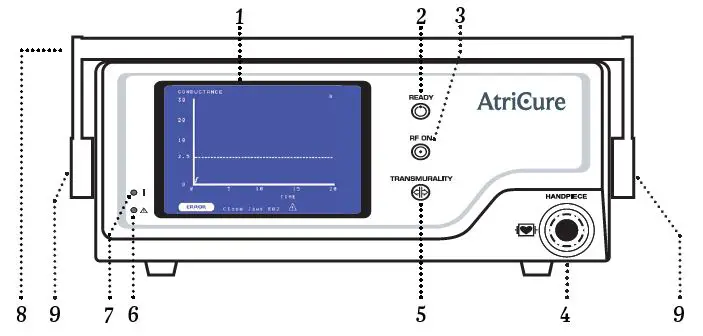
- Tissue Conductance/ Power Graph Display
- Ready Indicator
- RF ON Indicator
- ASB Interface
- Transmurality Indicator
- Fault Indicator
- Power Indicator
- Handle
- Handle Adjustment Knobs
ASU REAR PANEL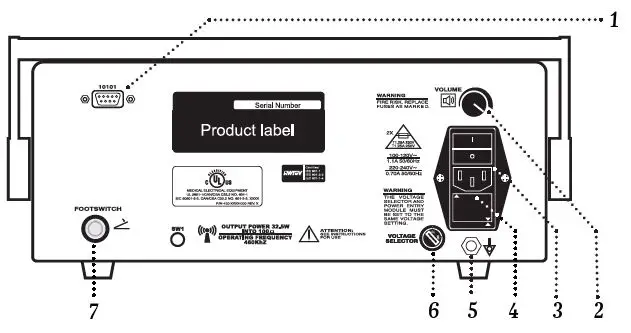
- Data Port
- Speaker Volume Control
- Power Entry Module
- Fuse Box
- Equipotential Ground Stud
- Input Voltage Selector Switch
- Footswitch Interface Cable Receptacle
ASB FRONT PANEL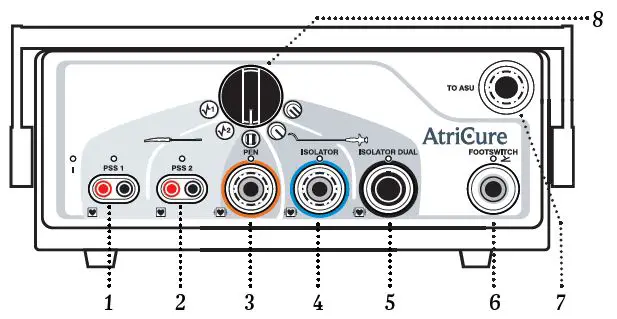
- PSS 1 Interface
- PSS 2 Interface
- Pen Interface
- Isolator Clamp Interface (not used)
- Isolator Synergy Clamp Interface
- Footswitch Receptacle
- ASU Interface
- ASB Selector Switch
ASB REAR PANEL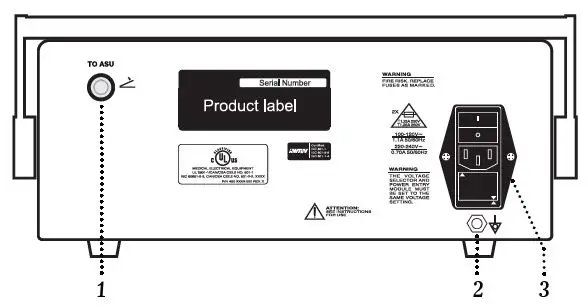
- Footswitch Interface Cable Receptacle
- Equipotential Ground Stud
- Power Entry Module
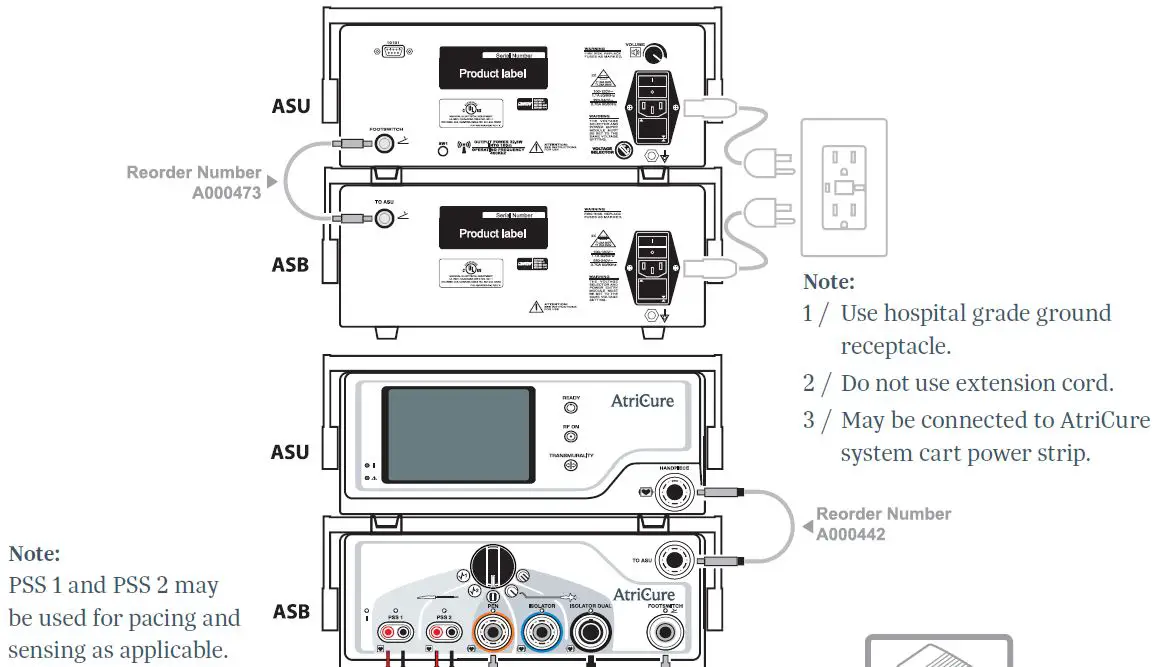
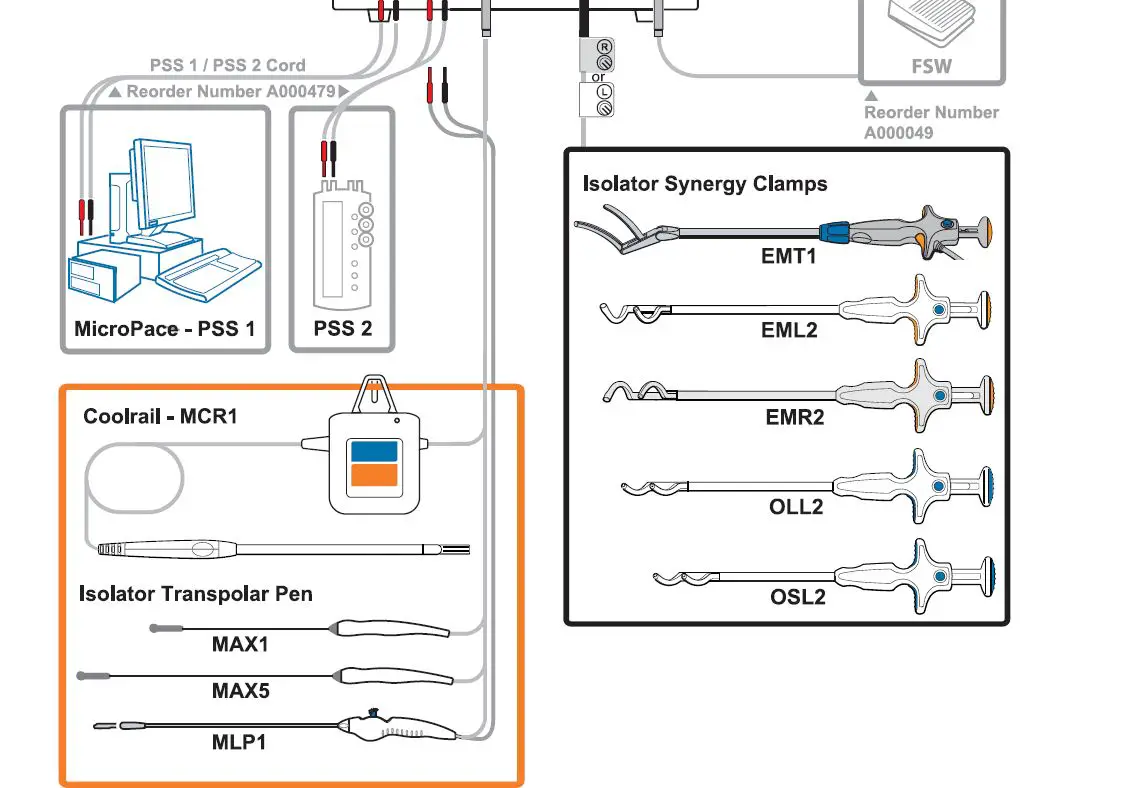
ASU/ASB CONNECTIONS
INSTRUCTION FOR USE
- Ensure all ASU and ASB cable connections are secure according to the schematic on page 2.
- Power on the ASU and ASB by activating switches on the back of each machine.
- If there is no power after this step, check snugness of power cable and (if applicable) that the main power switch on the cart is turned on. This main power switch is located on the very bottom of the front of the cart.
- With the connector alignment arrow in the 12 o’clock position, push the Footswitch Connector into the Footswitch Receptacle on the front of the ASB. The Footswitch may be connected when powered up, or prior to powering up the ASU.
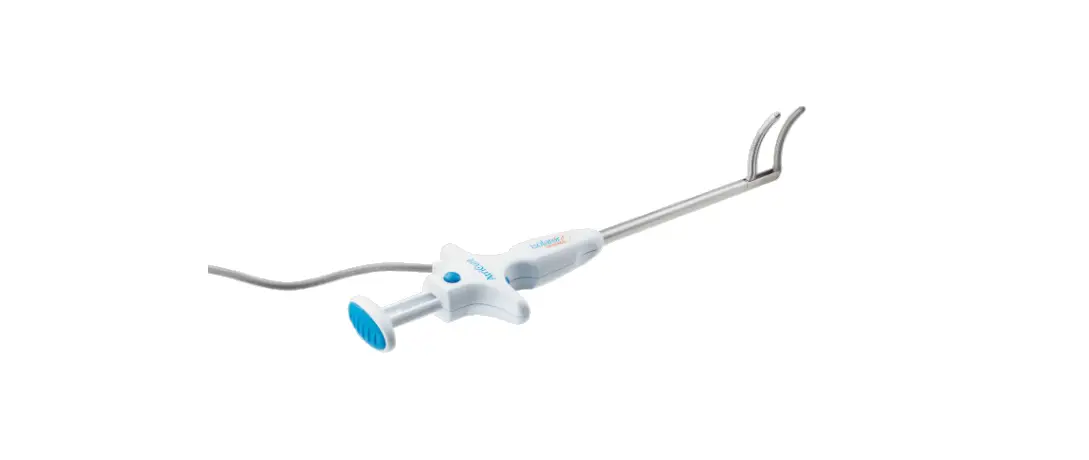
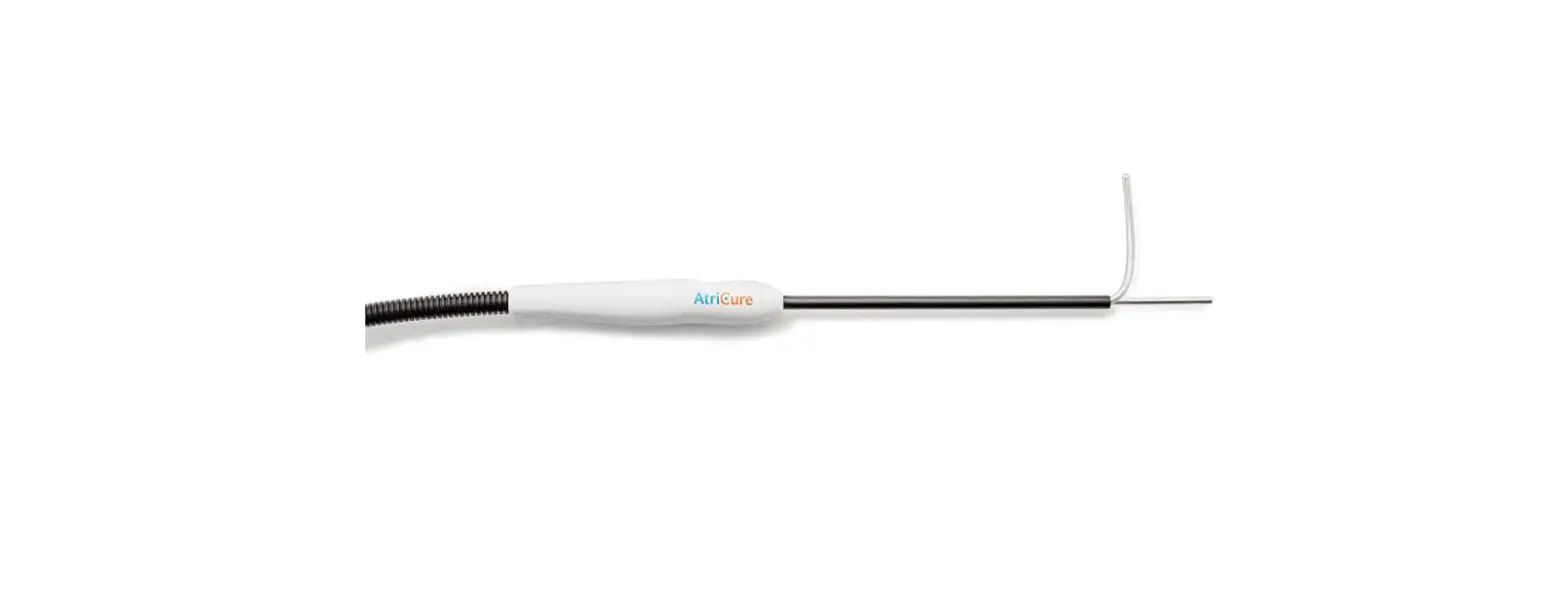
- Connect Handpiece(s) with the arrow facing upward into the appropriate receptacle(s) on the ASB switch box as shown on page 2.
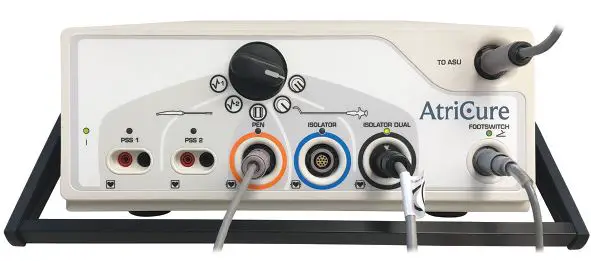
- Select the desired channel for use. Only one ASB channel may be active at a time. Using ASB selector knob, select the device that requires power.

Note: Example shows ASB configured to power an Isolator® Synergy™ Clamp or Isolator Synergy Access® Clamp that is plugged in to the “Isolator Dual” channel. - When all of the above conditions have been met, the ASU screen will read “READY” and “Depress footswitch to begin.”

- Position the Handpiece.
- To position the Handpiece, follow the Instructions for Use provided with the Handpiece.
- Deliver RF Energy.
- Press the Footswitch to initiate RF energy output. RF energy output is terminated by releasing the Footswitch or at the end of 40 continuous seconds of energy delivery. The display screen of the ASU will indicate that the generator is in the RF ON mode.
TROUBLESHOOTING ERROR CODES
- Error codes appear in the bottom of the ASU screen
- “E” Error codes are recoverable and remain on the screen until the Footswitch is depressed for next cycle
- “H” Error codes will remain on the screen until issue is corrected
- “P” and “F” error codes are non-recoverable and require a restart (power cycle) of the ASU. If the problem is not resolved, then unit must be returned for service.
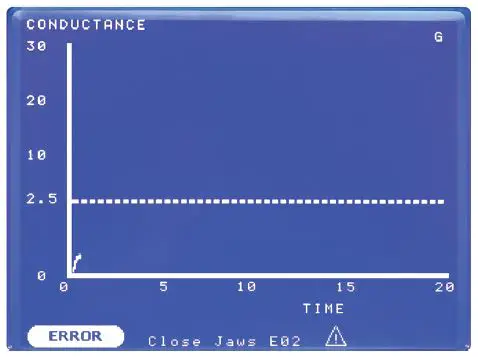
Note: Displays the location where an error code will display. In this example, an E02 code indicated to close the jaws of the Synergy Ablation Clamp.
ERROR CODES
| ERROR CODE | CAUSE | REMEDY |
| EO1, E03 Check Electrodes (Low Impedance Error) | • Electrodes are shorted (e.g., clamped on a staple) • Jaws immersed in a conductive fluid such as saline or blood pool | • Reposition clamp |
| E02 Close Jaws (High Impedance Error) | • Jaws of clamp not closed on tissue • Electrical isolative material such as a suction tube between the jaws | • Reposition clamp |
| • Broken interconnect cable | • Replace interconnect cable | |
| E03 Check Electrodes *When using Coolrail® Linear Pen (MCR1) only* | • A hi-temp error has occurred indicating that the end effector has overheated, or the cooling system has malfunctioned. | • Ensure that the fluid cable is not kinked or occluded and that there is a sufficient amount of water in the pump box. If these conditions continue, the Coolrail device will need to be replaced. |
| HO1 Replace Handpiece (Invalid Handpiece) | • Invalid handpiece | • Replace handpiece |
| H02 Replace Handpiece (Time Expired Error) | • The 8 hour handpiece clock has expired | • Replace the handpiece |
| F13 Power Measurement Error | • Internal ASU power calculation • Handpiece electrodes are shorted | • Recycle power • Reposition jaws • If won’t correct, contact customer service |
| Code PO1 (Power Generation/ Measurement) | • Recycle power • If won’t correct, contact customer service |
Information relative to other less common error codes can be found in the troubleshooting section in the P000463 ASU IFU.
For other concerns, contact your AtriCure representative or contact the AtriCure Customer Service.
For detailed information, please consult the Instructions for Use.