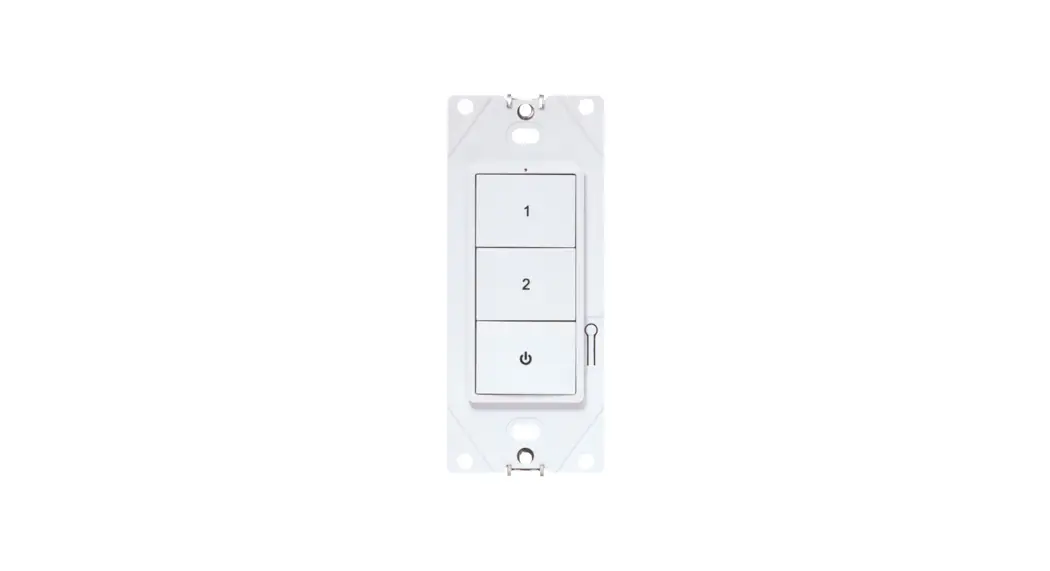
 1255874 WaveLinx Lite Wallstation with Zigbee
User Manual
 WARNING
 Risk of Fire, Electrical Shock, Cuts, or other Casualty Hazards- Installation and maintenance of this product must be performed by a qualified electrician. This product must be installed in accordance with the applicable installation code by a person familiar with the construction and operation of the product and the hazards involved. For continued protection against shock, and hazards replace all covers and guards after field wiring is completed.
 Risk of Fire and Electric Shock- Before installing or performing any service, the power MUST be turned OFF. All installations should be in compliance with the National Electric Code and all state and local codes.
 Risk of Burn- Disconnect power and allow product to cool before handling or servicing.
Risk of Personal Injury- Due to sharp edges, handle with care. Failure to comply with these instructions may result in death, serious bodily injury, and property damage.
DISCLAIMER OF LIABILITY: Cooper LIghting Solutions assumes no liability for damages or losses of any kind that may arise from the improper, careless, or negligent installation, handling, or use of this product.
IMPORTANT: Read carefully before installing the product. Retain for future reference.
NOTICE: The product may become damaged and/or unstable if not installed properly.
Note: Specifications and dimensions are subject to change without notice.
ATTENTION Receiving Department: Note the actual product description of any shortage or noticeable damage on the delivery receipt. File claim for common carrier (LTL) directly with the carrier. Claims for concealed damage must be filed within 15 days of delivery. All damaged material, complete with original packing must be retained.
NOTICE: Designed for indoor installation and use only.
Overview
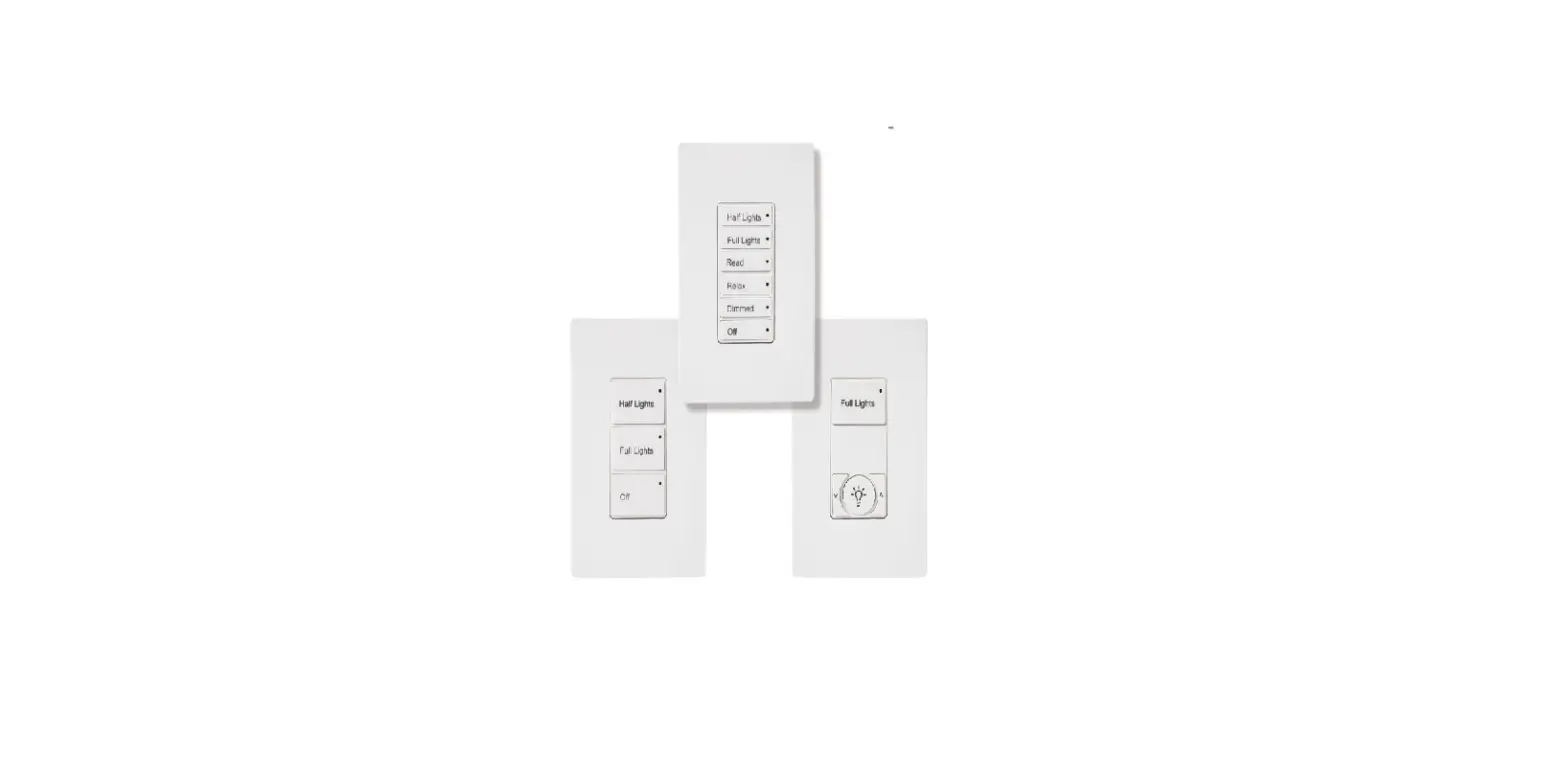
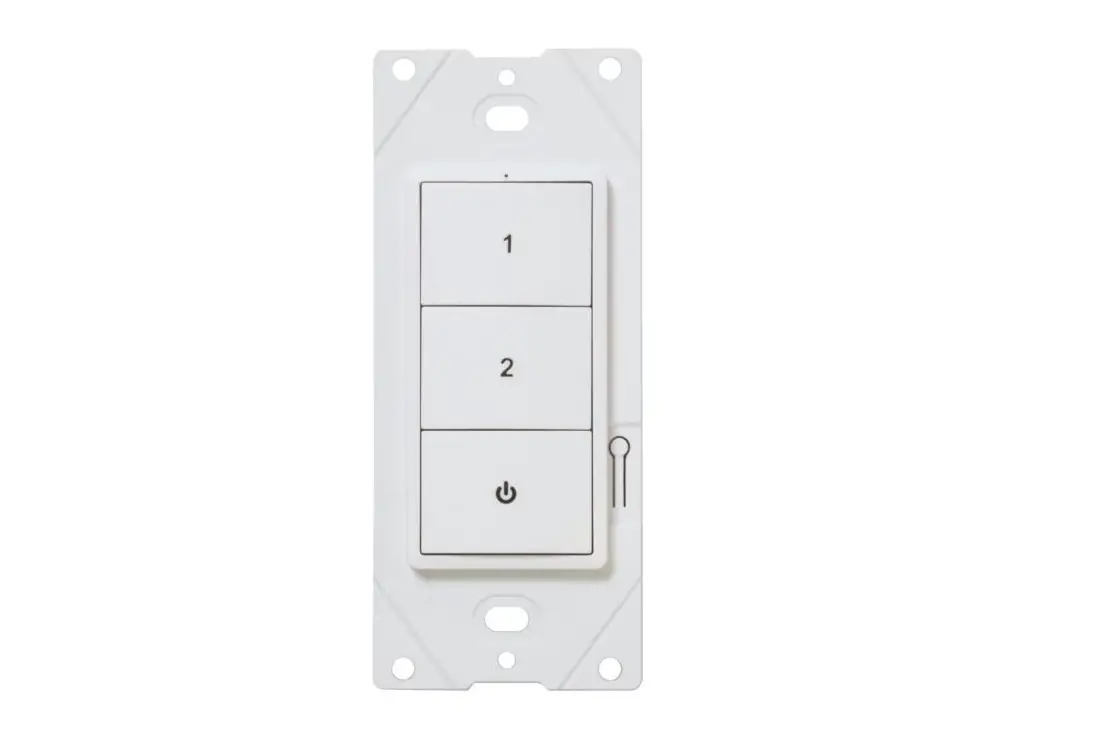
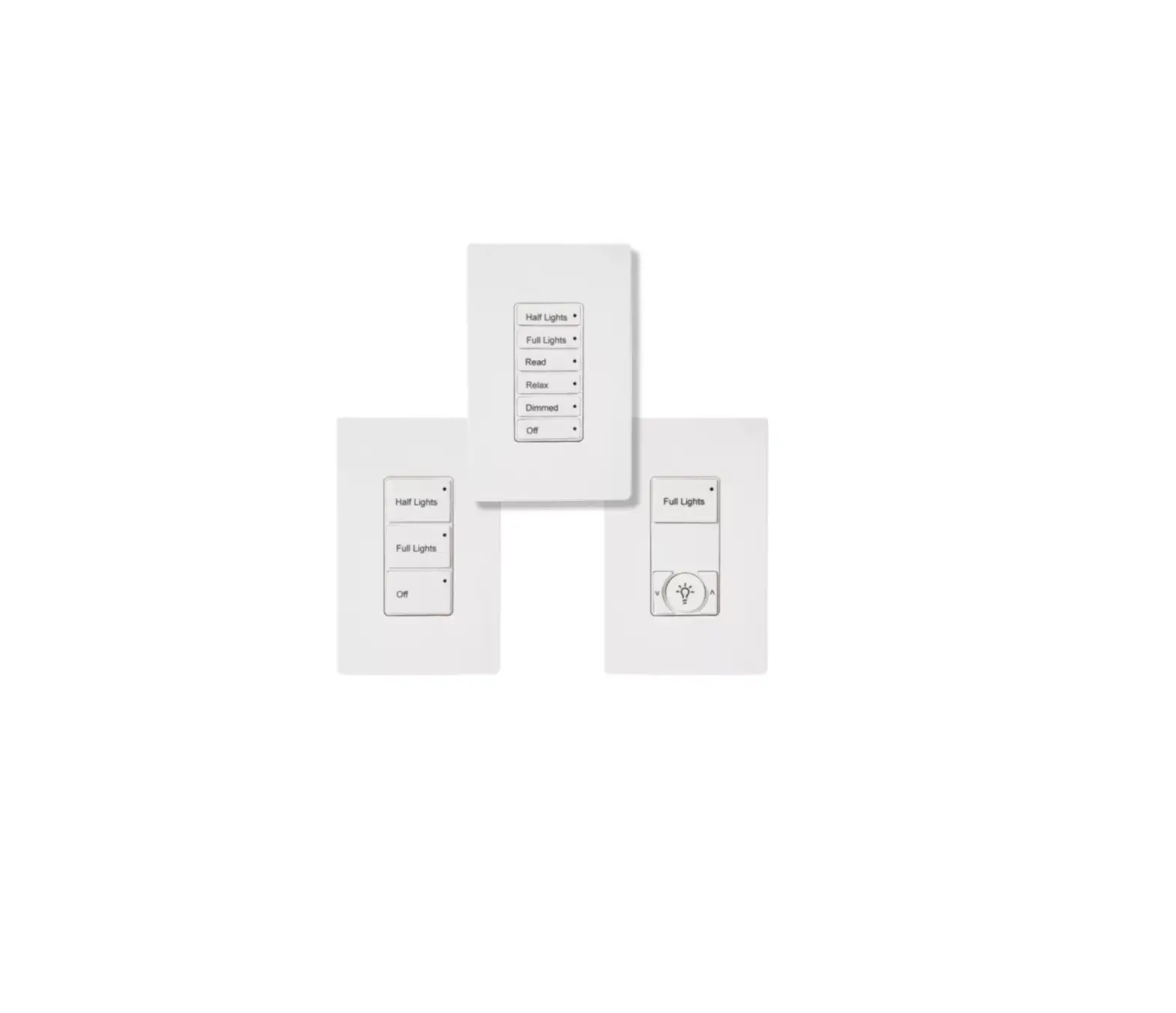
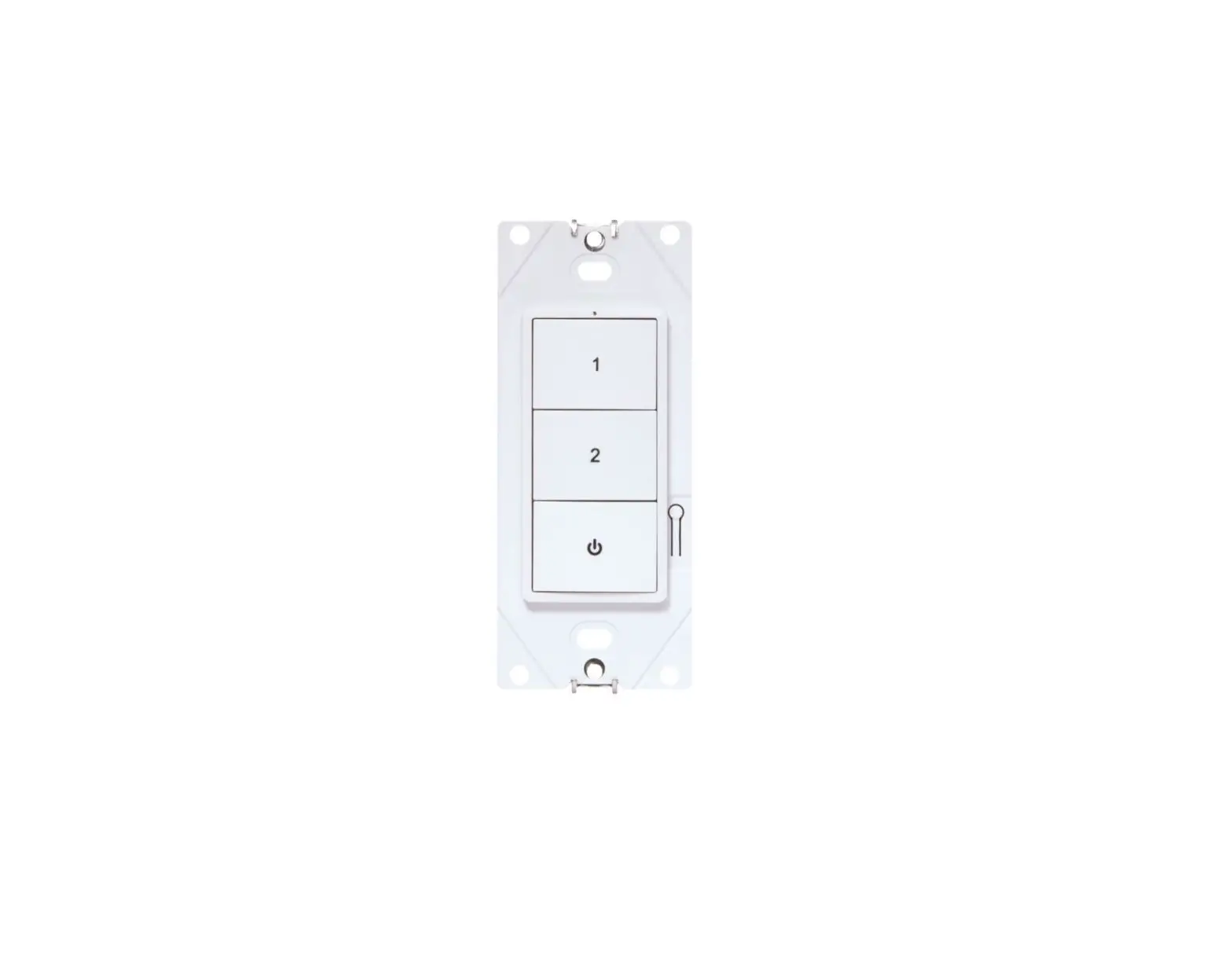
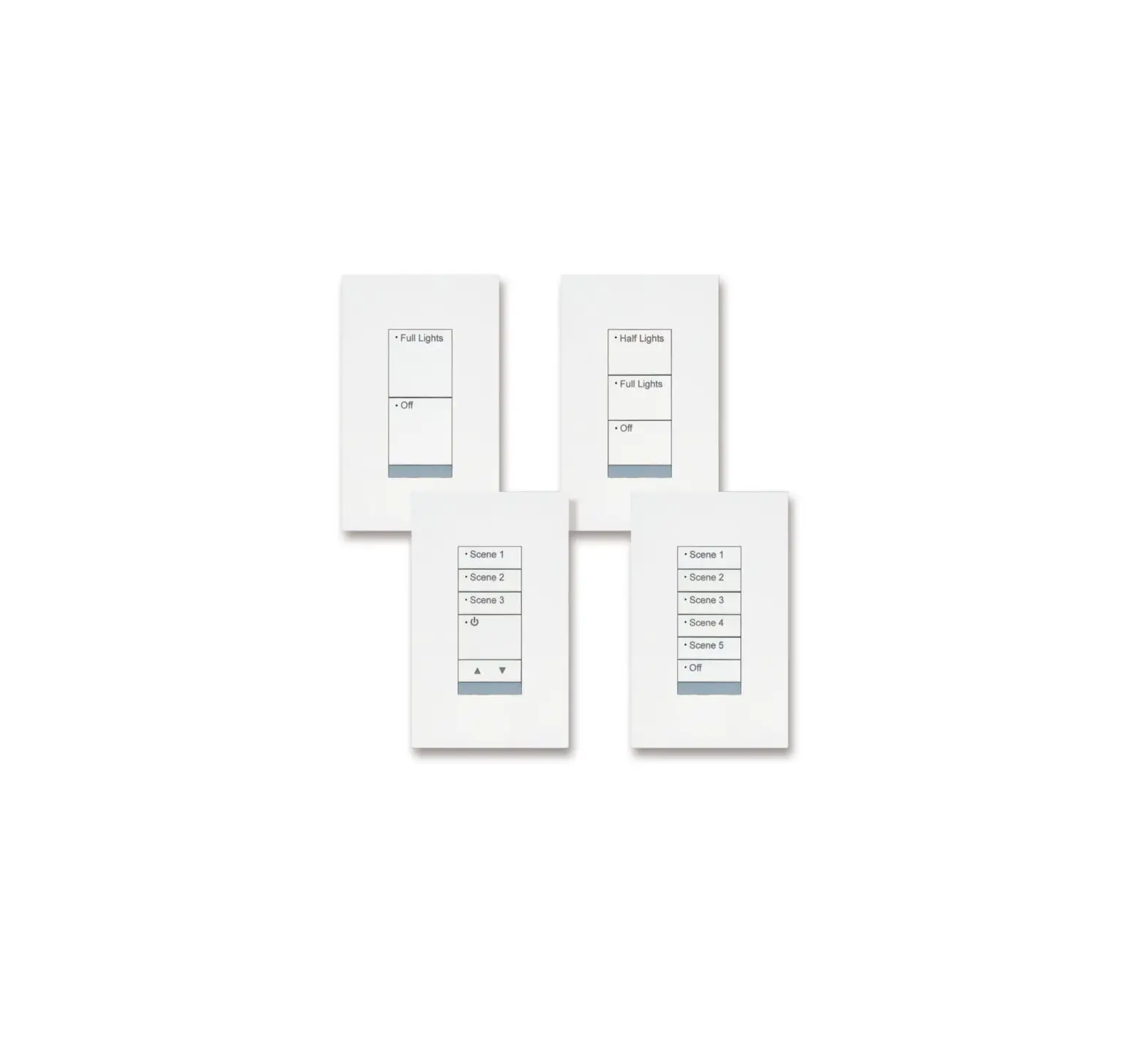
The Wireless Wallstation is an integral part of the WaveLinx Wireless system and is available in three-button configurations in white color. These Wallstations are line voltage (120-277VAC) powered and are fully configurable to provide wireless local and multi-level control of the lighting in an area. The Wallstations operate on a Bluetooth Mesh network.
The Wallstation mounts in a standard wall box (single or multi-gang) and is suitable for standard wall plates (not included). Each button is pre-configured to control an area and each button’s to control a lighting scene for an area and each button’s functionality can be modified using the WaveLinx Wireless Mobile Application.
The Wallstation is a multi-scene, single-area dimming Wallstation which provides customized light levels for each area.
The Wallstation provides a default sequence of operations including 50% light level, scene light levels between 30-70% as well as 100% and full off. Two configurations also include raise/ lower buttons to allow further light level manual adjustment.
Notes:
- Each is powered by an internal universal 120-277 VAC (+/- 10%) input power supply with the line, neutral, and ground.
- The WaveLinx Wireless Wallstation alone does not support any load switching.
Supplied Parts
Designed for installation into a standard single or multi-gang wiring box, each wall station is installed in the same manner as an ordinary wall switch.
Note: Before installing the unit in the junction box, please wire the wall station per the instructions listed in the “Wiring Diagram” section.
Specifications
Technology: Wireless Wallstation for Lighting and Scene control utilizing Bluetooth Mesh.
| Power | Input power: • 120 – 277VAC (50/60Hz) • 5mA @ 120V • 5mA @ 277V • Rated impulse voltage: 4000V • Type of Action: Type 1 Action • Pollution Degree: 2 • Software Class: Class A • Control Type: Operating Control |
| Indicators | White LED (1 per wall station) LED functionality • Indication of the wireless network join request • Indication of wireless network connection • Scene indication of operations |
| Button Configurations | • 1 Button • 3 Button • 3 Button with R/L • 5 Button with R/L |
| Installation | Standard gang decorator opening (wall plate not included) |
| Wall station Size | 4.2″H x 1.8″W x 1.5″ D (1.3″ in box) 107mm x 45mm x 36mm (32mm in box) |
| Environmental Specifications | Operating Temperature Range: 32°F to 113°F (0°C to 45°C) Storage Temperature Range: 32°F to 167°F ( 0°C to 75°C) Relative Humidity: 5% to 95% non-condensing, for indoor use only |
| Standards | Listings: cULus Certified, FCC Meets latest ASHRAE Standard 90.1 requirements Meets latest IECC requirements Meets latest CEC Title 24 requirements |
| Wireless Specifications | Radio 2.4GHz IEEE 802.15.4 Transmitter Power +7dBm Range: 100ft (30m) LOS (see Note) 150 devices per Wireless Area Controller (100 best practices) |
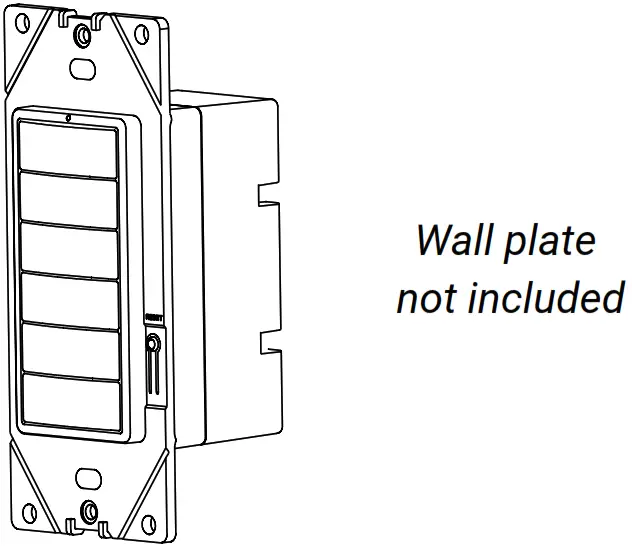
Wall station Dimensions
The WaveLinx Wireless Wallstation is intended to fit into a standard wall box with a minimum internal depth of 2 inches (51 mm). 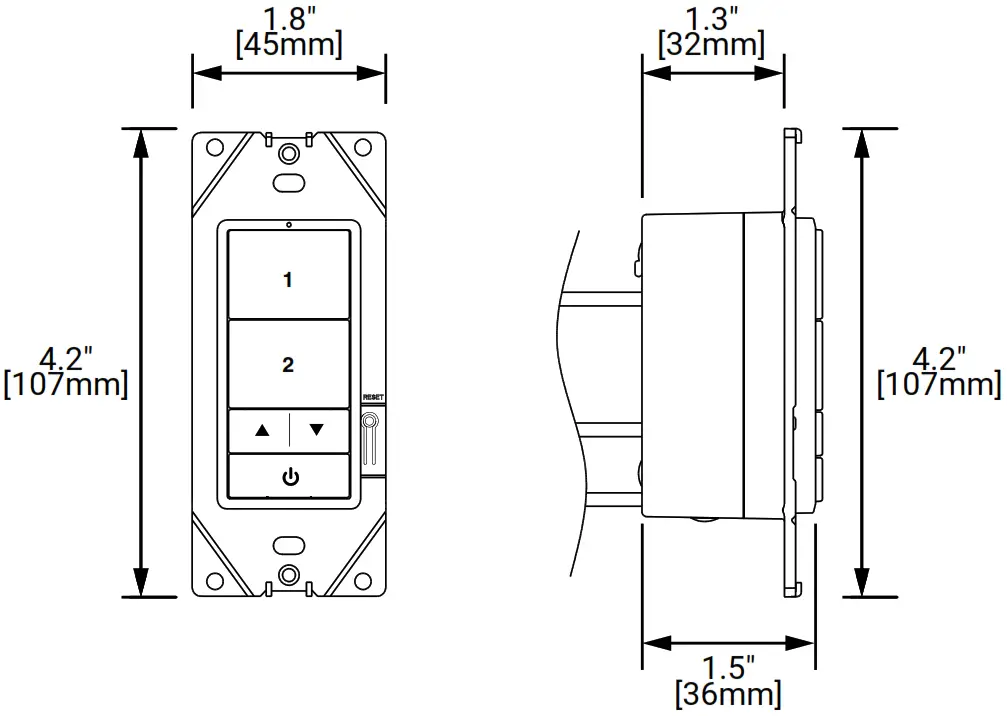
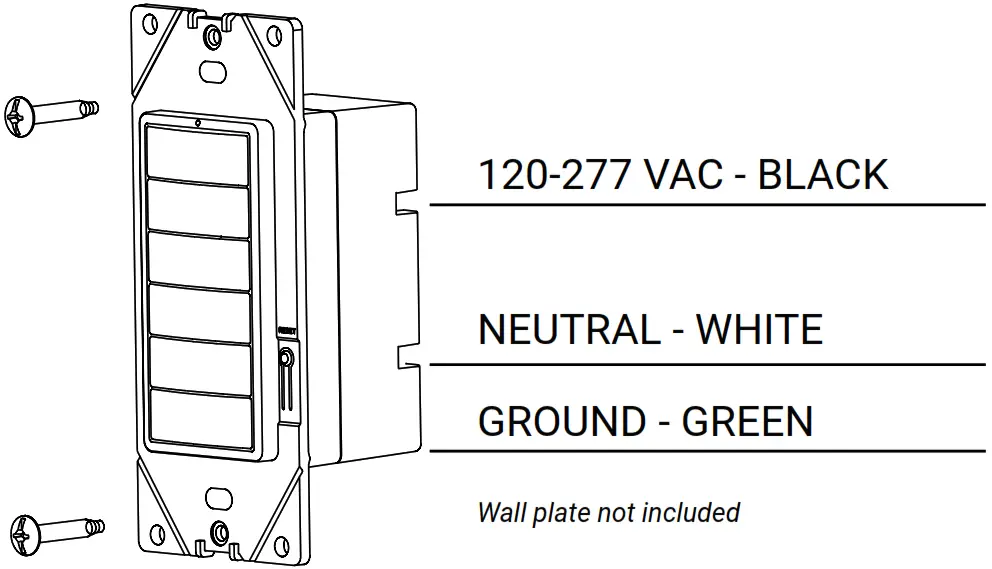
AC Wiring
- Make sure power is turned OFF at the branch circuit breaker.
- Wire units as shown per the “Wiring Diagram” section.
- Mount the unit to the wall box.
- All installations should comply with the National Electrical Code and all state and local codes including the Canadian Electrical Code.
- Turn the power back ON at the branch circuit breaker and wait for the unit to stabilize.

Wall station Installation
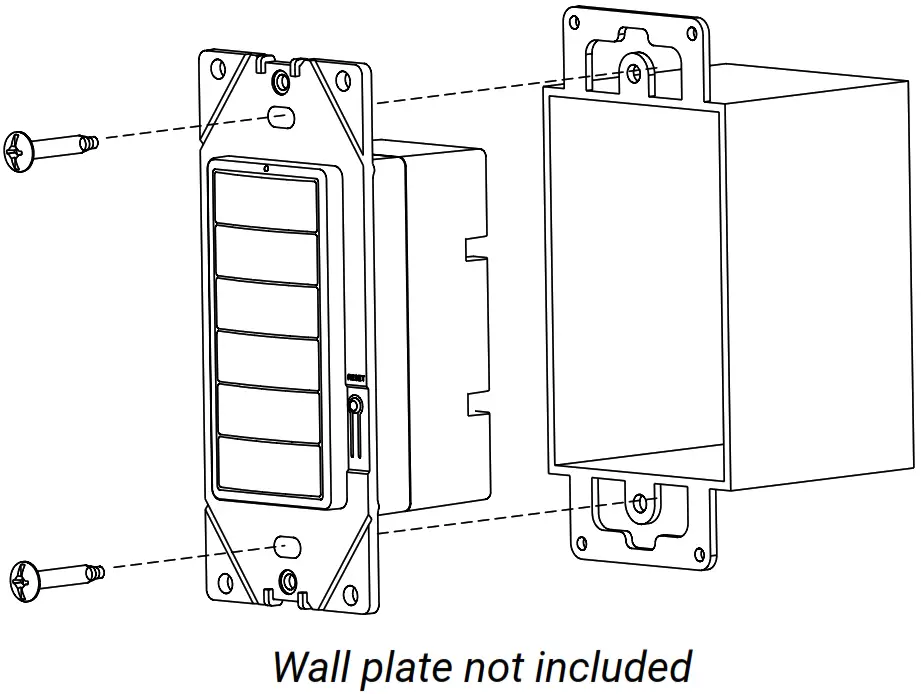
- The WaveLinx Wireless Wallstation is intended to fit into a standard gang wall box with a minimum internal depth of 2 in. (51mm). With the all plate (not included) removed, use the two supplied long screws to secure the wall station to the wall box.
- Finish installation with a wall plate (not included).

Default Button Behavior
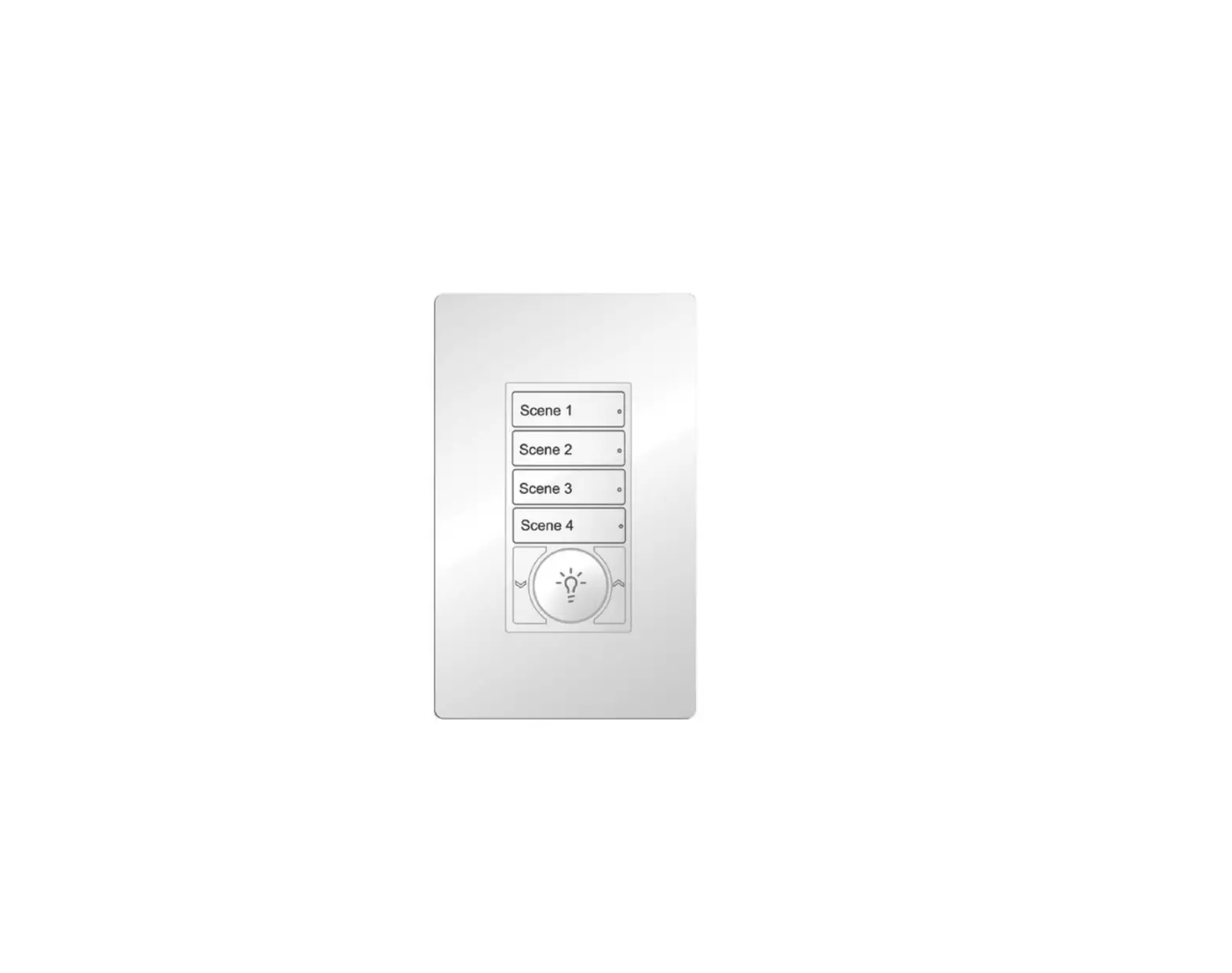
| Button 1 | Scene 3 = 50% |
| Button 2 | Scene 1 = 100% |
| Button 3 | Scene 2 = 70% |
| Button 4 | Scene 4 = 30% |
| Raise press* hold* | Increase 1% (per press) Increase 15% (per sec) |
| Lower press* hold* | Decrease 1% (per press) Decrease 15% (per sec) |
| Power* | Scene 0 = OFF |
* – affects all zones in area
Note: Please refer to the WaveLinx Wireless Mobile Application User Manual for complete configuration information.
LED Indicator
There are two major LED patterns for a Wallstation:
- After a button press, the LED blinks at 0.5Hz (Slow Blink for 10 seconds); indicating the wall station is not connected to a WaveLinx Wireless network.
- Once a Wallstation is connected to a WaveLinx Wireless network, the LED will blink once when any button is pressed.
Troubleshooting
| Issue | Possible Causes | Suggestions |
| LED will not blink when the button is pressed | Power Interruption | Check incoming voltage and/or wiring |
| LED blinks for 10 seconds after button press | No network connection | Check that the wall station is connected to the WaveLinx Wireless network. |
| The Wall station cannot connect to the WaveLinx Wireless network | Communication Issue | Check that the Wallstation is within range of other WaveLinx Wireless devices in the same network without obstacles and can establish reliable communication. |
| The button toggles incorrect scene | Configuration Issue | Check that the wall station button was programmed with the correct scene via the WaveLinx Wireless mobile application. |
If still having trouble, call Technical Services at 1-800-553-3879
Warranties and Limitation of Liability
Please refer to www.cooperlighting.com for our terms and conditions.
FCC Statement
Note: This equipment has been tested and found to comply with the limits for a Class B digital device, pursuant to part 15 of the FCC Rules. These limits are designed to provide reasonable protection against harmful interference in a residential installation. This equipment generates, uses, and can radiate radio frequency energy and, if not installed and used in accordance with the instructions, may cause harmful interference to radio communications. However, there is no guarantee that interference will not occur in a particular installation.
If this equipment does cause harmful interference to radio or television reception, which can be determined by turning the equipment off and on, the user is encouraged to try to correct the interference by one or more of the following measures:
- Reorient or relocate the receiving antenna.
- Increase the separation between the equipment and receiver.
- Connect the equipment into an outlet on a circuit different from that to which the receiver is connected.
- Consult the dealer or an experienced radio/TV technician for help.
FCC Part 15 Clause 15.21 Changes or modifications not expressly approved by the party responsible for compliance could void the user’s authority to operate the equipment.
FCC Part 15.19a This device complies with part 15 of the FCC Rules. Operation is subject to the following two conditions: (1) This device may not cause harmful interference, and (2) this device must accept any interference received, including interference that may cause undesired operation.
FCC 2.1093/RSS-102 This product complies with the RF exposure limit set forth for an uncontrolled environment and is safe for intended operation as described in this manual.
ISED RSS
This device complies with Industry Canada’s license-exempt RSSs. Operation is subject to the following two conditions:
- This device may not cause interference; and
- This device must accept any interference, including interference that may cause undesired operation of the device. CAN ICES-3 (B)/NMB-3(B)
© 2020 Cooper Lighting Solutions All Rights Reserved
Printed in Mexico
Publication No. IB503095ML
September 2020
Cooper Lighting Solutions is a registered trademark.
All trademarks are property of their respective owners.
Product availability, specifications, and compliances are subject to change without notice.
Cooper Lighting Solutions
1121 Highway 74 South
Peachtree City, GA 30269
www.cooperlighting.com
For service or technical assistance:
1-800-553-3879
Canada Sales
5925 McLaughlin Road
Mississauga, Ontario L5R 1B8
P: 905-501-3000
F: 905-501-3172
www.cooperlighting.com
 Commercial Lighting Company - Commercial LED | Cooper Lighting Solutions