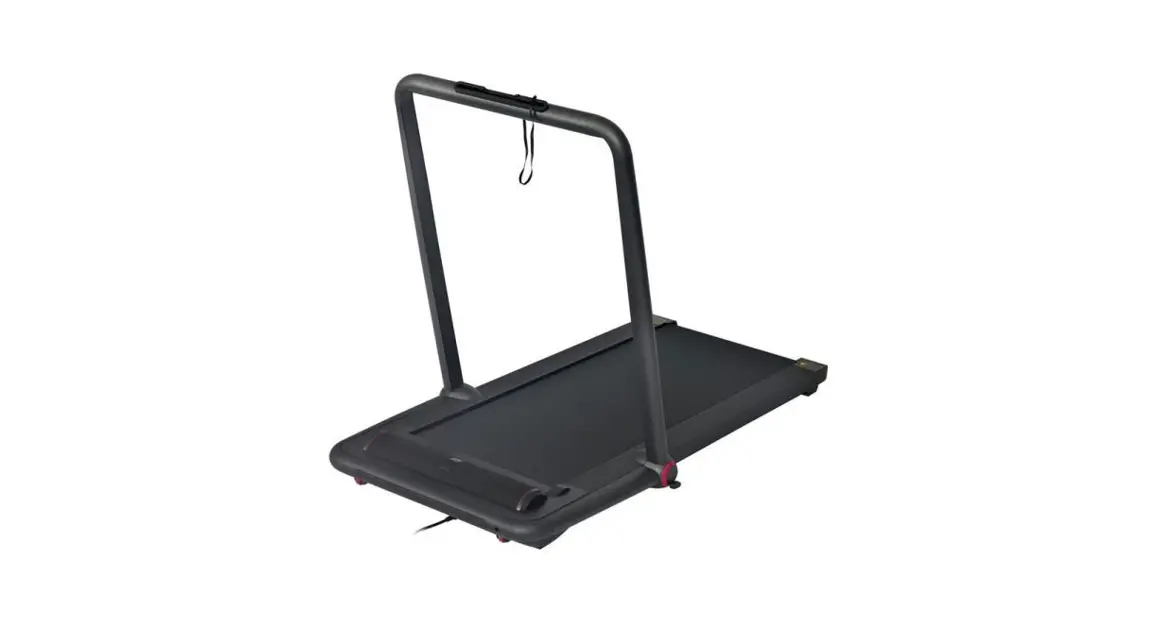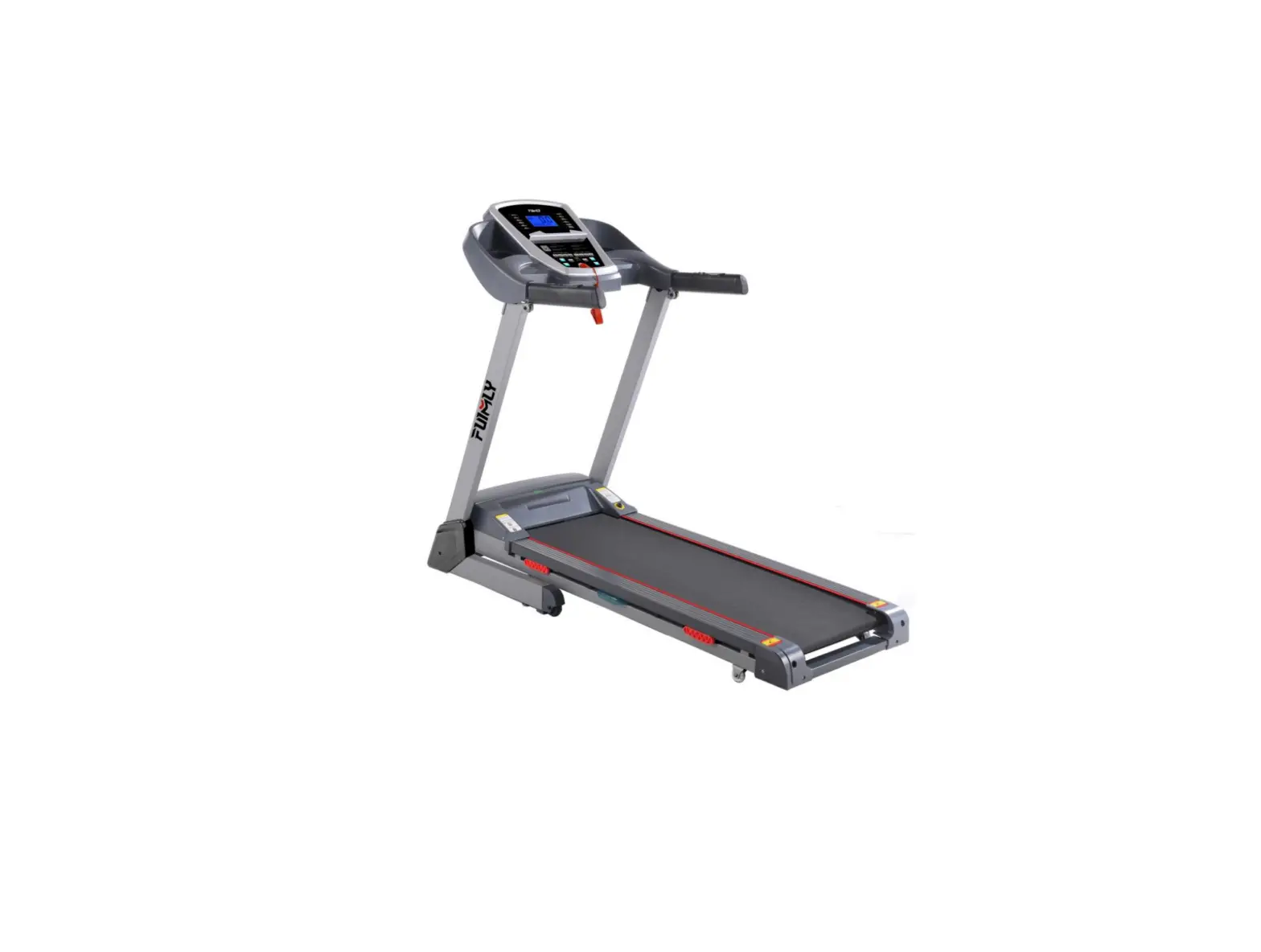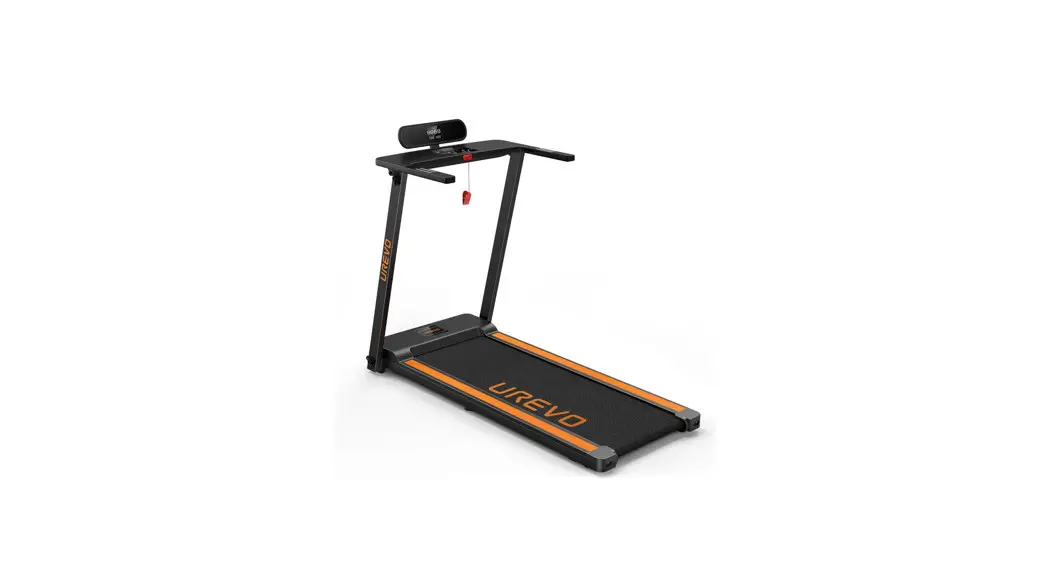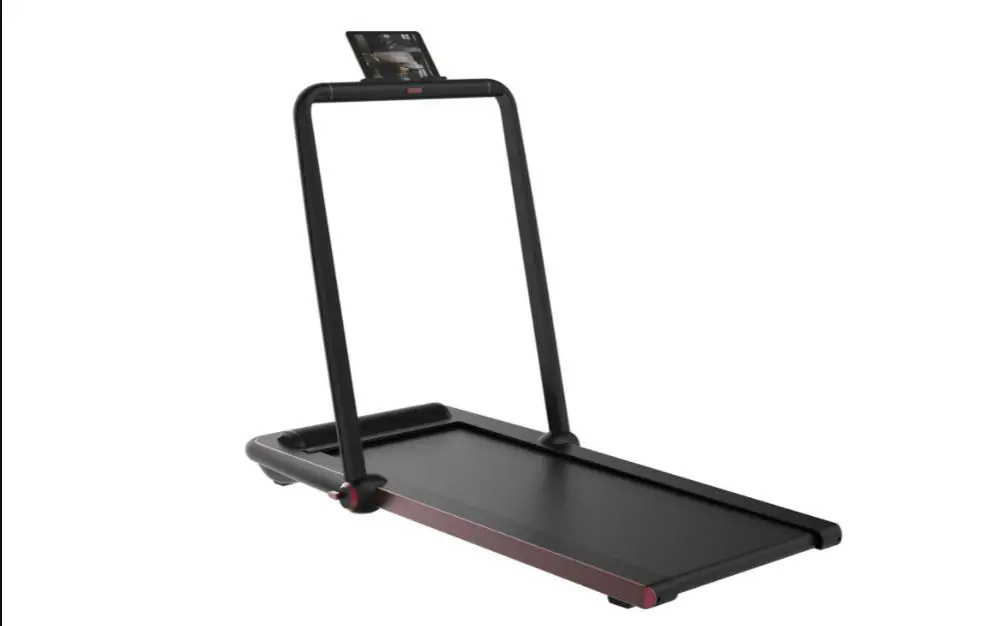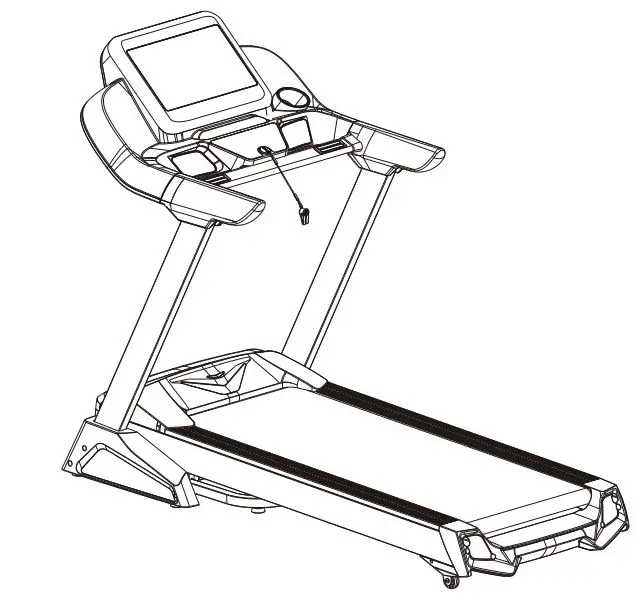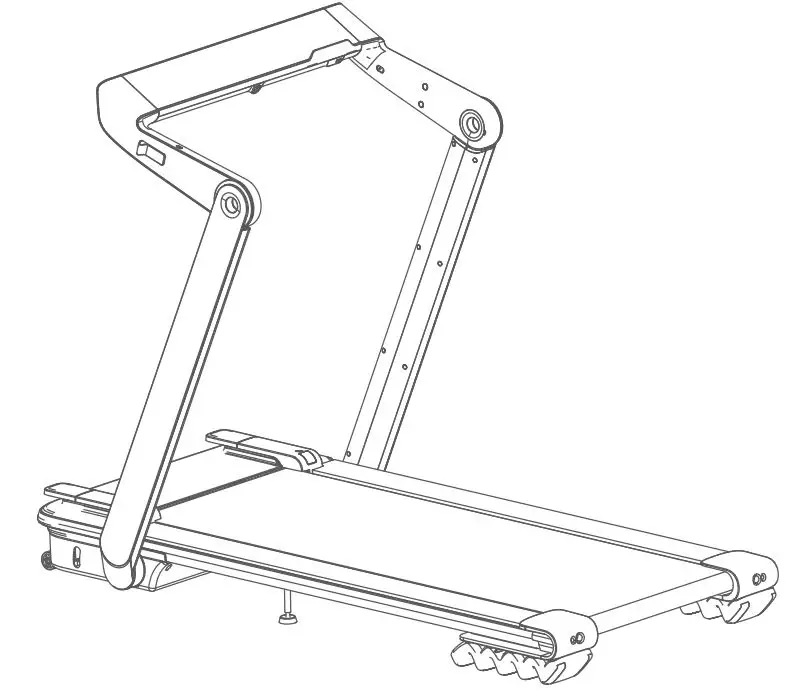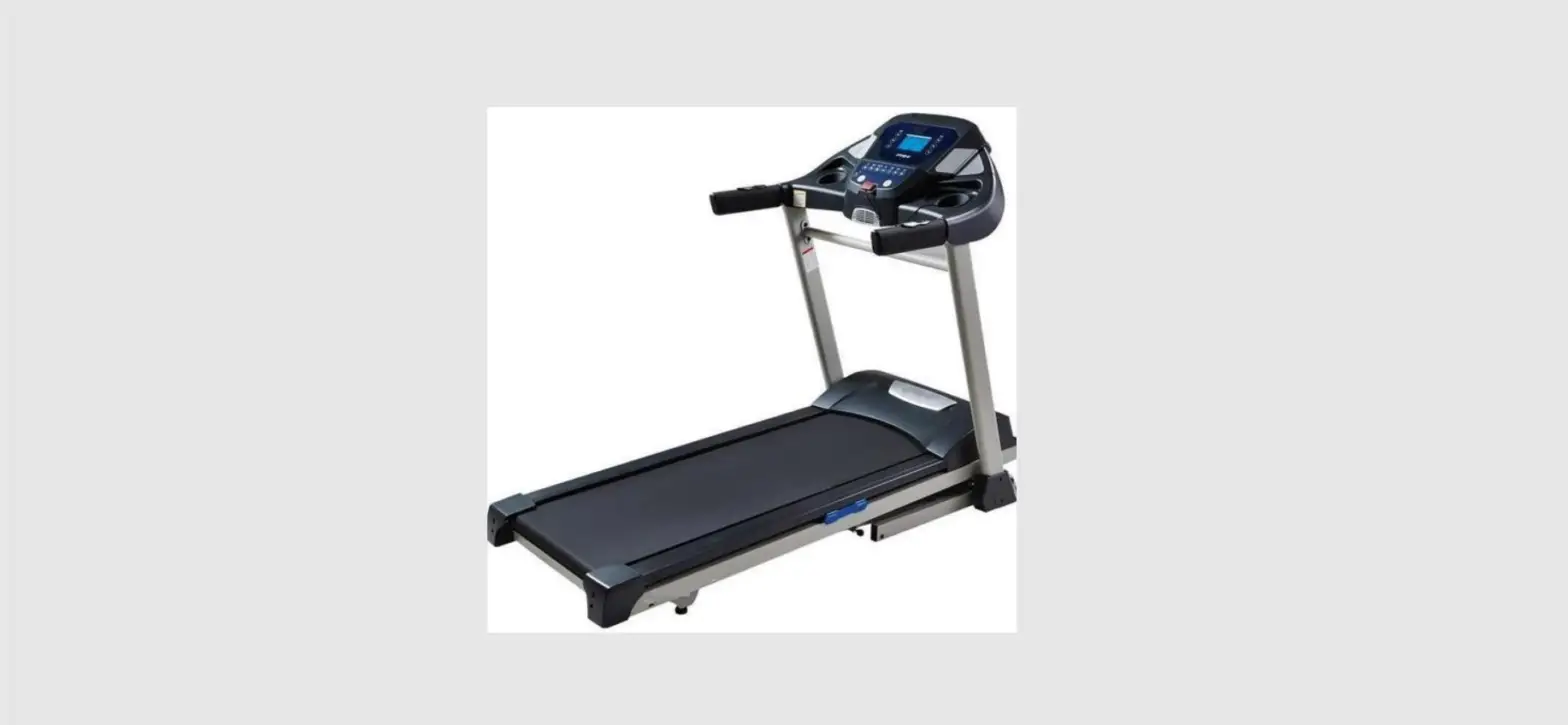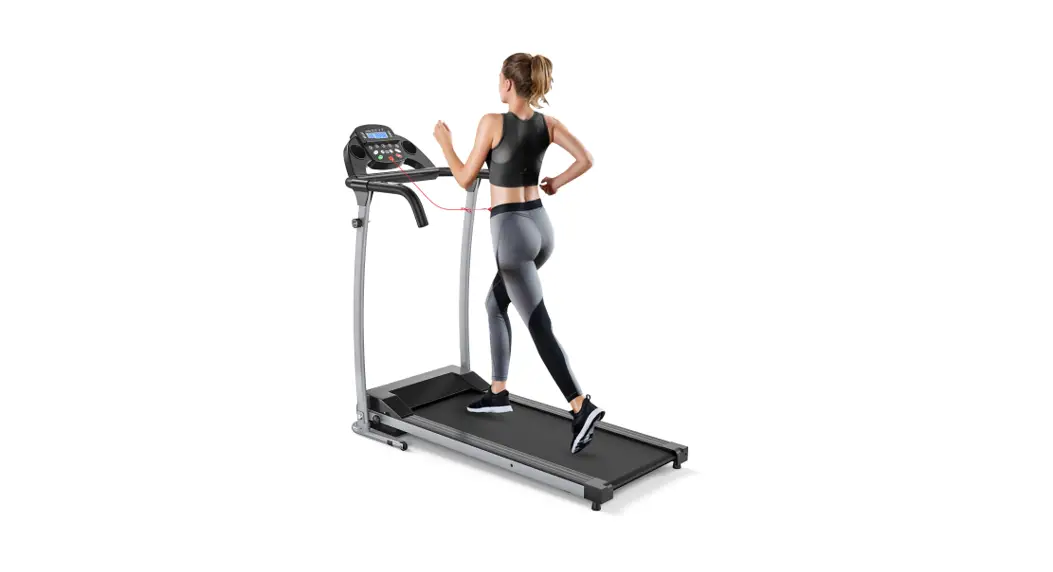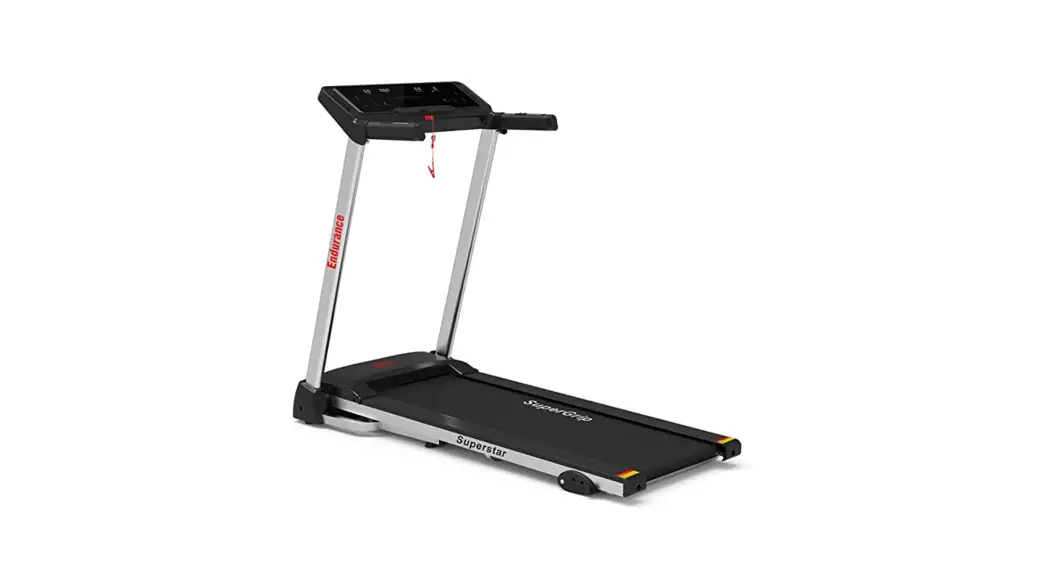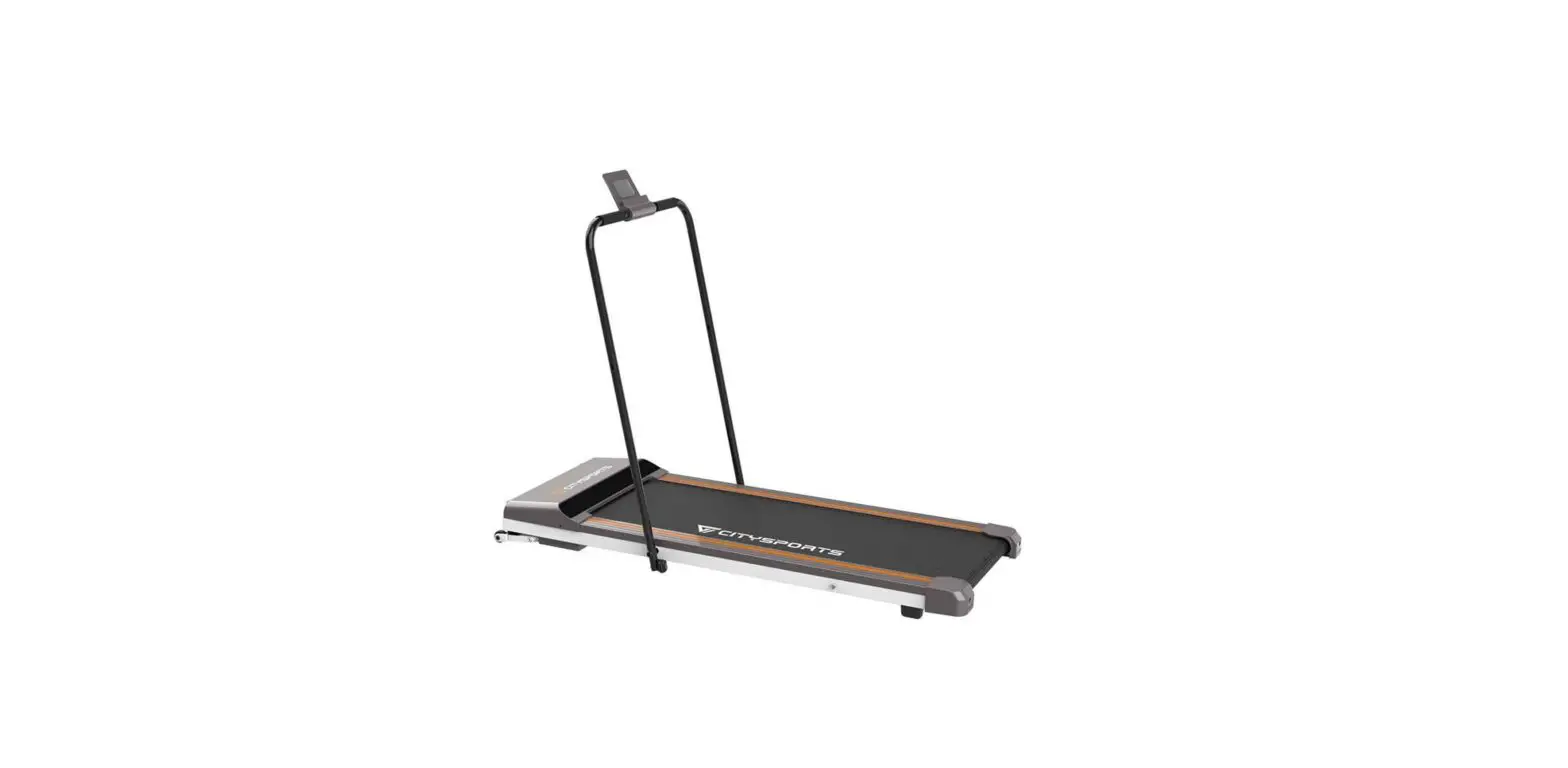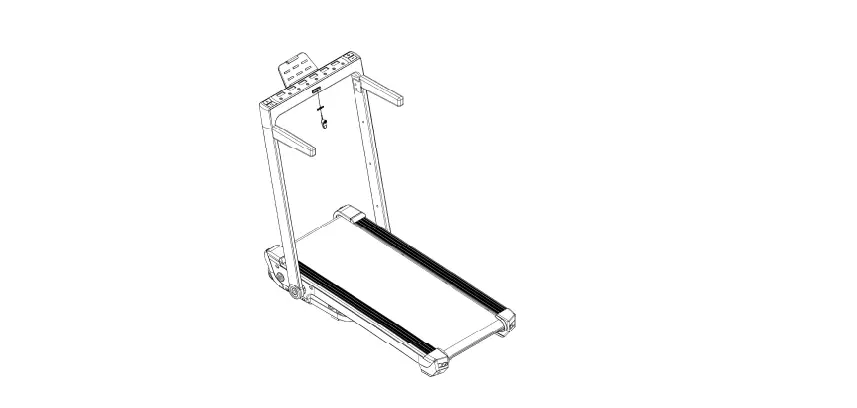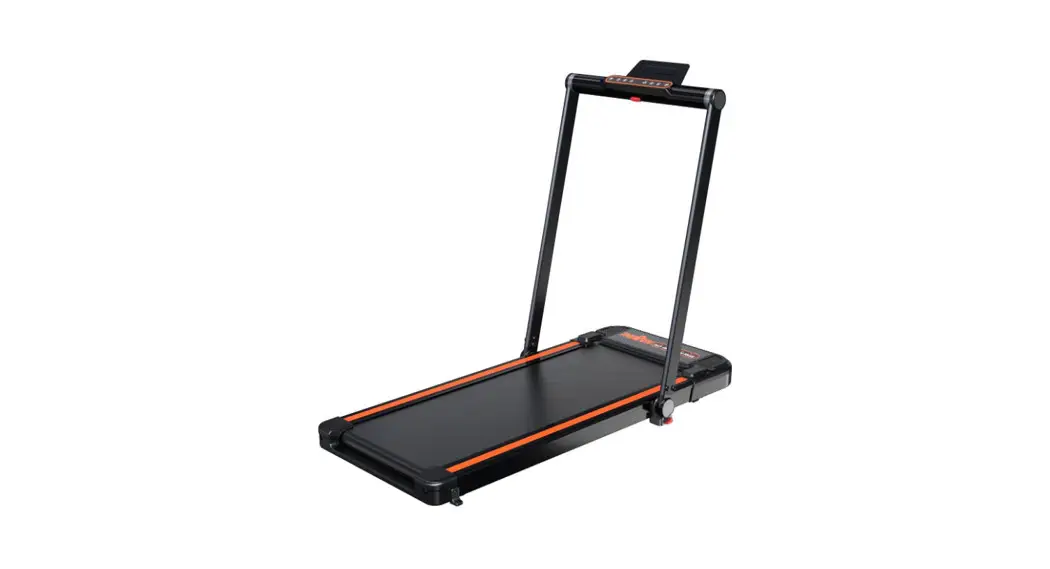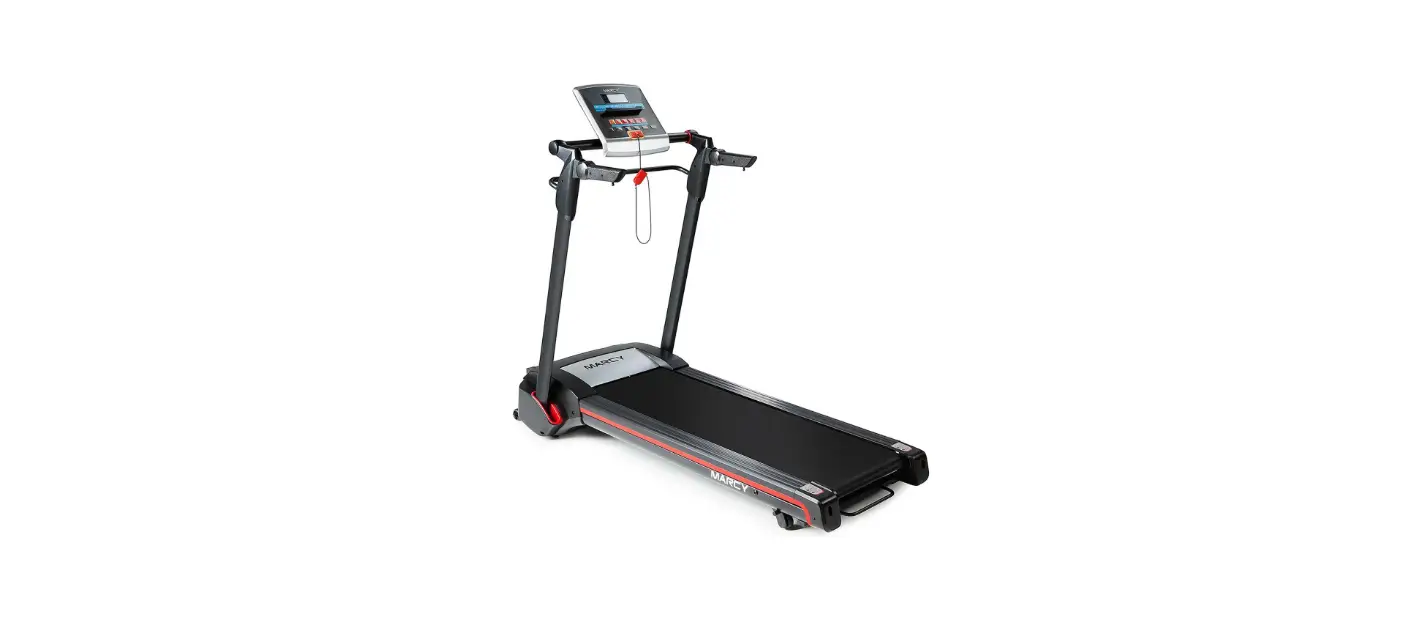

MARCY JX-651BW Easy Folding Motorized Treadmill
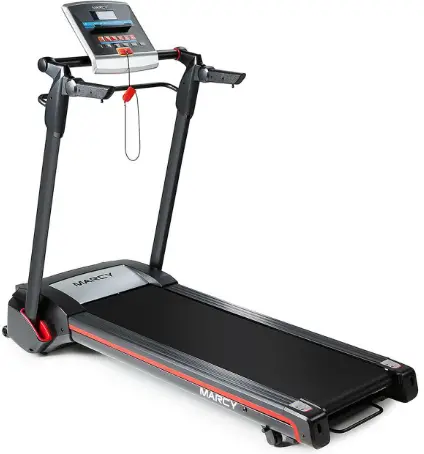
Before you Begin
Thank you for selecting the MARCY EASY FOLDING MOTORIZED TREADMILL JX-651BW by IMPEX® INC. For your safety and benefit, read this manual carefully before using the equipment. As a manufacturer, we are committed to provide you complete customer satisfaction. If you have any questions, or find there are missing or damaged parts, we guarantee you complete satisfaction through direct assistance from our factory. To avoid unnecessary delays, please call our TOLL-FREE customer service number. Our Customer Service Agents will provide immediate assistance to you.
Toll-Free Customer Service Number
1-800-999-8899 Mon. – Fri. 9 a.m. – 5 p.m. PST
www.marcypro.com [email protected]
Important Precautions
WARNING: To reduce the risk of serious injury, read all important precautions and instructions in this manual and all warnings on your treadmill before using your treadmill. Impex assumes no responsibility for personal injury or property damage sustained by or through the use of this product.
- It is the responsibility of the owner to ensure that all users of this treadmill are adequately informed of all warnings and precautions.
- Before beginning any exercise program, consult your physician. This is especially important for persons over age 35 or persons with pre-existing health problems.
- Use the treadmill only as described.
- The treadmill is intended for home use only. Do not use the treadmill in any commercial, rental, or institutional setting.
- Keep the treadmill indoors, away from moisture and dust. Do not put the treadmill in a garage or covered patio, or near water.
- Place the treadmill on a level surface, with at least 8 ft. (2.4 m) of clearance behind it and 2 ft. (0.6 m) on each side. Do not place the treadmill on any surface that blocks air openings. To protect the floor or carpet from damage, place a mat under the treadmill.
- Do not operate the treadmill where aerosol products are used or where oxygen is being administered.
- Keep children under age 12 and pets away from the treadmill at all times.
- The treadmill should be used only by per-sons weighing 245 lbs. (110kg) or less.
- Never allow more than one person on the treadmill at a time.
- Wear appropriate exercise clothes while using the treadmill. Do not wear loose clothes that could become caught in the treadmill. Athletic support clothes are recommended for both men and women.
- Plug the power cord into a surge suppressor (not included), and plug the surge suppressor into an appropriate outlet (see page 10). To avoid overloading the circuit, do not plug other electrical devices, except for low-power devices such as cell phone chargers, into the surge suppressor or into an outlet on the same circuit.
- Use only a surge suppressor that meets all of the specifications described on page 10. To purchase a surge suppressor, see your local WESLO dealer, call the telephone number on the front cover of this manual, or see your local electronics store.
- Failure to use a properly functioning surge suppressor could result in damage to the control system of the treadmill. If the control system is damaged, the walking belt may slow, accelerate, or stop unexpectedly, which may result in a fall and serious injury.
- Keep the power cord and the surge suppressor away from heated surfaces.
- Never move the walking belt while the power is turned off. Do not operate the treadmill if the power cord or plug is damaged, or if the treadmill is not working properly. (See TROUBLESHOOTING on page 17 if the treadmill is not working properly.)
- Read, understand, and test the emergency stop procedure before using the treadmill (see HOW TO TURN ON THE POWER on page 9).
- Never start the treadmill while you are standing on the walking belt. Always hold the handrails while using the treadmill.
- The treadmill is capable of high speeds. Adjust the speed in small increments to avoid sudden jumps in speed.
- The heart rate monitor is not a medical device. Various factors, including the user’ s movement, may affect the accuracy of heart rate readings. The heart rate monitor is intended only as an exercise aid in determining heart rate trends in general.
- Never leave the treadmill unattended while it is running. Always remove the key, press the power switch into the off position and unplug the power cord when the treadmill is not in use.
- Do not attempt to move the treadmill until it is properly assembled. You must be able to safely lift 45 lbs. (20 kg) to move the treadmill.
- When folding or moving the treadmill, make sure that the storage latch is holding the frame securely in the storage position.
- Do not change the incline of the treadmill by placing objects under the treadmill.
- Never insert any object into any opening on the treadmill.
- Inspect and properly tighten all parts of the treadmill regularly.
- DANGER: Always unplug the power cord immediately after use, before cleaning the treadmill, and before performing the maintenance and adjustment procedures described in this manual. Never remove the motor hood unless instructed to do so by an authorized service representative. Servicing other than the procedures in this manual should be performed by an authorized service representative only.
- Over exercising may result in serious injury or death. If you feel faint or if you experience pain while exercising, stop immediately and cool down.
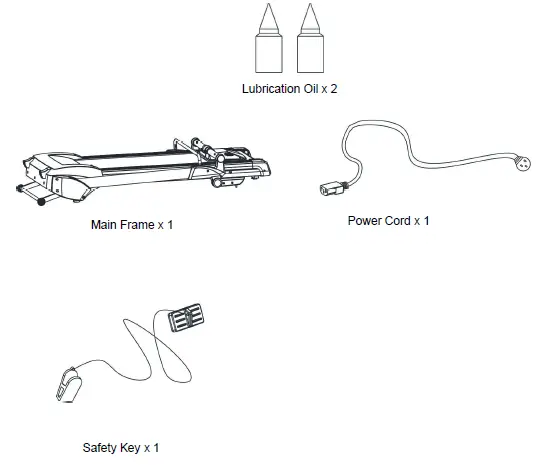
Components – Parts
Assembly
This treadmill is shipped completely assembled for your convenience.
Folding and Unfolding Mechanism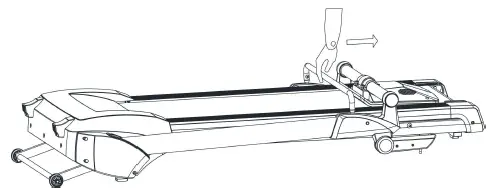
Step 1
Remove the Treadmill from the Carton. Grasp the console rod with one hand, and disengage the lock by pulling the lifting bar with the other hand towards the console rod as shown in the diagram.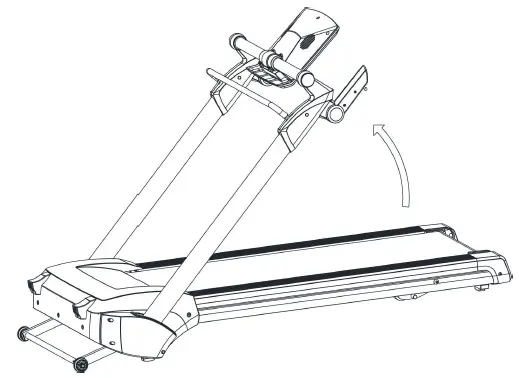
Step 2
Grasp the lifting bar and lift the console in the direction as shown in the diagram.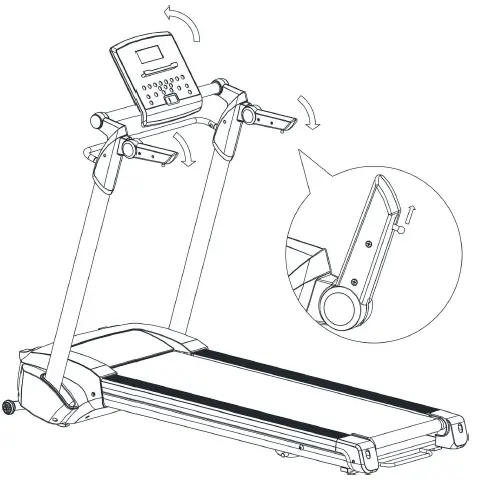
Step 3
When the console posts are locked in place, release the lifting bar. You should hear and feel the locking mechanism engage. Flip the console housing and handrail into place as shown in the diagram.
Note: the handles can be flipped only after pulling the locking ball pin on the end of the handle.
Folding Mechanism
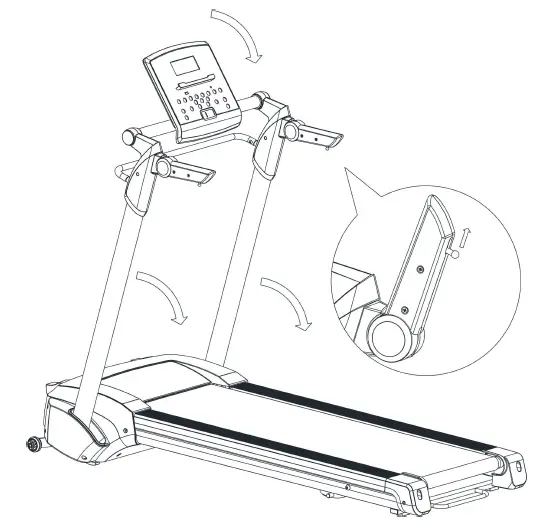
Pull and hold the armrest pin to fold up armrest. Flip down the Console. Grip and hold the Handrail Bar (1) with one hand; hold Lifting Bar (122) in middle and pull the Bar up, and slowly folding down the Uprights.
Operation and Adjustment
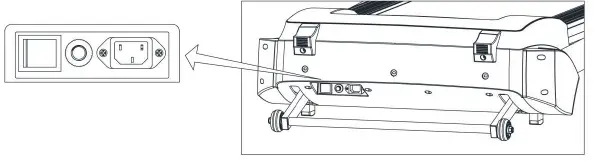
Plug in the main power and turn on the switch (1). You will hear a signal tone and the Computer screen will light up.
CIRCUIT BREAKER:
There is an circuit breaker (2) located on the right side of the switch (1) (see above picture); in case of short circuit or over-current, the circuit breaker button will pop up and the treadmill will power off. Please unplug the power source and push down the button, and then plug in the power cord and turn on the switch to restart your workout. If the button pops up again, please contact Impex.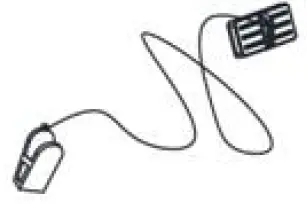
CONSOLE DIAGRAM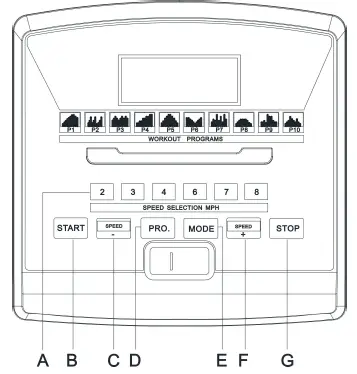
- Quick Speed Select
- Start
- Speed-
- PRO.
- MODE
- Speed+
- Stop
FUNCTIONS AND OPERATIONS
TECHNICAL SPECIFICATION
- Time———————————00:00–99:59 Min
- Speed——————————-0.0–8.0 mile/h Distance—————————-0.00–99.9 mile
- Calorie——————————0.0–999 Kcal
- Circle ——————————-0-99 circles
START
Press to start exercise at initial speed 0.5 mile/h.
STOP
Press during workout, and the treadmill will stop by gradually reducing the speed.
QUICK SPEED SELECT
Press to select your desired running speed with 2, 3, 4 , 6, 7, 8mile/h
SPEED UP/DOWN
- Press to increase/decrease exercise speed by 0.1mile/h.
- Press to select training time under program workout model
- Press to select the desired training target (Time, Distance, Calorie) under training target control workout mode)
MODE
Press to select training target workout mode (Time-Distance-Calorie count down)
PROGRAM
Press to select workout program (P01-P02-…-P10).
IMPORTANT
The console will turn off automatically about ten minutes after the belt has stopped.
SAFETY KEY
- The safety key must be placed into the magnetic recess on the console in order to operate the treadmill. Always place the safety key on its position and attach the clip to your clothing at your waist before beginning your workout.
- If you need to stop the motor immediately, simply pull the safety key away from the console.
GENERAL OPERATION
- Turn on the Power Switch at the front of your Treadmill. This switch is located next to the Mains Power Cord inlet.
- Place the Safety Key into the magnetic recess on the middle front of the Computer Console. The console will give an audible signal and all console window displays function with a start display value of 0.
Note: If the Safety Key is not placed correctly or is faulty, the “Speed” window will display “E00”, which indicates that the treadmill will not operate. To stop the treadmill in an emergency, simply pull the safety key off its mount in the console front or simply press the red STOP button in the right of the console. It is important that you connect the clothing clip to your shirt or other suitable clothing during exercise to ensure that this safety system can operate easily.
STARTING YOUR TREADMILL
- Turn on the treadmill, and press “Start” button on the console.
- Press “Speed +” or “Speed -” button to adjust speed button to adjust speed. Press the key once, and the speed changes 0.1mile/h.
- Also the user can press the “Quick Speed Select” button to select desired running speed.
STOPPING YOUR TREADMILL
- Press the “Speed -” button on the console to reduce the speed and deck incline to lower, then press the “Stop” key on the Console, and the treadmill will stop; turn off the switch if you intend to finish workout.
- Pull away the safety key and the treadmill will stop itself, and then “Speed” window will display “E00”.
TRAINING TIME CONTROL WORKOUT MODE
- Turn on the treadmill,press the “Mode” button one time, and the “Time” window flashes and displays “15:00”, which is the pre-set training time of the treadmill. Press “Speed +” / “Speed -” button to select your desired training time, (the range is 5:00—99:00).
- Press “Start” button to start your workout, the time data will reduce gradually during your training and the treadmill will stop automatically when the “Time” window displays “0:00”.
TRAINING DISTANCE CONTROL WORKOUT MODEL
- Turn on the treadmill, press the “Mode” key two times, and the “Dis” (Distance) window flashes and displays “1.00”, which is the pre-set training distance of the treadmill.
- Press “Speed +” / “Speed -” button to select your desired training distance (the range is 0.50—99.9).
- Press “Start” button to start your workout, the distance data will reduce gradually during your training and the treadmill will stop automatically when the “Dis” (Distance) window displays “0.0”.
BURNING CALORIE CONTROL WORKOUT MODEL
- Turn on the treadmill,press the “Mode” button three times continuously, the “Cal” (Calorie) window flashes and displays “50.0”, which is the pre-set burning calories of the treadmill. Press “Speed +” / “Speed -” button to select target burning calories (the range is 10.0—999).
- Press “Start” button to start your workout, the calories data reduce gradually during your training, and the treadmill will stop automatically when the “Cal” (Calorie) window display “0.0”.
SPEED ADJUSTMENT
In any training target control workout model, press “Speed +” /“Speed -” button to choose your desired running speed.
Program Workout Model (P01—P10)
In this mode, the user has a choice of Program P01 – Program P10.
- Press the “Prog. ” button, the “Speed” window will display “P01” and the “Time” window will display “10:00”, which is the preset time of the treadmill for each program. Press the “Pro.” button to select your desired training program “P01-P10”.
- The preset workout time of the treadmill for each program is 10:00 Min, when you finish selecting workout program, press “Speed +” / “Speed -” button to select your desired workout time (the range is: 5:00—99:00).
- Press “Start” button and the treadmill will count down three and start operation. The start speed depends on the program you have chosen.
- For all preset values, please refer to following table and diagrams. Any of the training program levels has 10 segments, and each segment time is 1/10 of total setting time; during any training segments, press the “Speed +” / “Speed -” button to adjust training speed.
| TIME PROG | Set Time/10 =Running time for each program | ||||||||||
| 1 | 2 | 3 | 4 | 5 | 6 | 7 | 8 | 9 | 10 | ||
| P01 | SPEED | 0.9 | 1.8 | 2.7 | 3.6 | 4.5 | 5.4 | 6.3 | 6.3 | 5.4 | 3.6 |
| P02 | SPEED | 1.8 | 2.7 | 4.5 | 1.8 | 2.7 | 4.5 | 1.8 | 2.7 | 4.5 | 2.7 |
| P03 | SPEED | 2.7 | 3.6 | 4.5 | 3.6 | 2.7 | 3.6 | 4.5 | 3.6 | 2.7 | 3.6 |
| P04 | SPEED | 1.8 | 1.8 | 2.7 | 2.7 | 3.6 | 3.6 | 4.5 | 4.5 | 5.4 | 5.4 |
| P05 | SPEED | 1.8 | 2.7 | 3.6 | 4.5 | 5.4 | 5.4 | 4.5 | 3.6 | 2.7 | 1.8 |
| P06 | SPEED | 4.5 | 4.5 | 3.6 | 2.7 | 1.8 | 0.9 | 1.8 | 2.7 | 3.6 | 4.5 |
| P07 | SPEED | 1.8 | 3.6 | 2.7 | 1.8 | 5.4 | 4.5 | 1.8 | 5.4 | 3.6 | 2.7 |
| P08 | SPEED | 0.9 | 1.8 | 2.7 | 3.6 | 3.6 | 3.6 | 3.6 | 2.7 | 1.8 | 0.9 |
| P09 | SPEED | 1.8 | 1.8 | 2.7 | 4.5 | 4.5 | 4.5 | 4.5 | 2.7 | 1.8 | 1.8 |
| P10 | SPEED | 0.9 | 1.8 | 2.7 | 4.5 | 3.6 | 2.7 | 1.8 | 3.6 | 1.8 | 0.9 |
Maintenance
Proper maintenance is very important to ensure a faultless and operational condition of the treadmill. Improper maintenance can cause damage to the treadmill or shorten the life of the product and exceed the LIMITED WARRANTY coverage.
- Important: Never use abrasives or solvents to clean the treadmill. To prevent damage to the computer, keep liquids away and keep it out of direct sunlight.
- All parts of the treadmill must be checked and tightened regularly. Worn out parts must be replaced immediately.
BELT ADJUSTMENT
You may need to adjust the running belt during the first few weeks of use. All running belts are properly set at the factory. It may stretch off the center after use. Stretching is normal during the break-in period.
ADJUSTING THE BELT TENSION
If the running belt feels as though it is “slipping” or hesitating when you plant your foot during a run, the tension on the running belt may have to be increased.
TO INCREASE THE RUNNING BELT TENSION STEP 1:
Place 6# Allen wrench on the left belt tension bolt. Turn the wrench clockwise 1/4 turn to draw the rear roller and increase the belt tension.
STEP 2: Repeat STEP 1 for the right belt tension bolt. You must be sure to turn both bolts the same number of turns, so the rear roller will stay square relative to the frame.
- Repeat STEP 1 and STEP 2 until the slipping is eliminated.
- Be careful not to tighten the running belt tension too much as you can create excessive pressure on the front and rear roller bearings. An excessively tightened running belt may damage the roller bearings that would result in bearing noise from the front and rear rollers.
TO DECREASE THE TENSION ON THE RUNNING BELT, TURN BOTH BOLTS COUNTER-CLOCKWISE THE SAME NUMBER OF TURNS.
CENTERING THE RUNNING BELT
When you run, you may push off harder with one foot than with the other. The severity of the deflection depends on the amount of force that one foot exerts in the relation to the other. This deflection can cause the belt to move off-center. This deflection is normal and the running belt will center when nobody is on the running belt. If the running belt remains consistently off-center, you will need to center the running belt manually.
CENTERING THE RUNNING BELT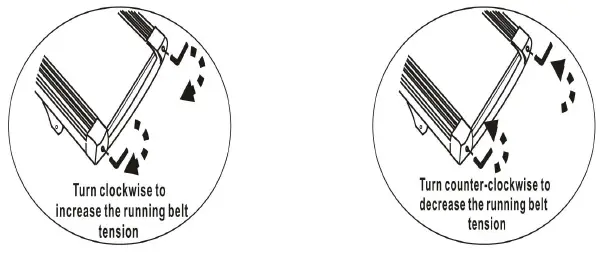
- Start the treadmill without anyone on the running belt, press “Speed+” button until speed reaches 4mile/h.
- Observe whether the running belt is toward the right or left side of the deck.
- If toward the left side of the deck, using 6# Allen Wrench, turn the left adjustment bolt clockwise 1/4 turn and let the running belt find its new position; if it’s still moving toward left side, turn the bolt another 1/4 turn.
- If toward the right side of the deck, using 6# Allen Wrench, turn the right adjustment bolt clockwise 1/4 turn and let the running belt will find its new position; if it’s still moving toward right side, turn the bolt further for 1/4 turn.
- If the belt is still not centered, repeat the above steps until the running belt is centered.
- After the belt is centered, increase the speed to 8mile/h and verify that it is running smoothly. Repeat the above steps if it is necessary. If the above procedure is unsuccessful in resolving the off-center issue, you may need to increase the belt tension.
MOTER BELT TENSION ADJUSTMENT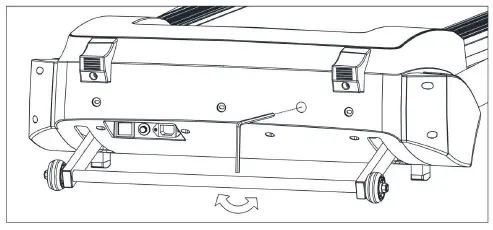
During your workout, if you find the running belt is not running smoothly, it could mean that the motor belt has lost some tension, please follow the below steps to adjust the motor belt tension:
When you need to adjust the tension of motor belt,please open the cover of the motor.
- Turn the motor belt adjustment bolt using an M8 Allen wrench 1/4 turn in a clockwise direction.
- Re-Start the treadmill and run on the treadmill; if the running belt is still not working properly, repeat the above step.
- Please do not make the motor belt too tight; if the belt is over tightened it will overload the treadmill and reduce the motor’s life.
DECK LUBRICATION
The treadmill is pre-lubricated. However, it is recommended to check the lubrication of the treadmill regularly, to ensure an optimal operation of the treadmill. After every 2 months of operation, lift the sides of the treadmill and feel the surface of the belt, as far as possible. If traces of silicon spray are found, lubrication is not necessary. In case of a dry surface, refer to the instructions below.
Only use 100% silicon oil to lubricate your treadmill deck.
To apply lubricant on the belt
- Position the belt so that the seam is located in the middle of the plate.
- Lift the belt at one side and hold the spray valve at a distance of approximately 15cm to the front end of belt and plate.Then spray from front to the end. Repeat this process on the other side of the belt. Spray each side for about 4 seconds.
- Wait 1 minute to let the silicon spray spread, before starting the machine.
CLEANING
Regular cleaning of the belt ensures a long product life.
- Warning: The treadmill must be turned off to avoid electric shocks. The power cord must be pulled out of the socket, before starting the cleaning or maintenance.
- Caution: Do not use any abrasives or solvents. To avoid damage to the computer, keep any liquids away. Do not expose the computer to direct sunlight.
- After each training: Wipe the console and other surfaces with a clean soft and damp cloth to remove sweat residues.
- Weekly: To make cleaning easier, it is recommended to use a mat under the treadmill. Shoes can leave dirt on the belt that can fall beneath the treadmill. Clean the mat under the treadmill once a week.
STORAGE
Store you treadmill in a clean and dry environment. Ensure the master power switch is off and is un-plugged from the electrical wall outlet.
TROUBLE SHOOTING
| Symptom | Cause and Check | Solution |
| E00 | Safety Key not in the position | Re-locate the safety key in the correct position |
| E01 | No signal to Controller from console | A: Check the Main Controller Wire B: Replace the PCB Board |
|
E02 |
Motor communication error | A: Check the wire from motor to controller B: IGBT breakdown, Replace the controller C: Check the power voltage if 50% lower than rate voltage D: repace the motor wire or change motor |
| E04 | Incline Motor communication error | A: Check the wire from incline motor to controller B: Replace the incline motor C: Replace the controller |
| E05 | Over current protector | A: Over loading or over resistance, restart the treadmill B: Transmission parts seized up, check the parts C: Replace controller D: Motor breakdown, change the motor |
| E06 | Motor Open Circuit | Connect the Motor link |
| E08 | IC Driver Error | Replace the IC driver or change the IC driver |
| E09 | Folding up protect | A: Do not fold up the running deck when treadmill in is running B: If the running deck in laying position and show E09, you need change the contoller |
| E10 | Motor instantaneous current abnormal | A: Adjust the torsion potentiometer of the Controller to lower B: Motor Breakdown, change the motor |
| E11 | Over voltage protector | Voltage over 270v (for 220v) or 150v (for 110v) — turn off the treadmill and check the power source |
| E13 | No singnal to console from Controller | A: Check the Main Controller Wire B: Change the controller |
| E14 | Lower voltage protector | Voltage lower than 160v (220v) or 70v (110v) — turn off the treadmill and check the power source |
EXERCISE INSTRUCTIONS
- The Warm Up Phase
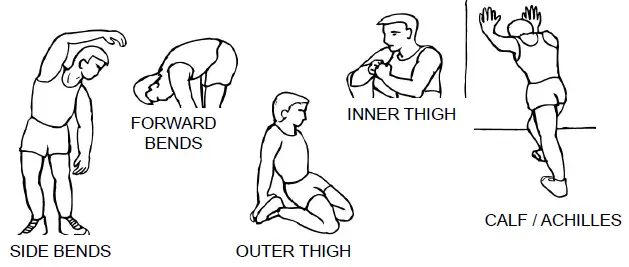
This stage helps get the blood flowing around the body and the muscles working properly. It will also reduce the risk of cramp and muscle injury. It is advisable to do a few stretching exercises as shown below. Each stretch should be held for approximately 30 seconds, do not force or jerk your muscles into a stretch – if it hurts, STOP.
- The Exercise Phase
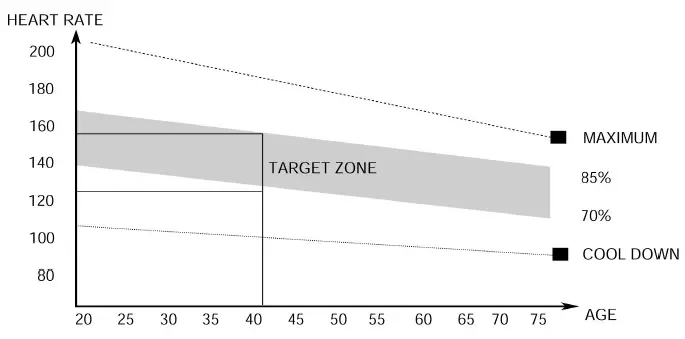
This is the stage where you put the effort in. After regular use, the muscles in your legs will become more flexible. Work to your targeted heart rate but it is very important to maintain a steady tempo throughout. The rate of work should be sufficient to raise your heartbeat into the target zone shown on the graph below.
This stage should last for a minimum of 12 minutes though most people start at about 15-20 minutes - The Cool Down Phase
This stage is to let your Cardio-vascular System and muscles wind down. This is a repeat of the warm up exercise e.g. reduce your tempo, continue for approximately 5 minutes. The stretching exercises should now be repeated, again remembering not to force or jerk your muscles into the stretch. As you get fitter you may need to train longer and harder. It is advisable to train at least three times a week, and if possible space your workouts evenly throughout the week.
WEIGHT LOSS
The important factor here is the amount of effort you put in. The harder and longer you work the more calories you will burn. Effectively this is the same as if you were training to improve your fitness, the difference is the goal.
EXPLODED DIAGRAM
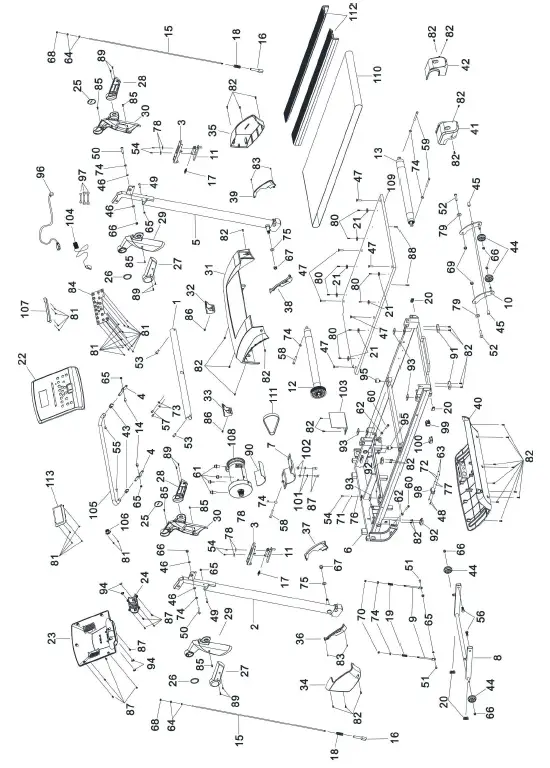
JX-651BW PARTS LIST
| PART NO | DESCRIPTION | SIZE | QUANTITY |
| 1 | Handrail Bar | 1 | |
| 2 | Left Console Mast | 1 | |
| 3 | Handle | 2 | |
| 4 | Connector | 2 | |
| 5 | Right Console Mast | 1 | |
| 6 | Running Stage | 1 | |
| 7 | Motor Support | 1 | |
| 8 | Base Frame | 1 | |
| 9 | Spring Rod | 2 | |
| 10 | Incline Adjusement Frame | 1 | |
| 11 | Sliding Pin Plate | 2 | |
| 12 | Front Roller | 1 | |
| 13 | Rear Roller | 1 | |
| 14 | Step Bolt | 2 | |
| 15 | Thread Rod | 2 | |
| 16 | Thread Rod Base | 2 | |
| 17 | Tension Spring | Ø ⅜” x 1 ⅝” | 2 |
| 18 | Compressed Spring | Ø ¾” x 1 ¾” | 2 |
| 19 | Compressed Spring | Ø ⅜” x 2 ⅝” | 2 |
| 20 | End Cap | 4 | |
| 21 | Side Rail Fixer | 8 | |
| 22 | Console Upper Housing | 1 | |
| 23 | Console Bottom Housing | 1 | |
| 24 | Console Rotate Cover | 1 | |
| 25 | Handrail Decoration Cap | 2 | |
| 26 | Handrail Decoration Ring | 2 | |
| 27 | Left Handle Cover | 2 | |
| 28 | Right Handle Cover | 2 | |
| 29 | Left Handrail Cover | 2 | |
| 30 | Right Handrail Cover | 2 | |
| 31 | Motor Cover | 1 | |
| 32 | Left Ground Support | 1 | |
| 33 | Right Ground Support | 1 | |
| 34 | Left Console Mast Cover | 1 | |
| 35 | Right Console Mast Cover | 1 | |
| 36 | Left Console Mast Decoration (L) | 1 | |
| 37 | Left Console Mast Decoration (R) | 1 | |
| 38 | Right Console Mast Decoration (L) | 1 | |
| 39 | Right Console Mast Decoration (R) | 1 | |
| 40 | Motor Bottom Cover | 1 | |
| 41 | Left End Cap | 1 | |
| 42 | Right End Cap | 1 |
| 43 | Plug | 2 | |
| 44 | Transport Wheel | 4 | |
| 45 | Nylon Sleeve | 2 | |
| 46 | Plastic Washer | Ø ⅝” x Ø ⅜” | 4 |
| 47 | Sunk Bolt | M8 x ⅞” | 6 |
| 48 | Sunk Bolt | M3 x ½” | 2 |
| 49 | Allen Bolt | M6 x 1 ⅛” | 2 |
| 50 | Allen Bolt | M8 x 1 ⅝” | 2 |
| 51 | Allen Bolt | M6 x ⅝” | 2 |
| 52 | Allen Bolt | M10 x 1 ⅝” | 2 |
| 53 | Allen Bolt | M8 x 1” | 2 |
| 54 | Phillips Screw | M4 x ⅜” | 5 |
| 55 | Phillips Screw | M6 x ⅝” | 2 |
| 56 | Hex Bolt | M10 x 1” | 2 |
| 57 | Cylinder Head Bolt | M6 x ½” | 2 |
| 58 | Cylinder Head Bolt | M8 x 2 ⅜” | 2 |
| 59 | Cylinder Head Bolt | M8 x 2 ¾” | 2 |
| 60 | Cylinder Head Bolt | M8 x 1 ⅛” | 2 |
| 61 | Cylinder Head Bolt | M10 x 1” | 4 |
| 62 | Nut | M8 | 2 |
| 63 | Nut | M3 | 2 |
| 64 | Hex Nut | M5 | 4 |
| 65 | Aircraft Nut | M6 | 6 |
| 66 | Aircraft Nut | M8 | 6 |
| 67 | Aircraft Nut | M12 | 2 |
| 68 | Aircraft Nut | M5 | 2 |
| 69 | Aircraft Nut | M10 | 2 |
| 70 | Flange Lock Nut | M6 | 2 |
| 71 | Lock Washer | Ø ⅛” | 1 |
| 72 | Lock Washer | Ø ⅛” | 2 |
| 73 | Washer | Ø ¼” | 4 |
| 74 | Washer | Ø ⅜” | 8 |
| 75 | Washer | Ø ½” | 2 |
| 76 | Washer | Ø ⅛” | 1 |
| 77 | Washer | Ø ⅛” | 2 |
| 78 | Large Washer | Ø ¾” | 4 |
| 79 | Plastic Washer | Ø1” | 2 |
| 80 | Phillips Screw (Z) | ST4.8 x ⅝” | 8 |
| 81 | Phillips Screw | ST2.9 x ⅜” | 26 |
| 82 | Phillips Screw | ST4.8 x ⅝” | 30 |
| 83 | Phillips Screw | ST2.9 x ⅜” | 4 |
| 84 | PCB Board | 1 | |
| 85 | Phillips Screw | ST4.2 x ⅝” | 6 |
| 86 | Phillips Screw | ST4.8 x ¾” | 2 |
| 87 | Hex Bolt | M8 x ⅝” | 2 |
| 88 | Sunk Screw | ST4.2 x 1 ⅛” | 2 |
| 89 | Sunk Screw | ST4.2 x ⅝” | 8 |
| 90 | Motor Base | 1 | |
| 91 | Shock Pad | 2 | |
| 92 | Air Cushion | 2 | |
| 93 | Running Deck Bumper | 4 | |
| 94 | Damper Pad | 4 | |
| 95 | Rubber Cushion | 2 | |
| 96 | Power Cord | 1 | |
| 97 | Short Cord | 1 | |
| 98 | Power Socket | 1 | |
| 99 | Power Switch | 1 | |
| 100 | Over Current Protector | 1 | |
| 101 | Lock Washer | Ø ⅜” | 2 |
| 102 | Washer | Ø ⅝” | 2 |
| 103 | Driving Board | 1 | |
| 104 | Safety Key | 1 | |
| 105 | Lifting Bar | 1 | |
| 106 | Insert Switch | 1 | |
| 107 | IPAD Holder | 1 | |
| 108 | Motor | 1 | |
| 109 | Running Deck | 1 | |
| 110 | Running Belt | 1 | |
| 111 | Motor Belt | 1 | |
| 112 | Side Rail | 2 | |
| 113 | LCD Screen | 1 |
LIMITED WARRANTY
IMPEX Inc. (“IMPEX®”) warrants this product to be free from defects in workmanship and material, under normal use and service conditions, for a period of two years on the Frame from the date of purchase. This warranty extends only to the original purchaser. IMPEX’s obligation under this Warranty is limited to replacing or repairing, at IMPEX’s option. All returns must be pre-authorized by IMPEX. Pre-authorization may be obtained by calling IMPEX Customer Service Department at 1-800-999-8899. All freights on products returned to IMPEX must be prepaid by the customer. This warranty does not extend to any product or damage to a product caused by or attributable to freight damage, abuse, misuse, improper or abnormal usage or repairs not provided by an IMPEX authorized service center or for products used for commercial or rental purposes. No other warranty beyond that specifically set forth above is authorized by IMPEX.
IMPEX is not responsible or liable for indirect, special or consequential damages arising out of or in connection with the use or performance of the product or other damages with respect to any economic loss, loss of property, loss of revenues or profits, loss of enjoyments or use, costs of removal, installation or other consequential damages or whatsoever natures. Some states do not allow the exclusion or limitation of incidental or consequential damages. Accordingly, the above limitation may not apply to you. The warranty extended hereunder is in lieu of any and all other warranties and any implied warranties of merchantability or fitness for a particular purpose is limited in its scope and duration to the terms set forth herein. Some states do not allow limitations on how long an implied warranty lasts. Accordingly, the above limitation may not apply to you. This warranty gives you specific legal right. You may also have other rights which vary from state to state. Register on-line at www.marcypro.com
IMPEX® INC.
2801 S. Towne Ave.
Pomona, CA 91766
ORDERING REPLACEMENT PARTS
Replacement parts can be ordered by calling our Customer Service Department toll-free at 1-800-999-8899 during our regular business hours: Monday through Friday, 9 am until 5 pm Pacific standard time.
When ordering replacement parts, always give the following information.
- Model
- Description of Parts
- Part Number
- Date of Purchase
 Fitness - Exercises, Fitness & Nutrition, and Fitness Articles
 Get the Best Home Exercise Equipment / Marcy Pro